%20500x1200.png?width=200&height=83&name=ALK%20Tech%20Logo%20(TransparentTextured)%20500x1200.png "ALK Tech Logo (TransparentTextured) 500x1200")
MSI's new mainstream MAG B850M MORTAR MAX WIFI microATX AM5 motherboard represents an incremental evolution over its predecessor, the MAG B850M MORTAR WIFI, where it now comes with a better VRM setup, support for a whopping four M.2 slots with no PCIe lane sharing and a 64MB BIOS ROM, among other improvements.
AM5 motherboard refresh season has been underway for the past few months, with motherboard manufacturers launching new AM5 motherboard offerings so as to ensure that these boards come equipped with the latest features in preparation for AMD's next-generation "Zen 6" processors that are going to be built on the AM5 socket. No surprises here, seeing as the first AMD X870E and X870 motherboards hit the market way back in September 2024, with boards powered by the B850 and B840 chipsets then arriving some months later in January 2025.
On that note, we'll be taking a look at a mainstream AM5 motherboard from MSI that's targeted at mid-to-high-end microATX AM5 PCs: the MAG B850M MORTAR MAX WIFI. As the successor to the B850M MORTAR WIFI that launched back in April 2025, this new motherboard similarly features support for AMD's "Zen 5" Ryzen 9000 series of processors, the Ryzen 8000 series of APUs and CPUs, as well as the older Ryzen 7000 series of CPUs. Some new features over its predecessor include a higher-end VRM setup and support for a whopping four M.2 slots, which is uncommon on a microATX motherboard offering. We've got the usual dual PCIe 5.0 x4 M.2 slots with no lane sharing, 5 Gigabit Ethernet, a WIFI 7 module, alongside a whole host of quality-of-life features too. Read on to learn more about this motherboard!
Summary of Specifications
Processor Support: AMD Ryzen 9000/8000/7000 series processors
Chipset: AMD B850
Memory: 4x DDR5 slots, max 256GB, up to DDR5 8400 support (as of end-March 2026)
Audio: Realtek ALC4080 audio codec
LAN: Realtek RTL8126 5 Gigabit Ethernet
WIFI: MediaTek MT7925B22M WIFI 7 module with built-in Bluetooth 5.4
Expansion Slots: 1x PCIe 5.0 x16 (runs at x16 mode),
Storage: 2x SATA III, 2x PCIe 5.0 x4 M.2, 2x PCIe 4.0 x4 M.2 (M.2 slots support NVMe drives only)
Form Factor: Micro ATX
Official Product Page: https://www.msi.com/Motherboard/MAG B850M MORTAR MAX WIFI
Do note that PCIe 5.0 is supported only when a Ryzen 9000 or Ryzen 7000 series CPU is installed on this motherboard - the Ryzen 8000 series of APUs and CPUs only support the PCIe 4.0 standard.
Packaging & Contents
.jpg)
.jpg)
As can be seen, the MAG B850M MORTAR MAX WIFI comes in a grey box with light green accents.
.jpg)
The board comes shipped with the following accessories:
- 1x MSI EZ WIFI Antenna
- 1x SATA III cable
- 1x 1-to-2 EZ Conn-cable
- 2x EZ M.2 Clip II attachments
- 1x EZ M.2 Clip II remover tool
- 1x M.2 drive screw
- Quick installation guide
- Regulatory information leaflet
- Sheet of MSI decorative stickers
Visuals on the above accessories can be found in the walkthrough video for this motherboard, which is embedded at the top of this article. That said, the 1-to-2 EZ-Conn-cable forms part of a MSI specific-feature called EZ Conn, which allows end-users to connect an addressable RGB device and a fan to a single proprietary EZ Conn header on the motherboard - MSI's intention here is to simplify the hardware setup process, and I'll give a lowdown on EZ Conn later in this article.
Board Aesthetics
.jpg)
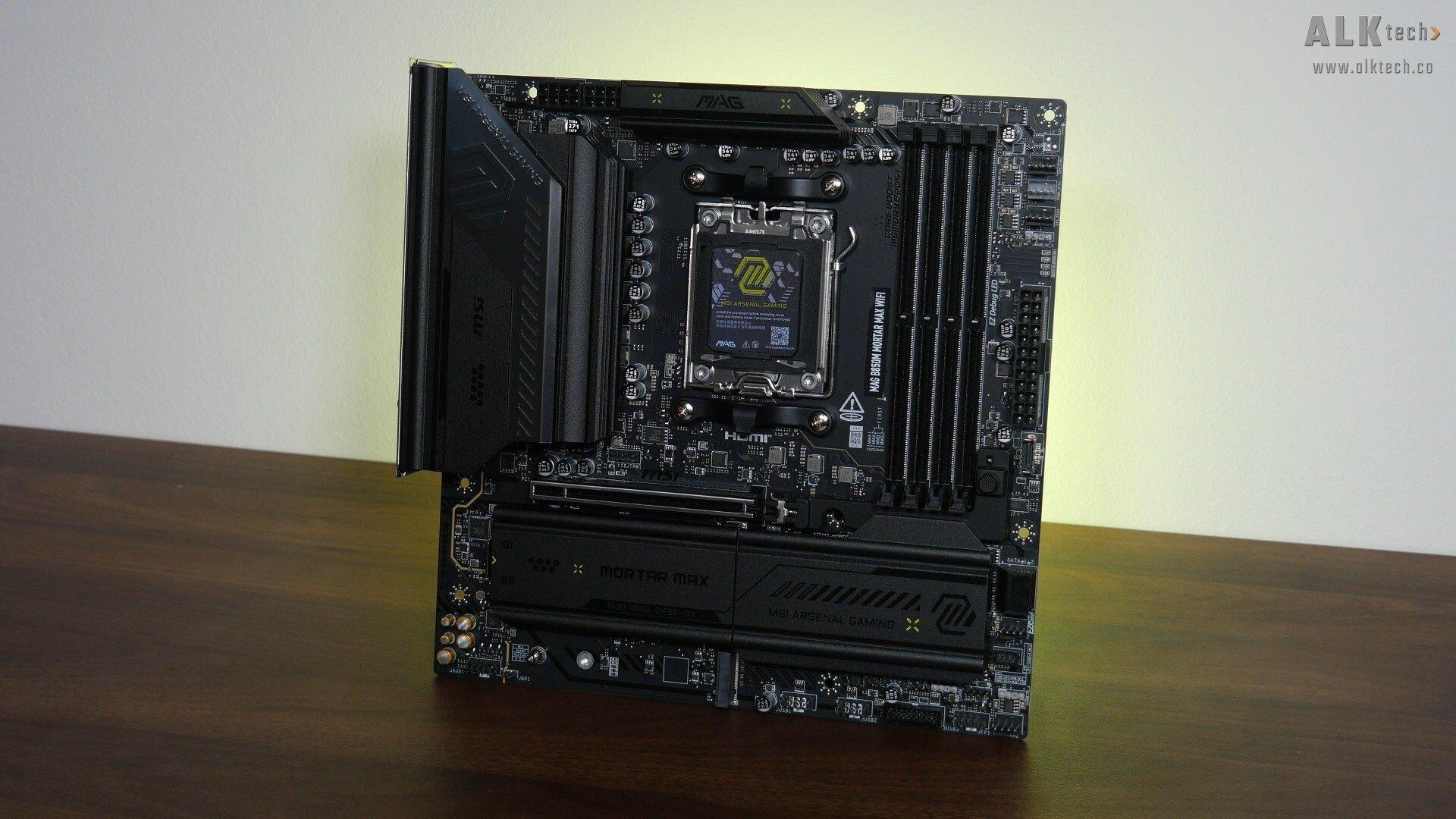
In terms of motherboard aesthetics, the MAG B850M MORTAR MAX WIFI has a clean and stealthy appearance, with a black-coloured PCB and large black heatsinks all around that feature subtle lime green motifs for a pop of colour.
.jpg)
The VRM heatsink also comes with a gunmetal grey accent that in my opinion, adds a touch of visual flair. Fans of RGB lighting effects might be disappointed to note that the board does not come with any onboard RGB LEDs, though it does of course come with an assortment of ARGB headers, which I’ll cover later on in this article.
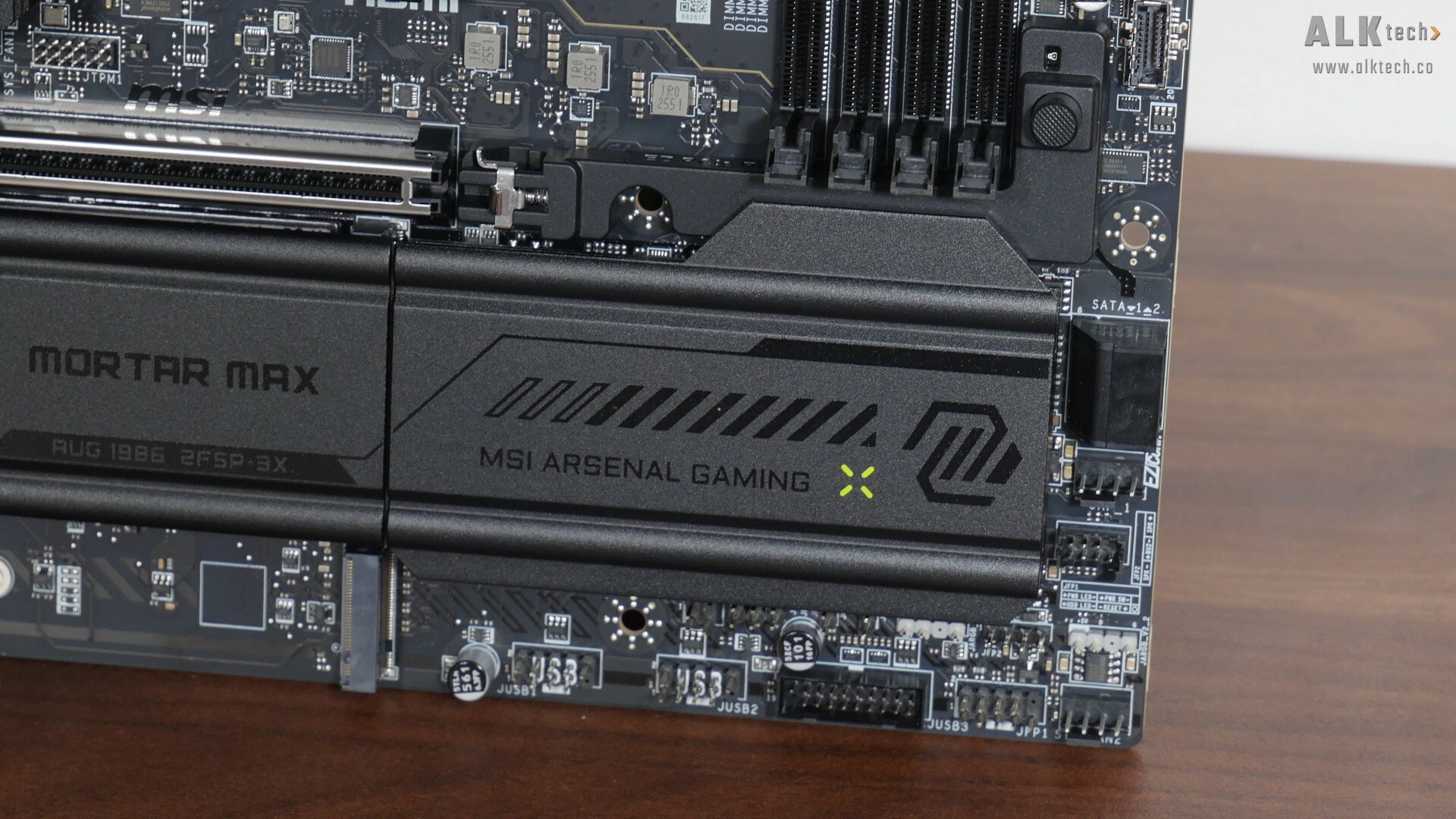
The B850 chipset has a single-chip design, and the said chip is cooled by the rectangular passive heatsink pictured above.
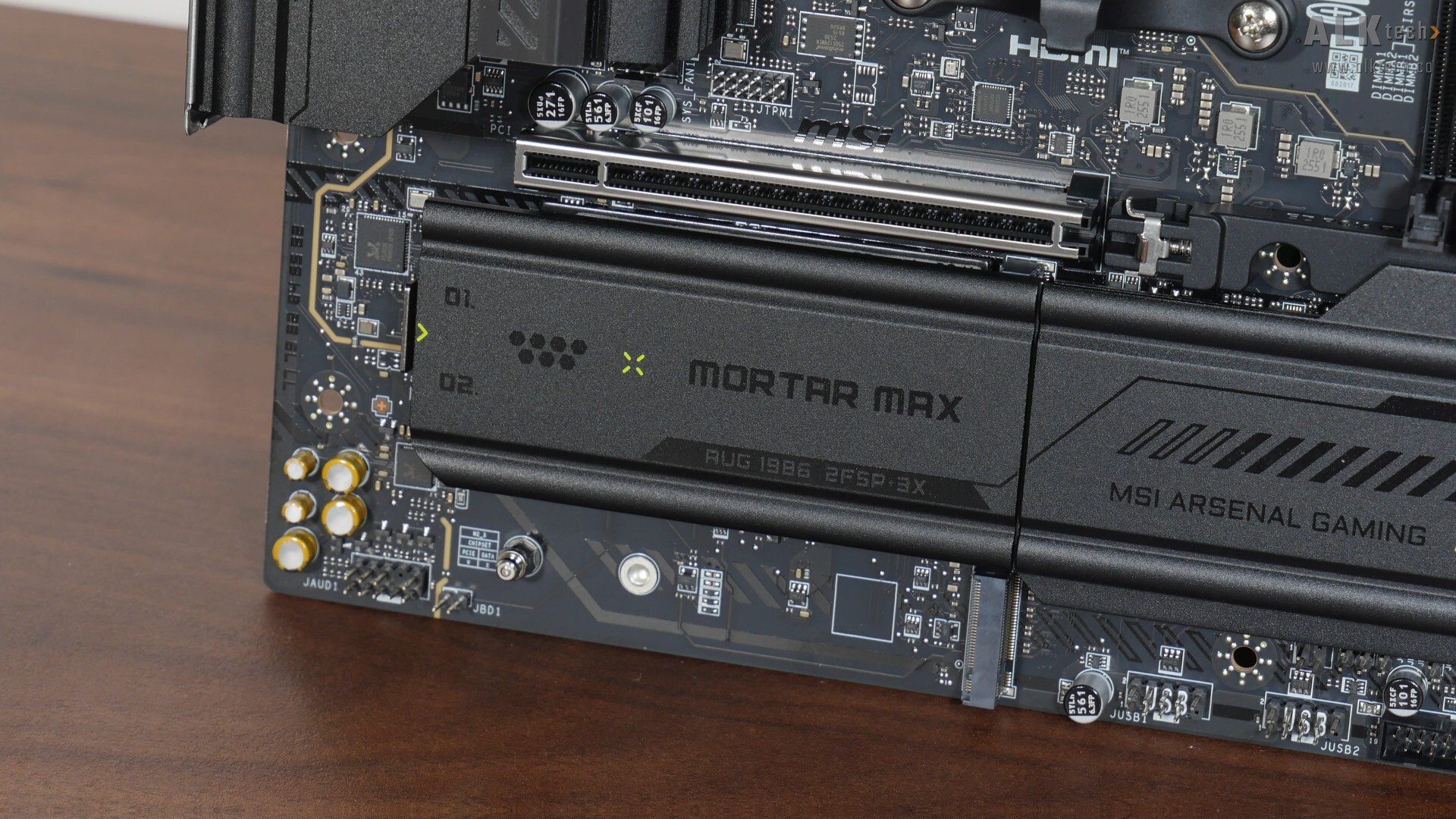
For M.2 drive cooling, MSI's provided heatsink coverage for two out of the three M.2 drive slots that are found on the front of the board. The rear of this board has a M.2 slot too, and that rear slot doesn’t come with a heatsink due to obvious space constraints.
.jpg)
.jpg)
The rear of the motherboard is unremarkable, though we do get some markings that serve as a warning not to install unneeded motherboard standoffs within your PC case, which could otherwise damage the board. A uniquely MSI-only feature, we also get protective paint around the motherboard’s screw holes to protect the PCB against scratches, which is a nice touch.
VRM & Memory Support
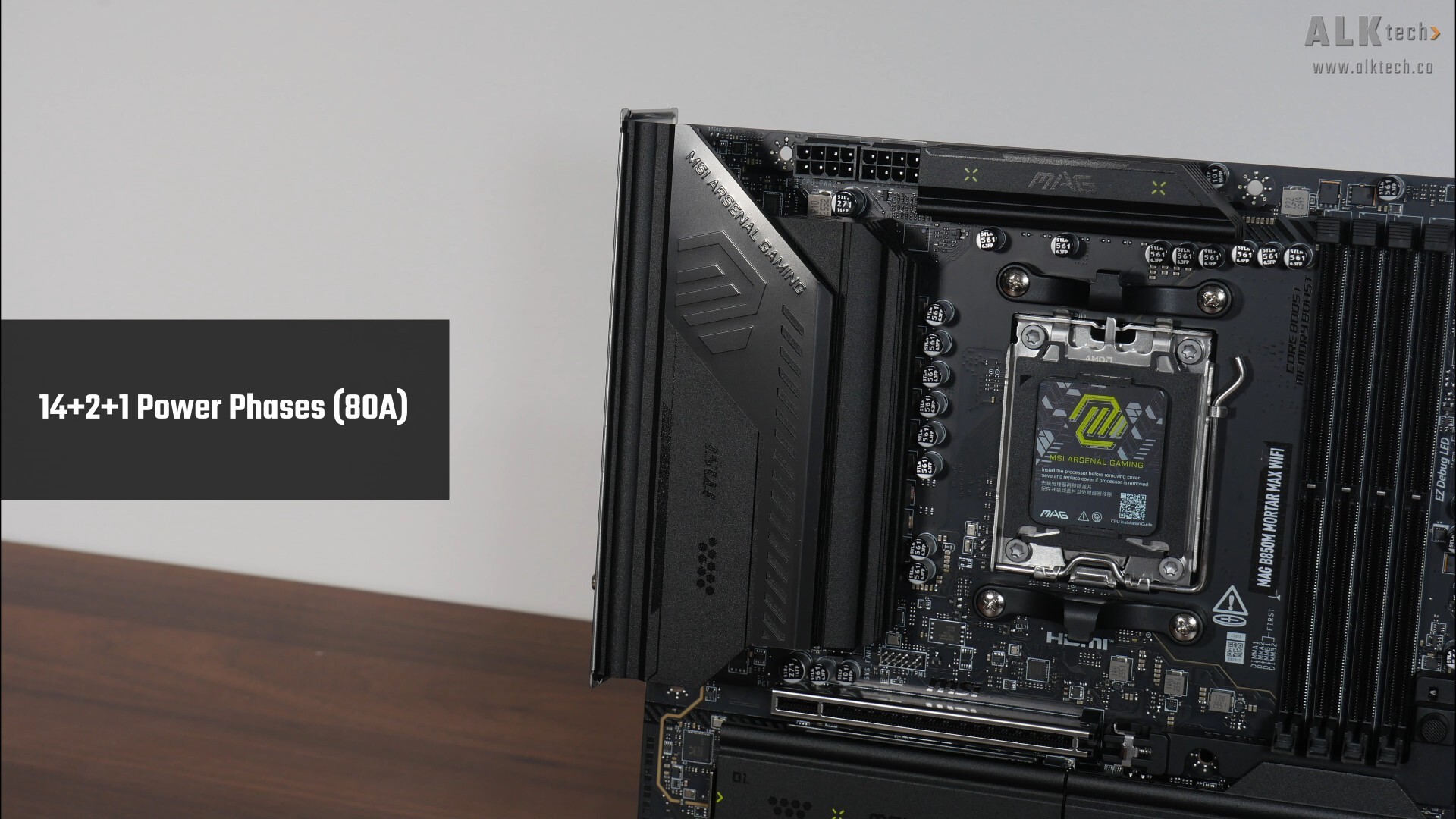
The VRM heatsinks for this board are decently-sized, and MSI's included 14+2+1 power phases with 80A power stages. In case you’re wondering, the MAG B850M MORTAR MAX WIFI utilises a premium eight-layer PCB design too.
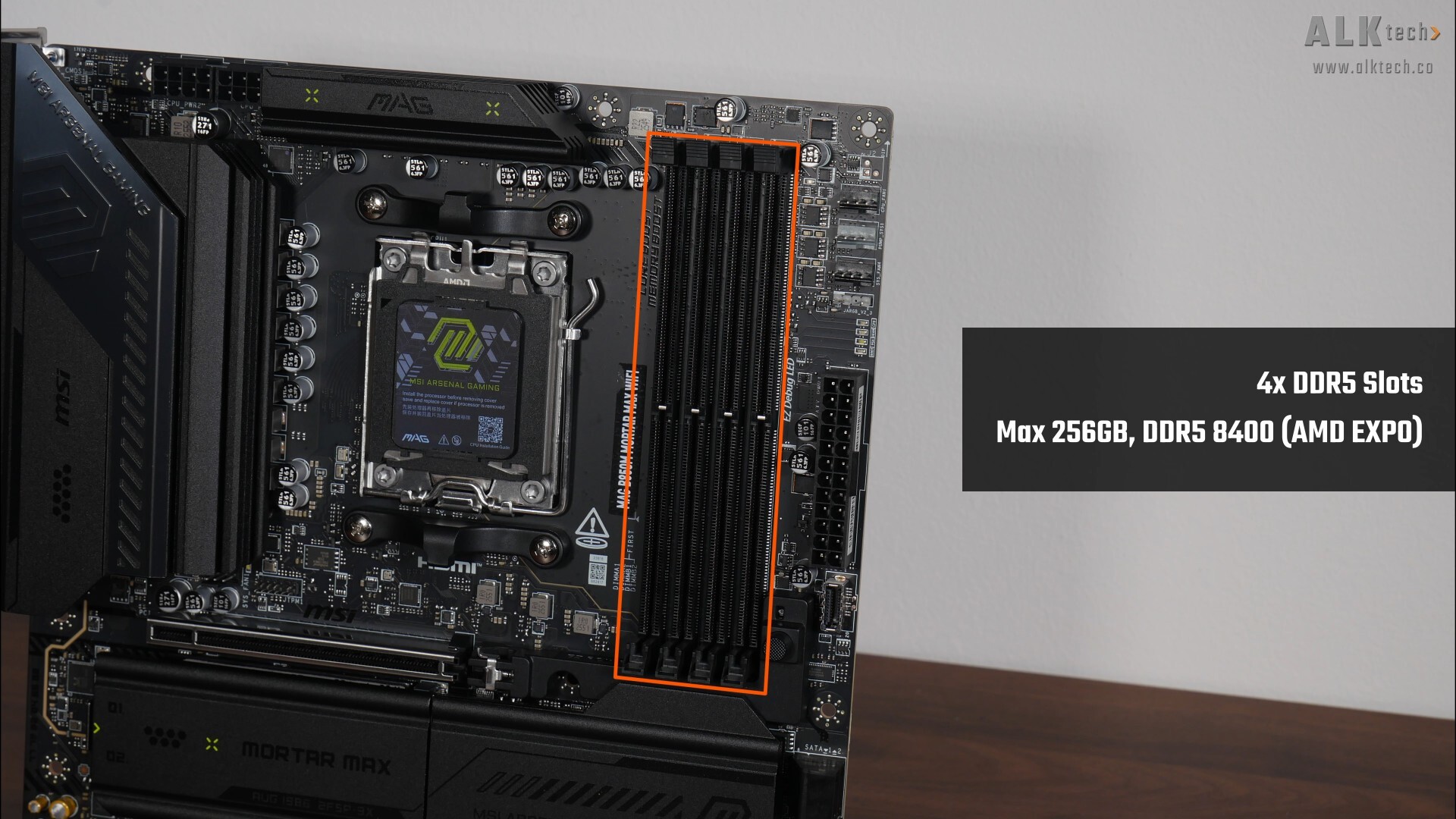
For memory support, the MAG B850M MORTAR MAX WIFI comes with four DDR5 slots with a single-tab design that as of the time of publishing this article, comes with support for up to 256GBs of RAM, and up to the DDR5 8400 standard.
Front Panel USB Headers
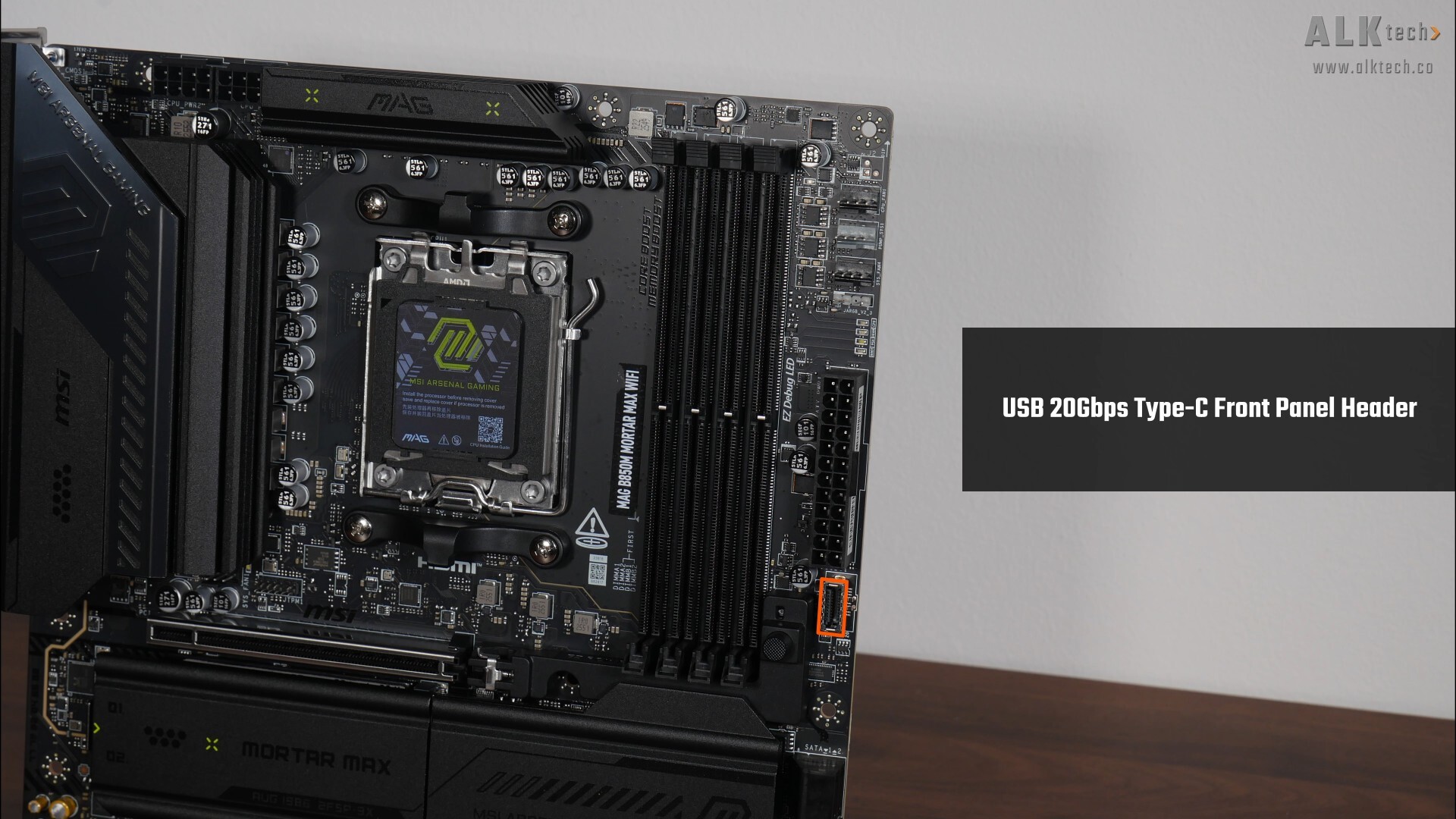
For front panel USB connectivity, we get a USB 20Gbps Type-C front panel header located right next to the RAM slots.
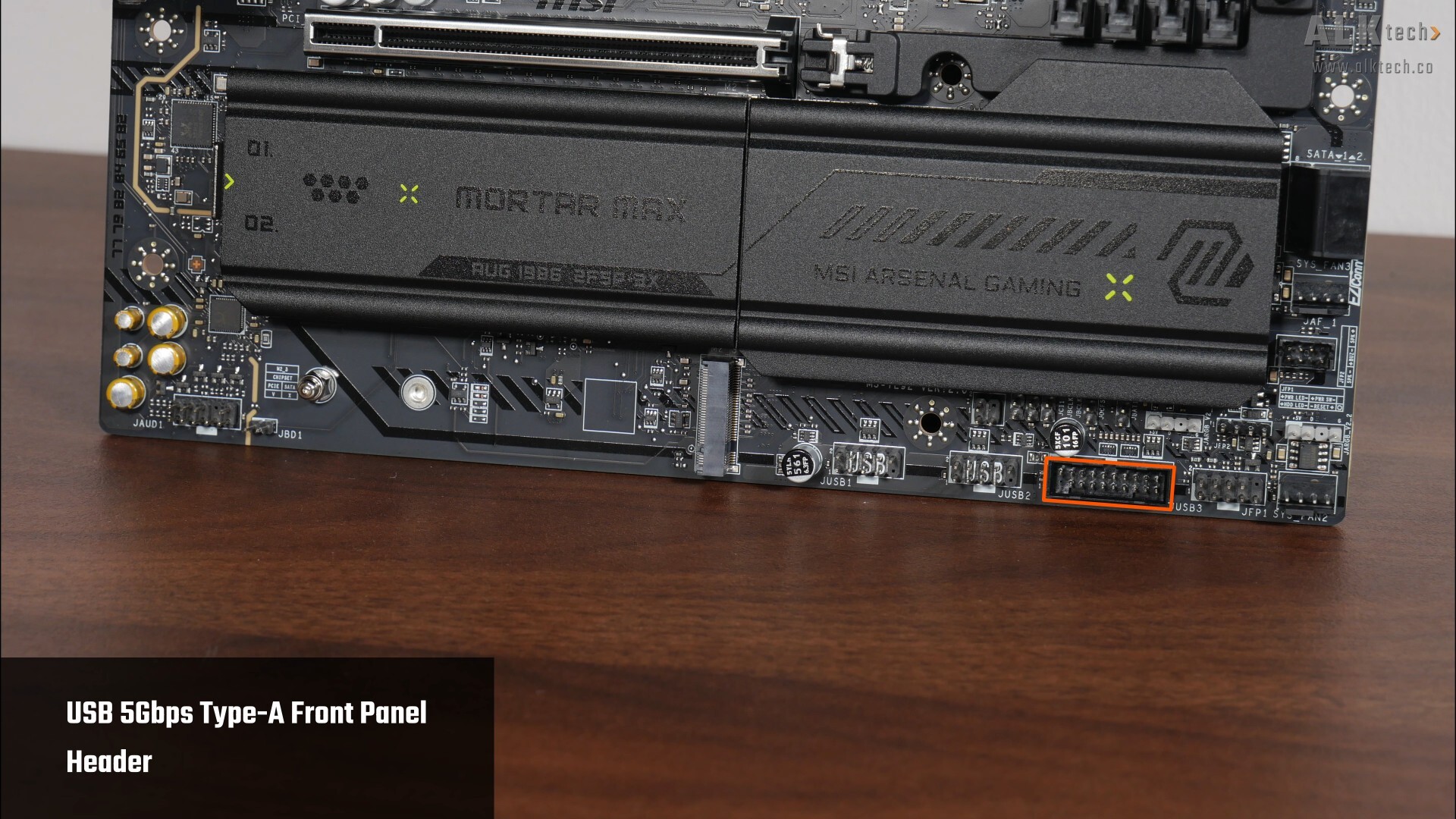
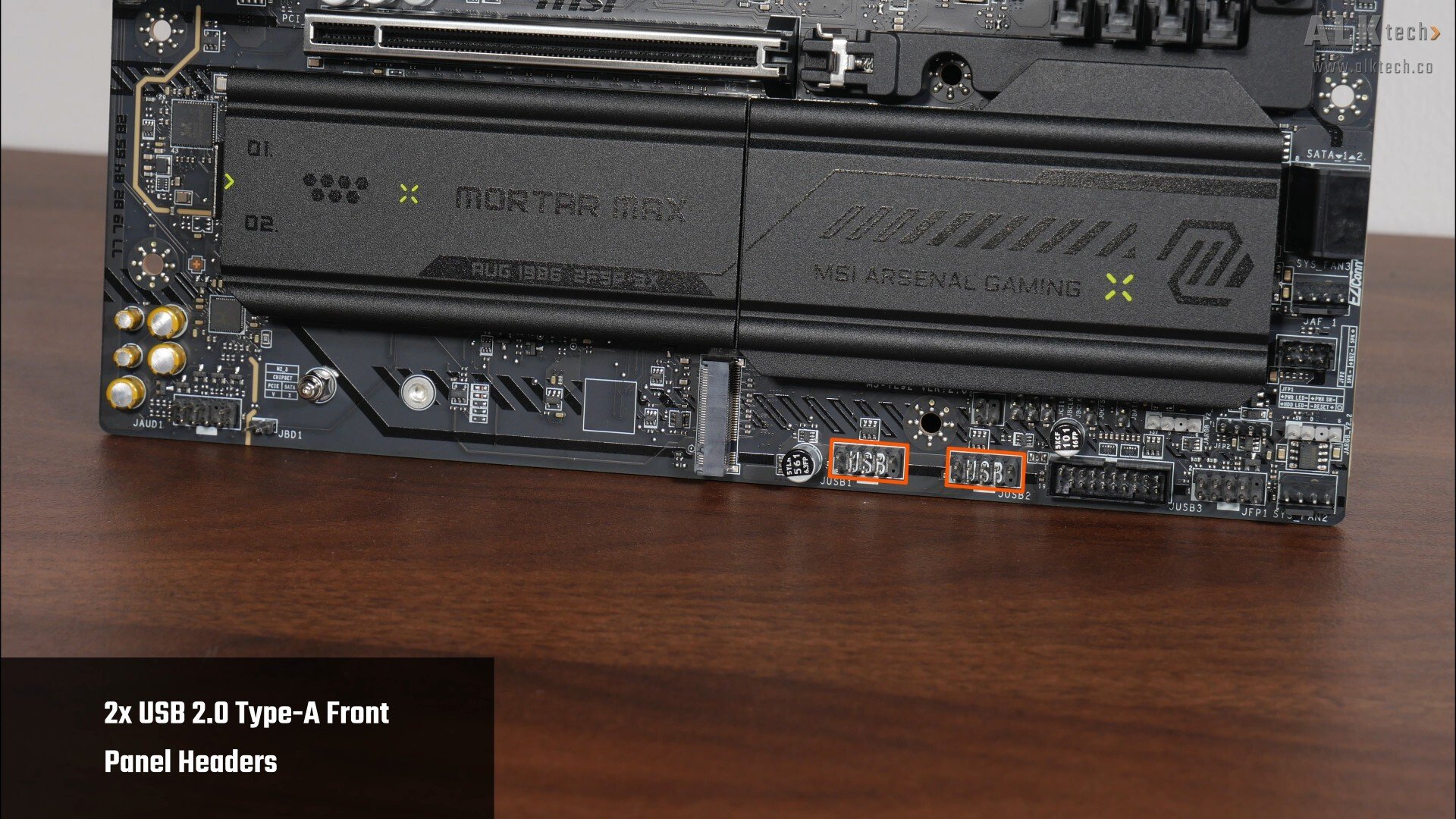
Moving to the bottom edge of the board, we get a single USB 5Gbps Type-A front panel header, where this very header provides for up to two USB 5Gbps Type-A ports. We do also get two USB 2.0 front panel headers, with each header providing support for two USB 2.0 Type-A ports, for a total of four ports.
Expansion Slots & Storage Options
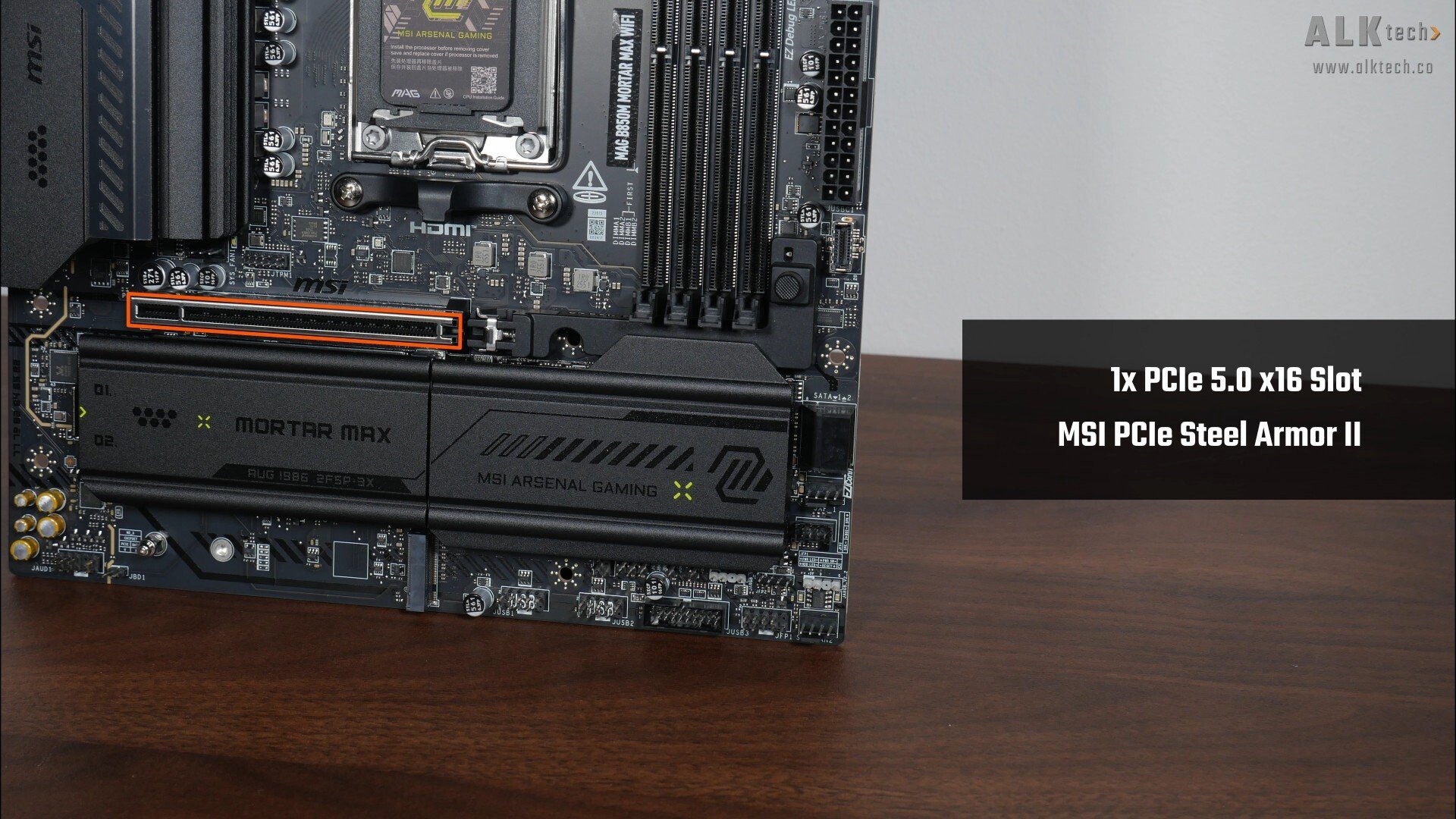
In the expansion slots department, we get just a single PCIe 5.0 x16 slot that sports MSI’s Steel Armour II design to reinforce the slot for use with heavy graphics cards. Do note that PCIe 5.0 is only supported when you have a Ryzen 9000 series or Ryzen 7000 series processor installed – the Ryzen 8000 series of APU and CPUs only support the PCIe 4.0 standard.
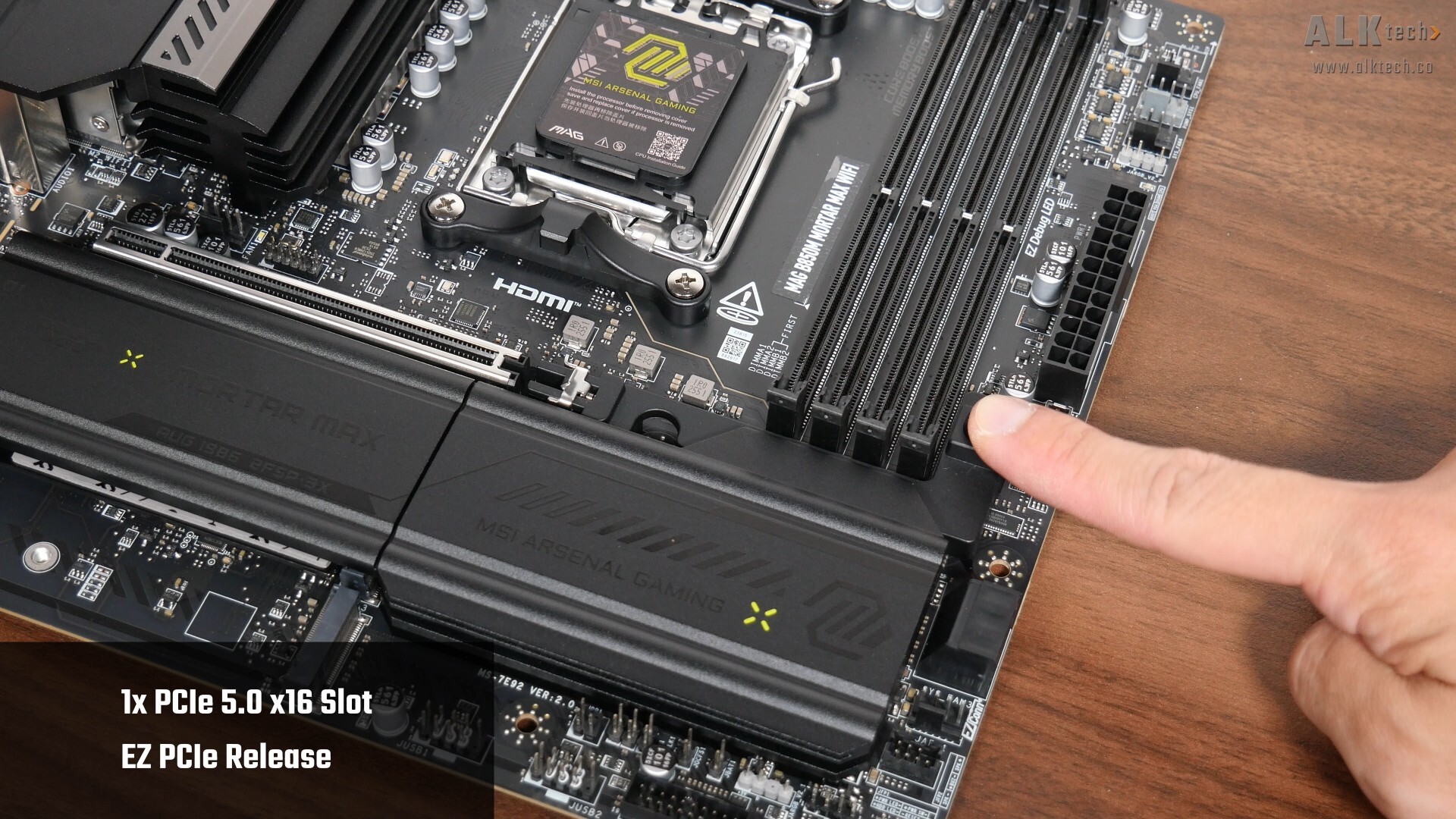
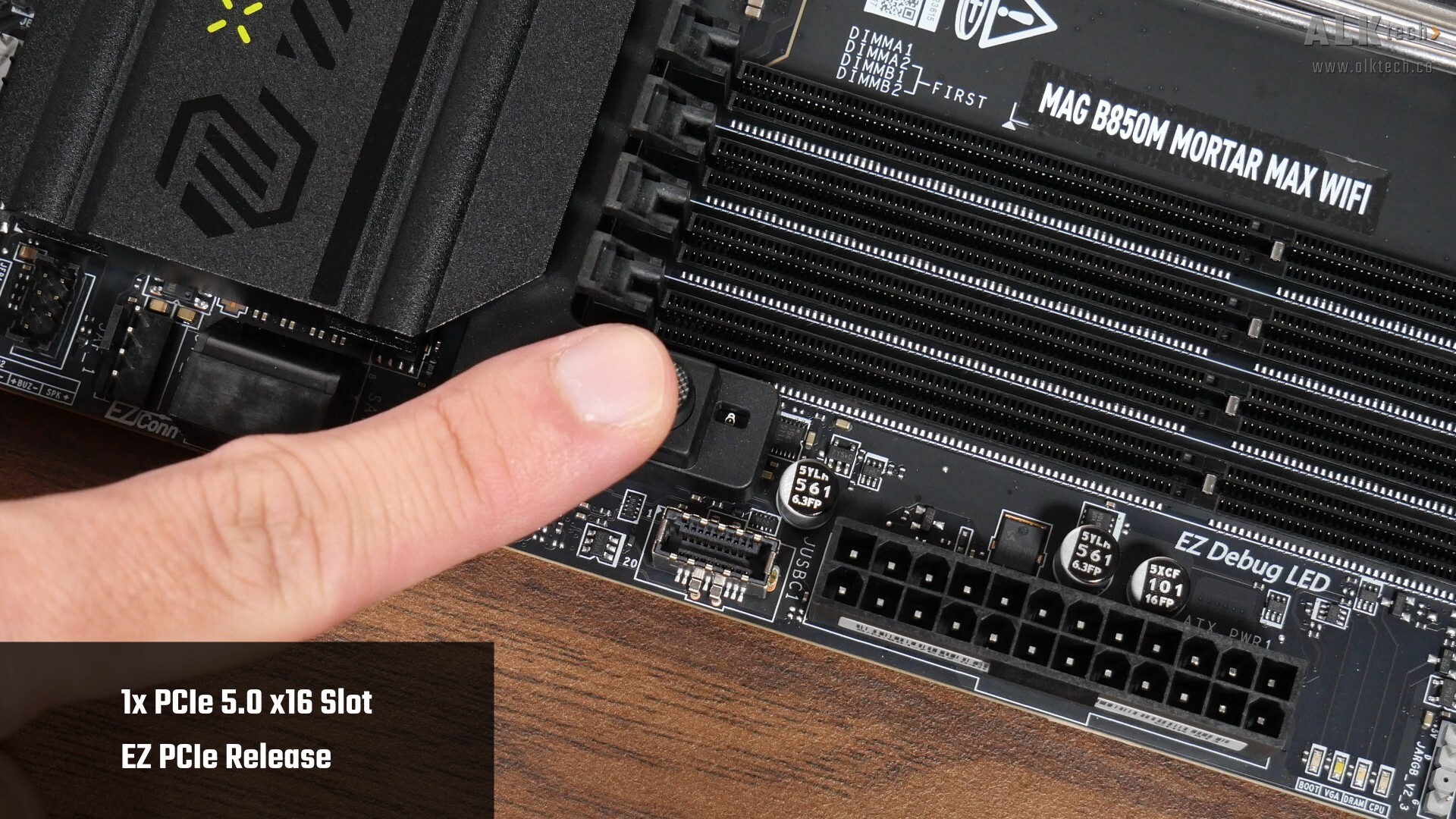
As can be seen from the photos above, the slot comes with MSI's EZ PCIe Release feature that helps make removing a graphics card from the motherboard a pretty straightforward affair. Pressing down on the round button pictured above will undo the latch for the installation or removal of a graphics card, and we even get a little window that shows whether the latch is locked in place or not. Pretty nifty!
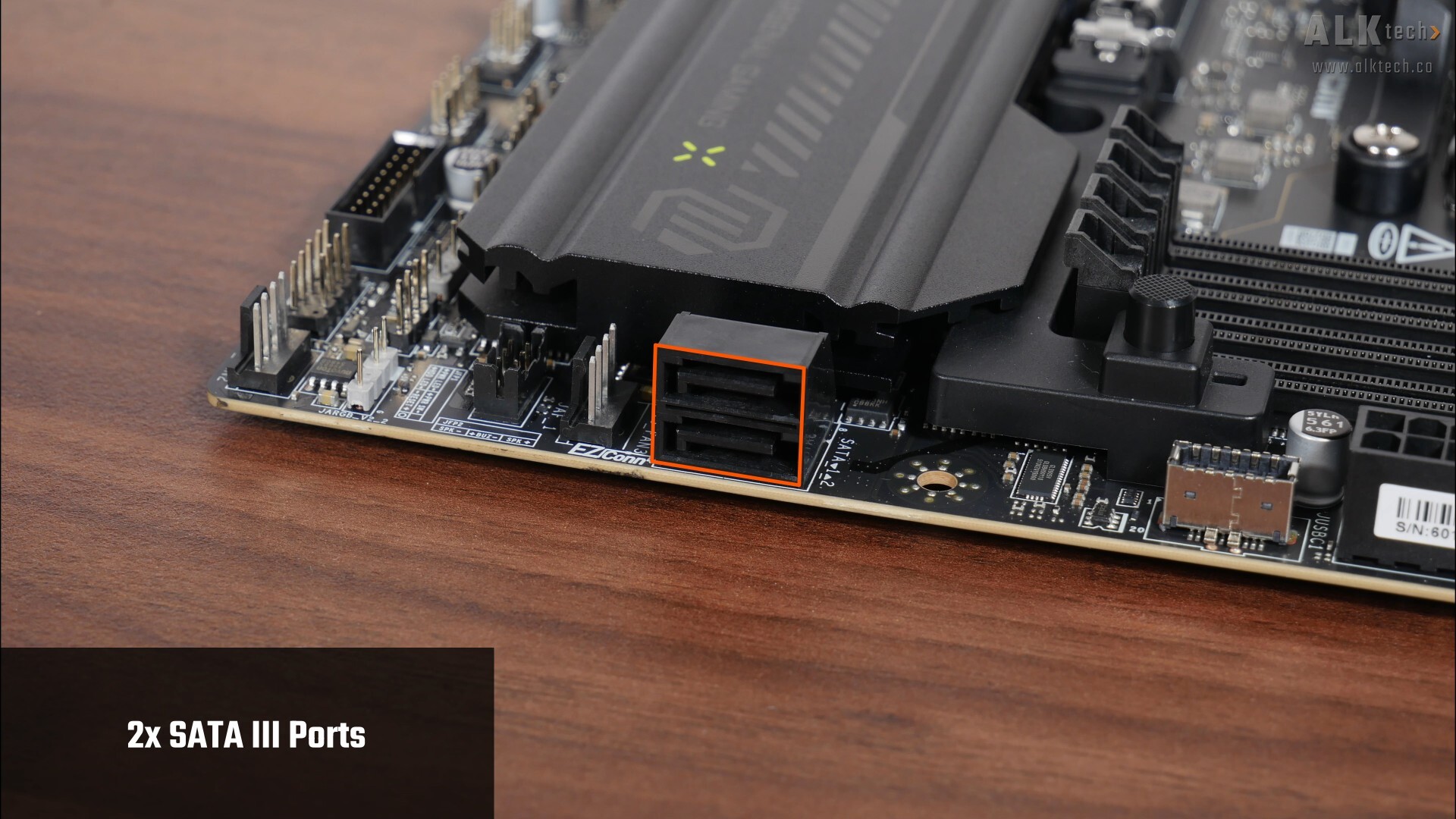
For your storage needs, MSI's included two SATA III ports, with both ports in a right-angled configuration to aid with cable management.
.jpg)
.jpg)
For M.2. slots, the MAG B850M MORTAR MAX WIFI comes with two PCIe 5.0 x4 M.2 slots and one PCIe 4.0 x4 M.2 slot on the front, and over on the rear of the board, we get another PCIe 4.0 x4 M.2 slot too, making this a rare microATX motherboard with support for that many M.2 drives, and without any PCIe lane sharing too. Do note that all of these slots support NVMe SSDs only, M.2 SATA drives will not work in any of these slots.
Once again, do note that PCIe 5.0 is supported only with a Ryzen 9000 series or Ryzen 7000 series processor installed – the Ryzen 8000 series of processors only support the PCIe 4.0 standard.
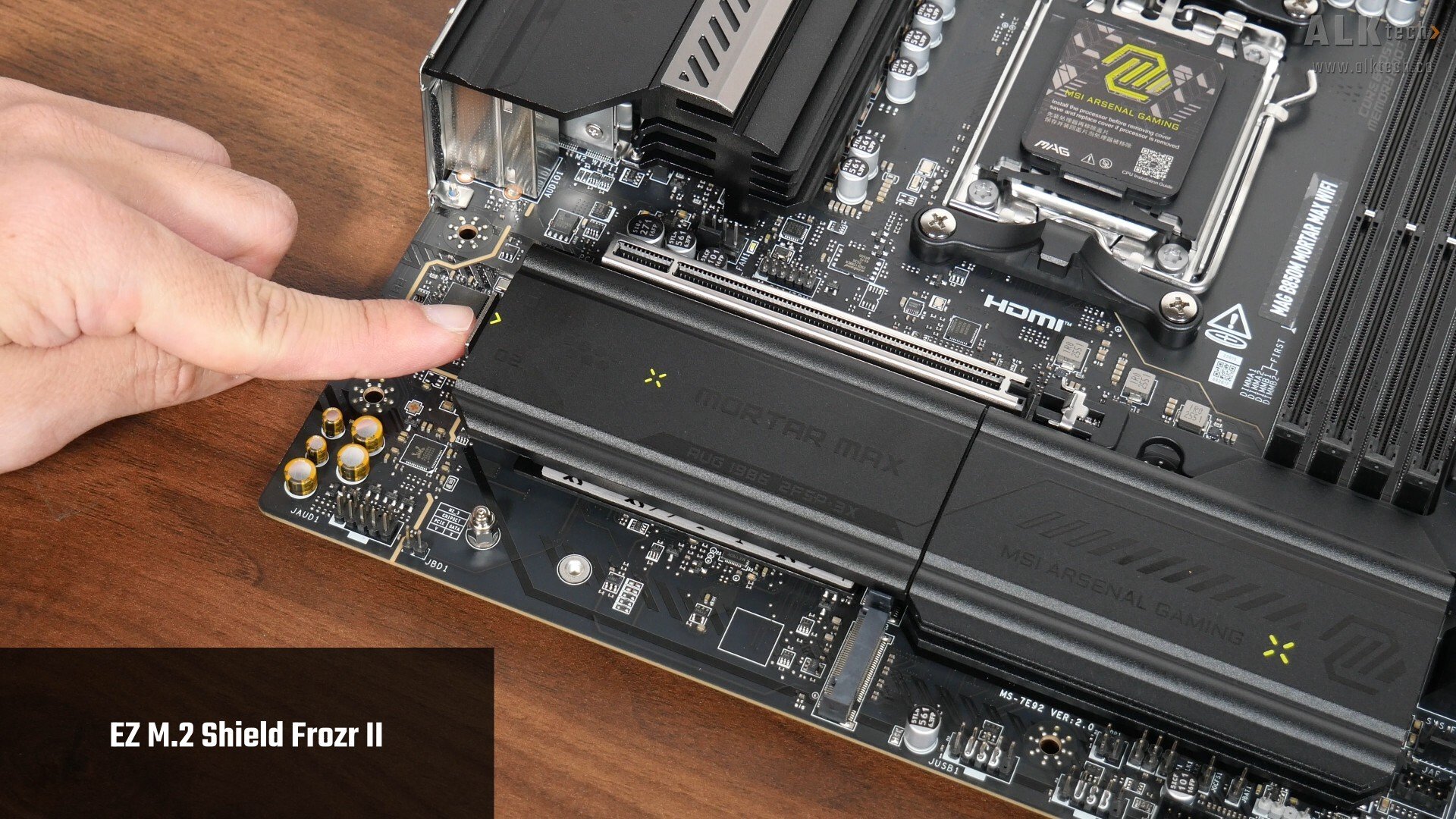
The included M.2 heatsink features a tool-less design called EZ M.2 Shield Frozr II, which makes removing and installing the heatsink really easy. To remove it, simply press down on a button located at the side of the heatsink and lift the heatsink away from the board. Reinstalling it is pretty straightforward too, simply slide it back into place, and press down till you hear a click.
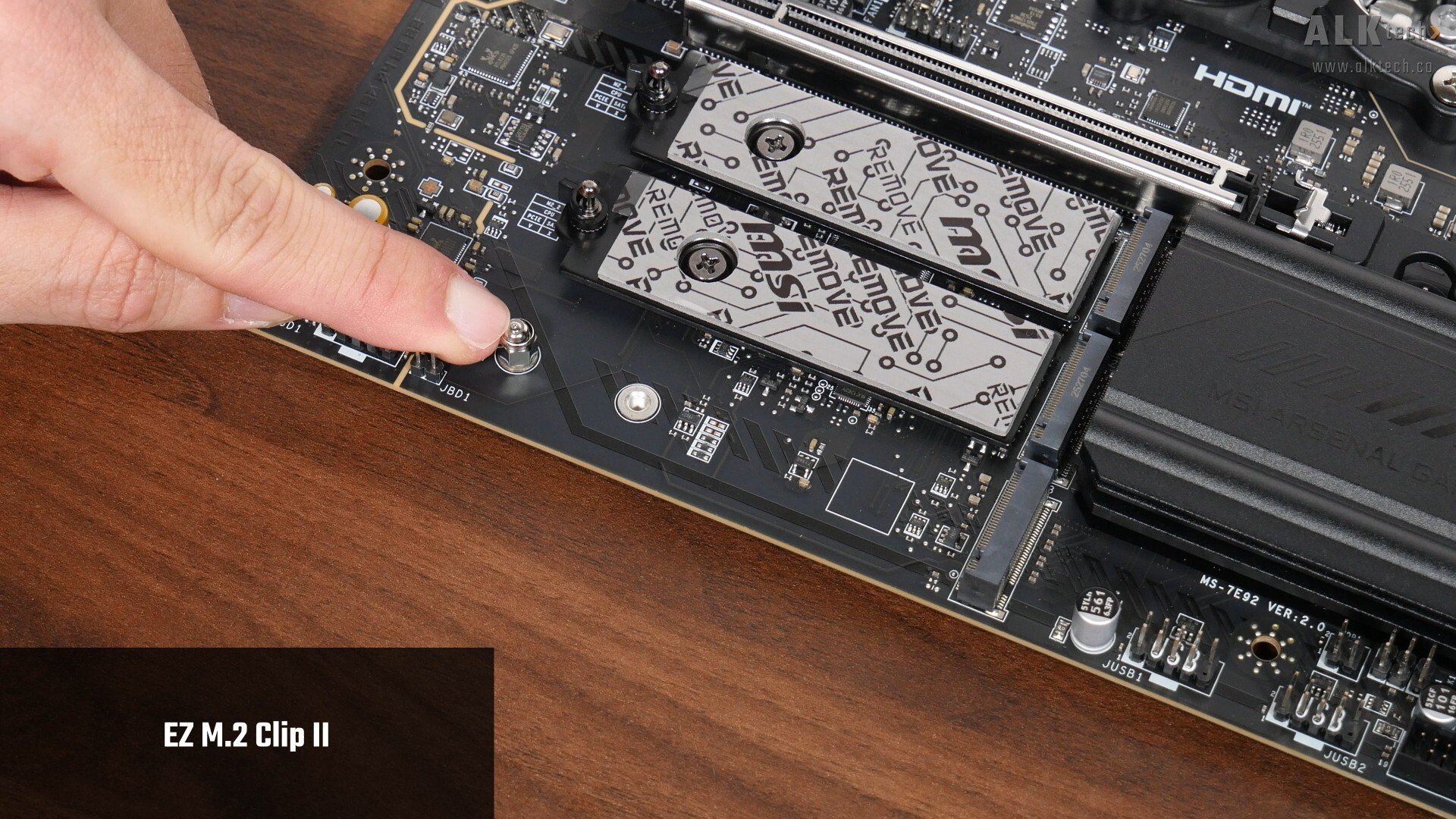
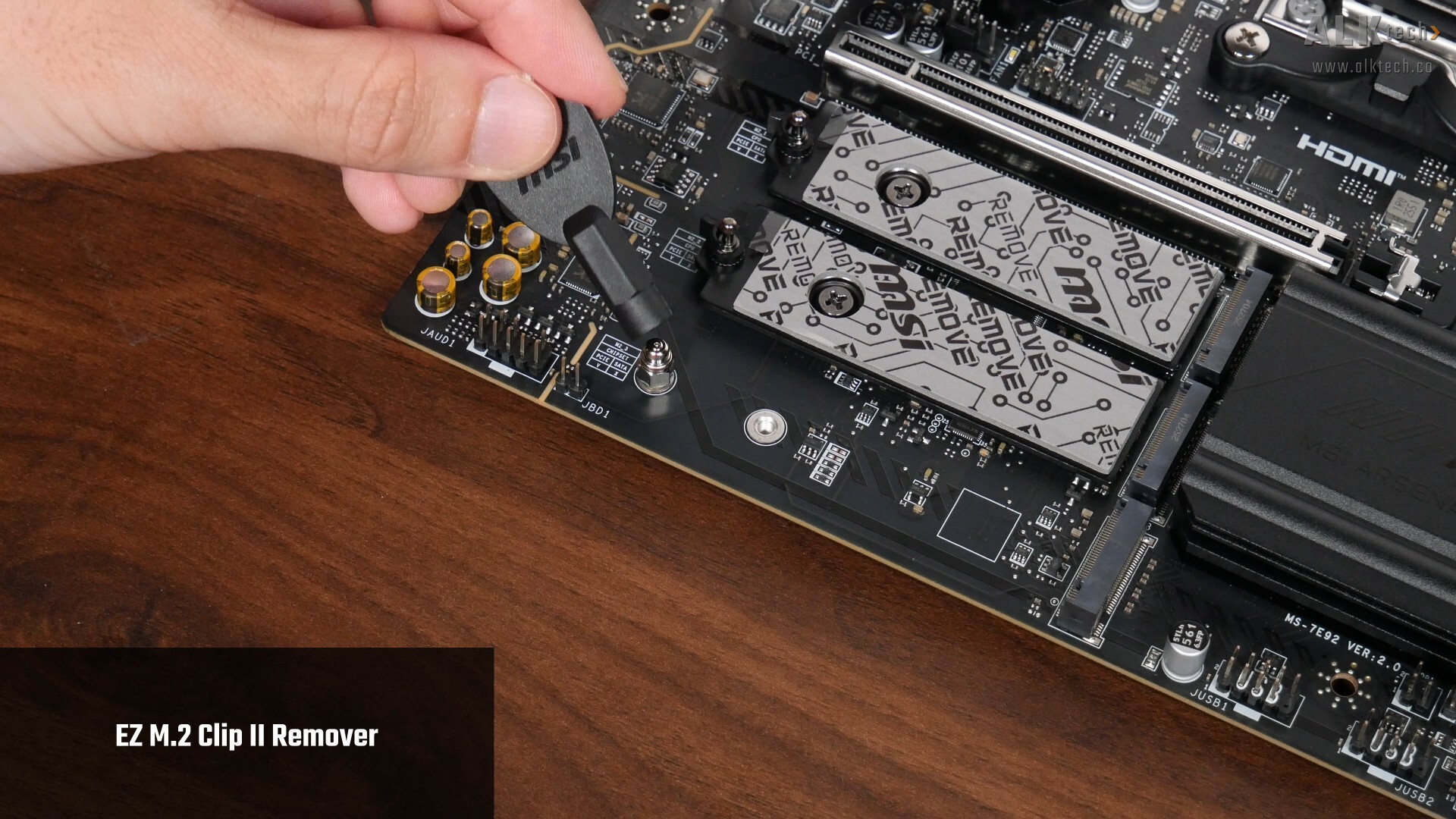
Another quality-of-life feature that the M.2 slots have is EZ M.2 Clip II, which is a spring-loaded standoff device that makes installing and removing a M.2 drive a tool-less affair. As can be seen, the EZ M.2 Clip II only comes preinstalled for the PCIe 4.0 x4 M.2 slot on the front to support M.2 drives in the 2280 form factor. If you’d like to use a M.2 drive in the 2260 form factor, you’ll have to reposition the M.2 Clip II device by using the EZ M.2 Clip II Remover tool that comes included with the board.
.jpg)
.jpg)
The EZ M.2 Clip II can also be used on the two PCIe 5.0 x4 slots if you decide to install a M.2 drive in the 2260 form factor, and it can be installed once you’ve removed the Philips head screw shown above that holds the M.2 slot backplate in place.
Audio & Internet Connectivity
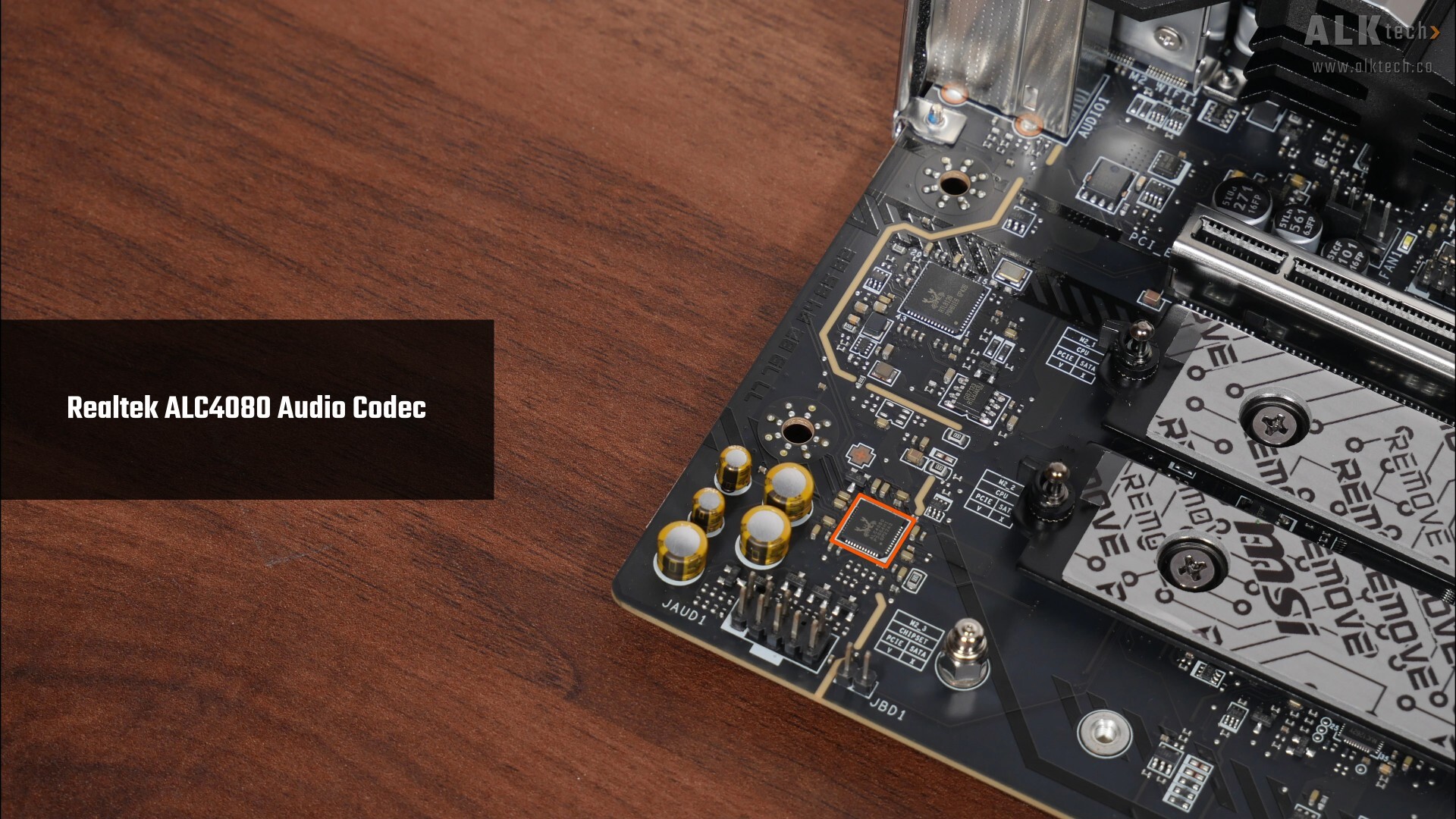
Powering this board's audio is a Realtek ALC4080 audio codec...
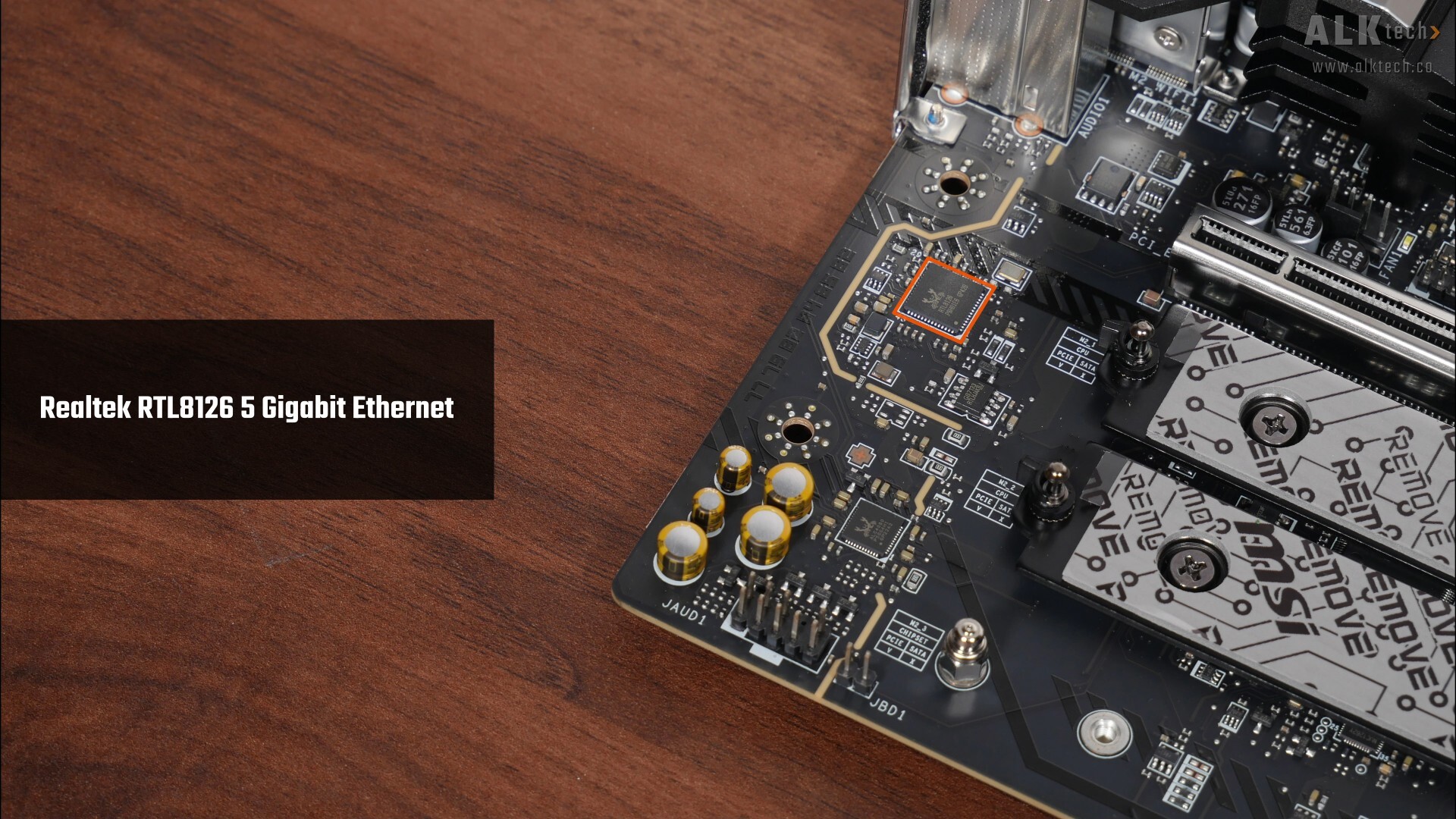
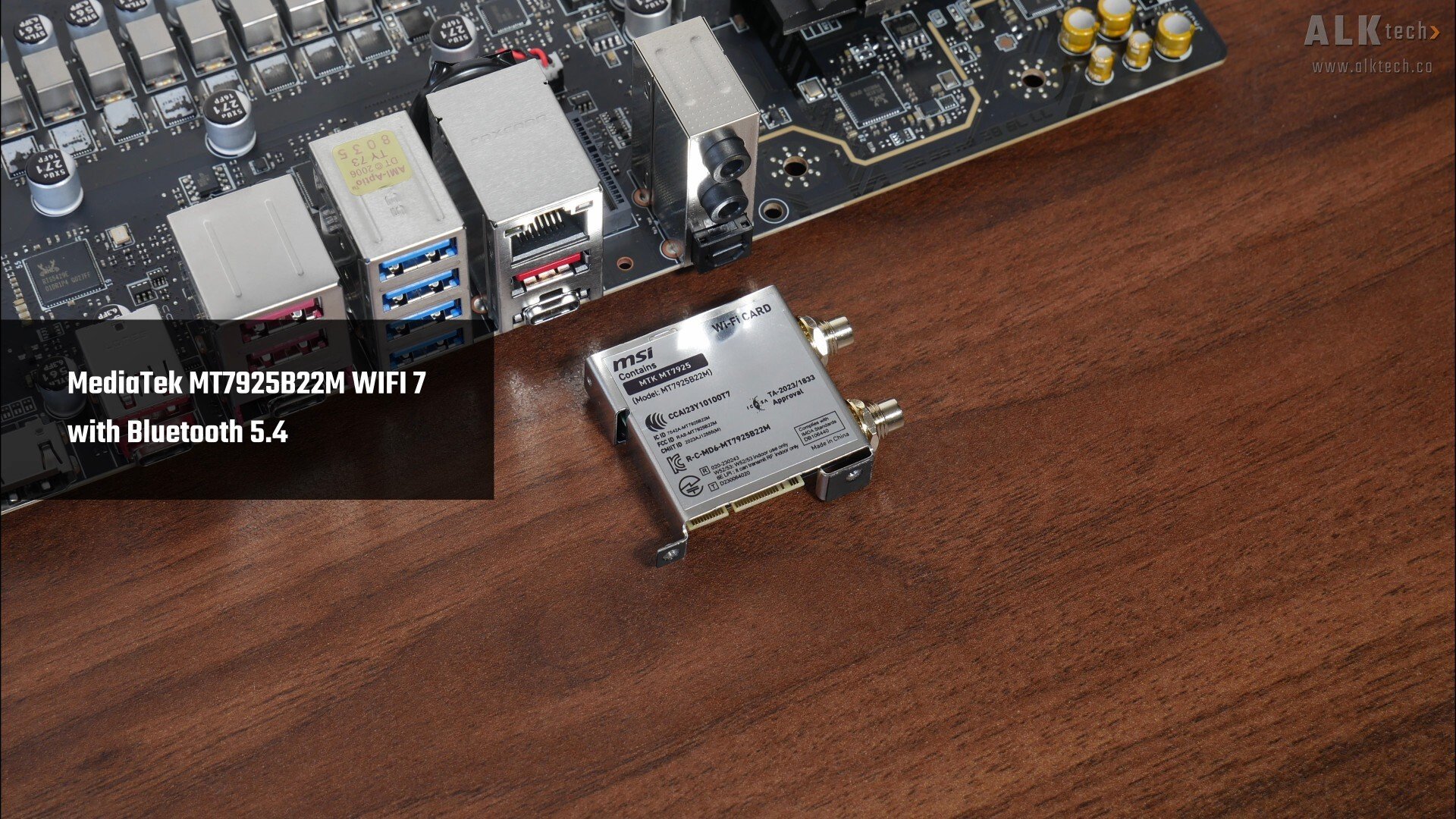
...while for internet connectivity, we've got a Realtek RTL8126 controller that serves up 5 Gigabit Ethernet support, and a MediaTek MT7925B22M WIFI module that supports WIFI 7 and Bluetooth 5.4 connectivity. For those of you who are familiar with this board’s predecessor, the MAG B850M MORTAR WIFI, the MT7925B22M module is unfortunately a downgrade, in that it only supports the 160 MHz channel width, unlike the Qualcomm QCNCM865 module that comes with the MORTAR non-MAX WIFI, which supports the full-fat 320MHz channel width.
Fan & RGB Headers
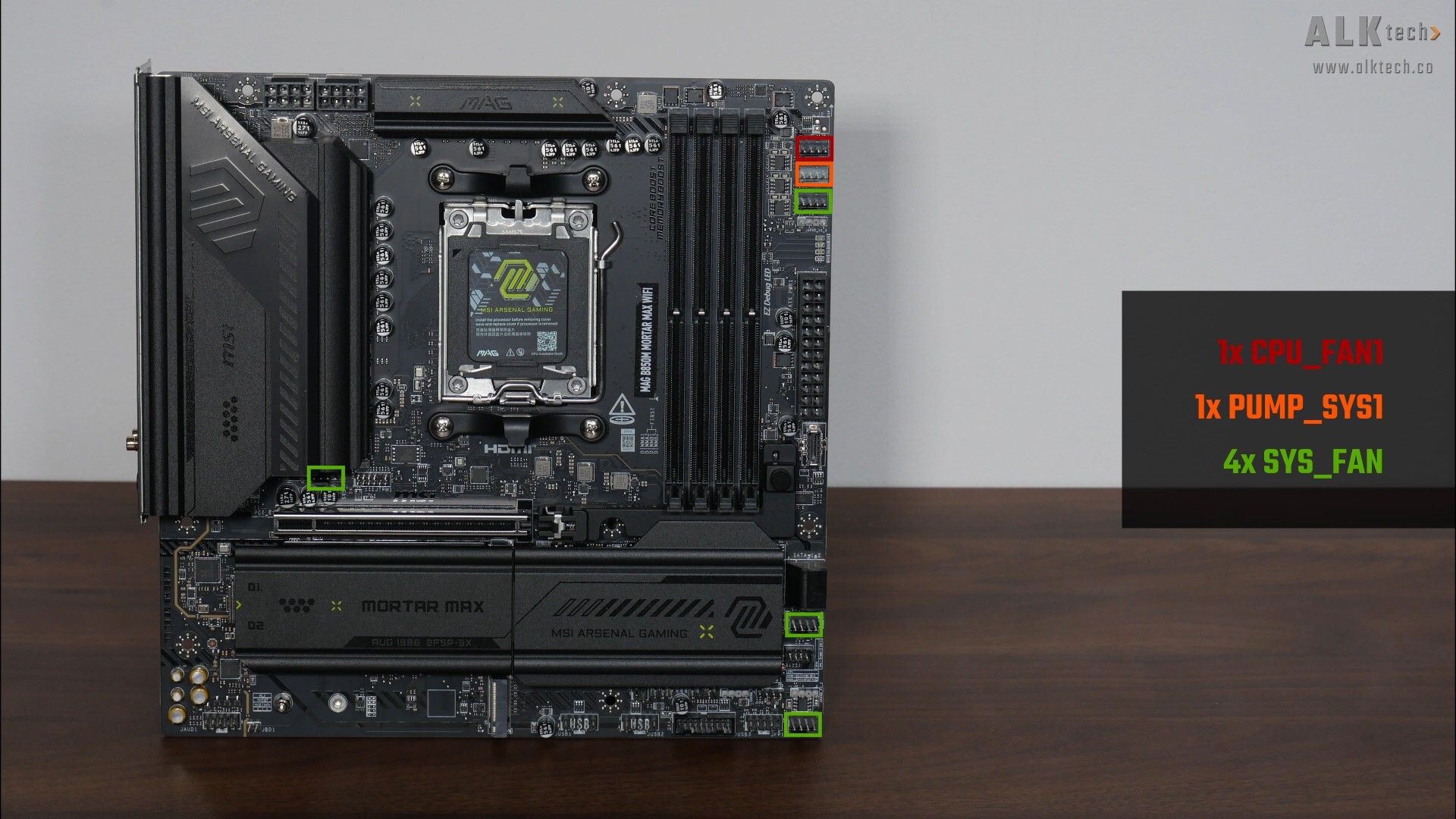
The MAG B850M MORTAR MAX WIFI comes with six fan headers:
- 1x CPU_FAN1
- 1x PUMP_SYS1
- 4x SYS_FAN
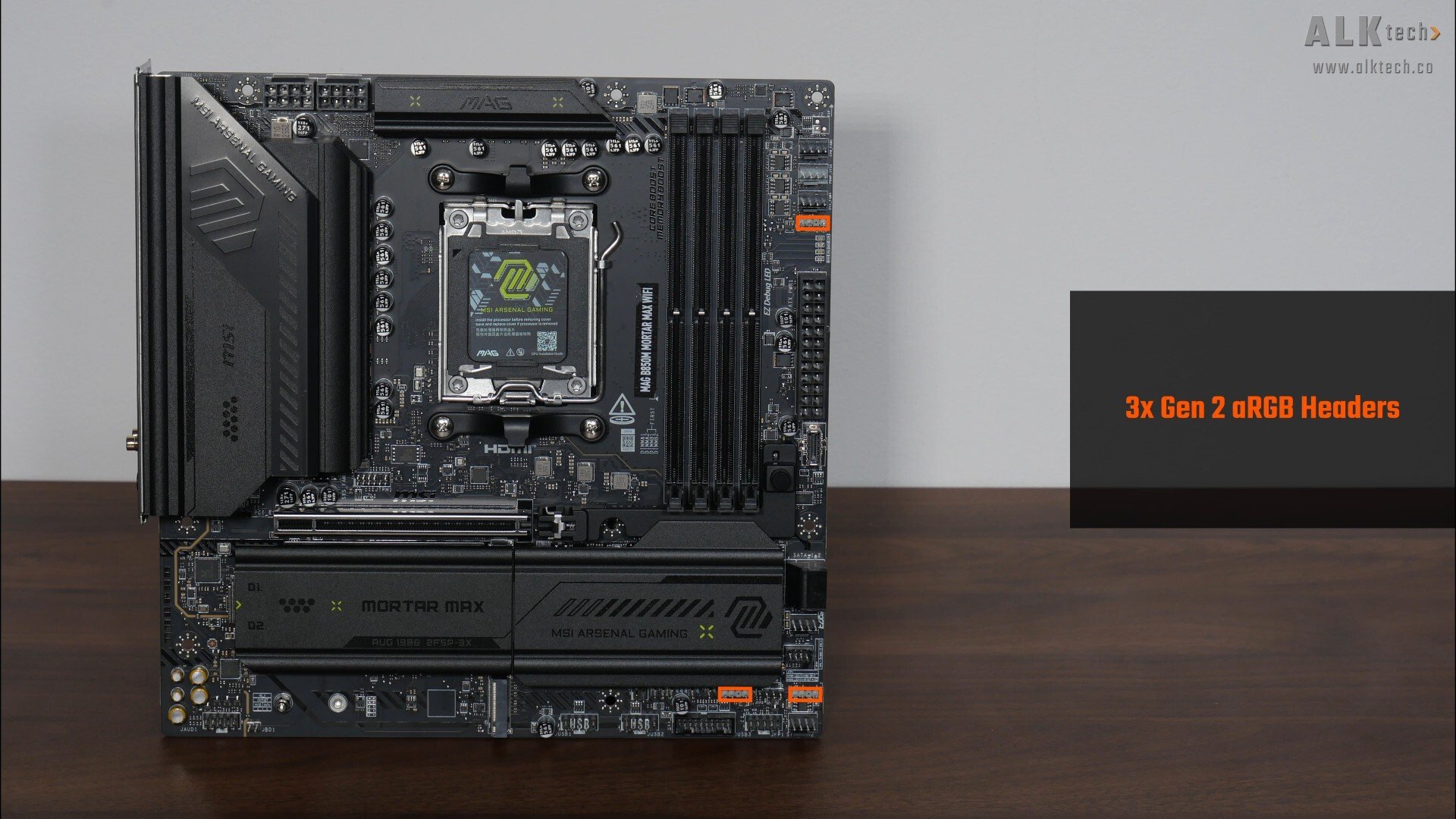
Also included are three Gen 2 addressable RGB headers as indicated in the photo above.
Other Features
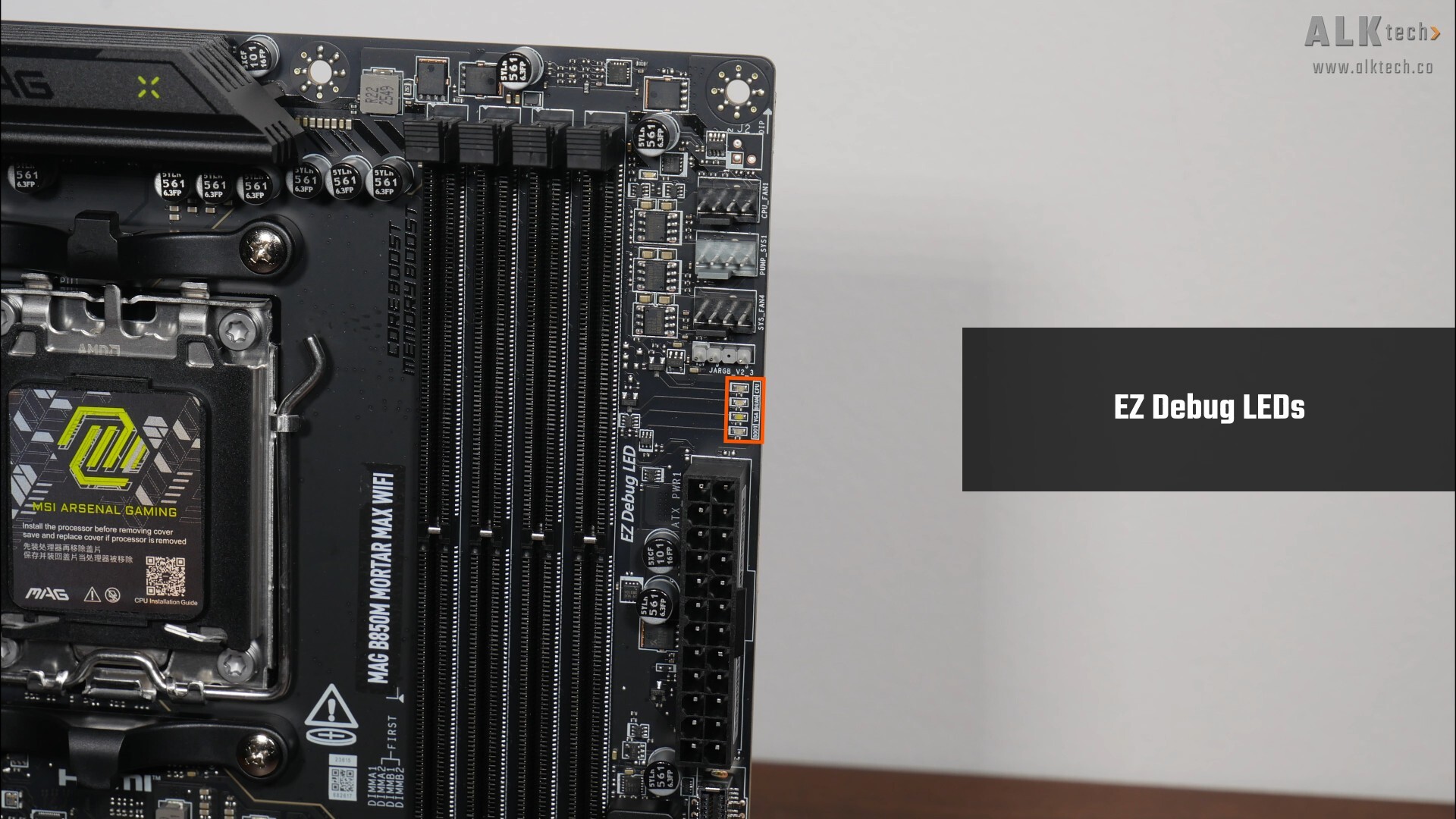
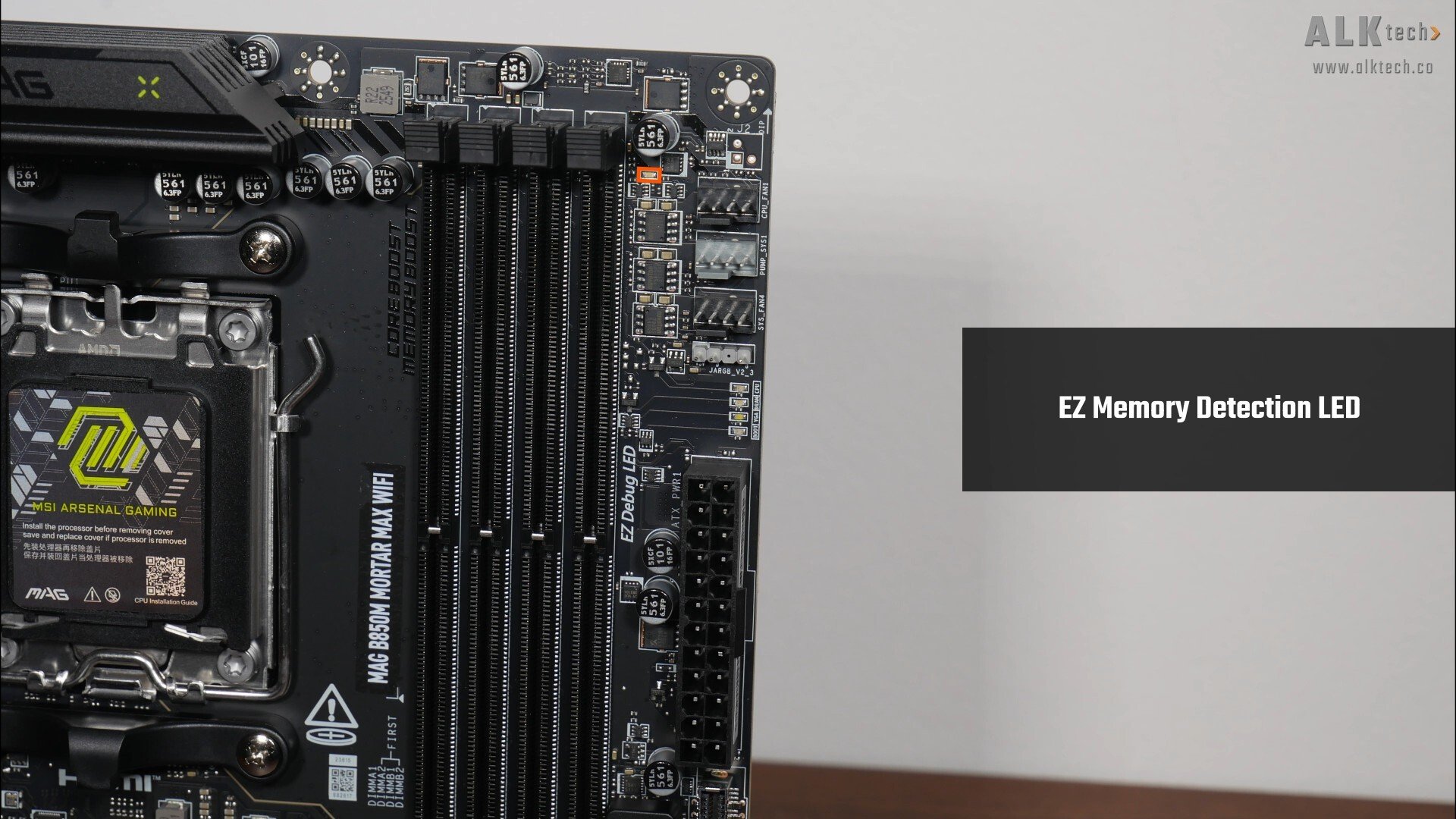
Kicking things off in this section is an EZ Debug LED that can help with troubleshooting PC start-up issues, as well as an EZ Memory Detection LED that lights up when the board detects faulty memory modules installed in the slots.
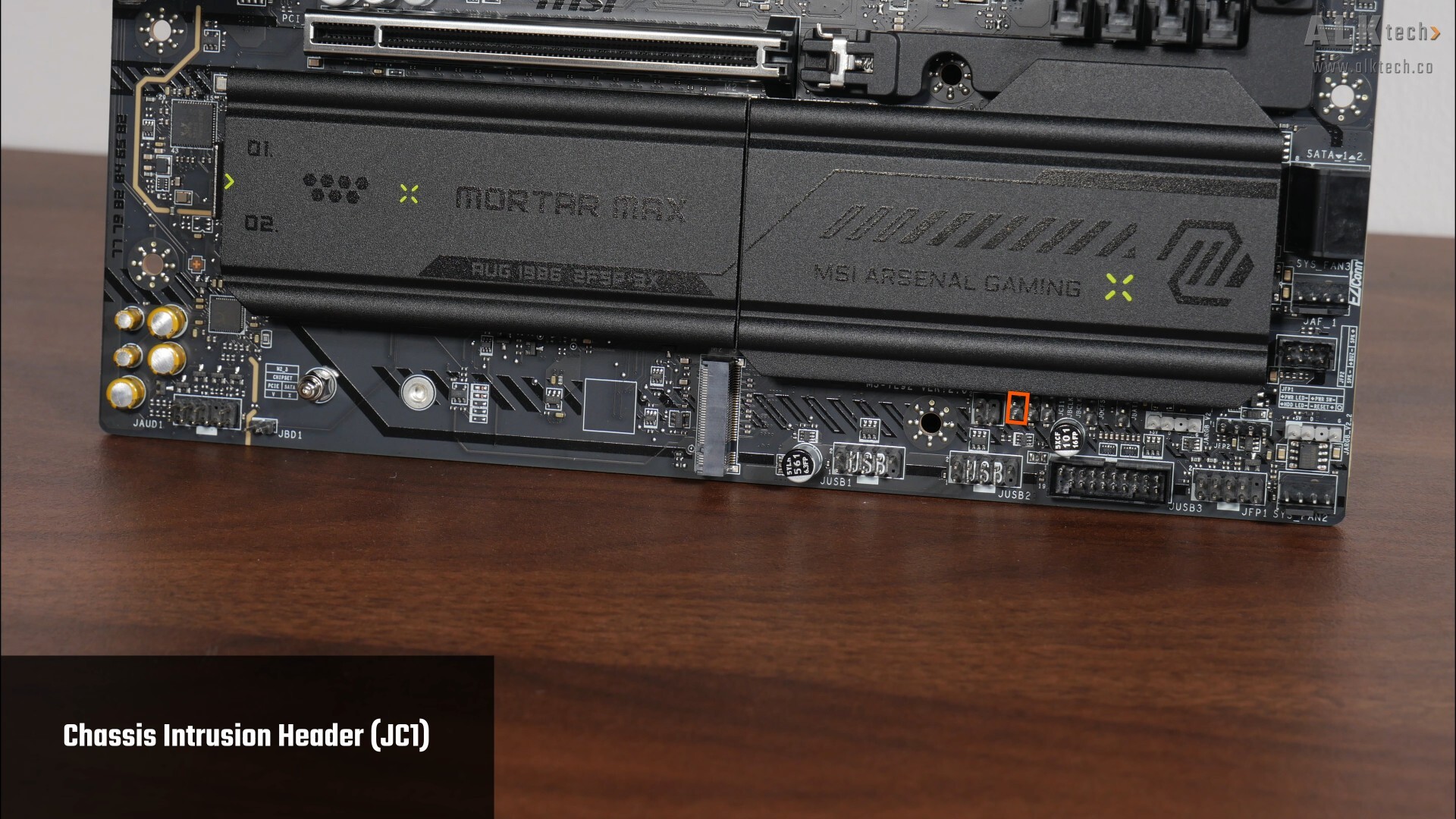
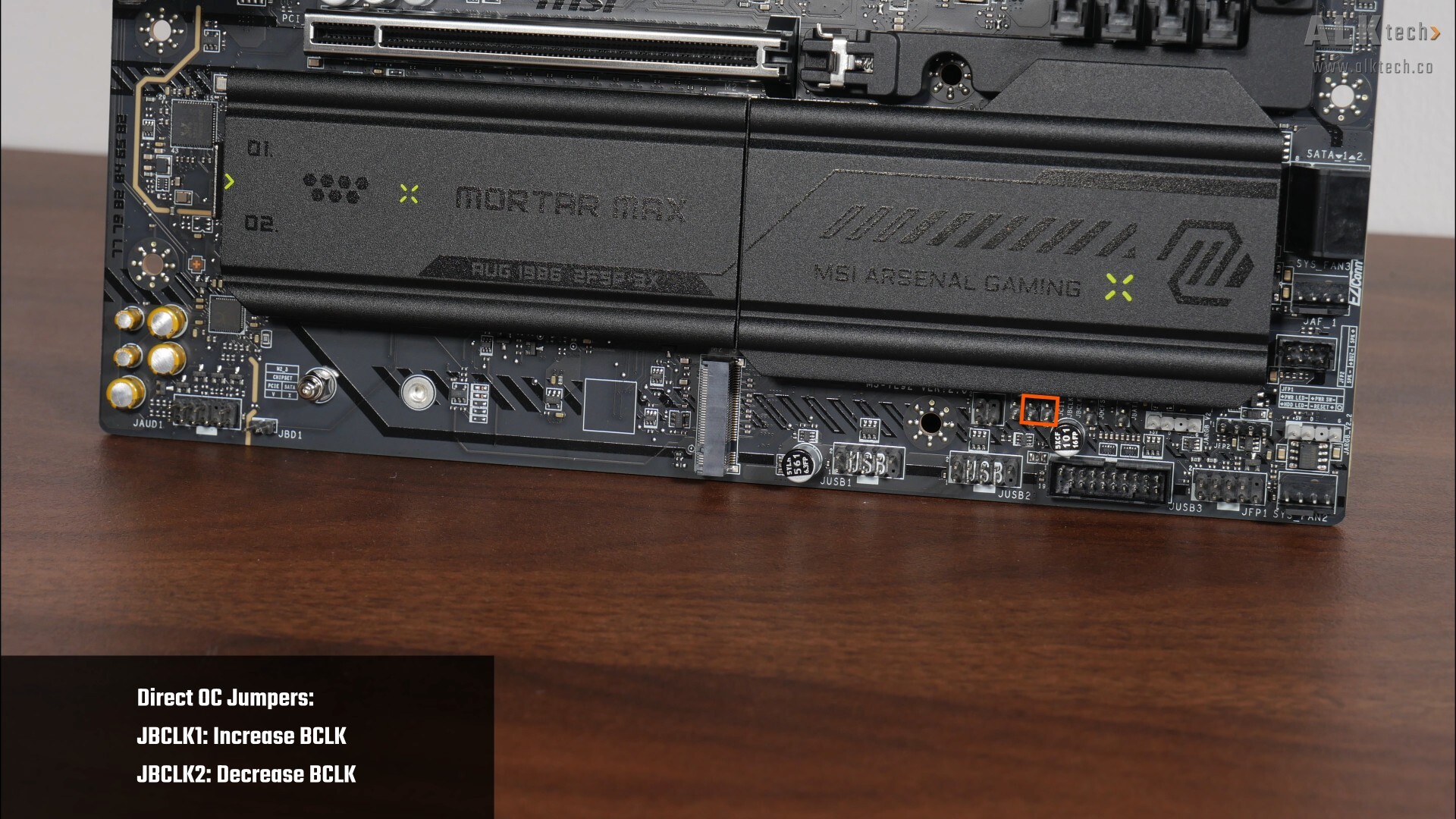
Along the bottom edge of the board, we get a chassis intrusion header and two Direct OC jumpers (JBCLK1 and JBCLK2) that allow end-users to do real-time BCLK frequency adjustments when your PC is in use.
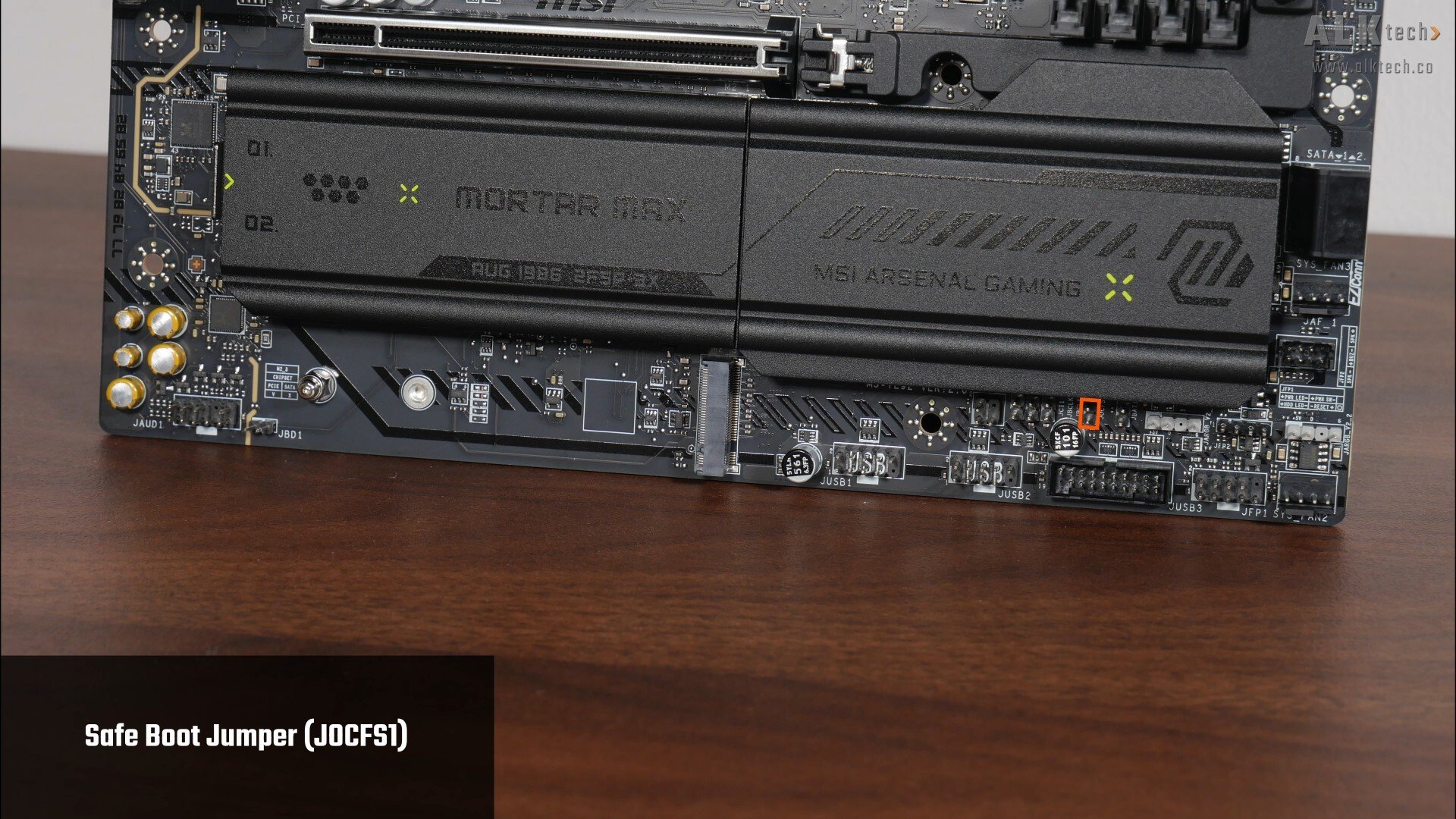
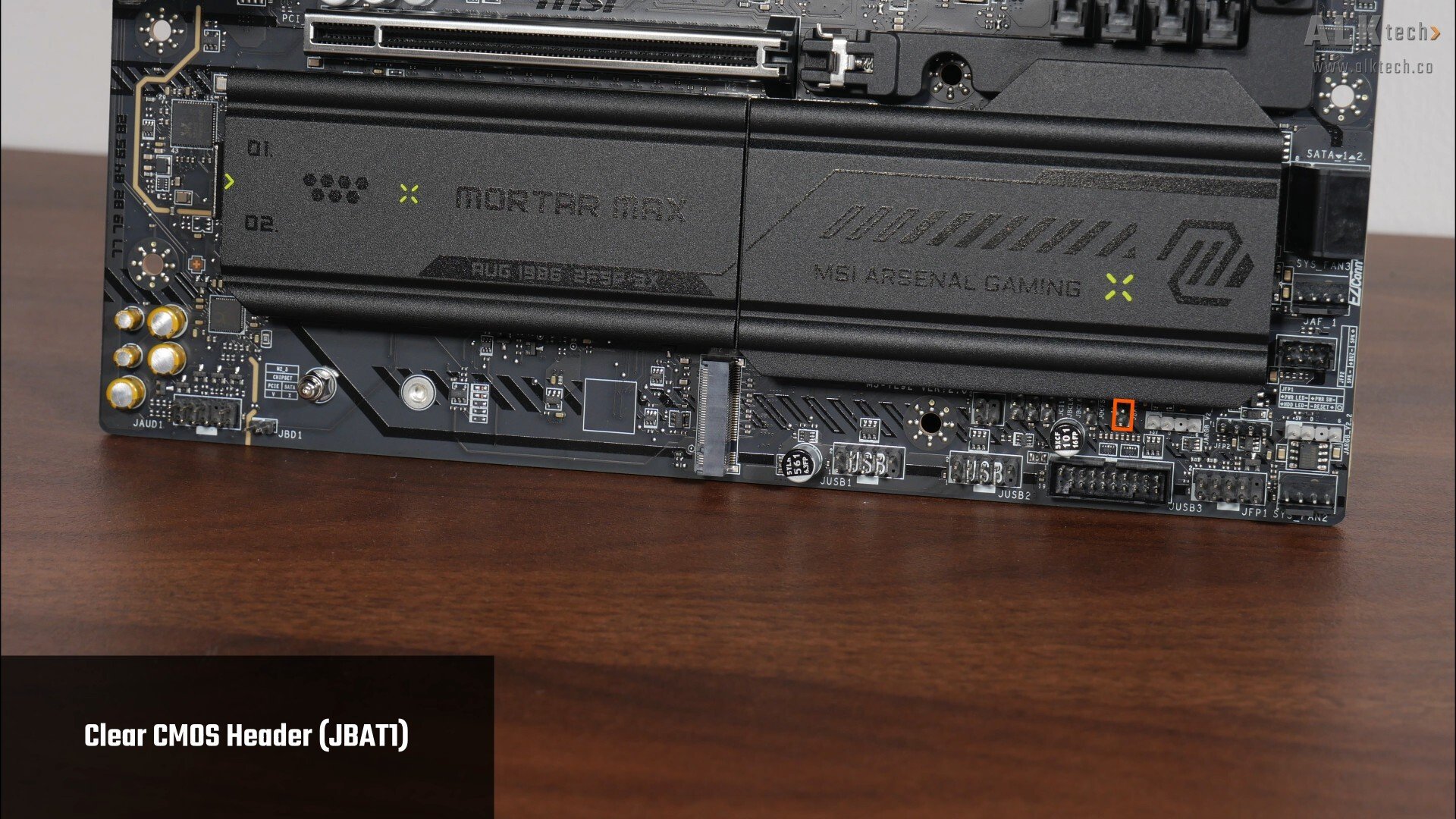
Moving on, we get a safe boot jumper that when enabled, forces the system to boot with default BIOS settings and lower PCIe link speeds from the CPU, as well as a Clear CMOS header.
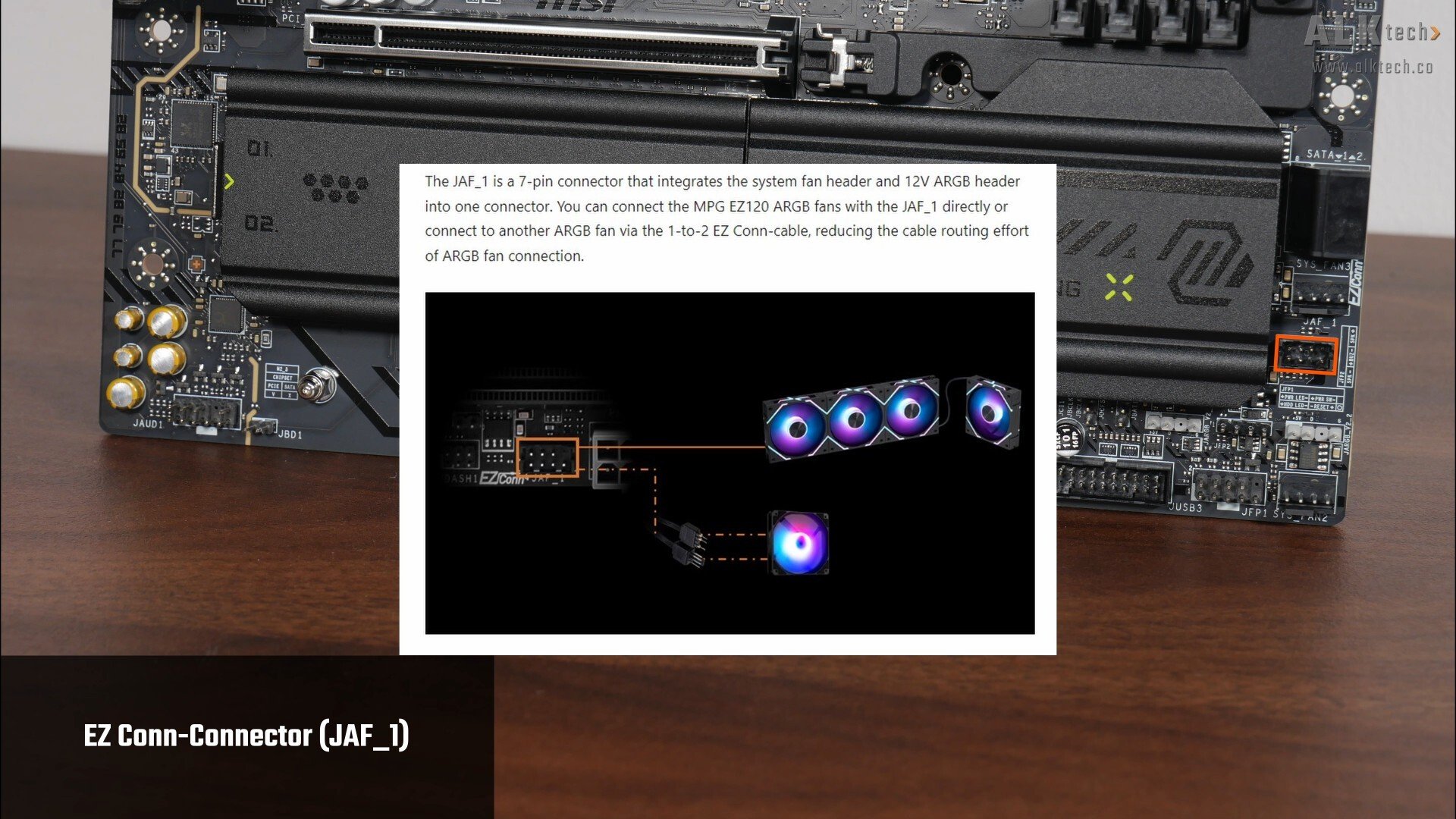
We’ve also got an EZ-Conn header highlighted above – as mentioned earlier, EZ-Conn is a new MSI-specific connector, and it allows end-users to easily connect MSI’s next-generation ARGB fans to the motherboard with just one on-board connector. For those of you who are unaware, EZ-Conn is available in two versions, JAF_1 and JAF_2, where the key difference between JAF_1 and JAF_2 lies in support for one additional USB 2.0 header; the JAF_2 header is found on higher-end MSI motherboards, and supports an ARGB header, a four-pin PWM fan header and a USB 2.0 header, while JAF_1 supports just an ARGB header and four-pin PWM fan header; the MAG B850M MORTAR MAX WIFI comes with the JAF_1 header.
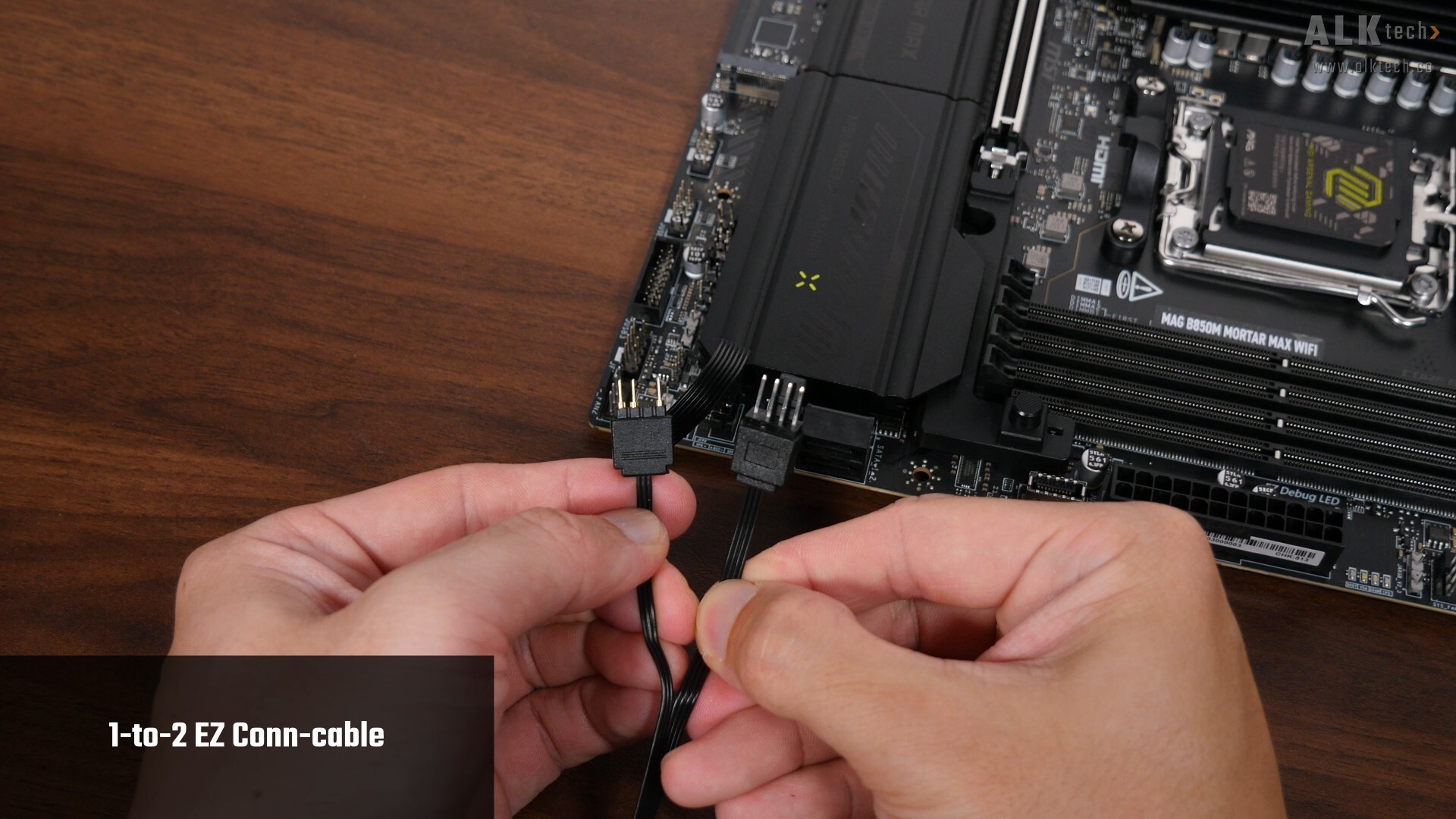
For end-users who do not have such MSI EZ ARGB fans, the EZ-Conn header can still be used with non-MSI devices via the included 1-to-2 EZ-Conn cable, which as can be seen, comes with an addressable RGB header and a four-pin fan header.
Rear I/O
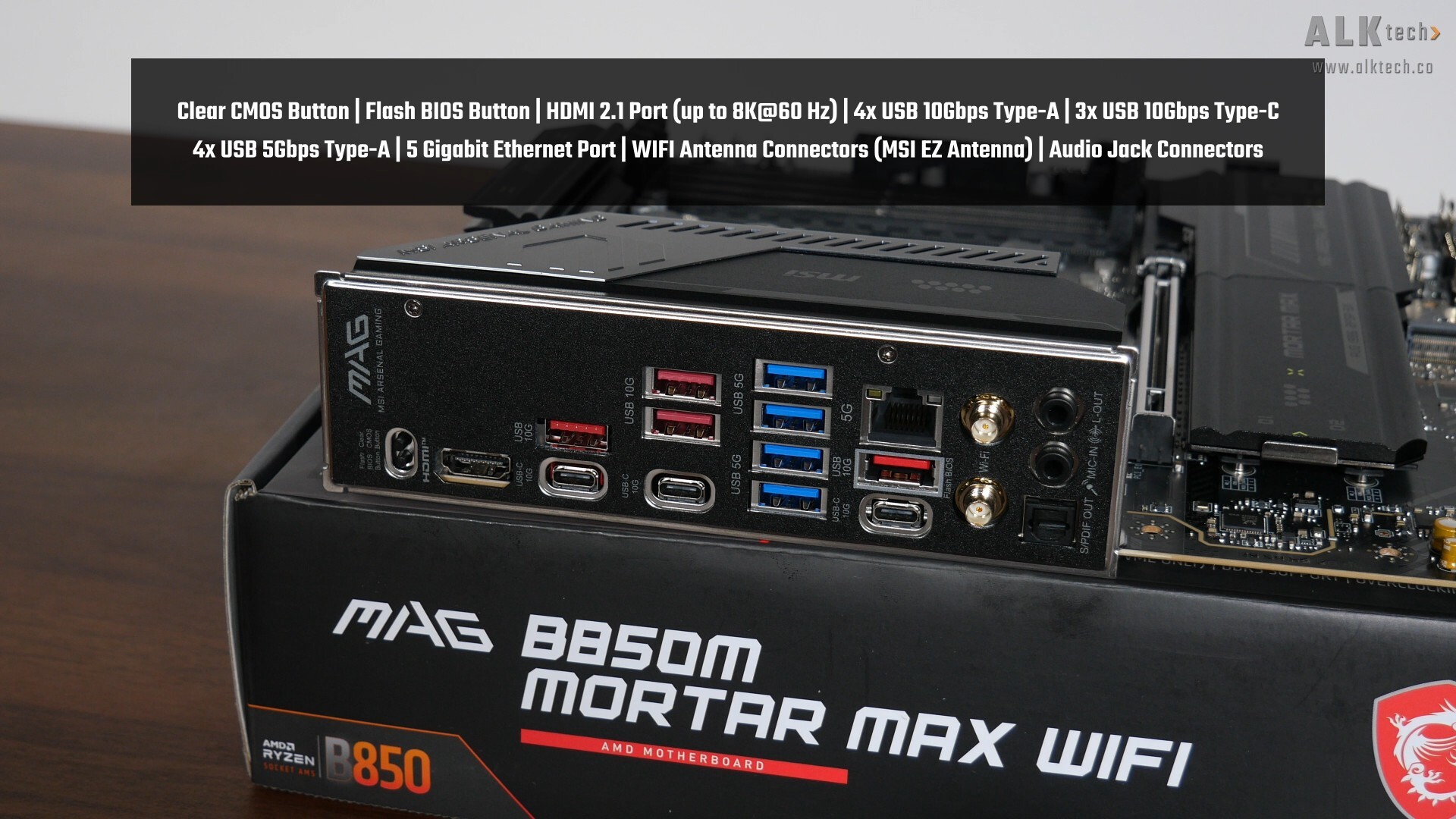
The MAG B850M MORTAR MAX WIFI comes with an integrated I/O shield design, where the board comes with the following rear I/O ports:
- Flash BIOS button
- Clear CMOS button
- 1x HDMI 2.1 port (supports up to 8K resolution at 60 Hz)
- 4x USB 10Gbps Type-A ports
- 3x USB 10Gbps Type-C ports
- 4x USB 5Gbps Type-A ports
- 5 Gigabit Ethernet port
- MSI WIFI EZ Antenna connectors
- Audio jack connectors
The Flash BIOS feature allows end-users to update the motherboard's BIOS without needing to install a processor, RAM and graphics card.
Conclusion
To sum up, the MAG B850M MORTAR MAX WIFI is in my opinion, a pretty solid mainstream AM5 motherboard offering that’s targeted at higher-end AMD PC builds in the micro ATX form factor, where it has some good upgrades over its predecessor, the B850M MORTAR WIFI. For starters, we’ve got a better VRM setup that should handle high-end Ryzen 9000 processors with ease, PCIe 5.0 support for both a graphics card and two M.2 drives without any lane-sharing, and we’ve now even got two PCIe 4.0 x4 M.2 slots for a total of four M.2 slots on a microATX motherboard, which is great. The rest of the features remain largely unchanged; we've got 5 Gigabit Ethernet support alongside a WIFI 7 module, a good assortment of USB Type-C and Type-A connectivity options, as well as a whole bunch of quality-of-life features such as EZ-PCIe Release, EZ M.2 Clip II and so on.
Given the specs of this board, my take is that it gives AM5 motherboards with the high-end X870E and X870 chipsets a serious run for their money, where with the B850 chipset and this board in particular, we don’t get any PCIe lane bifurcation at all, which could otherwise affect your PCIe 5.0 x16 slot’s bandwidth, as seen with some of the older X870E and X870 motherboards that are currently available to purchase on the market. Of course, you do lose out on having USB4 connectivity by going down the B850 route.
That said, it’s worth pointing out that unlike its predecessor the B850M MORTAR WIFI, the MORTAR MAX WIFI does unfortunately come with a downgrade to the WIFI 7 module, where the included MT7925B22M module only supports the 160MHz channel width. This is something to note, especially if fast WIFI7 networking is one of your key considerations.
Get this motherboard from Amazon: https://amzn.to/4br6xyJ (affiliate link)
ALKtech may earn commissions from qualifying purchases made using affiliate links, at no extra cost to you as a customer. These commissions go a long way in supporting the platform!
The motherboard featured in this article was a review unit provided on loan from MSI.