%20500x1200.png?width=200&height=83&name=ALK%20Tech%20Logo%20(TransparentTextured)%20500x1200.png "ALK Tech Logo (TransparentTextured) 500x1200")
If you're a fan (pun intended) of Lian Li's Uni Fan SL-Inf Wireless 120 case fans that feature no shortage of infinity mirror accents, you'll be pleased to know that Lian Li's released a 140mm variant of the said fan, aptly named the Uni Fan SL-Inf Wireless 140.
Infinity mirrors are but one aesthetically-pleasing way that PC case and accessories manufacturers have been sprucing up their product offerings with, so as to try and capture more market share in a competitive industry. Lian Li's no exception, where the brand's SL-Inf and SL-Inf Wireless line-up of case fans sport a distinctive look thanks to the use of infinity mirror effects on the fan hub and on the sides of the fan frame. Not only are infinity mirrors found on the brand's case fans, they've also found their way on to a premium PC case that Lian Li launched some months back, the stunning-looking LANCOOL 217 INF, which features a front infinity mirror panel alongside pre-installed fans that feature infinity mirror hubs.
For this article, we'll be taking a look at the new Uni Fan SL-Inf Wireless 140, an upsized 140mm variant of the original SL-Inf Wireless 120 that was launched back in end-May 2025, which is a 120mm case fan offering. The SL-Inf Wireless 140 is pretty much identical to its smaller 120mm sibling (save for the size difference), where both parts serve up an eye-catching infinity mirror design on two sides of the fan and on the fan hub, three independently-customisable lighting zones and wireless connectivity via the 2.4GHz L-Wireless Sync protocol. Read on to learn more about this fan, and to see it demoed in a PC build featuring a boatload of Lian Li parts, including a LANCOOL 217 INF PC case, a HydroShift II LCD-S 360TL AIO CPU cooler, and three Uni Fan SL-Inf 120 Wireless case fans.
Summary of Specifications
Black/White Normal Blade (14SLIN1W1B & 14SLIN1W1W)
- Dimensions: 142x140x28mm
- Fan Speed: 0, 200~1800 RPM
- Air Pressure: 3.45 mmH2O
- Airflow: 77.6 CFM
- Acoustic Noise: 27.7 dBA
- Fan Bearing Type: FDB
- Warranty: Three years
Black/White Reverse Blade (14RSLIN1W1B & 14RSLIN1W1W)
- Dimensions: 142x140x28mm
- Fan Speed: 0, 200~1700 RPM
- Air Pressure: 3.12 mmH2O
- Airflow: 73.8 CFM
- Acoustic Noise: 28.6 dBA
- Fan Bearing Type: FDB
- Warranty: Three years
Official Product Webpage: https://lian-li.com/product/uni-fan-sl-inf-wireless/
Packaging & Accessories
.jpg)
.jpg)
In terms of its packaging, the Uni Fan SL-Inf Wireless 140mm comes shipped in a square box with Lian Li’s signature black and blue colourway, with detailed specs of the case fan found on the rear. For this article, Lian Li’s sent over the black-coloured normal blade variant of the SL-Inf Wireless 140 - the fan is available in white too, and can be purchased as a reverse blade variant as well.
.jpg)
Accessories wise, we get a L-Wireless receiver that’s to be attached to the side of the fan frame, a pin cover to cover the unused connection pins found on the side of the fan frame, and a pack of four fan mounting screws. We also get a set of protective films for the infinity mirrors found on two sides of the fan. In terms of documentation, Lian Li's included an installation guide, a leaflet on the Lian Li L-Connect 3 app that’s to be used to control the SL-Inf 140 fan, as well as a safety information leaflet.
Walkthrough & Specifications
.jpg)
.jpg)
For those of you who are unfamiliar with the Uni Fan SL-Inf Wireless series, these are premium fans from Lian Li’s extensive portfolio of case fans. In terms of aesthetics, they feature an infinity mirror design on two sides of the fan and on the fan hub, three independently-customisable lighting zones and wireless connectivity via the 2.4GHz L-Wireless protocol. The Uni Fan SL-Inf was initially launched with just a 120mm variant, and is now joined by the 140mm variant.
.jpg)
.jpg)
As can be seen, we get a black plastic frame with a translucent white seven-bladed fan with an infinity mirror hub, we’ll see the lighting and infinity mirror effects in action later on in this article.
.jpg)
On the four corners of both sides of the fan, we get rubber dampeners, where Lian Li’s also included rubber screw hole covers for aesthetic reasons.
.jpg)
.jpg)
On two sides of the SL-Inf 140mm, like its smaller 120mm brethren, we get two different types of infinity mirror effects, where it’s up to you as the end-user to choose which side you’d like to showcase through your PC cases’s tempered glass panel. Again, we’ll take a closer look at the lighting effects of this fan later in this article.
.jpg)
.jpg)
On the other two sides of the fan frame, we get connection pins that you should attach the L-Wireless receiver to; which side to attach the receiver to depends on which of the two infinity mirror effects you’d like to have visible.
.jpg)
.jpg)
You’ll notice too, the two recesses pictured above on one side of the case fan, and the two fan interlocking keys on the other side - these allow you to physically connect a SL-Inf 140 fan to another SL-Inf 140 fan.
.jpg)
You can also remove the two interlocking keys should they be getting in the way of say, your AIO radiator’s inlet and outlet tubes, where they can be removed simply by twisting them in a certain direction.
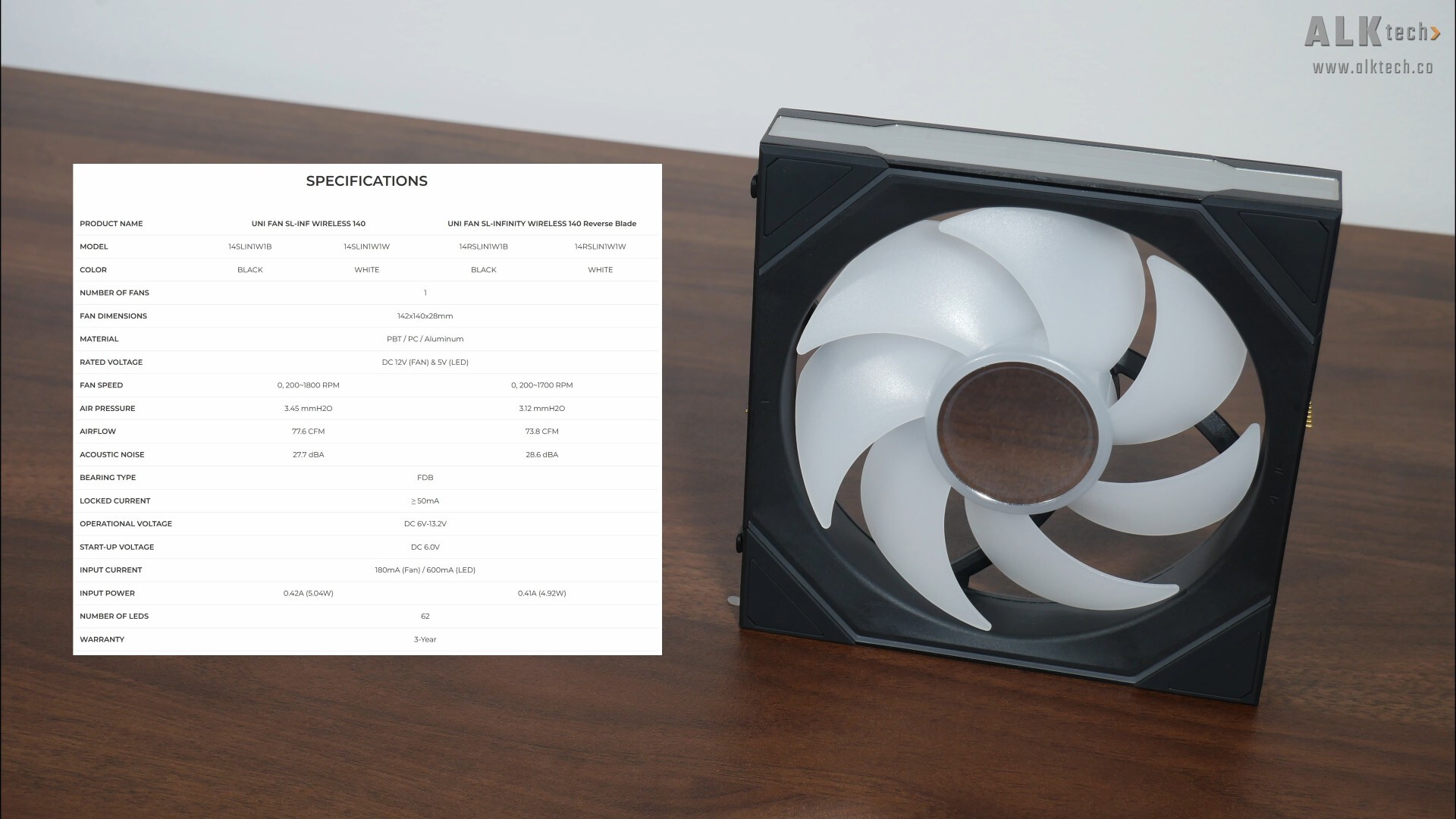
With that, the above image highlights the key specifications for the Uni Fan SL-Inf Wireless 140. This model of fan is available in black or white, and you have the option of getting either the normal blade variant or the reverse blade variant. It features 62 LEDs in total, and do note that unlike the 120mm variant of the SL-Inf Wireless that can be purchased as a three-pack, the 140mm variant is only available in a single-pack.
Fan Installation Experience
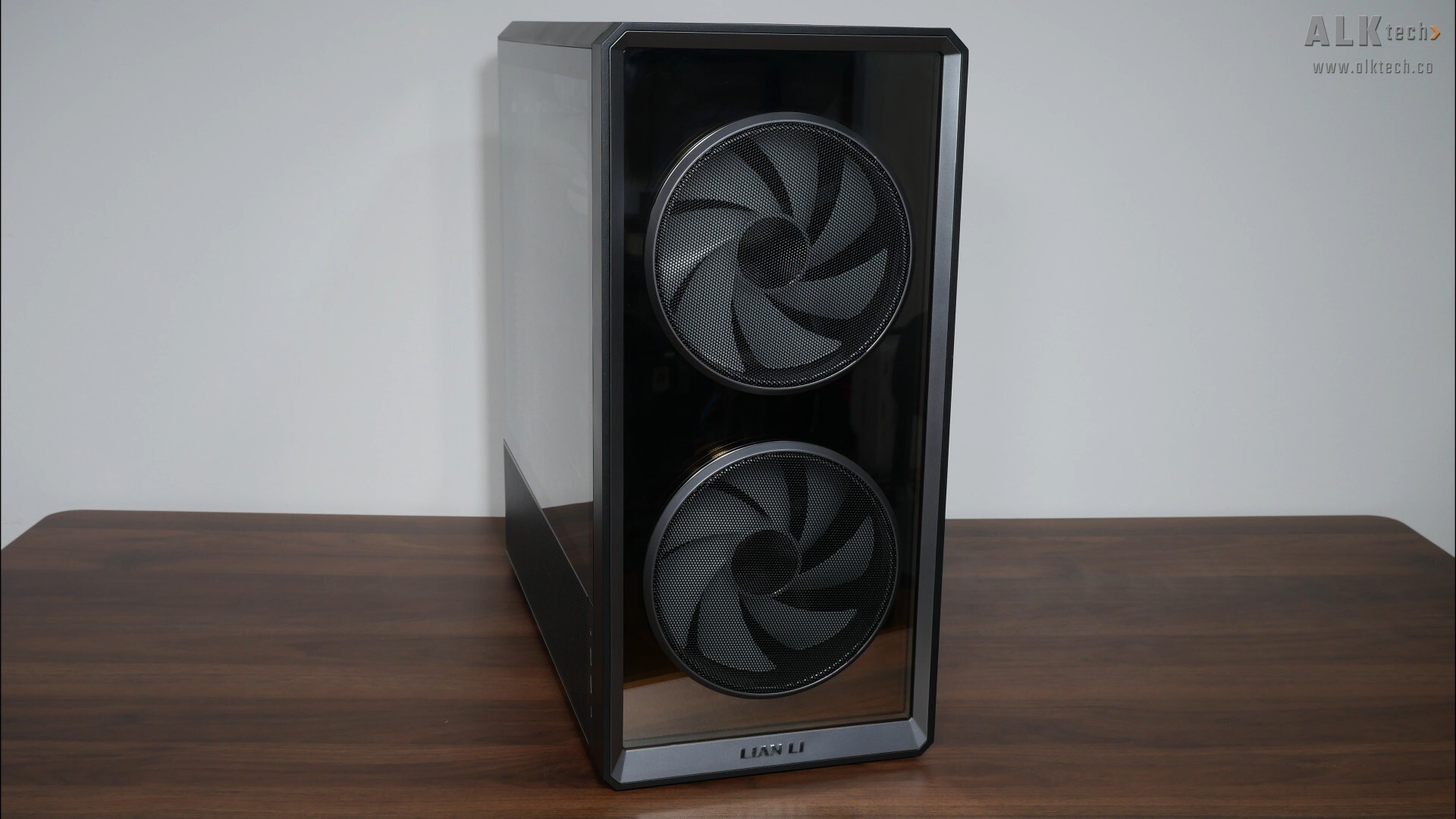
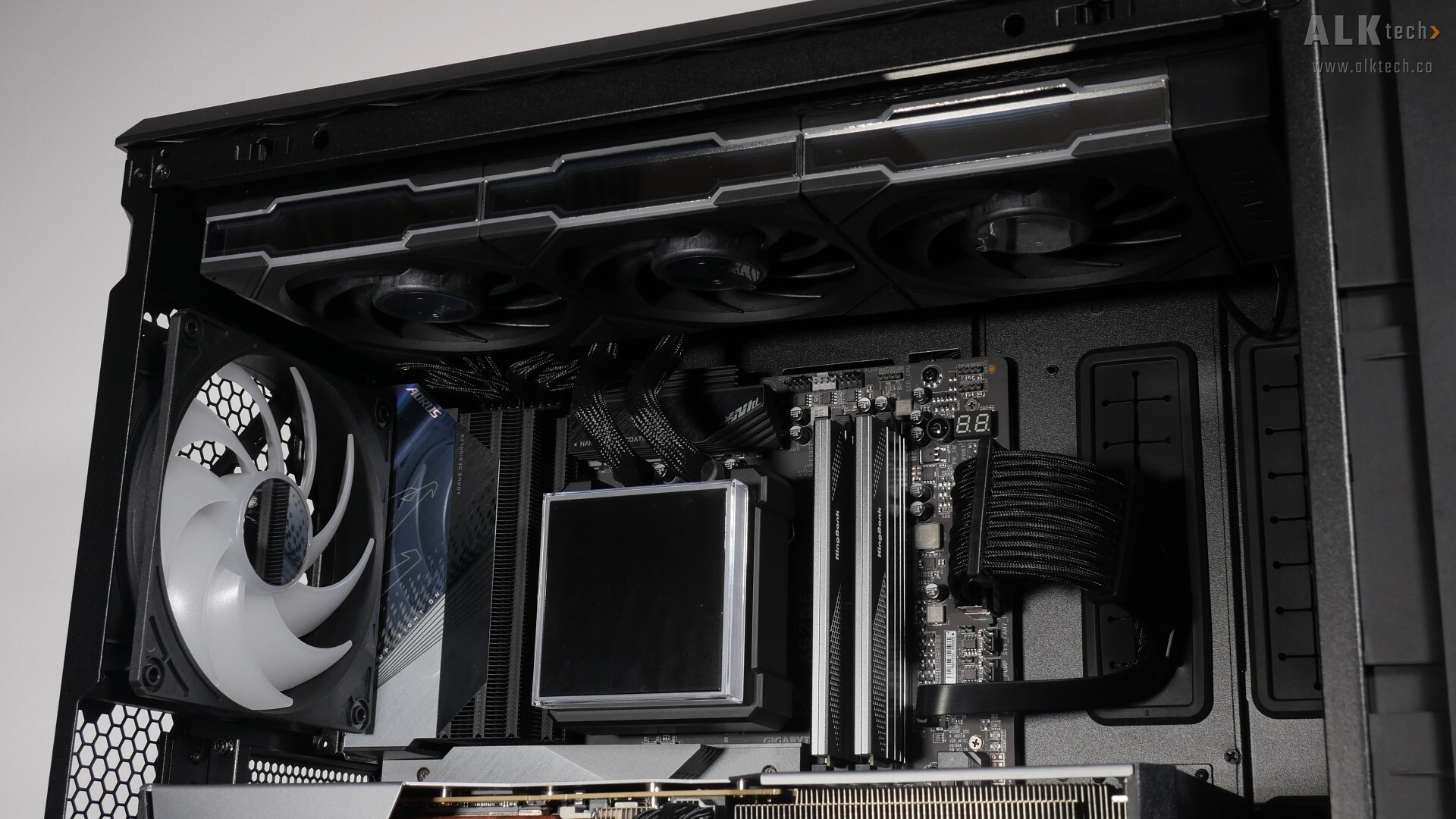
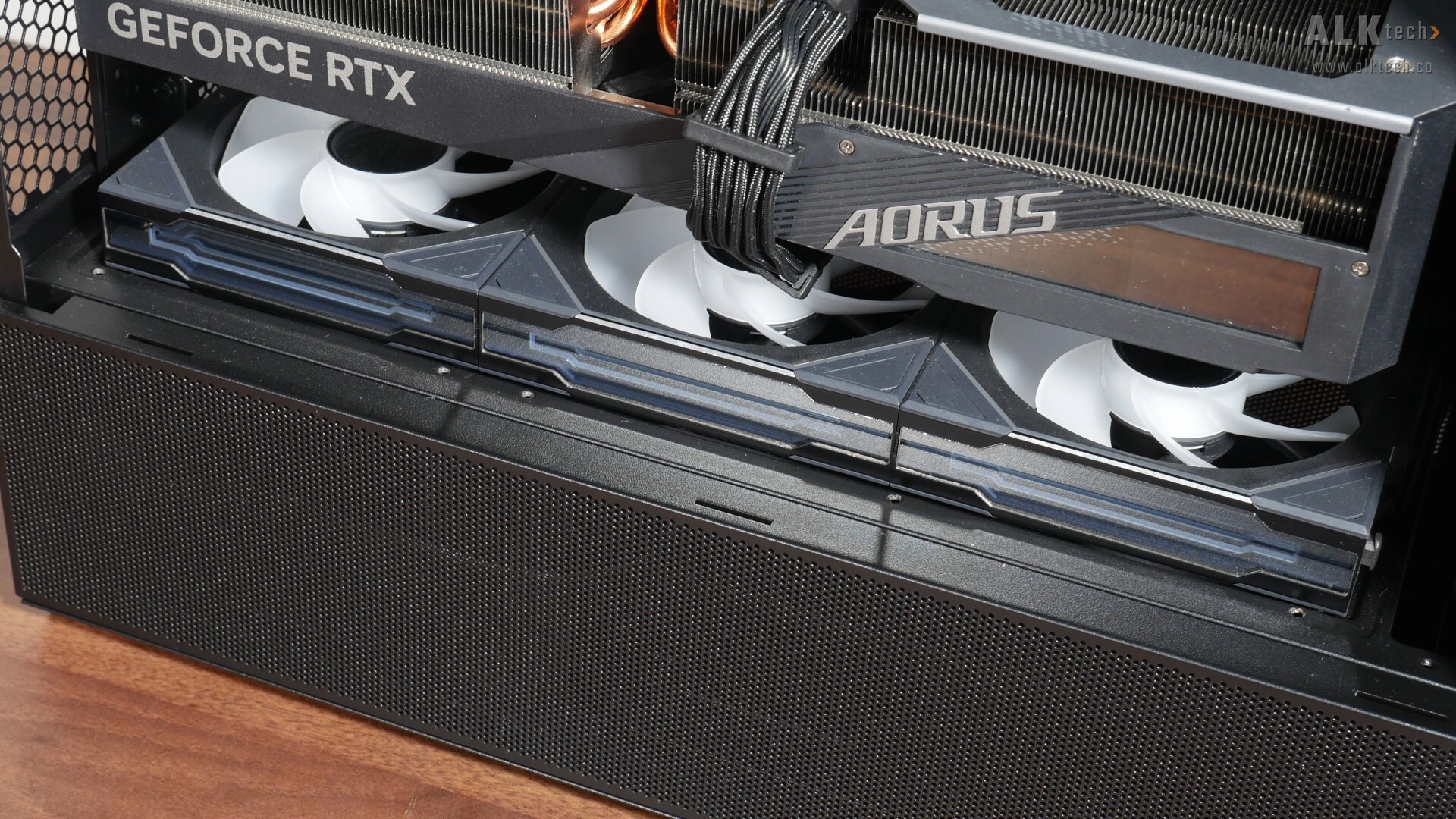
With that, I'll be installing the fan in a graphics card test bench that features a whole bunch of Lian Li parts – we’ve got a LANCOOL 217 INF PC case, a HydroShift II LCD-S 360 TL AIO CPU cooler, and three Uni Fan SL-Inf Wireless 120 reverse-blade fans acting as bottom intake fans. I’ll be replacing the 120mm rear exhaust fan that comes preinstalled in the LANCOOL 217 INF with the SL-Inf Wireless 140.
.jpg)
.jpg)
For consistency in appearance with the infinity mirrors of the HydroShift II LCD-S 360TL and Uni Fan SL-Inf Wireless 120 that have already been installed in the LANCOOL 217 INF, I’ll be installing the Uni Fan SL-Inf Wireless 140 in the orientation pictured above. Correspondingly, I’ve installed the L-Wireless receiver on the side of the fan frame that allows me to run the cable in a discreet manner to a third-party fan hub that I've used as part of the demo build, which has been installed behind the motherboard tray.
.jpg)
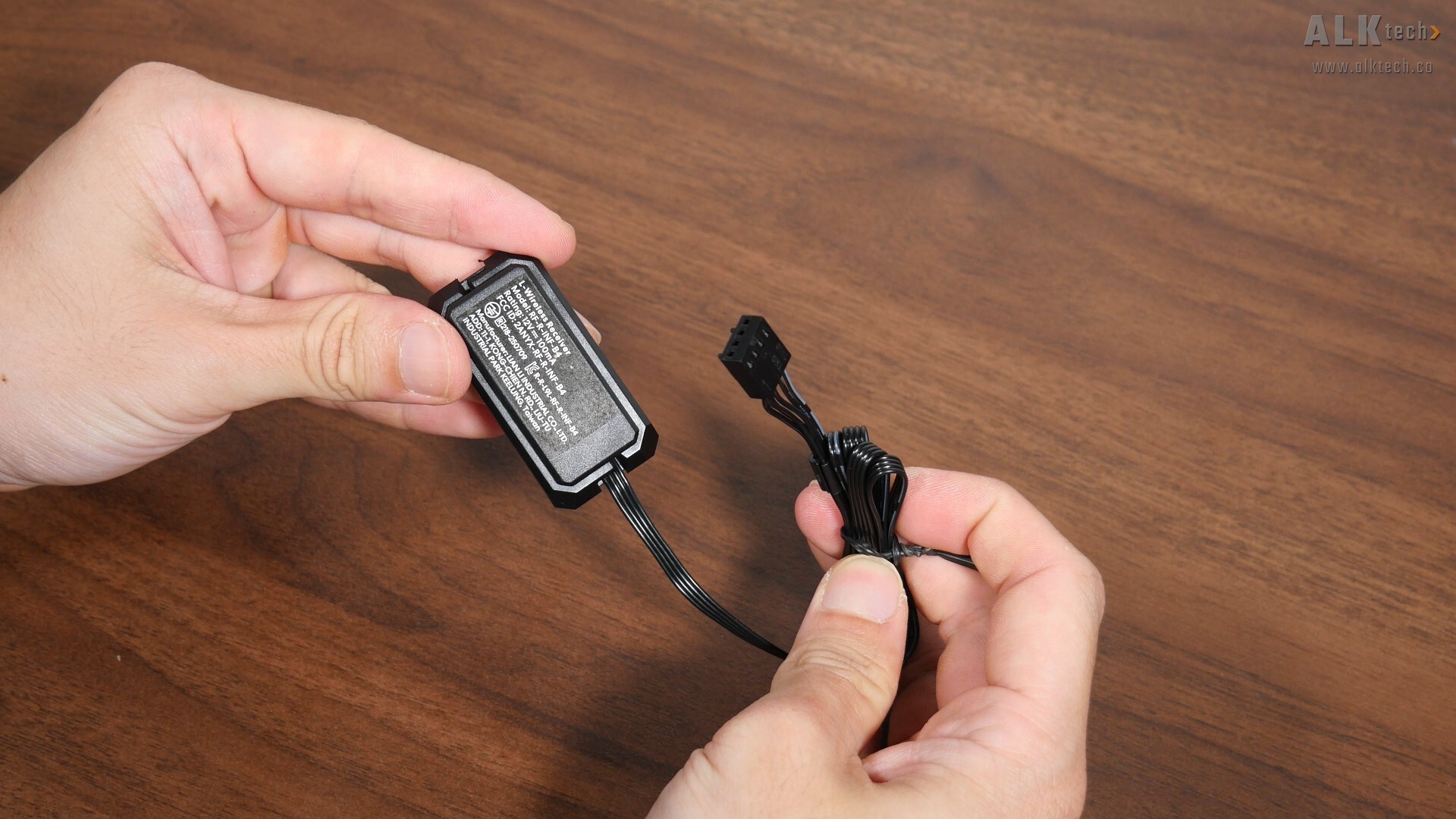
In case you’re unfamiliar, you do get the option of changing the direction that the L-Wireless receiver’s four-pin PWM cable runs, so as to suit how you’ll be mounting the fan within your PC build. To do so, simply remove a plastic cover and change the cable orientation accordingly. Do note that while Lian Li touts this as a wireless fan, you can’t escape cables entirely and will still have to connect the L-Wireless receiver’s four-pin PWM cable for fan power, either to your motherboard or a suitable fan hub.
Demo Build Aesthetics
.jpg)
.jpg)
.jpg)
.jpg)
.jpg)
.jpg)
.jpg)
.jpg)
Conclusion & Pricing
.jpg)
.jpg)
With that, I can’t comment much about acoustics and airflow, as I do not have the necessary equipment and hardware to properly test the SL-Inf Wireless 140 in these two departments, but that said, the SL-Inf Wireless 140, and in fact the Wireless 120 as well for that matter, come across as pretty solid wireless fan offerings that get the job done in style, all thanks to the infinity mirror effects found on the sides and on the fan hub.
Now, the wireless aspect is a bit of a double-edged sword, in that it makes setting up the fan pretty straightforward, where you have a unified Lian Li ecosystem with which to manage it. It definitely helps if you already have Lian Li hardware that supports the L-Wireless Sync protocol, but this also means that you’ll likely have to go all-in with the said Lian Li Wireless Sync ecosystem, which means getting other Lian Li hardware such as AIO CPU coolers and even PC cases. Otherwise, you’re looking at multiple software and platforms to manage your ARGB devices, which could be a hassle.
Pricing wise, the Uni Fan SL-Inf Wireless 140 has a MSRP of US$34.99, which I guess is decent price, given the fan's wireless connectivity and its eye-catching infinity mirror effects.
Get this fan from Amazon: https://amzn.to/3ZYcI73 (affiliate link)
ALKtech may earn commissions from qualifying purchases made using affiliate links, at no extra cost to you as a customer. These commissions go a long way in supporting the platform!
The case fan featured in this article was a media sample provided by Lian Li.