%20500x1200.png?width=200&height=83&name=ALK%20Tech%20Logo%20(TransparentTextured)%20500x1200.png "ALK Tech Logo (TransparentTextured) 500x1200")
Lian Li's budget-friendly Vector V100 ATX PC case undergoes a slight nip and tuck, and the outcome is the new microATX Vector V100 Mini, which retains all of the original V100's features and quality but in a smaller package.
Lian Li’s budget-friendly Vector V100 PC case's gone on a diet! For this review, we’ll be taking a look at the new Vector V100 Mini, which is essentially a microATX version of the original mid-tower Vector V100 that launched for sale back in June this year.
Like its bigger brother, the V100 Mini is available to purchase with or without pre-installed ARGB fans, and is targeted at the budget-conscious PC builder. Do note though, that unlike the full-sized V100 that's available in black or white, the V100 Mini is only available to purchase in black. Read on to learn more about the Vector V100 Mini, specifically, the V100R Mini that comes with four preinstalled ARGB fans, and to see it in action as part of a demo build that also utilises a bunch of budget-friendlier Lian Li components - we're talking about Lian Li's HydroShift II LCD-S 360CL AIO CPU cooler, Uni Fan CL Wireless 120mm case fans and the RB0750B semi-modular power supply unit.
Summary of Specifications (V100 Mini / V100R Mini)
- Colour: Black
- Materials: Steel, plastic, tempered glass
- Dimensions: 436 mm (D) × 221.5 mm (W) × 443.9 mm (H)
- Motherboard Support: Micro ATX, Mini ITX (back connector motherboards supported)
- Expansion Slots: 5
- Drive Support: 1x 2.5" SSD on rear of motherboard tray, up to 2x 2.5″ SSDs or 1x 3.5″ HDD + 1x 2.5″ SSD in bottom chamber with PSU of depth less than or equal to 150mm; If PSU depth exceeds 150 mm, bottom chamber supports only 1x 2.5″ SSD or 1x 3.5″ HDD
- Front I/O: 2x USB 3.0 Type-A, 1x USB 3.1 Gen 2 Type-C, 1x 3.5mm microphone/headphone combo jack, reset button, power button
- Preinstalled Fans: 3x 120mm reverse blade ARGB side intake fans, 1x 120mm normal blade ARGB rear exhaust fan (preinstalled fans come included only with V100R Mini variant, V100 Mini comes with no preinstalled fans)
- Top Panel Cooling Support: up to 3x 120mm case fans or 2x 140mm case fans, or up to 1x 360mm or 1x 240mm AIO radiator
- Front Panel Cooling Support: N/A
- Side Panel Cooling Support: up to 3x 120mm case fans (side mounted AIO radiators not supported)
- Bottom Panel Cooling Support: up to 2x 120mm case fans
- Rear Panel Cooling Support; up to 1x 120mm case fan
- Official Product Page: https://lian-li.com/product/vector-v100-mini/
Packaging & Accessories
.jpg)
.jpg)
In terms of packaging, the Vector V100 Mini ships in a run-of-the-mill brown cardboard box with product illustrations and descriptions on all sides.
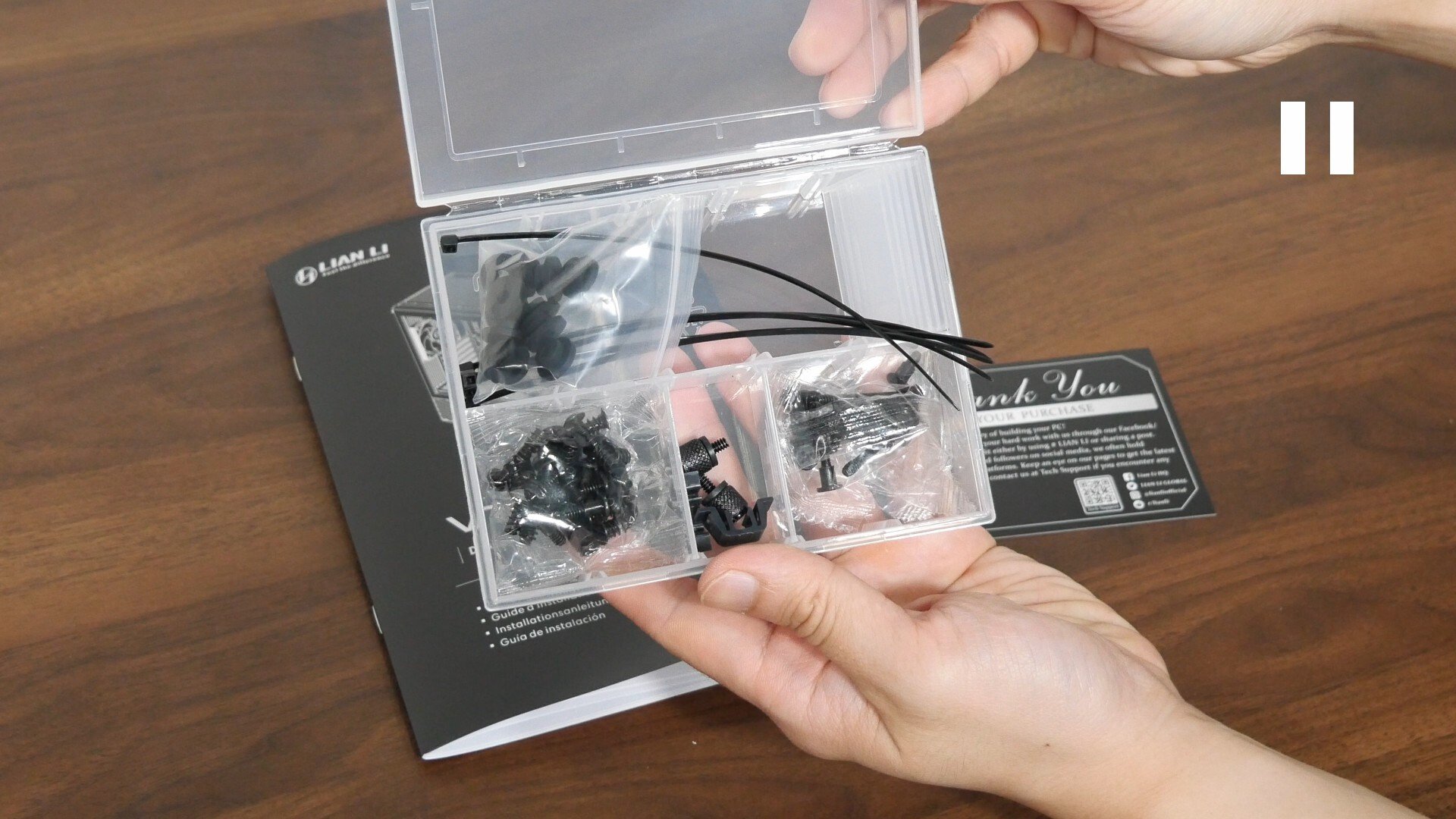
Accompanying the Vector V100 Mini is a single box of accessories, as well as an instruction manual. Within the box of accessories, we get a thank you note, a whole bunch of screws, cable ties, rubber grommets for storage drive mounting purposes, as well as spare friction clips for the various panels of the case.
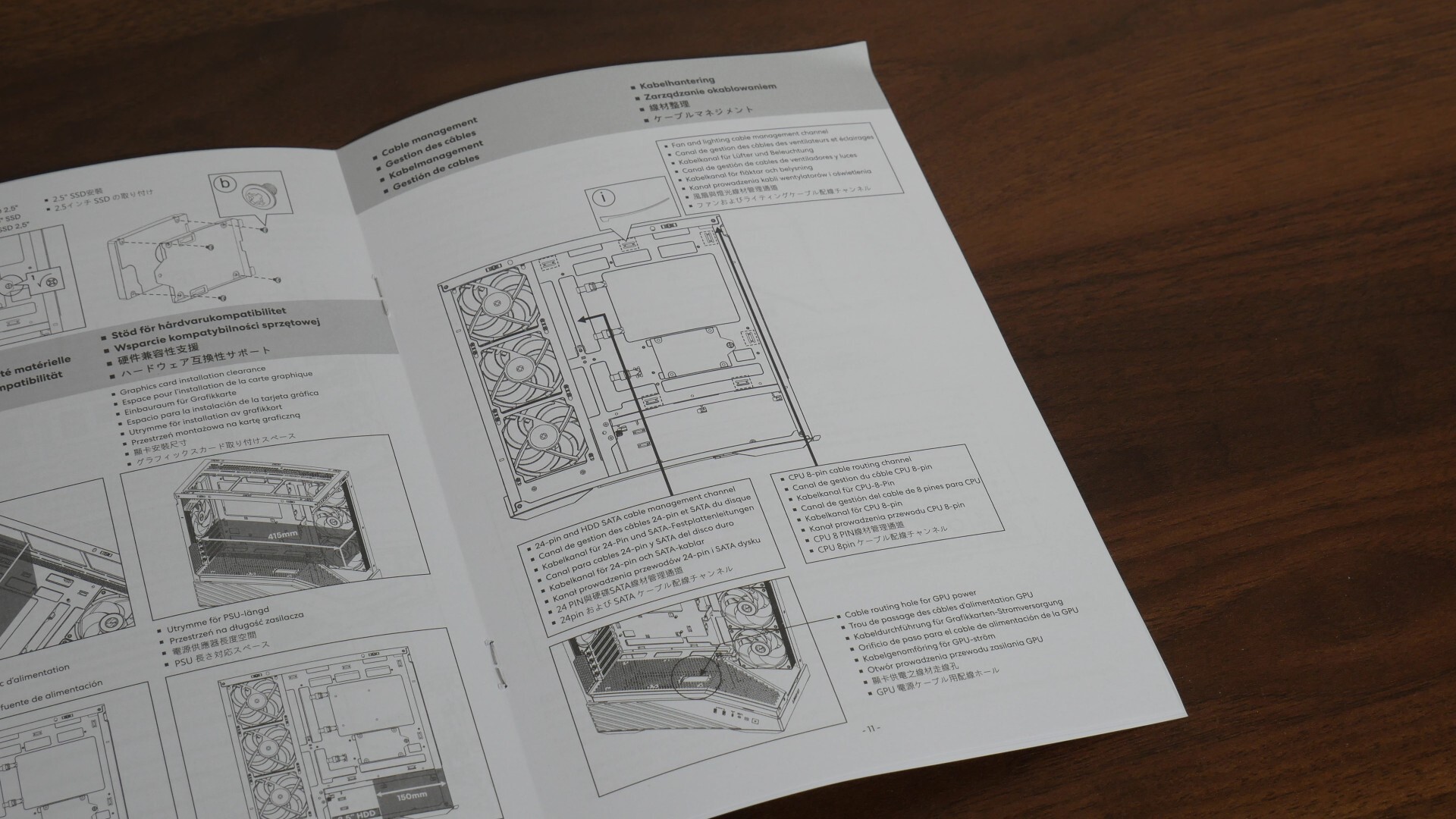
Within the user’s manual, we get illustrations on how best to do cable management with this case, which is always appreciated in my book!
Exterior Walkthrough
.jpg)
For this review, Lian Li’s sent over the variant of the V100 Mini that comes with four preinstalled ARGB fans, also known as the V100R Mini. Do note that unlike the full-sized V100, the V100 Mini is only available in a black colourway.
.jpg)
The case features a traditional layout with a chamber at the bottom for your power supply unit and storage drives, and is made of a combination of steel and plastic and two tempered glass panels. As a fish tank-style case, the V100 Mini comes with a front and side tempered glass panel for a 270° view of your PC hardware components.
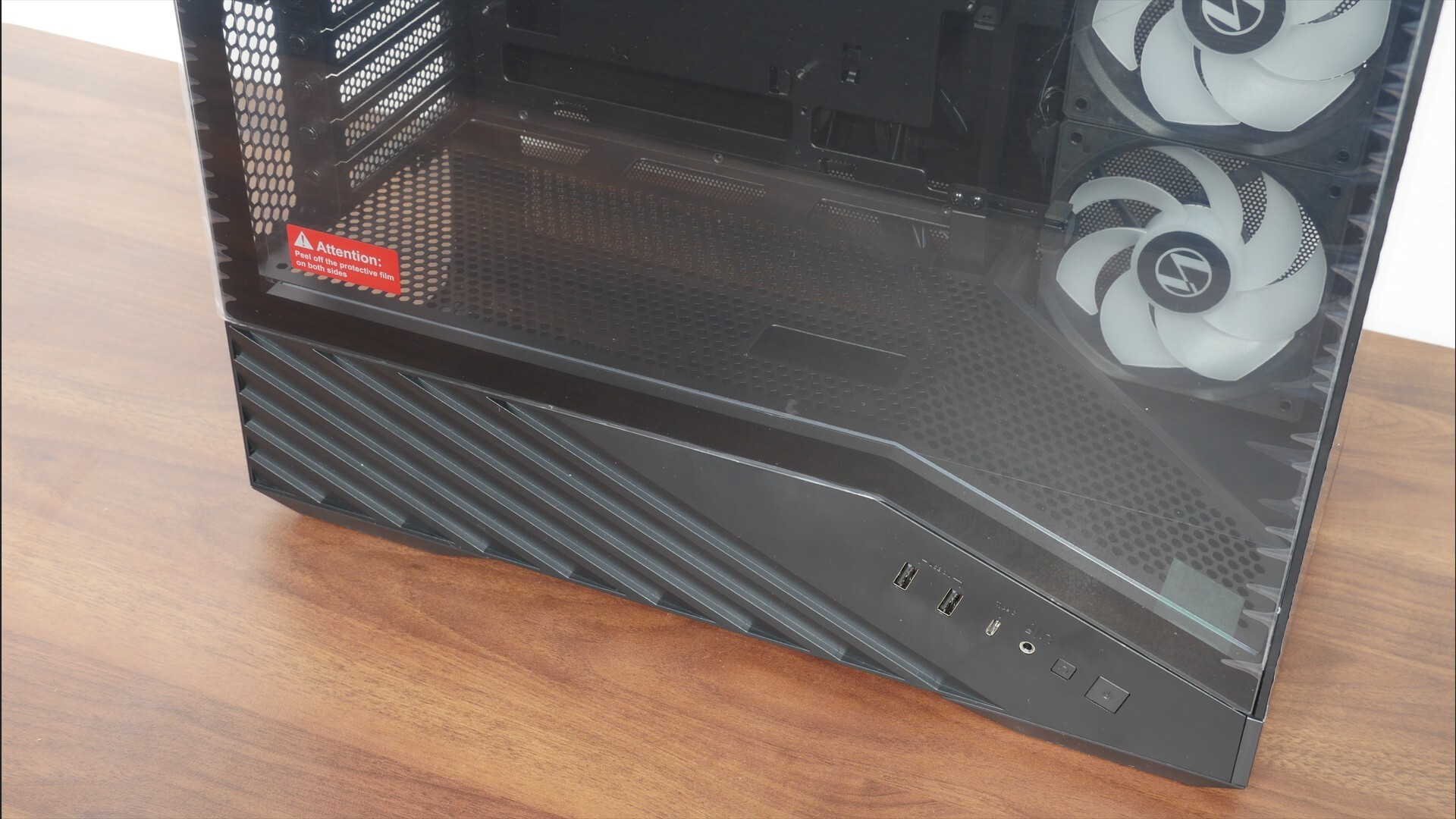
Like the full-sized Vector V100, the left side panel features a gradient design with a plastic bottom border featuring some grooves for a touch of aesthetic flair, as well as an illuminated ARGB lighting strip that runs along the said border on the inside of the case. We’ll be taking a closer look at this ARGB LED strip later in this review when I’ve done up a demo build with this case. I do think that this gradient aesthetic helps the V100 Mini stand out from amongst the competition!
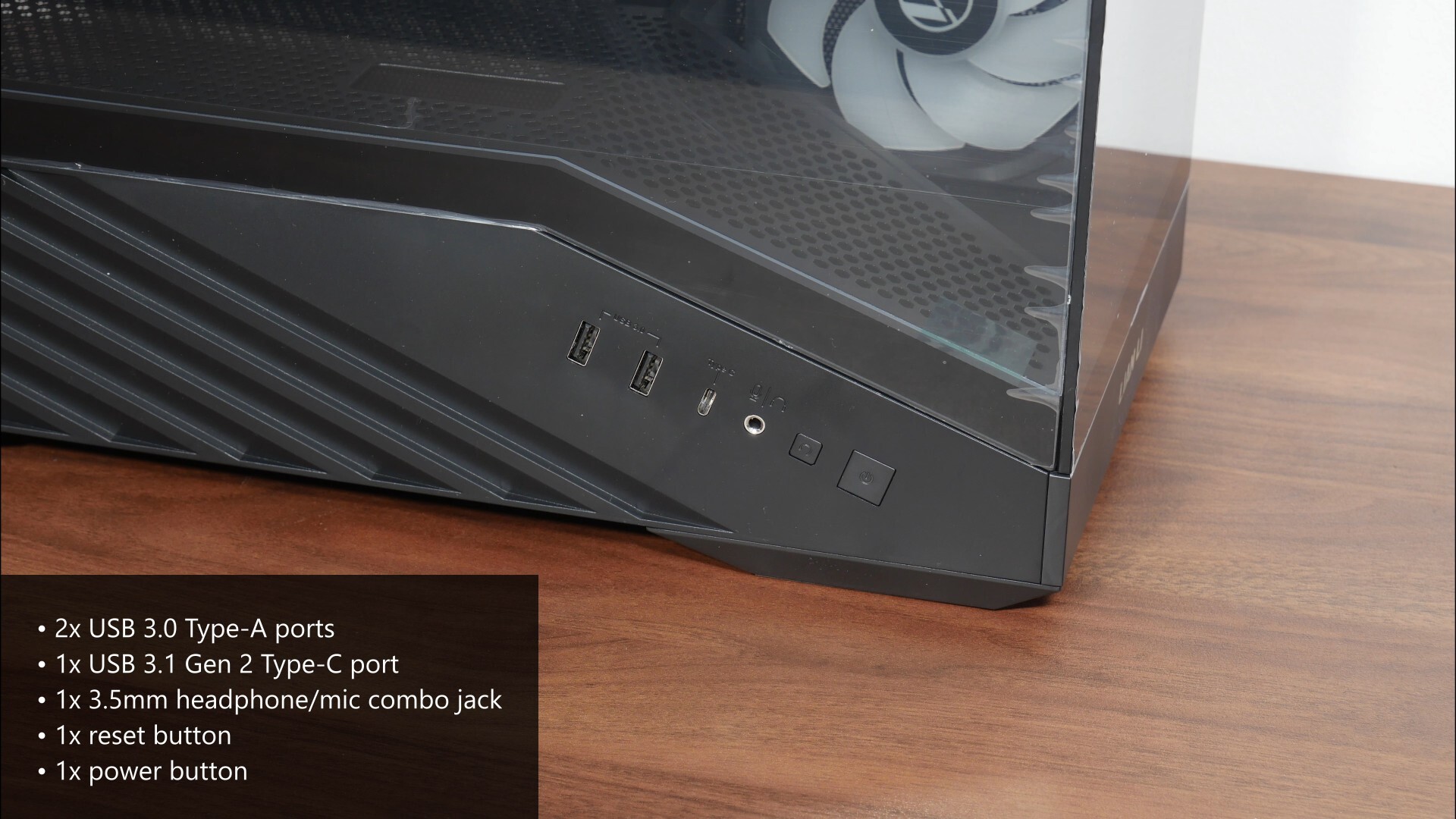
As can be seen, the front panel connectors of the case are located right below the lower edge of the left tempered glass side panel. We get two USB 3.0 Type-A ports, a USB 3.1 Gen 2 Type-C port, a 3.5mm microphone and headphone combo jack, a reset button as well as a power button. Do note that the case does not come with a hard disk activity indicator light!
.jpg)
The other side panel of the V100 Mini is a simple steel panel with ventilation openings right above the side intake fan openings and the bottom chamber housing the PSU and storage drives. I guess it’s no coincidence here that the ventilation openings form the shape of the alphabet “L”, which is a nice aesthetic touch.
.jpg)
Over on the top of the case, we get ventilation openings in the form of slats that span the entire length of the top panel, where it comes with an integrated dust filter.
.jpg)
On the bottom of the V100 Mini, we get ventilation openings for the PSU’s cooling fan, where Lian Li’s also included a removable dust filter. Also visible are the four plastic feet of the case, which come with foam-like inserts.
.jpg)
For the rear of the case, we get ventilation openings in the usual locations, and it’s great to see that the expansion slot covers are of the reusable variety, which is great to see on a product offering that’s targeted at the budget-conscious demographic.
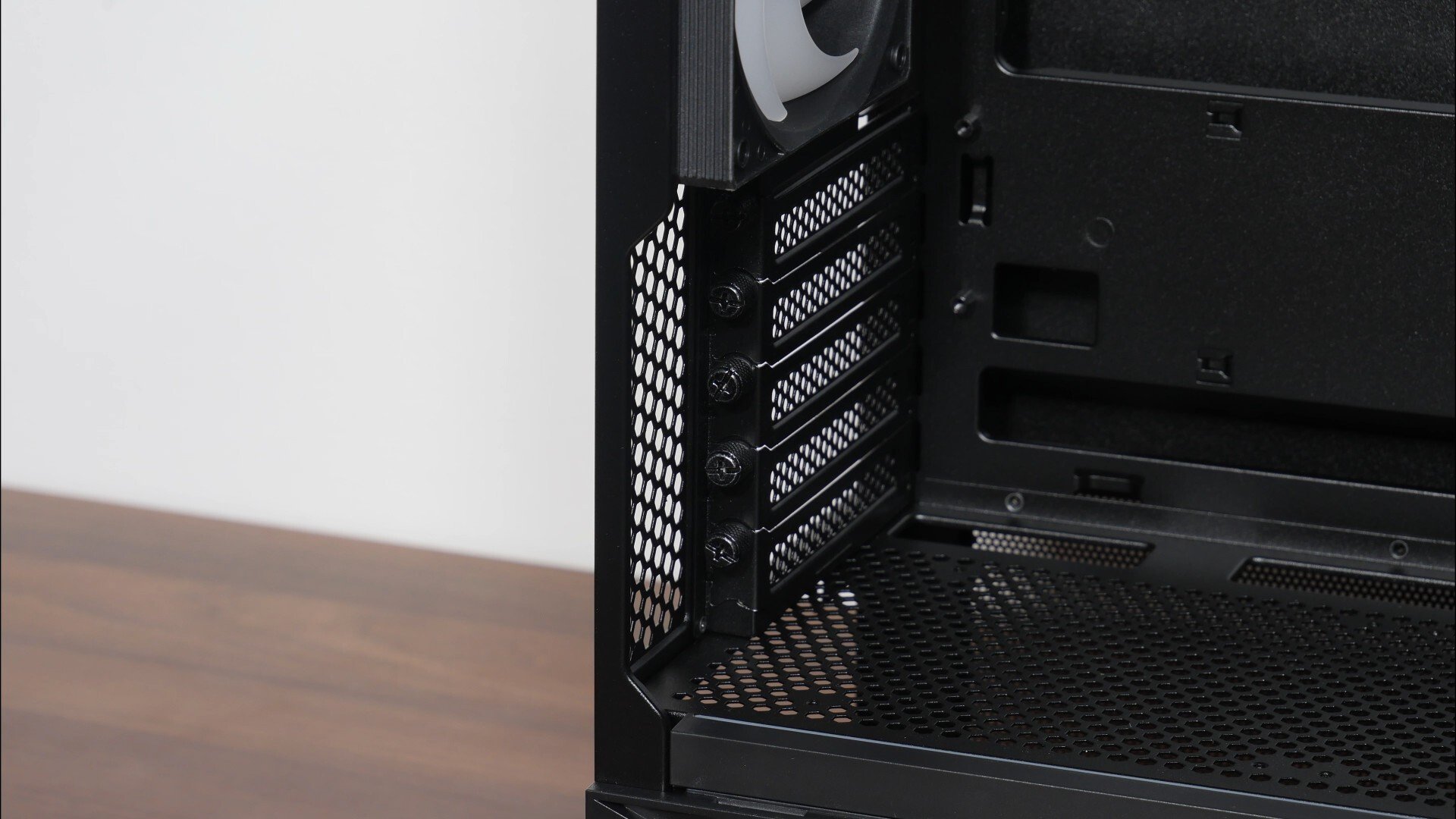
Another plus point? The expansion slot covers actually use thumbscrews instead of normal screws, which I definitely wasn’t expecting to see with a budget-friendly PC case!
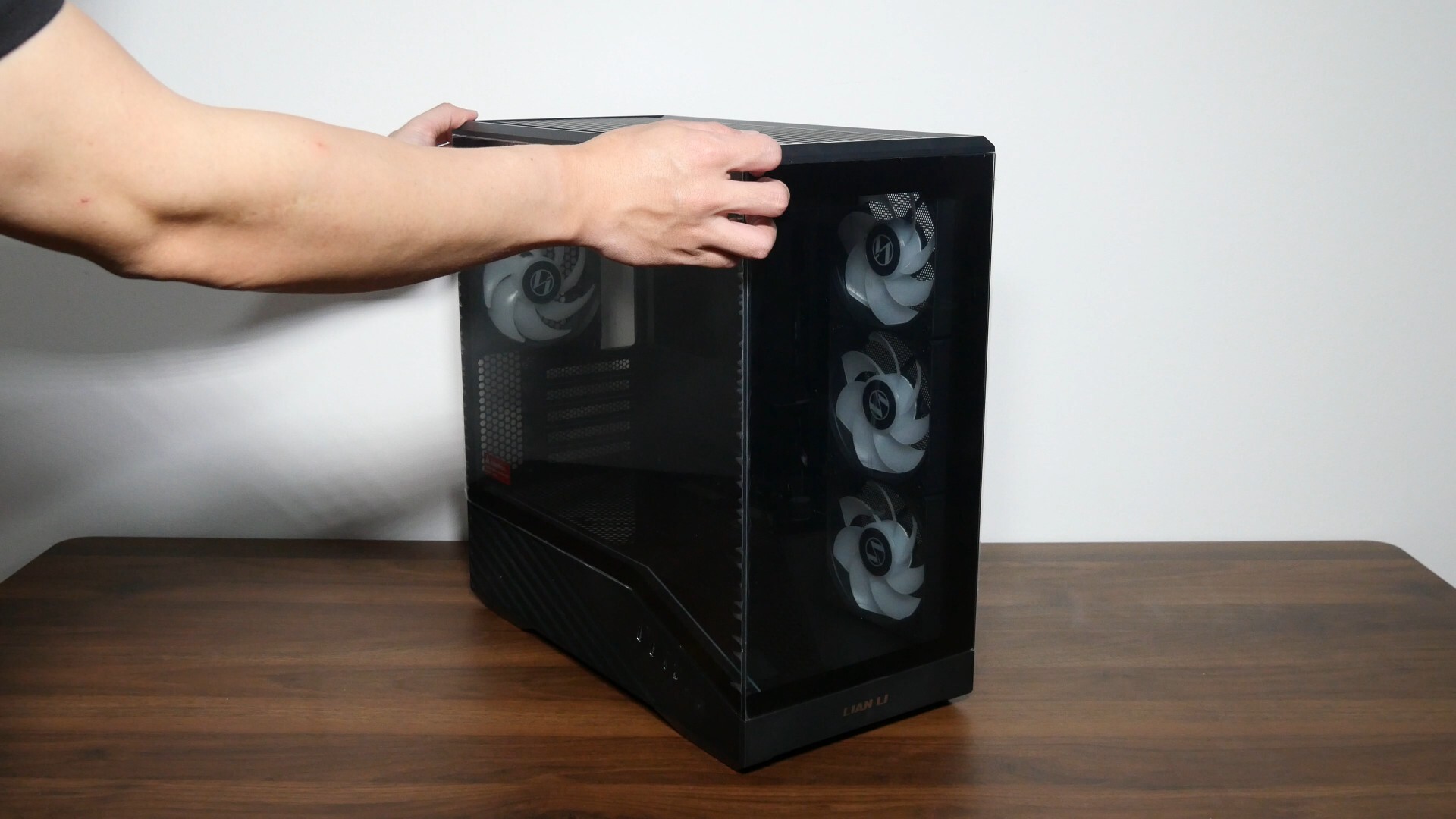
Lian Li’s gone with a tool-less design for the panels of this case, where you’ll first have to remove the tempered glass side panel by undoing a thumbscrew and prying the said panel off. The front tempered glass panel, side steel panel and finally the top panel can all be pried off very easily thereafter.
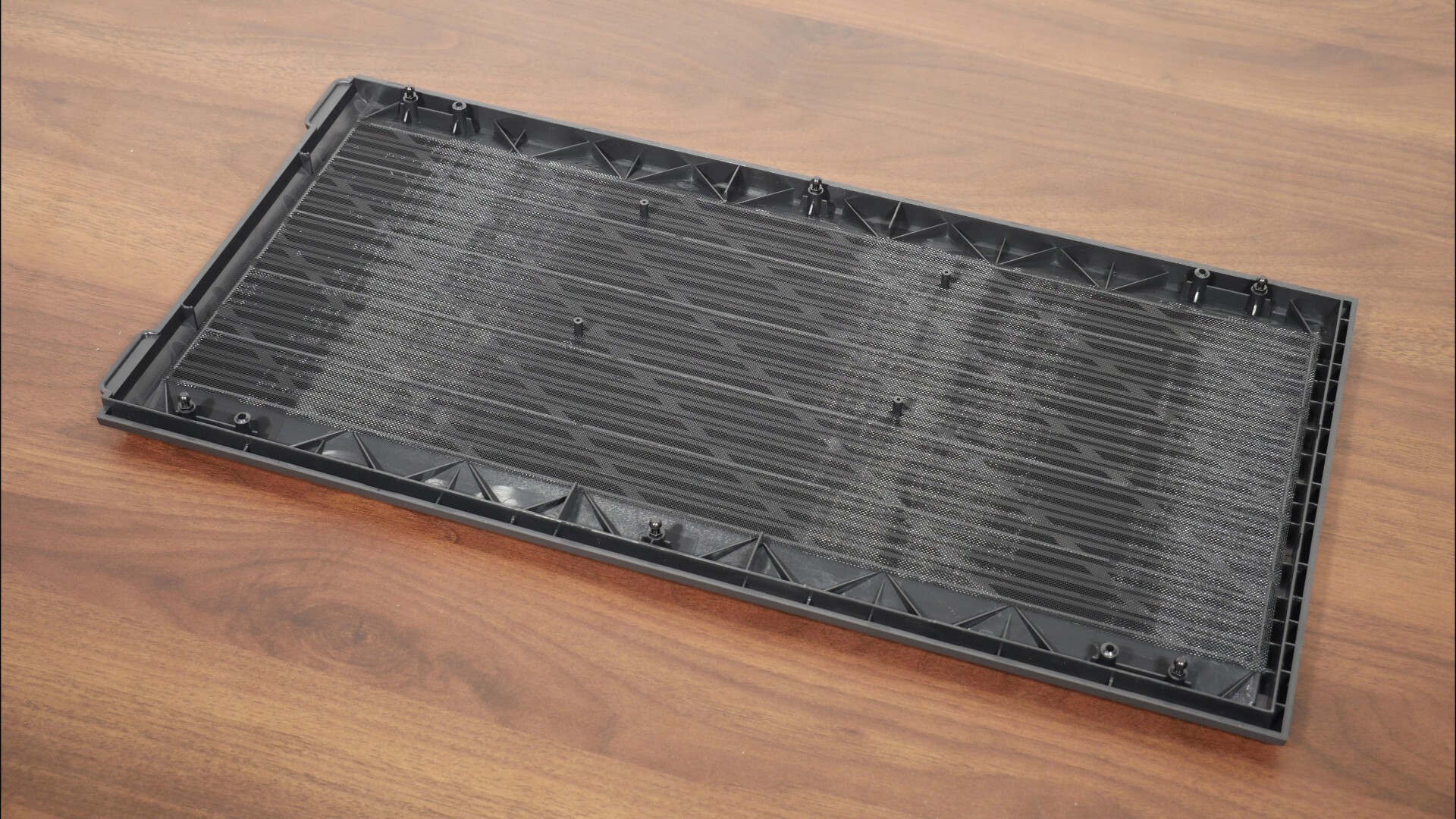
As mentioned earlier, the top panel comes with a dust filter, where it’s the sort that’s integrated into the panel and can’t be removed.
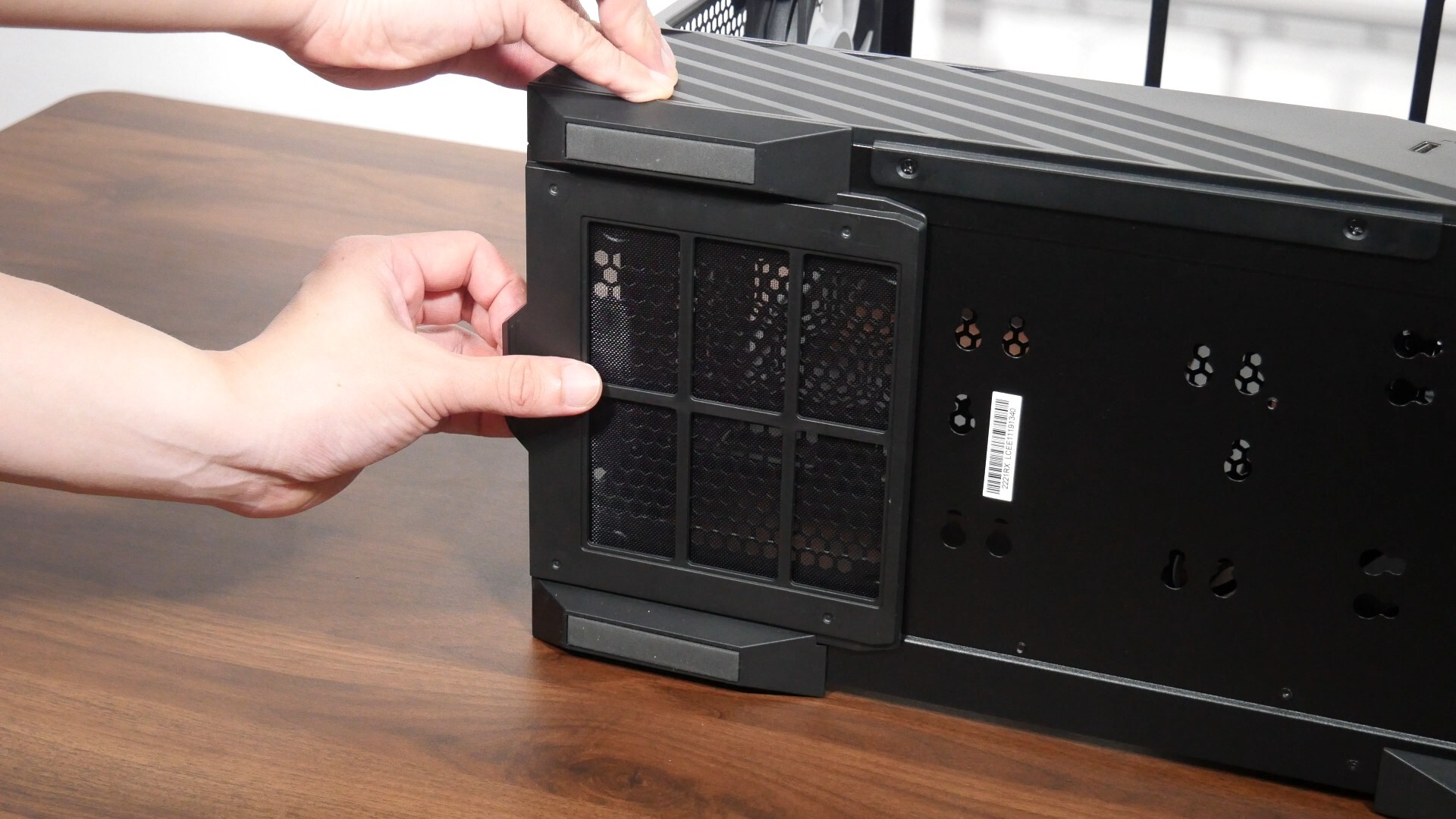
The dust filter for the PSU’s cooling fan on the other hand, can be removed by simply sliding it out of place.
Cooling Hardware Support
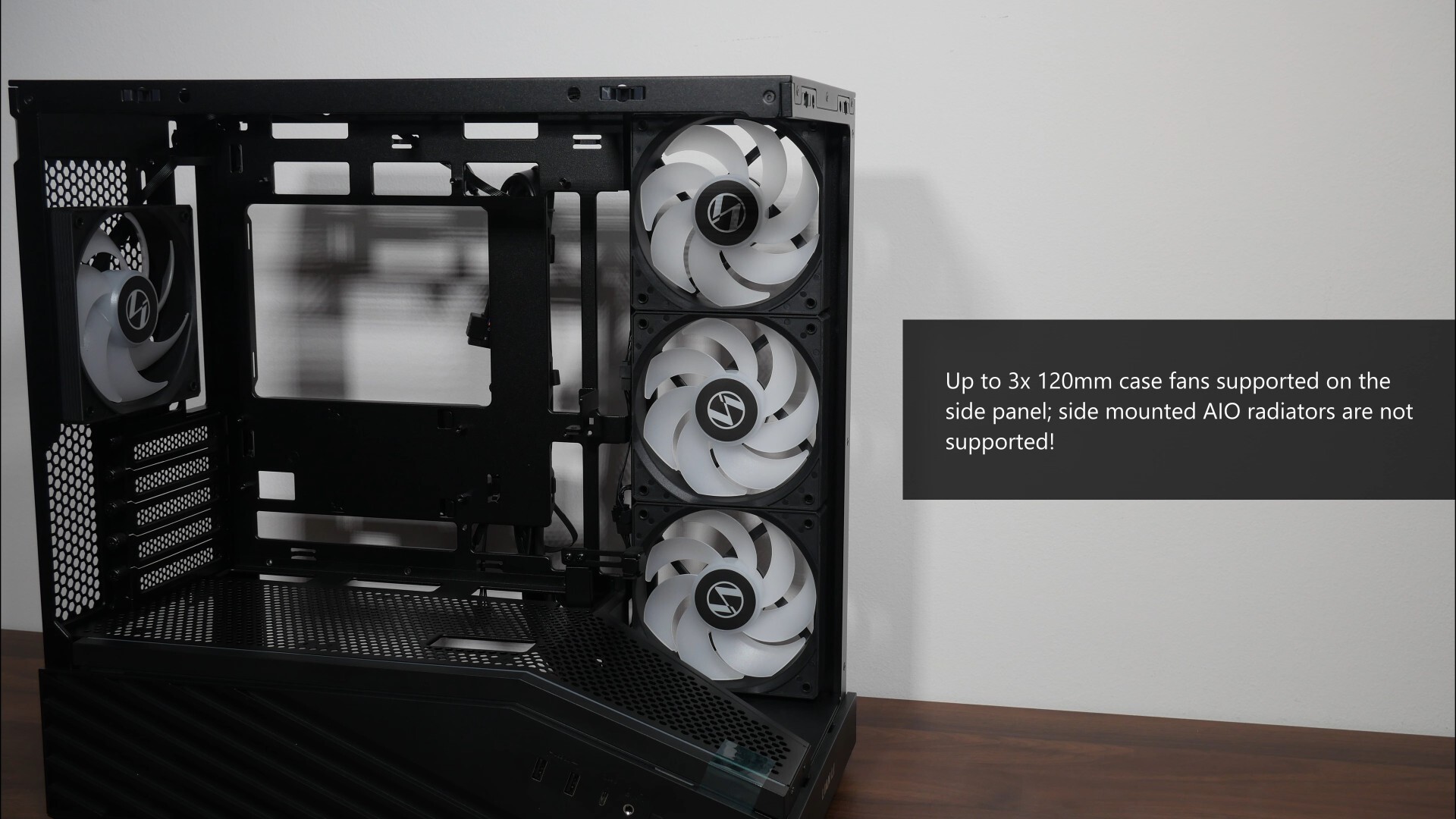
A gentle reminder that end-users have the option of purchasing this case with or without pre-installed fans, where the variant that comes with three preinstalled side intake fans and one preinstalled rear exhaust fan is called the V100R Mini (the variant that Lian Li sent over for this review). The vanilla V100 Mini, that is, without the "R", comes with no fans at all. On that note, the right side of the case frame has ventilation openings that support up to three 120mm fans – do note that due to space constraints, you won’t be able to mount a 360mm or 240mm radiator on the side frame.
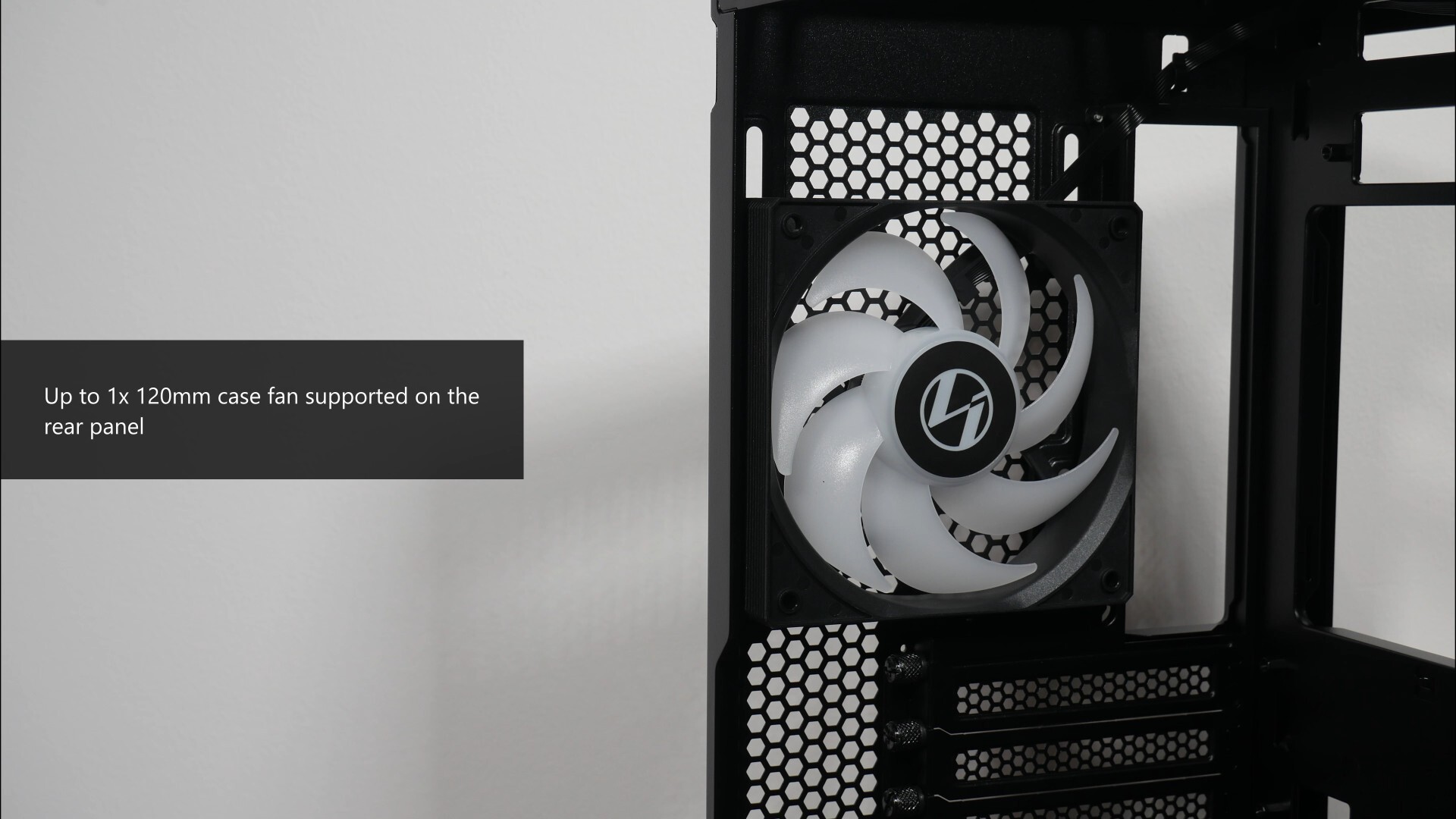
The V100 Mini also comes with a single ventilation opening on the rear panel that supports a 120mm case fan, and in the case of the V100R Mini with preinstalled fans, we get a single 120mm normal blade ARGB fan acting as a rear exhaust fan.
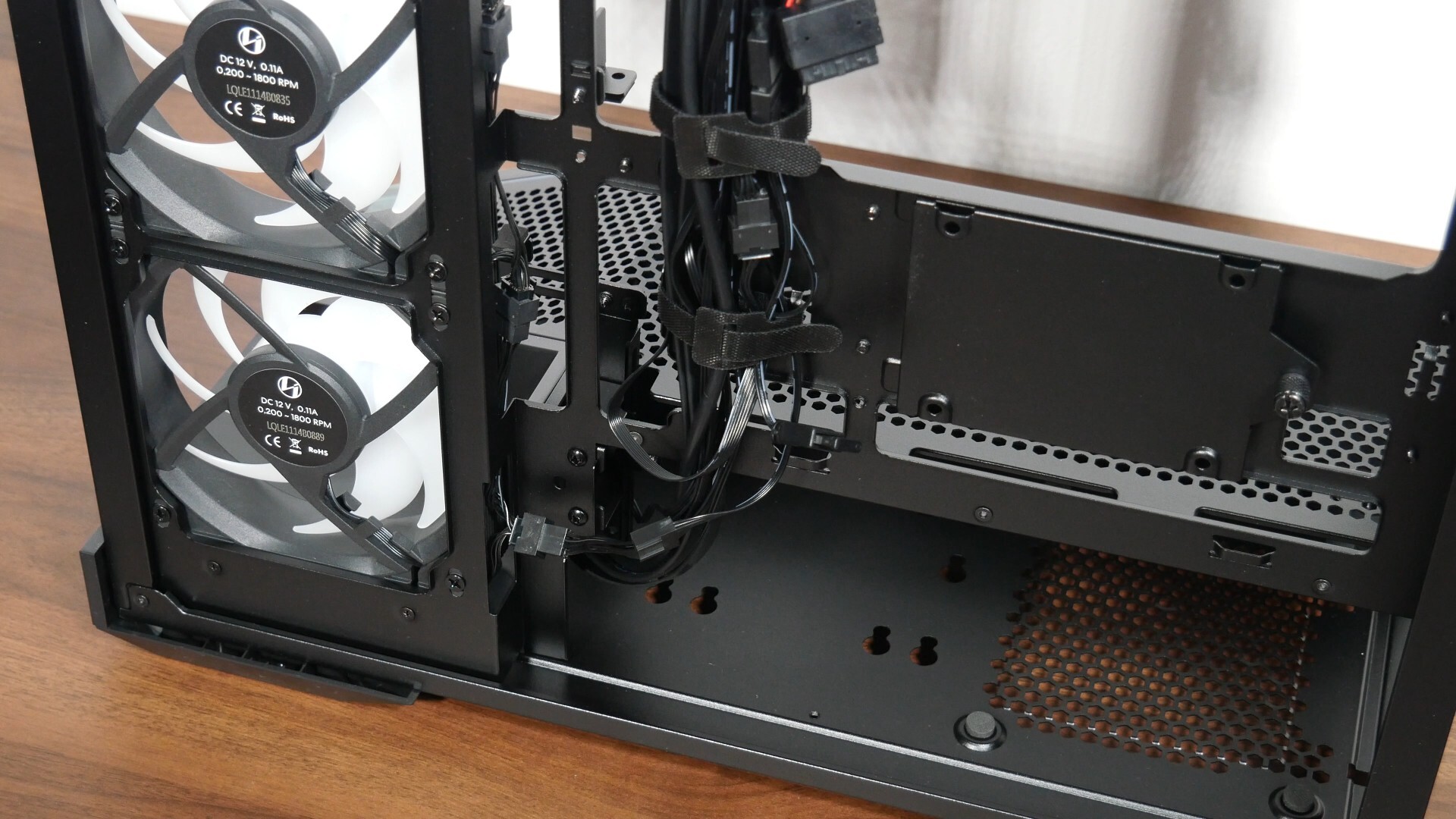
To make the PC building process more seamless, the four ARGB fans and the ARGB LED strip found within the case come pre-daisy chained, so that you can hook up just one 5V ARGB connector and one four-pin PWM fan header to your motherboard directly.
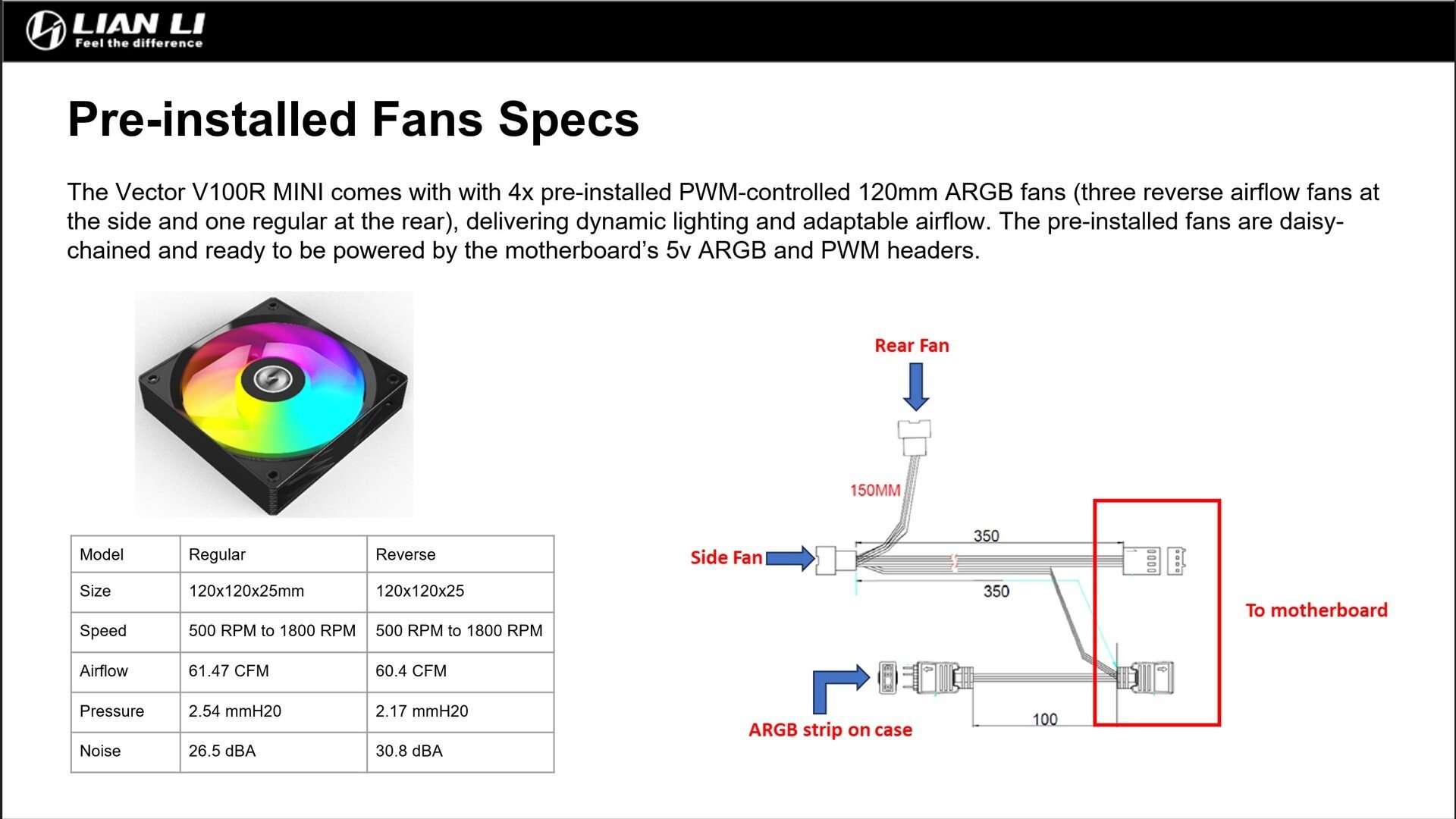
In case you're wondering about the specifications of the pre-installed fans, the above screenshot from the V100 Mini's reviewer's guide should answer any questions that you might have about them.
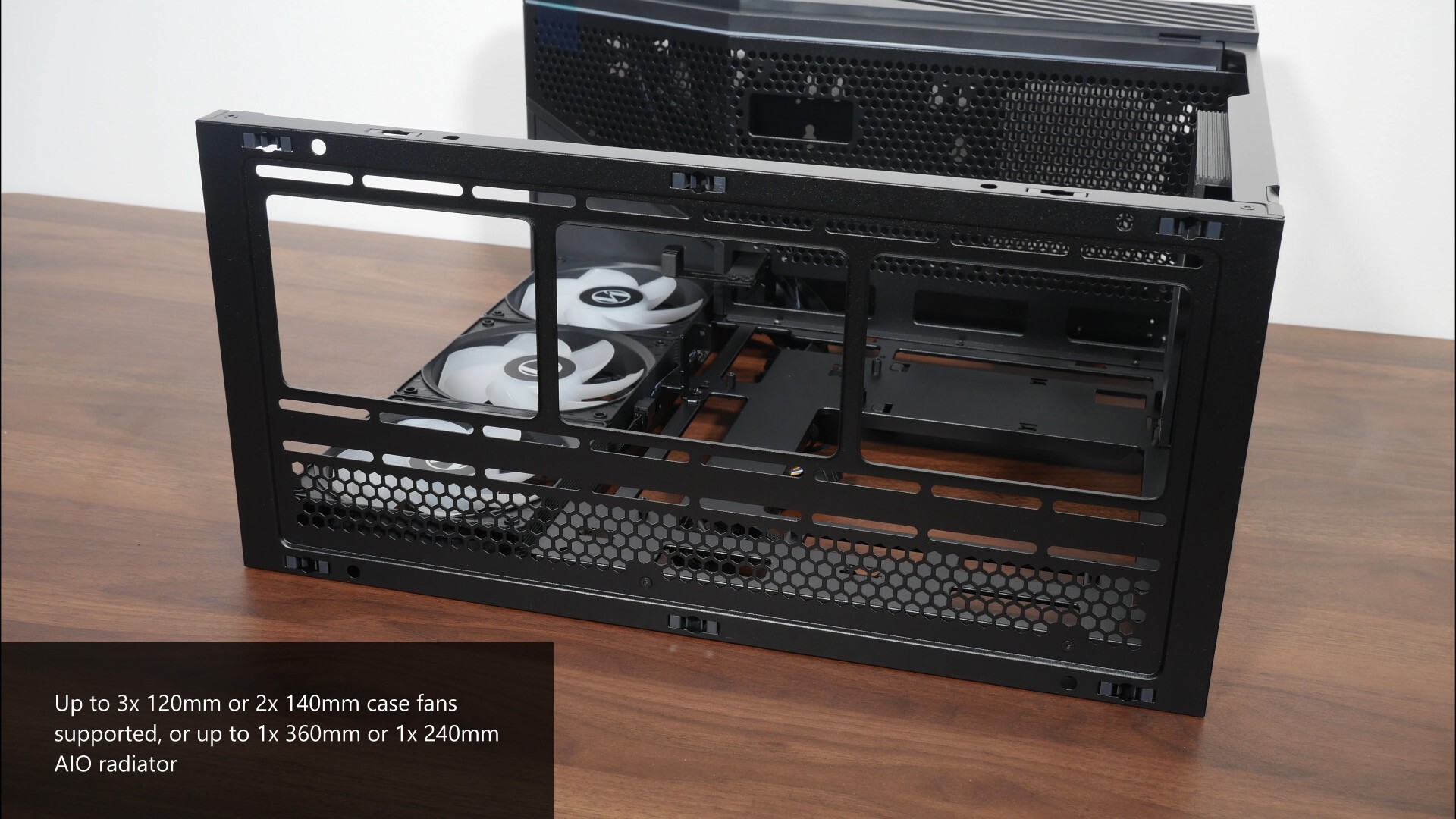
Over on the top panel of the case, we get support for either two 140mm case fans or three 120mm case fans. AIO radiators wise, the V100 Mini supports either a 360mm or 240mm AIO radiator on the top panel.
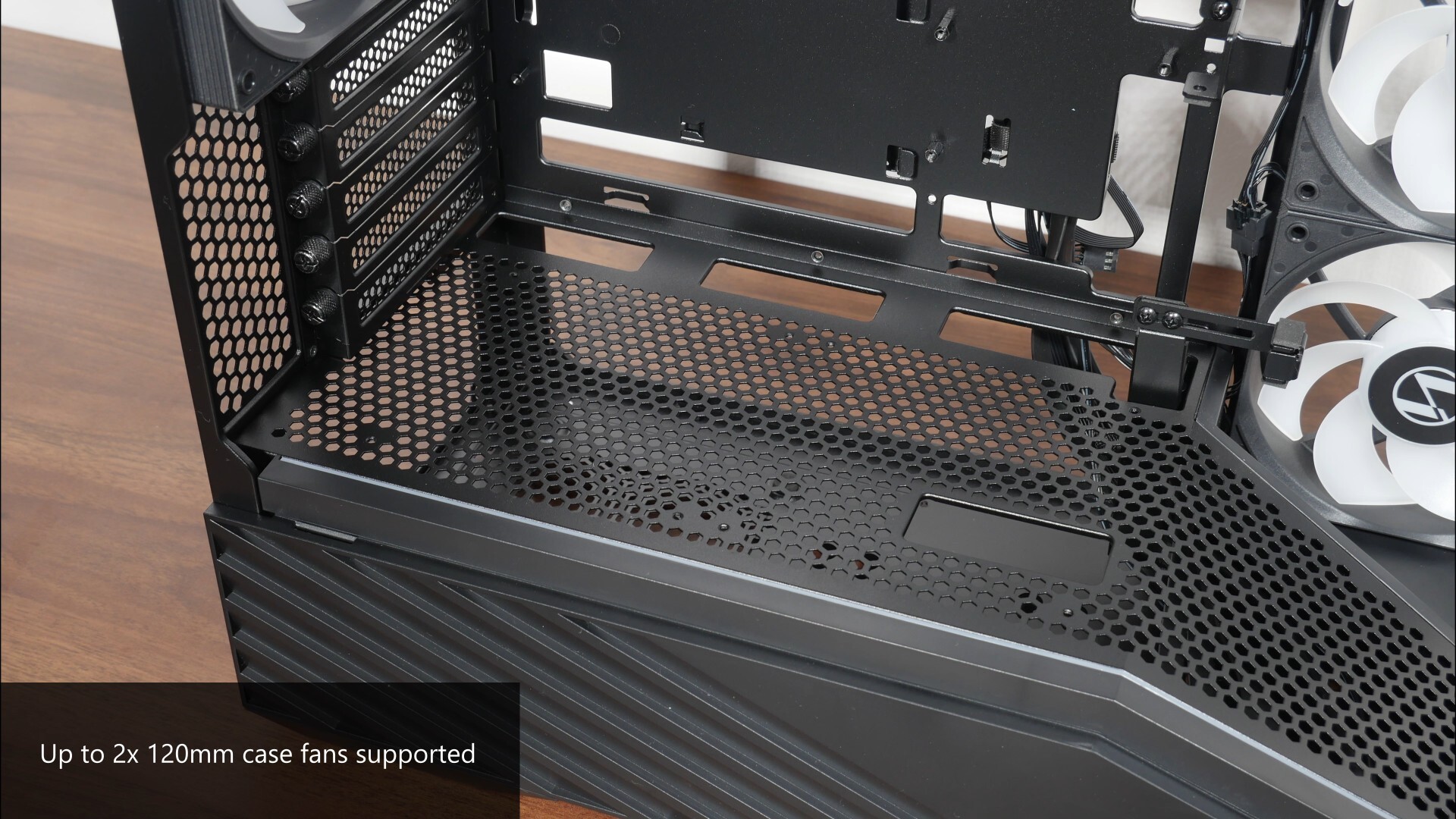
Finally, on the bottom panel of the case right before where the gradient begins, we get support for up to two 120mm case fans.
Physical Dimensions & Clearances
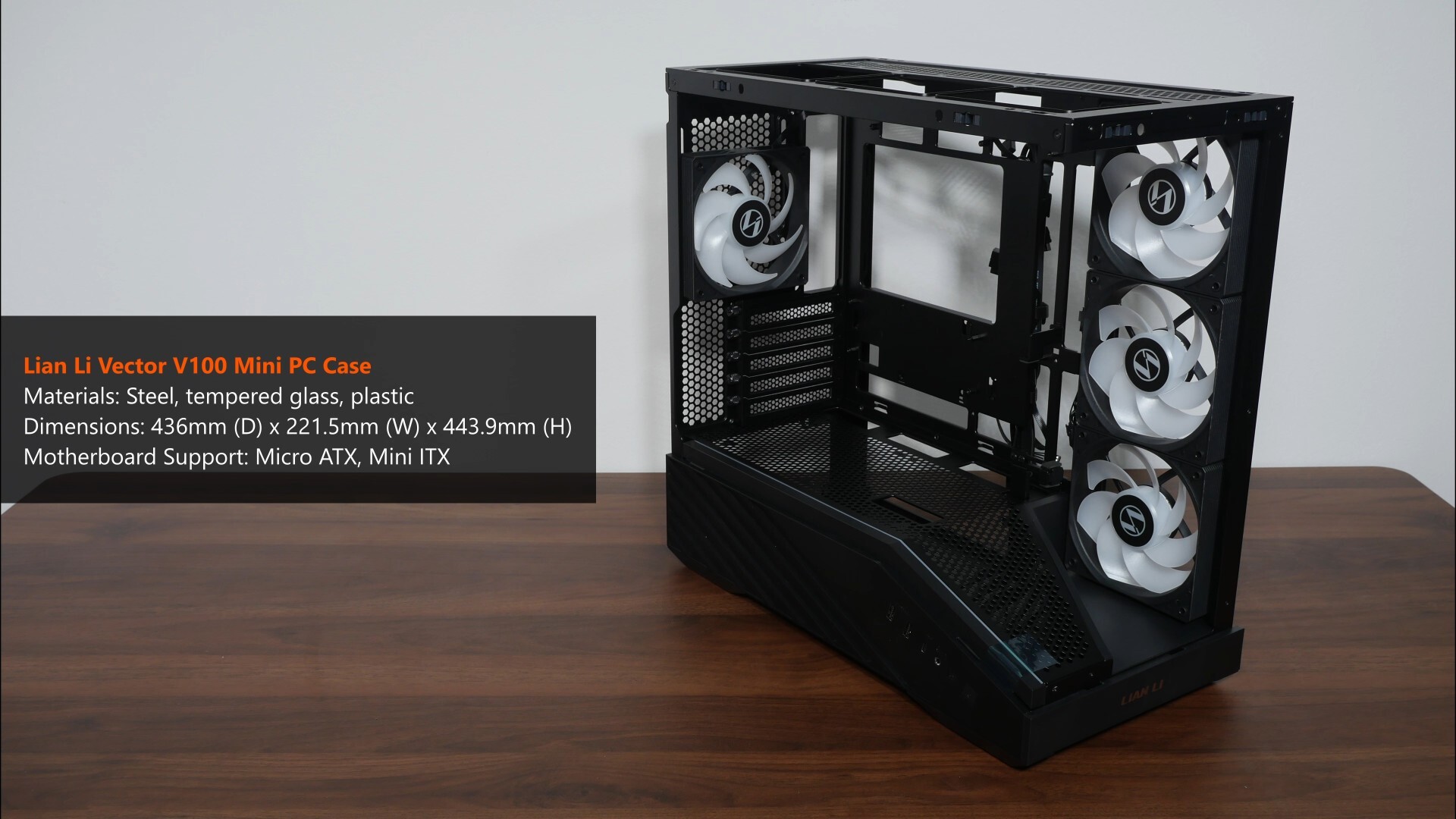
I'd say that the Vector V100 Mini's on the slightly larger side of things for a microATX PC case, where it measures in at 436mm (D) x 221.5mm (W) x 443.9mm (H).
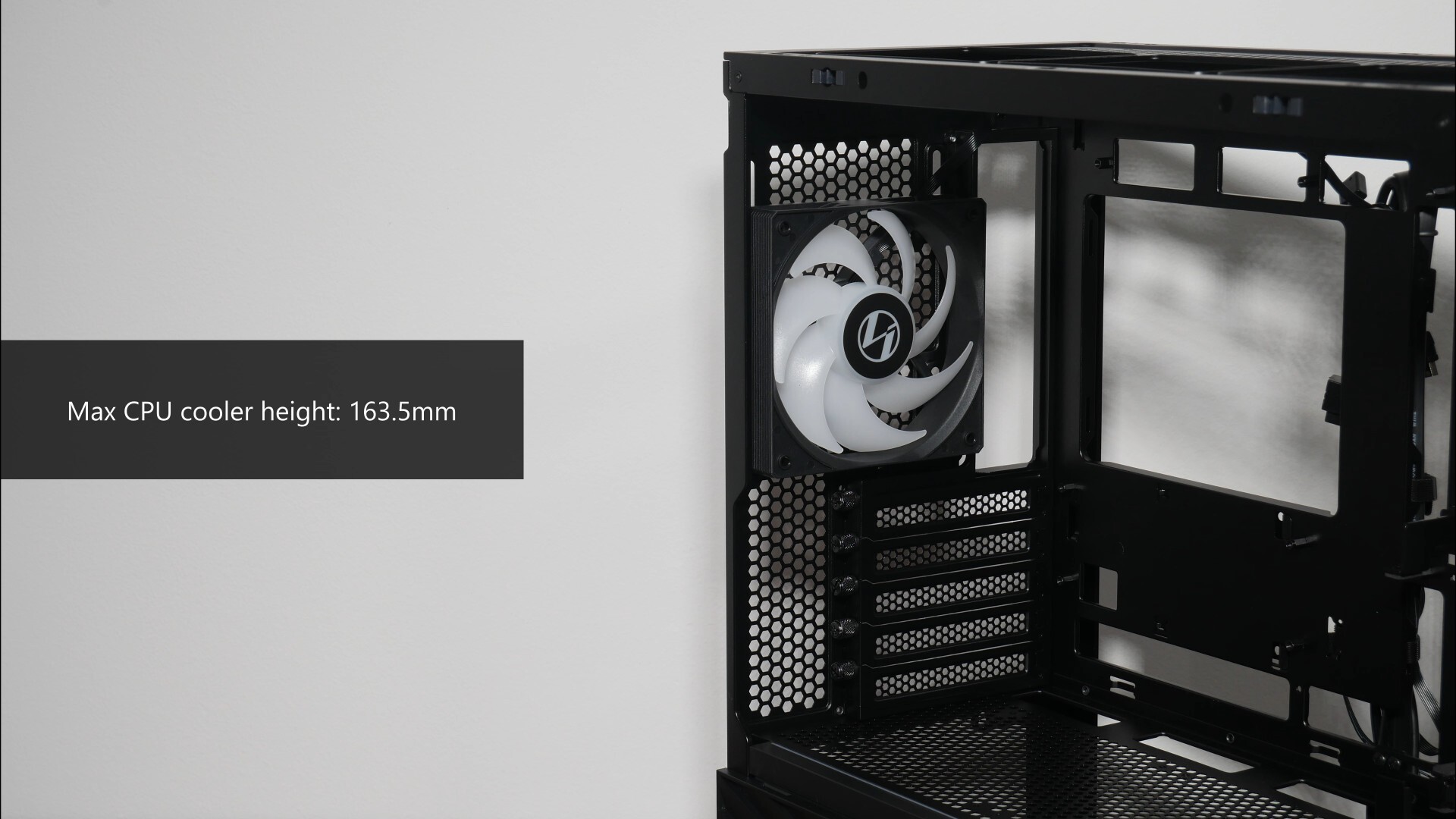
For you folks intending to use an air cooler for your processor, do note that the case supports CPU coolers of heights no more than 163.5mm according to the specs sheet for the V100 Mini.
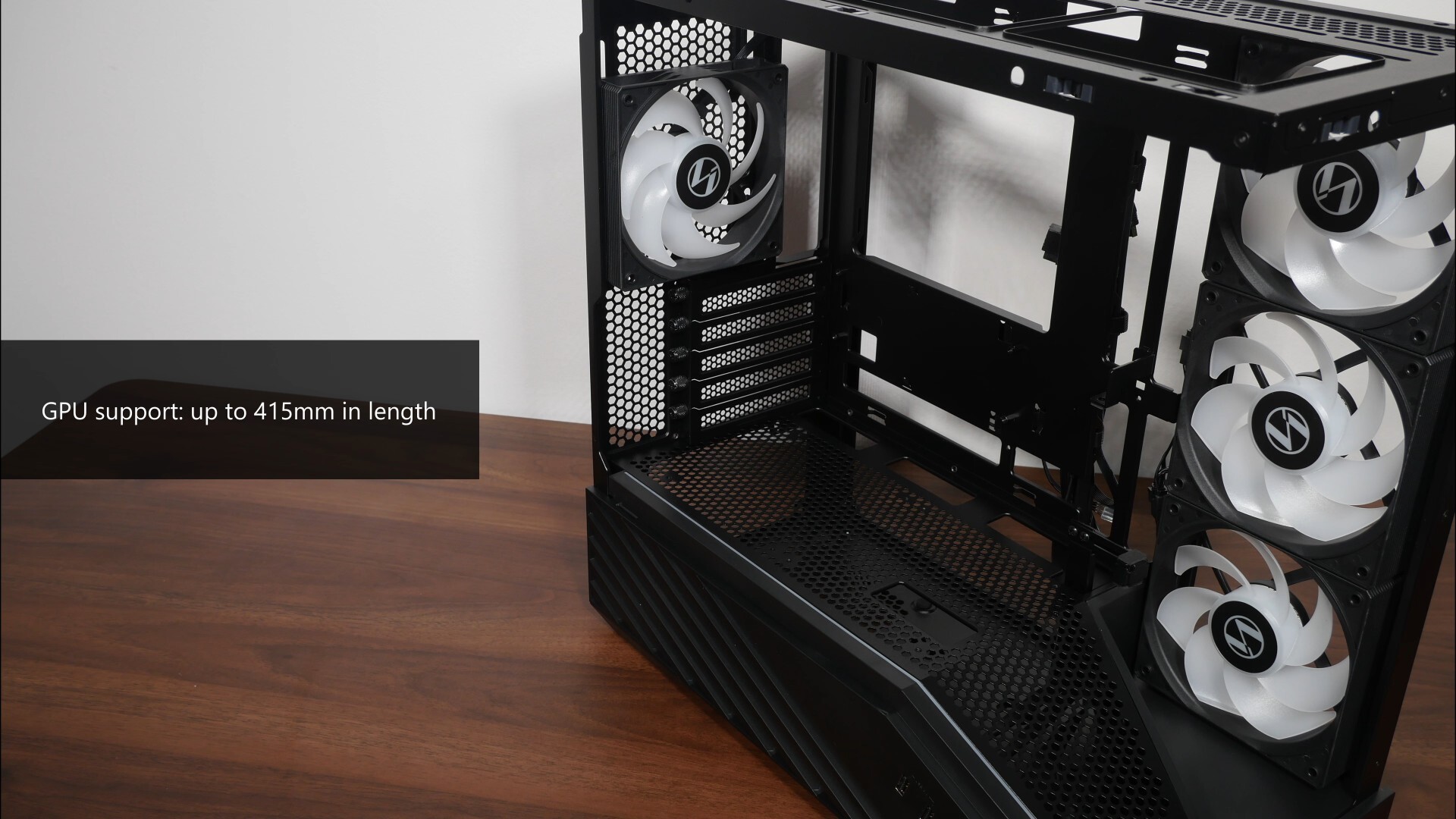
For your graphics card, the case comes with support for graphics cards with lengths of up to 415mm.
.jpg)
We’ve also got a GPU support bracket that come pre-installed within the case, and is comprised of two parts, an upper bracket as well as a lower bracket.
.jpg)
The upper bracket has two mounting positions to suit motherboards that have their PCIe x16 slot in the first or second slot position, where it’s held in place by a single screw.
.jpg)
.jpg)
As for the bottom bracket, it's adjustable for height where we’ve got a single thumbscrew that’s accessible from the bottom chamber of the case.
.jpg)
You can adjust the bracket horizontally to suit the length of your graphics card, where you’ll have to loosen two screws to do so.
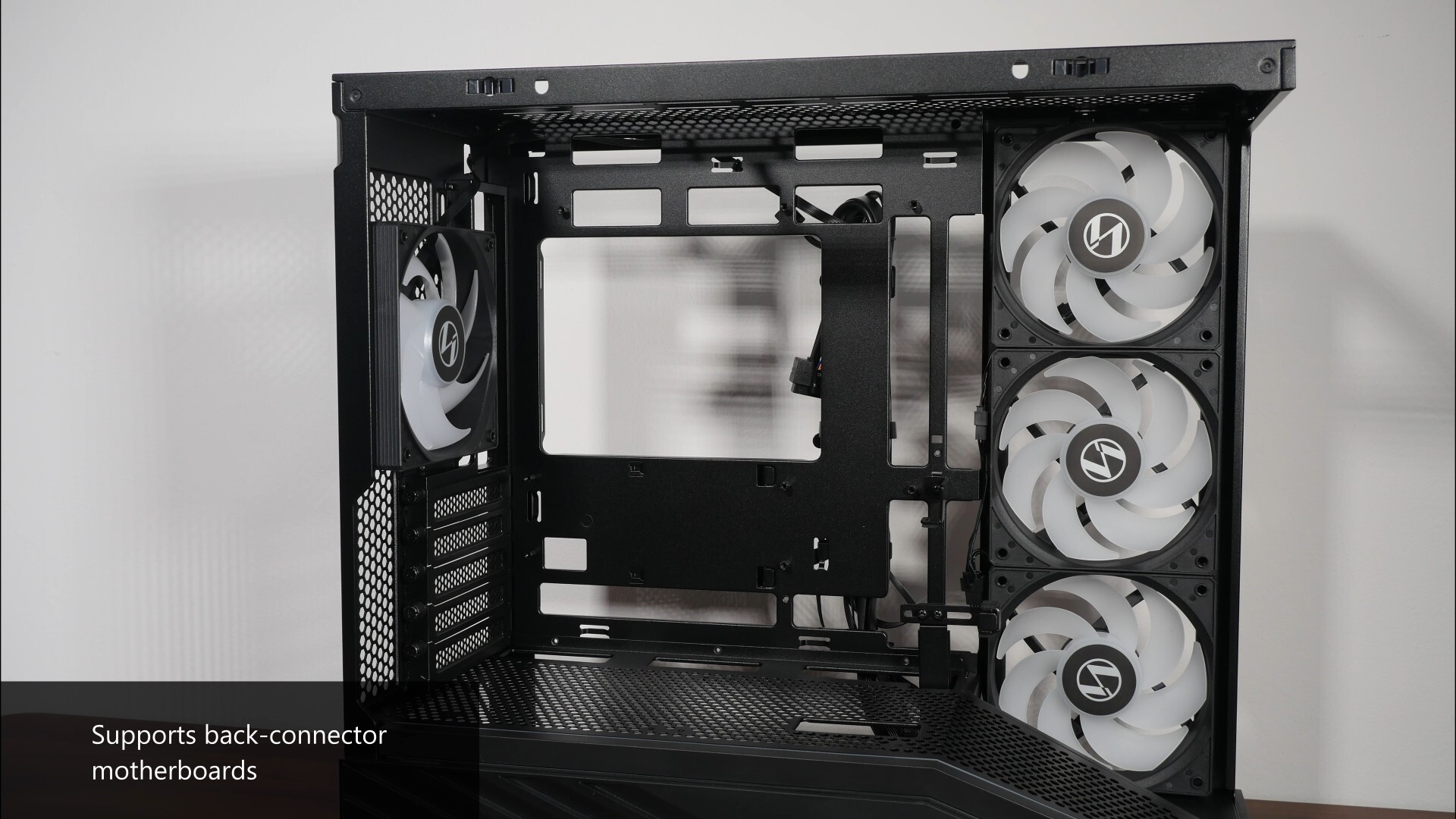
On to the motherboard tray, the Vector V100 Mini comes with support for motherboards with rear connectors. This means that motherboards from say, ASUS’s BTF line-up, Gigabyte’s Project Stealth series or MSI’s Project Zero line-up will be compatible with this case.
.jpg)
In terms of PSU support, Lian Li indicates that the Vector V100 Mini has 200mm of depth clearance for a power supply unit, which is mounted in the bottom chamber of the PC case.
.jpg)
Do note that the 200mm figure is for when you do not have storage drives mounted in the first position as indicated in the photo above – if you do have a drive installed in this mounting location, the PSU depth clearance drops to 150mm.
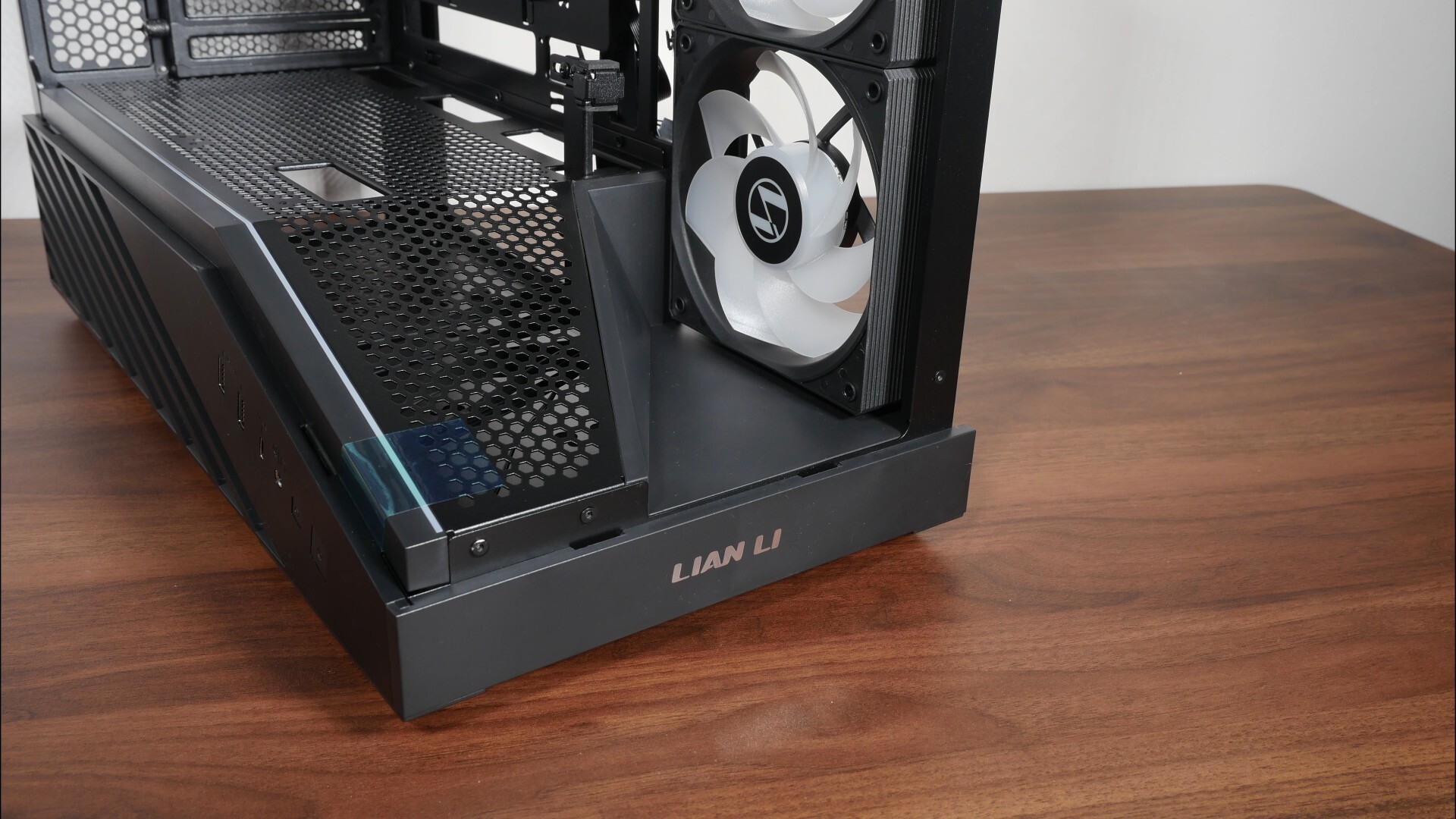
Moving on, like the full-sized Vector V100, the Vector V100 Mini also comes with a display platform of sorts that allows you to display an item of your choice, such as a Labubu or whatever collectible figurine’s en vogue these days.
Storage Drive Support
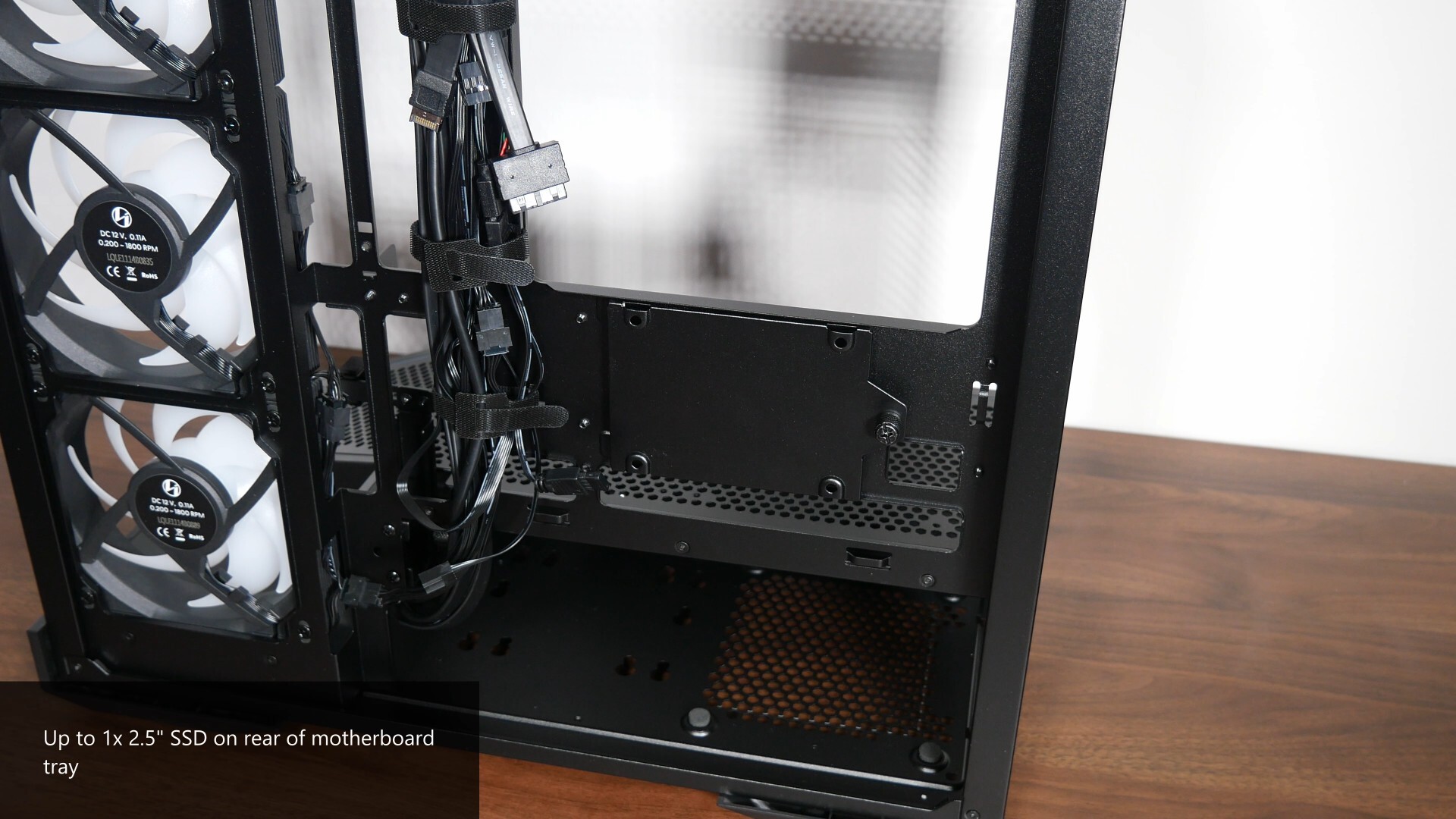
For those of you intending to install 2.5” or 3.5” storage drives for your PC build with the V100 Mini, we’ve got a drive bracket on the rear of the motherboard tray that supports a single 2.5” SSD.
.jpg)
.jpg)
This is accompanied by drive mounts in the bottom chamber of the case – the number of drives that you can install will depend on the depth of the PSU that you’ll be using for your PC build with this case.
Building a PC with the Lian Li Vector V100 Mini
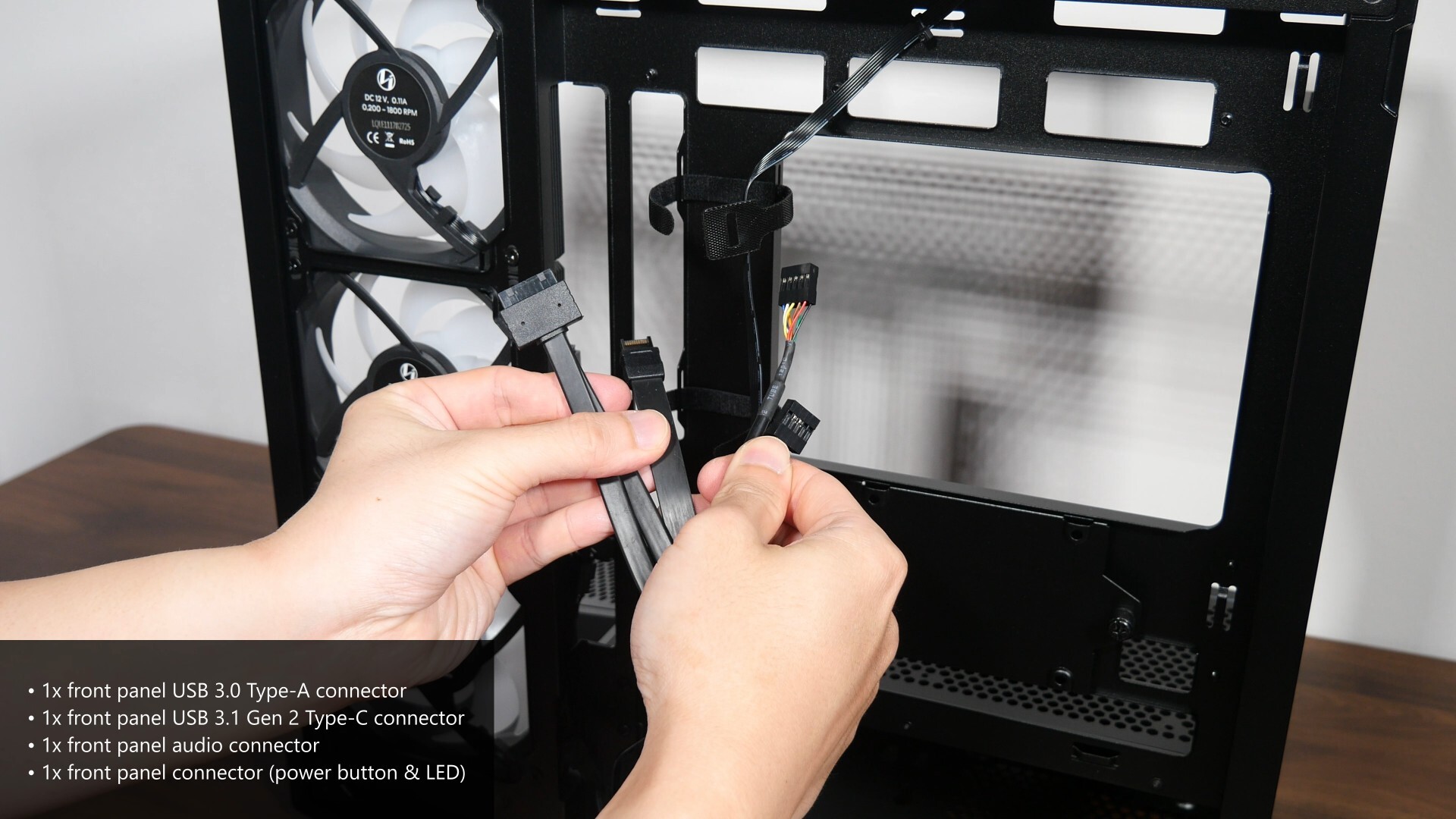
The front panel connectors of the case are pretty standard, where we get a front panel USB 3.0 Type-A connector, a USB 3.1 Gen 2 Type-C connector, a front panel audio connector as well as an nine-pin front panel connector for the power button and reset button. I appreciate the fact that Lian Li’s used a nine-pin connector rather than standalone connectors for the front panel buttons, which can be more fiddly to hook up to their respective header pins on the motherboard.
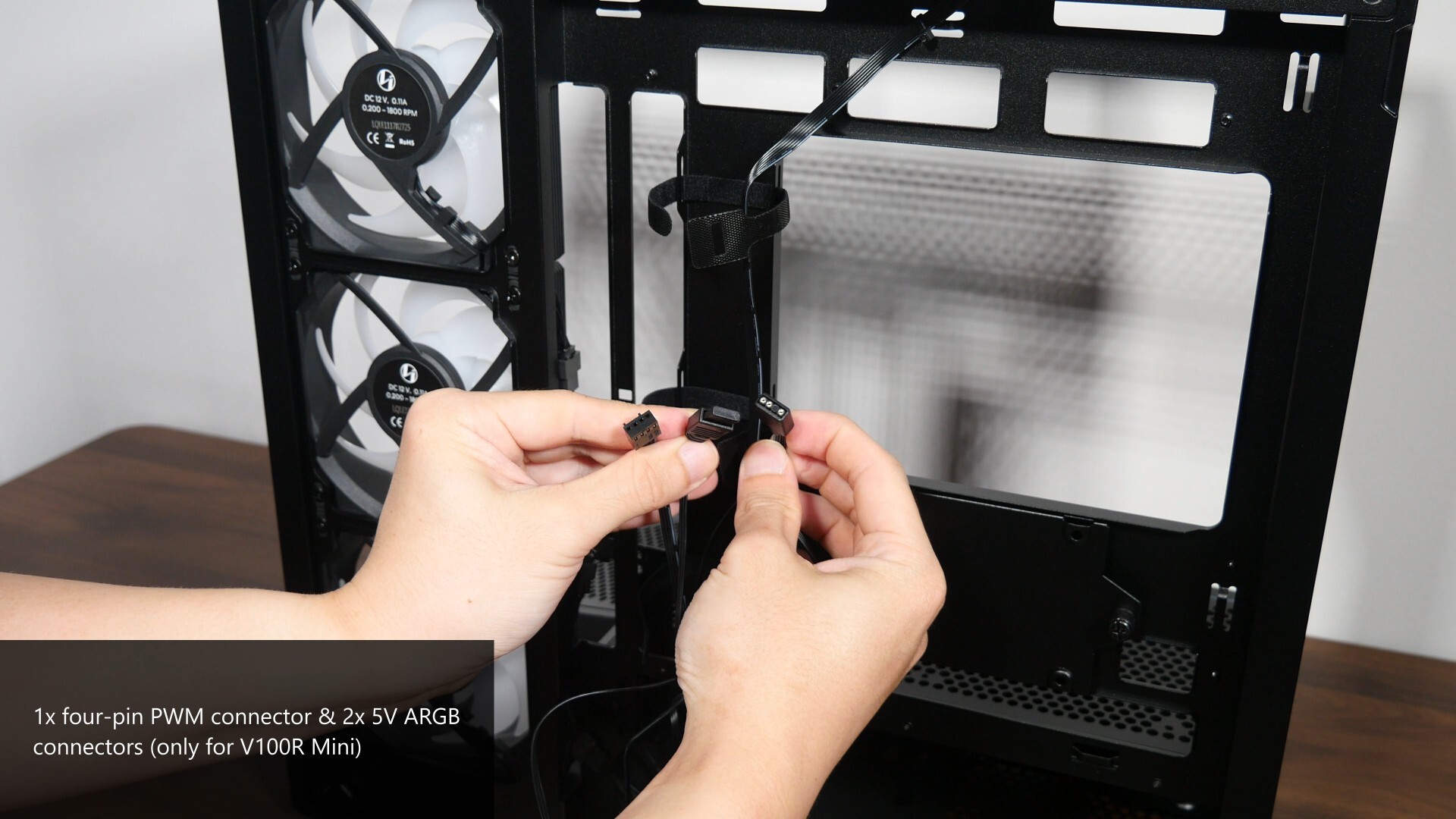
As mentioned earlier, with the V100R Mini that comes with four preinstalled fans, the included fans are already pre-daisy chained together with the case’s ARGB lighting strip. In this regard, we’ve got two 5V ARGB connectors where you can further daisy chain additional ARGB devices if need be, and not forgetting, a four-pin PWM fan connector.
.jpg)
.jpg)
With that, let’s do a demo build with the Vector V100R Mini. Getting a micro ATX motherboard, a MSI B650M MORTAR WIFI into the case was pretty easy. The motherboard standoffs are already pre-installed on the motherboard tray and as can be seen, we get enough space for manoeuvring things around.
.jpg)
.jpg)
Installing the power supply unit was a cinch too, just make sure that you’ve got a PSU that meets the size requirements. For this demo build, I’ll be using a PSU from Lian Li’s new RB line-up of budget friendly semi-modular power supply units – specifically, I have on hand the 750W RB0750B, and it measures in at a depth of just 150mm, where it fits really easily into the V100 Mini.
.jpg)
I really like the cable management system that the RB line-up of PSUs come with, where you get Velcro straps and a cable channel on the back of the PSU to make things look just that little bit neater. In case you’re wondering, the RB0750B is available to purchase for a price of US$69.99.
.jpg)
.jpg)
CPU cooling wise, Lian Li’s sent over their new HydroShift II LCD-S 360CL AIO CPU cooler – the HydroShift II LCD-S utilises a 360mm radiator, which I’ve managed to mount pretty easily on the top panel of the V100 Mini, and we catch a glimpse of the three normal blade Uni Fan CL Wireless fans that come included with the 360CL variant of the HydroShift II LCD-S.
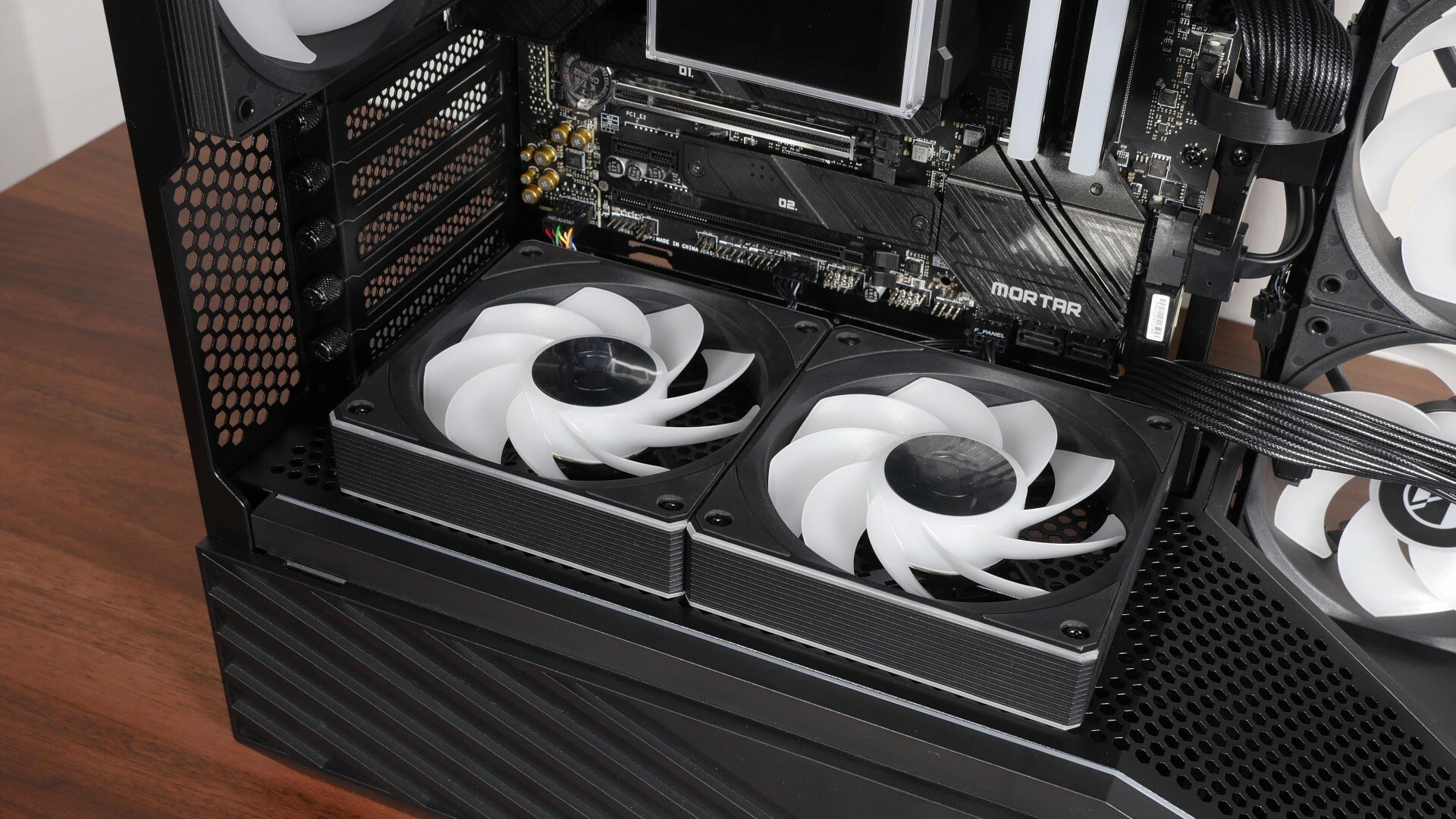
While we’re still on the topic of cooling, I’ll be installing two reverse blade Uni Fan CL Wireless 120mm case fans on the bottom panel to serve as intake fans – again, these fans come from the same line-up as those that are found on the HydroShift II LCD-S 360CL that I’ve used for this demo build, which I guess are a great accessory with the Vector V100 Mini, in that the Uni Fan CLs are Lian Li’s budget-friendly offerings in their case fan line-up.
.jpg)
.jpg)
The graphics card for this demo build’s a MSI GeForce RTX 5060 Ti GAMING TRIO OC 16G, where it measures in at 300mm x 125mm x 44mm, and fits very easily into the case. Do note that if you’re intending to install a very thick graphics card, say one that occupies more than three slots, you might not be able to install case fans on the bottom panel of the case.
.jpg)
.jpg)
Moving things along and with the demo build nearly completed, there's no better time to talk about cable management - the Vector V100 Mini comes with cable management openings in all the right places to make cable management just a touch easier.
.jpg)
Over on the rear of the motherboard tray, the inclusion of strategically placed Velcro straps to help guide cables along to where they need to go is much appreciated for sure.
.jpg)
While I didn’t put too much effort into cable management for this demo build, I do think that the PC still looks pretty aesthetically-pleasing all things considered!
Completed Demo Build Aesthetics
.jpg)
.jpg)
.jpg)
.jpg)
.jpg)
.jpg)
Thermal Performance
To benchmark the thermal performance of the Lian Li Vector V100 Mini PC case, I put together a demo build with the following specifications:
- CPU: AMD Ryzen 5 7600
- CPU Cooler: Lian Li HydroShift II LCD-S 360CL
- CPU Thermal Paste: Lian Li OEM thermal paste
- Motherboard: MSI B650M Mortar WIFI
- Memory: 32GB (2x16GB) XPG Lancer Blade RGB DDR5 6000 CL30
- Graphics Card: MSI GeForce RTX 5060 Ti 16G Gaming Trio OC
- PSU: Lian Li RB0750B
- Case: Lian Li Vector V100R Mini
- Case Fans: 2x Lian Li Uni Fan CL Wireless Reverse Blade, 3x pre-installed 120mm side fans (reverse blade), 1x pre-installed 120mm rear fan (normal blade)
- OS: Microsoft Windows 11 Pro (25H2 with all latest updates installed)
- Fan Curve: Stock standard profiles
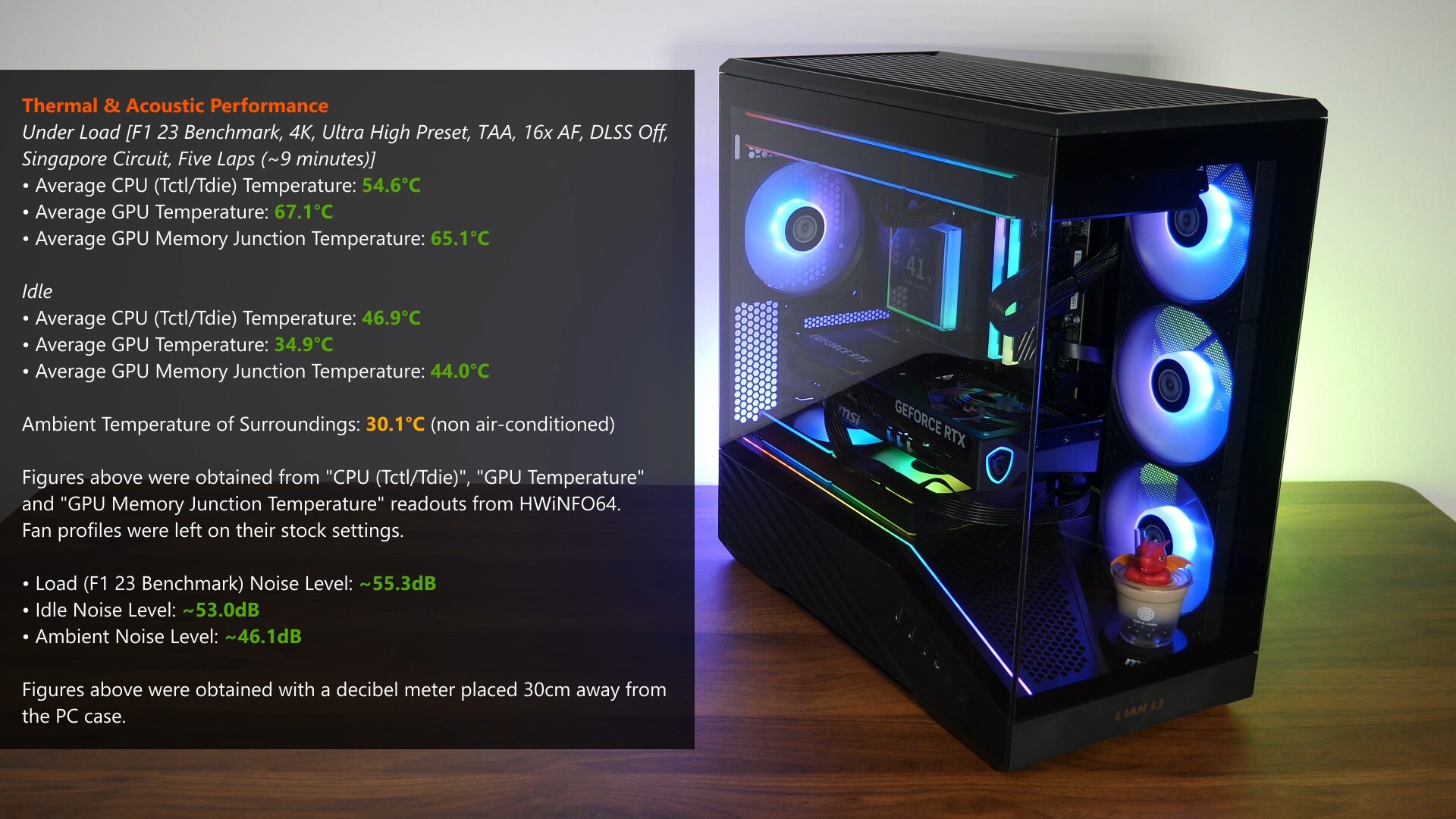
With F1 23’s in-game benchmark, where I ran a five-lap test for around nine minutes in total, the Ryzen 5 7600 processor in the demo build achieved an average CPU (Tctl/Tdie) temperature of around 54.6°C, while the RTX 5060 Ti 16G Gaming Trio OC achieved an average GPU temperature of 67.1°C and an average GPU memory junction temperature of 65.1°C. These results were achieved in a non air-conditioned room with an ambient temperature of around 30.1°C. A pretty decent set of results I must say, though of course the Ryzen 5 7600 is a pretty easy processor to cool especially with a 360mm AIO, and the RTX 5060 Ti 16G Gaming Trio OC has a pretty overkill GPU cooler as well.
For the tests, the fan curves were left on their stock settings without any tweaks, and in terms of noise levels, the demo build's fans were definitely audible when the PC was running the F1 23 in-game benchmark, but they were not loud to the point that they proved to be annoying.
Conclusion & Pricing
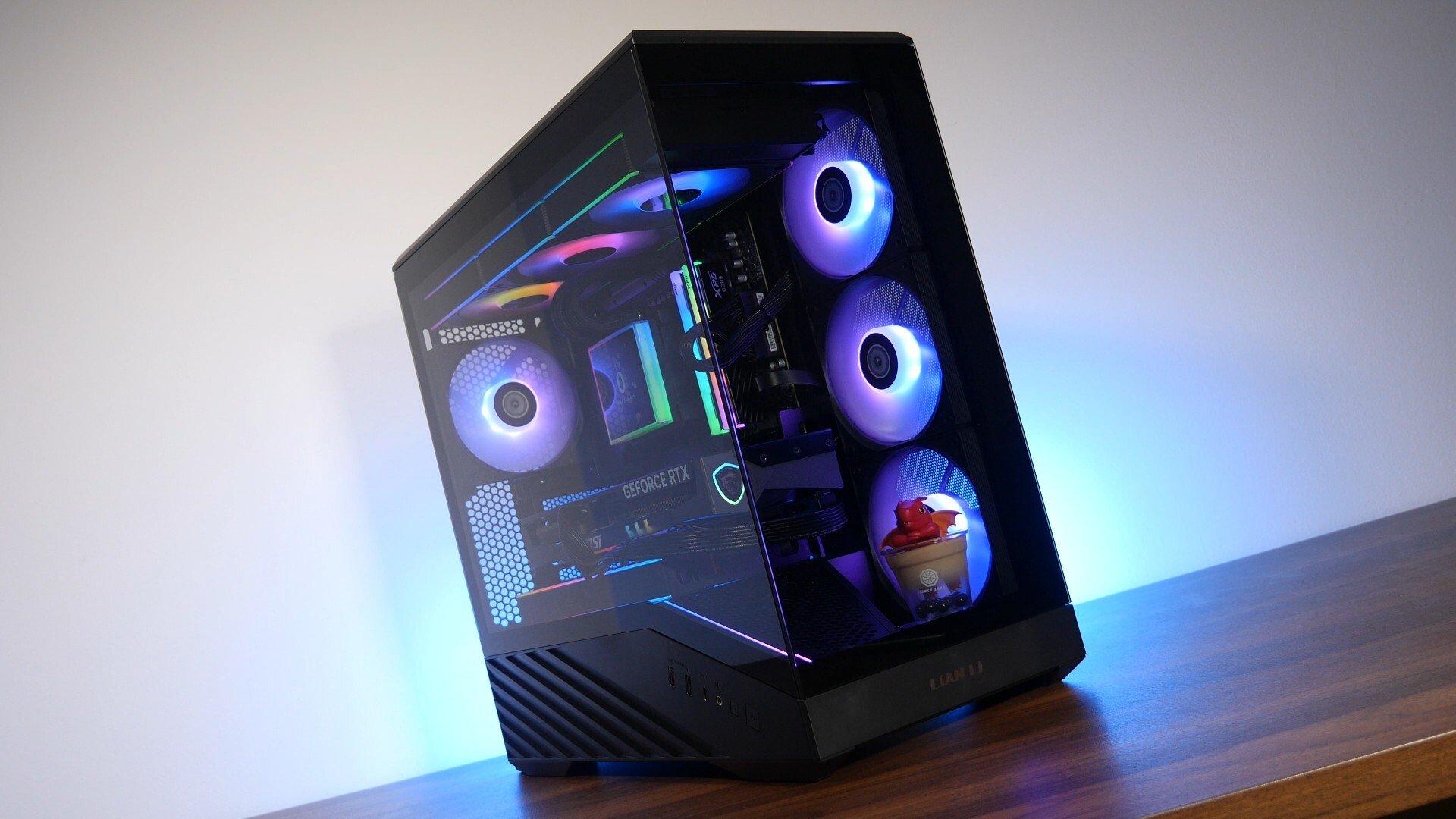
To sum up, the Lian Li Vector V100 Mini retains all the plus points of its bigger brother, the OG V100, and deftly delivers on its value proposition as a budget-friendly fish-tank style PC case. It’s great to see that Lian Li still manages to deliver on the build quality and features that one would come to expect from a Lian Li PC case, in spite of the cheaper price tag. Fit and finish is good, the gradient aesthetic and the integrated ARGB lighting strip do help the V100 Mini to stand out from the rest of the competition in the microATX space, and thermal performance is pretty decent as well. Also, I really like how the GPU support bracket design has been improved over the one found in the original V100, where I did have some compatibility issues that you can learn more about by checking out the review that I did for the original V100 PC case.
The MSRP for the V100 Mini varies according to region – for you folks based in the United States, the V100 Mini without fans has a MSRP of US$49.99, while the V100R Mini that comes with four preinstalled fans can be had for a MSRP of US$64.99. For the rest of the world, prices are cheaper by US$5, where the V100 Mini goes for US$44.99, and the V100R Mini US$59.99 – I’m guessing that the higher prices in the US are due to tariffs.
Get this PC case from Amazon: https://amzn.to/496no7s
ALKtech may earn commissions from qualifying purchases made using affiliate links, at no extra cost to you as a customer. These commissions go a long way in supporting the platform!
The PC case, AIO CPU cooler, case fans and PSU featured in this video were media samples provided by Lian Li.