%20500x1200.png?width=200&height=83&name=ALK%20Tech%20Logo%20(TransparentTextured)%20500x1200.png "ALK Tech Logo (TransparentTextured) 500x1200")
The Zalman M5 is a new budget-friendly high airflow PC case in the micro ATX form factor, where it comes with support for top, front, side, bottom and rear mounted fans. It also comes shipped with four pre-installed 120mm ARGB fans and a six-channel ARGB hub.
If you've been in the DIY PC scene for long enough, Zalman should be a brand that rings a bell. Founded in 1999 and headquartered in South Korea, Zalman became really popular all thanks to its "flower CPU coolers" that were first launched in the early 2000s. The brand then encountered a slew of high-profile company issues from the mid-2010s, and maintained a somewhat low profile since then.
Fast forward to today, Zalman's been quietly building up its portfolio of products, ranging from CPU coolers, PC cases and even power supply units - for this review, we'll be looking at a new budget-friendly high airflow PC case in the micro ATX form factor, the Zalman M5. Available in a black colourway, the M5 ships with four pre-installed 120mm ARGB case fans, and features a tempered glass side panel that allows you to showcase your PC build in style. Read on to learn more about this case, and to see it as part of a mid-range demo PC build featuring an AMD Ryzen 5 7600 processor and a NVIDIA GeForce RTX 5060 Ti 16GB graphics card!
Summary of Specifications
- Colour: Black
- Materials: Steel, plastic, tempered glass
- Dimensions: 474 mm (L) × 220 mm (W) × 408 mm (H)
- Motherboard Support: Micro ATX, Mini ITX (back connector motherboards not supported)
- Expansion Slots: 4
- Drive Support: 1x 2.5" SSD on rear of motherboard tray, up to 2x 2.5″ SSDs or 1x 3.5″ HDD + 1x 2.5″ SSD in bottom chamber
- Front I/O: 1x USB 5Gbps Type-C, 1x USB 3.0 Type-A, 1x 3.5mm microphone jack, 1x USB 2.0 Type-A, reset/ARGB lighting control button, power button
- Preinstalled Fans: 3x 120mm normal blade ARGB front intake fans, 1x 120mm normal blade ARGB rear exhaust fan (fan model ZJ1225BSL-SLD)
- Top Panel Cooling Support: up to 3x 120mm case fans or 2x 140mm case fans, or up to 1x 360mm or 1x 280mm or 1x 240mm AIO radiator
- Front Panel Cooling Support: up to 3x 120mm case fans
- Side Panel Cooling Support: up to 2x 120mm case fans (side mounted AIO radiators not supported)
- Bottom Panel Cooling Support: up to 3x 120mm case fans
- Rear Panel Cooling Support; up to 1x 120mm case fan
- Official Product Page: https://www.zalman.com/EN/Product/ProductDetail.do?pageIndex=1&pageSize=10&productSeq=1645&searchCategory1=5&searchCategory2=60&searchCategory3=-99&searchKey=&searchWord=&active=pro_featureTab#pro_detail_tab
Packaging & Accessories
.jpg)
.jpg)
Packaging wise, the M5 ships in a brown cardboard box with product illustrations and descriptions on all sides.
.jpg)
.jpg)
As can be seen above, the M5 comes with a zip-lock bag of accessories that's tucked into the storage drive mounting cage in the bottom chamber. Within the zip-lock bag, we get a packet of assorted screws, two spare friction clips for the tempered glass panel of the case, a bunch of cable ties as well as a user’s manual.
Exterior Walkthrough
.jpg)
.jpg)
As mentioned earlier, the M5 is only available in black, where it comes with four preinstalled fans and features a traditional layout with a chamber at the bottom for your power supply unit and storage drives. Materials wise, the case is made of a combination of steel and plastic with a tempered glass side panel.
.jpg)
.jpg)
.jpg)
The M5 features a front panel with a full-mesh construction for airflow purposes. While the design’s pretty simple, I like how Zalman’s included curved edges for all four corners of the front panel – this softens the look of the case and certainly adds some visual interest.
.jpg)
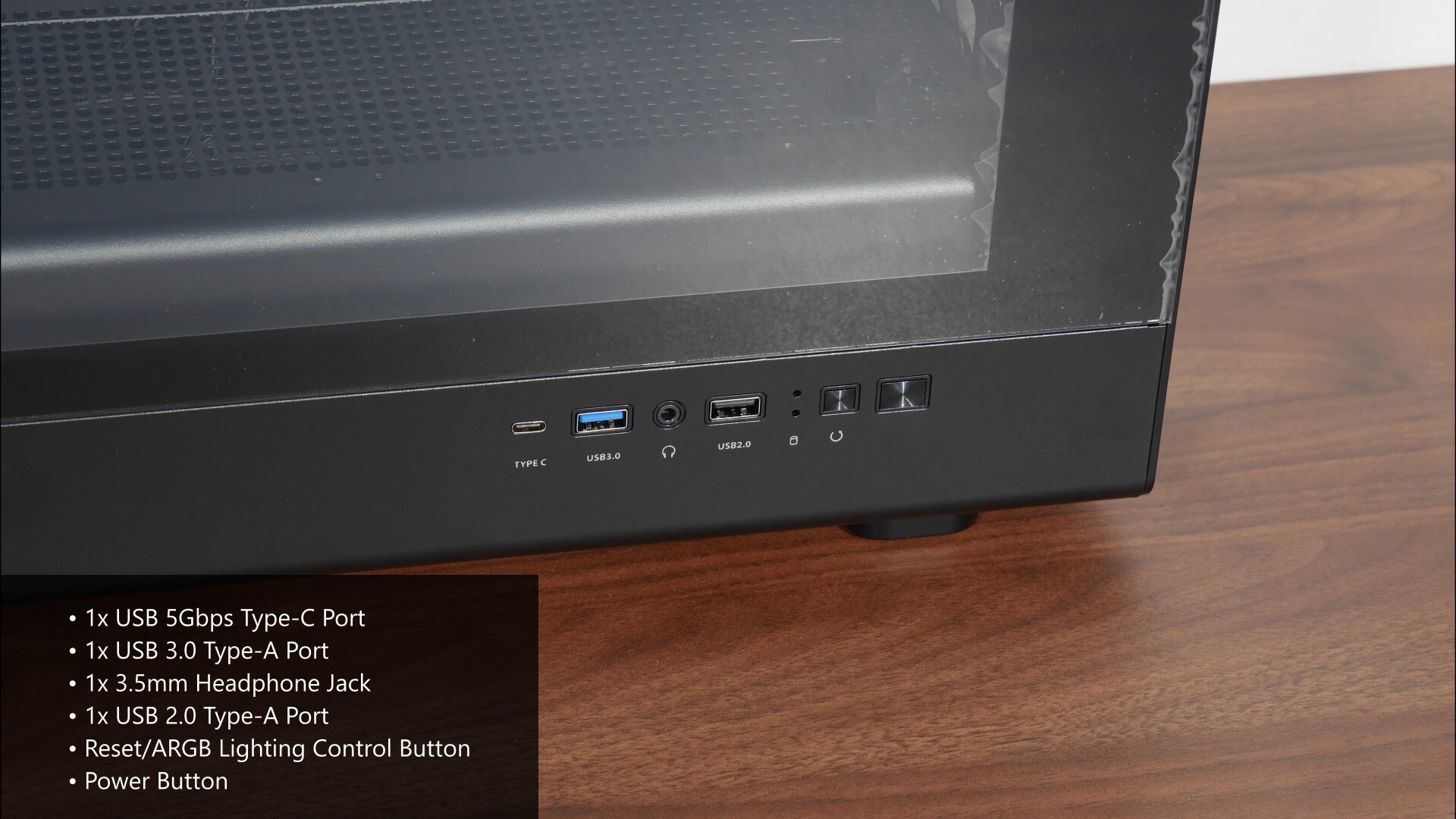
The case comes with a tempered glass side panel to showcase the insides of your PC build, and as can be seen, the front panel connectors of the case are located right beneath the said tempered glass panel. We get a USB 5Gbps Type-C port, a USB 3.0 Type-A port, a a 3.5mm headphone jack, a USB 2.0 Type-A port, power and hard disk activity indicator LEDs, a reset button that’s wired to be an ARGB lighting control button for the preinstalled case fans (more on this later in the article) as well as a power button. I’ve got to say, this is the first PC case that I’ve reviewed in a while that comes with a hard disk activity indicator light!
.jpg)
The other side panel is a simple steel panel with ventilation openings right above the mounting locations for side-mounted case fans.
.jpg)
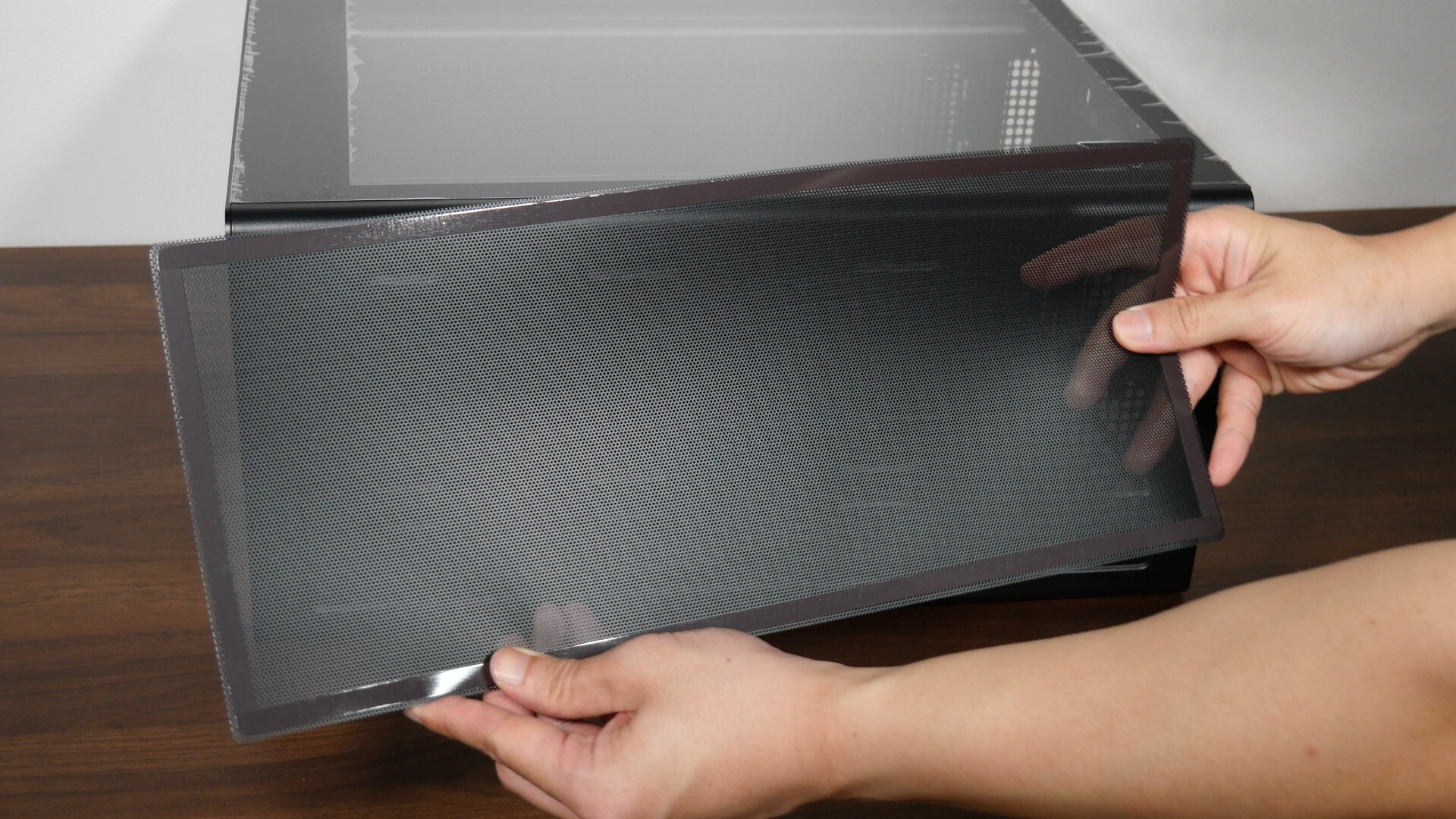
The top panel of the case is not removable and comes with ventilation openings for the cooling hardware that you’d be installing up top. We do also get a removable dust filter that’s held in place magnetically.
.jpg)
The bottom panel of the case has ventilation openings for a power supply unit, where Zalman’s also included a removable dust filter. We catch a glimpse of the two thumbscrews that hold the storage drive cage in place within the bottom chamber of the case, along with the M5's four plastic feet that come with foam-like inserts.
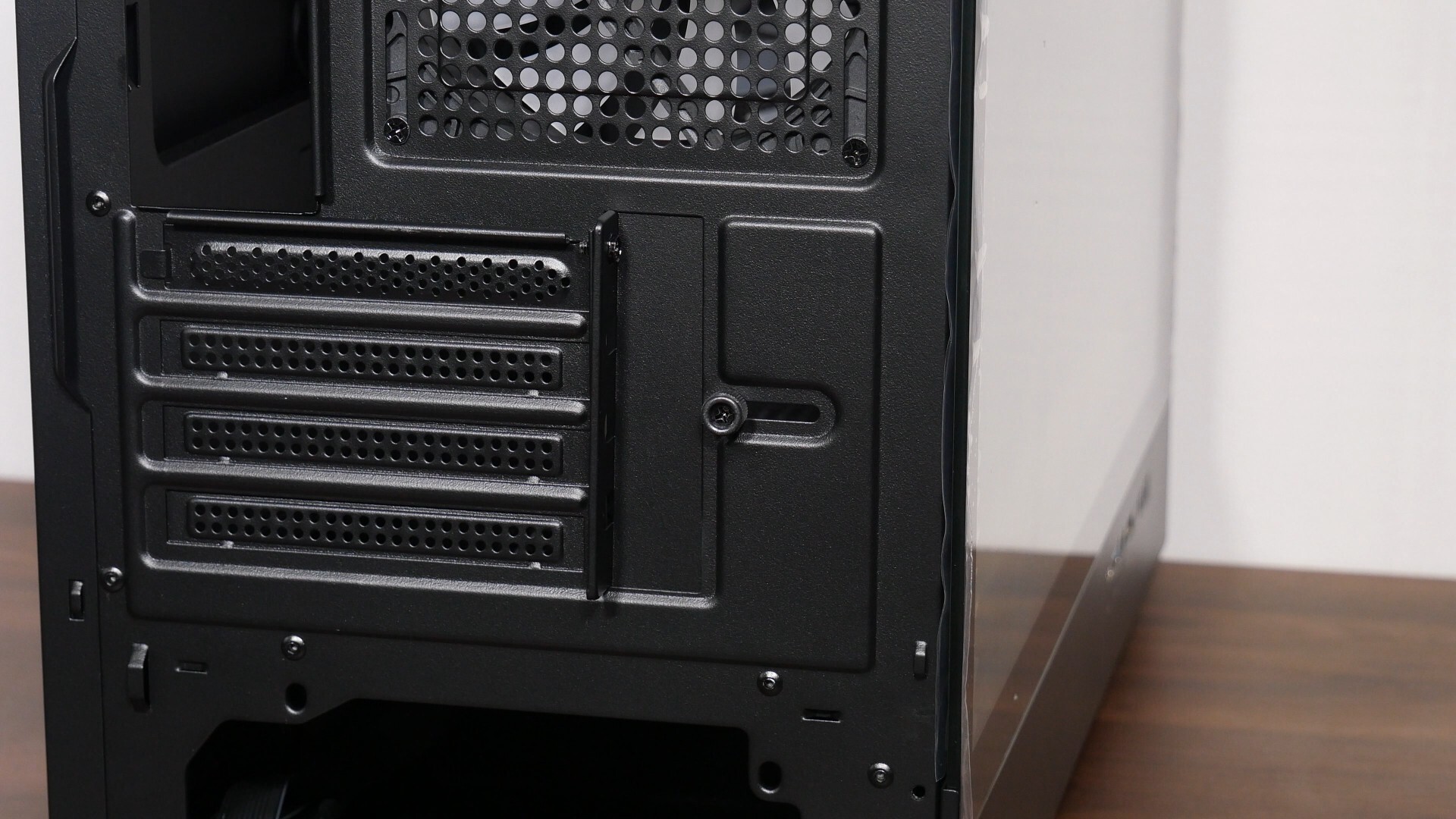
This being a budget-oriented PC case, it's unsurprising to see that three out of the four expansion slot openings have single-use punch-outs that you’ll have to break off before installing your expansion cards. As can be seen, we get an adjustable bracket that’s held in place by a single thumbscrew, where it's used to further secure your expansion card slot mounting bracket in place after installation.
.jpg)
With the M5, Zalman’s gone with a tool-less design for the tempered glass side panel and the side steel panel. The tempered glass panel’s held in place by friction posts and can be pried off pretty easily, while the side steel panel is held in place by two thumbscrews and slides off easily once the said thumbscrews have been undone.
.jpg)
The front panel is held in place by friction posts and unlike the side panels, requires some elbow grease to pry off from the chassis.
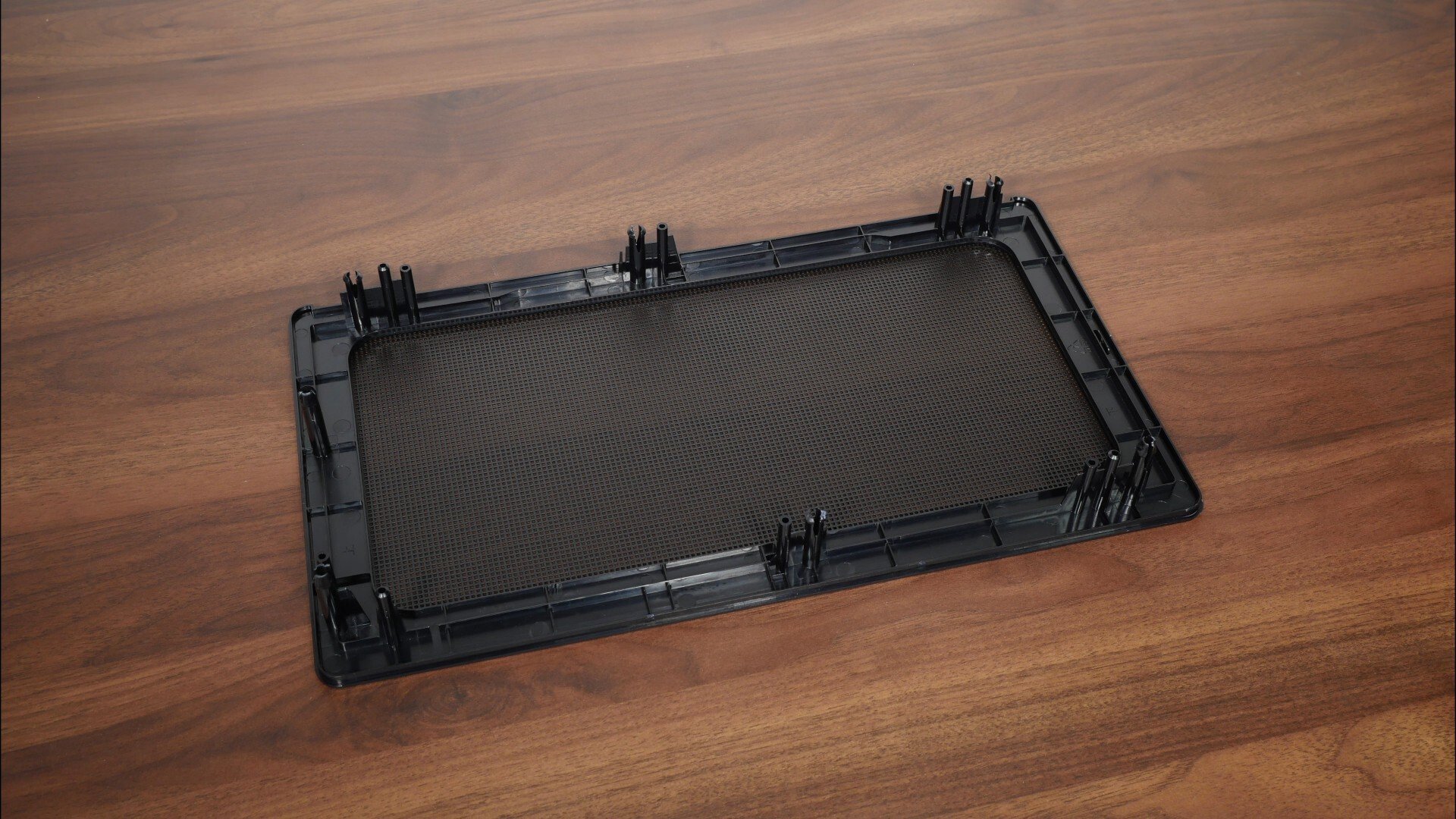
The front panel is comprised of a plastic frame and steel mesh, where we don't get a removable dust filter of any sort.
Cooling Hardware Support
.jpg)
The M5 comes with four preinstalled 120mm case fans, where we get three normal blade Zalman ZJ1225BSL-SLD fans with ARGB LEDs on the front panel...
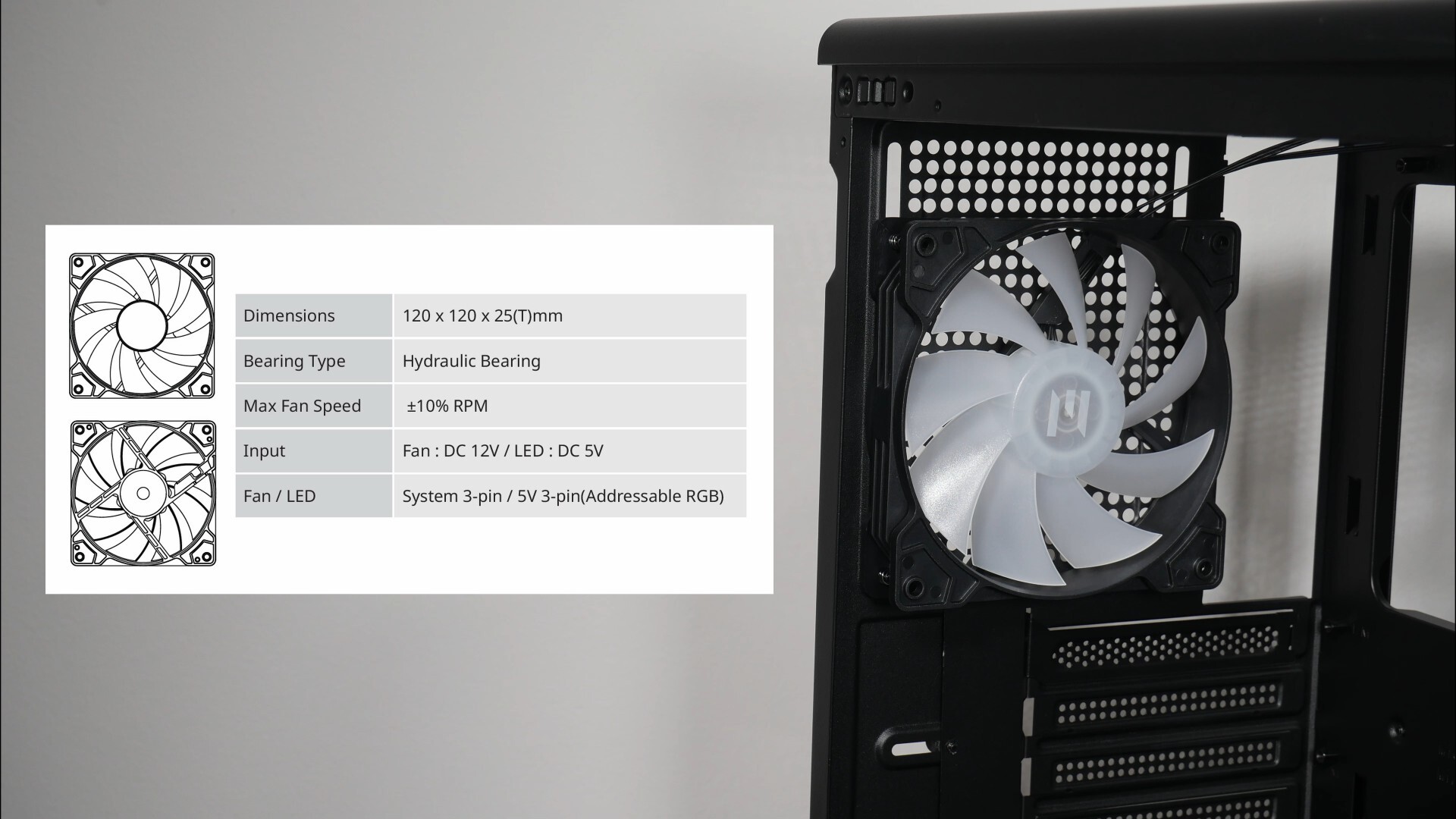
...and the same model of fan pre-installed on the rear panel. The specs of these fans can be seen in the image above, where they each come with a three-pin connector for power and a 5V ARGB connector.
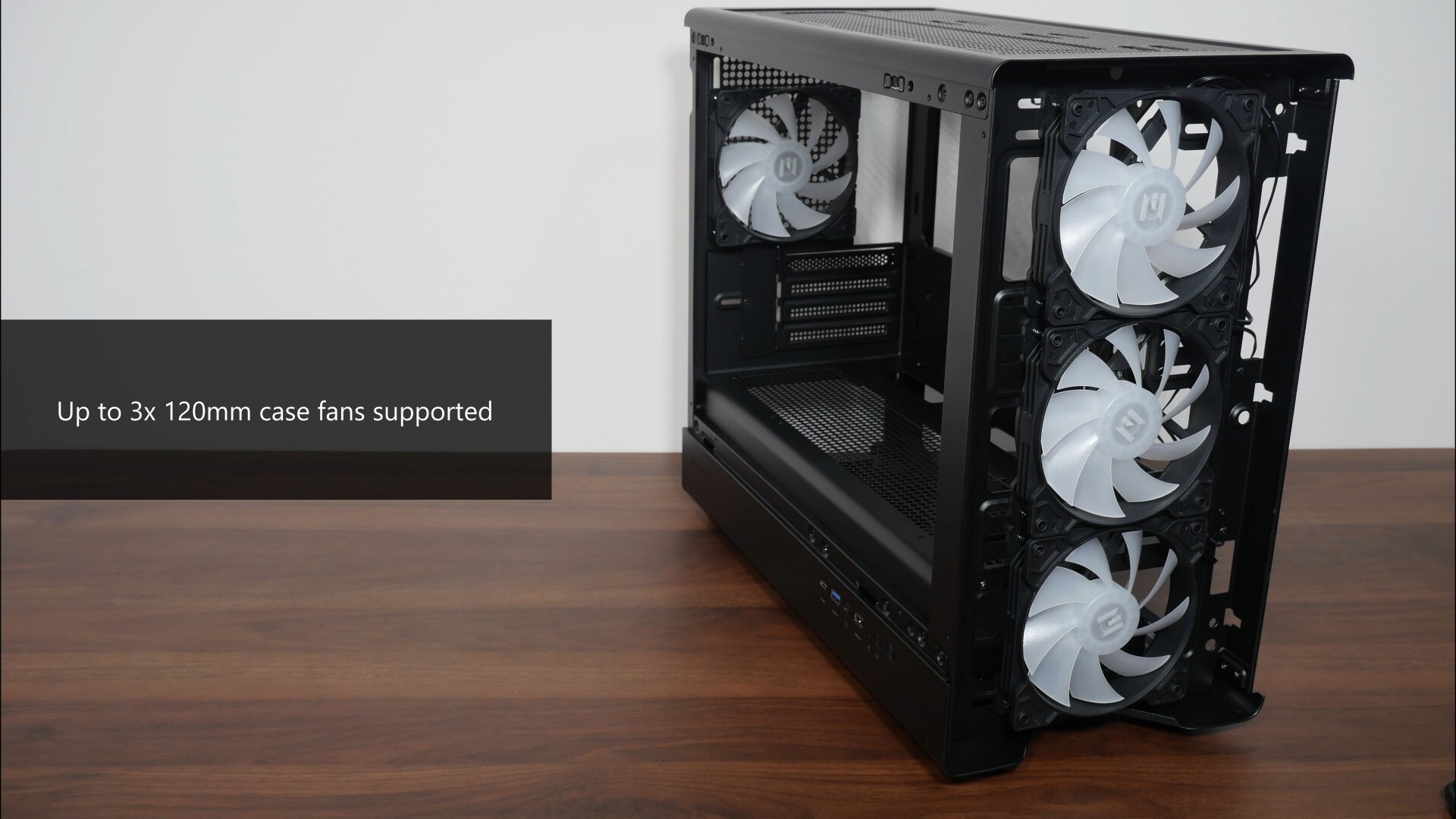
If you’re looking to swap out the preinstalled front fans, you’ll want to note that the case supports up to three 120mm case fans.
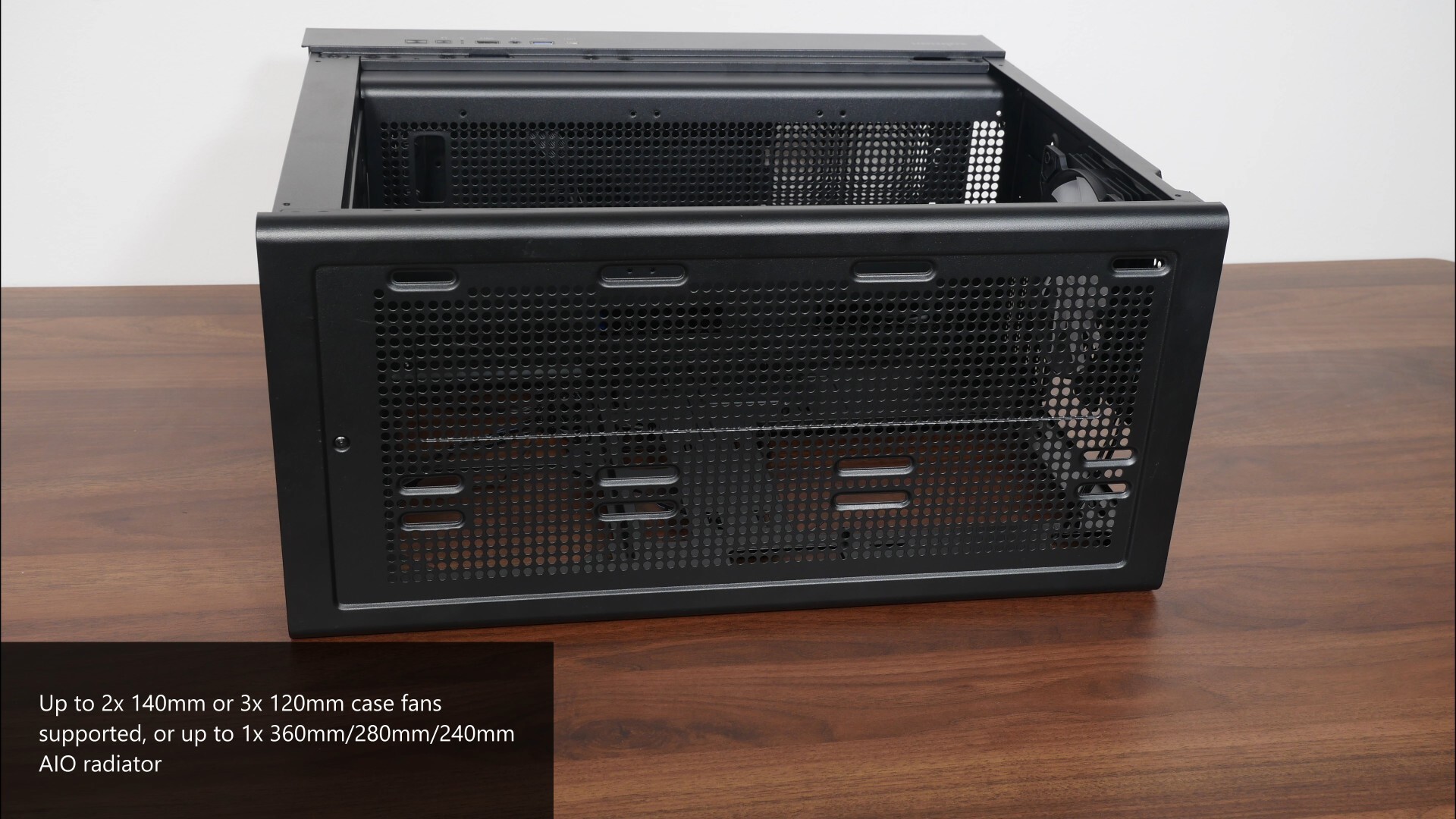
Over on the top panel, we get support for either two 140mm case fans or three 120mm case fans. If you’re looking to install an AIO radiator for your build with the Zalman M5, this case supports 360mm, 280mm and 240mm AIO radiators on the top panel.
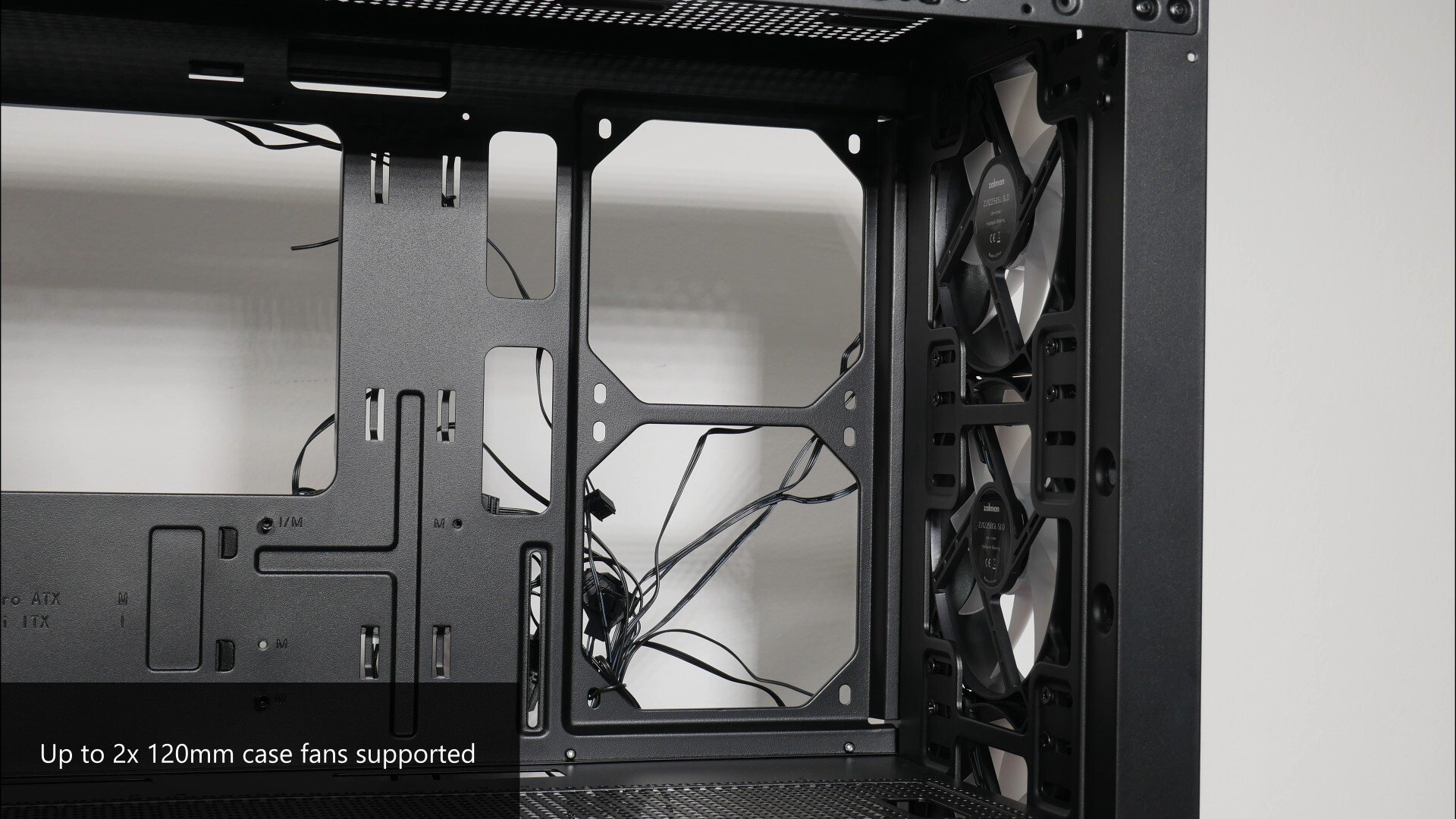
We also get openings on the side for up to two 120mm case fans – do note that due to space constraints, you won’t be able to mount an AIO radiator on the side panel.
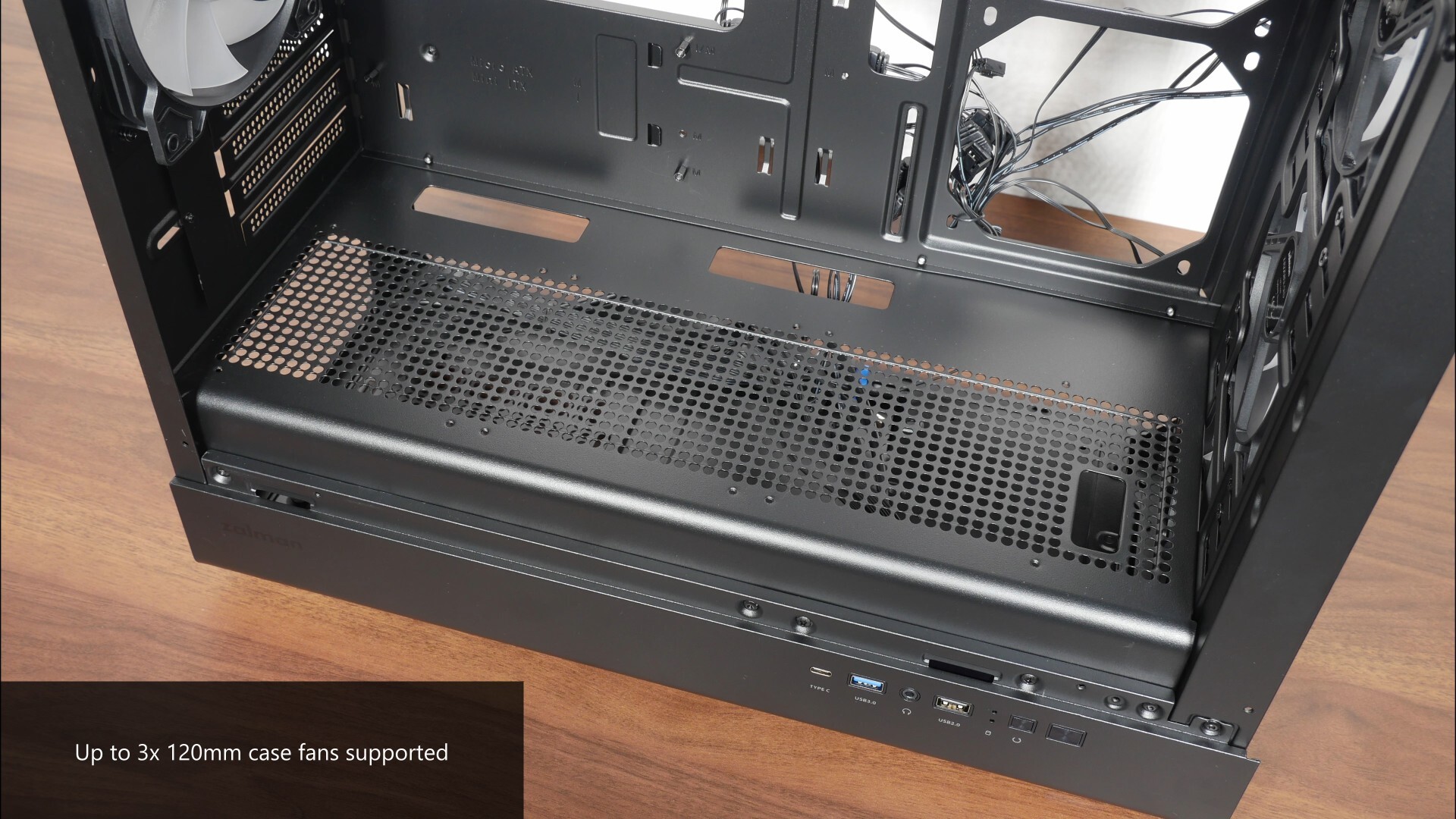
Moving over to the bottom panel (right above the lower chamber of the case), we get support for up to three 120mm case fans - do note that if you're intending to install a graphics card that's more than 2.5/3 slots wide, the said graphics card might get in the way of case fans installed on the bottom panel.
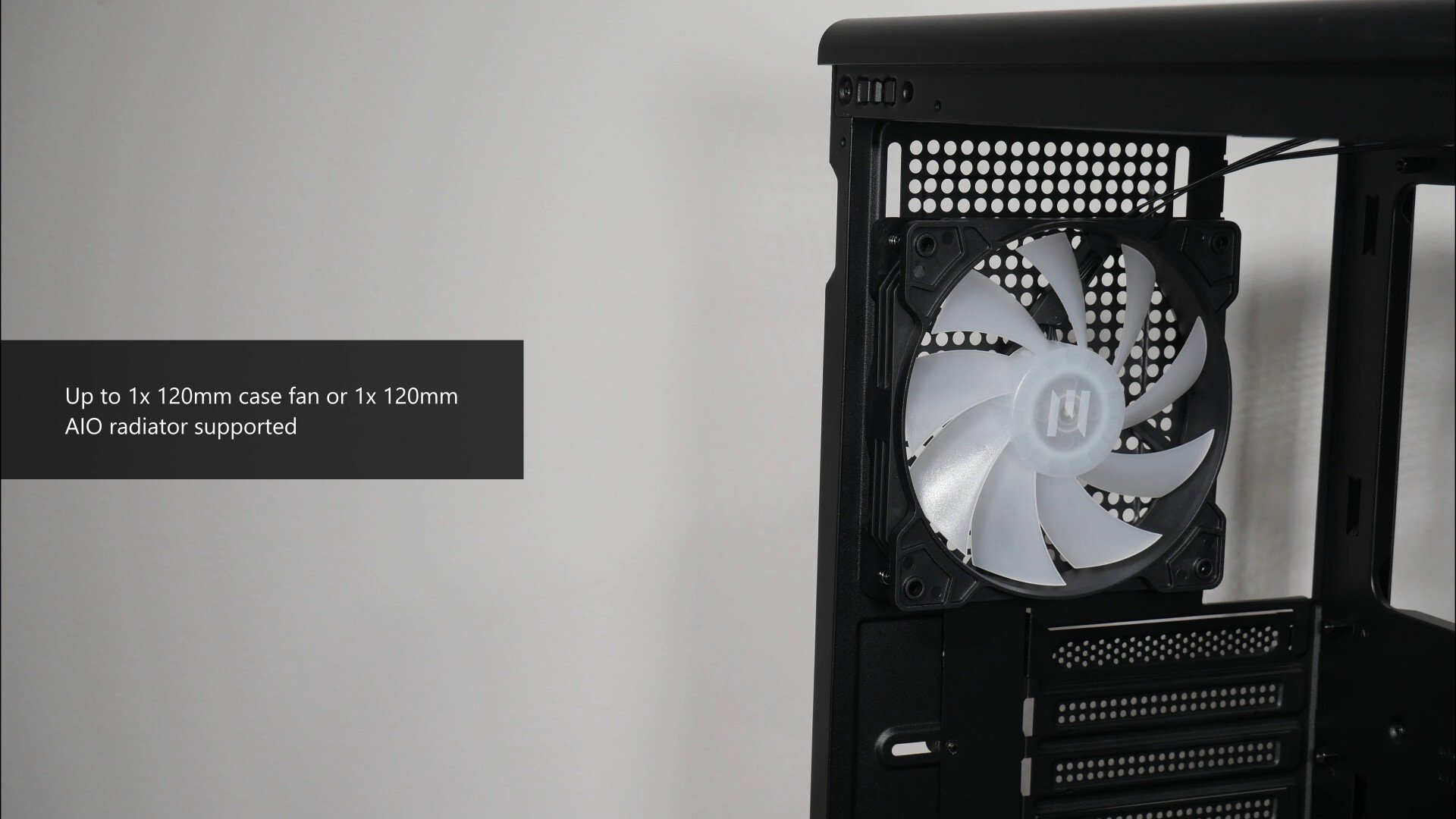
Finally, over on the rear, if you’re intending to swap out the preinstalled 120mm case fan, you can swap it out for, surprise surprise, another 120mm case fan. You can also install a 120mm AIO radiator - are such radiators even a thing nowadays?
Physical Dimensions & Clearances
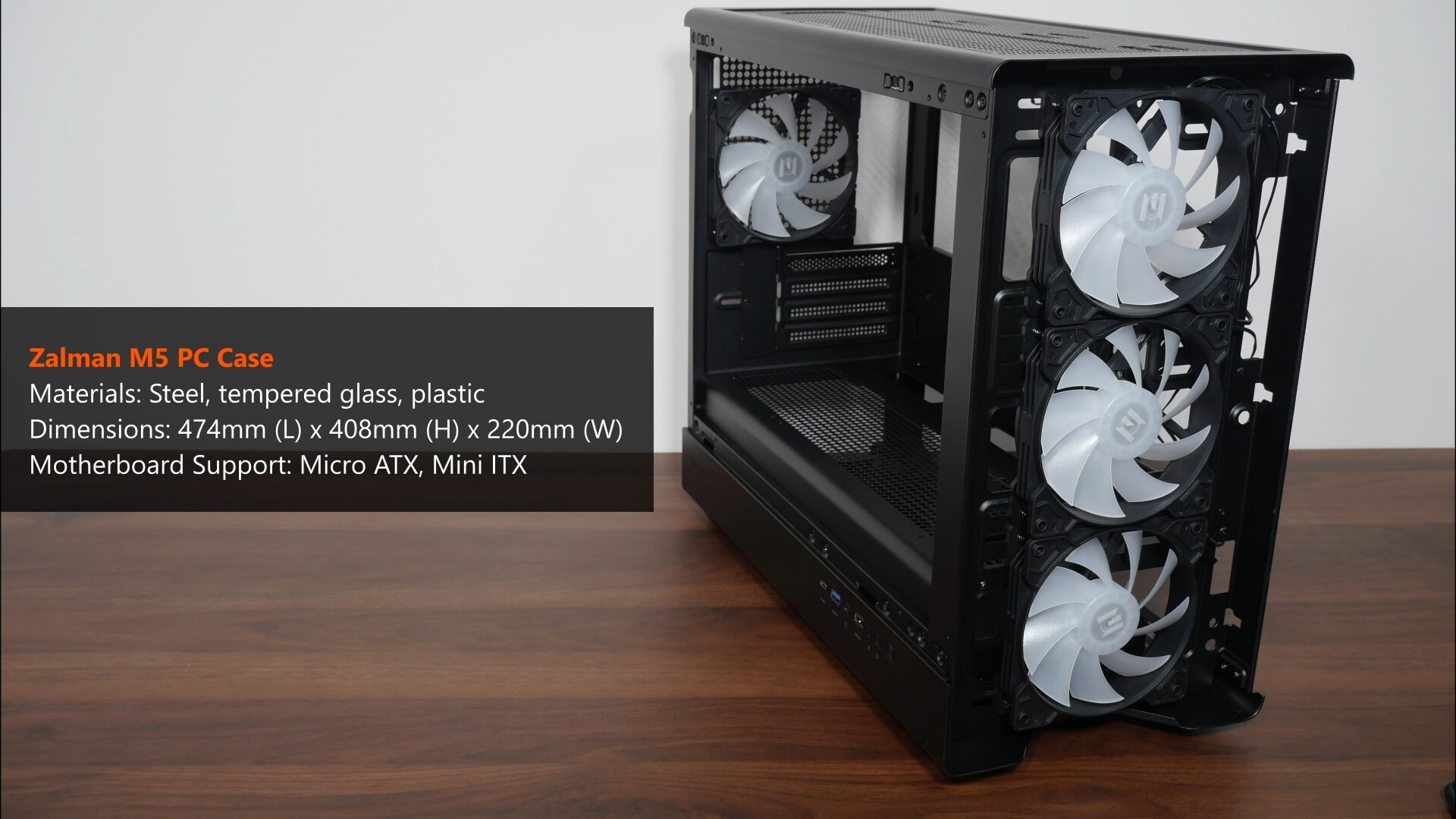
In terms of physical dimensions, the M5 has pretty standard dimensions for a microATX PC case, where it measures in at 474mm (L) x 408mm (H) x 220mm (W).
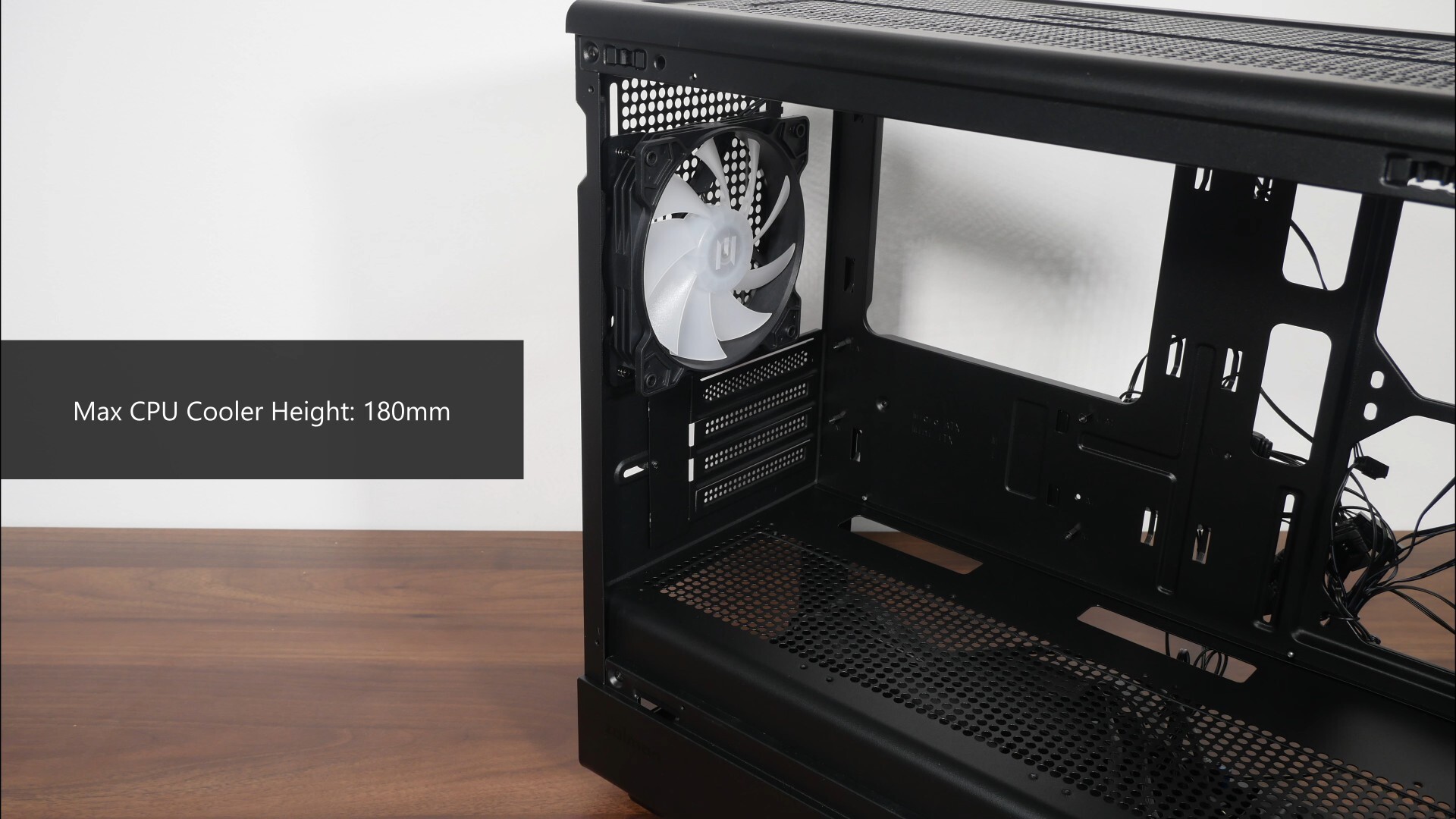
For you folks intending to use an air cooler for your processor, do note that the case supports CPU coolers of heights no more than 180mm according to the specs sheet for the M5.
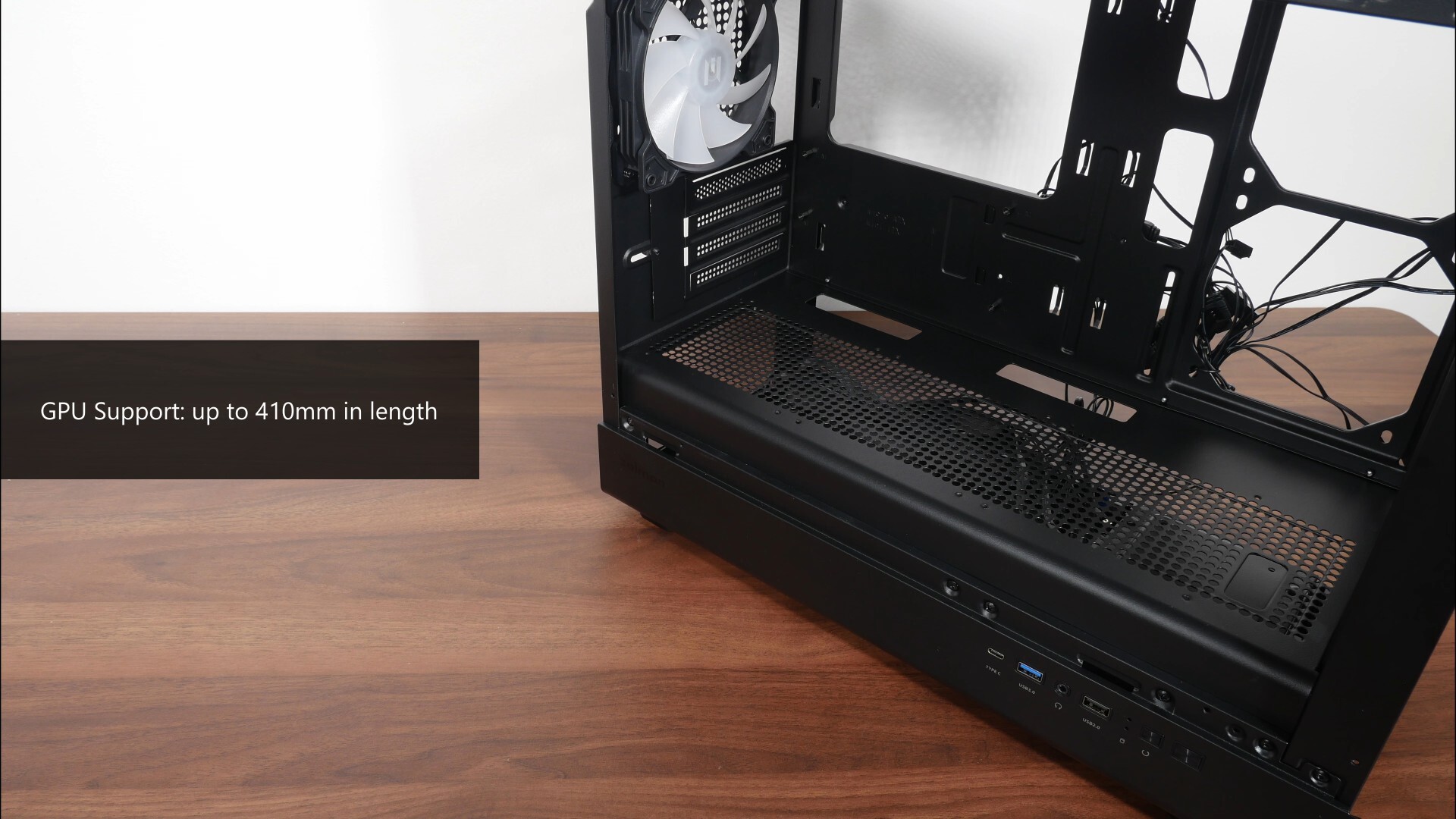
For your graphics card, the case comes with support for graphics cards with lengths of up to 410mm.
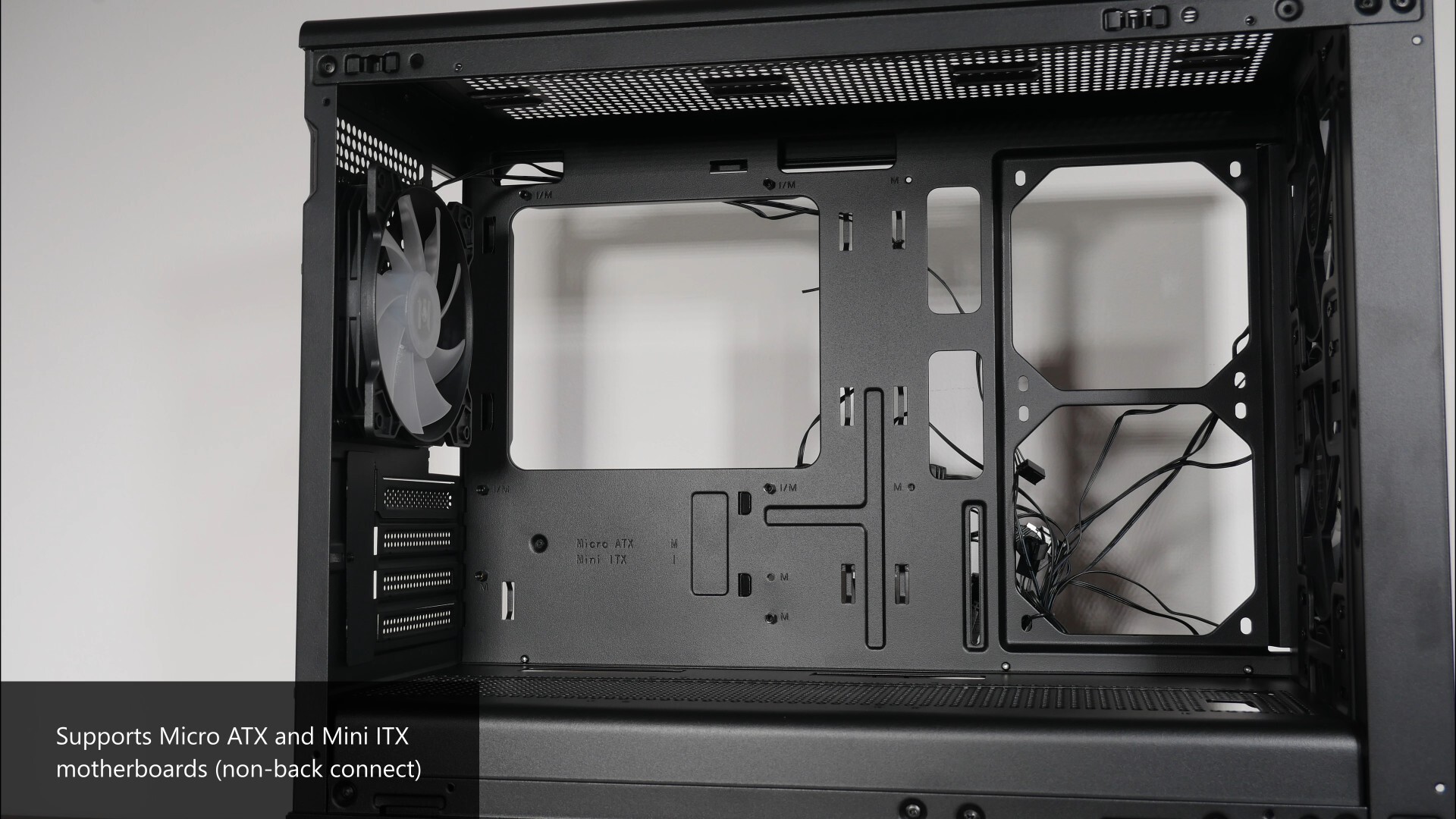
On to the motherboard tray, the M5 supports microATX and mini ITX motherboards. Do note that this case doesn’t support back-connector motherboards, so you’ll have to make do with standard motherboards with connectors on the front.
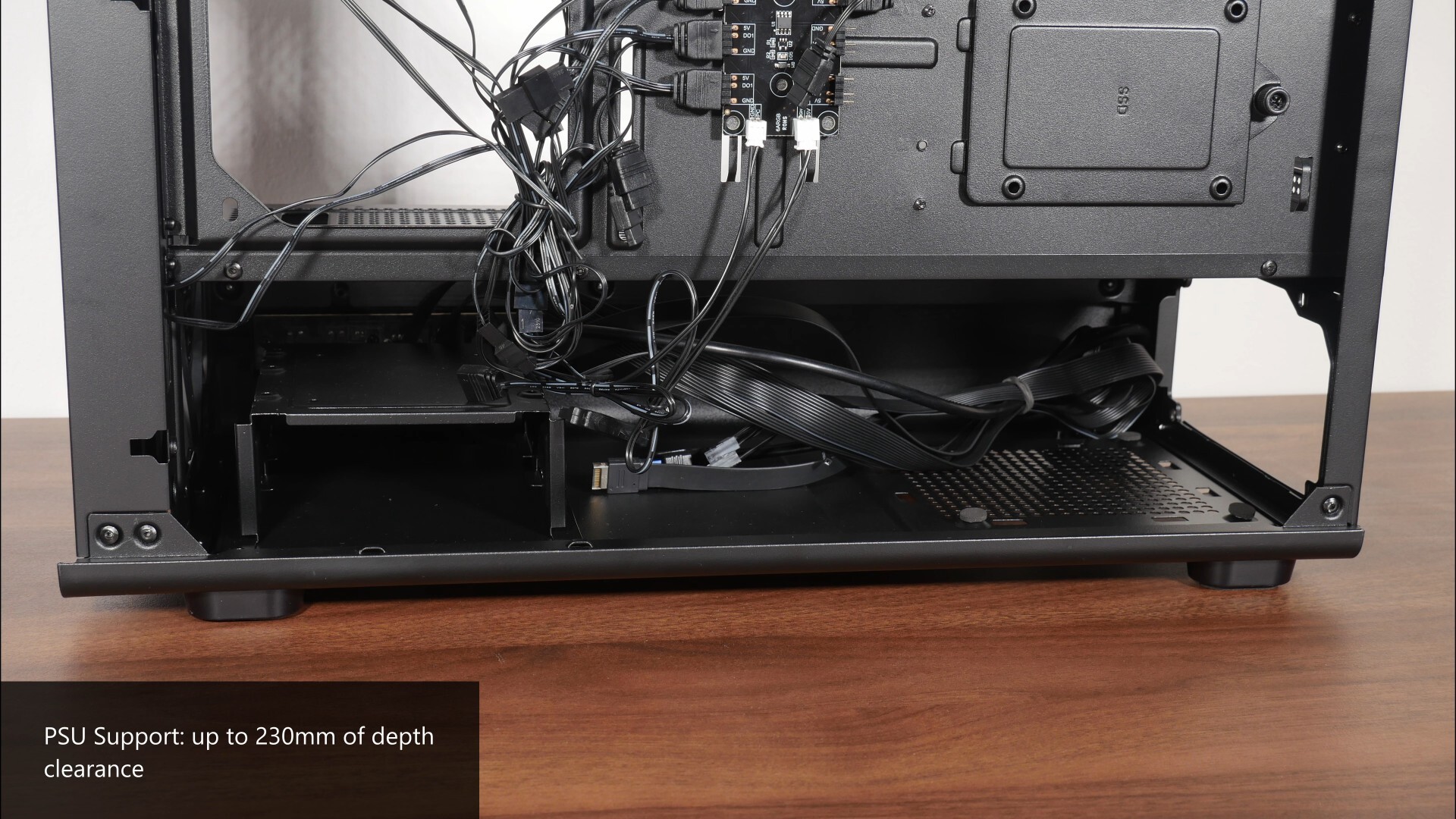
In terms of power supply dimensions, the M5 comes with 230mm of depth clearance for a PSU, which is mounted in the bottom chamber of the case.
Storage Drive Support
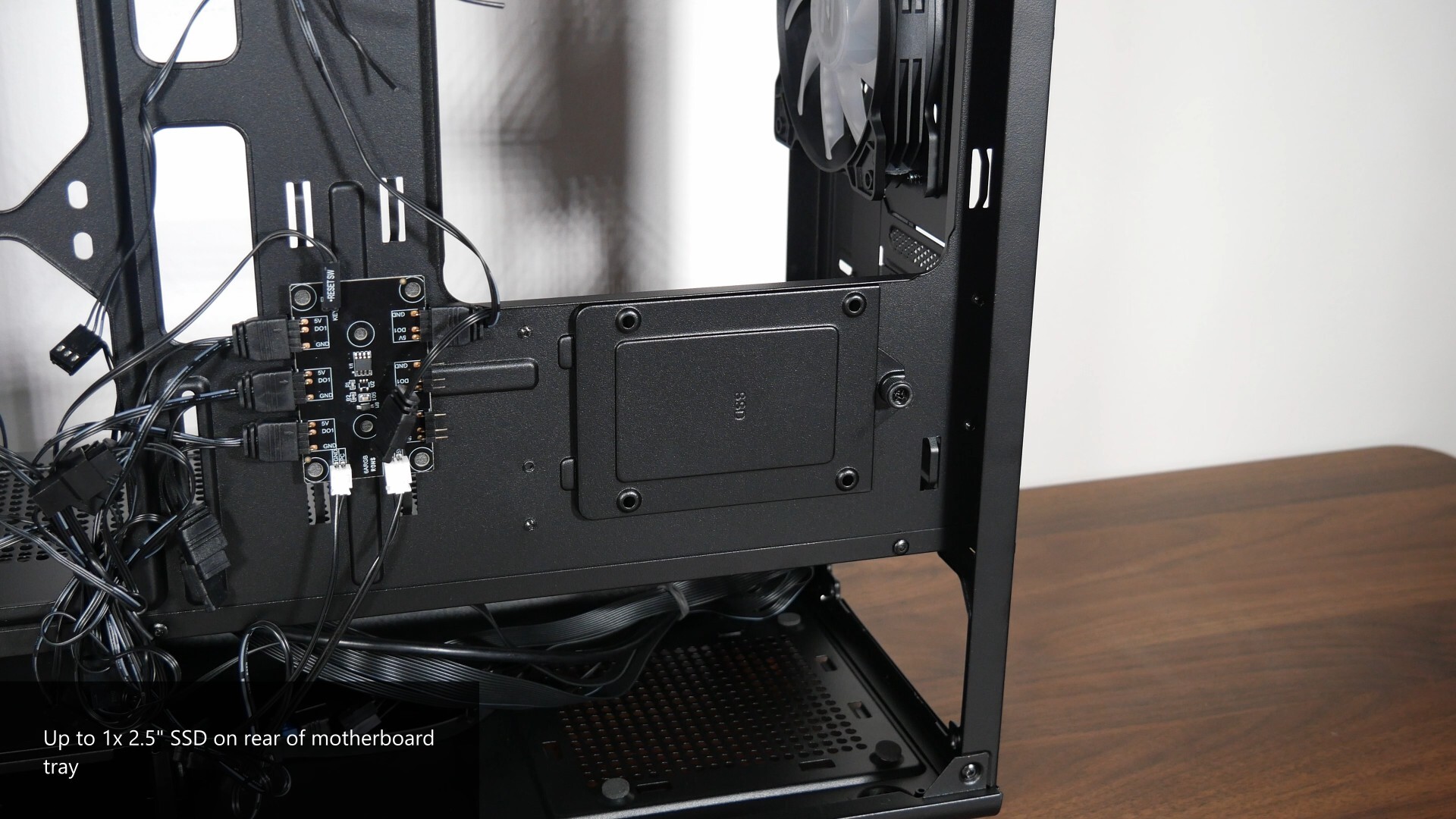
For those of you intending to install 2.5” and 3.5” storage drives for your PC build with the M5, Zalman’s included a removable drive bracket on the rear of the motherboard tray that supports a single 2.5” SSD.
.jpg)
.jpg)
This is accompanied by a drive cage in the bottom chamber of the case that supports either up to two 3.5” hard disks concurrently, or a 2.5” SSD mounted on the top of the cage and a 3.5” hard disk mounted within the cage concurrently.
Building a PC with the Zalman M5
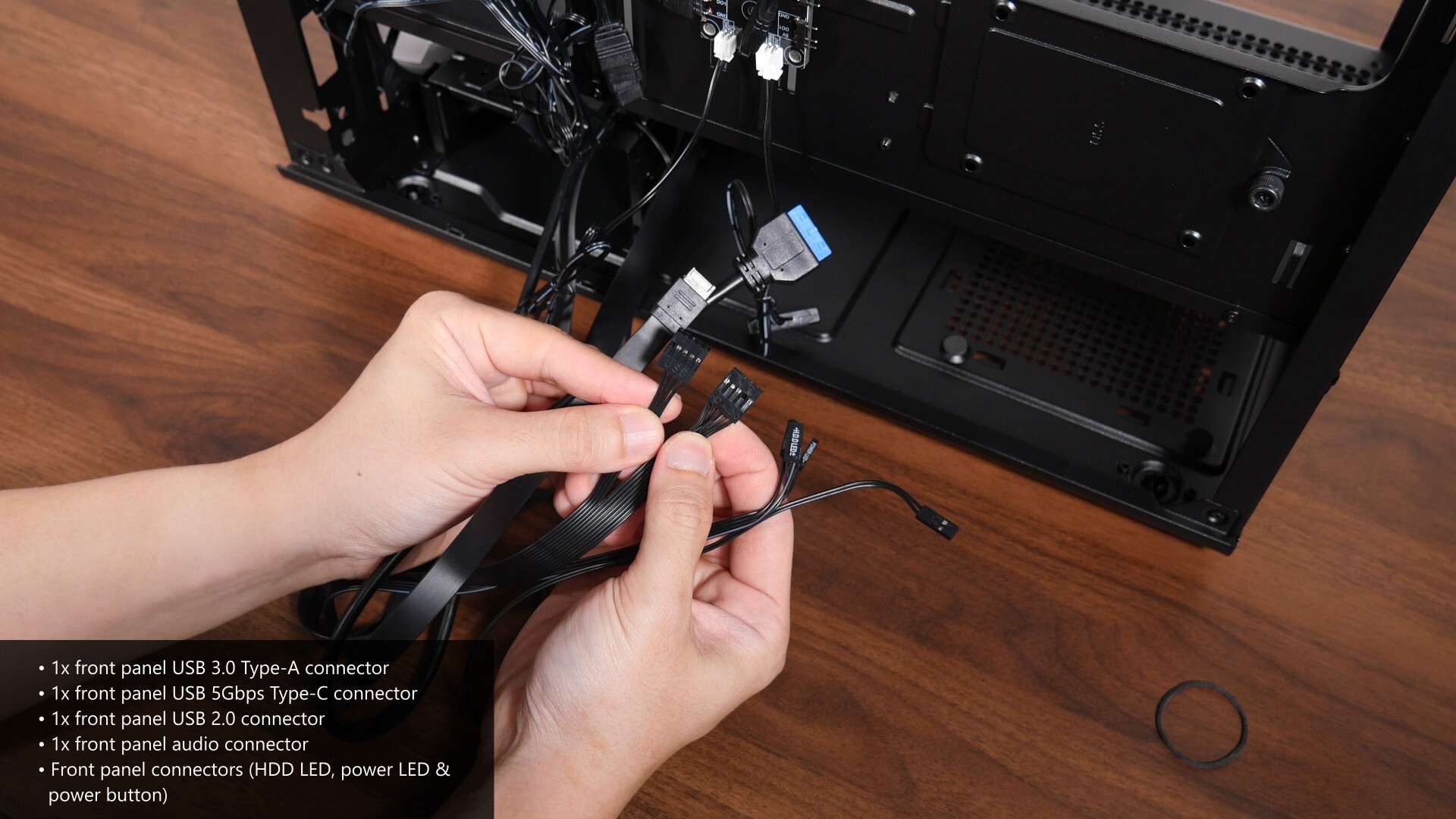
The front panel connectors of the case are a pretty straightforward affair, where we get a front panel USB 3.0 Type-A connector, a USB 5Gbps Type-C connector, as well as a front panel USB 2.0 connector that splices off from a common cable shared by a front panel audio connector. We also get the usual front panel connectors for a hard disk activity indicator LED, power LED and power button.
.jpg)
.jpg)
The case also comes with an ARGB hub with a total of six ARGB channels, with four channels prepopulated by the four preinstalled case fans. This said hub terminates in a single 5V ARGB connector, and is powered by a SATA power connector from your PSU.
.jpg)
Do note that the front panel reset switch comes pre-connected to the ARGB controller hub, such that the reset switch can be used to manually control the ARGB lighting effects of devices connected to the said hub. If you’d like to have your ARGB lighting effects controlled directly by your motherboard, you can use the reset switch to toggle the ARGB mode accordingly.
If so desired, you can disconnect the reset switch from the hub and hook it up to your motherboard's reset header instead, so that you can actually use the front panel reset switch as a reset switch.
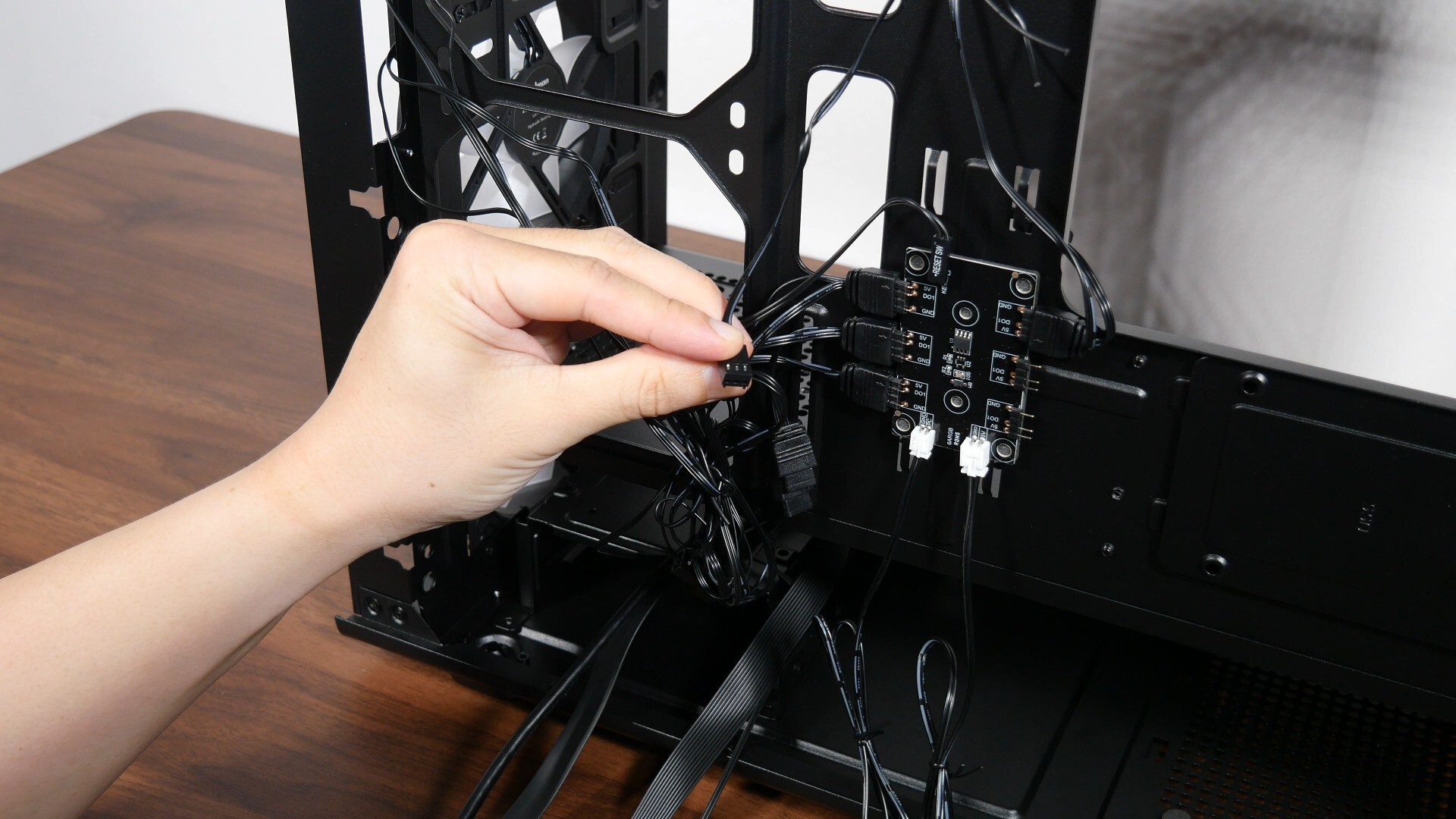
The pre-installed case fans also come pre-daisy chained, such that you need only hook up one three-pin fan connector to the case fan header found on your motherboard.
.jpg)
.jpg)
With that, let’s do a demo build with the M5. Getting a microATX motherboard, a MSI B850M MORTAR WIFI into the case was pretty straightforward, where we’ve got ample space to manoeuvre things around.
.jpg)
.jpg)
Installing the power supply unit into the case was a cinch too, just make sure that the PSU you’ll be using is no more than 230mm in terms of depth, and you’ll be good to go. In case you’re wondering, the Cooler Master PSU that I’ve used for the demo build measures in at 180mm in depth.
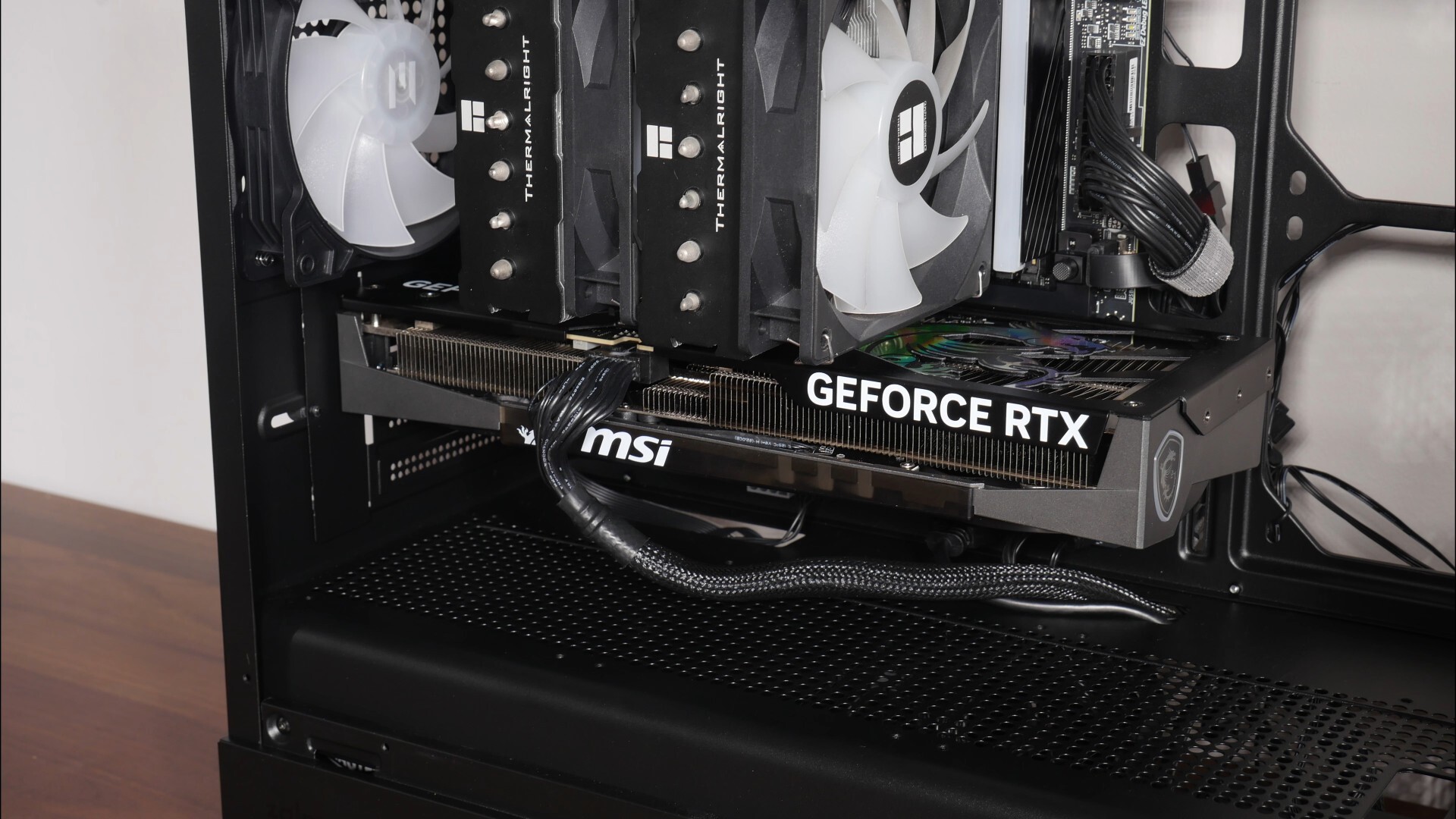
The graphics card for this demo build’s a MSI GeForce RTX 5060 Ti 16G GAMING TRIO OC, which measures in at 300mm x 125mm x 44mm and fits very easily into the case.
.jpg)
.jpg)
With the demo build nearly completed, it’s a good time to talk about cable management. The M5 comes with openings in the right places for cable management purposes, where we get strategically-placed openings on the motherboard tray and on the top cover of the bottom chamber with which you can route your cables through.
.jpg)
.jpg?width=1920&height=1080&name=Cable%20Management%20(4).jpg)
In spite of the fact that I did not install side fans, I was still able to conceal the cables somewhat effectively, where they weren’t really visible when viewed from the perspective of the tempered glass side panel.
.jpg)
It also helps that this case has a lower chamber for the PSU and your storage drive, where I was able to stuff excess cables in the said chamber.
.jpg)
.jpg)
In spite of the fact that I didn’t put too much effort into cable management, I do think that the demo build still looks pretty clean!
Completed Demo Build Aesthetics
.jpg)
.jpg)
.jpg)
.jpg)
.jpg)
.jpg)
Thermal & Acoustic Performance
To benchmark the thermal and acoustic performance of the Zalman M5 PC case, I put together a demo build with the following specifications:
- CPU: AMD Ryzen 5 7600
- CPU Cooler: Thermalright Phantom Spirit 120 SE ARGB
- CPU Thermal Paste: Arctic MX-4
- Motherboard: MSI B850M Mortar WIFI
- Memory: 32GB (2x16GB) XPG Lancer Blade RGB DDR5 6000 CL30
- Graphics Card: MSI GeForce RTX 5060 Ti 16G Gaming Trio OC
- PSU: Cooler Master MWE Gold 1050 V2 ATX 3.0
- Case: Zalman M5
- Case Fans: 3x pre-installed 120mm front fans, 1x pre-installed 120mm rear fan (Zalman ZJ1225BSL-SLD)
- OS: Microsoft Windows 11 Pro (25H2 with all latest updates installed)
- Fan Curve: Stock standard profiles
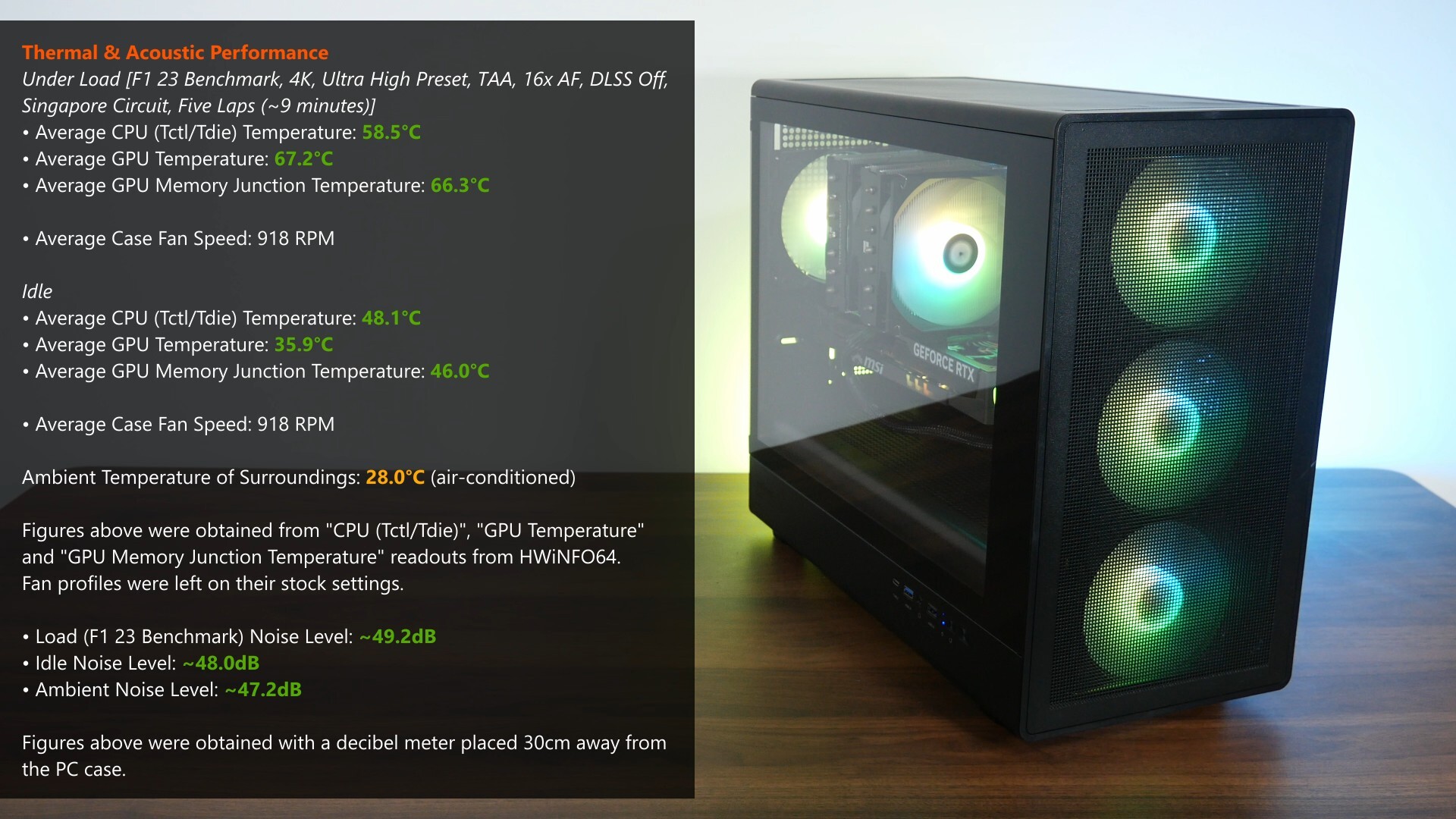
With F1 23’s in-game benchmark, where I ran a five-lap test for around nine minutes in total, the Ryzen 5 7600 processor in the demo build achieved an average CPU temperature of around 58.5°C, while the RTX 5060 Ti 16G GAMING TRIO OC achieved an average GPU temperature of 67.2°C and an average GPU memory junction temperature of 66.3°C. These results were achieved in an air-conditioned room with a temperature of around 28.0°C. A pretty decent set of results I must say, in spite of the fact that I didn’t install any additional case fans on top of the four fans that already come preinstalled. Of course, it’s worth noting that the Thermalright CPU air cooler that I used for the demo build’s pretty overkill for a Ryzen 5 7600, and the RTX 5060 Ti 16G GAMING TRIO OC has a pretty overkill GPU cooler as well.
The idle temperatures and estimated noise levels with the demo build are as per what you can see above, and for the thermal tests, I left the fan curves on their stock settings without any tweaks. The pre-installed case fans ran at around 918 RPM when the demo build was idle and under load - unsurprising really, seeing as the pre-installed case fans do not support PWM, and would hence run at their maximum rated speed. That said, these said fans were quiet, as evidenced by the acoustic readouts that I obtained, which are shown in the image above.
Conclusion & Pricing
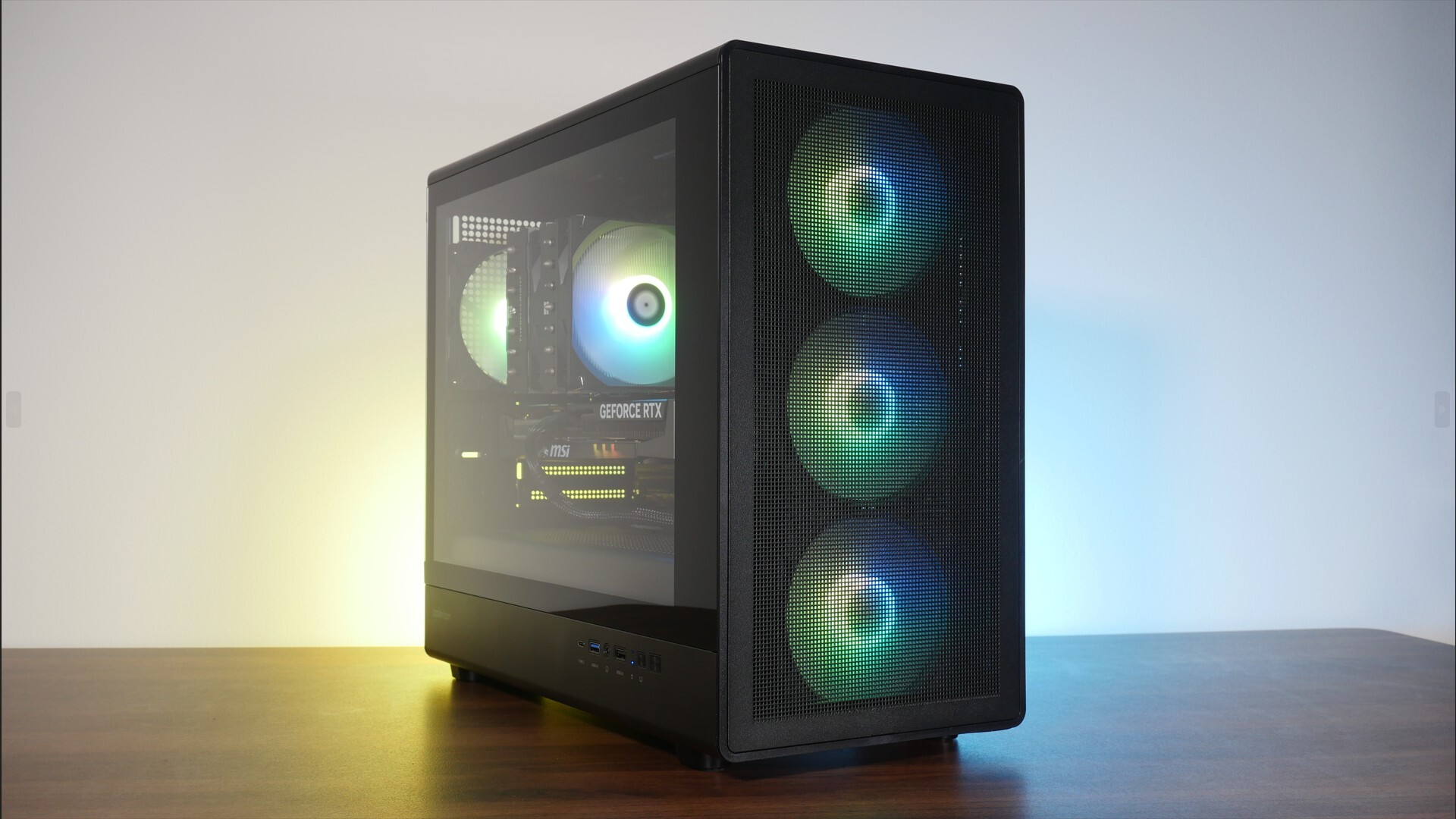
To sum up, my take on the Zalman M5 is that it’s a no-nonsense budget-friendly microATX PC case that’s good to go out-of-the-box without any additional case fans, especially if you’re looking to build an entry-level or mainstream PC with this case. If you’re intending to use higher-end components that require more cooling, I’d think you’d be able to get more thermal performance out of the case with side and bottom case fans installed.
Aesthetics wise, it has a subtle appearance that isn’t loud and shouty, where I do appreciate the curved edges to add a little flair to the M5’s appearance. That said, I do think that fit and finish is a little on the cheaper side of things, which is evident in the way that the panels come together and the finishing of say, the thumbscrews, which can be a little rough.
For you international viewers, as of the time of publishing this review, the M5 doesn’t seem to be that widely available yet, but for you folks based in Singapore, the M5 is available to purchase from PC hardware retailers in Sim Lim for a price of around $72 Singapore dollars, which converts to roughly US$55.
Get this PC case from Amazon: https://amzn.to/3YWmV33
Get this PC case from Lazada Singapore: https://s.lazada.sg/s.2fSn0
Get this PC case from Shopee Singapore: https://s.shopee.sg/9UuyxLlrmO
The PC case featured in this video was sponsored by CDL Trading Pte Ltd, the exclusive distributor for Zalman in Singapore.