%20500x1200.png?width=200&height=83&name=ALK%20Tech%20Logo%20(TransparentTextured)%20500x1200.png "ALK Tech Logo (TransparentTextured) 500x1200")
XASTRA's a relatively new entrant to the PC hardware world, and their Octant LC360FS ARGB AIO liquid CPU cooler's actually a pretty decent offering, especially if you're looking to get in on the infinity mirror aesthetic and would like a LCD display for your cooler too, all on a shoestring budget.
Review Video Timestamps
0:00 Introduction
1:06 Packaging & Accessories
1:06 Exterior Walkthrough
3:31 Connectivity & Specs Continued
4:10 Installation Experience
5:28 Test Setup, Thermal & Acoustic Performance
7:58 XASTRA Display App Walkthrough
8:58 Conclusion & Pricing
Introduction
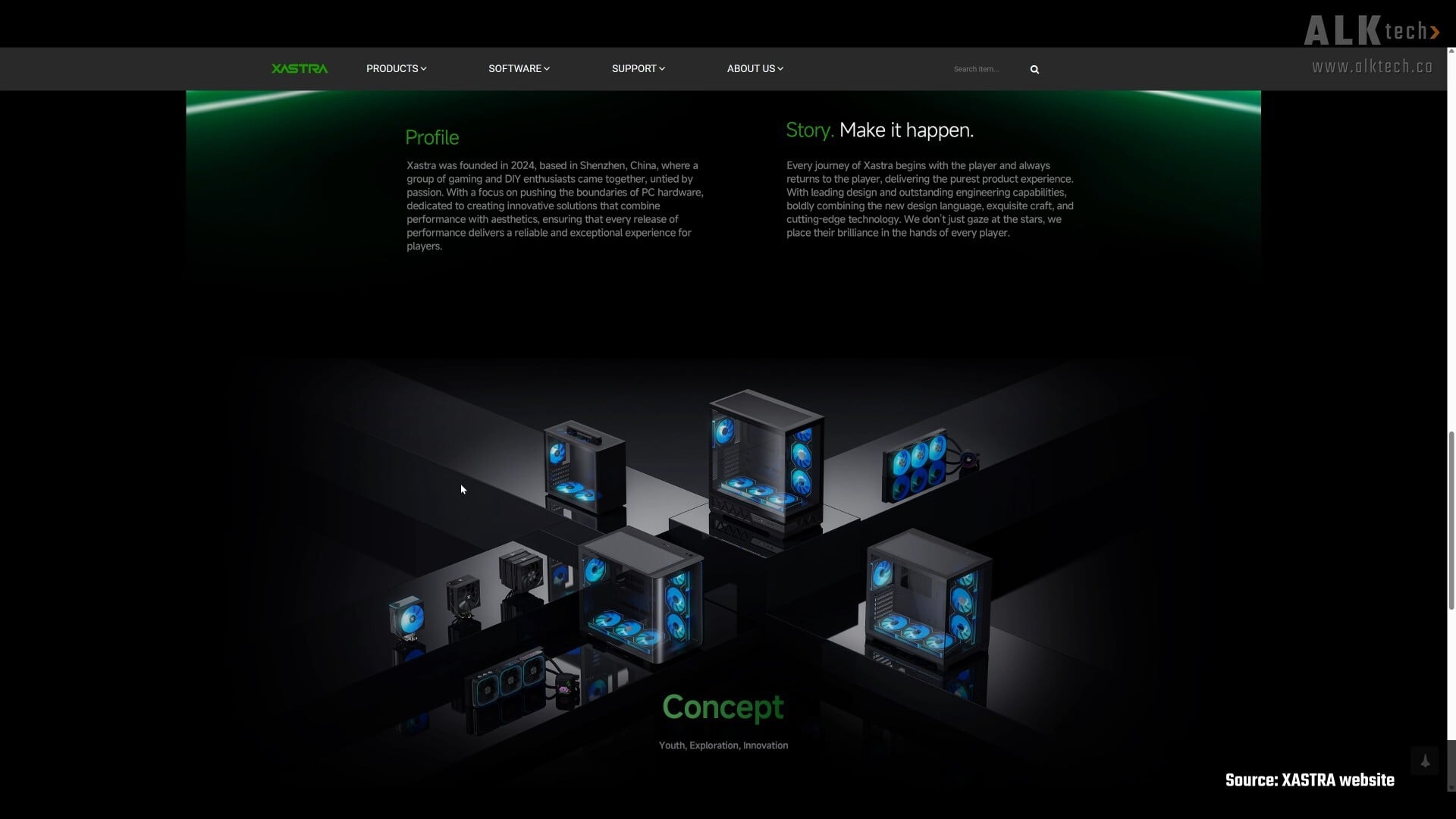
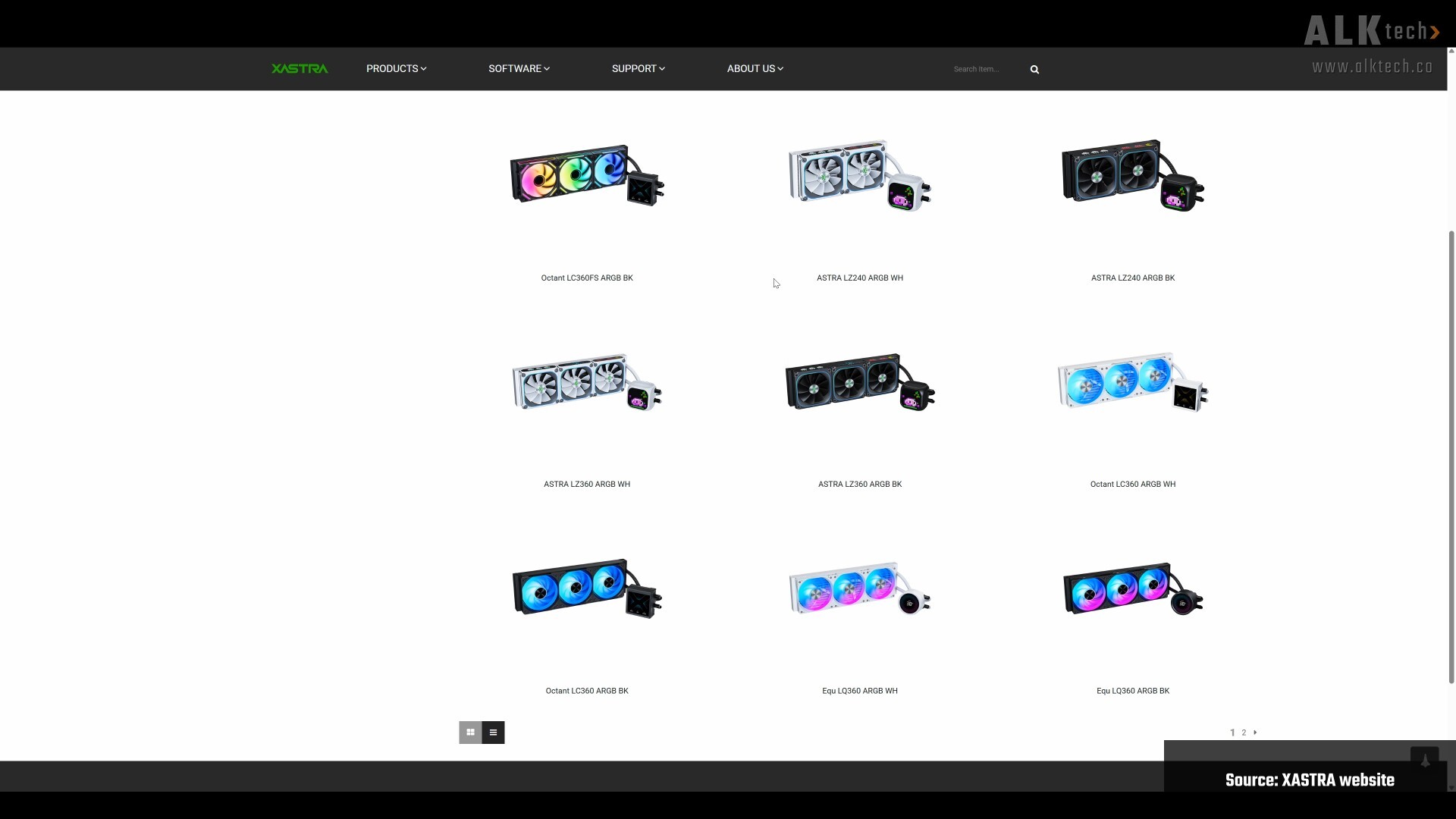
You'd be forgiven if you've never heard of the brand XASTRA before, seeing as they're a relatively new PC hardware brand that was founded in 2024. Based out of Shenzhen, China, XASTRA's products are predominantly focused on the realms of CPU air cooling, CPU liquid cooling, case fans as well as PC cases, and the brand's been making its presence felt at major tech shows such as Computex 2026 that took place in June.
For this review, we'll be taking a look at an AIO liquid CPU cooler that, given its aesthetics, is clearly inspired by Lian Li's premium HydroShift II LCD-S AIO CPU cooler that comes with TL infinity mirror fans - introducing the XASTRA Octant LC360FS ARGB.
Available in black or white colourways, the brand claims a maximum supported TDP of up to 315W, where the cooler features triple 120mm fans with infinity mirror hubs and infinity mirror accents on the sides, all topped off by a 4" 480x480 IPS LCD screen. With its price of around $145 Singapore dollars (as of the time of publishing this review), could this AIO CPU cooler be worthy of your attention, especially if you're looking to get in on the infinity mirror aesthetic on the cheap? Read on to learn more about this cooler, and to see it being put through its paces with an AMD Ryzen 9 9900X processor!
Summary of Specifications
- Colours: Black or white
- Socket Compatibility: AMD AM5/AM4, Intel LGA1851/1700/1200/115X
- Radiator Dimensions: 394mm x 120mm x 27mm (LxWxH)
- Radiator Material: Aluminium
- Tube Material: EPDM
- Tube Length: 430±10 mm
- Cold Plate Material: Oxygen-free copper
- Pump Speed: 800±200~3000±10% RPM
- Pump Bearing Type: Ceramic
- Fans: 3x 120mm ARGB with infinity mirror hubs and side accents
- Fan Speed: 800±200~2000±10% RPM
- Fan Airflow: 70 CFM
- Fan Air Pressure: 2.68mmH2O
- Screen: Yes, 4" 480x480 IPS
- Official Product Page (Black): https://www.xastrapc.com/shop/liquid-coolers/octant-lc360fs-argb-bk/
Packaging & Accessories
.jpg)
.jpg)
.jpg)
Packaging wise, the cooler ships in a cardboard box with a white-and-green colourway, nothing out of the ordinary here.
.jpg)
.jpg)
Opening up the box, we see that the AIO’s nestled in moulded pulp packaging. We’ve also got two white boxes, one containing the pump cover with a built-in LCD screen and another that contain the accessories that the AIO ships with.
Accessories wise, we’ve got stuff like a user's manual, your usual mounting brackets and accessories for both AMD and Intel systems, screws, a spare set of ARGB and PWM cables for the pre-installed fans, Velcro cable ties and not forgetting, a tube of thermal paste, specifically, XASTRA’s T60 thermal compound.
Aesthetics & Physical Features
.jpg)
.jpg)
Aesthetics wise, the Octant LC360FS is clearly targeted at folks who’d like an ARGB aesthetic for their PC builds, specifically, an infinity mirror aesthetic, all without breaking the bank. As can be seen, the triple 120mm fans come pre-installed on the radiator, and we get infinity mirror fan hubs, as well as infinity mirror accents on the sides of the fan frames.
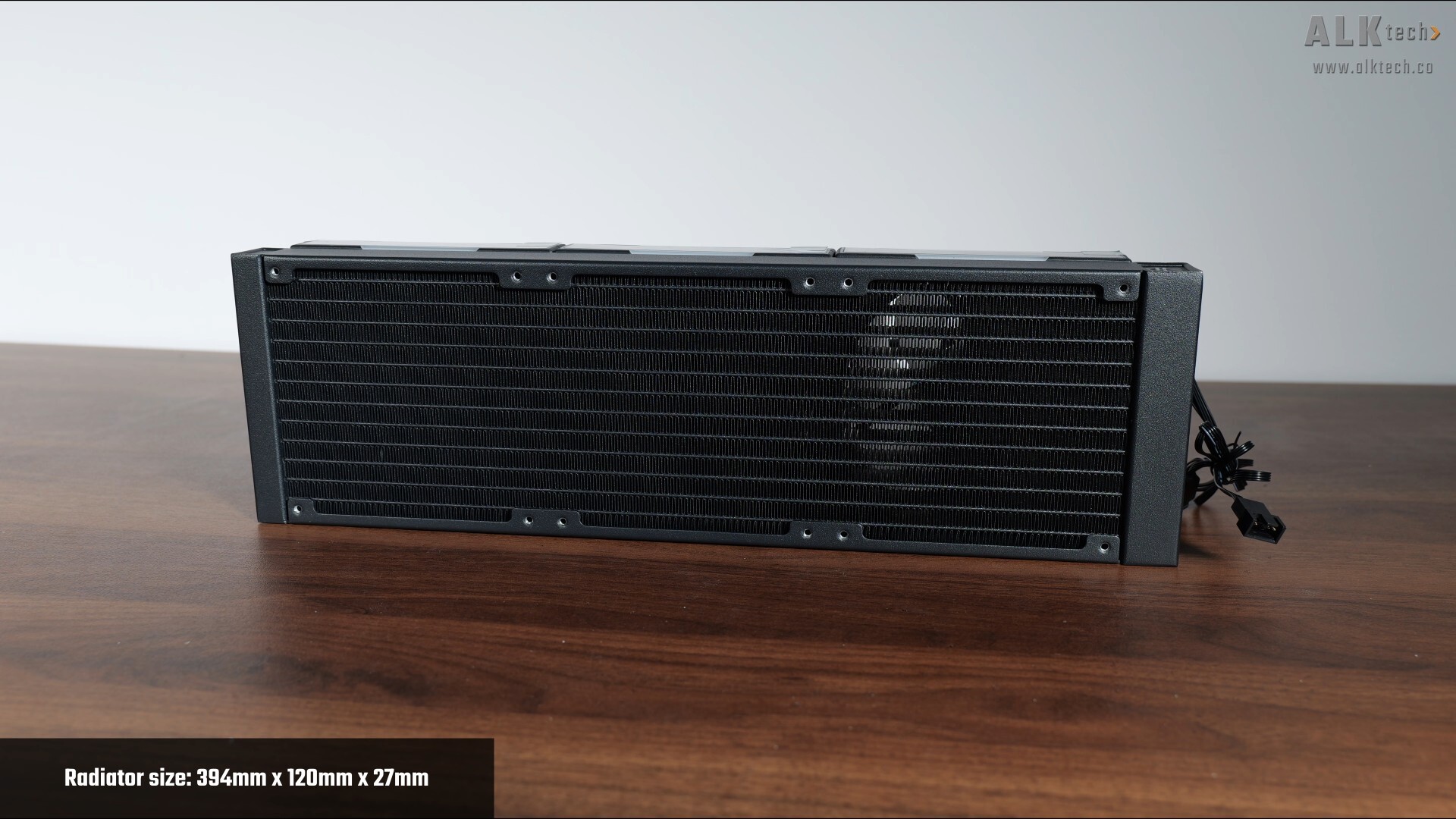
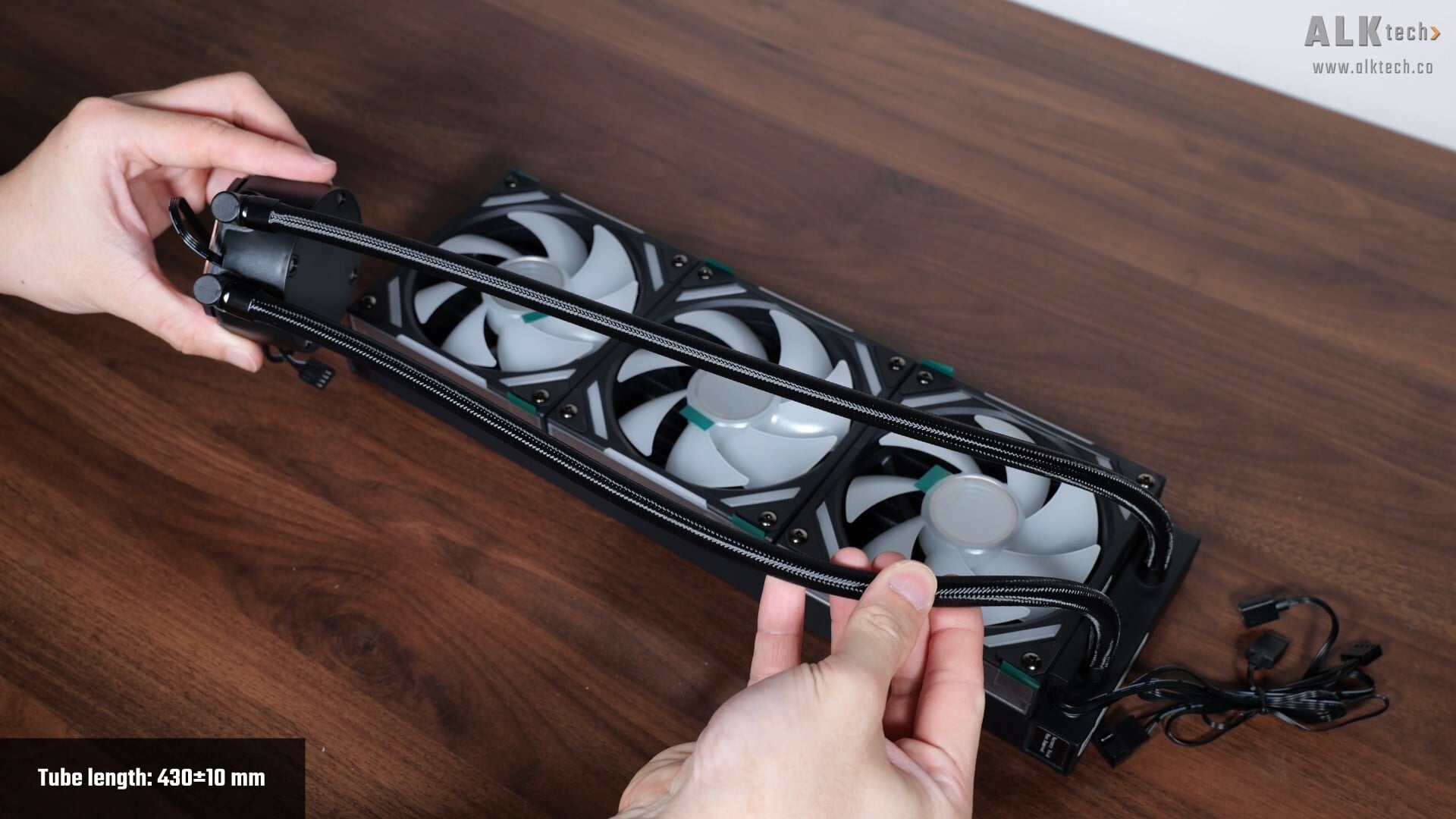
Moving on to the radiator, it measures in at 394mm x 120mm x 27mm and is made of aluminium. The tubes that run from the radiator to the pump assembly have a braided finish, and measure in at approximately 430mm in length.
.jpg)
.jpg)
Taking a closer look at the pump block, it has magnets that are used to secure the magnetic pump cover with the in-built LCD display screen. According to XASTRA, the pump uses a ceramic bearing with the speed range as stated on the screen, and over on the other side, we get an oxygen-free copper cold plate with a brushed finish.
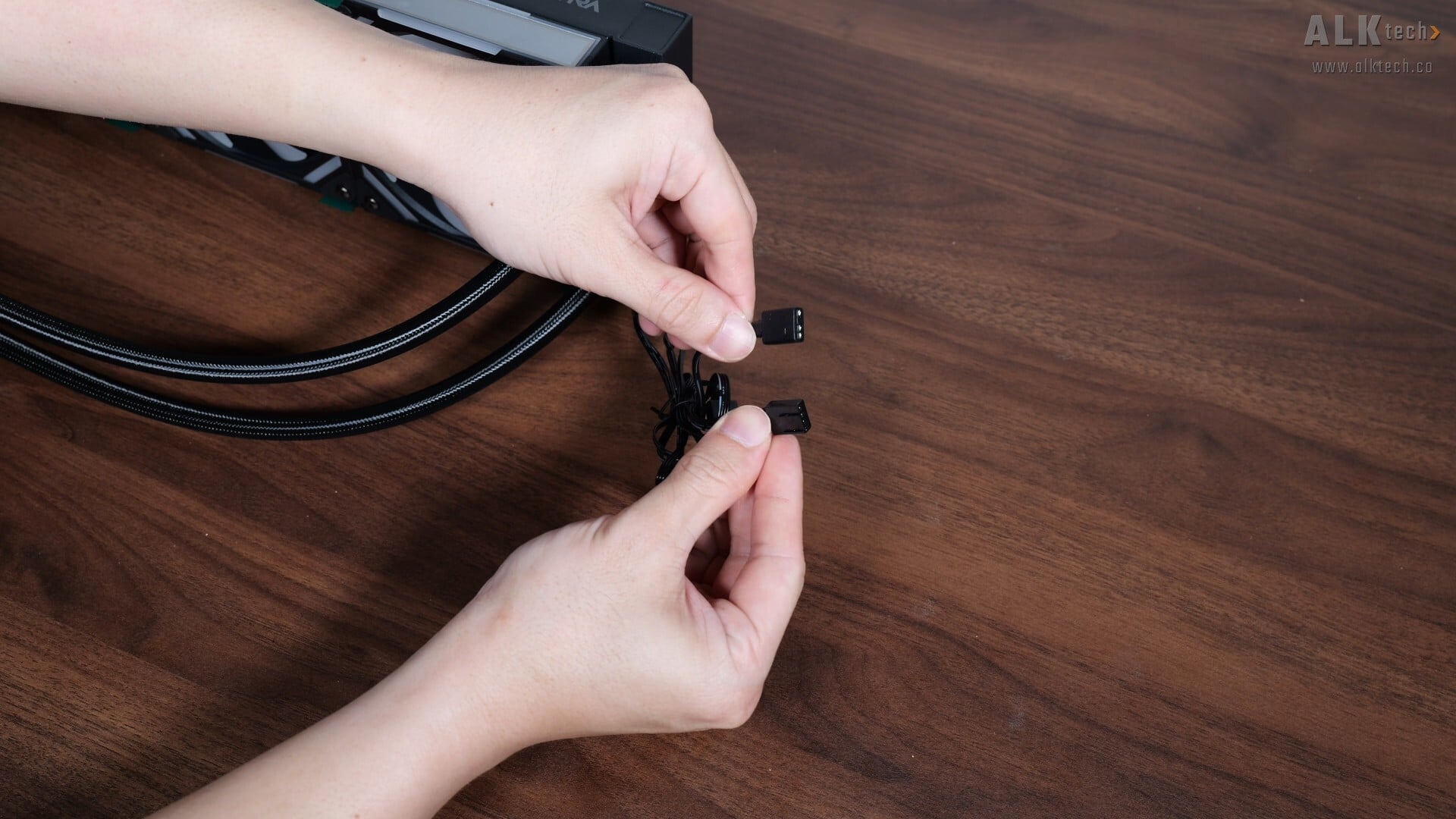
Connectivity wise, the AIO fans come pre-daisy chained and terminate in a single four-pin PWM fan connector, and a 5V ARGB connector.
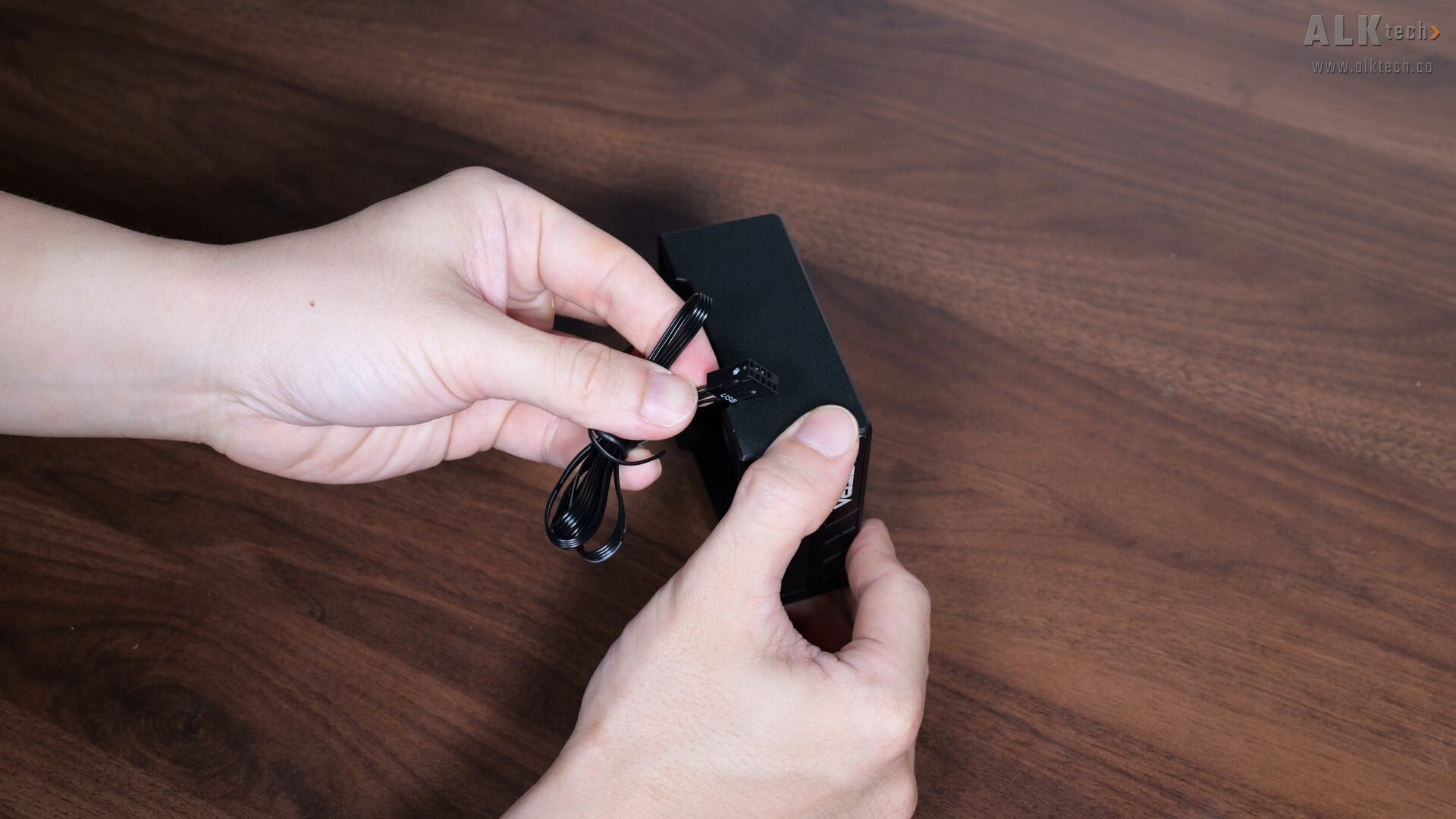
Originating from the pump cover is a USB 2.0 connector that needs to be hooked up to the respective USB 2.0 header on your motherboard, so as to enable the LCD display screen that's integrated into the said pump cover.
.jpg)
.jpg)
.jpg)
As mentioned earlier, the pump cover attaches magnetically to the pump block, where the said cover features a 4” 480x480 IPS LCD screen. The display can be customized via XASTRA’s Display app, more on this later in the review.
Installation Experience
.jpg)
Installing the Octant LC360FS ARGB was pretty straightforward – I’ll be using it on an open-air test bench powered by an AMD Ryzen 9 9900X processor, and the AM5 installation experience was as straightforward as it gets. First up, attach the AMD mounting bracket (pictured above) to the pump block...
.jpg)
.jpg)
...and screw in the included standoffs on the mounting posts of your motherboard’s AM5 mounting bracket, before applying thermal paste to the CPU.
.jpg)
.jpg)
Once done, secure the said pump block to the said posts, hook up the necessary cables, attach the pump cover, and you’re all set!
Aesthetics
.jpg)
Aesthetics wise, the quality of the 4" 480x480 LCD display screen looks pretty okay given the AIO’s price, where the screen has a matte finish.
.jpg)
.jpg)
The ARGB lighting effects of the 120mm cooling fans are pretty decent too, and you can of course, configure their colours and effects via your motherboard’s ARGB app.
.jpg)
I’m a fan of infinity mirror effects for PC builds, and I do think that XASTRA’s executed the infinity mirror effects pretty well with the Octant LC360FS ARGB.
Thermal & Acoustic Performance
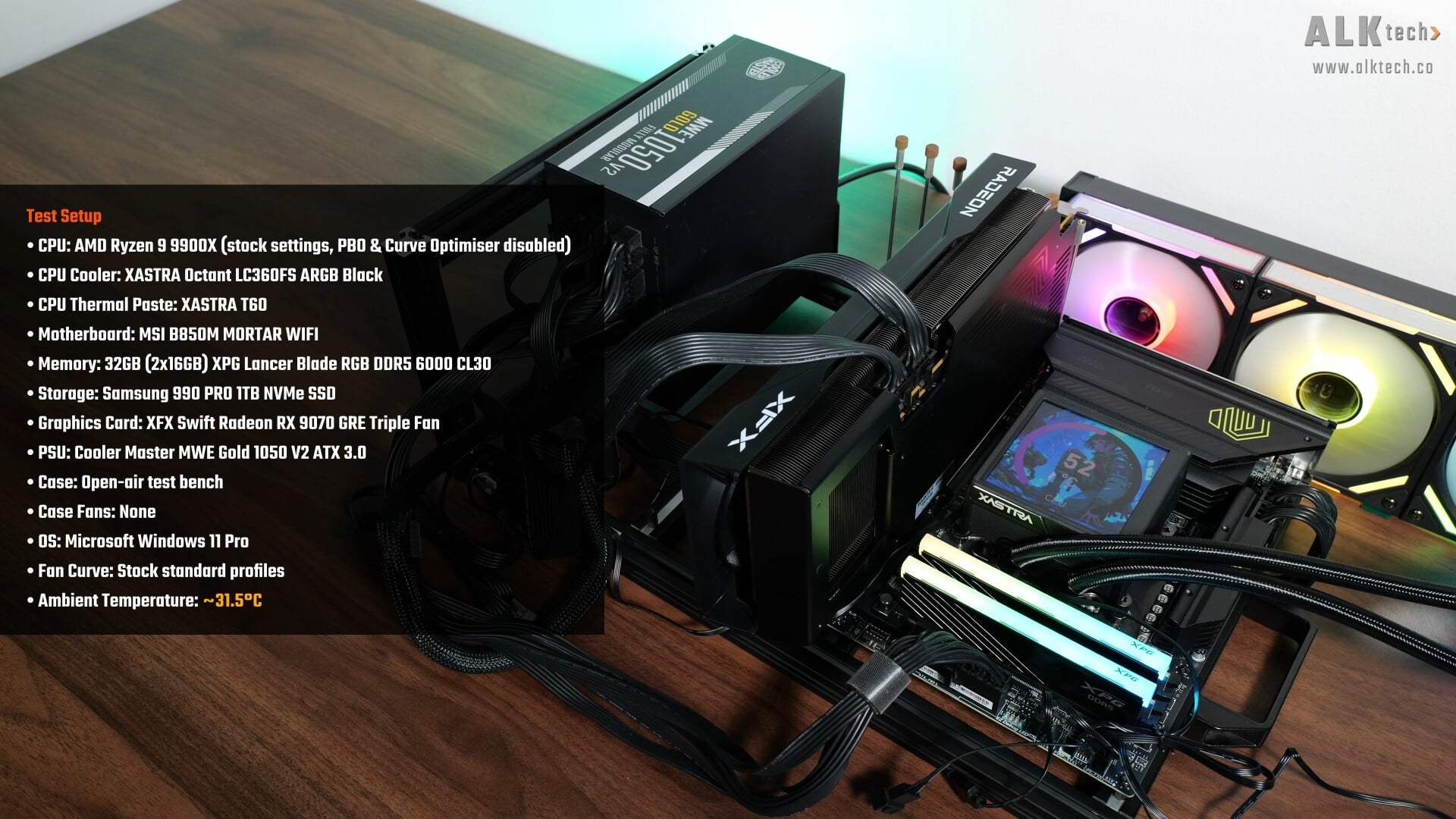
To benchmark the performance of the XASTRA Octant LC360FS ARGB, I put together a demo build with the following specifications:
- CPU: AMD Ryzen 9 9900X (stock settings, PBO and Curve Optimiser disabled)
- CPU Cooler: XASTRA Octant LC360FS ARGB
- CPU Thermal Paste: XASTRA T60
- Motherboard: MSI B850M Mortar WIFI
- Memory: 32GB (2x16GB) XPG Lancer Blade RGB DDR5 6000 CL30
- Graphics Card: XFX Swift Radeon RX 9070 GRE Triple Fan
- PSU: Cooler Master MWE Gold 1050 V2 ATX 3.0
- Case: Open-air test bench
- Case Fans: None
- OS: Microsoft Windows 11 Pro (25H2 with all latest updates installed)
- Fan Curve: Stock standard profiles
To put the AIO through its paces, I’ll be running Cinebench 2024’s multi-core test, where I'll also be looking at the processor’s clock speed behavior and thermals when under an all-core workload – just for your info, I'll be running the 9900X on stock settings, that is, with PBO and Curve Optimiser disabled. I’ll also be running F1 23’s in-game benchmark to see how the AIO performs under a typical gaming workload.
For the purposes of the benchmarks, I left all the fan curves on their stock settings too, with no tweaks made whatsoever, and the tests were conducted in a non-airconditioned room with an ambient temperature of around 31.5°C.
Thermal Test Results
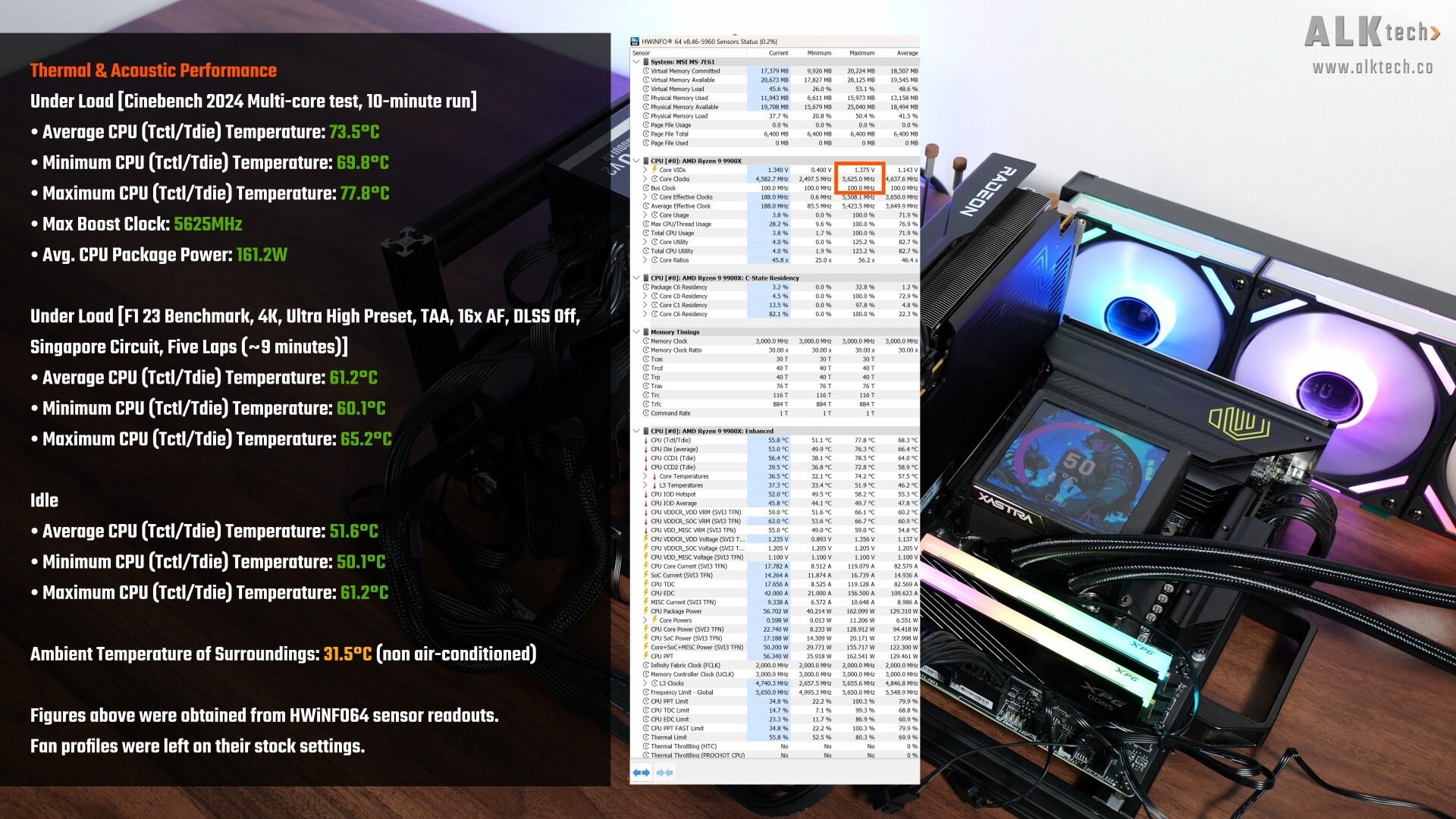
With Cinebench 2024’s multi-core test, the 9900X achieved an average CPU temperature reading of 73.5°C, with a low of 69.8°C, and a high of 77.8°C. During the multi-core test, the 9900X boosted to a maximum clock speed of slightly over 5.6GHz (the 9900X has an advertised max boost clock of 5.6GHz), and achieved an average CPU package power draw figure of 161.2W. In case you're wondering, the 9900X achieved a multi-core score of 1764 after the benchmark run.
Moving on to F1 23’s in-game benchmark test, after about nine minutes of benchmarking, the 9900X achieved an average CPU temperature reading of 61.2°C, with a low of 60.1°C, and a high of 65.2°C.
The test bench also recorded an average CPU temperature of 51.6°C when idle.
Acoustics
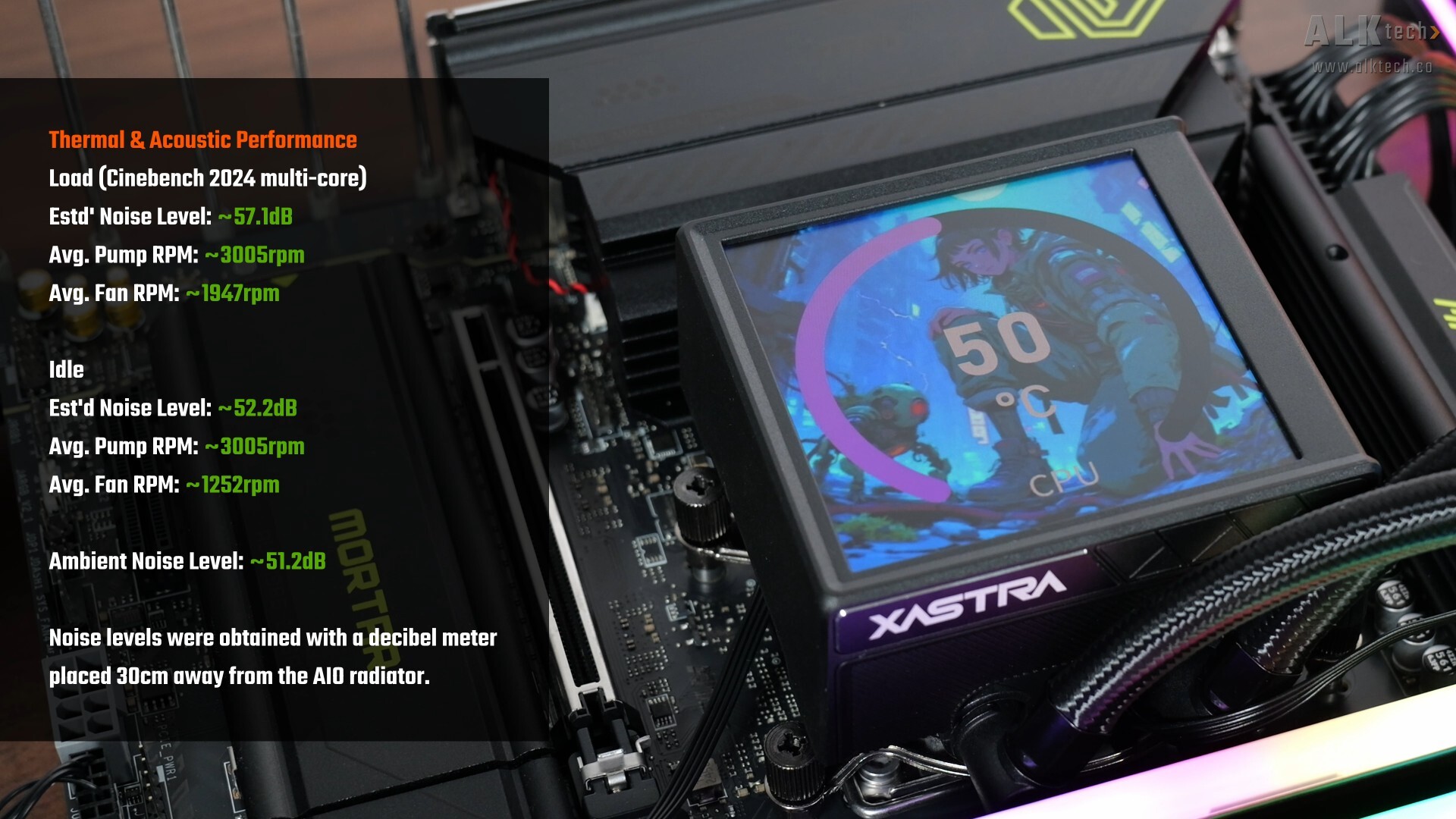
In terms of acoustics, during the Cinebench 2024 multi-core test, the AIO’s pump ran at 3005RPM on average, while the AIO’s cooling fans ran at 1947RPM on average, and my decibel meter recorded an estimated average noise level of around 57.1dB during the multi-core test, in an environment with an ambient noise level of 51.2dB. The LC360FS ARGB was audible for sure, but not to the extent that it was annoying, at least in my opinion.
At idle, the fans and pump were pretty silent, where the pump ran at around 3005RPM on average and the fans, at 1252RPM on average, where the estimated noise level was around 52.2dB.
XASTRA Display App
.jpg)
With that, let’s spend some time to talk about XASTRA’s Display app that you’ve got to use should you wish to configure what’s displayed on the pump cover's screen. The app is pretty no-frills, where the “System” tab shows basic system information and stats.
.jpg)
The “Display” tab is where you can select from a bunch of preset backgrounds, and system stats that you’d like to have displayed on the screen. You can of course upload your own image or animation, where you should make sure the said asset is sized to the screen’s aspect ratio. Moving on, you do get some basic customisations for the preset widgets found under the "Theme" section, where you can configure settings such as text colour, text size and so on. You do also get the ability to rotate the orientation of the display where necessary.
.jpg)
Finally, under the “Settings” tab, you get the ability to tweak app settings such as app language and so on.
Conclusion & Pricing
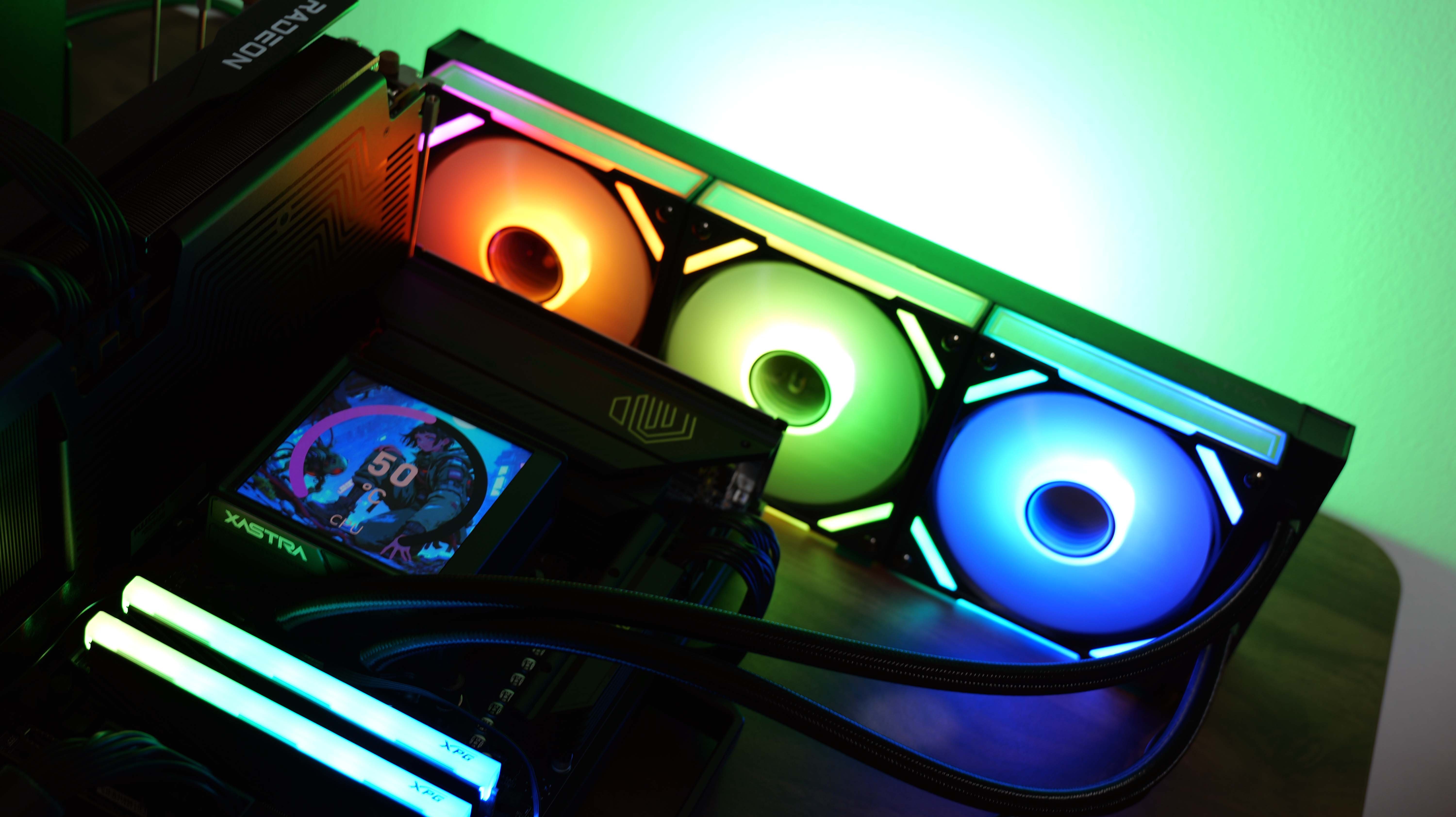
To sum up, the XASTRA Octant LC360FS ARGB is in my opinion, a pretty good AIO CPU cooler that is budget-friendly, relatively well-built and performs decently well even with high-end processors. To top things off, we get infinity mirror fans that look pretty nice, and I don’t have any complaints about the 4” LCD screen as well.
In terms of pricing, the Octant LC360FS ARGB is currently available to purchase in Singapore for a price of around $145 Singapore dollars from online channels such as Lazada Singapore, making this a very affordable alternative to more “branded” AIO CPU coolers that come with a display screen, such as Thermalright’s Grand Vision 360, which is a little pricier than the XASTRA, but is arguably the LC360FS ARGB’s closest competitor in a similar price bracket - even the Grand Vision 360 doesn’t come with infinity mirror fans, making the Octant LC360FS ARGB a much more compelling option, value-wise! For reference, Lian Li’s HydroShift II series (which is a much higher-end product) tends to retail between $200 to $300 Singapore dollars, depending on which model you’re looking at.
Outside of Singapore, global availability for XASTRA's products seems to be spotty at best, at least as of the time that this review was penned - hopefully in due course, we'll start to see their products appear on mainstream PC hardware sales channels such as Amazon and Newegg.
Get this AIO CPU cooler from Amazon: https://amzn.to/3VlNakT (affiliate link)
Get this AIO CPU cooler from Lazada Singapore: https://s.lazada.sg/s.TUQa1?c=t&t=p-iF7LHeb-s2CHR6Al (affiliate link)
Get this AIO CPU cooler from Shopee Singapore: https://s.shopee.sg/5VVDFPV7xZ (affiliate link)
ALKtech may earn commissions from qualifying purchases made using affiliate links, at no extra cost to you as a customer. These commissions go a long way in supporting the platform!
The AIO CPU cooler featured in this video was a media sample provided by CDL Trading, the official distributor for XASTRA in Singapore.