%20500x1200.png?width=200&height=83&name=ALK%20Tech%20Logo%20(TransparentTextured)%20500x1200.png "ALK Tech Logo (TransparentTextured) 500x1200")
The new Logitech Mobi Fold is an ultraportable wireless mouse targeted at end-users who are constantly on-the-go, and who are on the lookout for a wireless mouse that doesn't take up too much space when stored.
If you're a busy executive that's constantly on-the-go, and in need of a wireless mouse for your computing devices that also isn't going to take up too much space when stored, you might want to check out Logitech's new ultraportable wireless mouse, the Mobi Fold.
Available in a "Graphite" or "Off White" colourway, the Mobi Fold features a lightweight folding design that's rated for up to 50,000 folds/unfolds, a 4000 DPI PAW3222 optical sensor, up to 32 days of battery life and a slew of connectivity features such as Easy Switch and Logi Flow. Read on to learn more about the mouse!
Packaging & Accessories
.jpg)
.jpg)
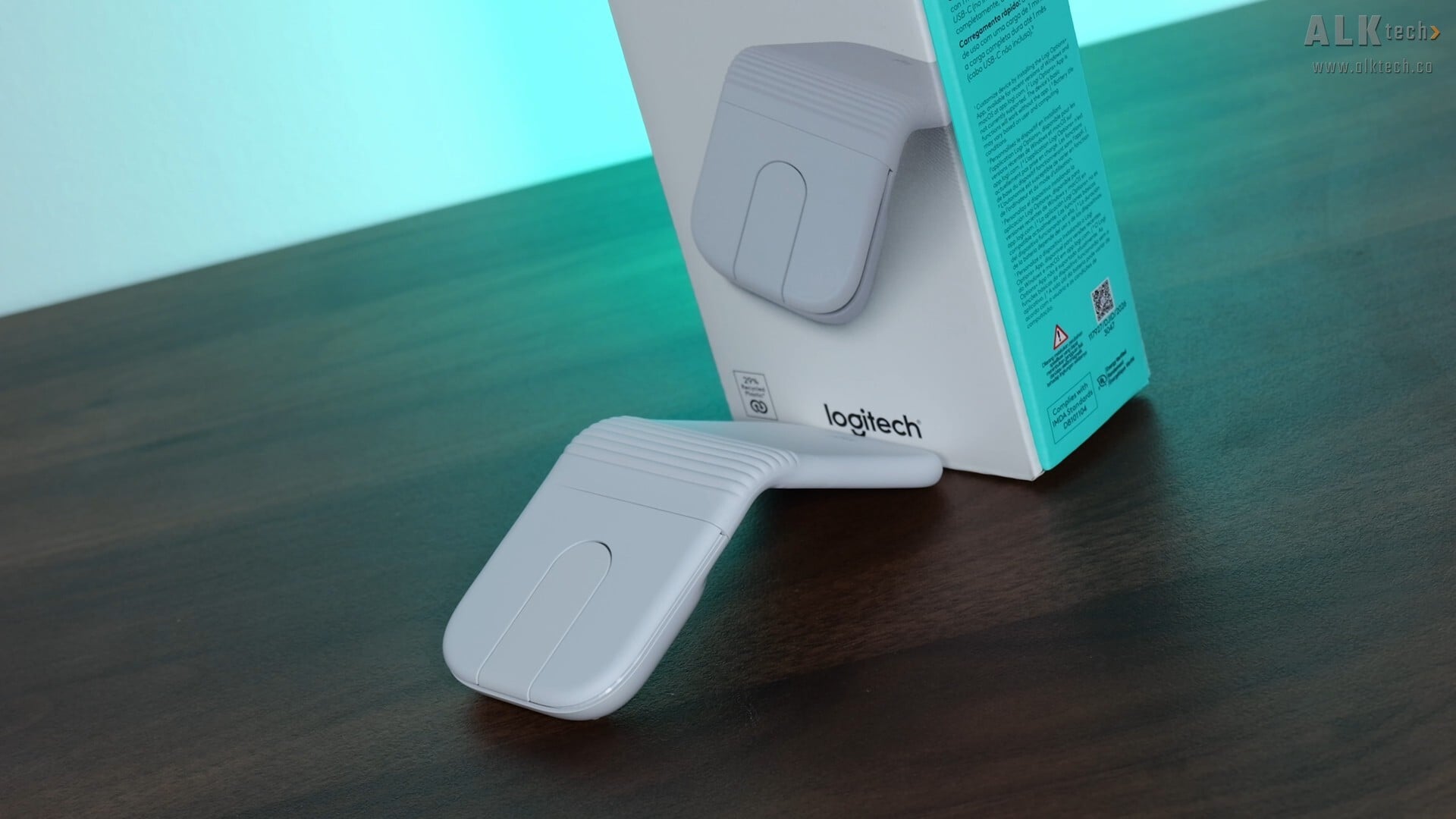
Packaging wise, the Mobi Fold ships in a white and tiffany green-coloured box, which is par for the course for Logitech’s mainstream products, and we get the usual overview of specs for this mouse on the rear of the box.
.jpg)
We don't get much in terms of accessories, where Logitech's included a quick start guide and several regulatory information leaflets.
Aesthetics & Physical Features
.jpg)
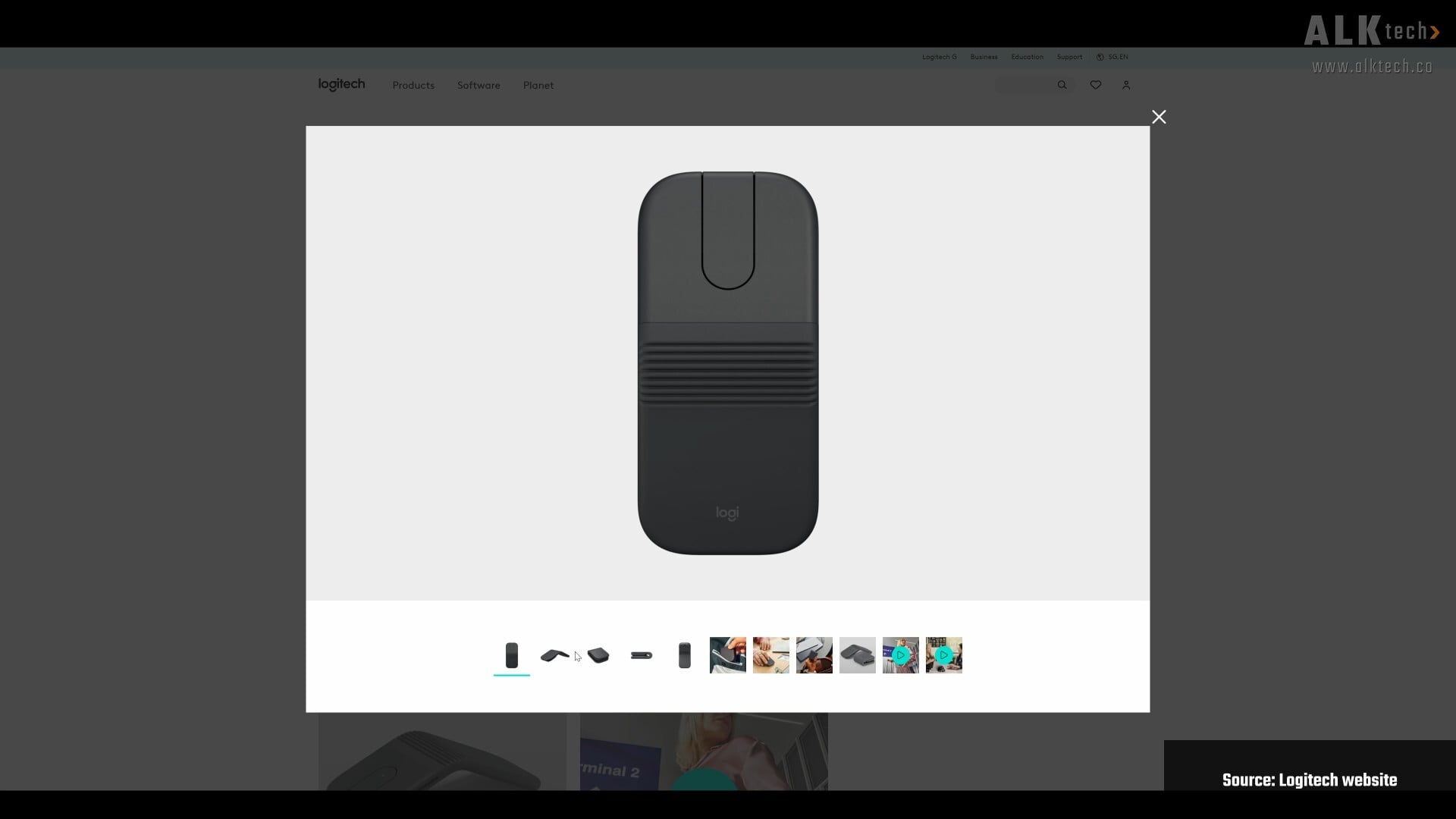
Aesthetics wise, Logitech’s sent over what it calls the “Off White” variant of the Mobi Fold, where given its colour, it's probably targeted at folks with silver laptops or MacBooks. As mentioned earlier, the Mobi Fold is also available in a "Graphite" colourway.
.jpg)
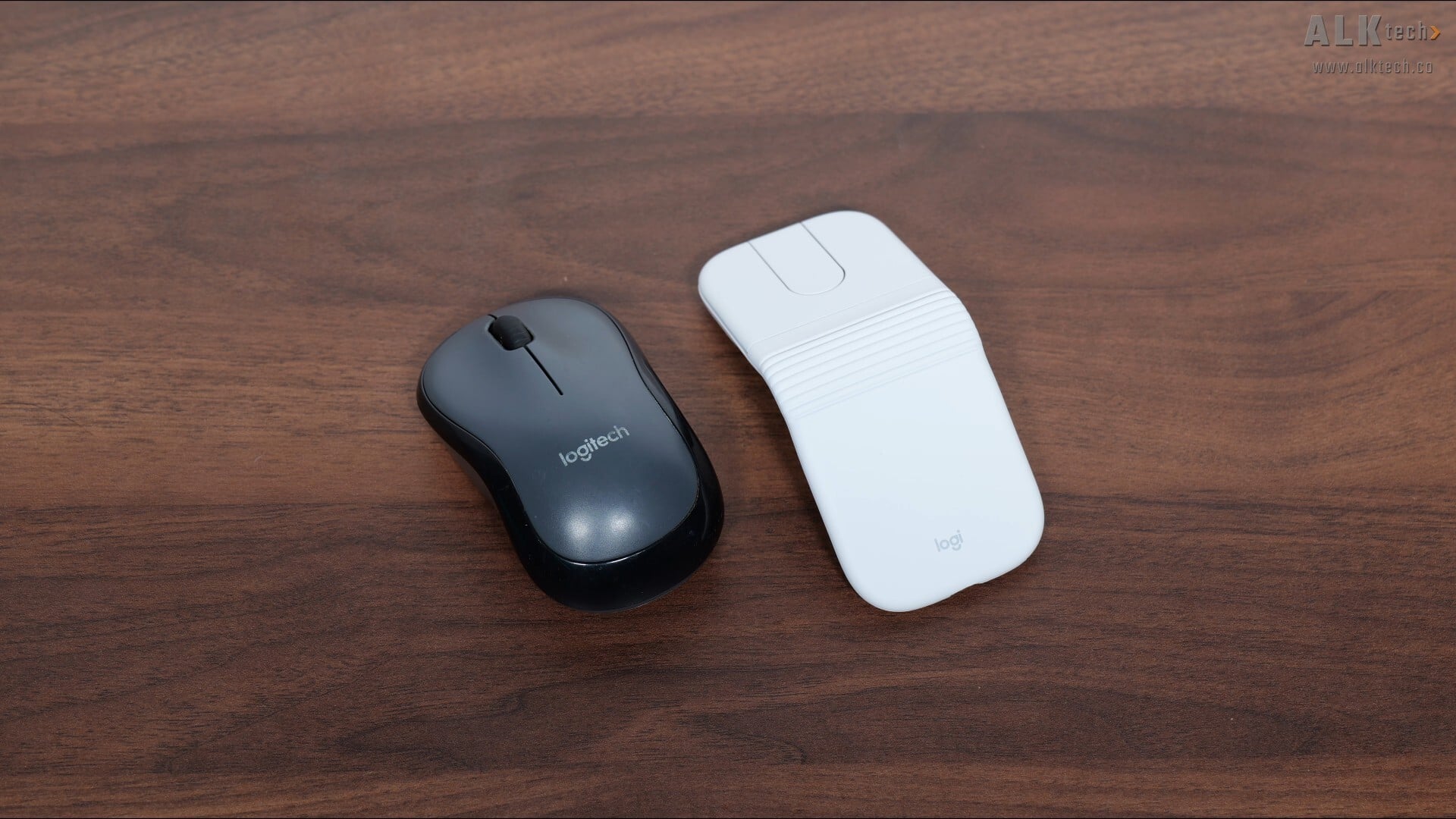
In the hand, the Mobi Fold feels pretty well-built without being too heavy, where it weighs in at 79g. Size wise, when the Mobi Fold is unfolded, it’s slightly longer than a typical compact wireless mouse, where pictured above is a Logitech m220 wireless mouse that I daily drive for my laptop for comparison’s sake. Given the symmetrical shape of the Mobi Fold, it’ll work for both left-and-right-handed users.
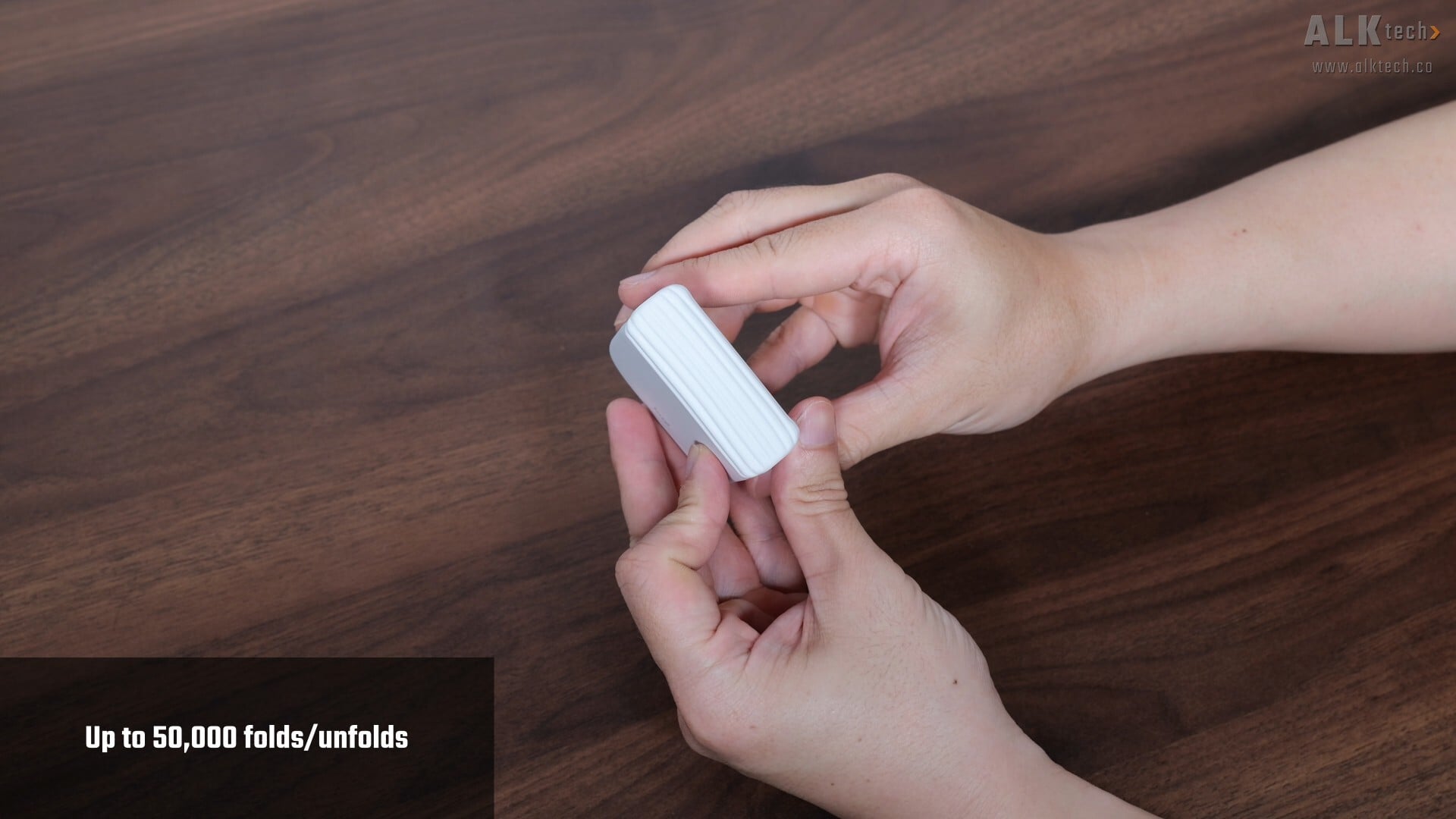
The folding action feels pretty solid, where folding and unfolding it does remind me of clamshell mobile phones of the past.
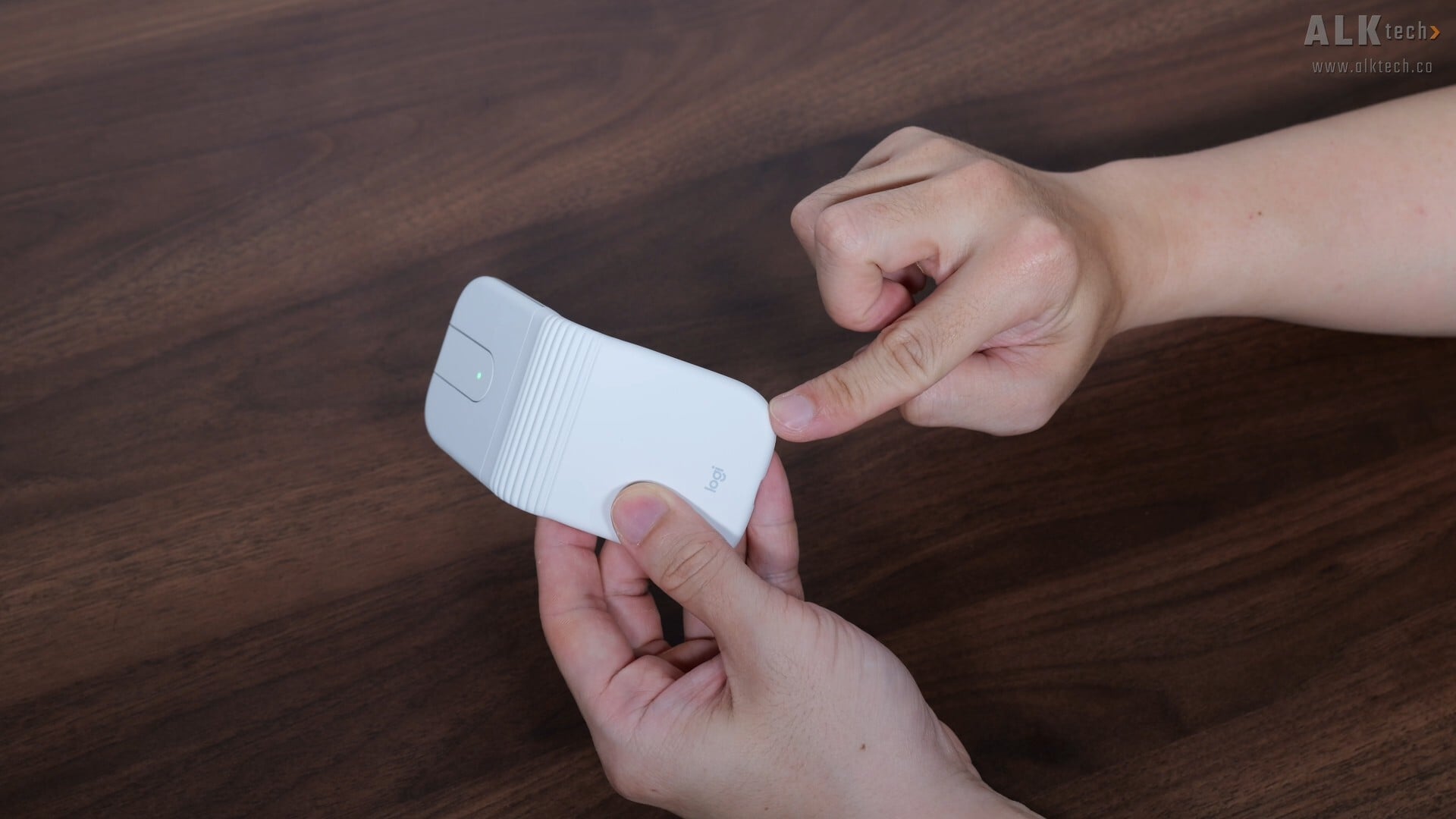
Durability wise, Logitech states that the Mobi Fold can withstand up to 50,000 folds and unfolds, and to accommodate the hinge action, Logitech’s got a silicone rubber skin that covers about two-thirds of the mouse...
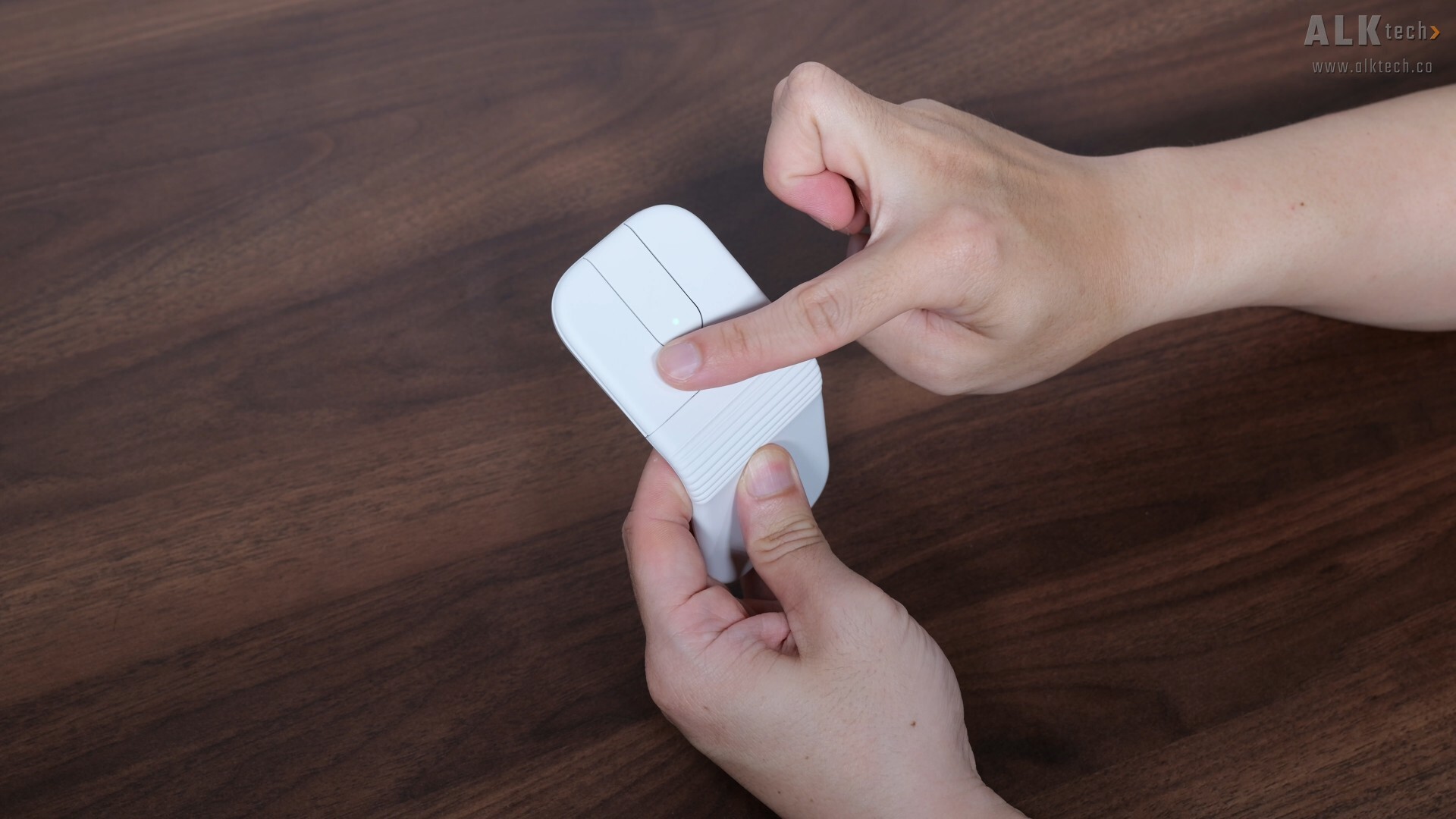
...while the remaining one-third of the mouse (basically the area with the mouse buttons) has a normal plastic finish.
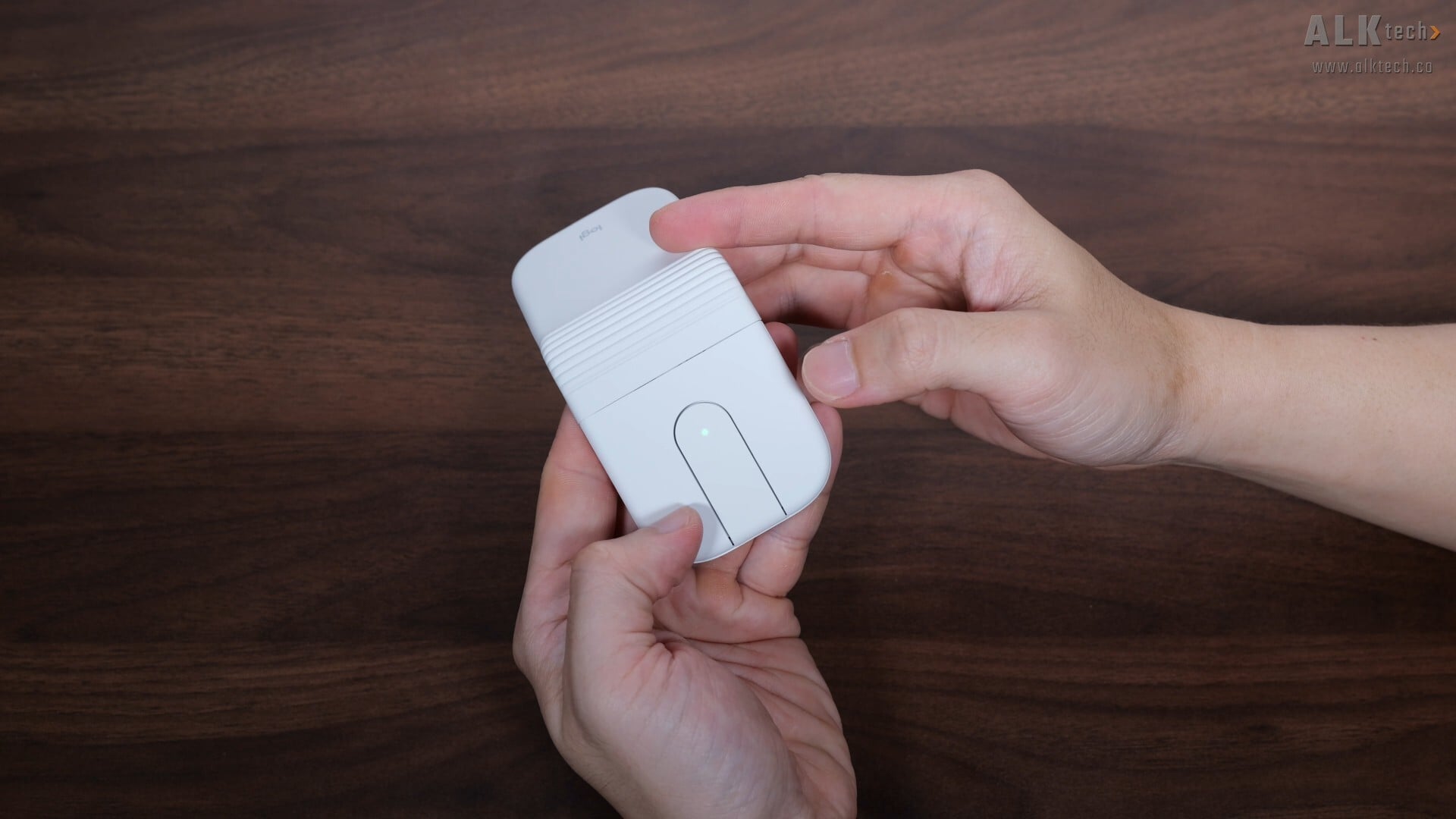
The action of the left and right mouse buttons feel pretty decent and are really silent, and in between the left and right mouse buttons is a Touch Scroll instead of a scroll wheel, where the said Touch Scroll also has two clicky buttons, one at the top and another at the bottom. By default, they function as forward and back buttons, and can be customised from within Logitech’s Options+ app in Windows or macOS. Also, the Touch Scroll section also has a green LED that serves as a battery level indicator.
.jpg)
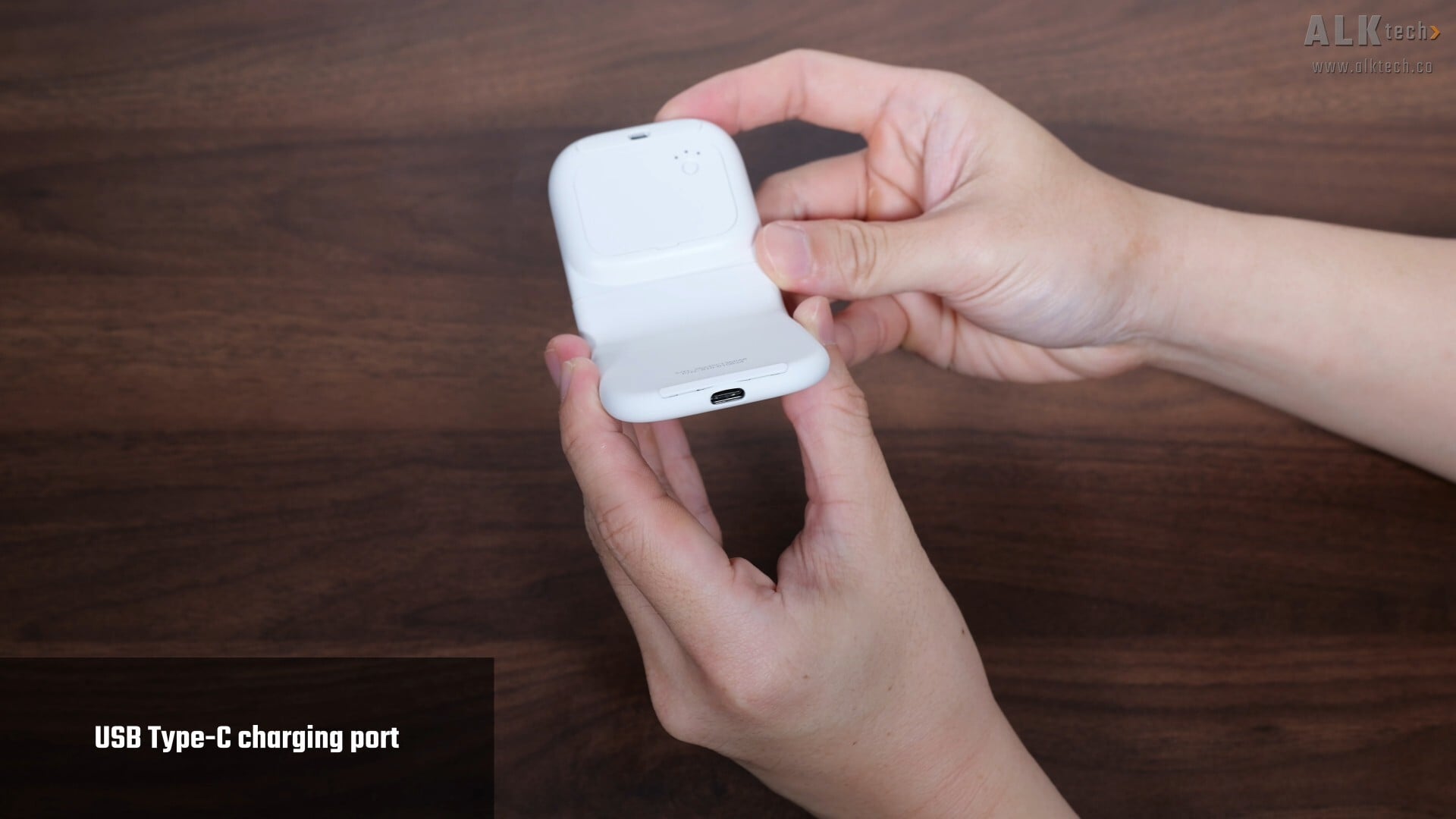
On the bottom short edge of the mouse is a USB Type-C port that’s used to charge the mouse, while over on the bottom, we get two thin plastic strips that serve as feet for the mouse. The optical sensor, a PAW 3222 4000 DPI sensor, is visible through a cutout.
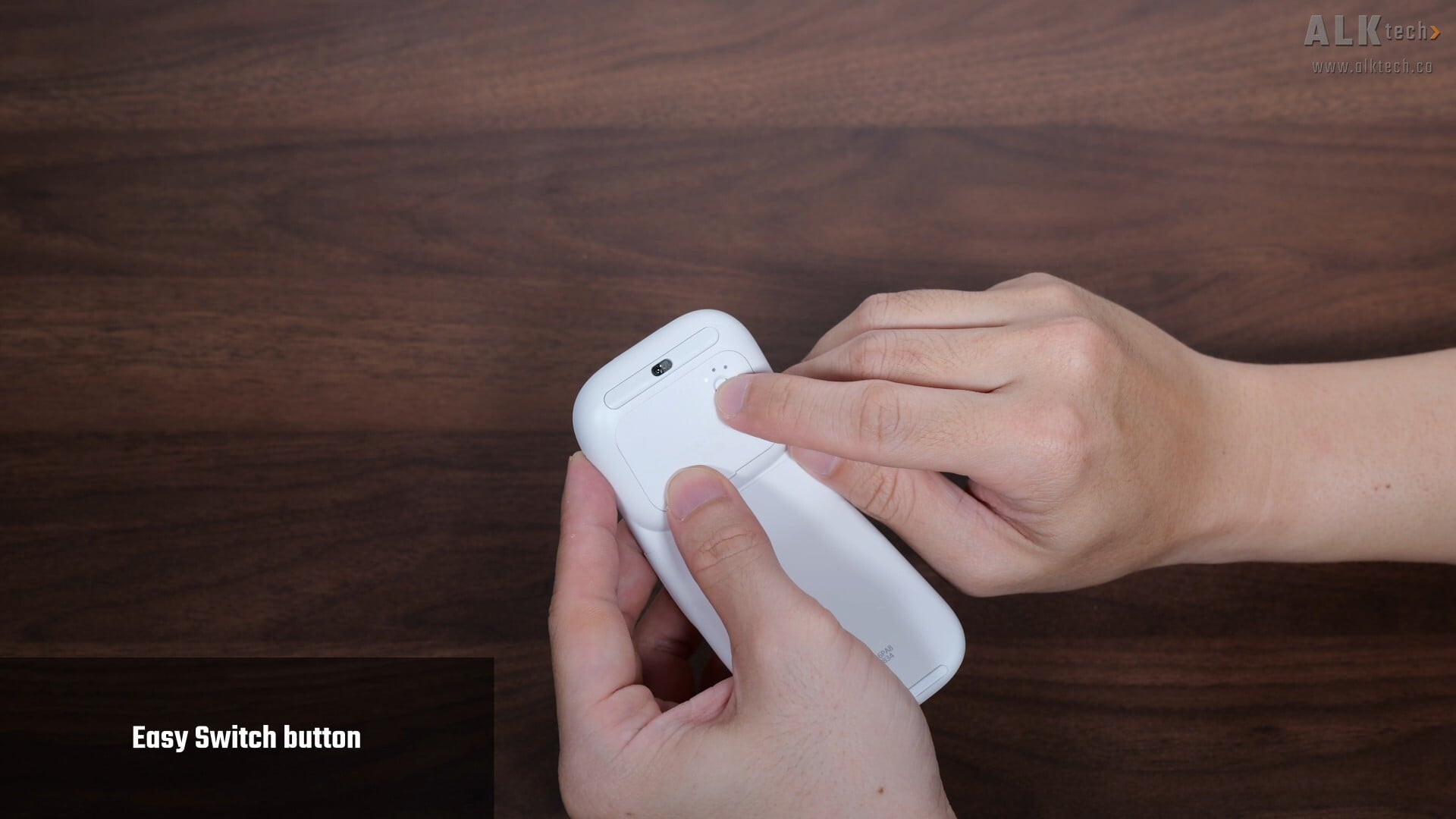
Shown above is an "Easy Switch" button with three indicator LEDs, where this said button allows you to connect to three different devices via Bluetooth. Pressing the button allows you to toggle between three paired devices, which is great for folks who might be alternating between say, a laptop, tablet PC and mobile phone for instance.
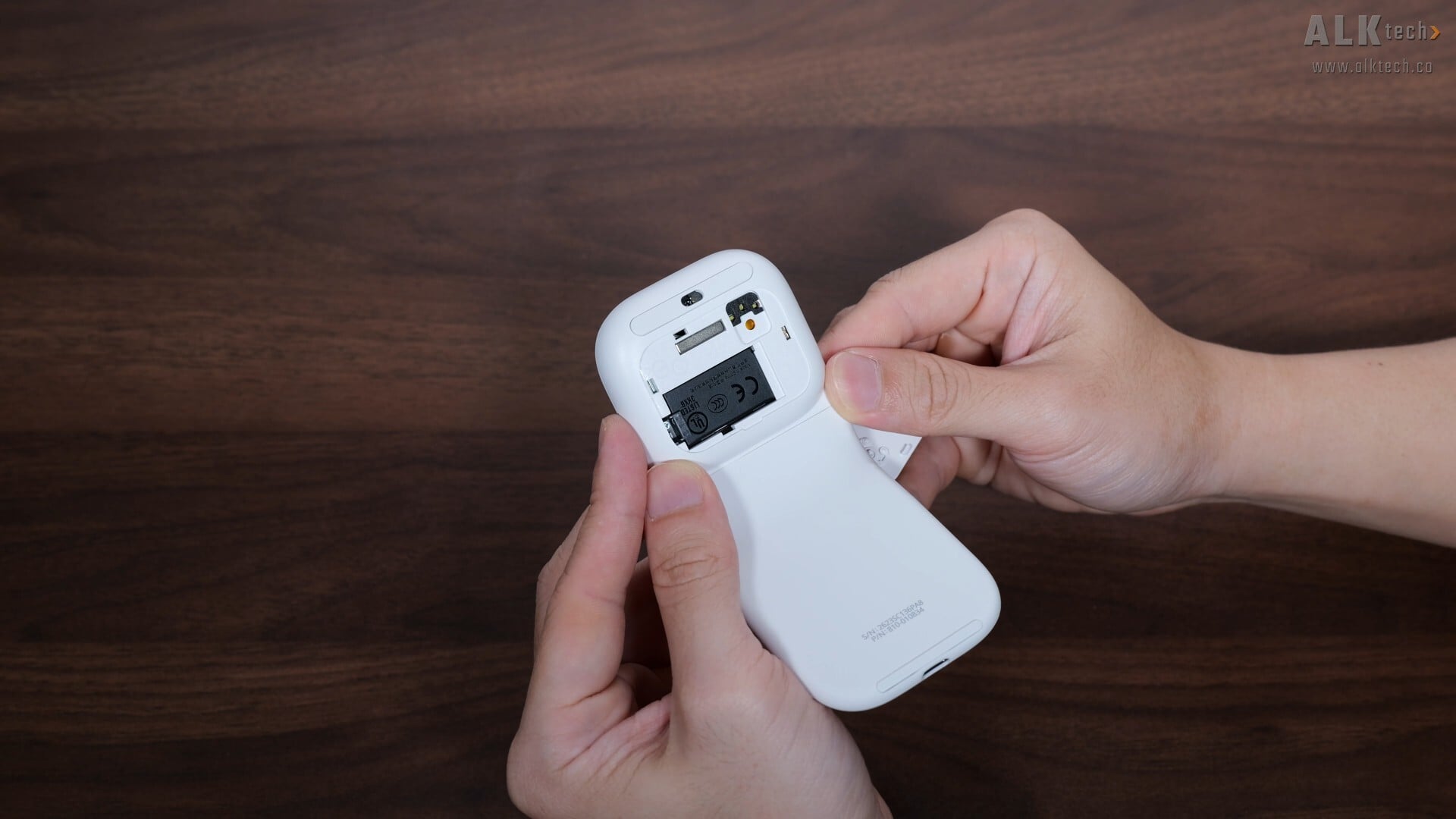
Shown above is a removable lid that provides access to the Mobi Fold’s proprietary battery, which means that in future, should the battery require replacement, it shouldn’t be too much of a hassle to replace.
Summary of Specifications
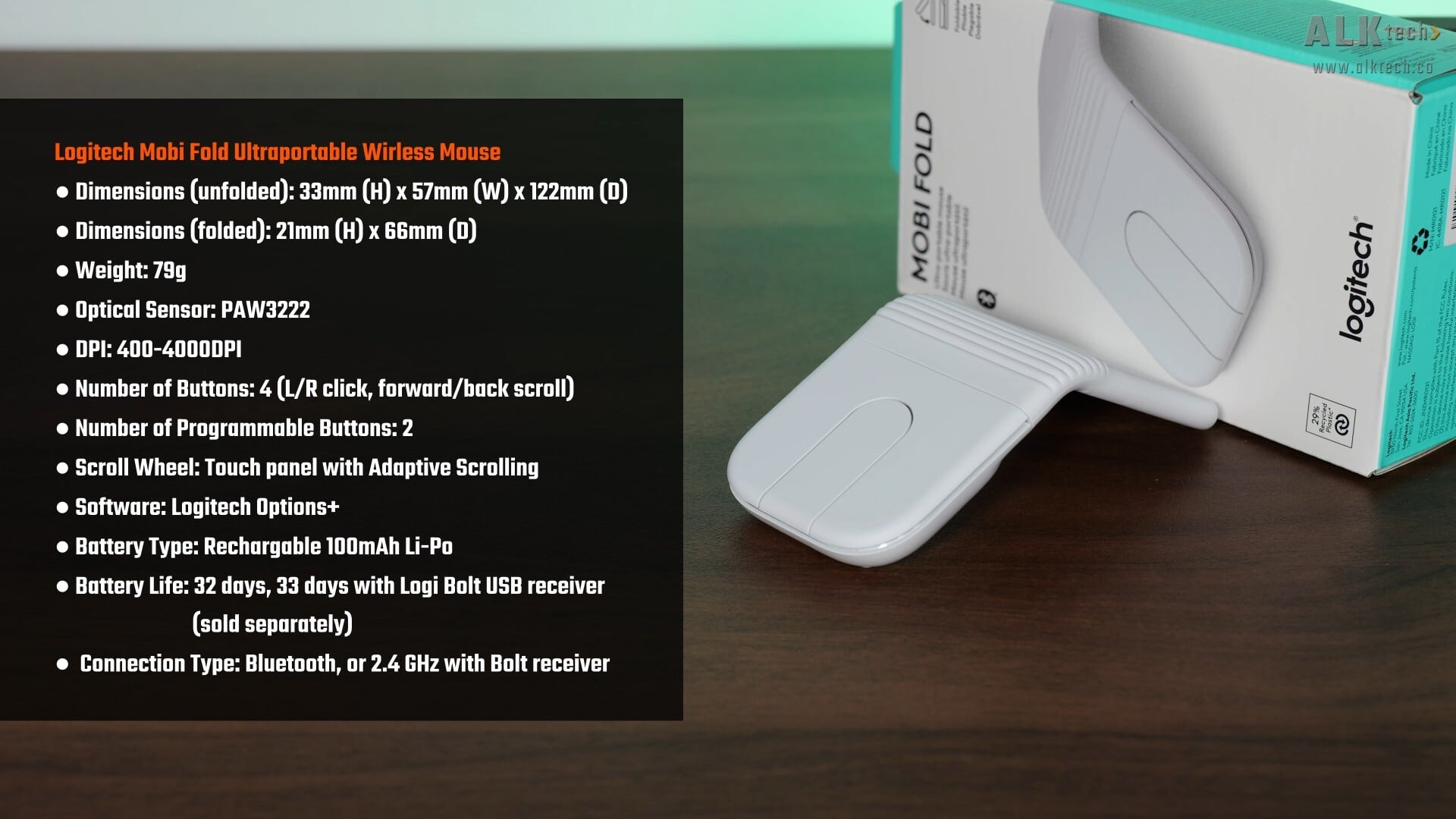
In terms of tech specs, as mentioned earlier, the Mobi Fold comes with a 4000 DPI optical sensor that can be tweaked from within the Logitech Options+ app, and connects to your PC via Bluetooth, or via a 2.4GHz connection when used with Logitech’s Bolt USB receiver (optional and sold separately).
It also has an advertised battery life of up to 32 days on the Bluetooth connection mode and 33 days of battery life if you use Logitech’s Bolt USB receiver. According to Logitech, you can get up to 22 hours of battery life with just a one minute quick charge.
Usage Experience
.jpg)
On to the usage experience with the mouse, as someone who uses a claw grip, and daily drives a very ordinary Logitech m220 wireless mouse for my work laptop, I found that the usage experience with the Mobi Fold required a fair bit of getting used to, all thanks to its form factor.
.jpg)
Given the slim profile of the Mobi Fold, I found it a little awkward to use at times given that I use a claw grip when using a mouse; it did feel like my ring and little fingers did not have a good resting place and were suspended in mid-air when using the Mobi Fold.
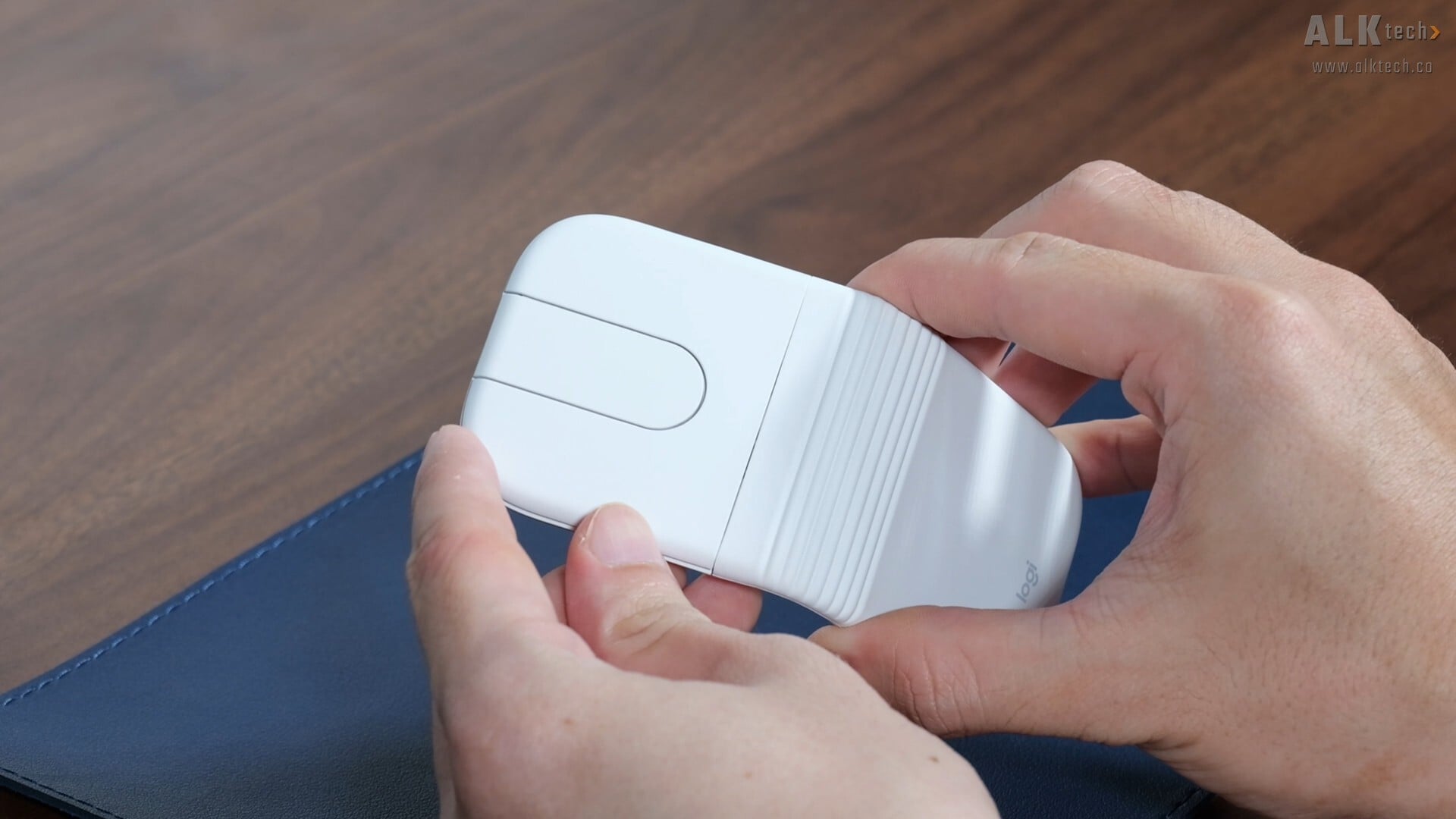
Also, while the left and right mouse buttons look rather long, the actual clickable area is only about two-thirds of the way, and there were several instances where I missed button presses, probably also due to the way that I use my mice with a claw grip. I’d say that if you’re a palm grip kind of person, you might have a better usage experience with the Mobi Fold.
That said, I found the Touch Scroll of the Mobi Fold to be pretty good, and as someone who’s used to an old-school scroll wheel, I didn’t have any issues with the touch scroll function of the mouse, and the built in up and down buttons are a nice-to-have for sure.
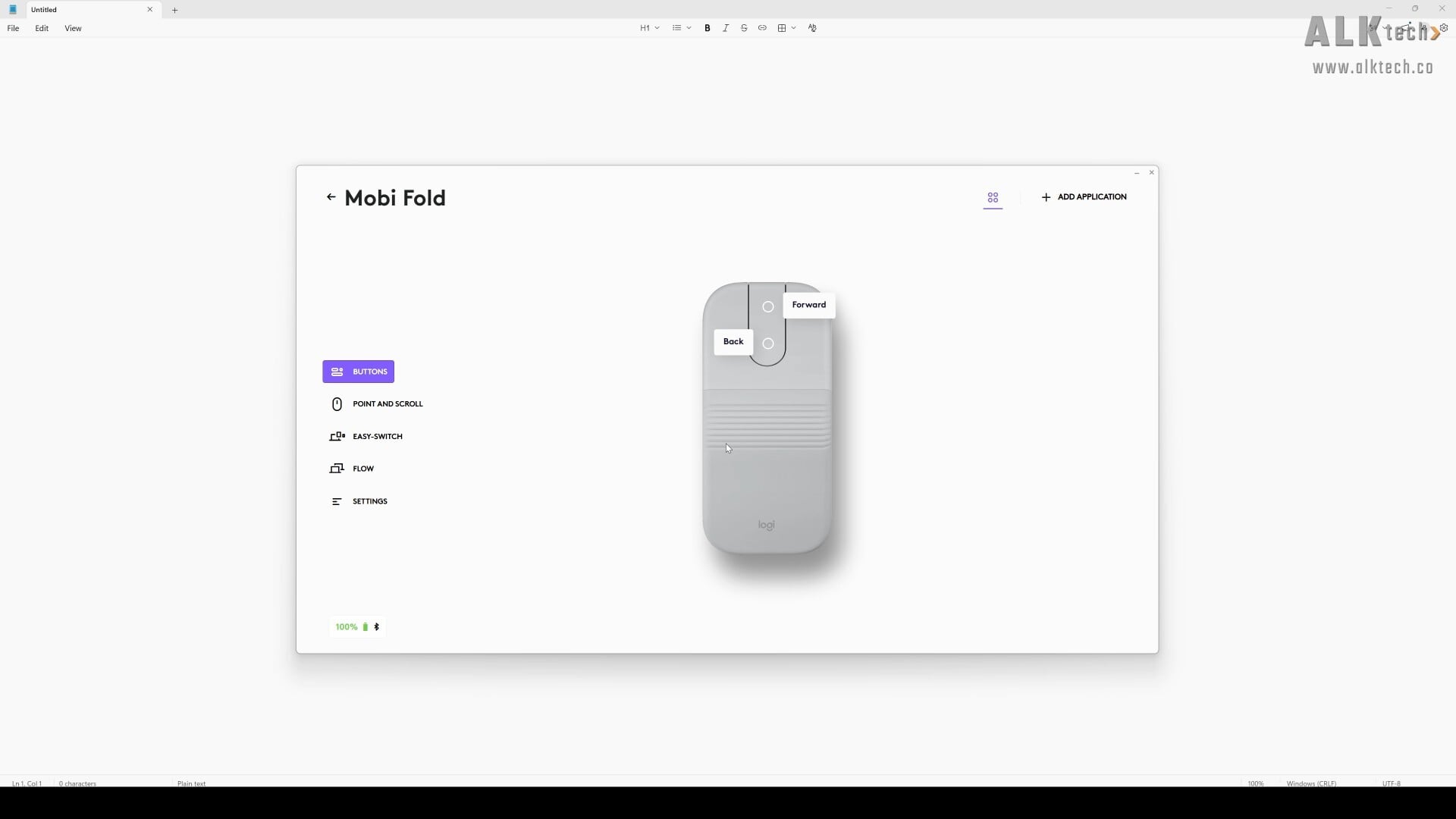
App experience wise, Logitech’s Options+ app was a breeze to use, and you get easy access to all the various settings of the Mobi Fold. Worth mentioning that this mouse also supports Logi Flow, which allows cross-computer control with one set of compatible Logitech input devices, and is a pretty nifty feature to have for sure.
While I didn’t get the chance to fully test the battery life to see if the Mobi Fold could indeed last a month on a single charge, on paper, the battery life claims are impressive and would be a clear plus point for the mouse, that is, if the battery life does indeed live up to Logitech’s claims. For what it's worth, for the three-to-four hours that I tested the Mobi Fold for this review on a full charge, the battery life indicator remained at 100% and did not move an inch.
Conclusion & Pricing
To sum things up, the Logitech Mobi Fold is a nifty ultraportable mouse that feels premium, well-built and has a decent feature set - I like the Easy Switch feature that allows you to quickly toggle Bluetooth connections with up to three compatible devices, and the Logi Flow feature that allows cross-computer control is cool to have too. Downsides wise, I do think that the shape of the mouse requires some getting used to and might not be the most comfortable to use, especially if you use a claw grip like I do. My suggestion would be to head on down to a PC accessories retailer that stocks the Mobi Fold, and try the Mobi Fold for yourself, to see if its form factor is something that you can live with.
In terms of pricing, the Mobi Fold is available to purchase for a price of $159 Singapore dollars, which is pretty pricey – for you international folks, the Mobi Fold is available for a price of around US$80 from e-tailers such as Newegg US.
Get this gaming keyboard from Amazon: https://amzn.to/4vNqkz9 (affiliate link)
Get this gaming keyboard from Lazada Singapore: https://s.lazada.sg/s.5Cb7w?c=t&t=p-i3h1lPF-s2C70DaZ (affiliate link)
Get this gaming keyboard from Shopee Singapore: https://s.shopee.sg/5q6u0tT2lK (affiliate link)
ALKtech may earn commissions from qualifying purchases made using affiliate links, at no extra cost to you as a customer. These commissions go a long way in supporting the platform!
The mouse featured in this article was a media sample provided by Logitech Singapore.