%20500x1200.png?width=200&height=83&name=ALK%20Tech%20Logo%20(TransparentTextured)%20500x1200.png "ALK Tech Logo (TransparentTextured) 500x1200")
The new Logitech G316 X 98 wired mechanical gaming keyboard offers a satisfying "thocky" usage experience, where it serves up a choice of linear or tactile hot-swappable switches, up to 8000 Hz polling rate, and a sleek dot-matrix display.
If you're a gamer on the lookout for a wired mechanical gaming keyboard with a satisfying "thocky" feel and sound, Logitech's new G316 X 98 is definitely worthy of your attention.
Available in black or white, and with linear or tactile switches to suit your personal preferences, the G316 X 98 features a more compact 98% form factor that makes it perfect for folks looking for a slightly smaller keyboard offering. Topping that off is a speedy 8000 Hz polling rate, hot-swappable PBT keycaps and switches, an eye-catching dot-matrix display and not forgetting, a reactive LED light bar with 30 customisable lighting zones that is sure to please even the most ardent of RGB lighting fans. Read on to learn more about the keyboard!
Packaging & Accessories
.jpg)
.jpg)
Packaging wise, we get the usual dark grey and blue colourway that’s very Logitech, and moving over to the rear, we get an overview of the features that this keyboard comes with.
.jpg)
Accessories wise, the keyboard ships with a USB Type-C to USB Type-A cable for connectivity purposes, as well as a regulatory and warranty information leaflet.
Aesthetics & Physical Features
.jpg)
For this review, Logitech sent over the black-coloured variant of the G316 X 98, where it has a clean and stealthy aesthetic that makes it well-suited for use at home or even in the office.
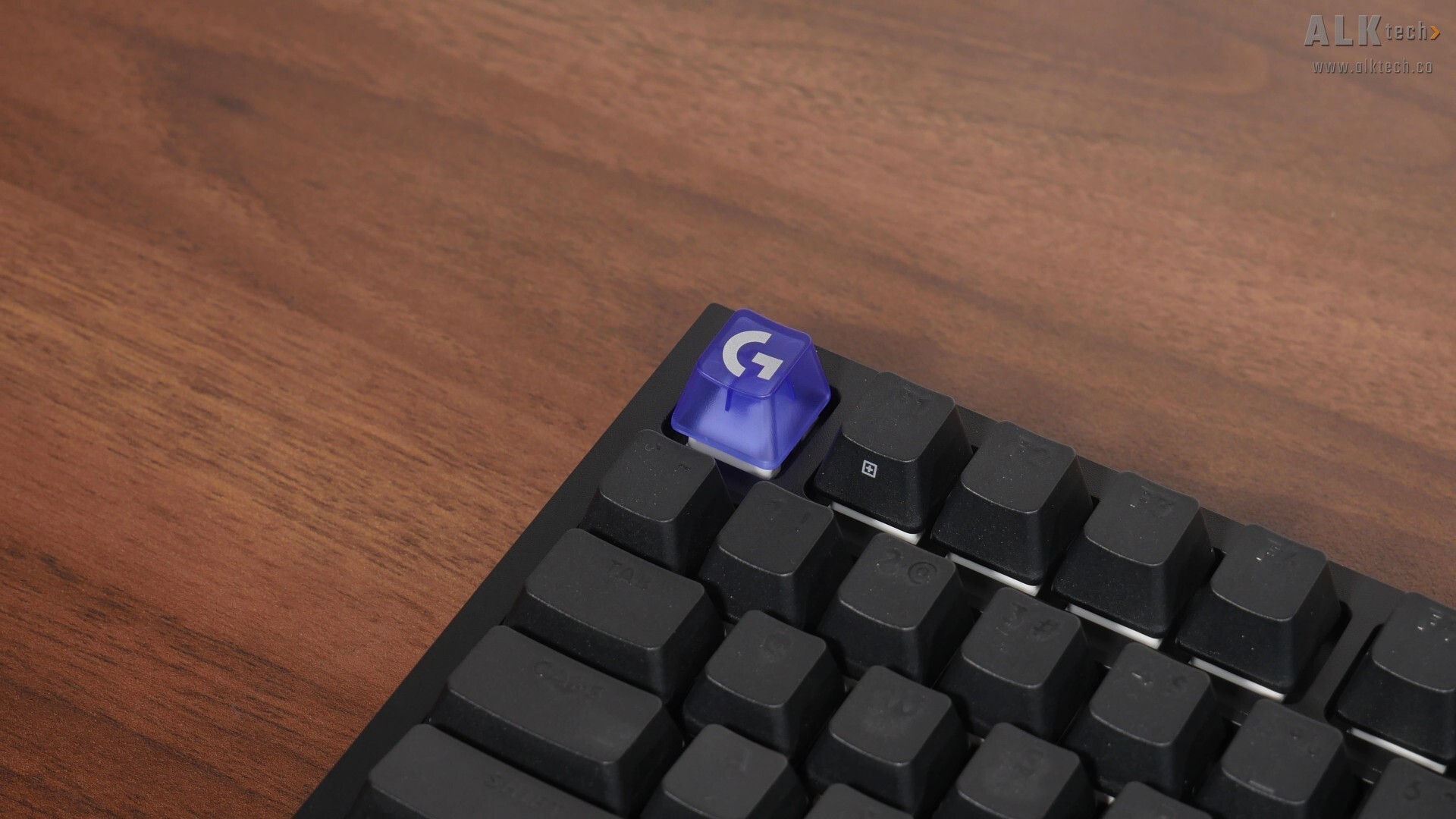
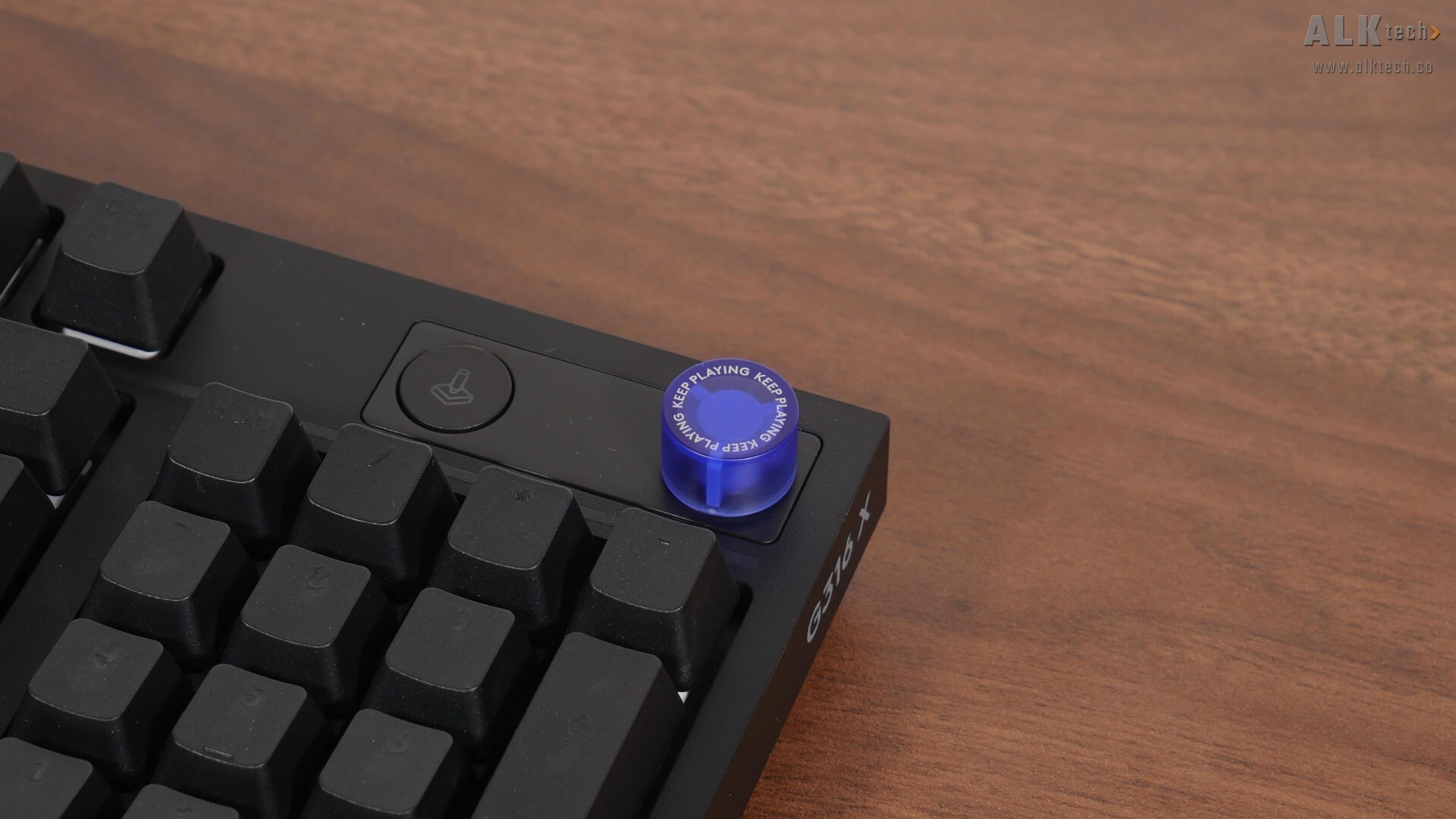
For a touch of pop, we get a translucent “Esc” key in purple with the Logitech “G” logo, as well as a rotary dial also in the same shade of purple.
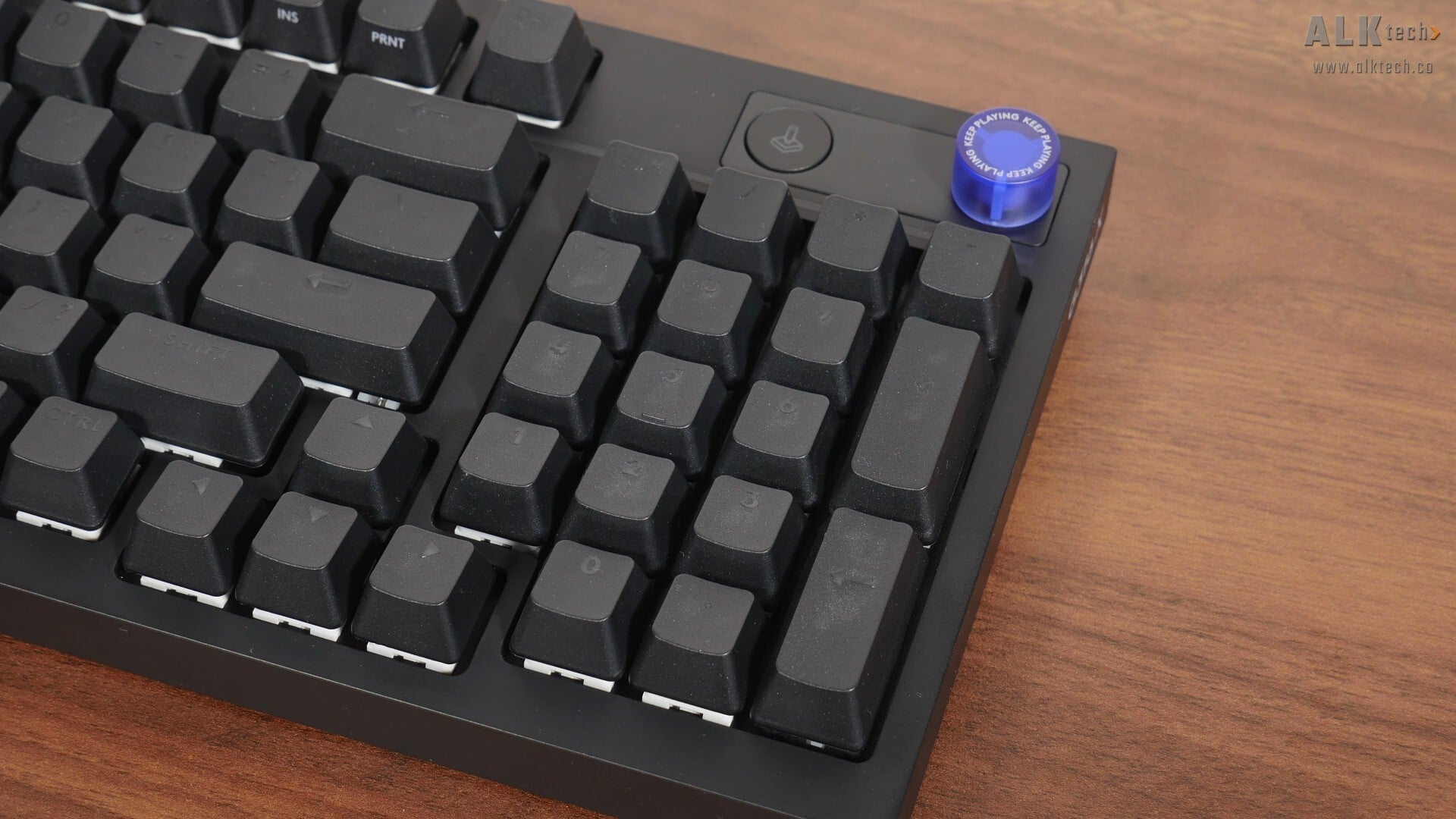
The black version of the G316 X 98’s stealthy appearance is also in large part due to the fact that the keycaps do not have contrasting prints on them, where you can only see the keycap prints when the keyboard is powered up and illuminated.
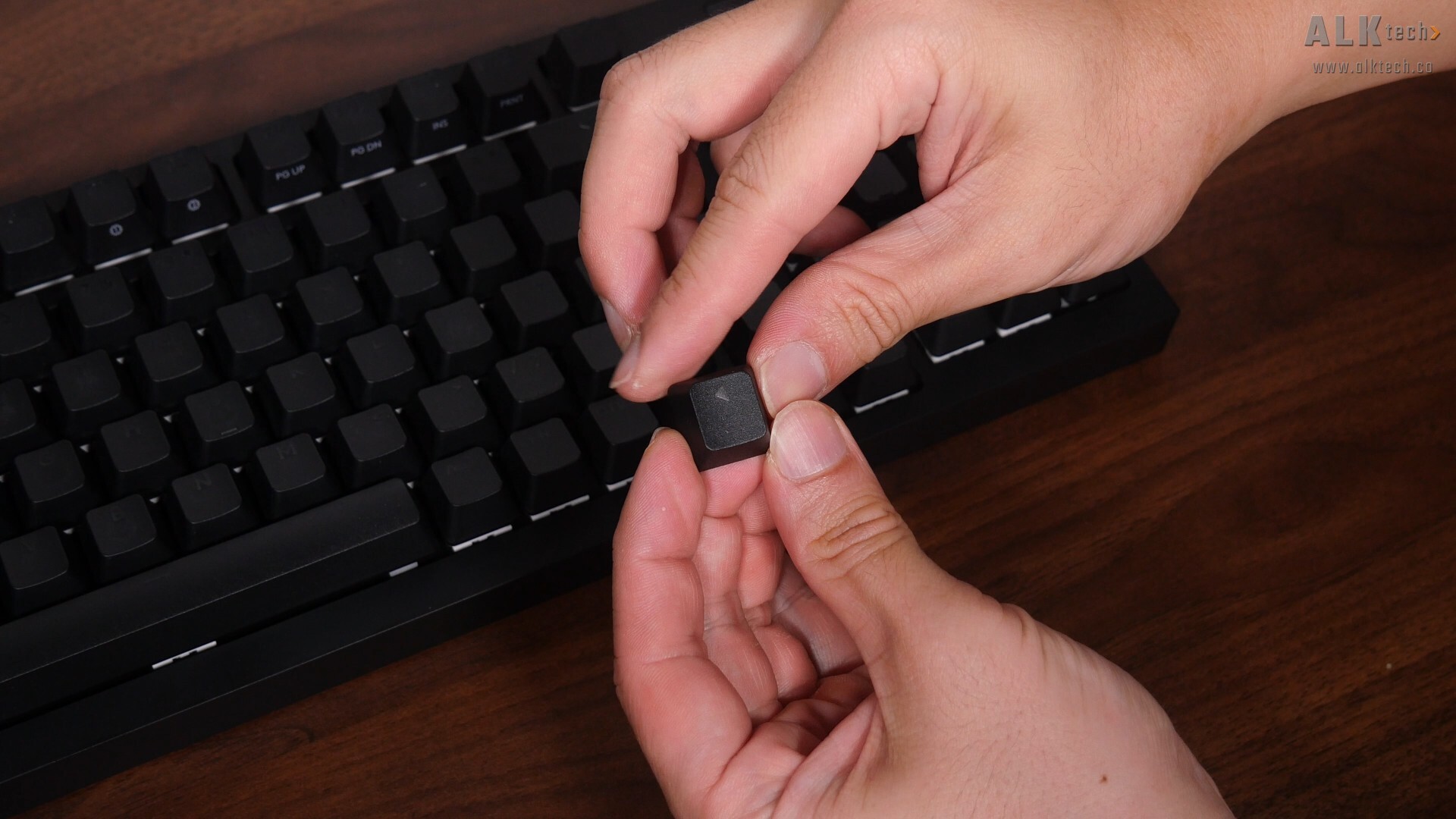
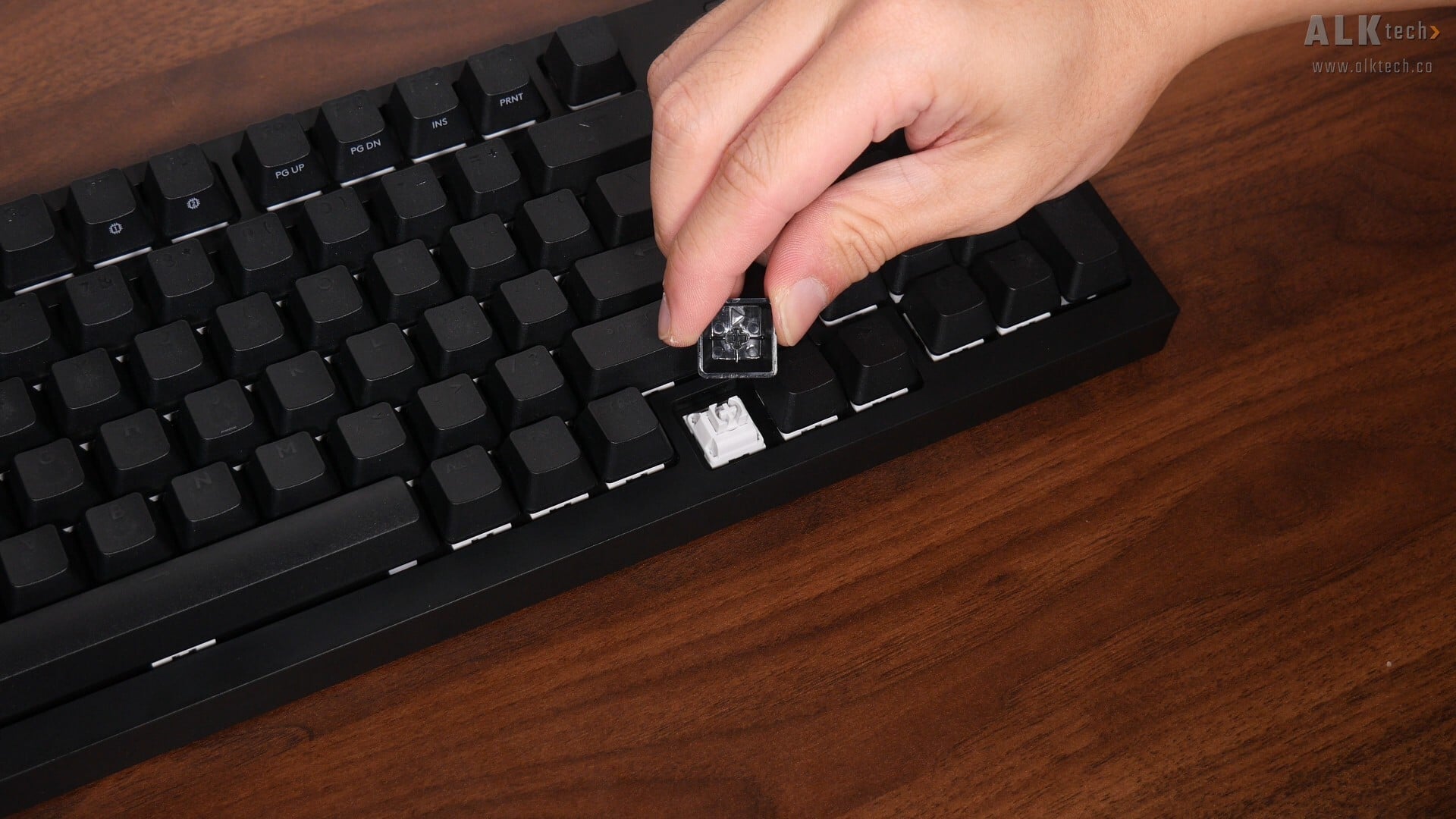
While on the topic of the keycaps, they’re of the more premium PBT variety as opposed to the cheaper ABS sort, where with PBT keycaps, they’re more resistant to developing that “shiny” appearance that tends to come about from prolonged use, and as can be seen, they use cross-hatch stems. This means that you can always swap out the keycaps for your own custom keycaps if you so wish. While we're still on the topic of materials, the keyboard is constructed entirely of plastic, where you might be pleased to note that it’s made of up to 42% post-consumer recycled plastic.
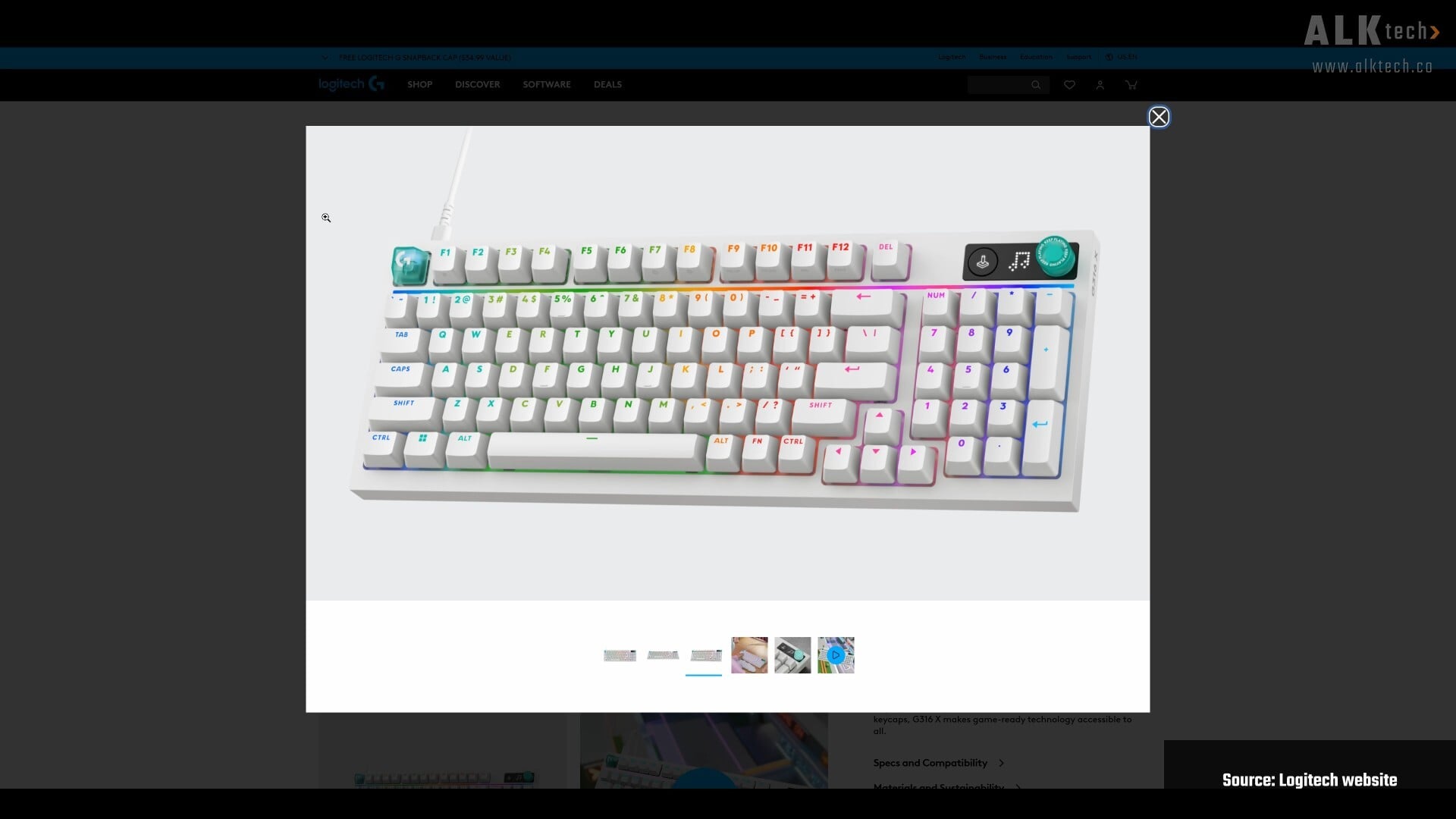
For those of you rocking white-coloured PC builds, the G316 X 98 is also available in white.
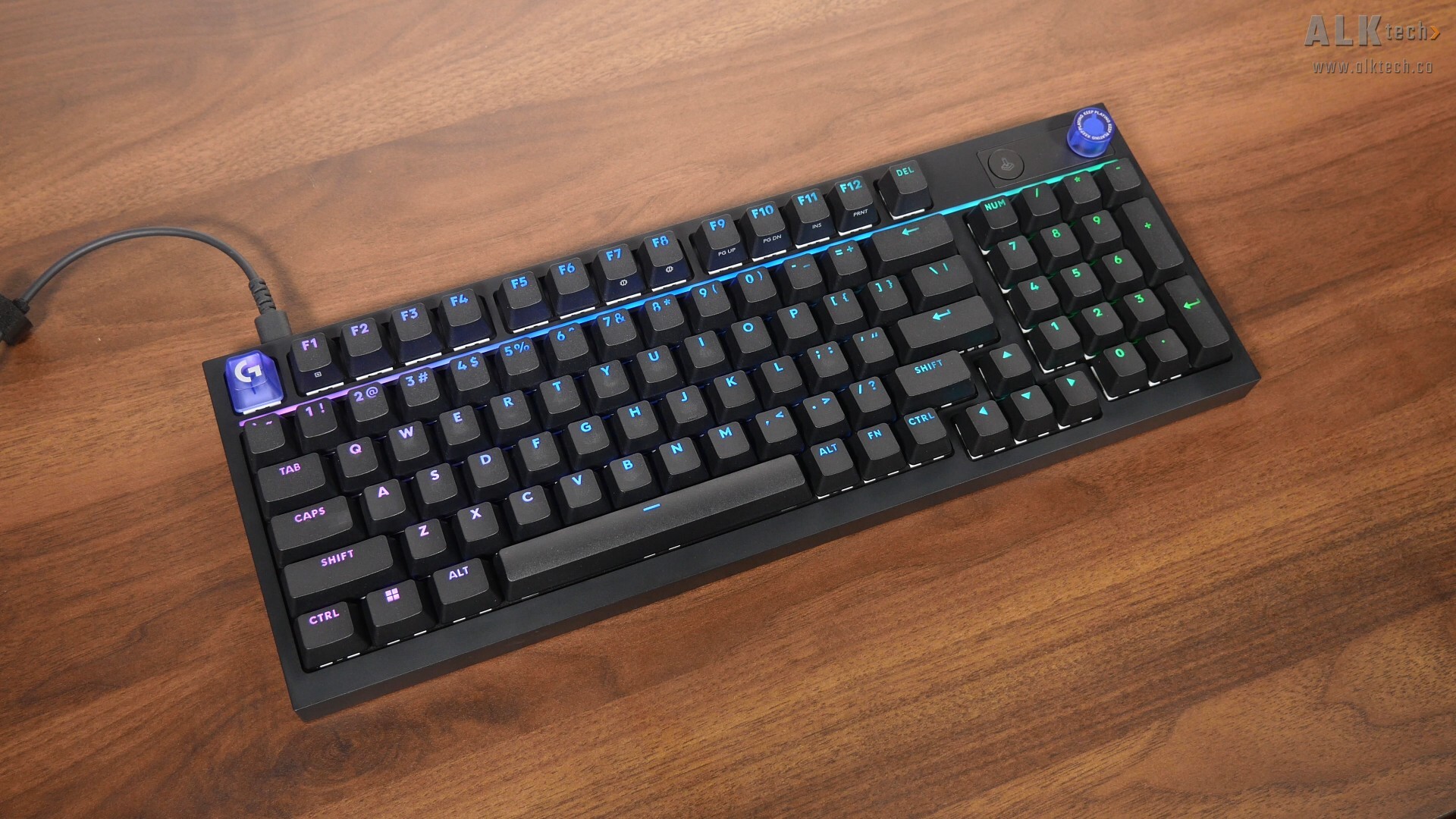
This is a gaming keyboard after all, and it’d be remiss of Logitech to not include RGB lighting – we get a light bar right that runs across the length of the keyboard. You can of course, customise the lighting effects of this said bar (and for the keyboard keys for that matter) via the G HUB app within Windows or macOS.
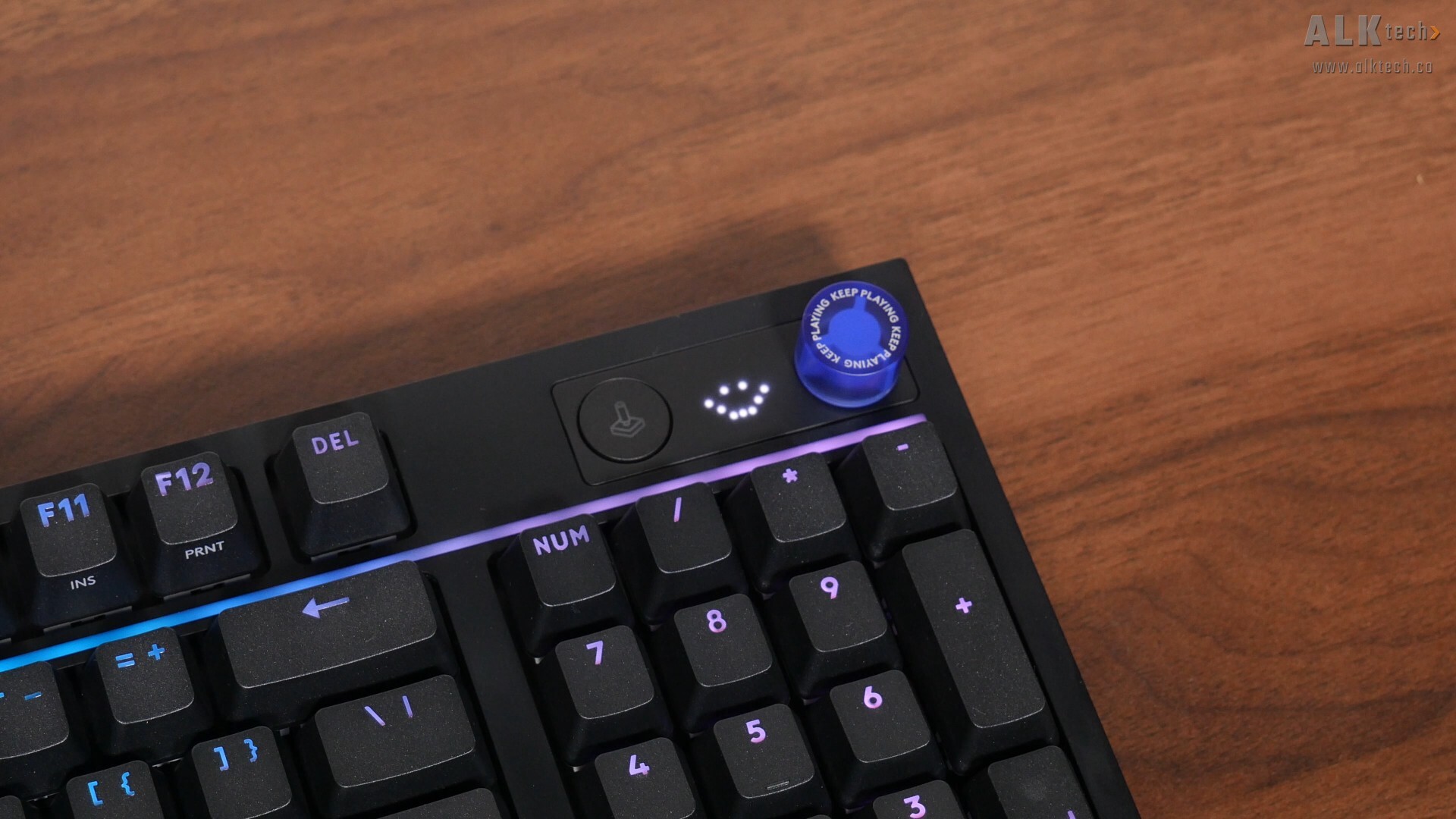
Another key feature of the G316 X 98 is a dot-matrix LED display that shows animations when you use the rotary dial for tweaks to volume, media, keyboard brightness, and polling rate.
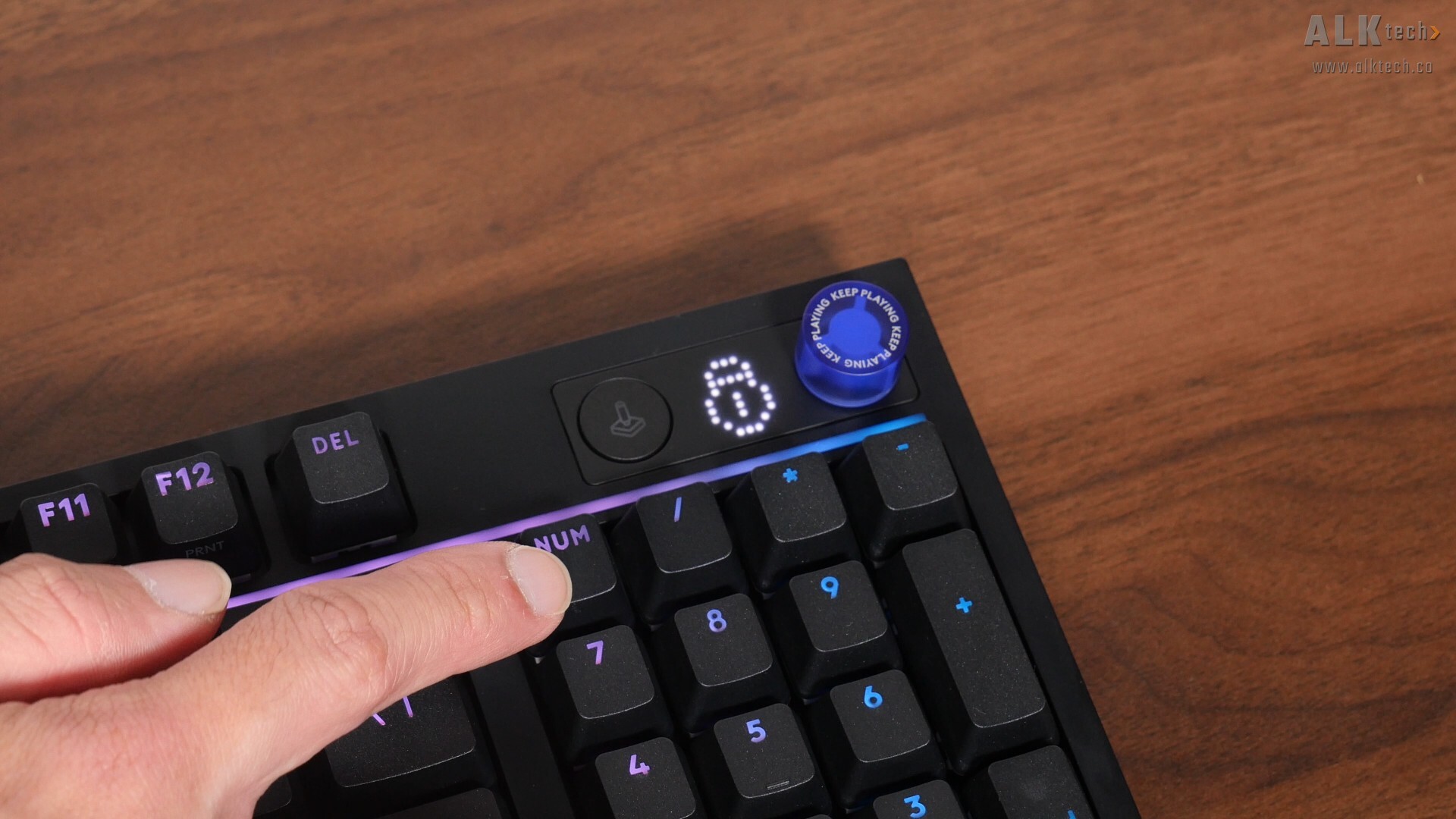
You’ll notice that the keyboard doesn’t have the usual “Num Lock” and “Caps Lock” indicators, and this is because their statuses will be shown on the dot matrix LED too.
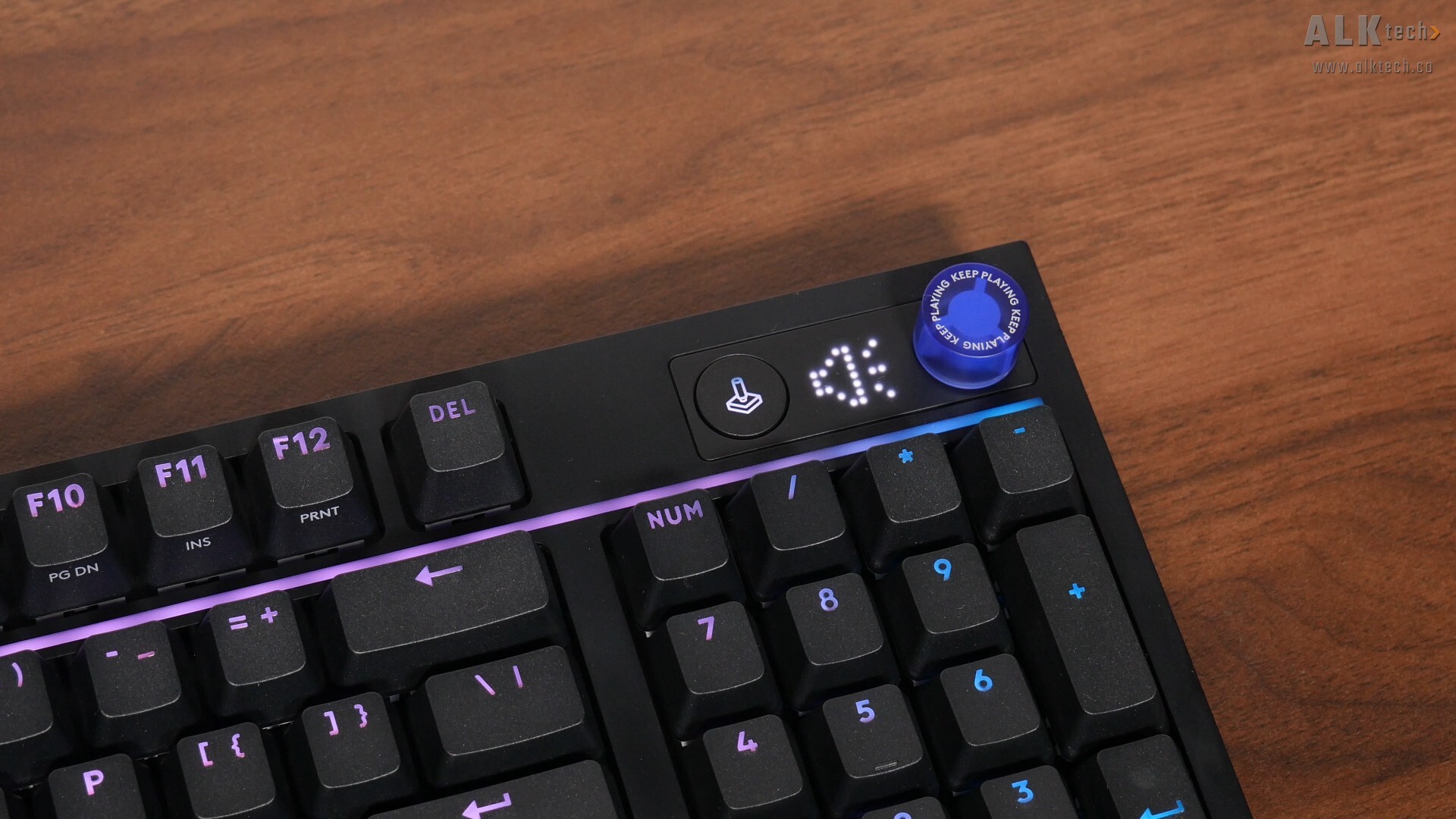
The round button next to the dot-matrix LED is a “Game Mode” button that when activated, disables the Windows key by default to prevent accidental presses during gaming – you can configure which keys are disabled for different games within the Logitech G HUB software.
.jpg)
.jpg)
.jpg)
As for the underside of the keyboard, we see that it’s a simple black plastic affair, where we get five rubber anti-slip pads. Worth pointing out that the rubber pads in the top left and right hand corners of the keyboard are swappable, where you can reorientate them to increase the keyboard tilt for ergonomic purposes – by default, they provide 4° of tilt and in the second orientation shown above, we get 8° of tilt instead.
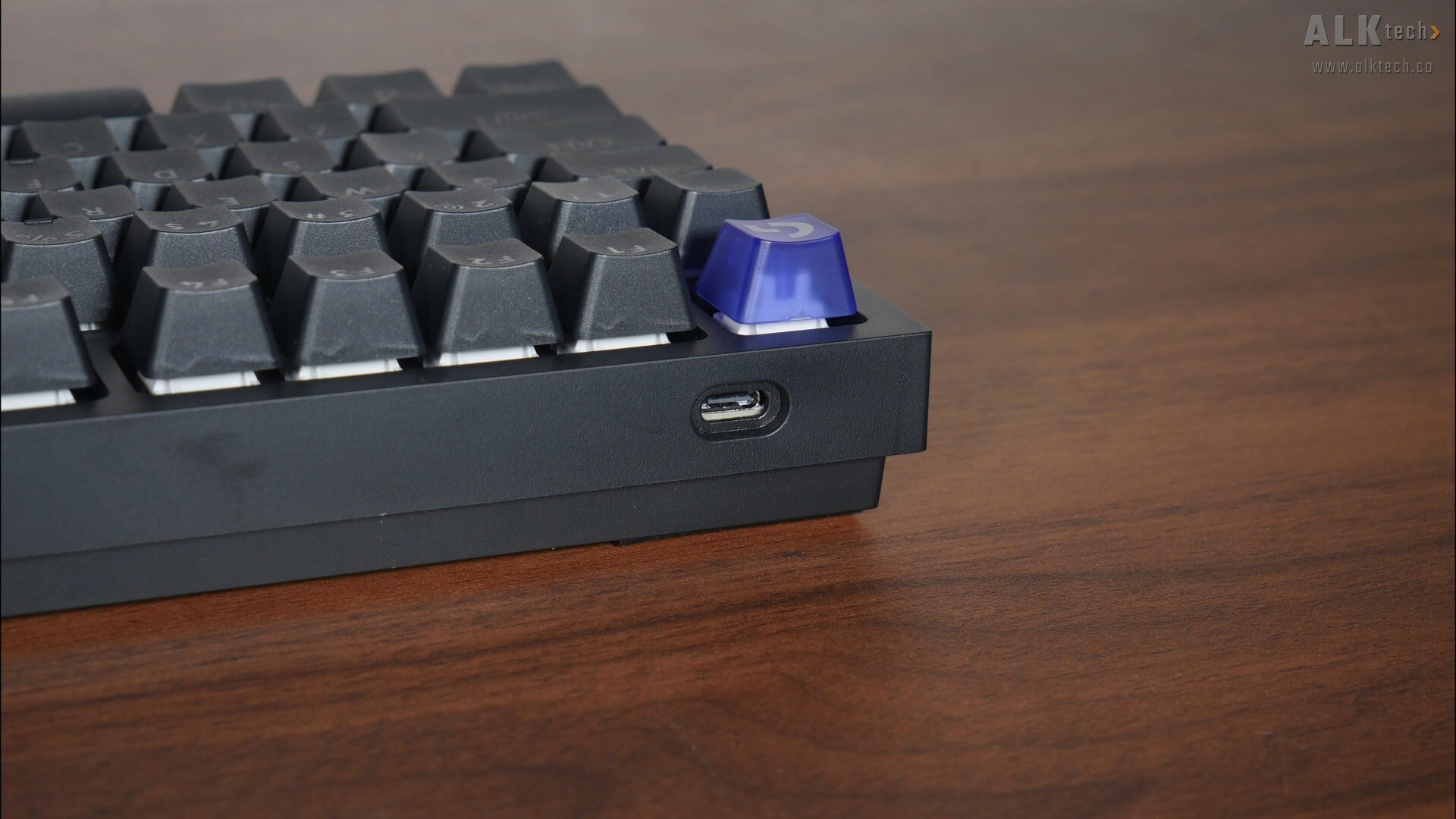
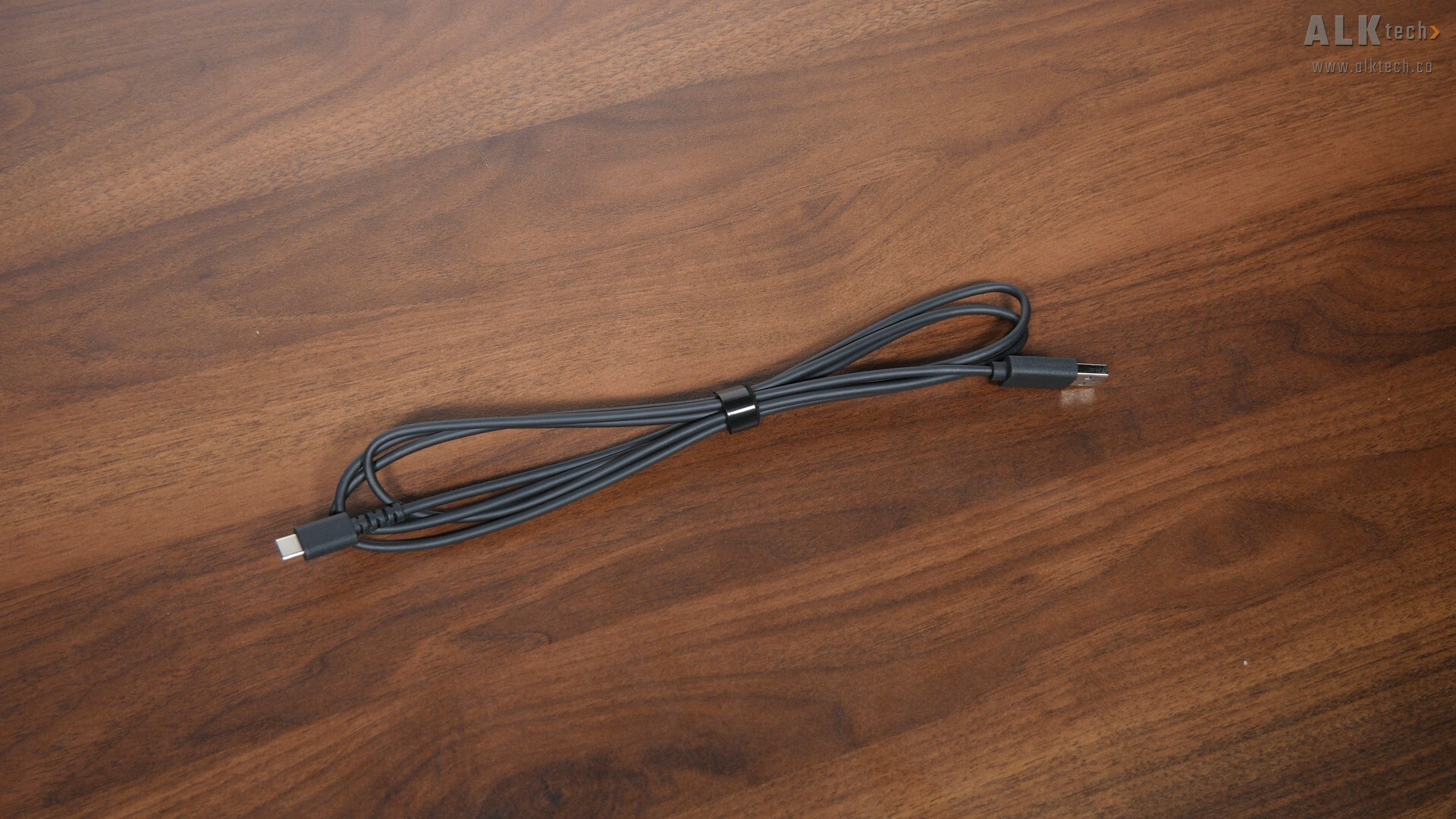
In terms of connectivity, the keyboard connects to your PC via a USB Type-C port, where we get a detachable 1.8m long USB Type-C to USB Type-A cable that comes with a reusable Velcro cable tie for cable management purposes.
Summary of Specifications
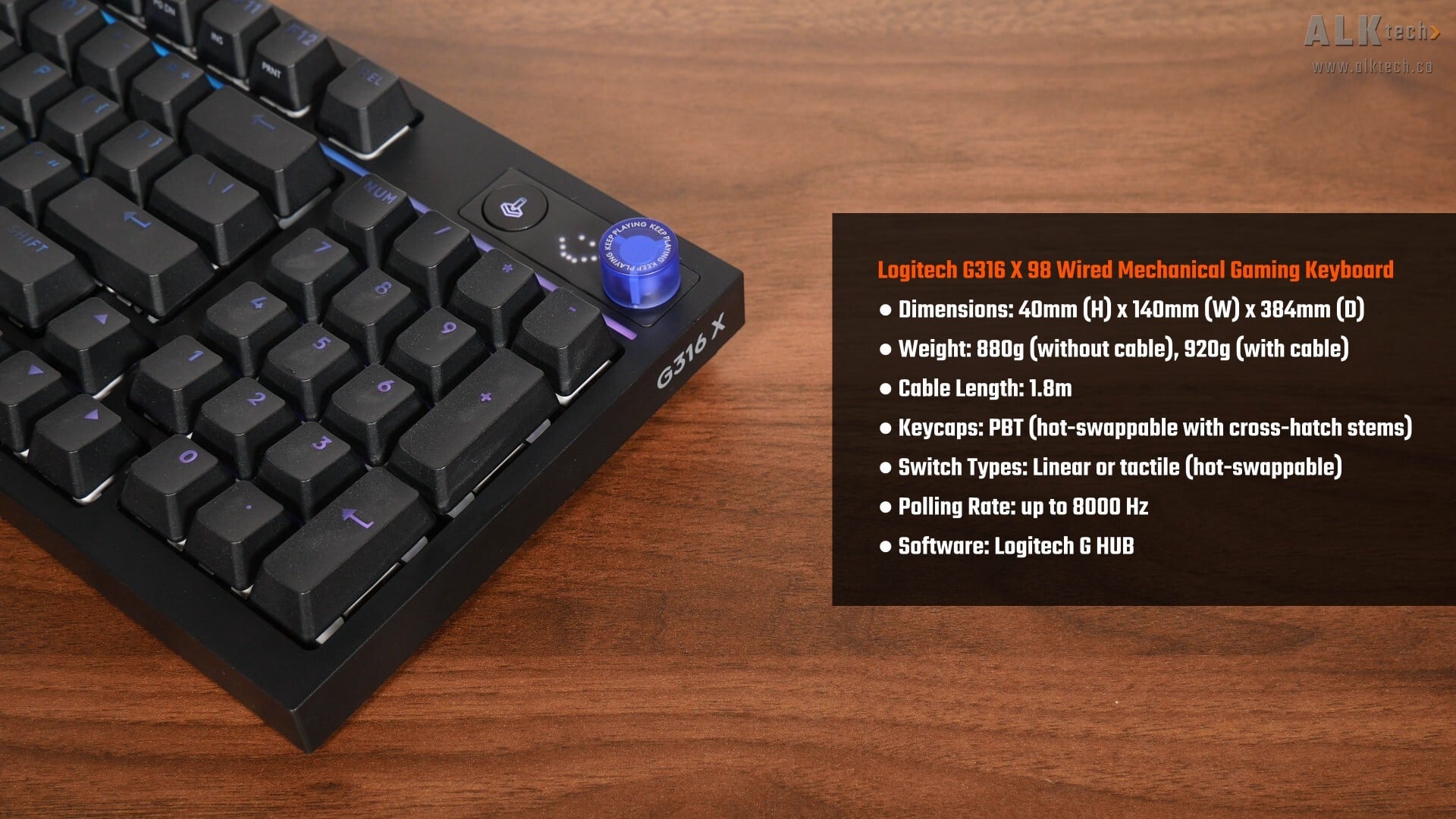
And with that, the above's a quick summary on the G316 X 98’s specifications. It’s worth noting that it comes with a choice of two different switches, either linear or tactile, and you do get the ability to swap out the pre-installed switches for your own switches should you so wish. For the purposes of this review, the G316 X 98 review unit that Logitech sent over comes with linear switches.
Usage Experience - RGB Lighting & Dot-matrix Display
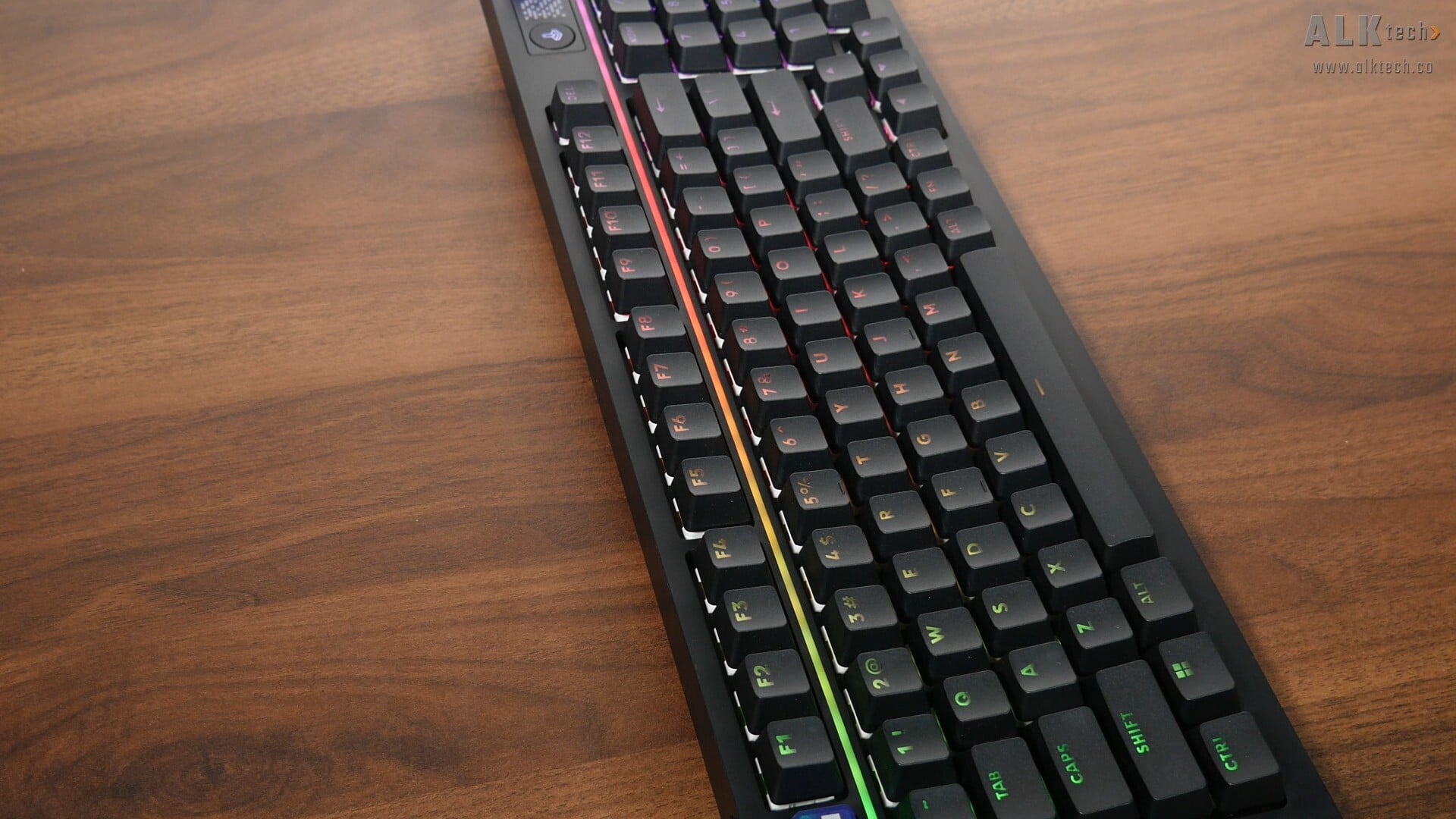
At risk of stating the obvious, the keyboard comes with RGB illumination, where we get per-key LEDs with pretty consistent illumination through the keycaps. The LED light bar is a nice touch too, where it comes with 30 different light bar zones, and reacts to your setup and rotary dial adjustments.
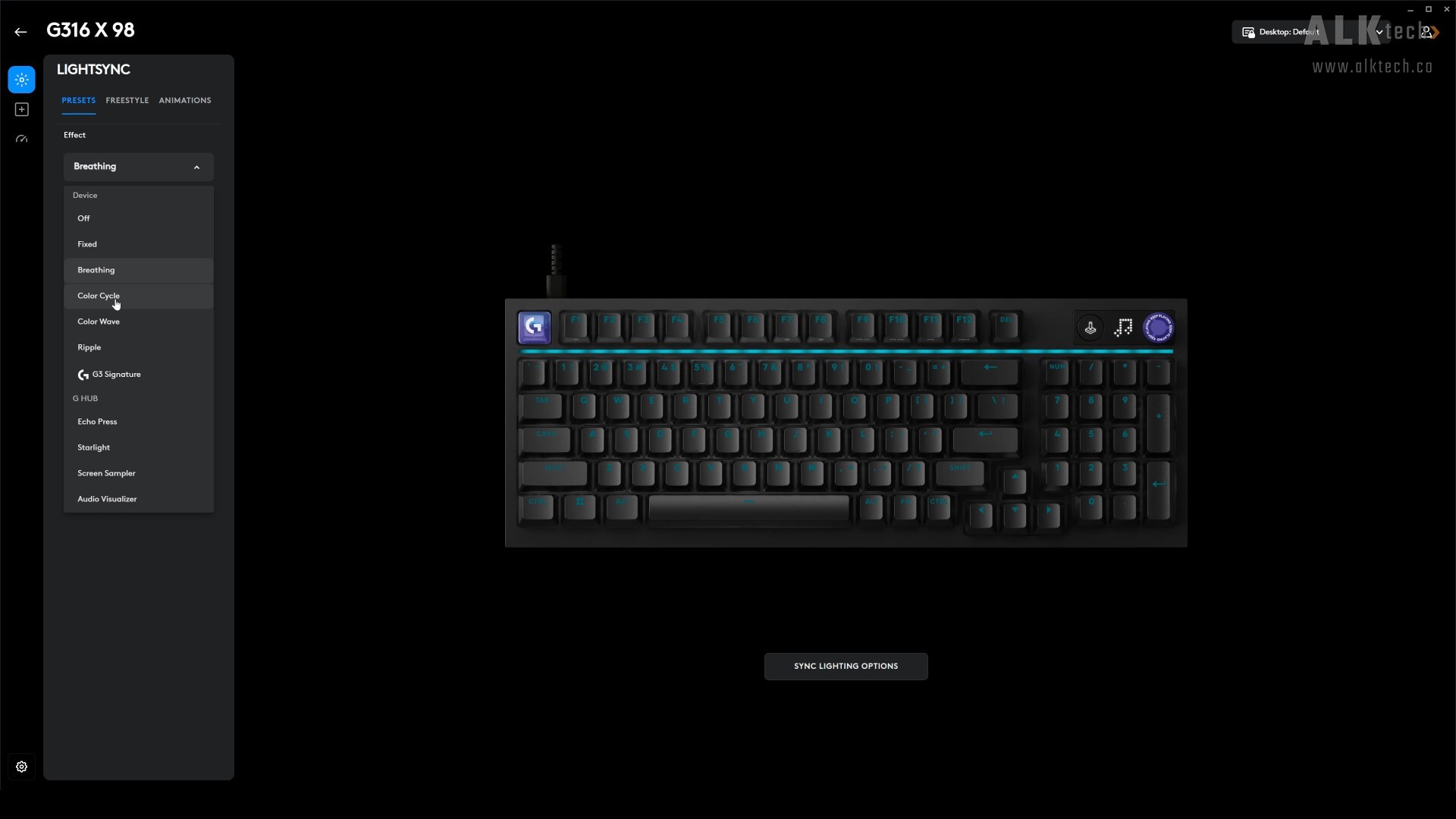
You can of course, customise the RGB lighting effects of the keyboard, and this is done via Logitech’s G HUB app, The app is a cinch to use, with an intuitive user interface.
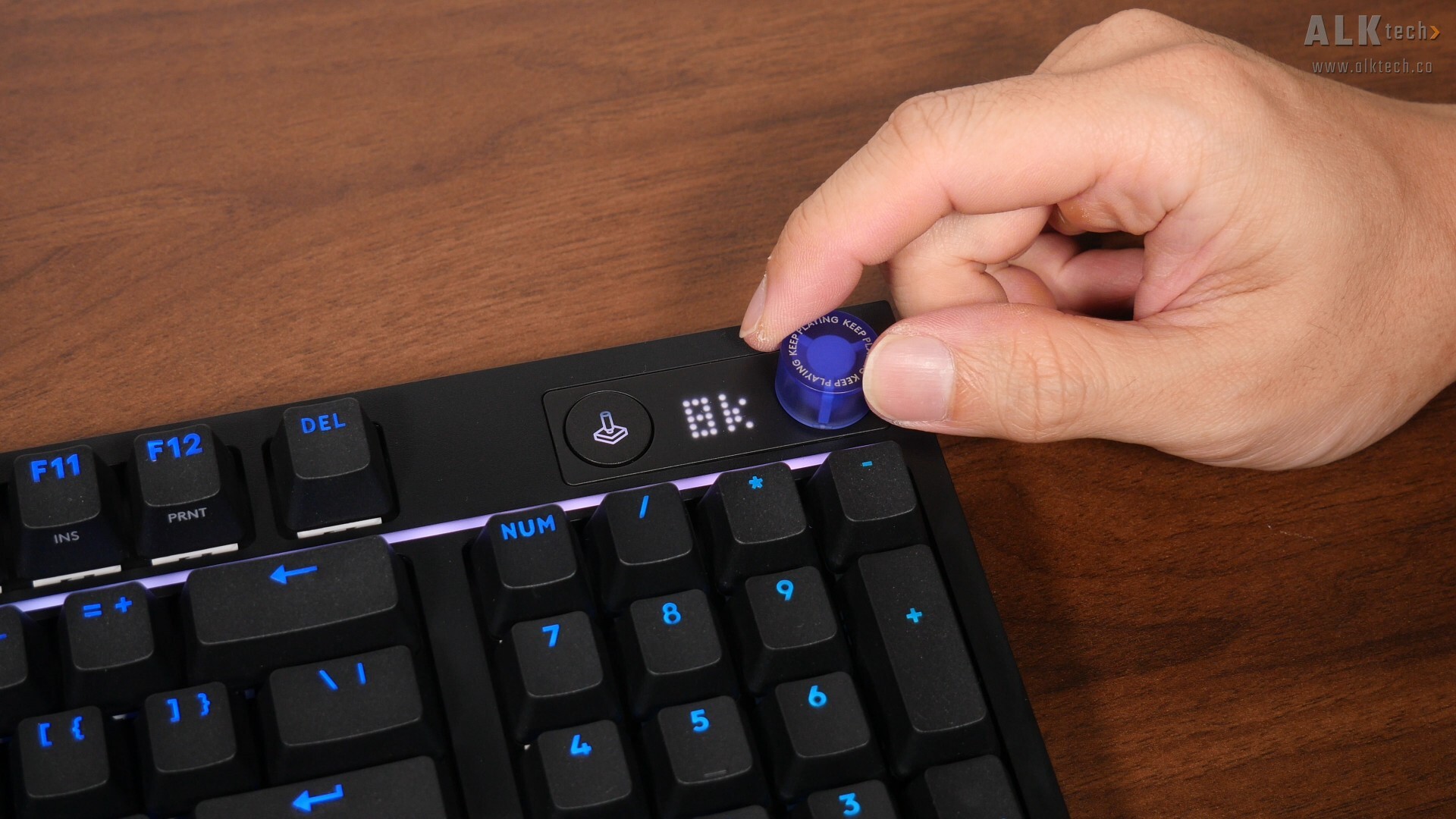
As mentioned, the dot-matrix display serves as an indicator on the status of the keyboard, for instance, when you enable or disable “Caps Lock”, or when you enable or disable “Num Lock” for that matter. The rotary dial can be used to control volume, media, keyboard brightness, and polling rate, where pressing and holding the dial for 1.5 seconds will allow you to toggle between these four modes for adjustment purposes, and the dot-matrix display then serves as a visual cue for the various settings within each of these four adjustment modes.
Usage Experience - Typing & Gaming
.jpg)
I found the typing experience with this keyboard pretty satisfying, where it was comfortable to type on and I did not notice any keyboard flex at all. In their marketing spiel, Logitech touts a“gasket-mounted structure with sound-dampening layers for a smooth and satisfying “thocky” click sound and feel”, and the linear switches on the review sample I have on hand were “thocky” alright, but not to the point that they were annoyingly noisy. If you're interested to hear how the keyboard sounds, do check out the review video embedded at the top of this article.
As someone who daily drives an ASUS ROG STRIX SCOPE II RX with ROG RX RED linear switches for my editing and gaming PC, I found the switches on the G316 X 98 to be a little firmer than the ASUS, and I actually do not mind this firmer feel at all, as it does make the keyboard feel a whole lot more “solid”.
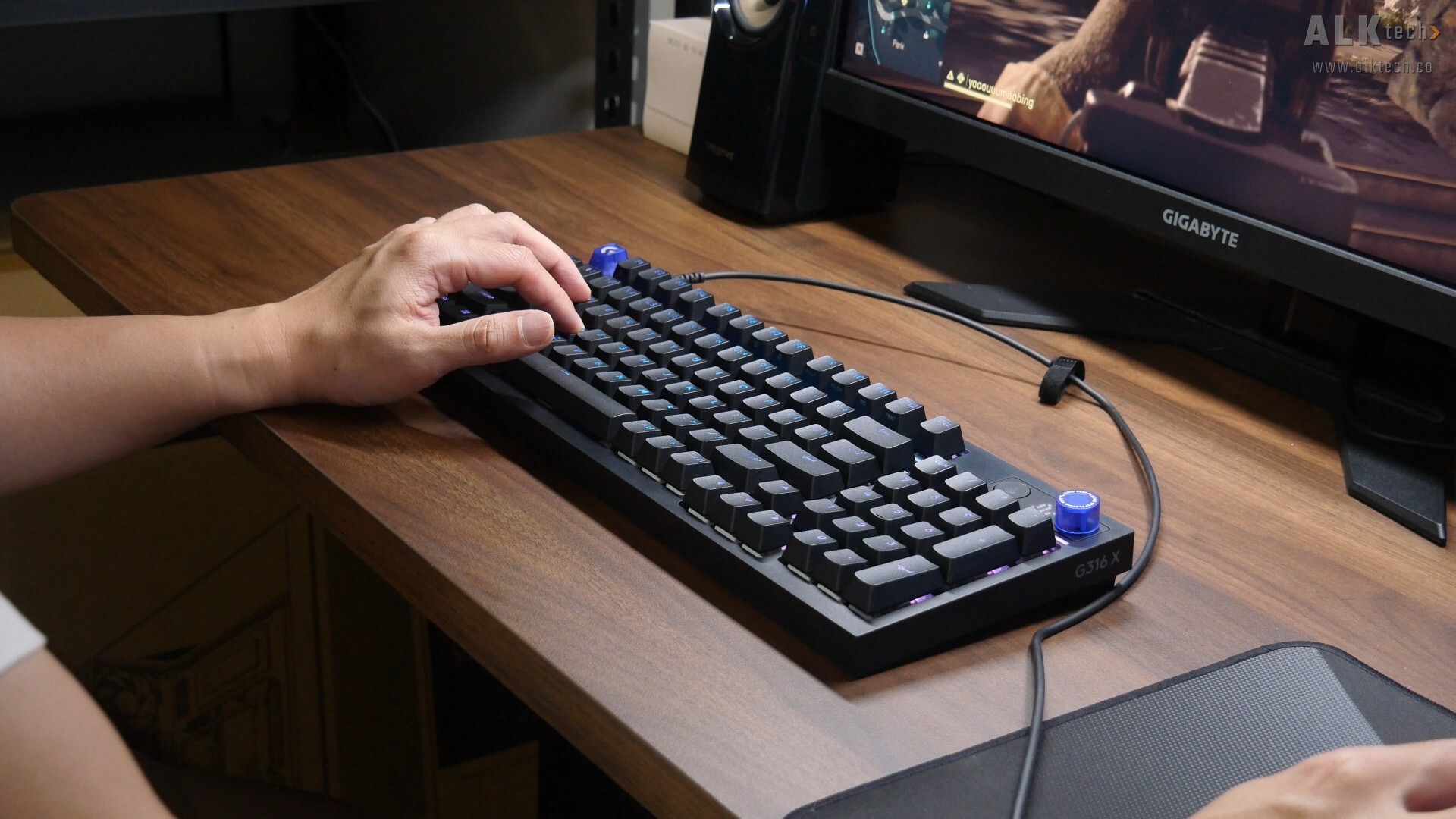
The gameplay experience with the keyboard was pretty good too, and I didn’t encounter any issues at all while playing some rounds of Battlefield 6 with the G316 X 98. Now, this is a subjective opinion, but it would have been nice had Logitech included a wrist rest with the keyboard – yours truly belongs firmly in the wrist rest camp when it comes to keyboards!
Conclusion & Pricing
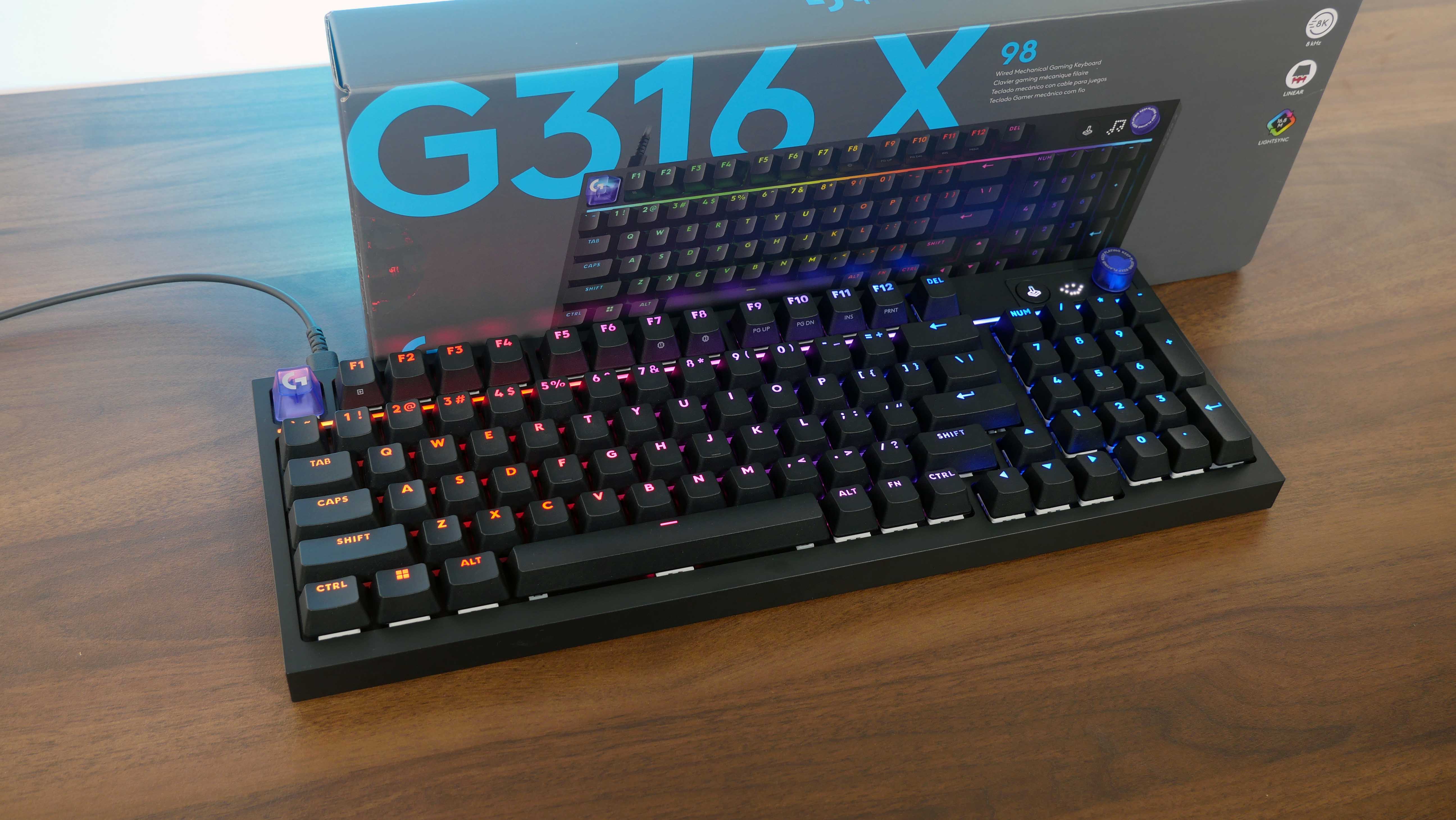
To sum things up, the Logitech G316 X 98 was a pleasure to use for both gaming and productivity purposes, and aesthetics wise, it looks pretty sleek in my opinion. I also do like how Logitech’s executed the rotary dial and dot-matrix LED display, which definitely gives the keyboard some character. Software wise, the Logitech G HUB software was pretty easy to use, and offered lots of RGB lighting customisation options too.
In Singapore, the G316 X 98 will go on sale for a price of $139 Singapore dollars, while for you international readers, this keyboard will have a MSRP of US$119.99.
Get this gaming keyboard from Amazon: https://amzn.to/44iH2Lv (affiliate link)
Get this gaming keyboard from Lazada Singapore: https://s.lazada.sg/s.5qPP4?c=p&t=p-iEz7XKN-s2C5Sd60 (affiliate link)
Get this gaming keyboard from Shopee Singapore: https://s.shopee.sg/9KgY74bMSg (affiliate link)
ALKtech may earn commissions from qualifying purchases made using affiliate links, at no extra cost to you as a customer. These commissions go a long way in supporting the platform!
The keyboard featured in this article was a review unit provided on loan from Logitech Singapore.