%20500x1200.png?width=200&height=83&name=ALK%20Tech%20Logo%20(TransparentTextured)%20500x1200.png "ALK Tech Logo (TransparentTextured) 500x1200")
The Gigabyte X870E AORUS ELITE X3D is part of a recent wave of AMD AM5 motherboard refreshes, where it packs new features such as 5 Gigabit Ethernet and a WIFI 7 module that supports the 320 MHz channel width, along with Gigabyte's new "X3D Turbo Mode 2.0" feature that can help extract additional performance from AMD's gaming-oriented X3D processor offerings.
When you take into consideration the fact that the initial wave of AMD X870E and X870 motherboards first hit the market back in September 2024, and the fact that AMD has committed to launching its next-gen "Zen 6" processors on the AM5 socket, it's no wonder then that motherboard manufacturers have been launching refreshes of their AM5 motherboard offerings recently, so as to ensure that they have motherboards with the latest features to go alongside AMD's "Zen 6" processors when they finally launch next year, in 2026.
In this regard, we'll be taking a look at one such AM5 refresh motherboard from Gigabyte, the X870E AORUS ELITE X3D. As a high-end AM5 ATX motherboard offering, it features compatibility with AMD's "Zen 5" Ryzen 9000 series of processors, the Ryzen 8000 series of APUs and CPUs, as well as the older Ryzen 7000 series of CPUs, where it packs updated features such as 5 Gigabit Ethernet and a full-fledged WIFI 7 module that supports the 320MHz channel width. Also on the feature list is Gigabyte's new "X3D Turbo Mode 2.0", which are preset CPU overclocking profiles in the BIOS that are designed to extract maximum gaming performance, when used in conjunction with AMD's gaming-oriented X3D processors on the AM5 socket.
The board also comes with typical features that one would come to expect of a premium motherboard offering, such as a beefy VRM setup, PCIe 5.0 support for a graphics card and two M.2 drives, a premium audio codec and a whole laundry list of quality-of-life features. Read on to learn more about this motherboard!
Summary of Specifications
Processor Support: AMD Ryzen 9000/8000/7000 series processors
Chipset: AMD X870E
Memory: 4x DDR5 slots, max 256GB, up to DDR5 9000 support (as of November 2025)
Audio: Realtek ALC1220 audio codec
LAN: Realtek RTL8126 5 Gigabit Ethernet
WIFI: Qualcomm QCNCM865 WIFI 7 module with built-in Bluetooth 5.4
Expansion Slots: 1x PCIe 5.0 x16, 1x PCIe 4.0 x16 (runs at x4 mode), 1x PCIe 3.0 x16 (runs at x2 mode)
Storage: 4x SATA III, 2x PCIe 5.0 x4 M.2, 2x PCIe 4.0 x4 M.2 (M.2 slots support NVMe drives only)
Form Factor: ATX
Official Product Page: https://www.gigabyte.com/Motherboard/X870E-AORUS-ELITE-X3D
Do note that PCIe 5.0 is supported only when a Ryzen 9000 or Ryzen 7000 series CPU is installed on this motherboard - the Ryzen 8000 series of APUs and CPUs only support the PCIe 4.0 standard.
Packaging & Contents
.jpg)
.jpg)
The X870E AORUS ELITE X3D ships in a box that has an AORUS eagle motif emblazoned on the front, and over on the rear of the box, we get the usual summary of specs for this board.
.jpg)
The motherboard comes with the following accessories:
- WIFI antenna
- 2x SATA III cables
- 1x G Connector
- 2x packs of M.2 drive rubber pads
- Multilingual installation guide
- Regulatory information leaflet
- Sheet of AORUS stickers
- Metal AORUS case badge
Board Aesthetics
.jpg)
In terms of motherboard aesthetics, we see that Gigabyte has gone for a black-coloured PCB and heatsinks, where these heatsinks feature splashes of grey motifs for added visual interest. The board comes with an integrated I/O shield design as well.
.jpg)
Over on the rear of the board, we get a protective metal backplate that helps dissipate heat from the board, where it features a stylised AORUS eagle motif.
.jpg)
.jpg)
Fans of RGB lighting for their PC builds will be pleased to note that the board comes with built-in RGB LEDs that can be found on the integrated I/O shield cover as well as around the chipset heatsink area. The lighting effects of the LED accents can be customised via the Gigabyte Control Center app from within Windows.
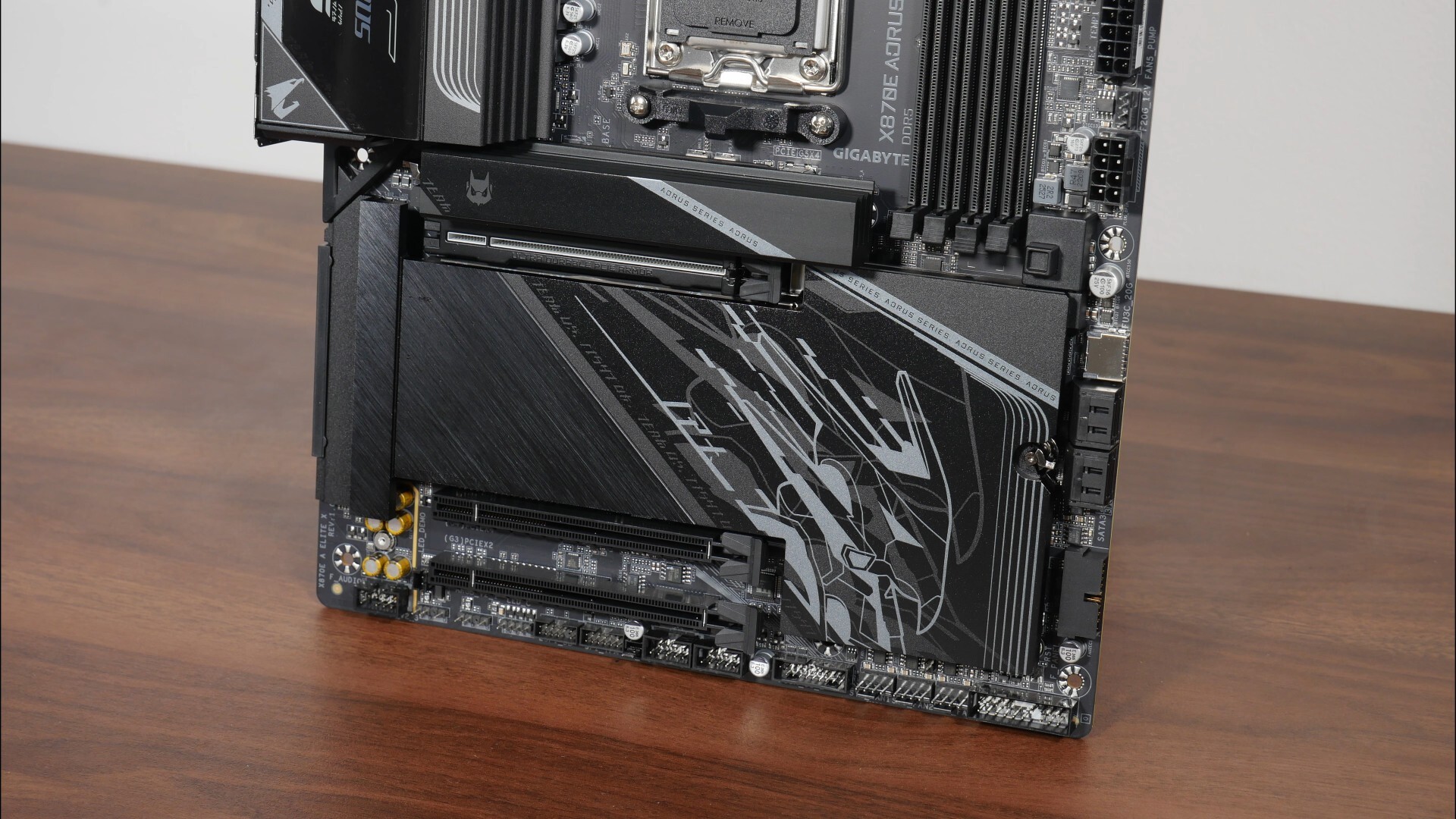
For M.2 drive cooling, Gigabyte’s provided heatsink coverage for all four M.2 drive slots that this board comes with, where the primary Gen 5 M.2 slot has its own dedicated heatsink, and the remaining three M.2 slots share a large common heatsink that has no shortage of AORUS motifs.
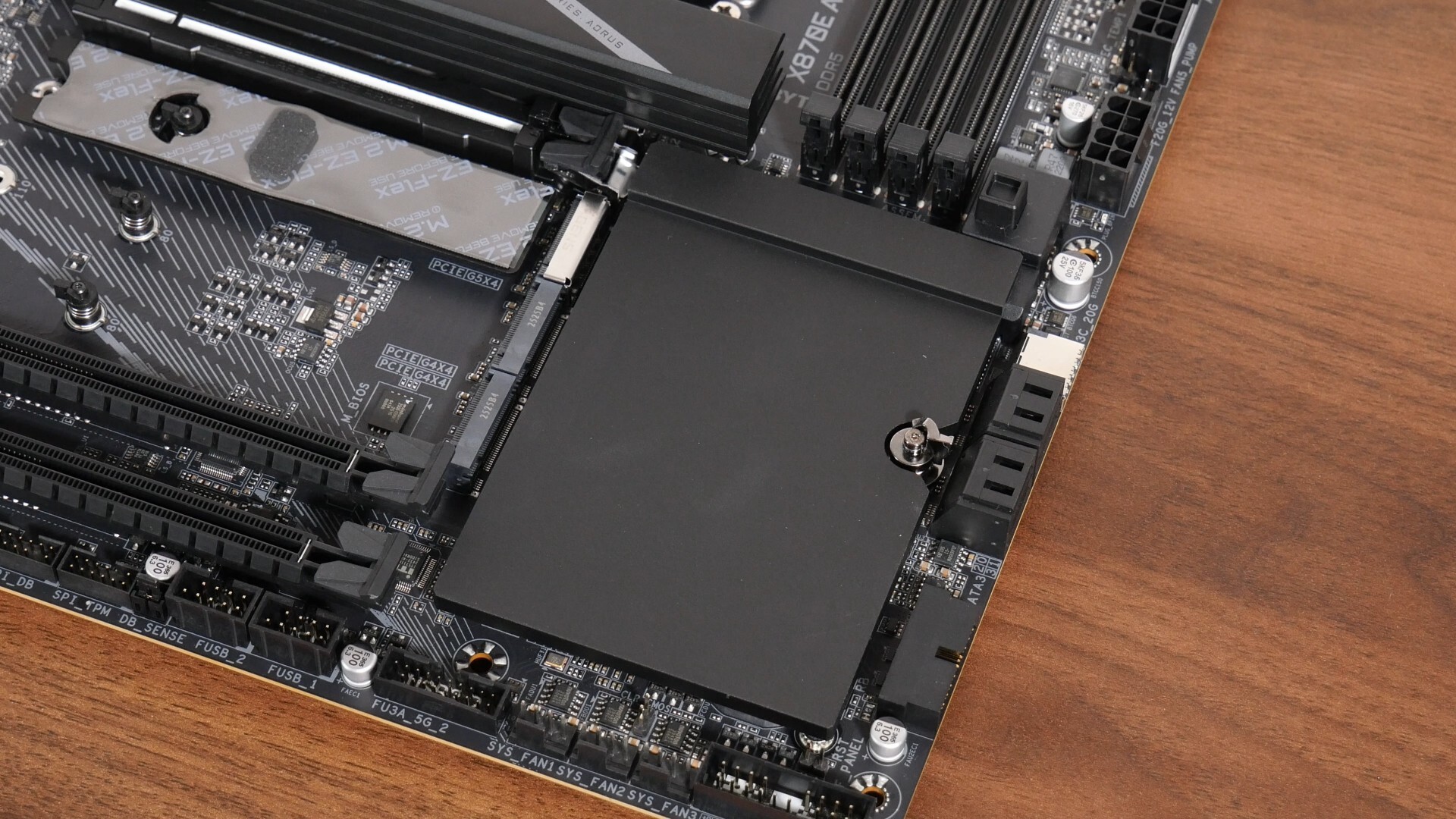
The X870E chipset has a dual chip design, and the said chips sit beneath a passive heatsink that’s found beneath the shared M.2 heatsink mentioned above.
VRM & Memory Support
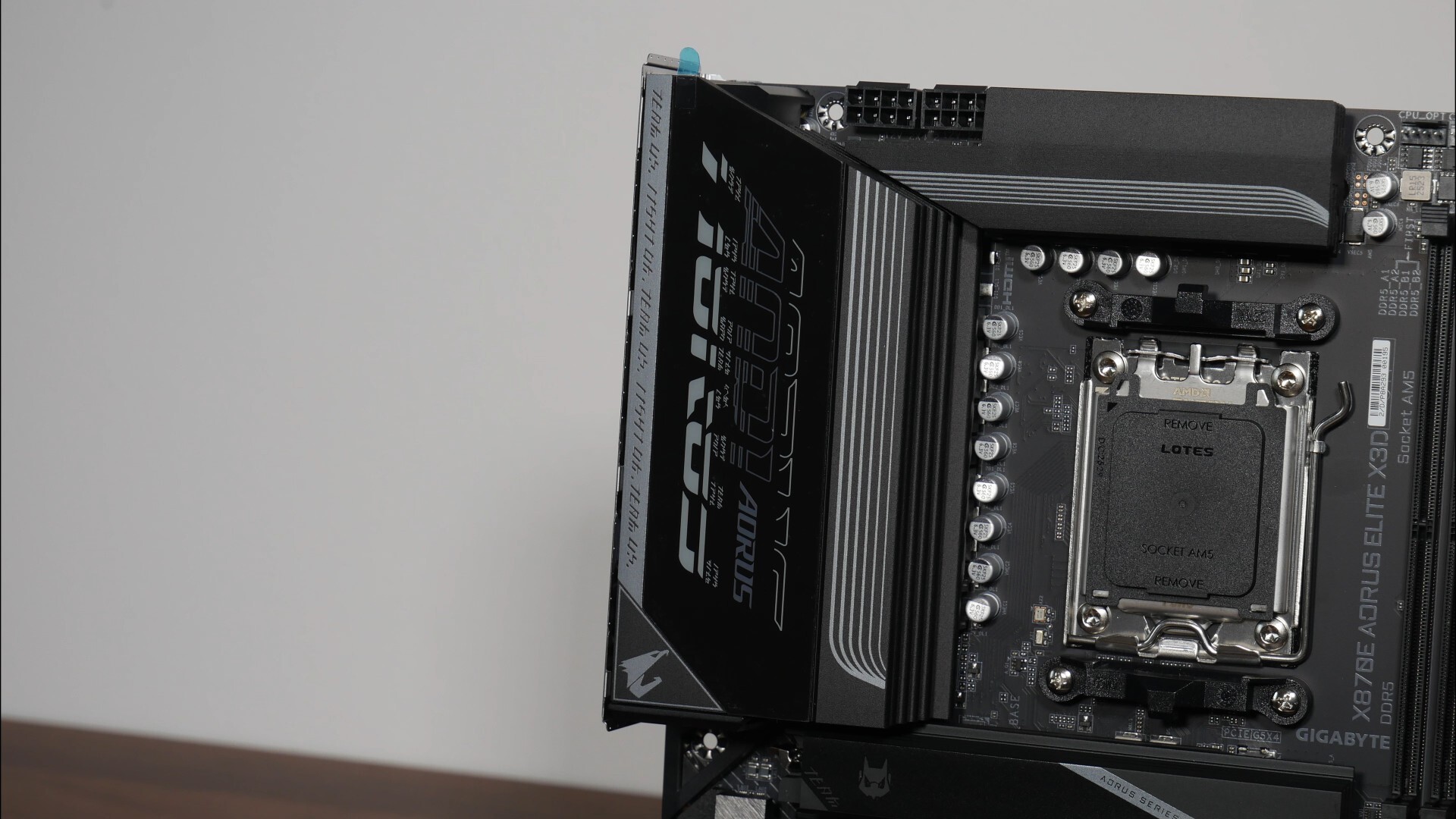
The VRM heatsinks for this board are as to be expected, sizable, and Gigabyte has included 16+2+2 power phases with 80A power stages. In case you’re wondering, the X870E AORUS ELITE X3D uses an eight-layer PCB design, which is pretty premium.
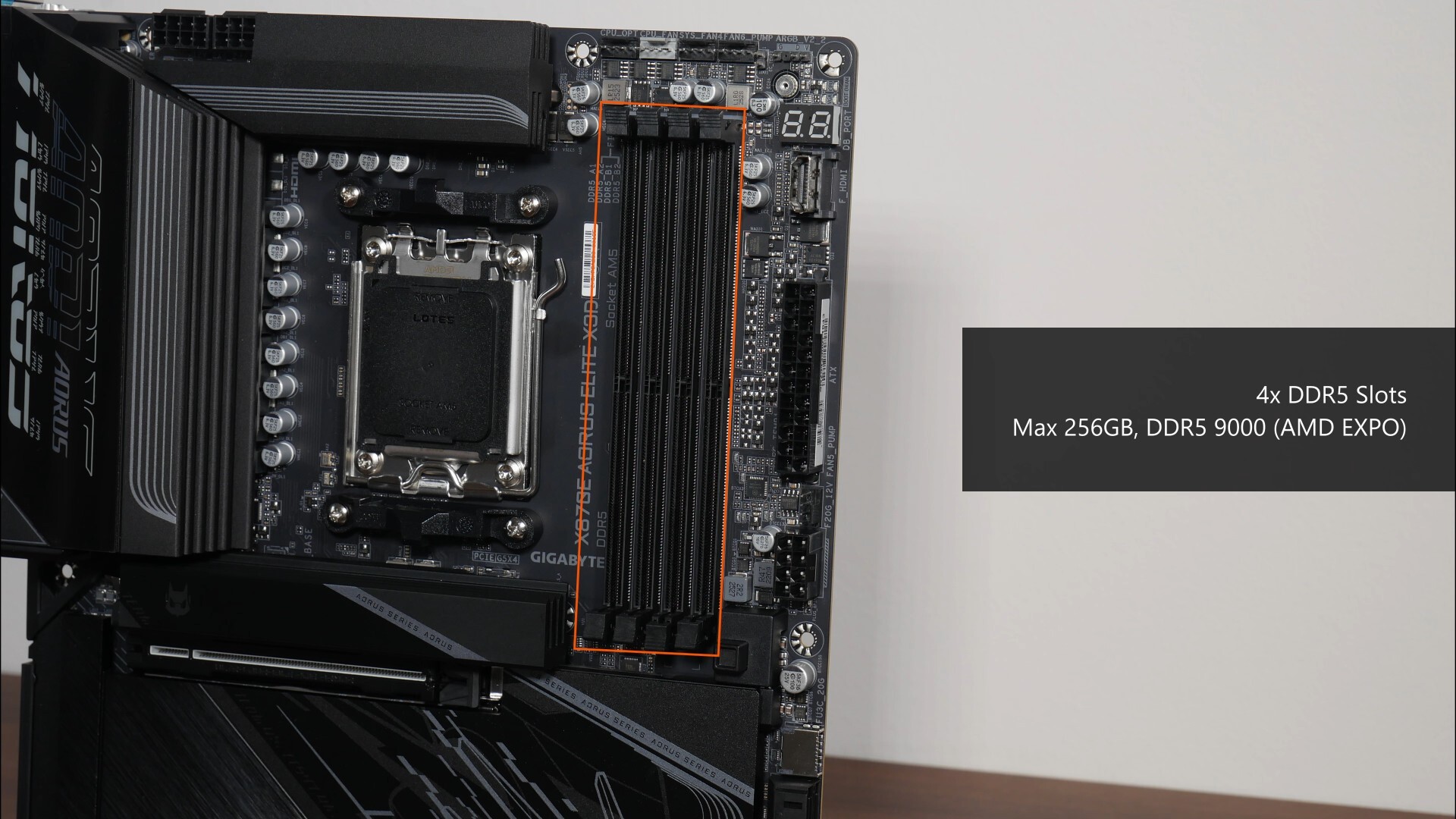
For memory support, the X870E AORUS ELITE X3D comes with four DDR5 slots that as of the time of publishing this video, features support for up to 256GBs of RAM and the DDR5 9000 standard.
Front Panel USB Headers
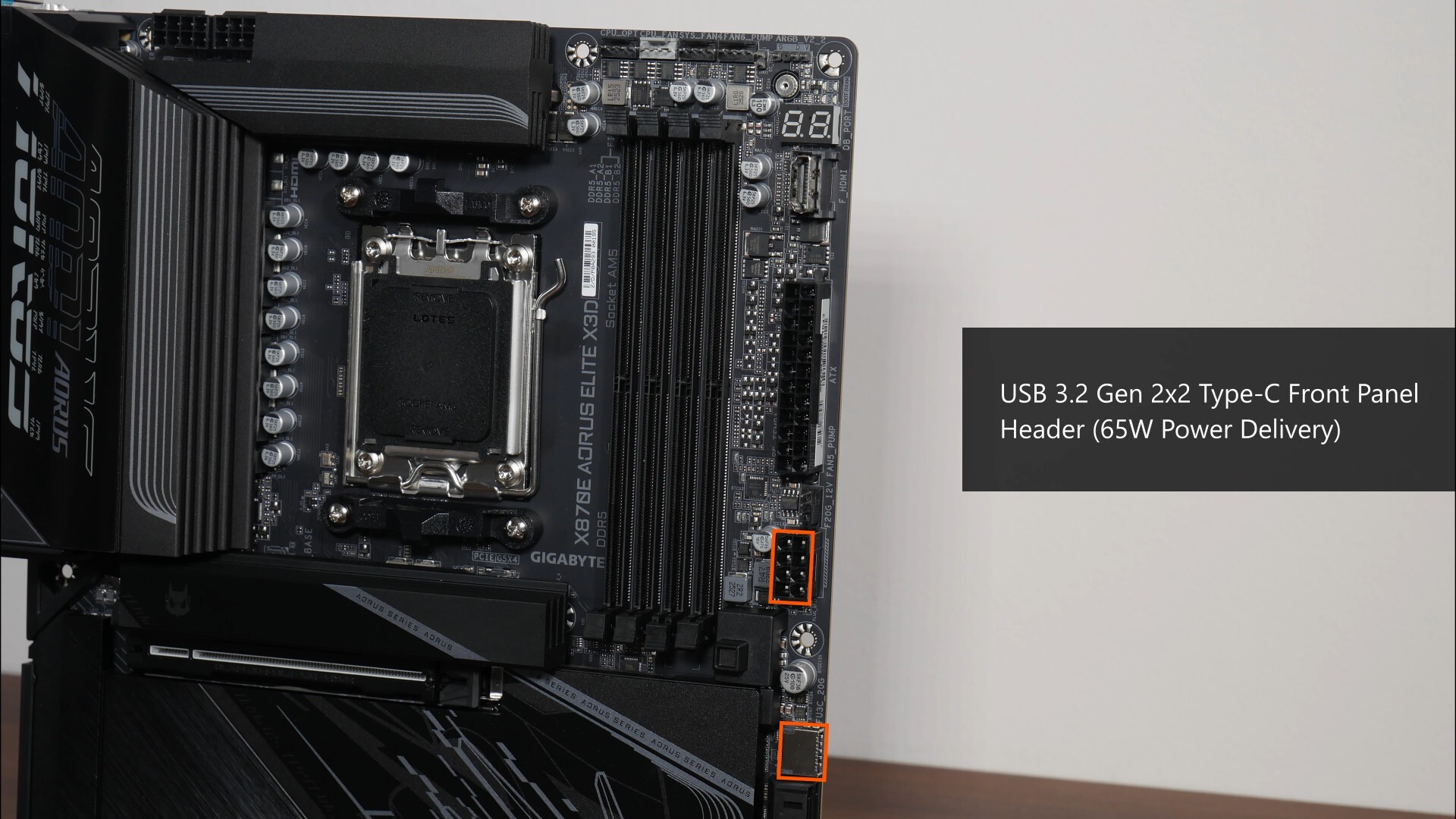
In terms of front panel USB connectivity, we get a USB 3.2 Gen 2x2 Type-C front panel header further down from the RAM slots, where this said port supports up to 65W of Power Delivery for fast charging. Correspondingly, we get an eight-pin 2x4 12V power connector that’s to be hooked up to your power supply unit should you wish to enable the said fast charging feature.
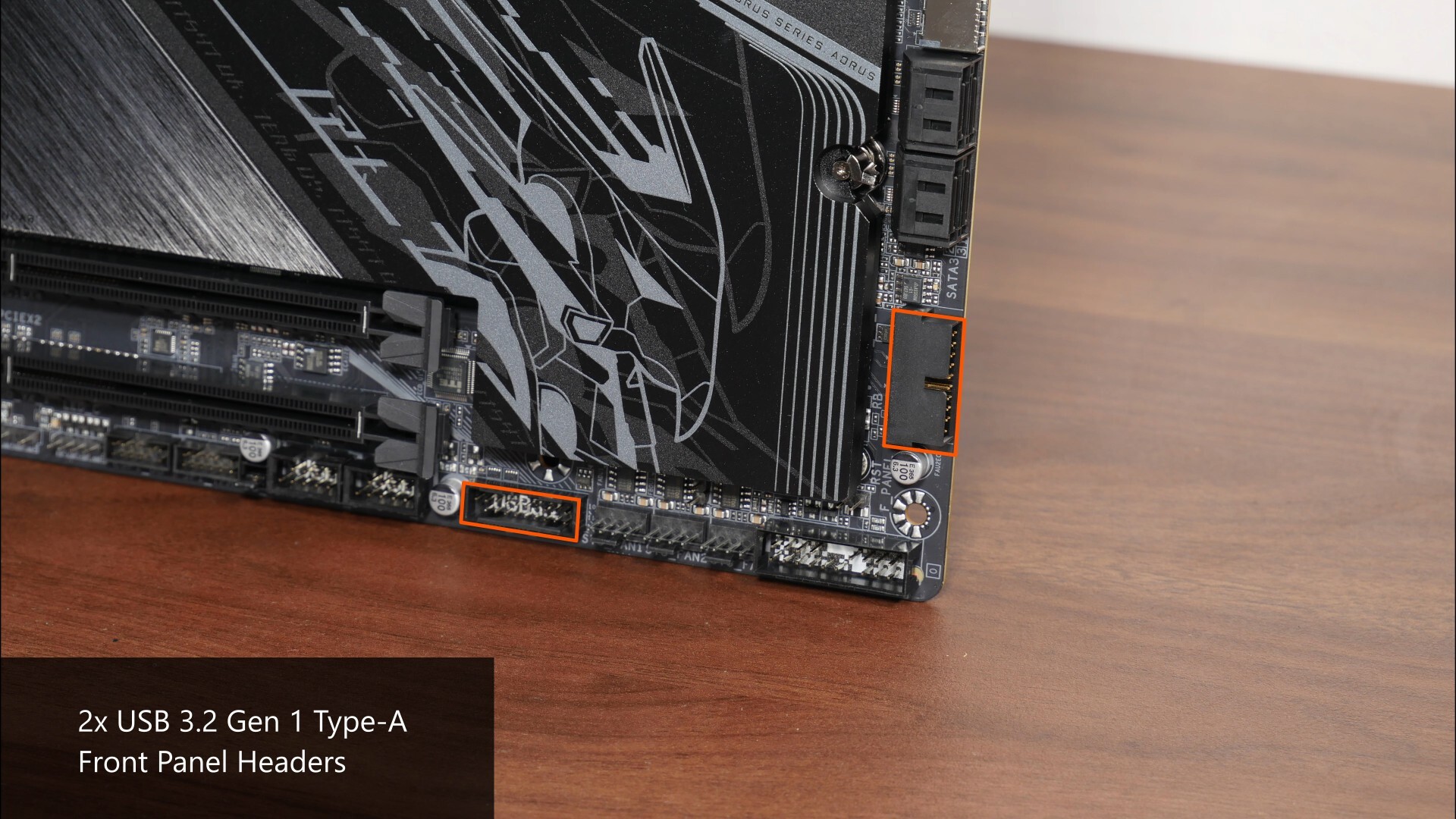
Closer to the bottom of the board, we also get two USB 3.2 Gen 1 Type-A front panel headers, with each header providing for up to two USB 3.2 Gen 1 Type A ports, for a total of four ports.
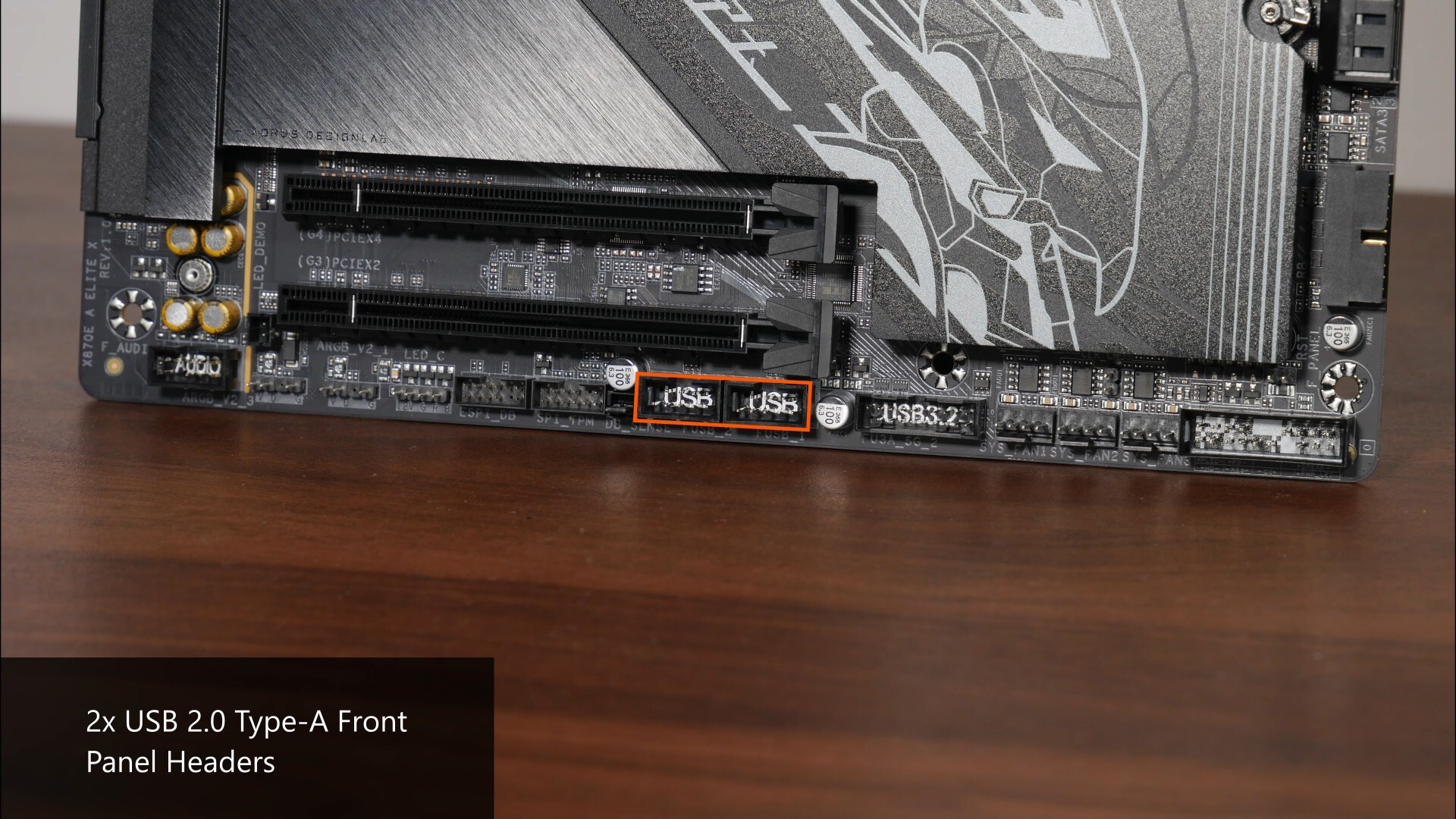
We do also get two USB 2.0 front panel headers along the bottom edge of the board, with each header providing support for two USB 2.0 Type A ports, for a total of four ports.
Expansion Slots & Storage Options
.jpg)
.jpg)
In terms of expansion slots, this board comes with a fancy-looking PCIe 5.0 x16 slot for a graphics card – the said slot sports Gigabyte’s PCIe UD Slot X design that reinforces the slot for use with heavy graphics cards, and even comes with an inner rubber lining strip for the slot so as to protect your graphics card’s PCB from scratches during installation and removal. Do note that PCIe 5.0 is only supported when you have a Ryzen 9000 series or Ryzen 7000 series processor installed – its worth noting that the Ryzen 8000 series of APU and CPUs only support the PCIe 4.0 standard.
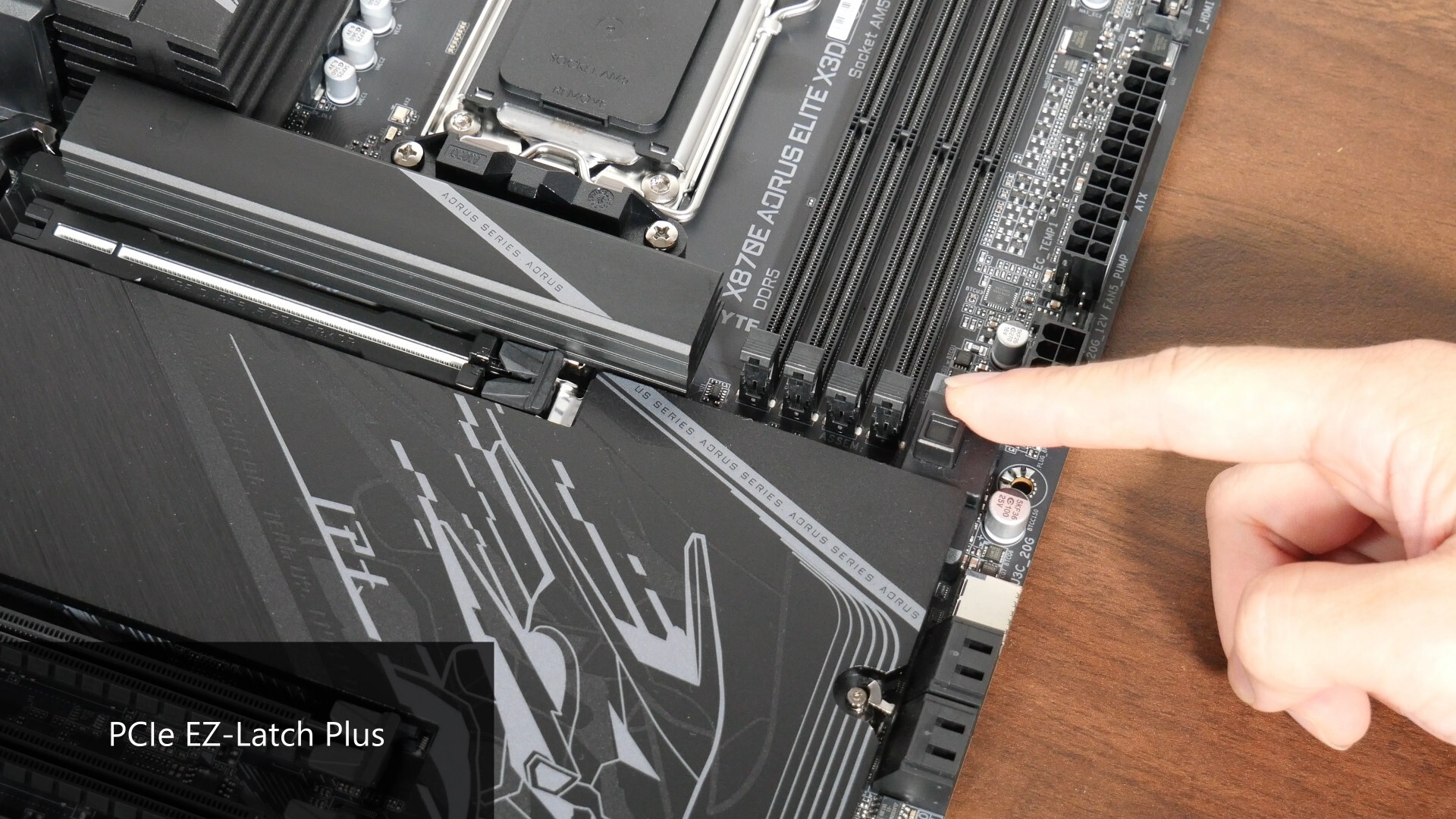
As can be seen, the slot also comes with the PCIe EZ Latch Plus feature that helps make removing a graphics card from the slot less of a painful affair, where pressing down on the button pictured above will cause the graphics card retention tab to be disengaged.
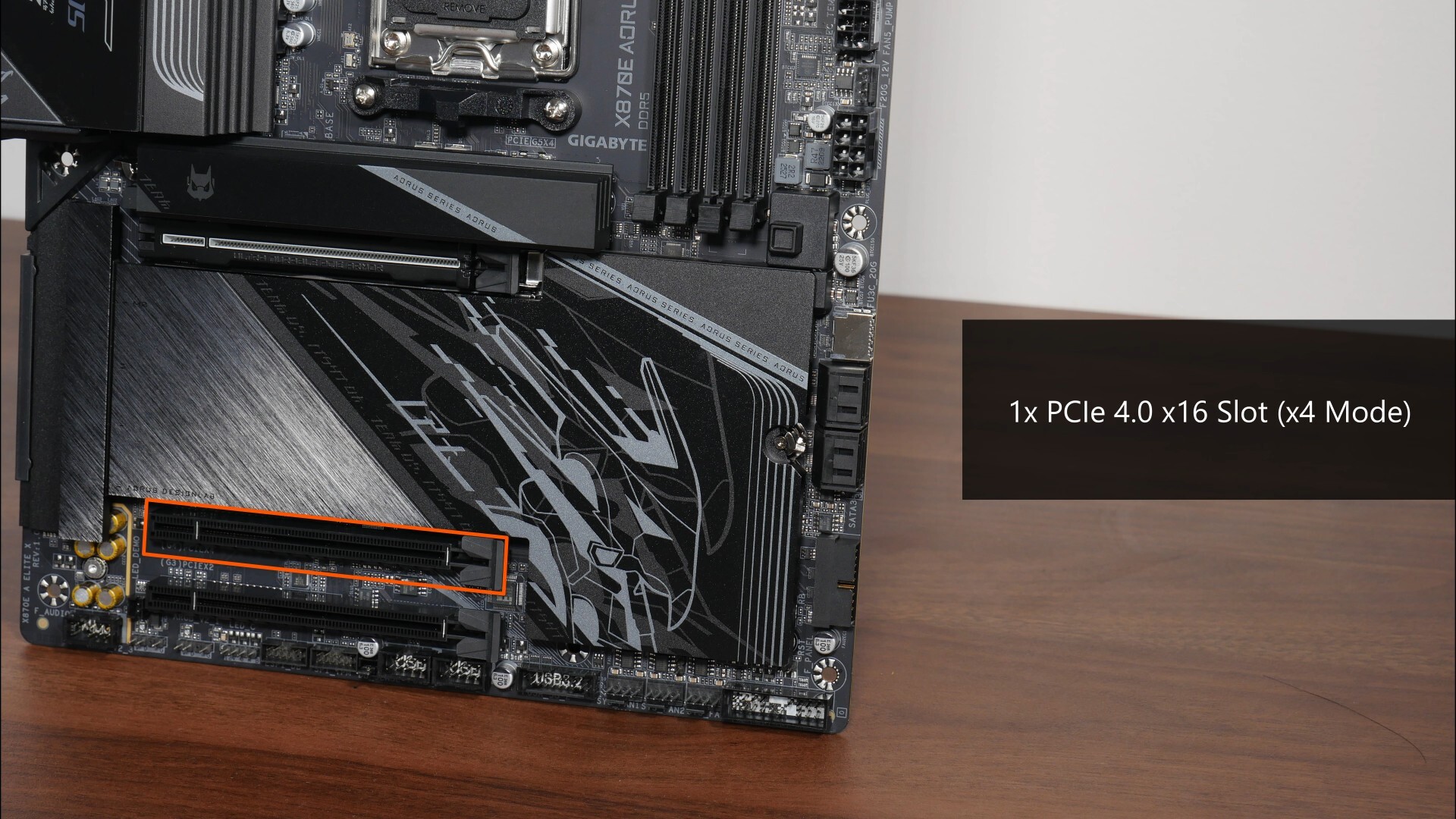
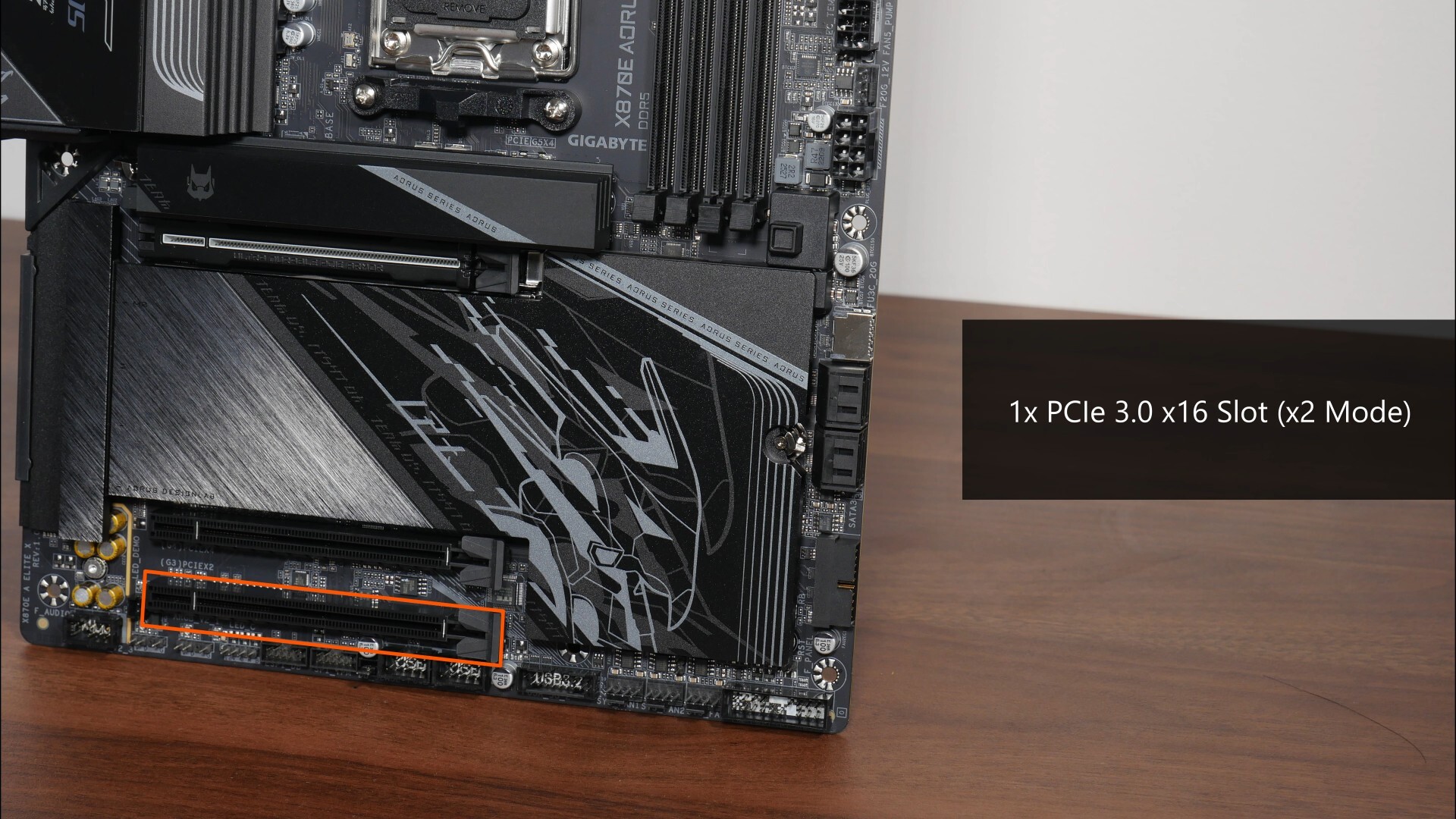
We do also get a full length PCIe 4.0 x16 slot that operates at x4 mode, and a full length PCIe 3.0 x16 slot that operates at x2 mode.
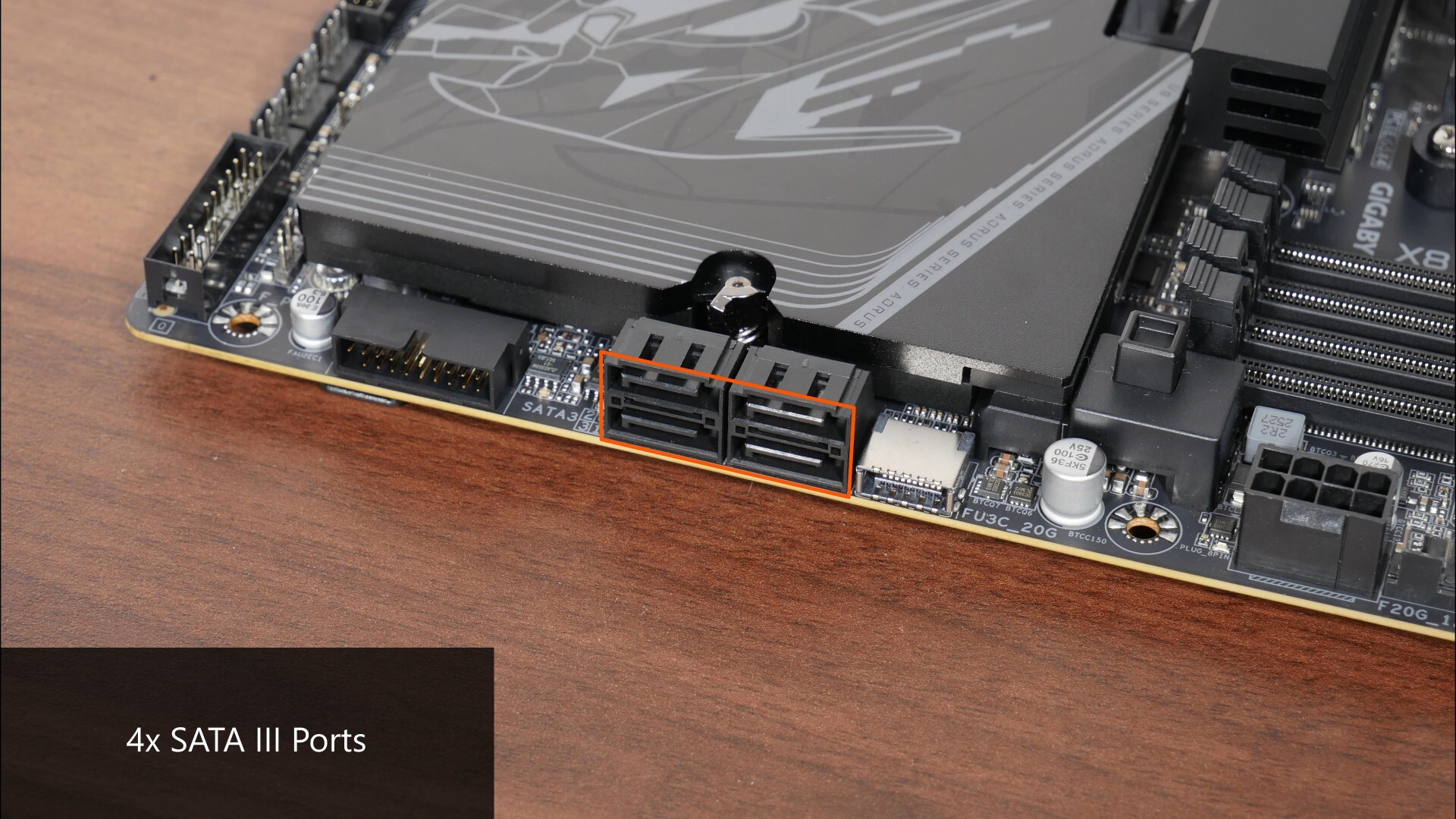
In the storage department, Gigabyte's included four SATA III ports, with all ports in a right-angled configuration so as to aid with cable management.
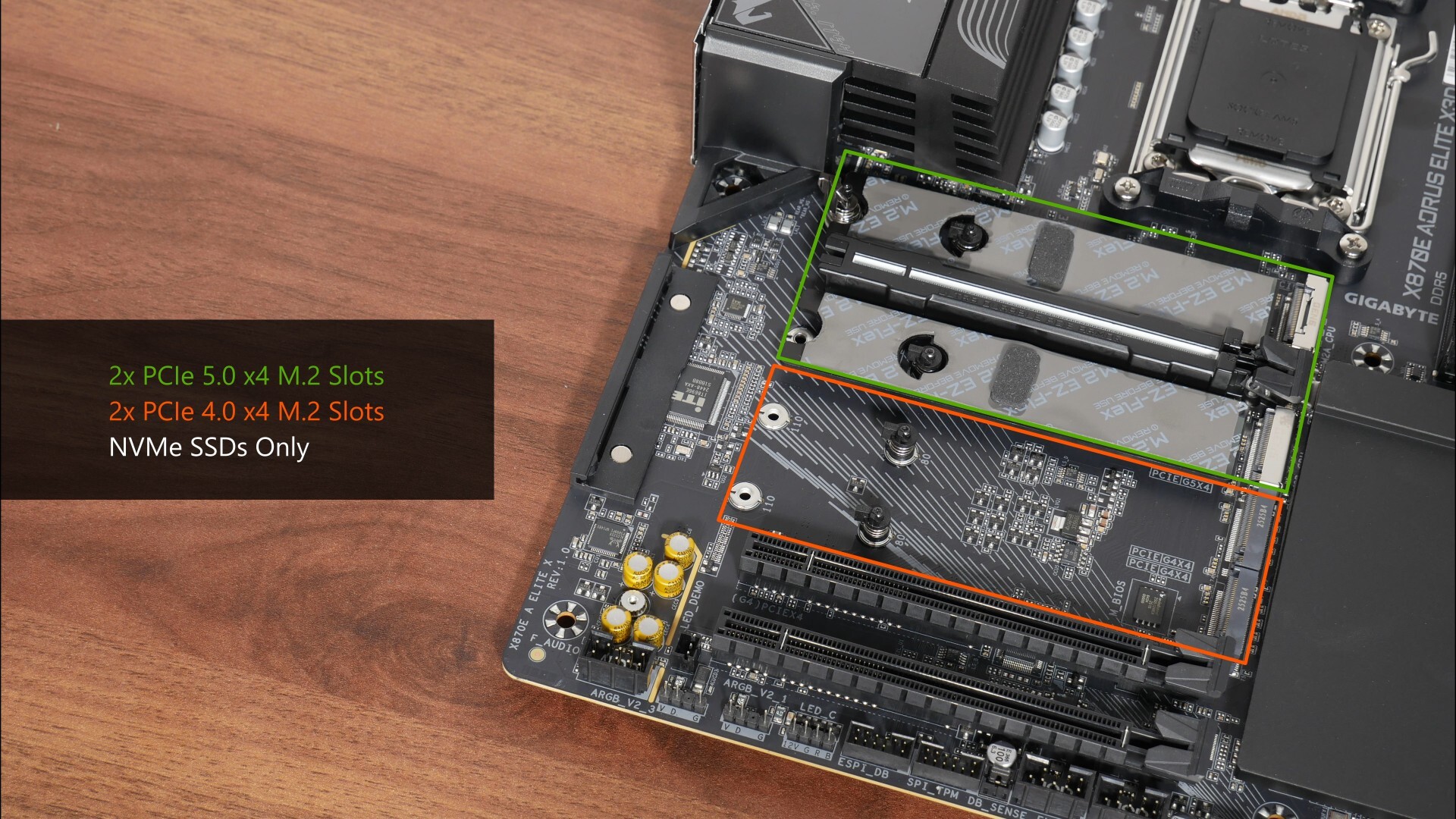
For M.2. slots, the board comes with two PCIe 5.0 x4 M.2 slots and two PCIe 4.0 x4 M.2 slots. Do note that all four of these slots support NVMe SSDs only, M.2 SATA drives will not work in any of these slots.
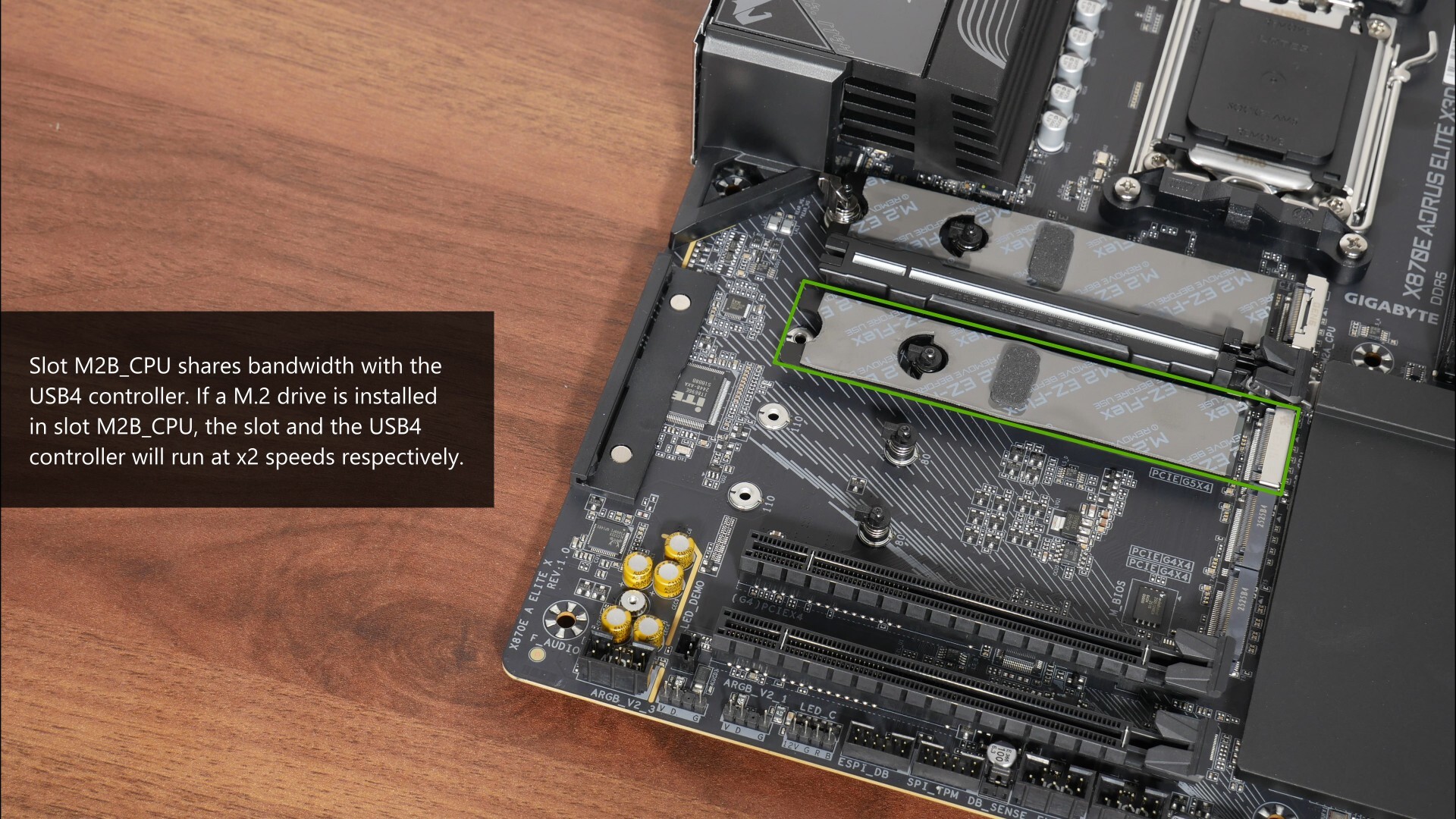
As mentioned earlier, this board comes with improvements to the way that PCIe lane sharing occurs – in case you’re unaware, here’s a quick lowdown on why we’ve got lane sharing on most, if not all AMD X870E and X870 motherboards. The X870E and X870 chipsets are effectively a rebrand of the previous generation X670E and B650E chipsets respectively with USB4 support made mandatory by AMD, where given that these chipsets have pretty much the same silicon as the previous gen (and hence a fixed number of PCIe 5.0 lanes), motherboard manufacturers have had to look elsewhere for PCIe 5.0 lanes to support the USB4 controller.
As a result of this, the first few waves of X870E and X870 boards saw the PCIe 5.0 x16 slot for a graphics card sharing bandwidth with one of the PCIe 5.0 x4 M.2 slots that X870E and X870 boards have, which isn’t really ideal. With the later waves of X870E and X870 motherboards, board manufacturers have wisened up, and lane sharing now tends to happen just between the PCIe 5.0 x4 M.2 slot and the USB4 controller, which in my opinion is the lesser of two evils. In the case of the X870E AORUS ELITE X3D, the second PCIe 5.0 x4 M.2 slot, slot M2B_CPU, shares lanes with the USB4 controller, where if you’ve got a M.2 drive installed in slot M2B_CPU, both slot M2B_CPU and the USB4 controller will run at x2 speeds instead.
Again, do bear in mind that PCIe 5.0 is supported only with a Ryzen 9000 series or Ryzen 7000 series processor installed – the Ryzen 8000 series of APUs and CPUs only support the PCIe 4.0 standard, and if you do have a Ryzen 8000 series offering installed on this board, the second M.2 slot, M2B_CPU will be disabled entirely.
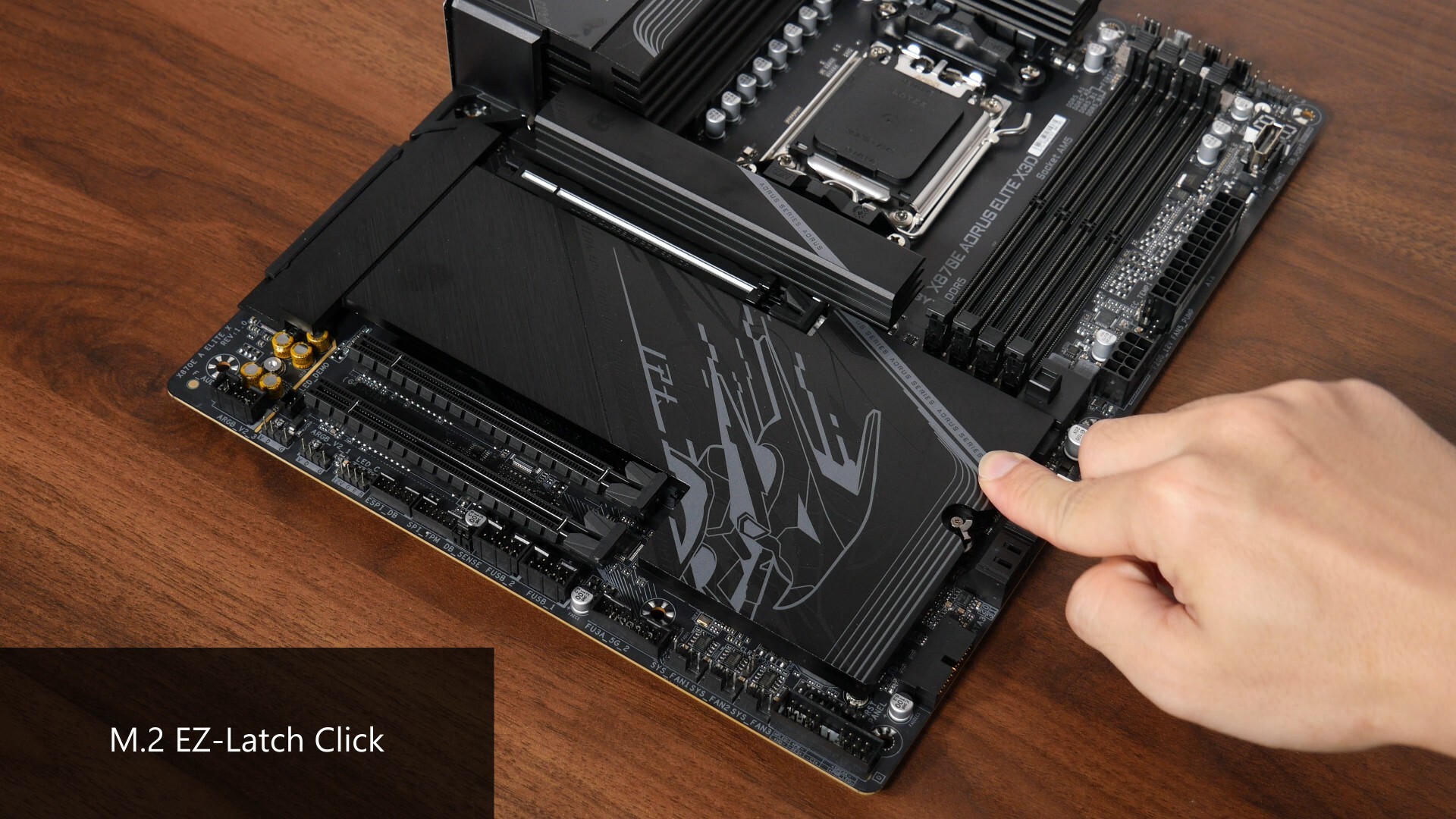
Lane-sharing out of the way, both of the board's M.2 heatsinks feature a tool-less design called M.2 EZ-Latch Click, which makes removing and installing the heatsinks a cinch.
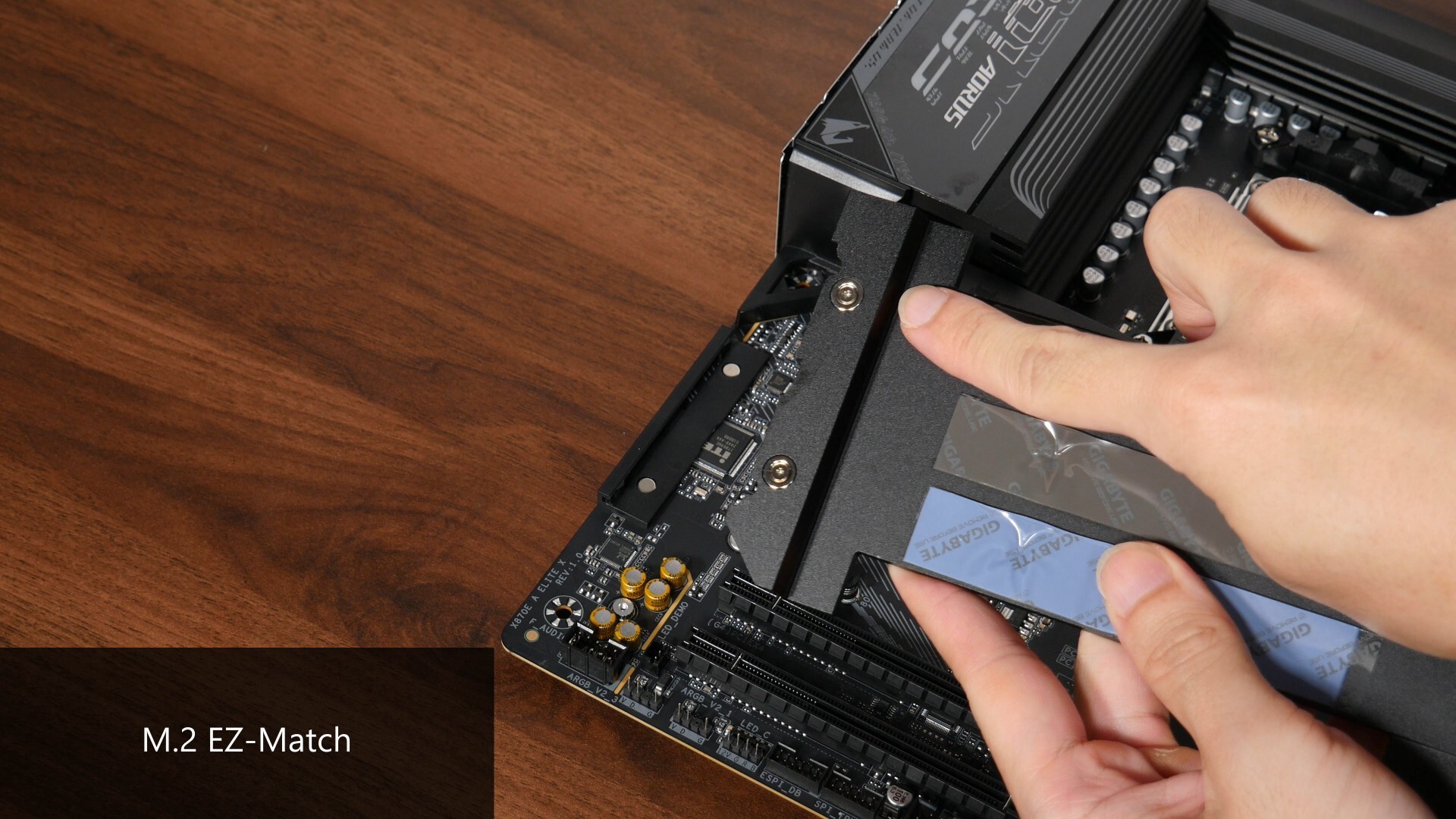
The large shared heatsink also comes with Gigabyte’s new M.2 EZ-Match feature, which makes reattaching the heatsink to the board very easy thanks to the use of the four round magnets pictured above, which are used to guide the heatsink into place. This definitely helps the PC assembly process along for sure.
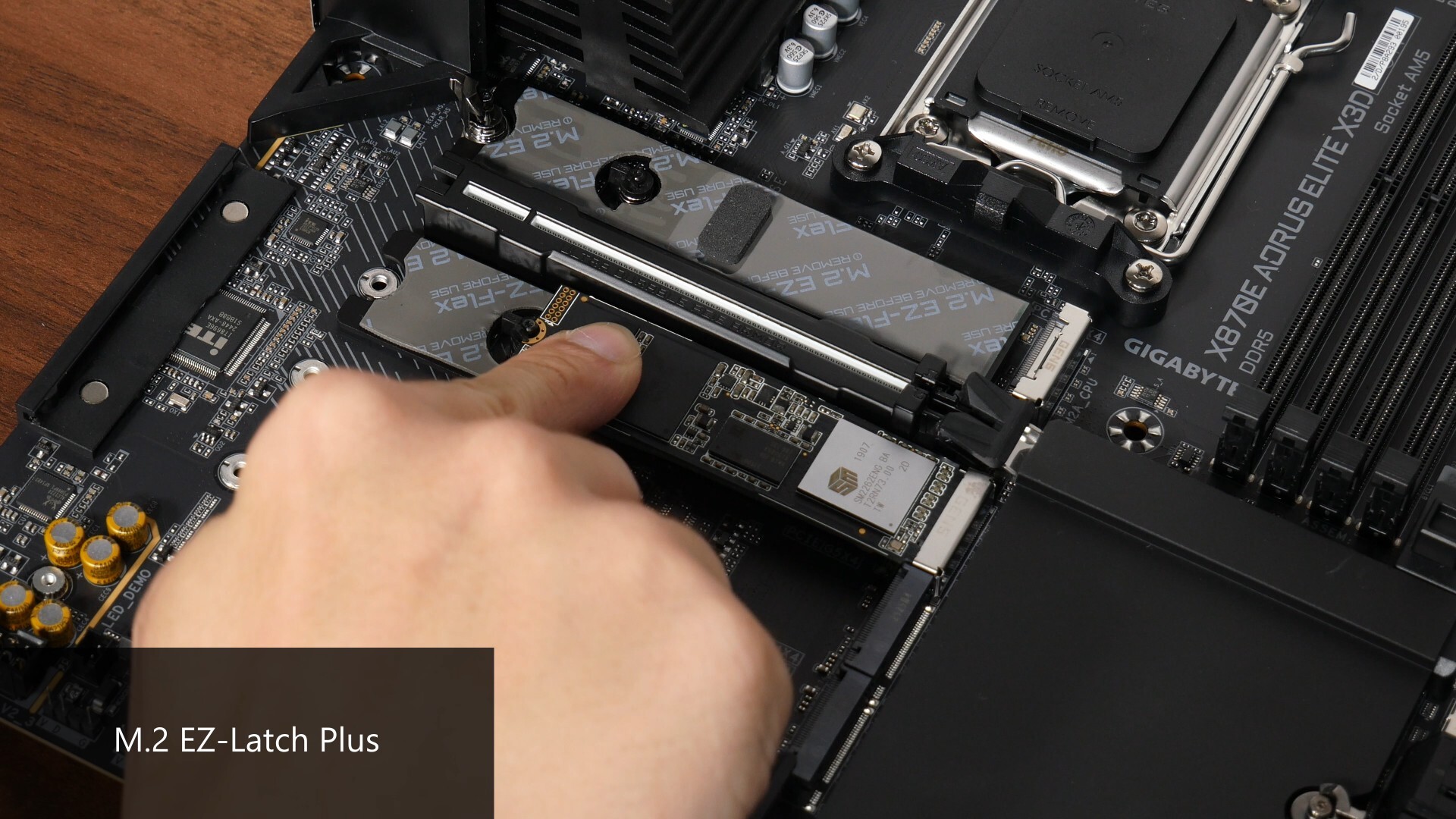
Another quality of life feature that all four of the M.2 slots have is M.2 EZ-Latch Plus, which makes installing and removing a M.2 drive a tool-less affair.
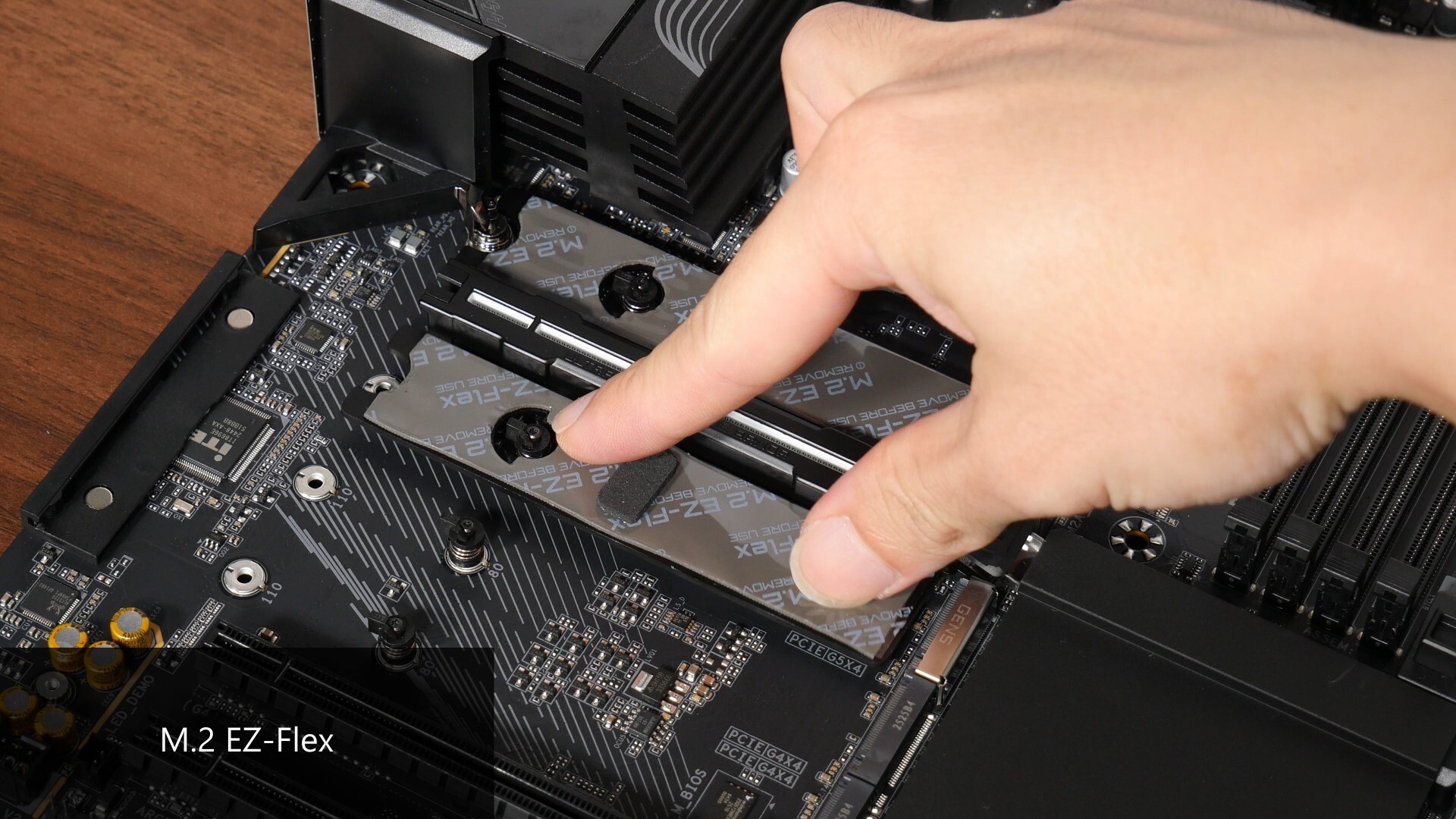
Finally, the two PCIe 5.0 x4 M.2 slots come with a heat dissipation feature called M.2 EZ Flex, where we get a thermal pad on an "elastic" base that can help to improve contact between the SSD and the heatsink.
Audio & Internet Connectivity
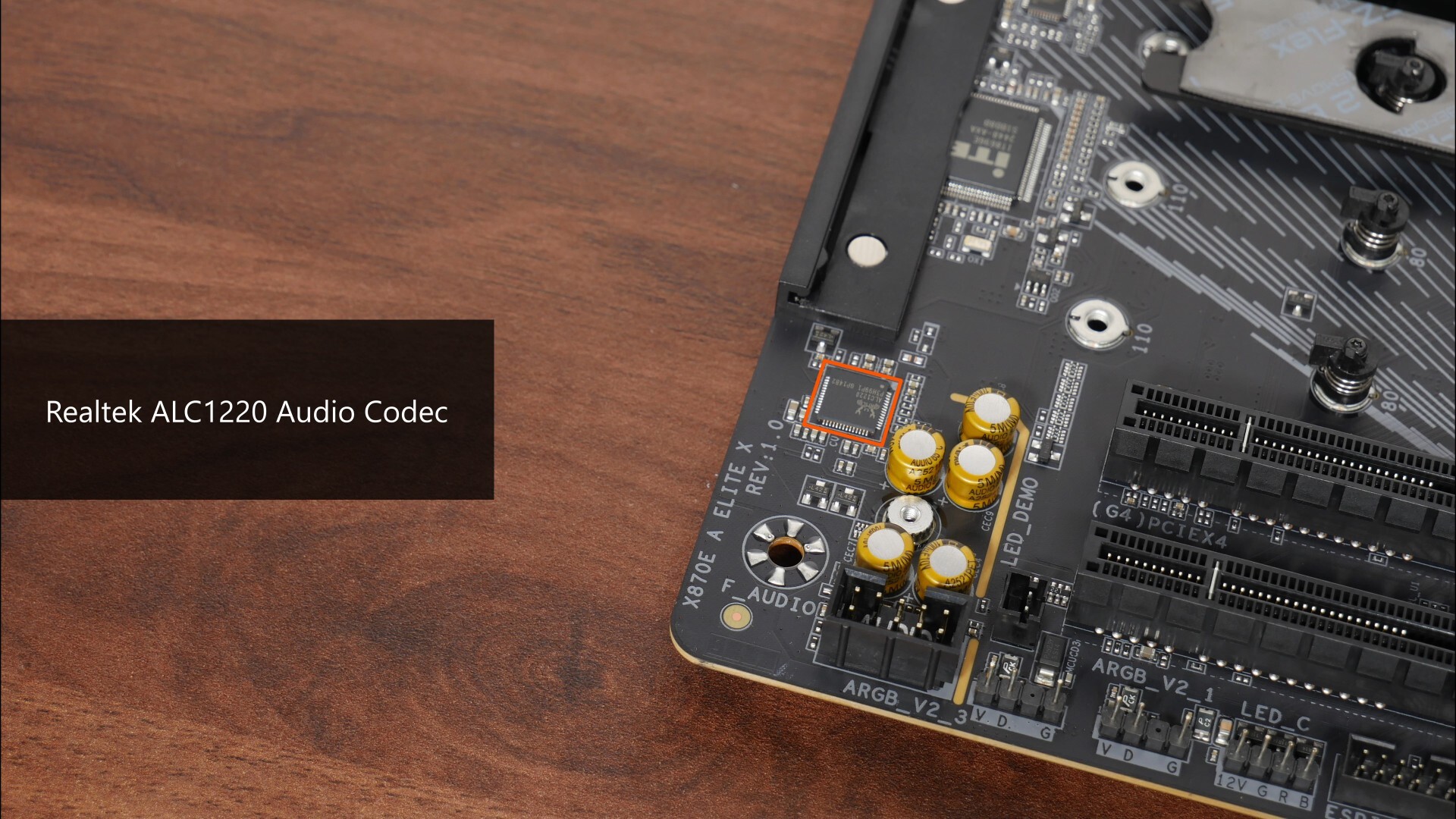
Powering this board's audio is a higher-end Realtek ALC1220 audio codec...
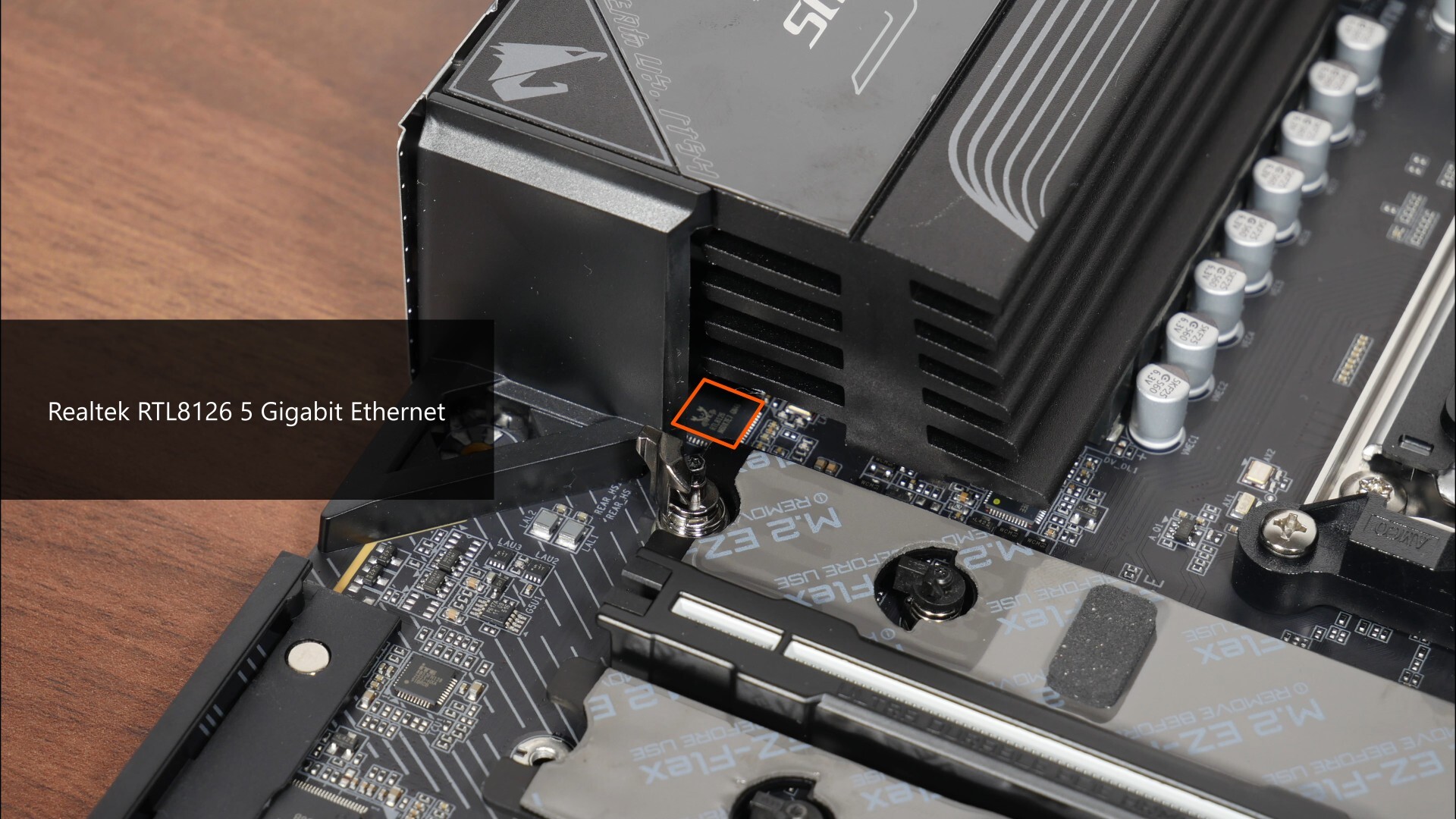
...while wired internet connectivity is powered by a Realtek RTL8126 chip that provides support for 5 Gigabit Ethernet, which is a nice upgrade from 2.5 Gigabit Ethernet controllers that have become commonplace. WIFI support on the other hand, is courtesy of a Qualcomm QCNCM865 WIFI 7 part that supports the 320 MHz channel width, where the said module also serves up Bluetooth 5.4 support - again, this is another nice upgrade from the MediaTek and Realtek WIFI 7 modules that Gigabyte has been using for the most part, where they only came with support for the 160 MHz channel width.
Fan & RGB Headers
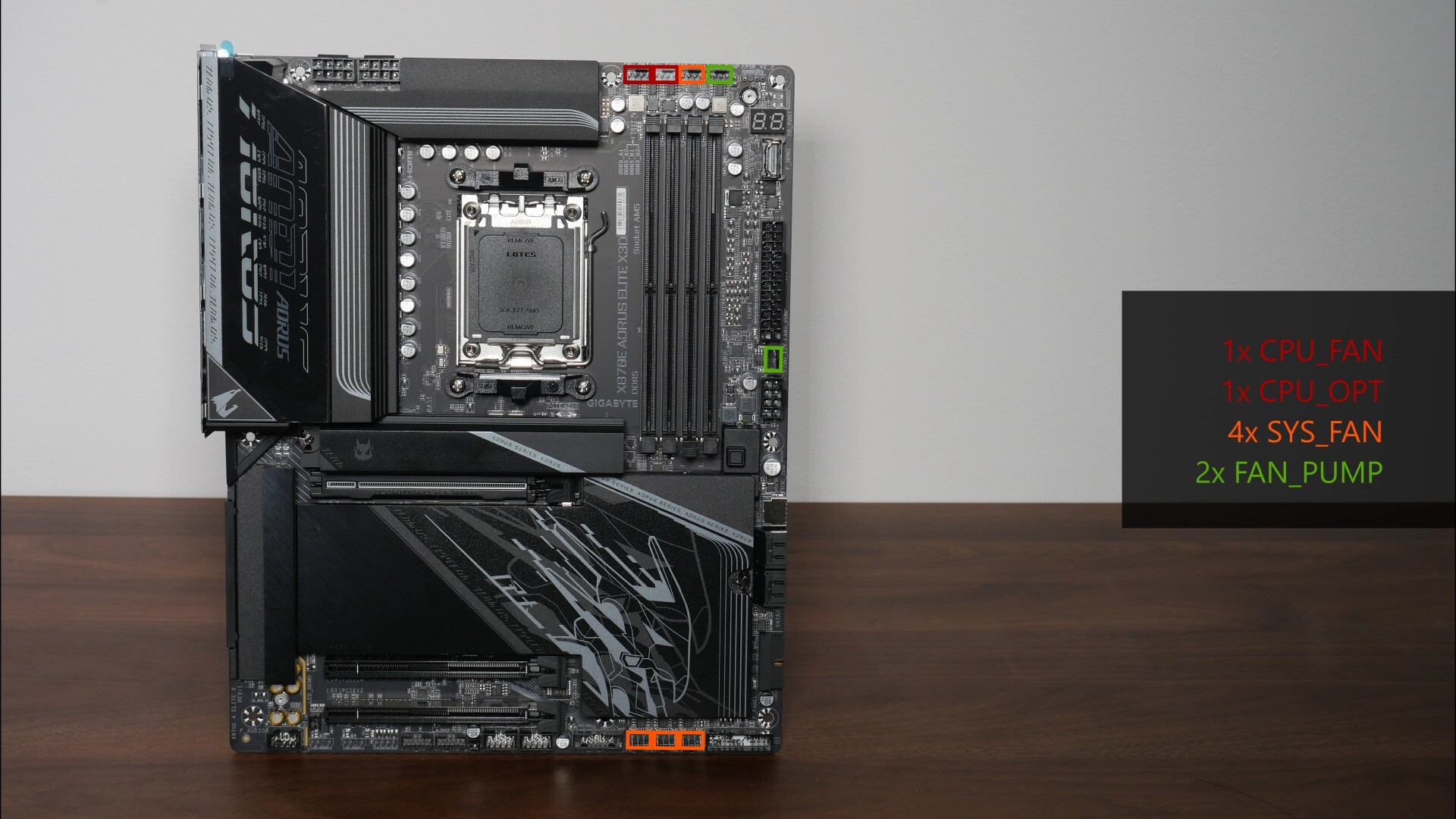
The X870E AORUS ELITE X3D comes with no shortage of fan headers, eight of them to be precise:
- 1x CPU_FAN
- 1x CPU_OPT
- 4x SYS_FAN
- 2x FAN_PUMP
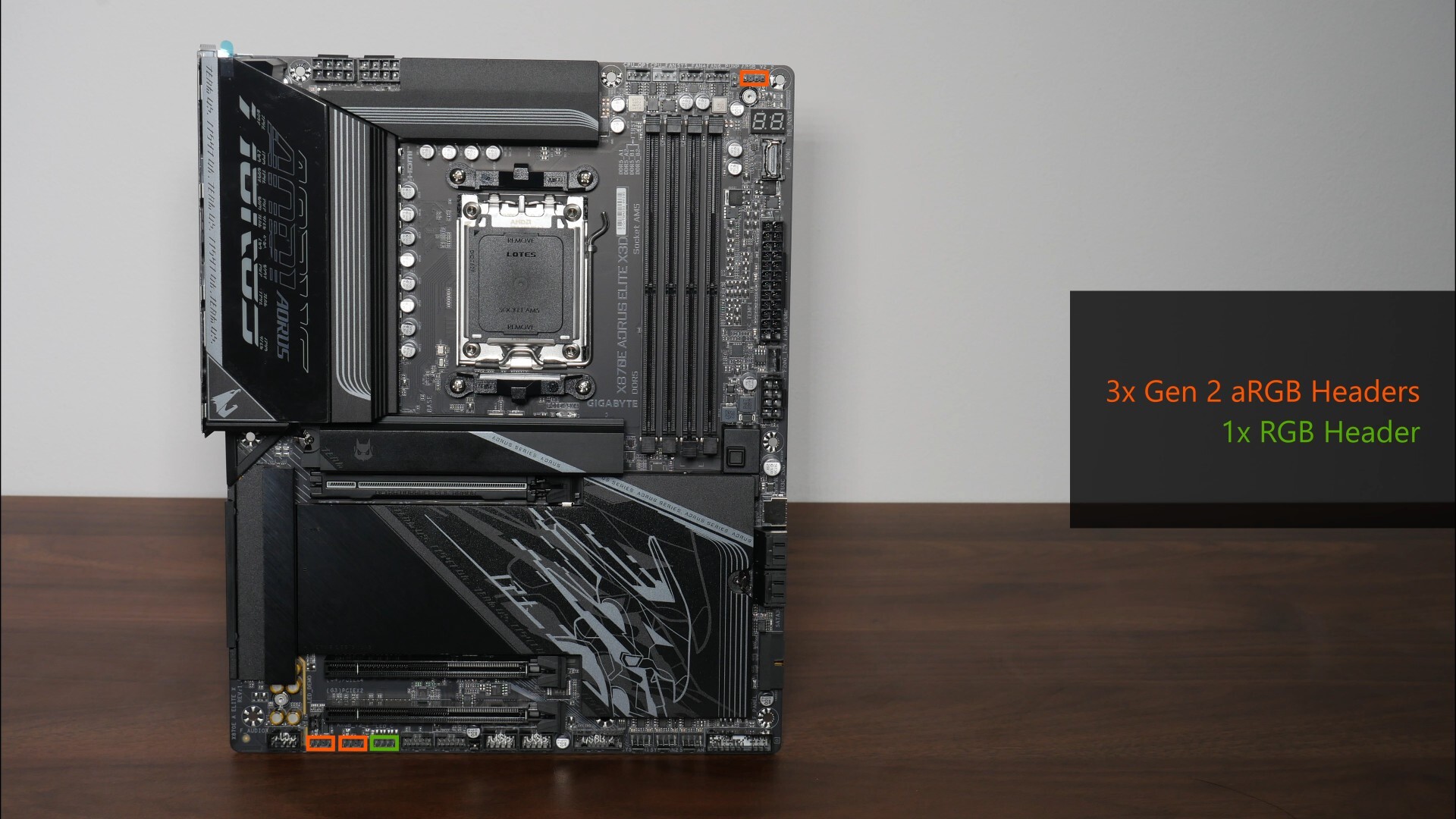
Also included are three Gen 2 addressable RGB headers and a single 12V RGB header.
Other Features
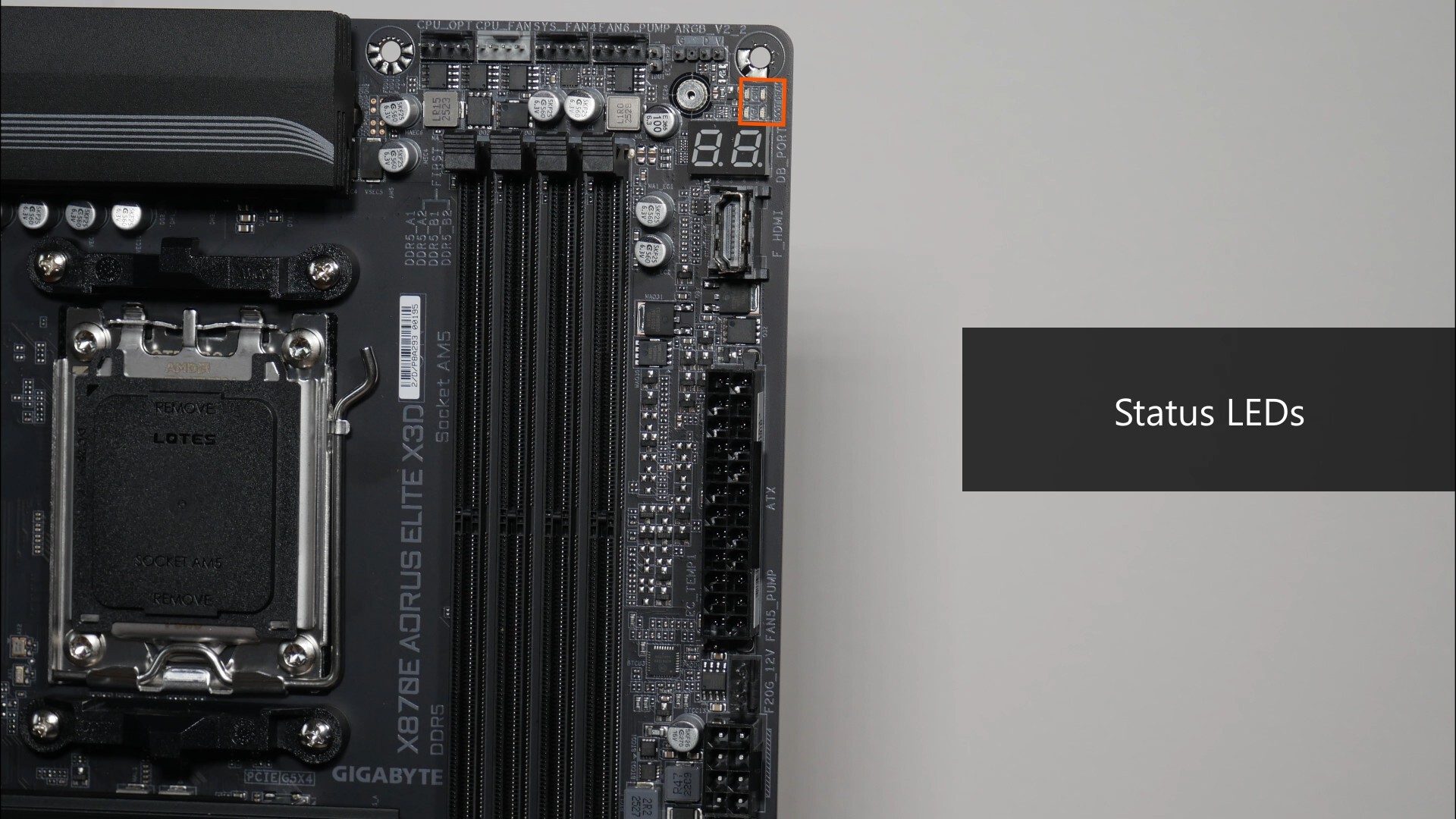
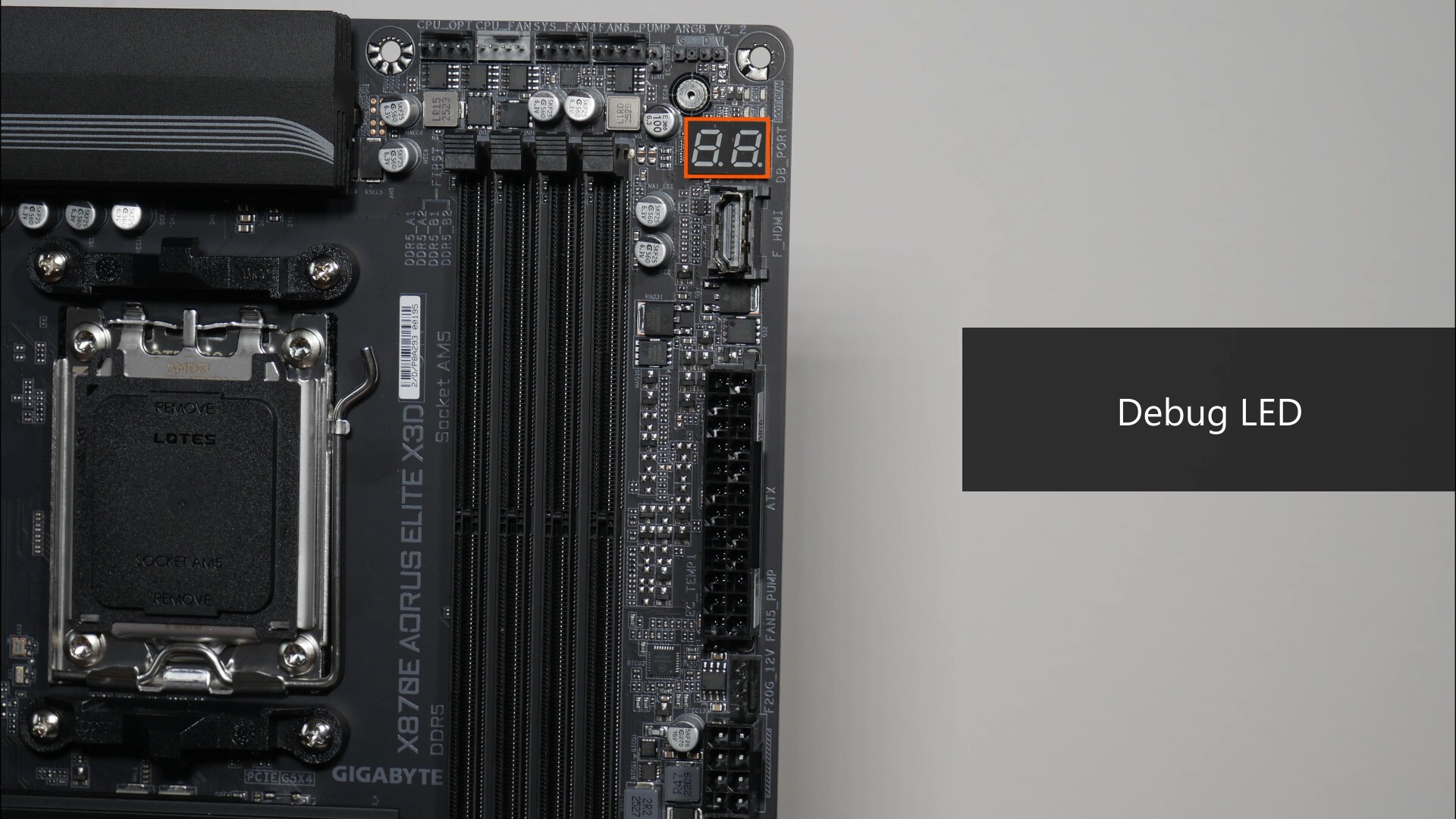
Back at the top of the motherboard, we get a set of Status LEDs and a double-digit debug LED that can help with troubleshooting PC start-up issues.
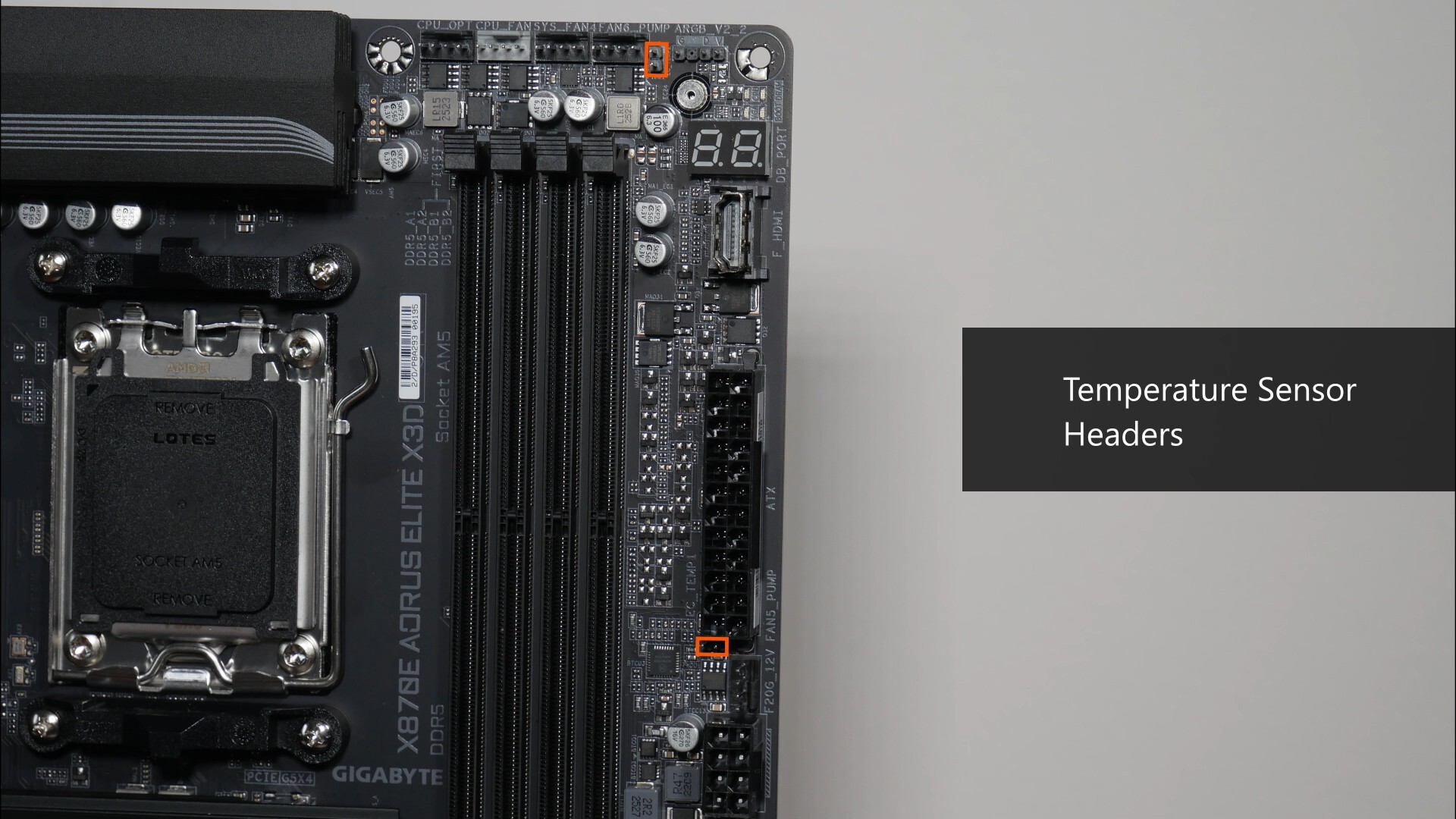
We also get two onboard temperature sensor headers that can be hooked up to optional thermistor cables so as to monitor the temperature of components within your PC case.
.jpg)
.jpg)
We do also get an onboard HDMI 1.4 port that forms part of a feature that Gigabyte calls Sensor Panel Link. Sensor Panel Link is I guess, in response to the trend of end-users having a small LCD display screen as part of their PC case to display vital PC statistics or even static images or videos of their choice, thereby sprucing up the appearance of one’s PC build. The said port supports a maximum display resolution of 1920x1080@30 Hz.
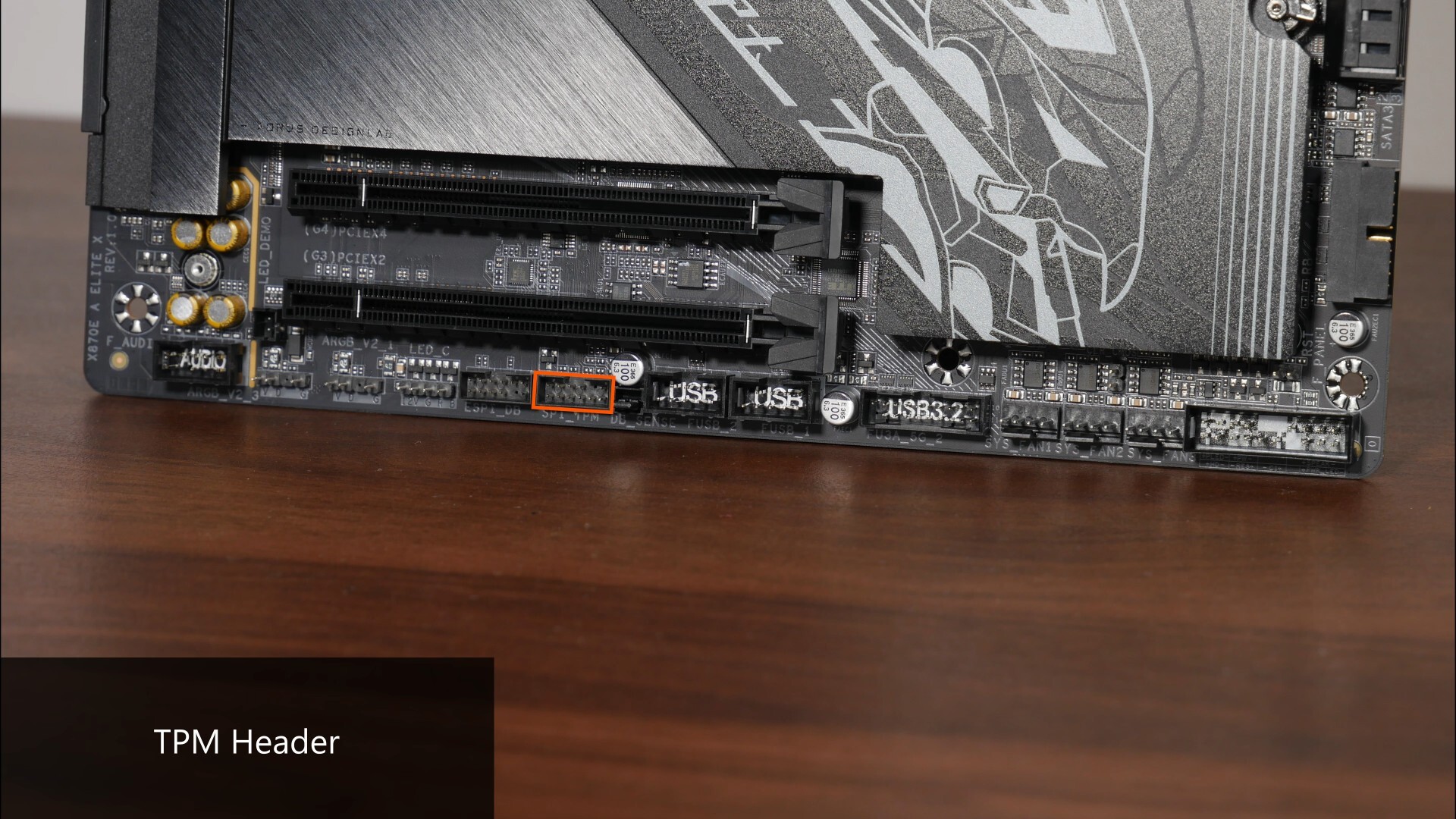
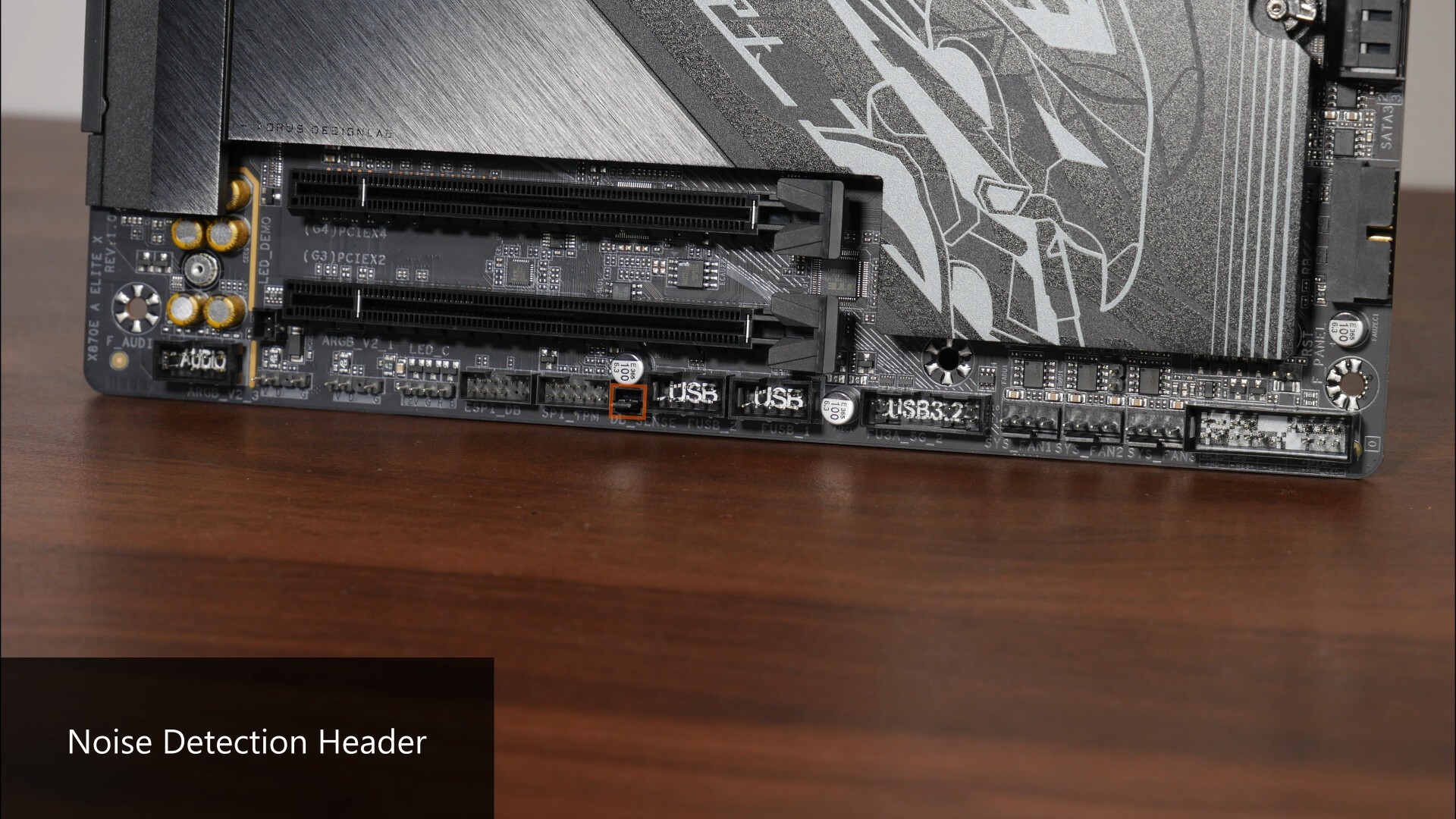
Along the bottom edge of the board, we get a TPM header for an optional discrete Gigabyte TPM module and right next to it, a noise detection header that can be hooked up to an optional noise detection cable to monitor noise levels inside the PC case.
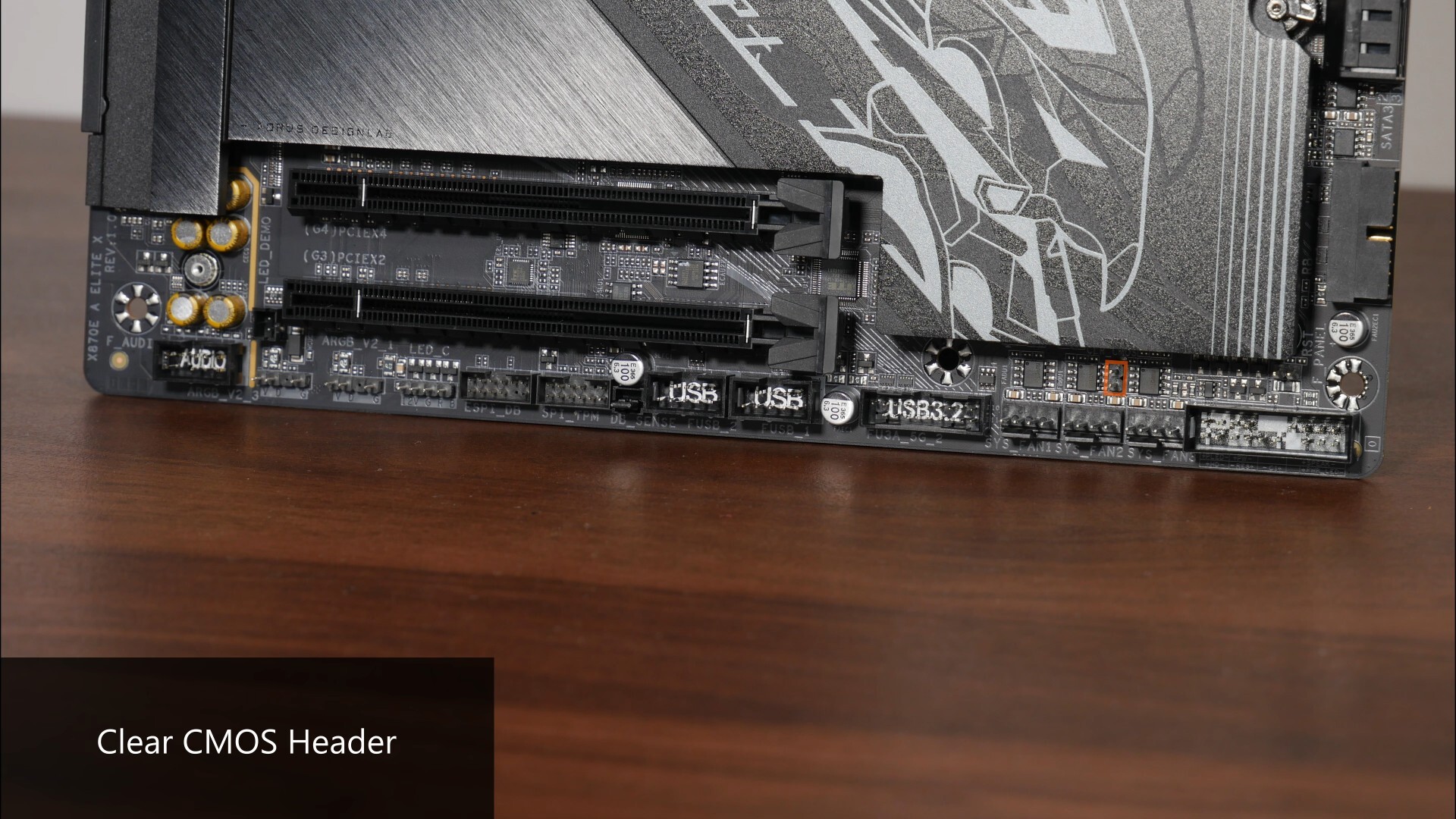
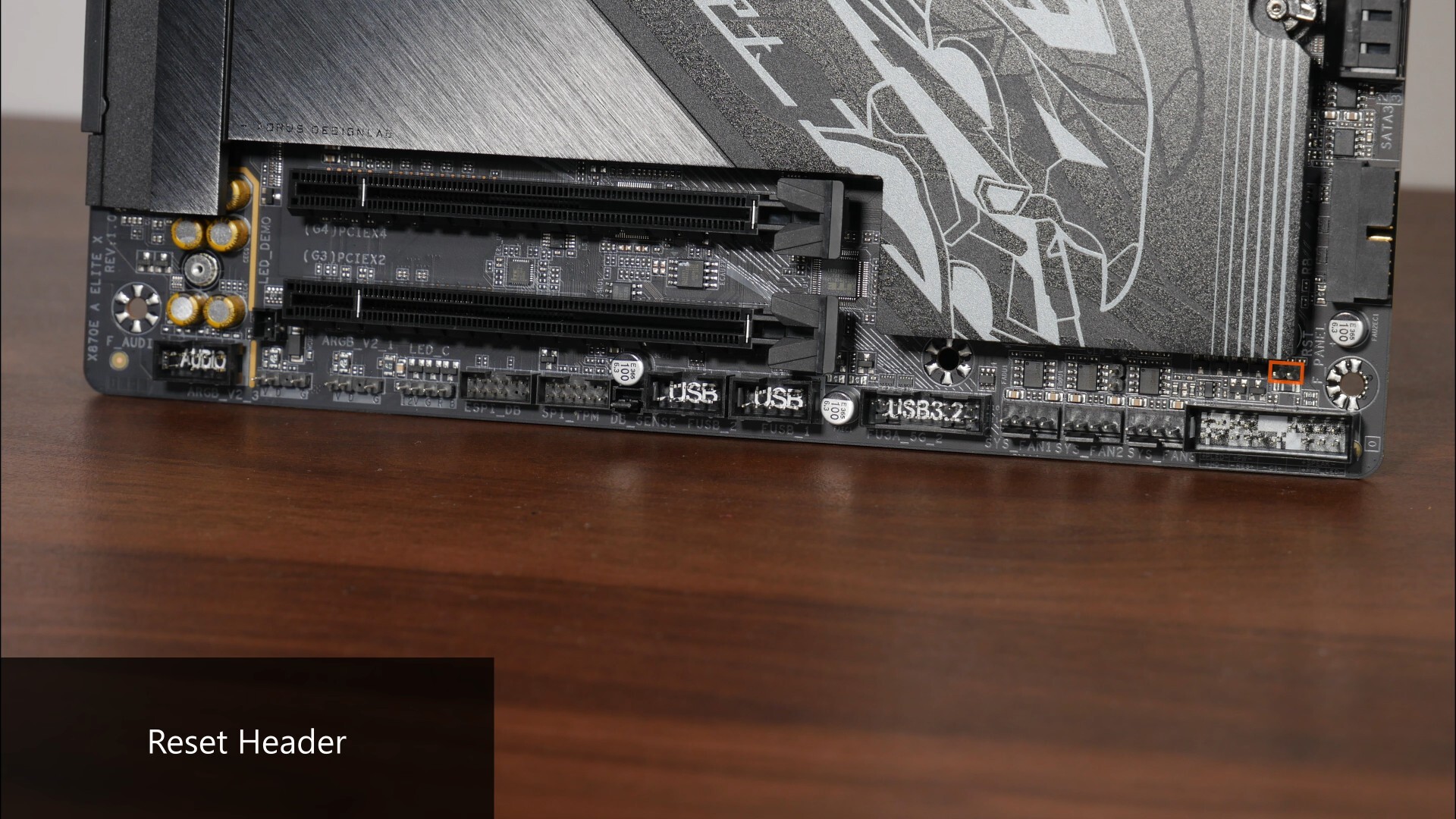
To the right of the bottom edge of the board, we get a Clear CMOS header as well as a Reset header.
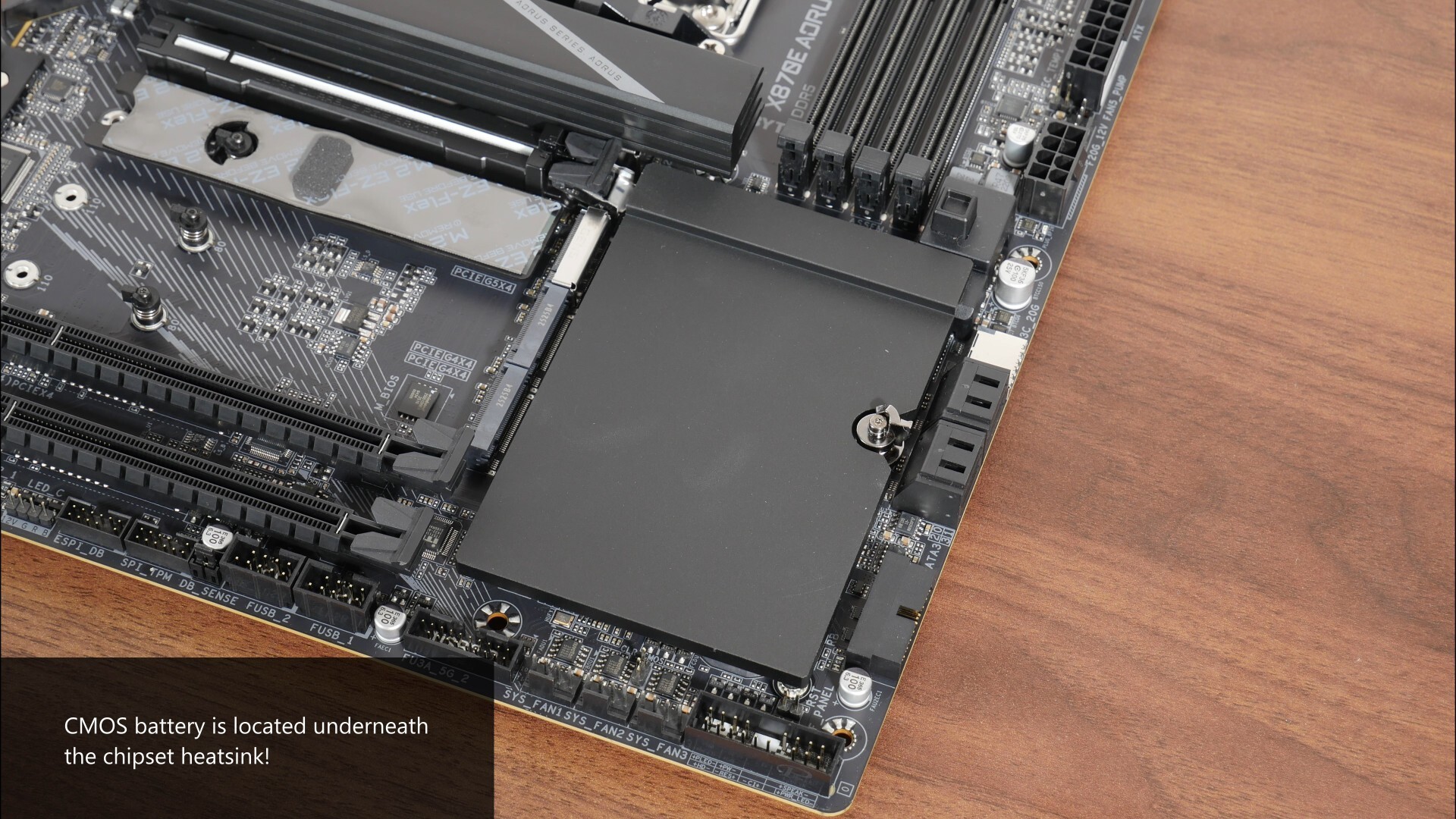
In case you're wondering where the CMOS battery for this board is, it’s located underneath the chipset heatsink, and you’ll have to remove the said heatsink in order to get to the CR2032 battery, which is going to require some effort.
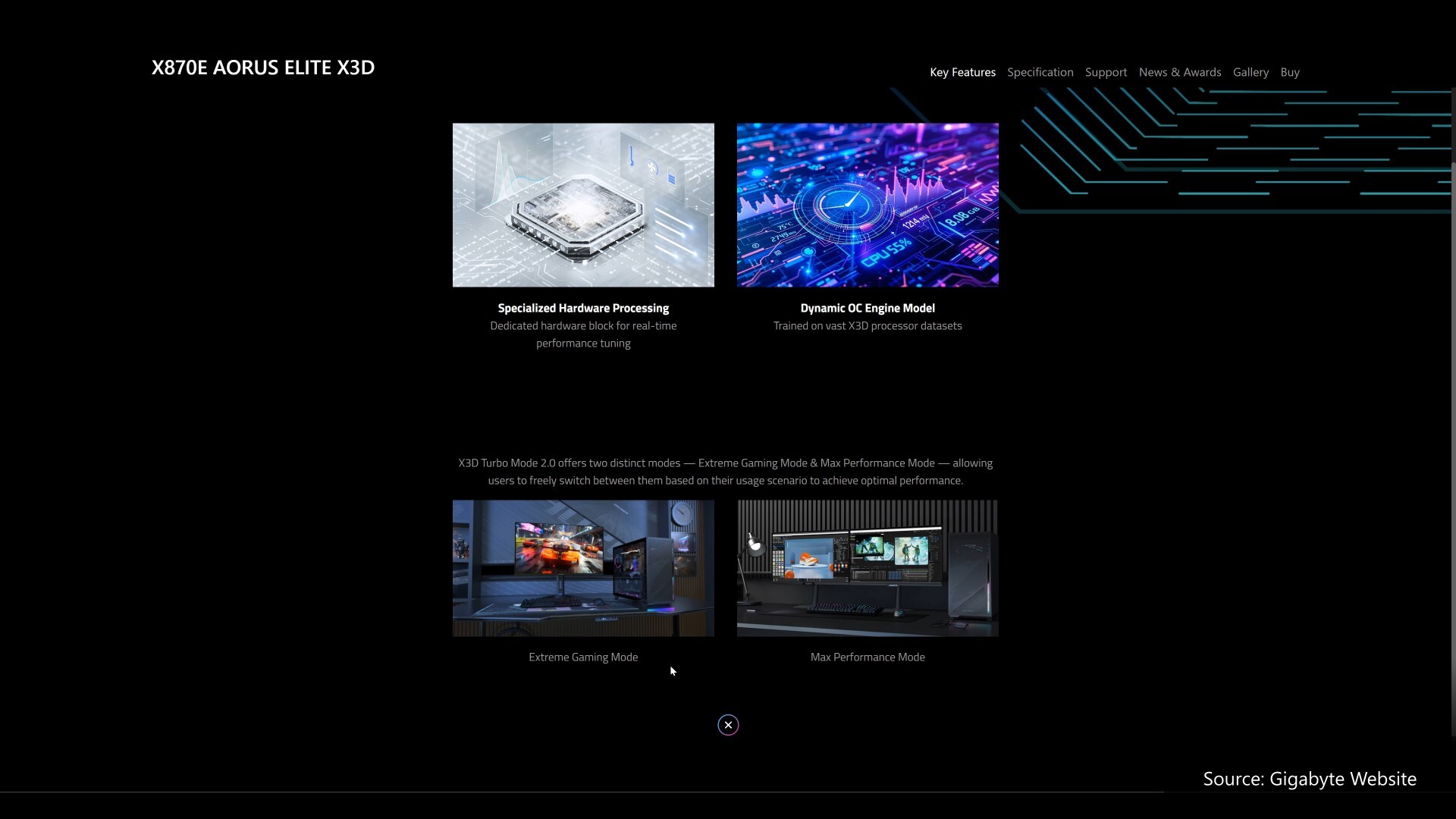
Rounding off this section on special features is what Gigabyte terms "X3D Turbo Mode 2.0", which according to their marketing spiel, can boost the performance of AMD’s gaming-oriented Ryzen X3D chips with just a click in the BIOS. As per what can be found on Gigabyte’s website, we get a “Max Performance” and “Extreme Gaming” setting that can be enabled from within the BIOS, where they basically apply a set of pre-determined overclocking values to your processor (e.g. a certain amount of increase in max boost clock, the application of a certain value of curve optimiser and so on). For the “Extreme Gaming” setting in particular, from what I understand, it’ll disable simultaneous multithreading (SMT for short) as well, which can help with gaming performance on AMD’s X3D processors.
Rear I/O
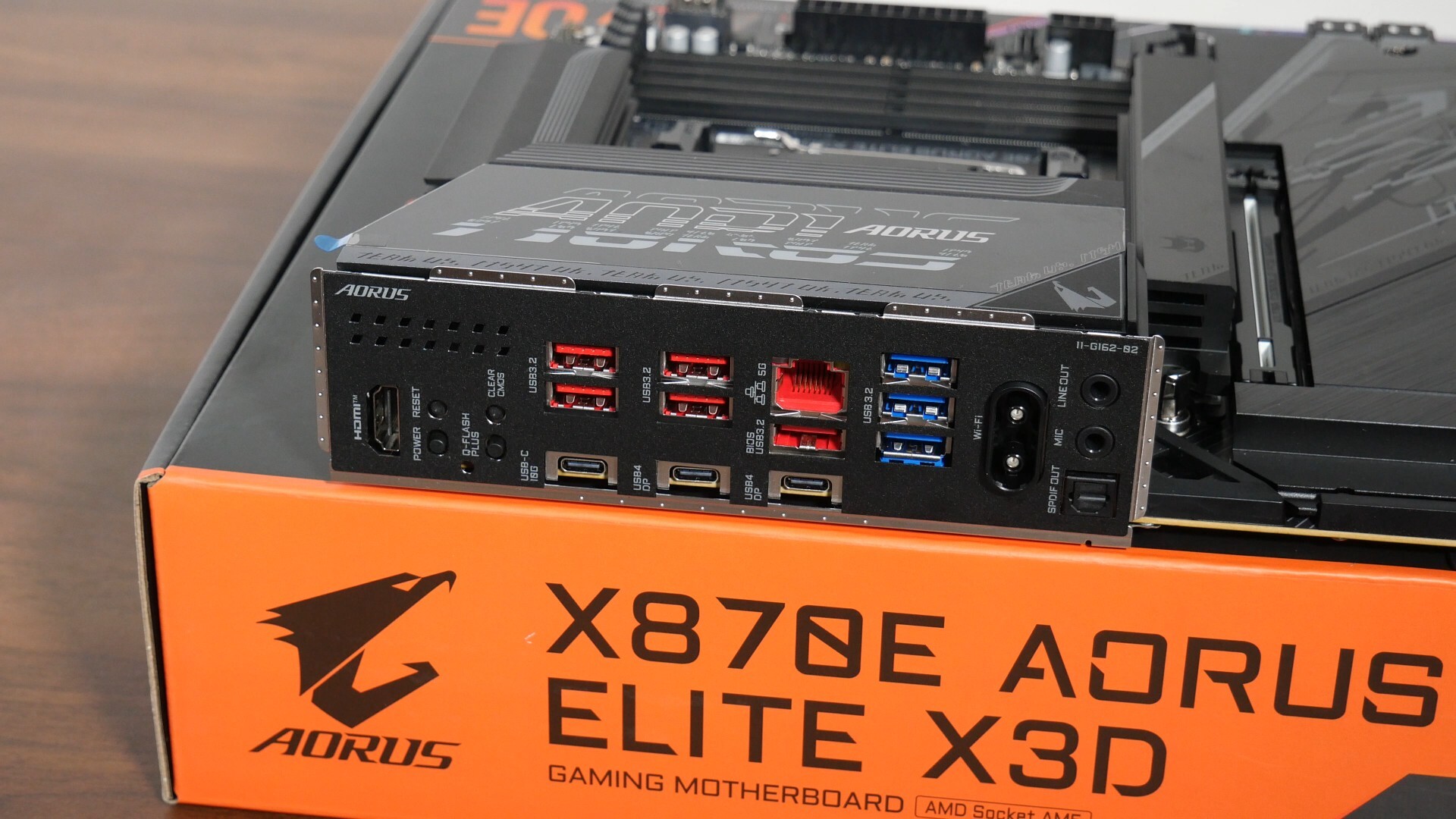
The X870E AORUS ELITE X3D comes with an integrated I/O shield design, where the I/O shield comes with parallelogram-shaped ventilation openings. The following ports can be found on the rear I/O:
- 1x HDMI 2.1 port (supports a maximum display resolution of 4096x2160 at 60 Hz)
- Reset button
- Power button
- Clear CMOS button
- Q-Flash Plus button
- 5x USB 3.2 Gen 2 Type-A ports
- 1x USB 3.2 Gen 2 Type-C port
- 2x USB4 Type-C ports (both ports support DisplayPort Alt mode, with support for a maximum display resolution of up to 3840x2160 at 240 Hz)
- 5 Gigabit Ethernet port
- 3x USB 3.2 Gen 1 Type-A ports
- WIFI antenna connector (WIFI EZ-Plug)
- Audio jack connectors
The Q-Flash Plus feature allows end-users to update the motherboard's BIOS without needing to install a processor, RAM and graphics card - this feature will come in handy especially since AMD's next-generation "Zen 6" processors are likely to be compatible with this board with just a BIOS update, that is, when "Zen 6" launches sometime next year.
Conclusion
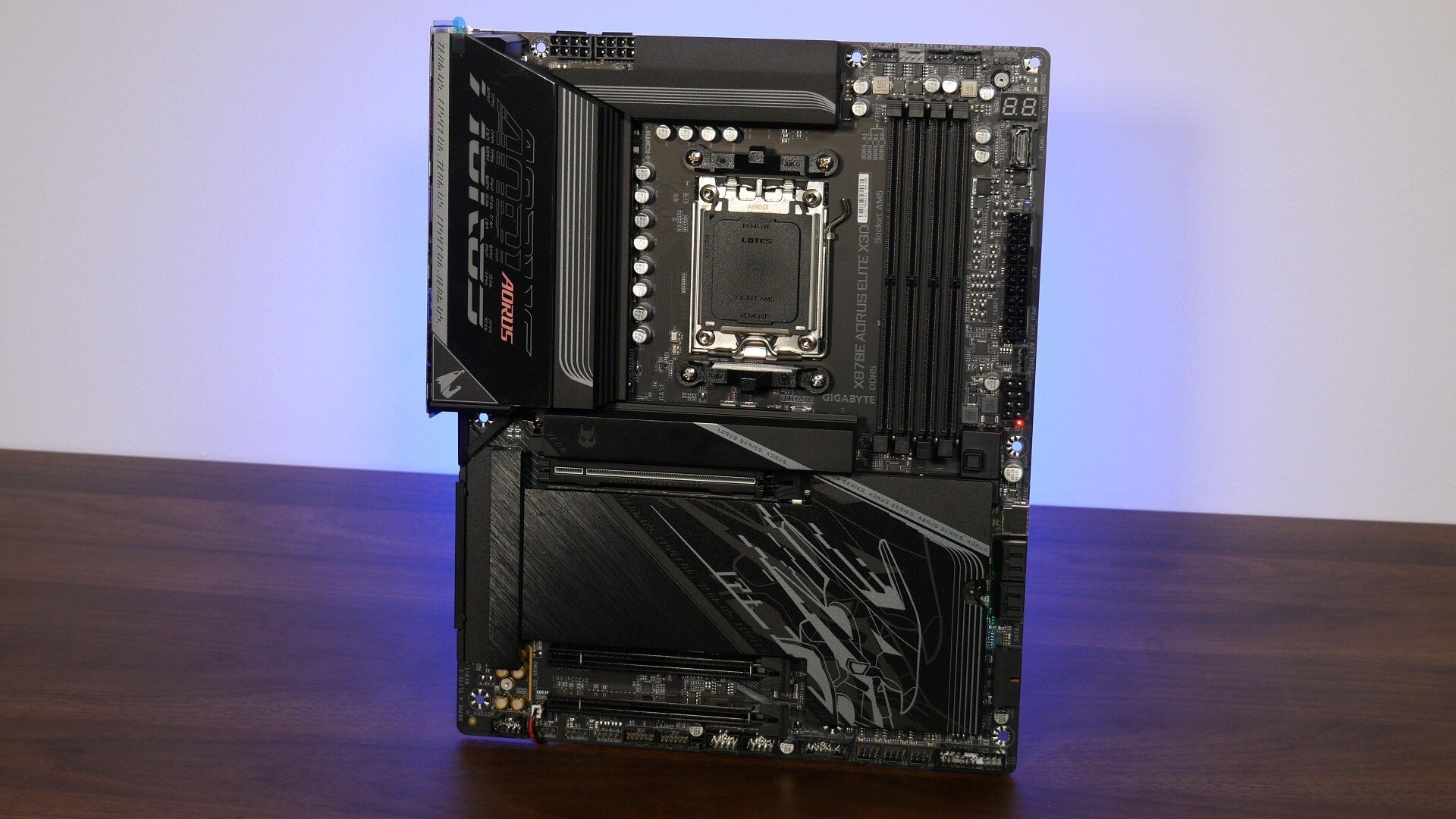
To sum up, the Gigabyte X870E AORUS ELITE X3D is part of a much welcomed refresh to Gigabyte’s AM5 motherboard line-up at the higher-end, where we get features such as full-fat WIFI7 that supports the 320MHz channel width, 5 Gigabit Ethernet and improvements to how lane-sharing is handled, on top of all the other features that one would come to expect of a high-end AM5 motherboard offering, such as PCIe 5.0 support for a graphics card and two M.2 drives, dual USB4 ports, as well as a whole bunch of interesting and helpful features such as Sensor Panel Link, PCIe EZ-Latch Plus and so on.
As of the time of publishing this article, the X870E AORUS ELITE X3D is available to purchase from Newegg for a price of US$379.99. Readers from Singapore can purchase this board for around $659 Singapore dollars from local PC hardware retailers.
Get this motherboard from Amazon: https://www.amazon.com/dp/B0FRTKQCLH?ref=t_ac_view_request_product_image&campaignId=amzn1.campaign.1W304GGTEBGSY&linkCode=tr1&tag=alktech-20&linkId=amzn1.campaign.1W304GGTEBGSY_1764404760614 (affiliate link)
Get this motherboard from Lazada Singapore: https://s.lazada.sg/s.2Z9CZ (affiliate link)
Get this motherboard from Shopee Singapore: https://s.shopee.sg/2LQmR9GMKX (affiliate link)
ALKtech may earn commissions from qualifying purchases made using affiliate links, at no extra cost to you as a customer. These commissions go a long way in supporting the platform!
The motherboard featured in this article was a review unit provided on loan from CDL Trading Pte Ltd, an authorised distributor for Gigabyte in Singapore.