%20500x1200.png?width=200&height=83&name=ALK%20Tech%20Logo%20(TransparentTextured)%20500x1200.png "ALK Tech Logo (TransparentTextured) 500x1200")
If you're an anime waifu fan on the lookout for a white-coloured microATX AMD AM5 motherboard, the Gigabyte B850M AORUS ELITE WIFI7 ICE-P should catch your eye, where it has no shortage of "Ari" motifs, Gigabyte's new anime waifu mascot.
In this article, we’ll be taking a look at a new mainstream microATX motherboard from Gigabyte that’s targeted at you anime waifu lovers - the Gigabyte B850M AORUS ELITE WIFI7 ICE-P. Featuring support for AMD's "Zen 5" Ryzen 9000 series of processors, the Ryzen 8000 series of APUs and CPUs, as well as the older Ryzen 7000 series of CPUs, this motherboard features a properly all-white aesthetic with motifs of Gigabyte's new anime waifu mascot named "Ari".
Sporting a VRM setup that should handle AMD's mid-range AM5 processors with ease, PCIe 5.0 support for a graphics card and a M.2 drive, 2.5 Gigabit Ethernet and WIFI 7 connectivity alongside an assortment of quality-of-life features, this motherboard would be at home in a mid-range AM5 gaming PC build in white. Read on to learn more about the B850M AORUS ELITE WIFI7 ICE-P!
Summary of Specifications
Processor Support: AMD Ryzen 9000/8000/7000 series processors
Chipset: AMD B850
Memory: 4x DDR5 slots, max 256GB, up to DDR5 8200 support (as of March 2026)
Audio: Realtek ALC1220 audio codec
LAN: Realtek RTL8125D 2.5 Gigabit Ethernet
WIFI: Realtek RTL8922AE WIFI 7 module with built-in Bluetooth 5.4
Expansion Slots: 1x PCIe 5.0 x16, 1x PCIe 3.0 x16 (runs at x4 mode)
Storage: 4x SATA III, 1x PCIe 5.0 x4 M.2, 1x PCIe 4.0 x4 M.2 (M.2 slots support NVMe drives only)
Form Factor: Micro ATX
Official Product Page: https://www.gigabyte.com/Motherboard/B850M-AORUS-ELITE-WIFI7-ICE-P
Do note that PCIe 5.0 is supported only when a Ryzen 9000 or Ryzen 7000 series CPU is installed on this motherboard - the Ryzen 8000 series of APUs/CPUs only support the PCIe 4.0 standard.
Packaging & Contents
.jpg)
.jpg)
The B850M AORUS ELITE WIFI7 ICE-P ships in a box that that has an illustration of Ari emblazoned on the front, amidst an Oriental-inspired landscape. Moving over to the rear of the box, we get the usual summary of specs for this board.
.jpg)
.jpg)
As we’re setting aside the board for the moment, you’ll notice that even the antistatic bag containing the board has Ari motifs printed on it – that’s some nice attention to detail right there.
.jpg)
The motherboard comes with the following accessories:
- WIFI antenna
- 2x SATA III cables
- 1x G Connector
- 2x packs of M.2 drive rubber pads
- Quick installation guide
- Regulatory information leaflet
- "Ari" sticker sheet
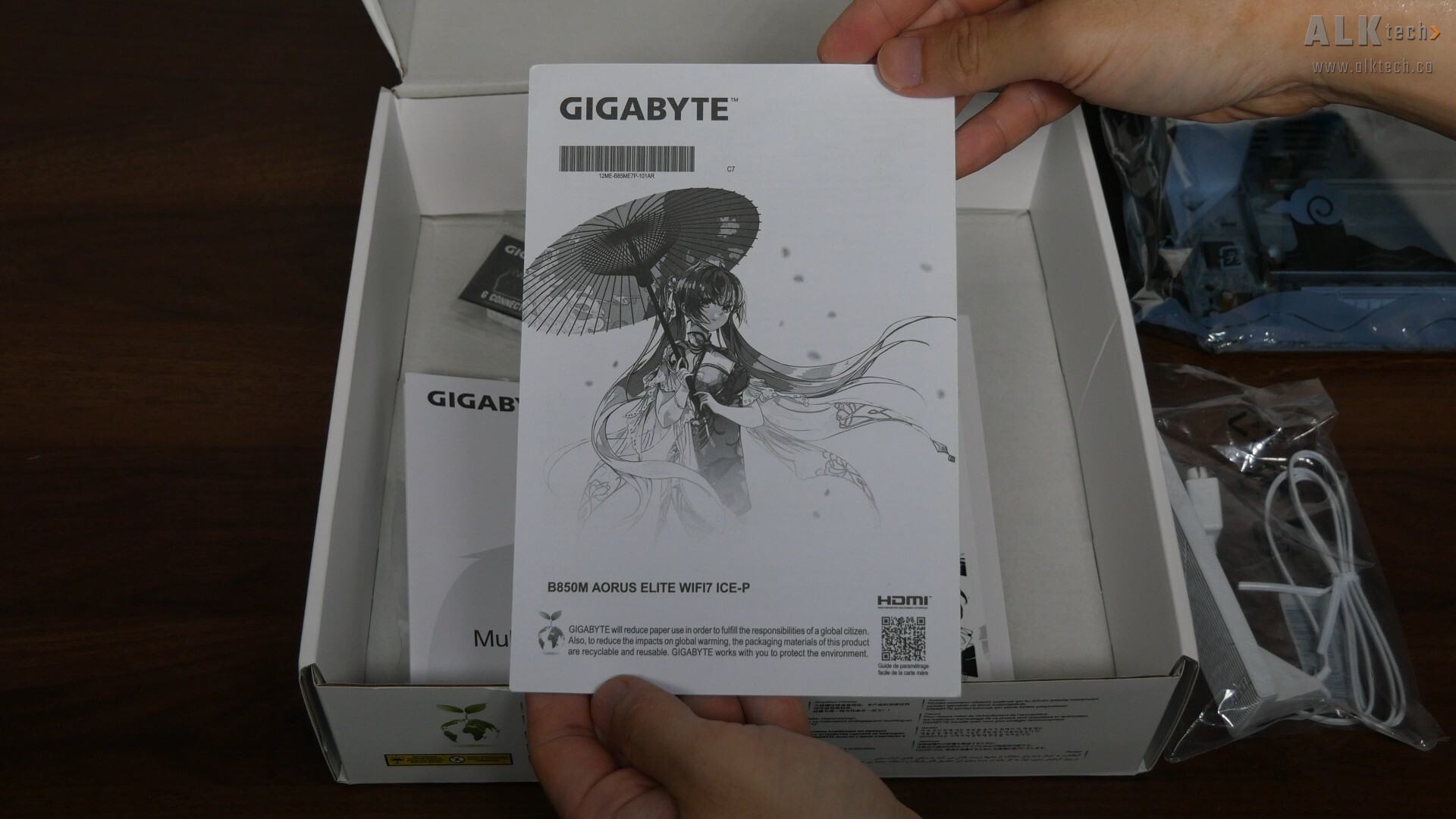
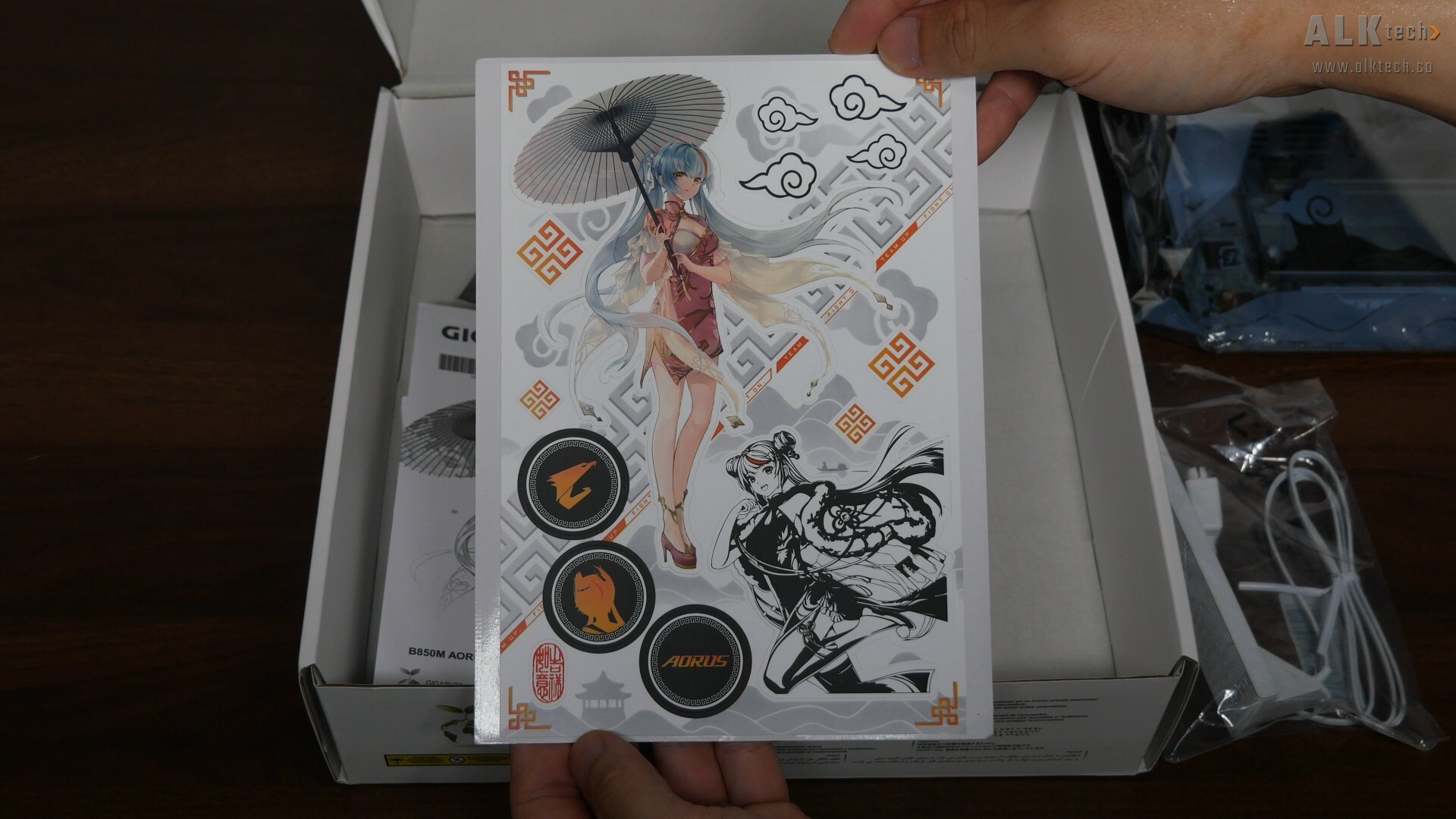
It'd be remiss of me to skip on showing the regulatory information leaflet, which has an Ari motif on the front page, and the Ari-themed sticker sheet that Gigabyte's included with the board.
Board Aesthetics
.jpg)
In terms of motherboard aesthetics, we see that Gigabyte's gone for a white-and-silver aesthetic with splashes of black and orange for contrast, where we get a white-coloured PCB and silver heatsinks decked out with lots of Oriental-inspired motifs. The board also features an integrated I/O shield design.
.jpg)
Over on the rear, we see that Gigabyte’s also included Oriental-inspired AORUS motifs for added visual interest.
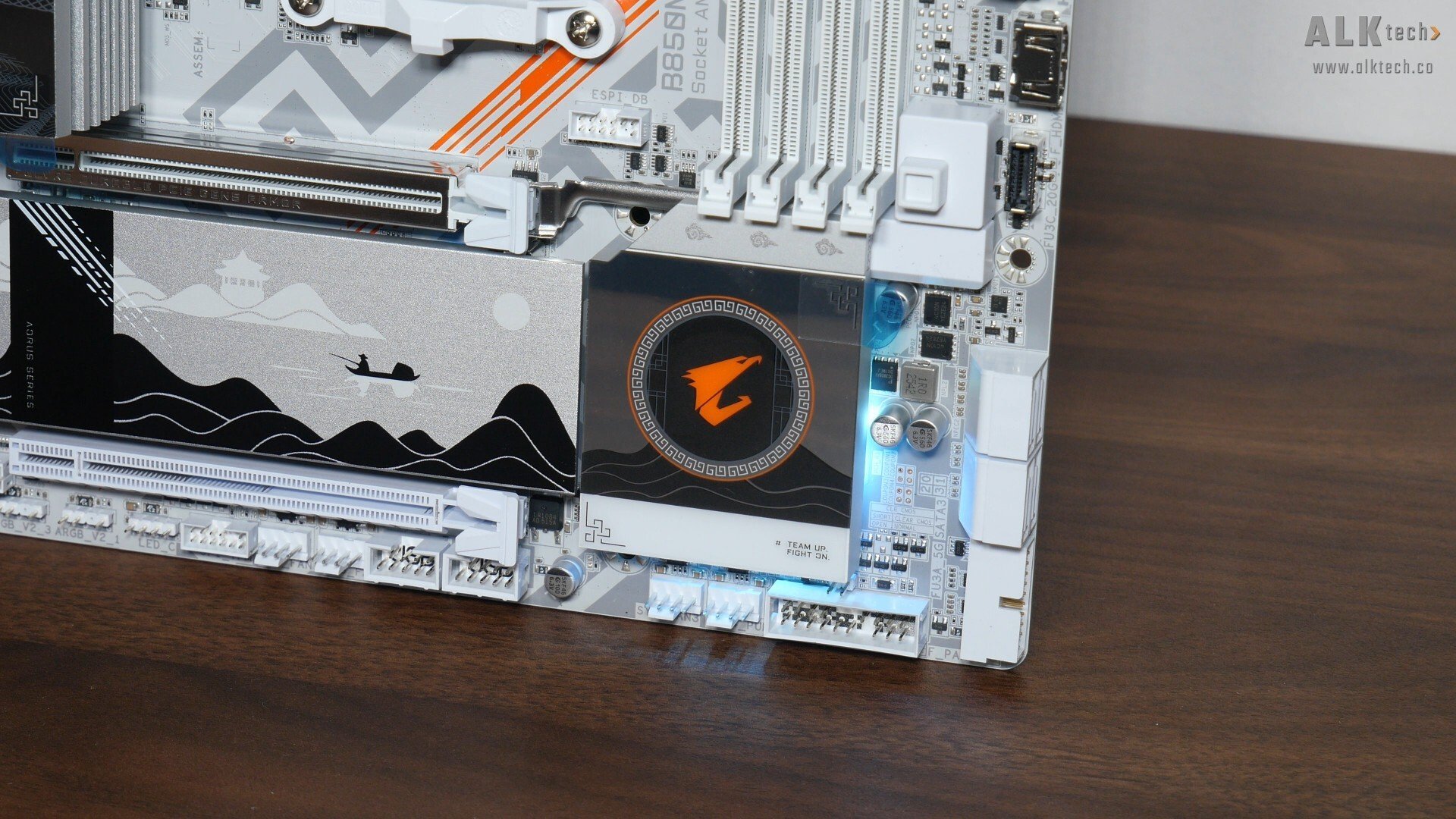
The B850 chipset has a single-chip design, and the said chip sits beneath the passive heatsink pictured above. Fans of integrated aesthetic LEDs for their motherboards will be pleased to note that Gigabyte’s included ARGB LEDs beneath the chipset heatsink, where the colour and effects of these LEDs can be customised via the Gigabyte Control Center app within Windows.
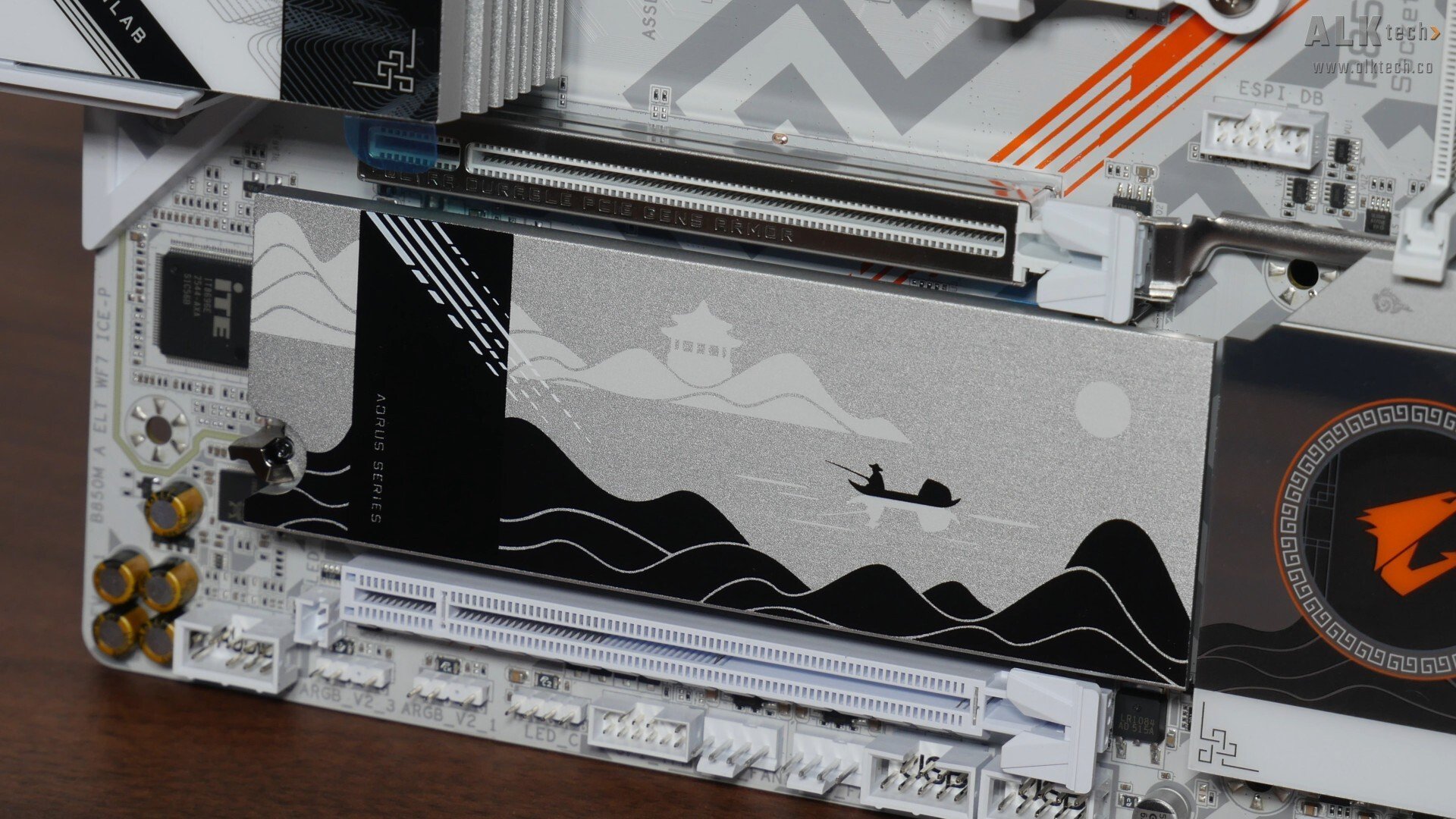
For M.2 drive cooling, we get a single large heatsink that provides coverage for the two M.2 drive slots that this board comes with.
VRM & Memory Support
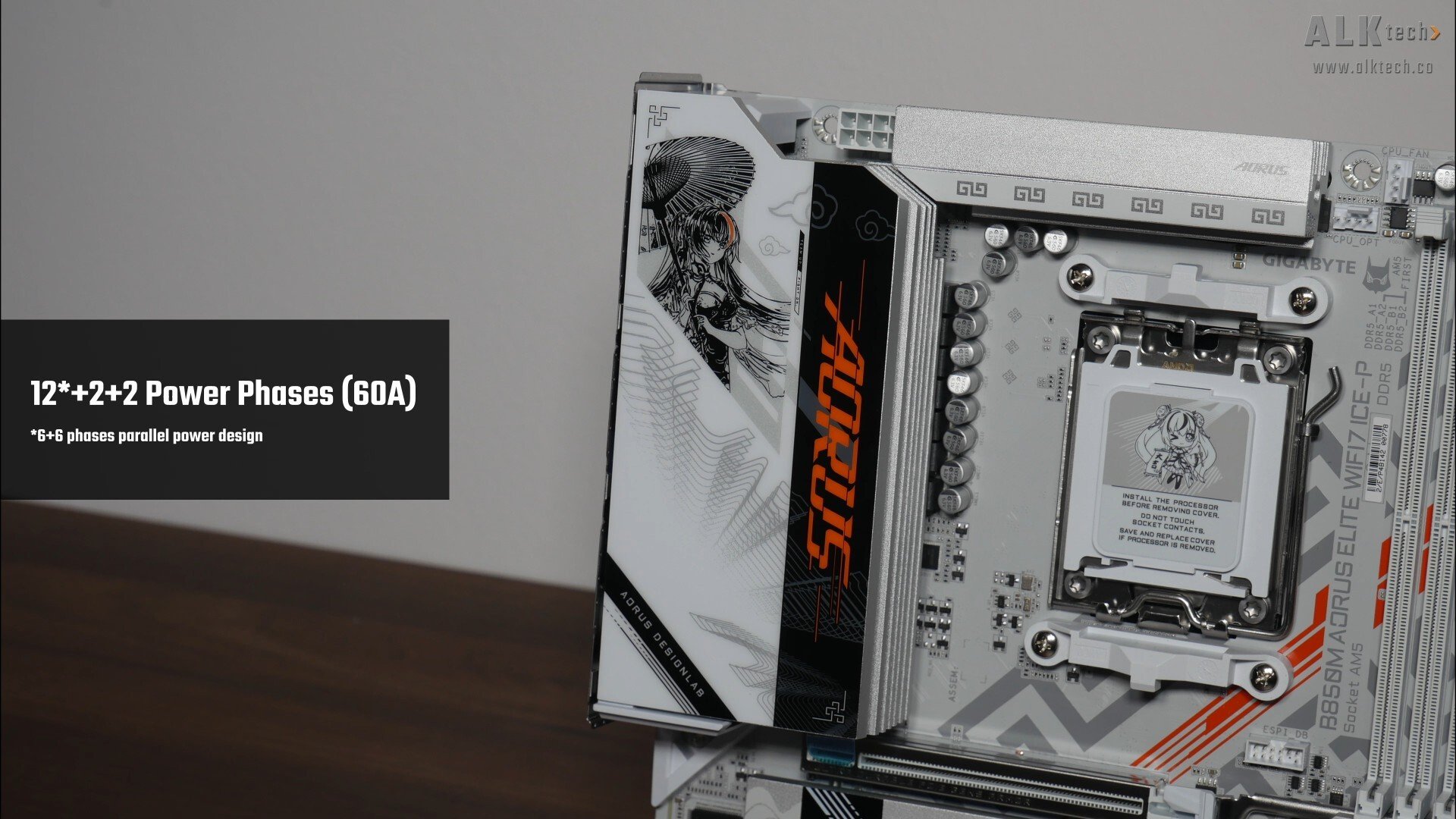
The VRM heatsinks for this board are decently-sized, and Gigabyte's included 12+2+2 power phases with 60A power stages. In case you’re wondering, Gigabyte's gone with a six-layer PCB design for the B850M AORUS ELITE WIFI7 ICE-P.
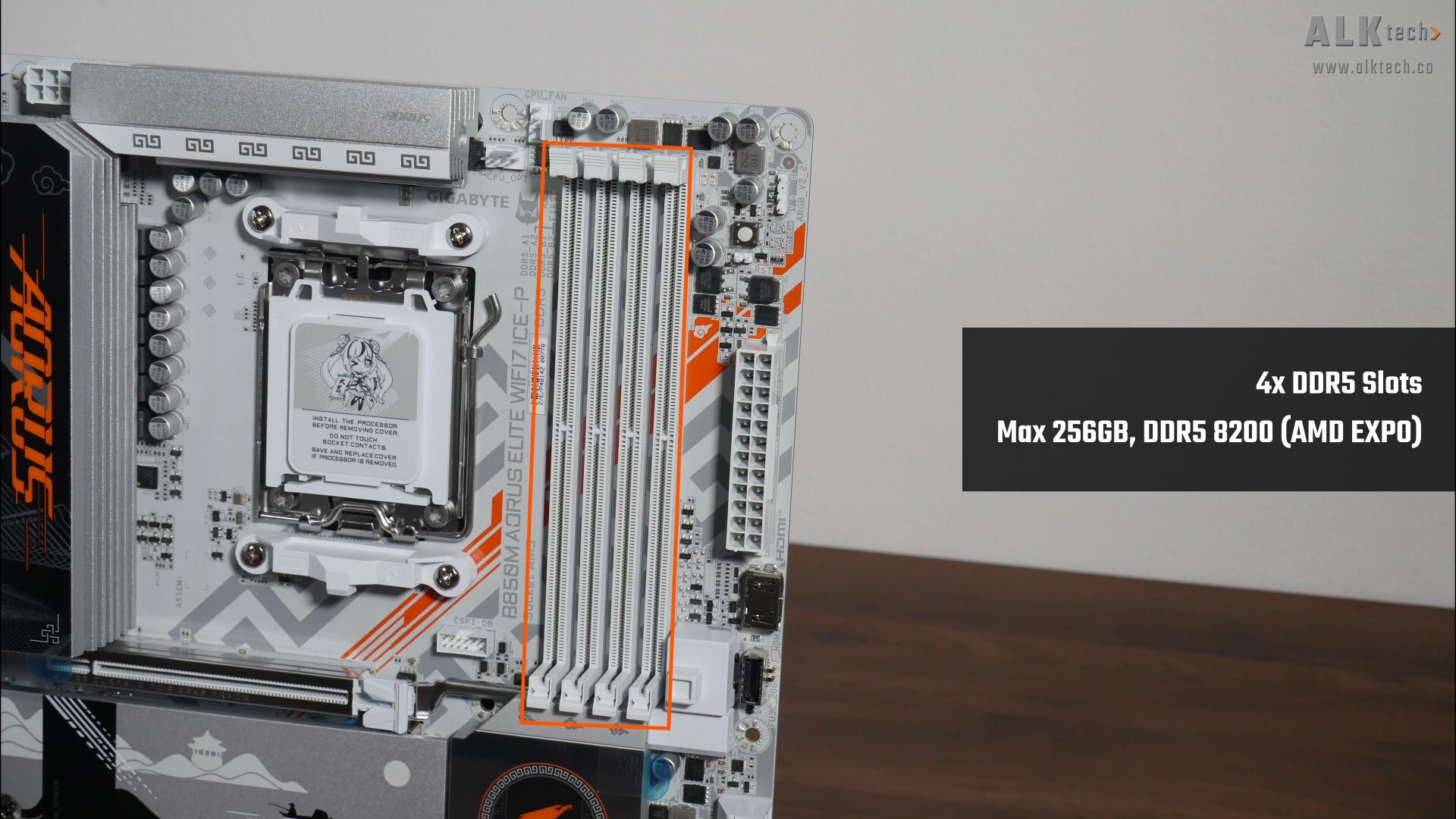
For memory support, the B850M AORUS ELITE WIFI7 ICE-P comes with four DDR5 slots that as of the time of publishing this article, feature support for up to 256GBs of RAM and the DDR5 8200 standard.
Front Panel USB Headers
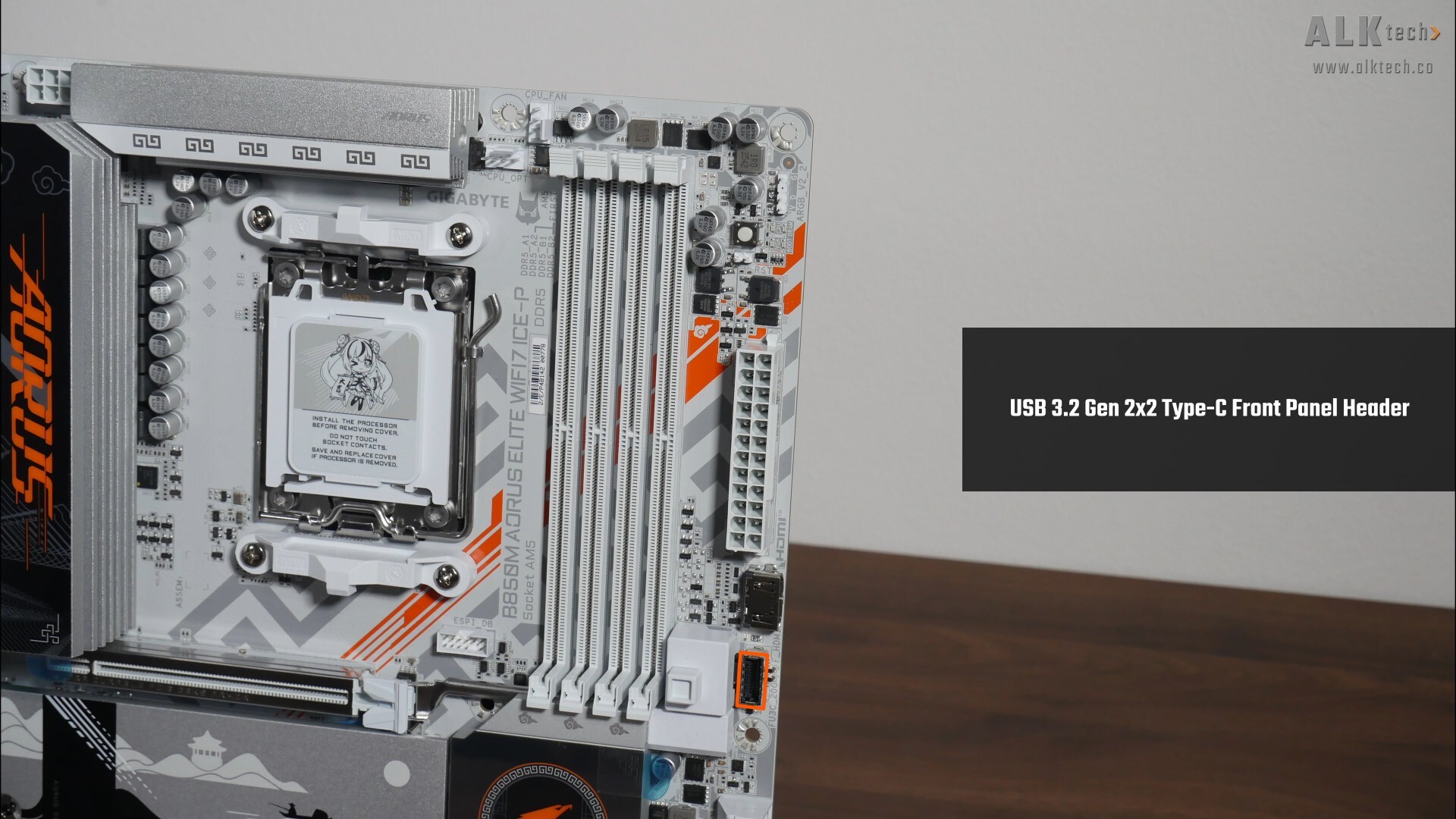
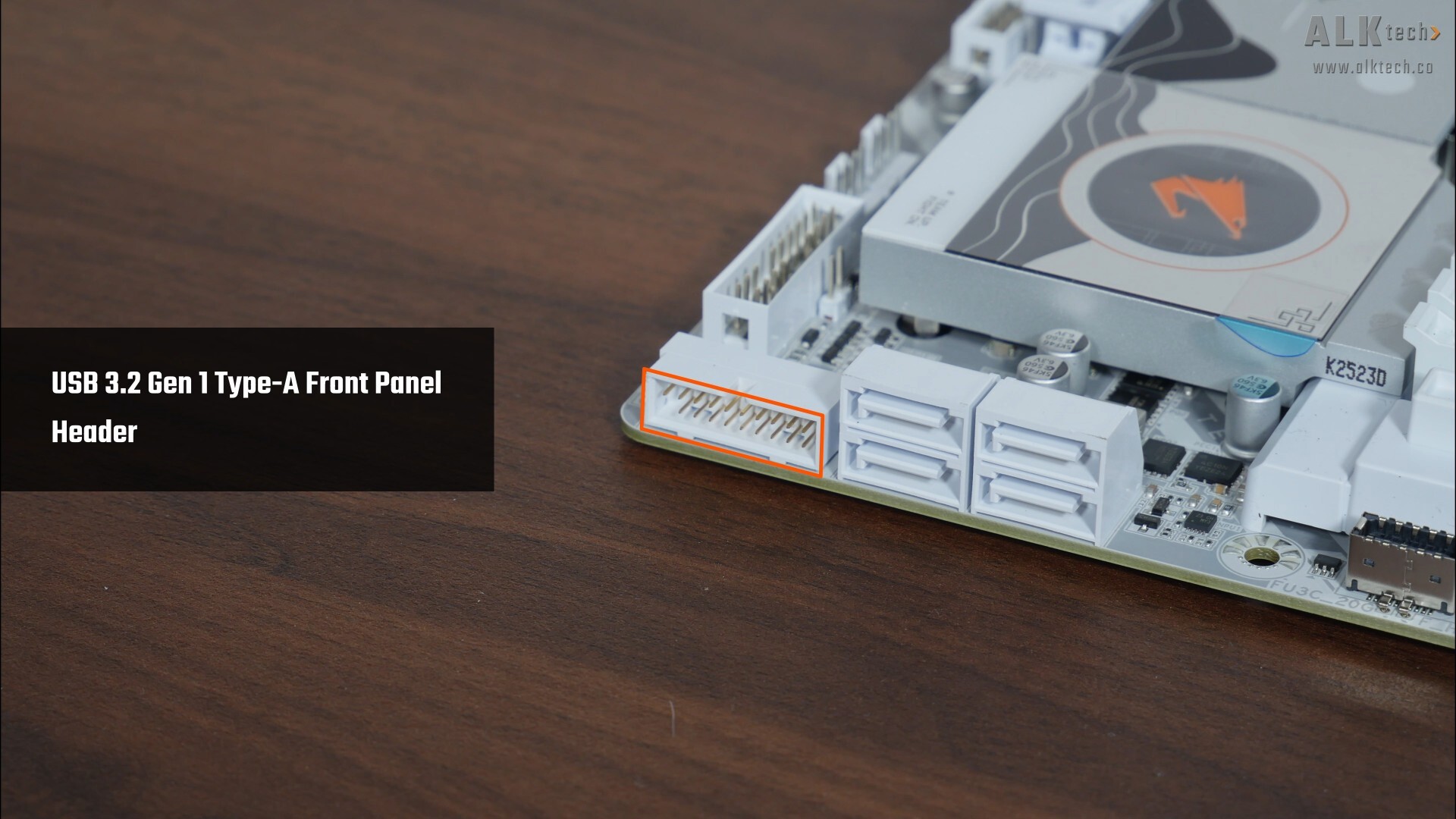
In terms of front panel USB connectivity, we get a USB 3.2 Gen 2x2 Type-C front panel header next to the RAM slots, and near the SATA ports found near the bottom edge of the board, a single USB 3.2 Gen 1 Type-A front panel header that provides support for up to two USB 3.2 Gen 1 Type A ports.
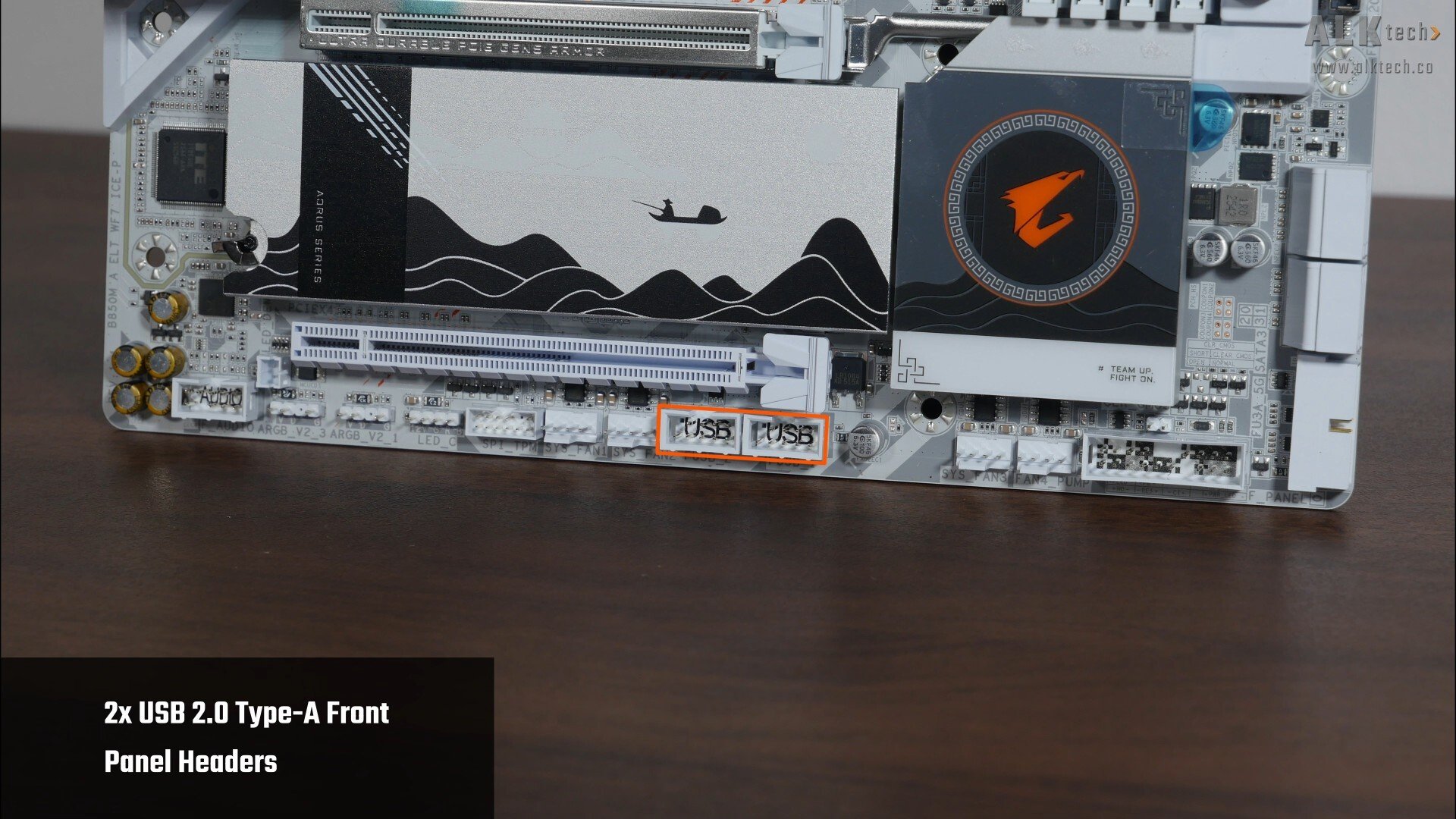
We do also get two USB 2.0 front panel headers, with each header providing support for two USB 2.0 Type A ports, for a total of four ports.
Expansion Slots & Storage Options
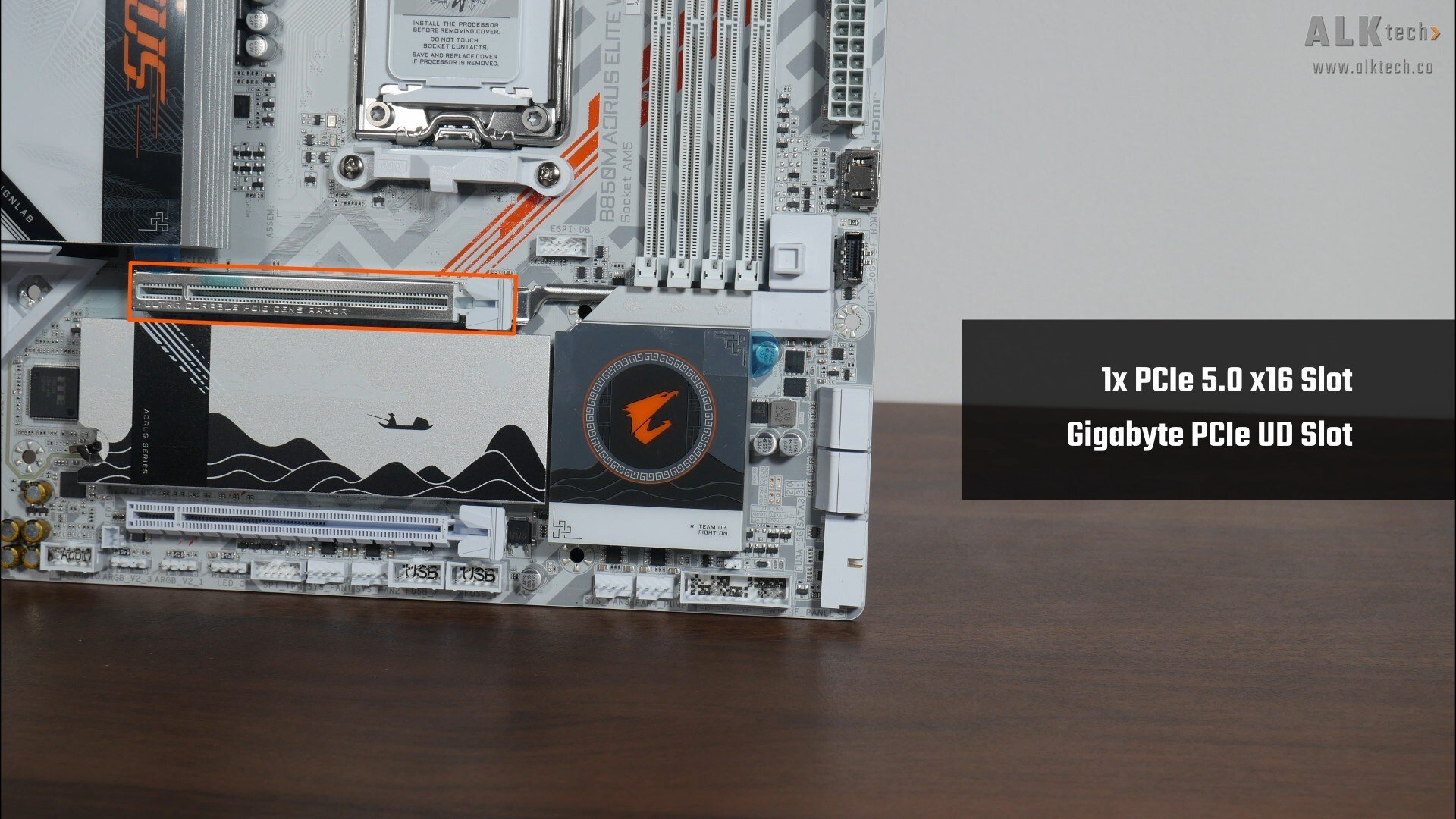
The B850M AORUS ELITE WIFI7 ICE-P comes with a single PCIe 5.0 x16 slot for a graphics card, where the said slot features Gigabyte’s "PCIe UD Slot" design that reinforces the slot for use with heavy graphics cards.
Do note that PCIe 5.0 is only supported when you have a Ryzen 9000 series or Ryzen 7000 series processor installed – its worth noting that the Ryzen 8000 series of APUs and CPUs only support the PCIe 4.0 standard.
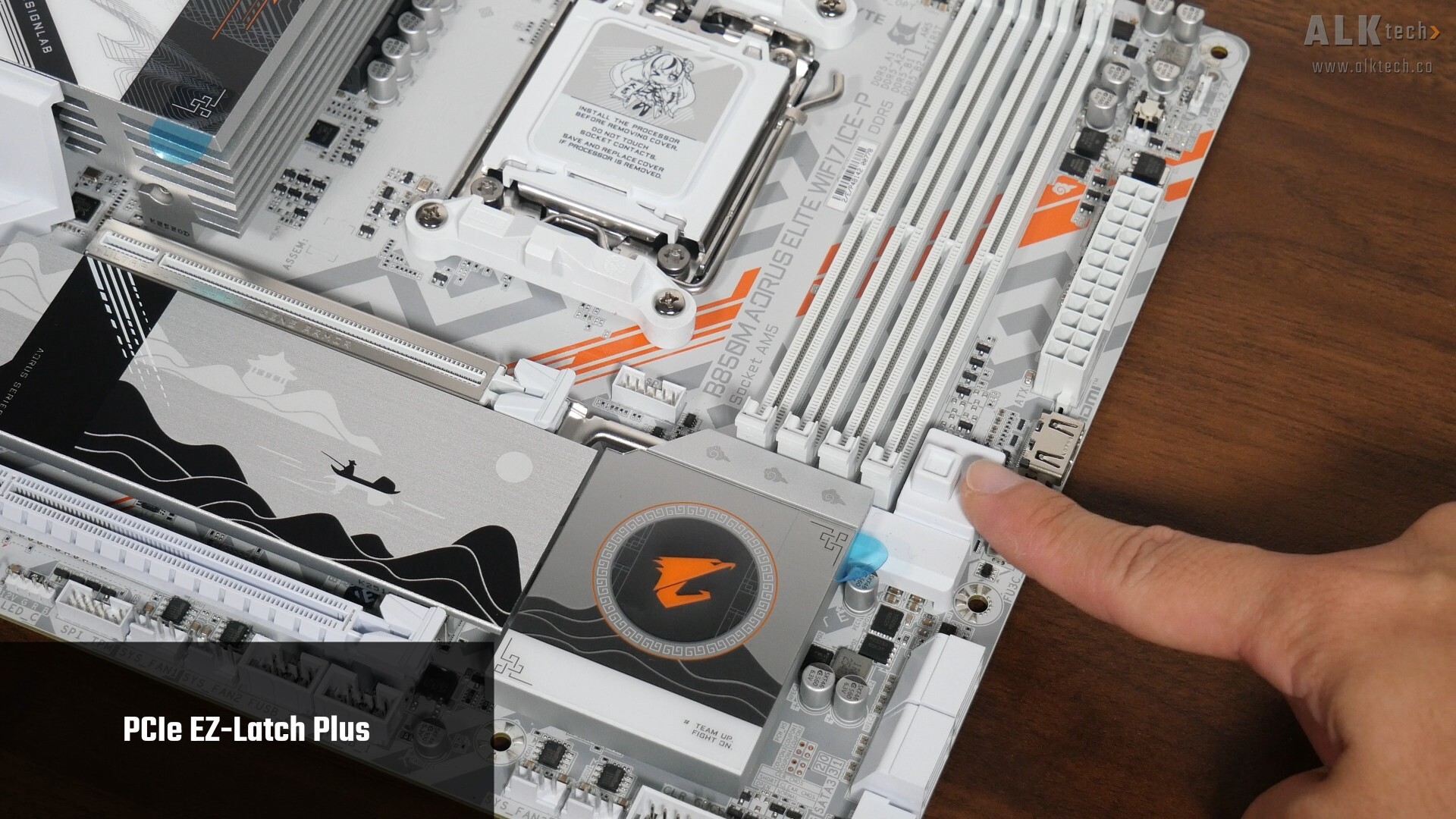
The slot also comes with the PCIe EZ-Latch Plus feature, which helps make removing a graphics card from the slot a breeze. Pressing on the button shown above will cause the graphics card retention tab to be disengaged for the removal of a graphics card from the slot.
.jpg)
Rounding things off in the expansion slots section is a full-length PCIe 3.0 x16 slot that operates at x4 mode.
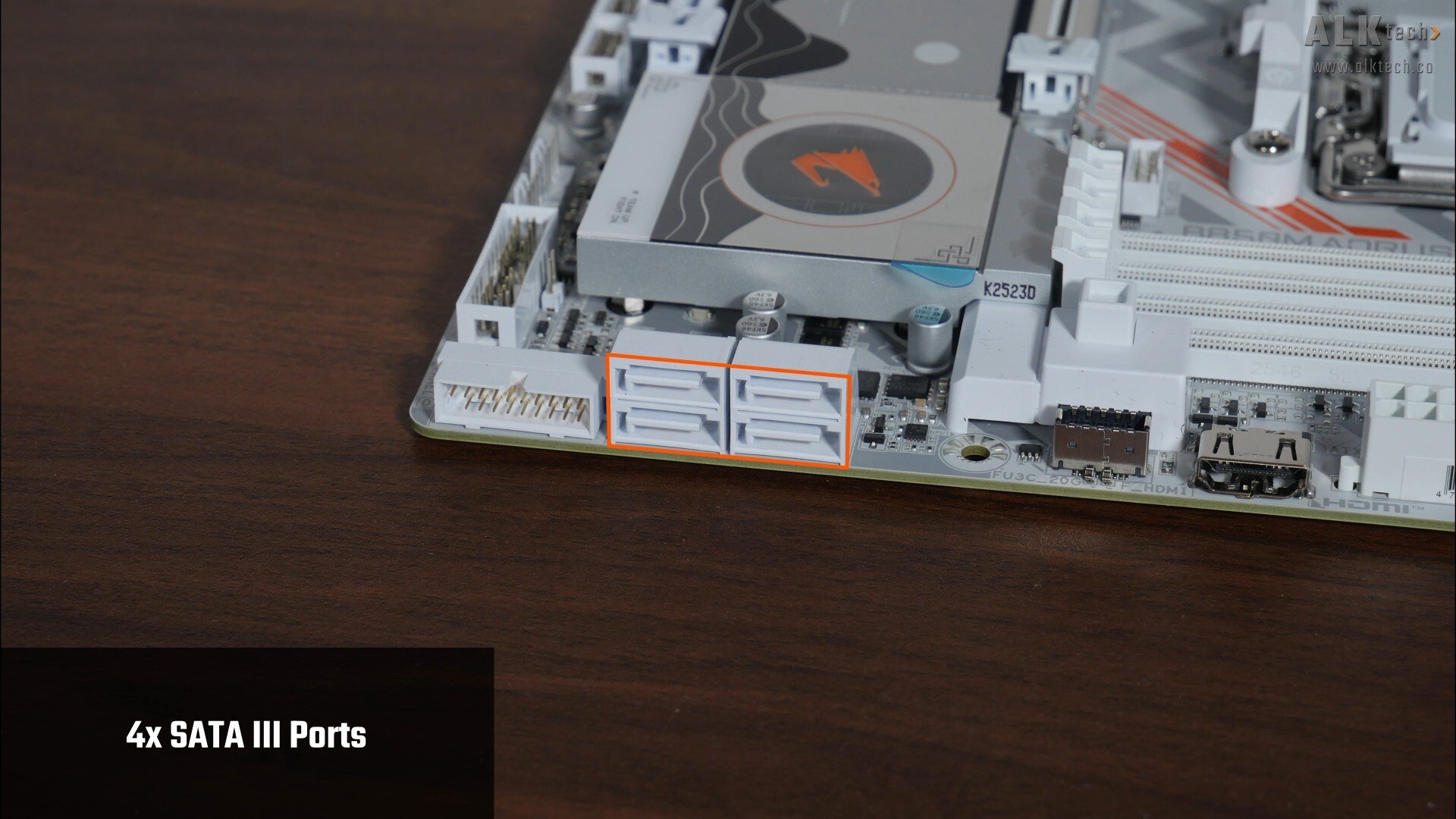
In the storage department, Gigabyte's included four SATA III ports, with all ports in a right-angled configuration to aid with cable management.
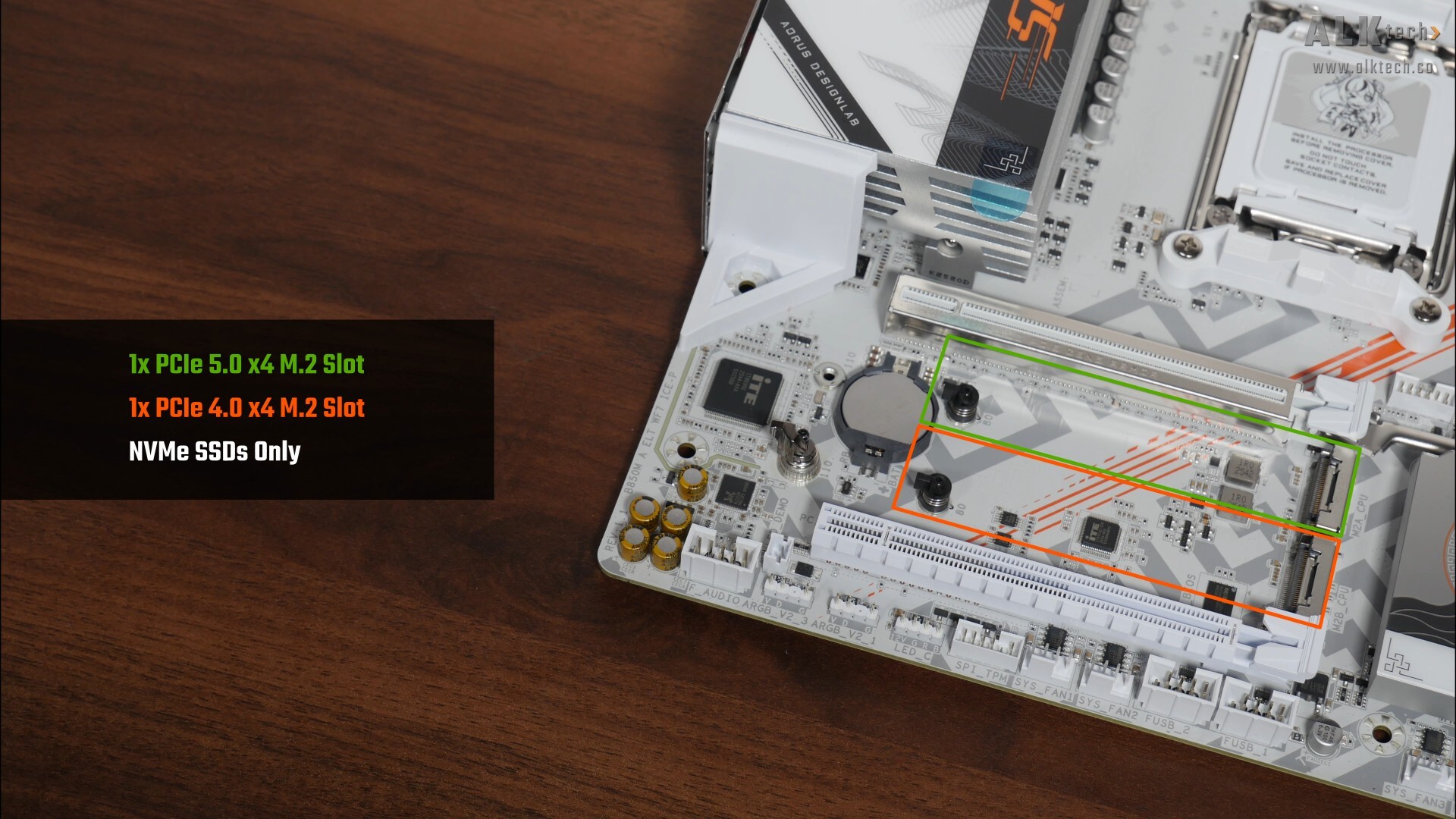
We do also get one PCIe 5.0 x4 M.2 slot and a PCIe 4.0 x4 M.2 slot - do note that both these slots support NVMe SSDs only, M.2 SATA drives will not work in any of these slots. Once again, a reminder that PCIe 5.0 is only supported when one has a Ryzen 9000 series or Ryzen 7000 series processor installed – the Ryzen 8000 series of APUs/CPUs only support the PCIe 4.0 standard.
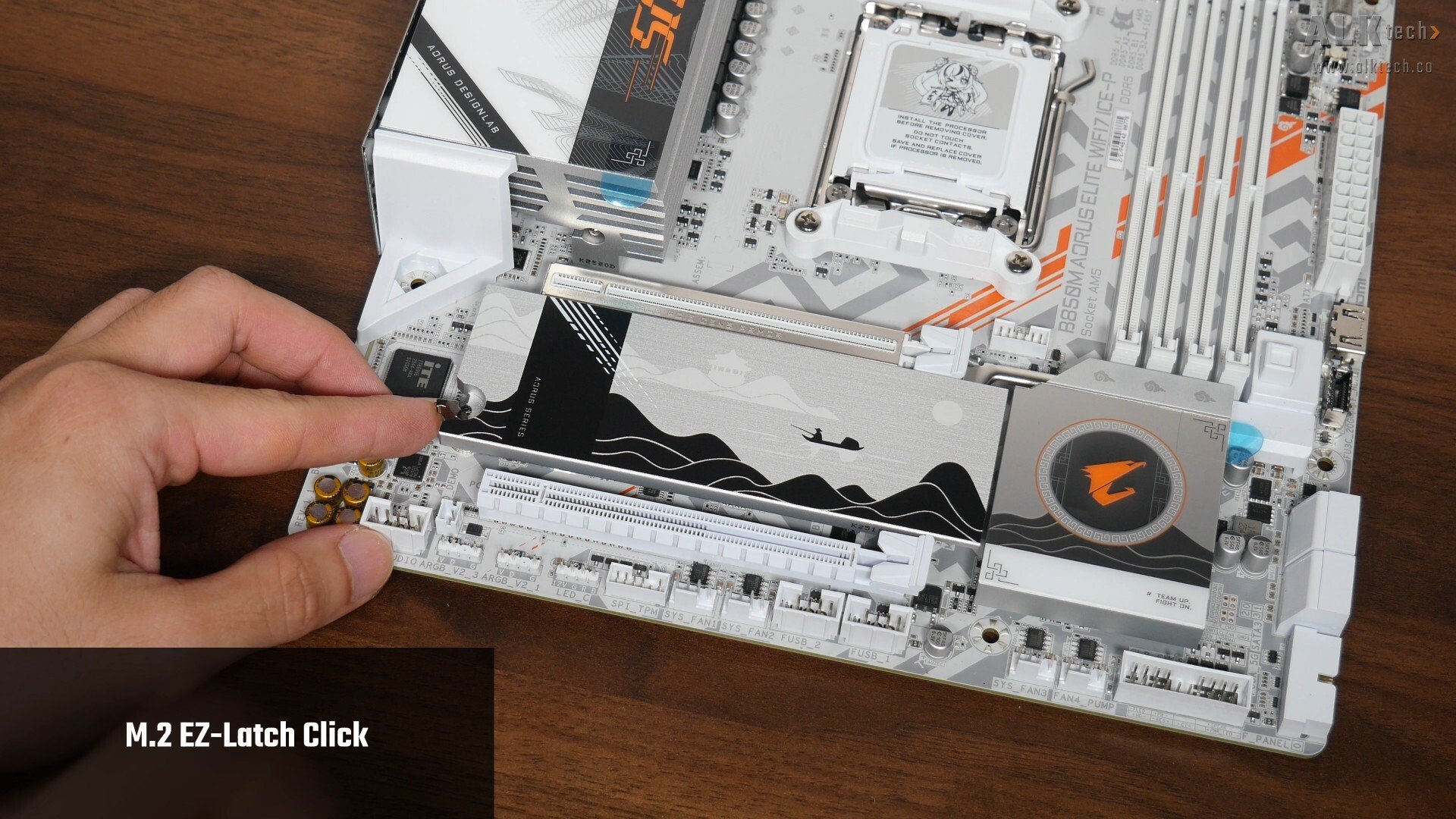
We’ve got two quality-of-life features with the M.2 slots, first up, the M.2 heatsink features a tool-less design called M.2 EZ-Latch Click, which makes removing and reinstalling the heatsink really easy.
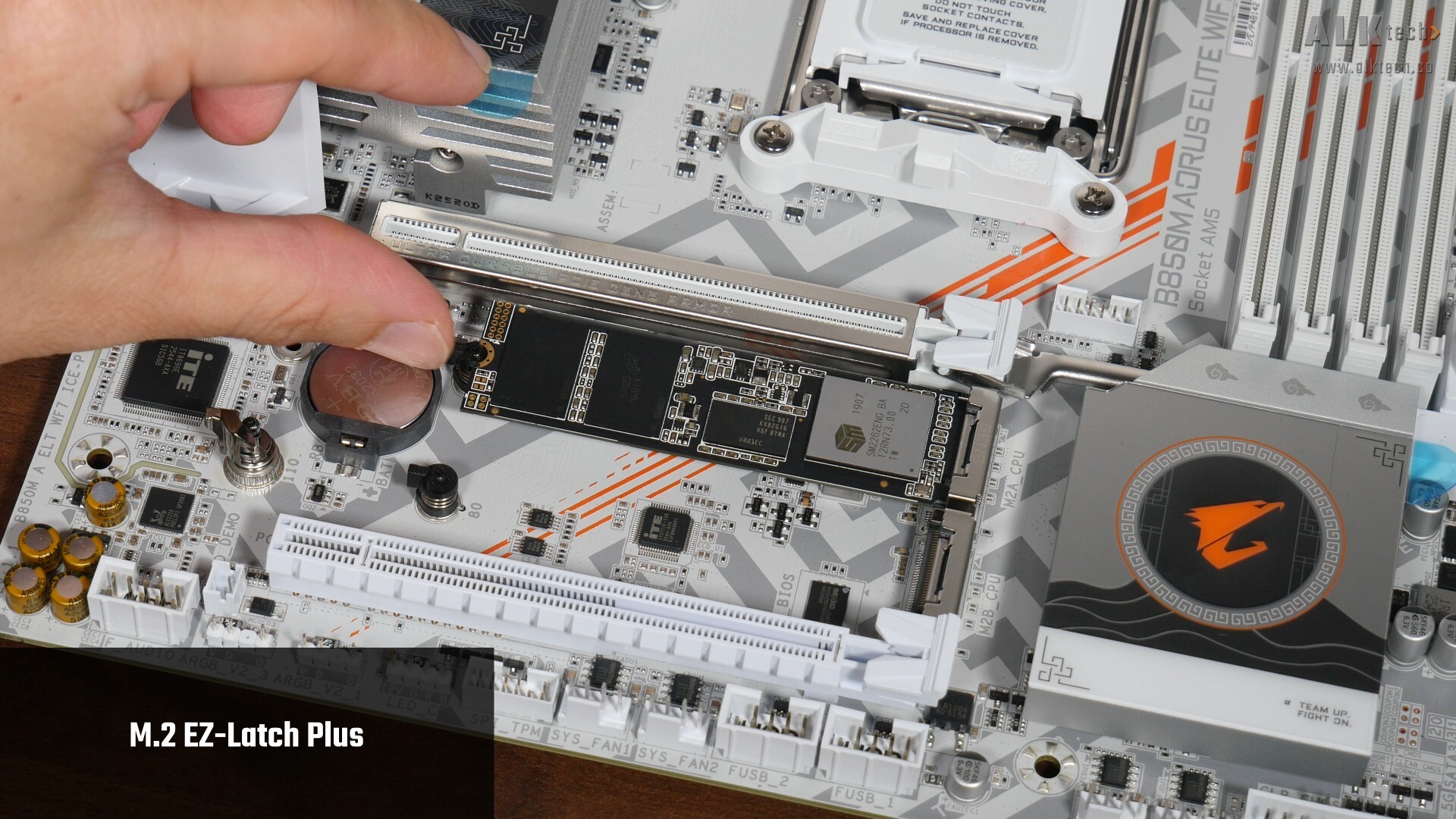
Next up, we’ve got M.2 EZ-Latch Plus, which makes installing and removing a M.2 drive a tool-less affair.
Audio & Internet Connectivity
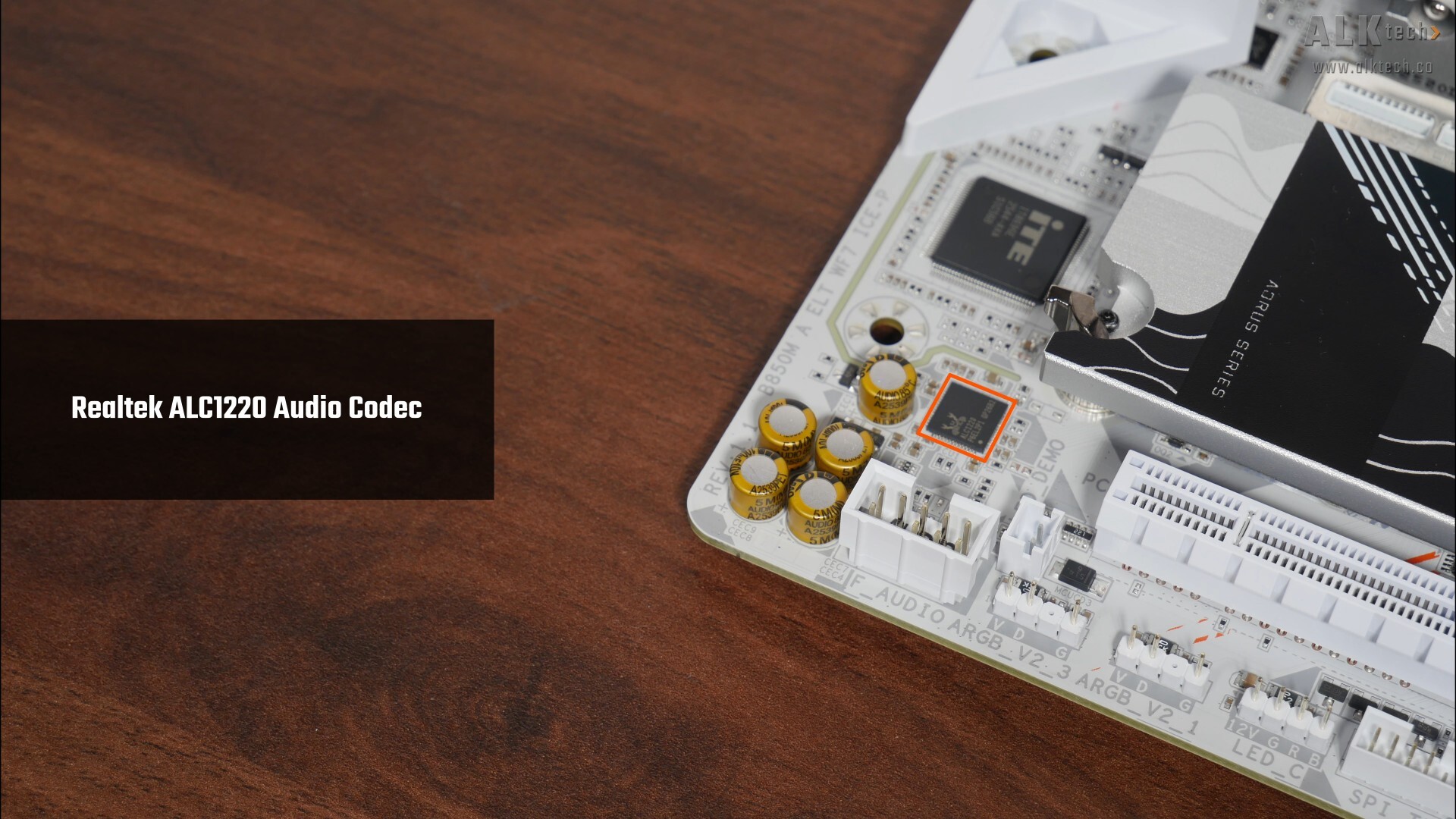
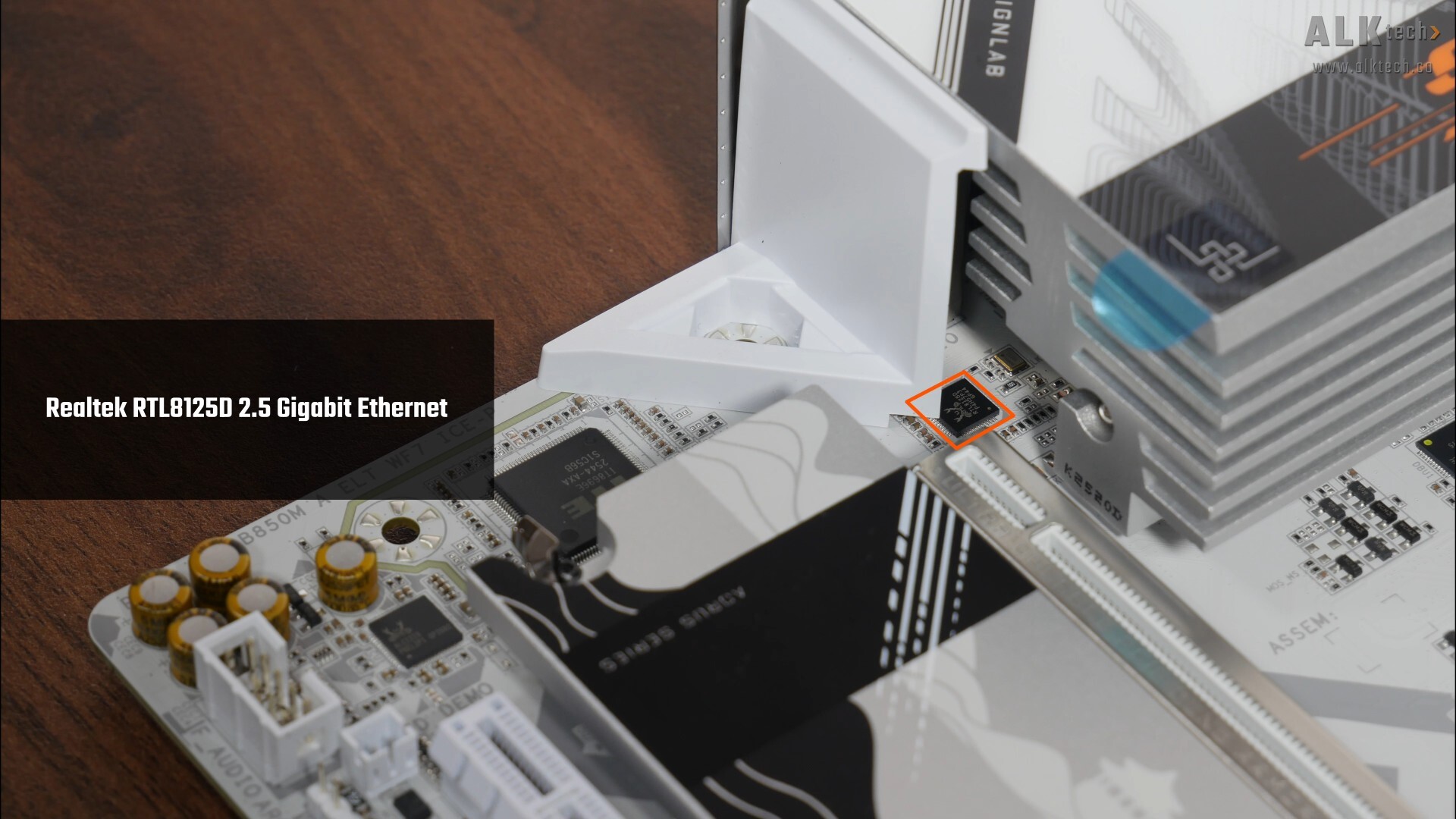
For audio, Gigabyte's included a higher-end Realtek ALC1220 audio codec, while in terms of wired internet connectivity, we've got a Realtek RTL8125D chip that provides support for 2.5 Gigabit Ethernet. WIFI support on the other hand, is courtesy of a Realtek RTL8922AE WIFI 7 part that supports the 160 MHz channel width and also serves up Bluetooth 5.4 support.
Fan & RGB Headers
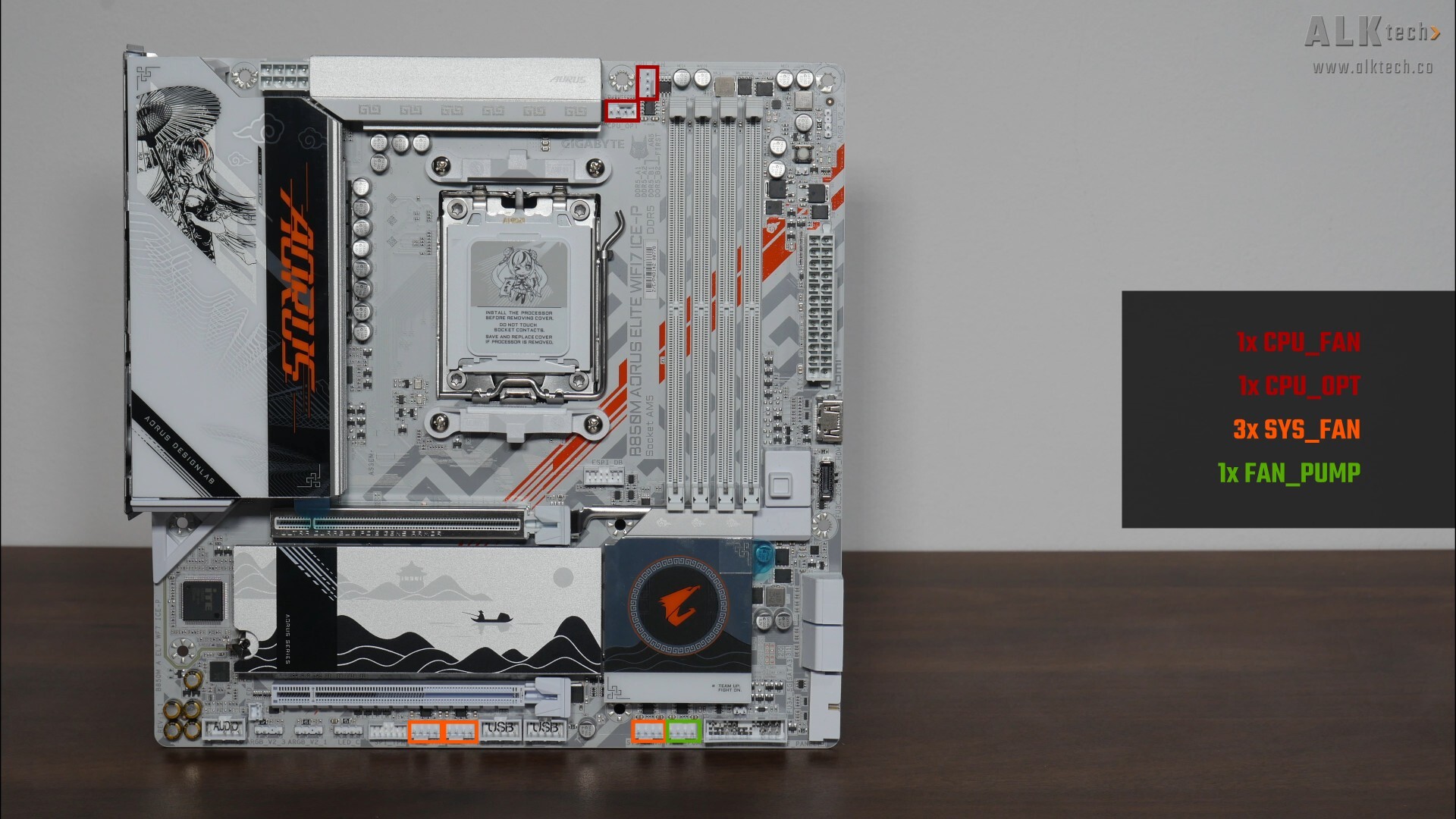
The B850M AORUS ELITE WIFI7 ICE-P comes with six fan headers:
- 1x CPU_FAN
- 1x CPU_OPT
- 3x SYS_FAN
- 1x FAN_PUMP
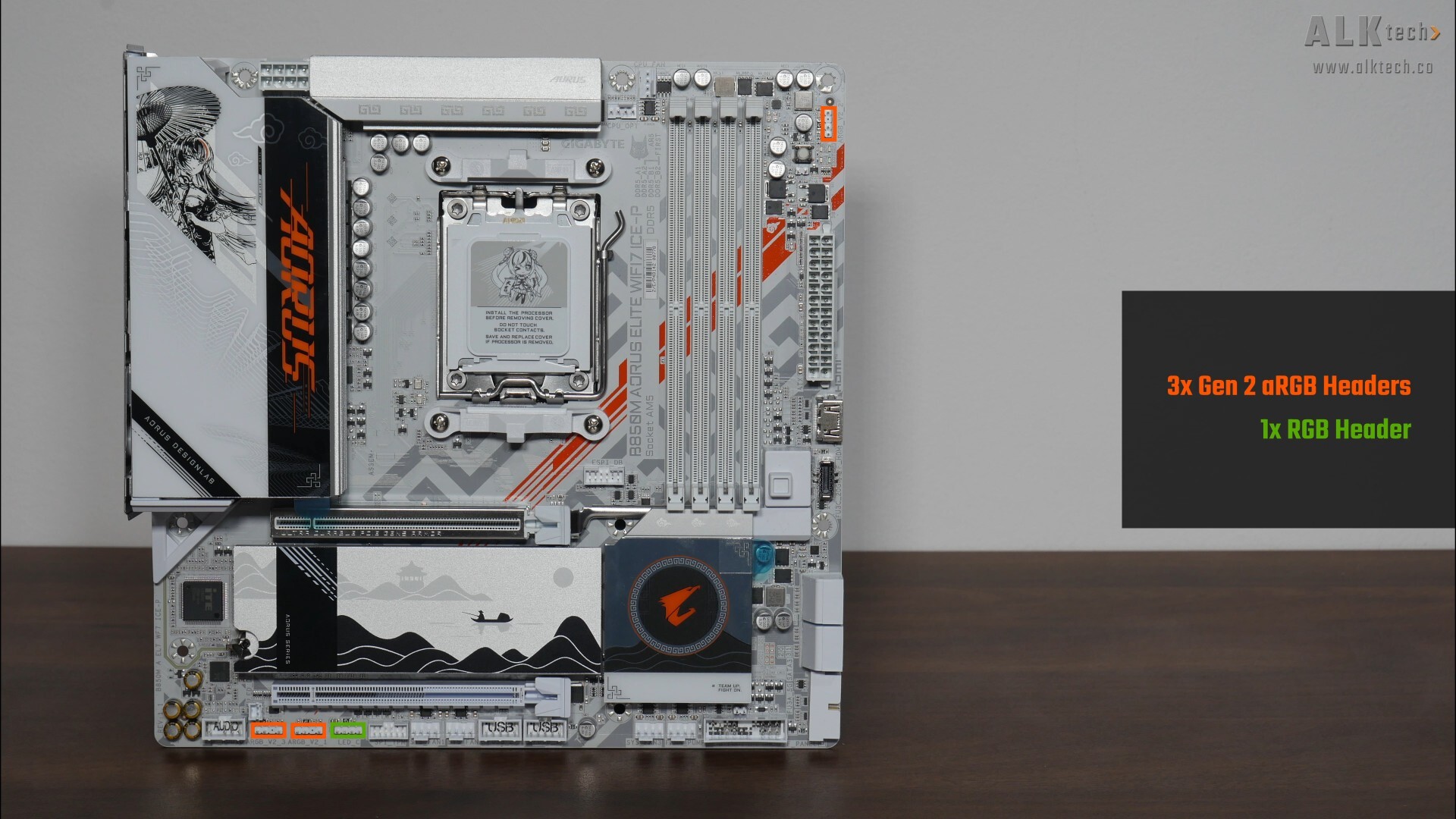
Also included are three Gen 2 addressable RGB headers and a single 12V RGB header.
Other Features
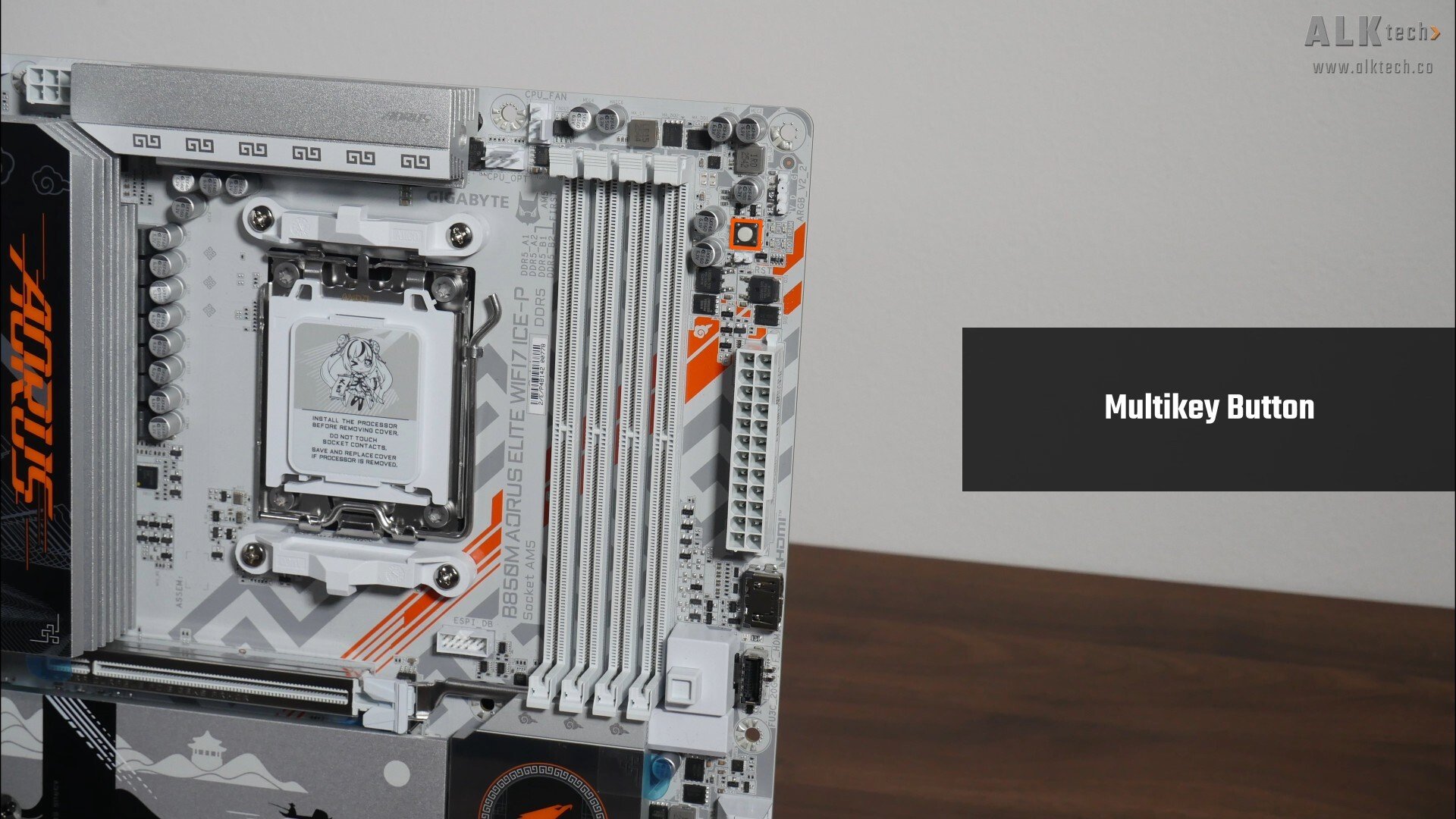
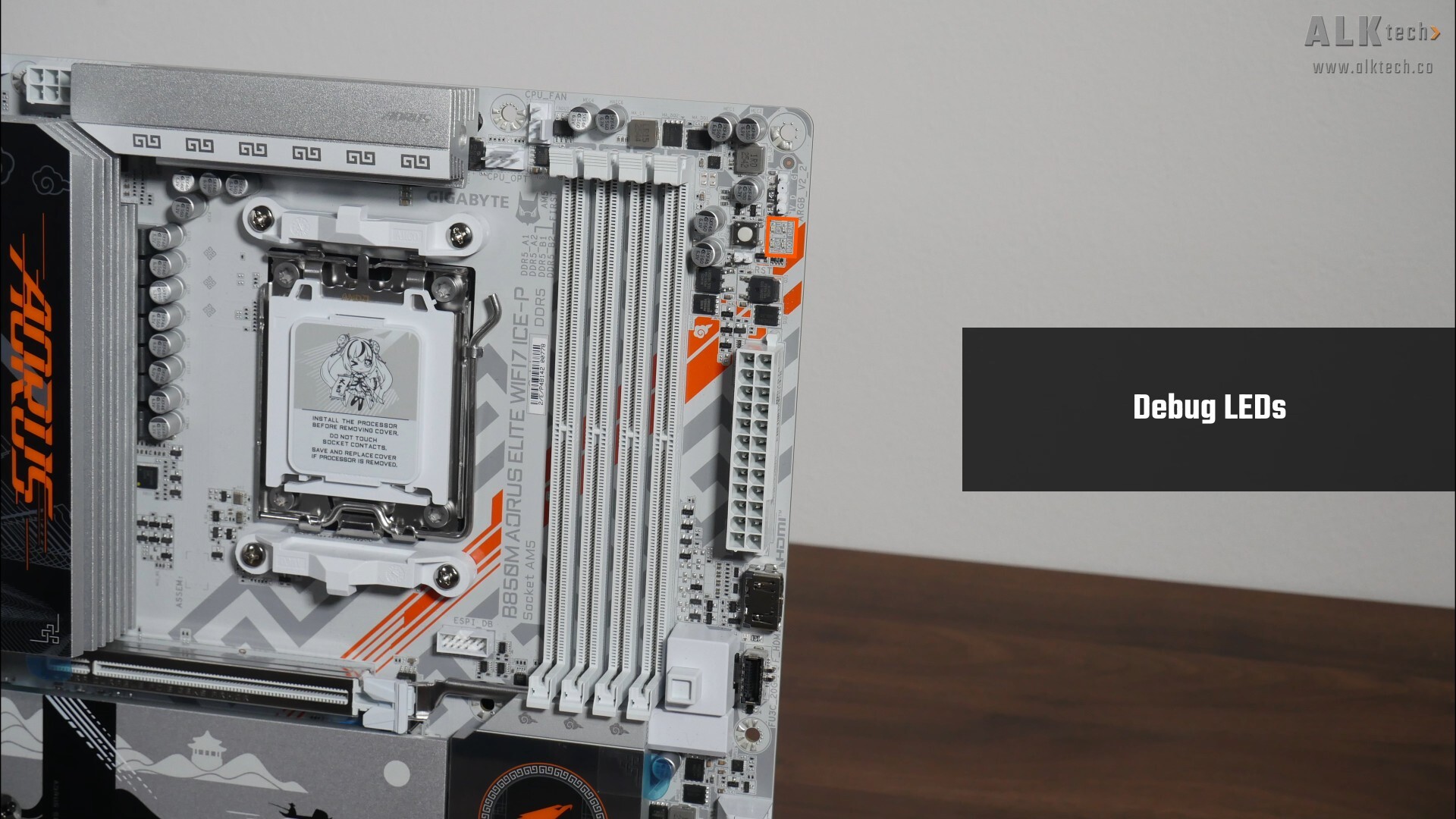
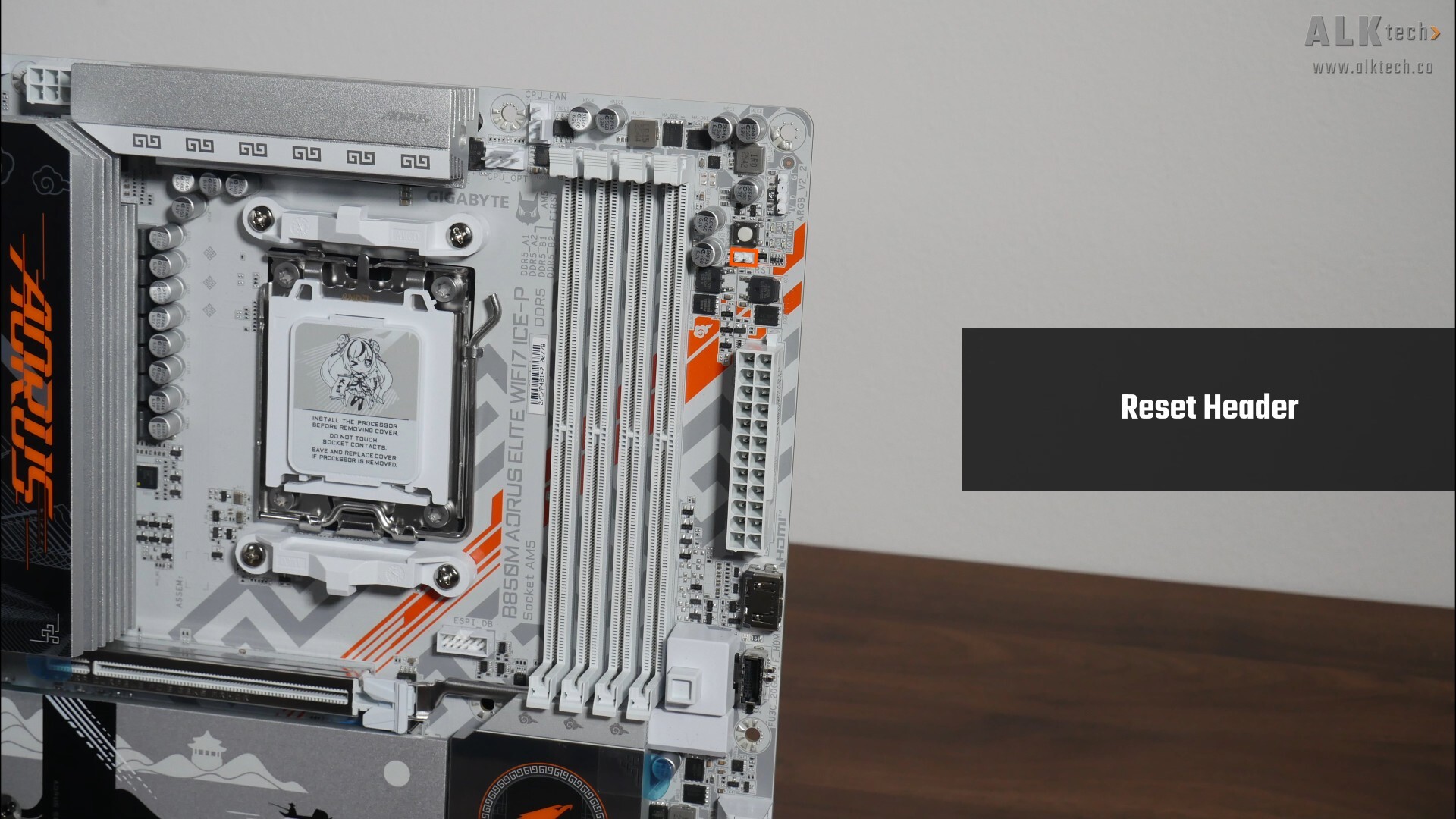
Some interesting features to highlight – back at the top of the motherboard, we get a reset button, also termed a multikey button by Gigabyte, that can be reprogrammed from within the BIOS to serve other purposes, and a set of Debug LEDs that can help with troubleshooting PC start-up issues. We do also get a traditional two pin reset header that you can hook up to an additional reset switch.
.jpg)
.jpg)
Moving further down, right next to the 24-pin ATX power connector, we get an onboard HDMI 1.4 port that forms part of a feature that Gigabyte calls Sensor Panel Link. Sensor Panel Link is a feature that taps on the trend of end-users having a small LCD display screen as part of one’s PC case, so as to display vital PC statistics or even animated videos of their choice. The said port supports a maximum display resolution of 1920x1080@30 Hz.
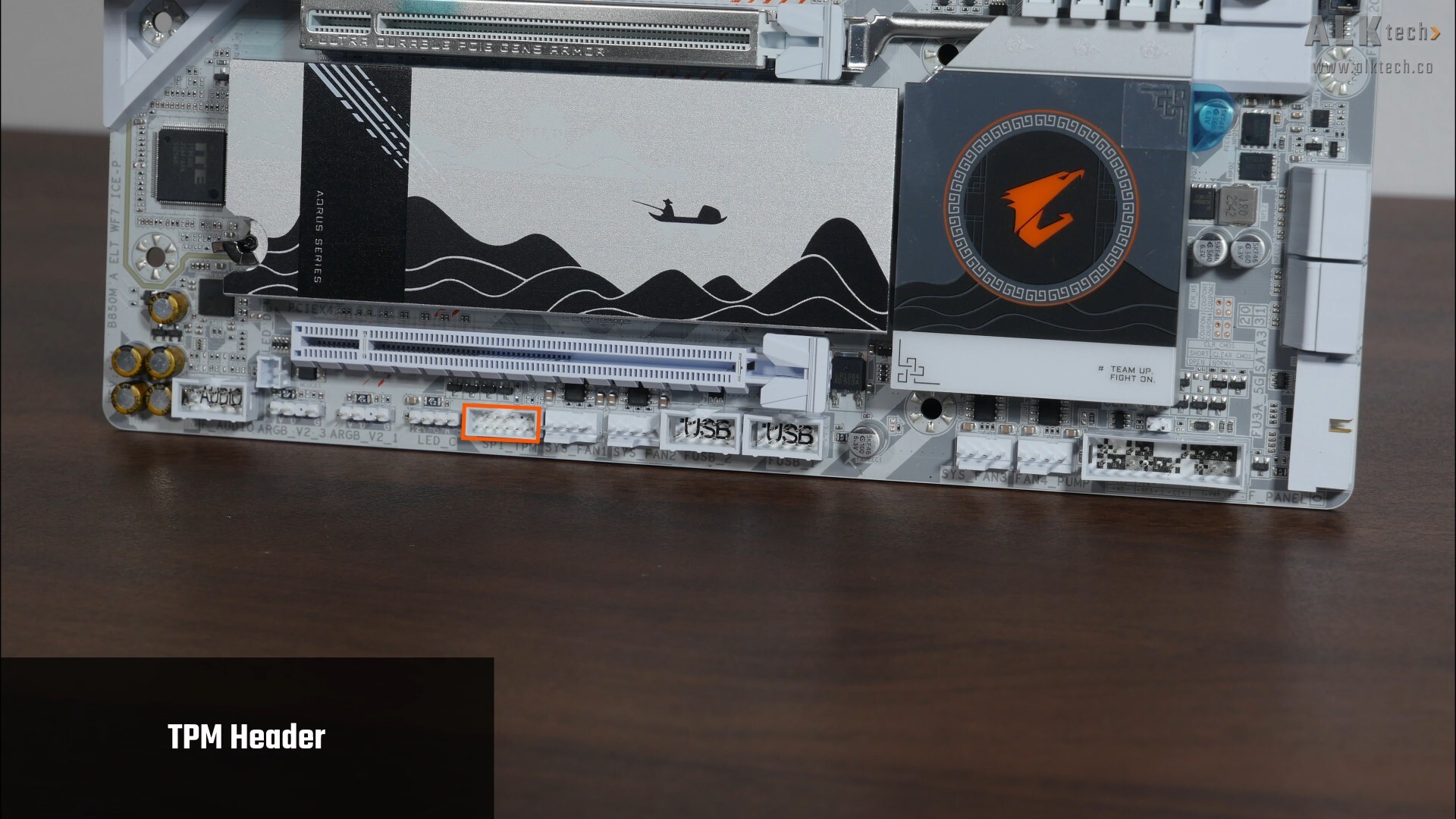
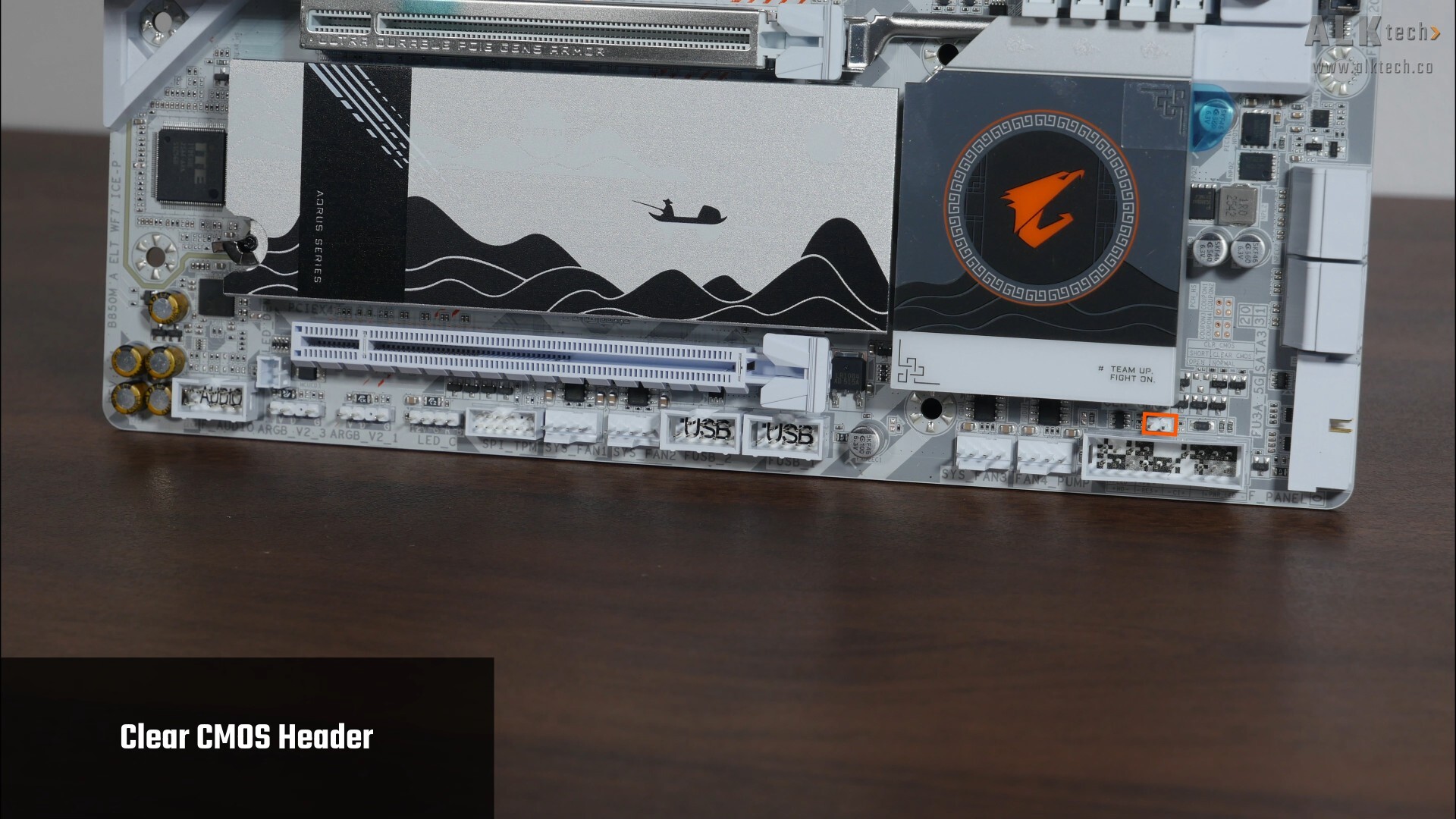
Rounding off this section on special features, we get a TPM header for an optional discrete Gigabyte TPM module as well as a clear CMOS header along the bottom edge of the board.
Rear I/O
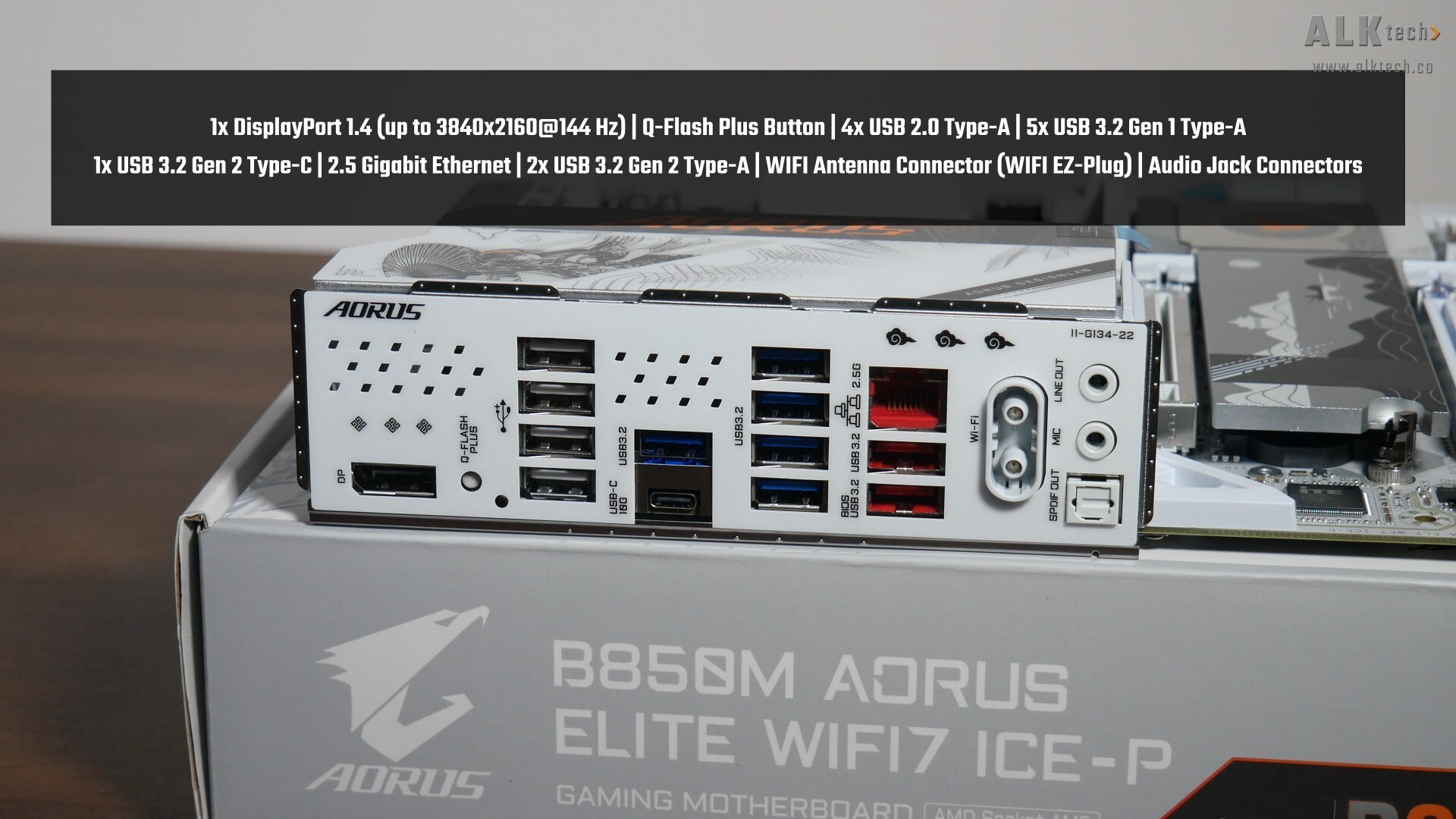
The Gigabyte B850M AORUS ELITE WIFI7 ICE-P comes with an integrated I/O shield design, where the I/O shield comes with parallelogram-shaped ventilation openings. The following ports can be found on the rear I/O:
- 1x DisplayPort 1.4 port (supports a maximum display resolution of 3840x2160 at 144 Hz)
- Q-Flash Plus button
- 4x USB 2.0 Type-A ports
- 5x USB 3.2 Gen 1 Type-A ports
- 1x USB 3.2 Gen 2 Type-C port
- 2.5 Gigabit Ethernet port
- 2x USB 3.2 Gen 2 Type-A ports
- WIFI antenna connector (WIFI EZ-Plug)
- Audio jack connectors
The Q-Flash Plus feature allows end-users to update the motherboard's BIOS without needing to install a processor, RAM and graphics card.
Conclusion
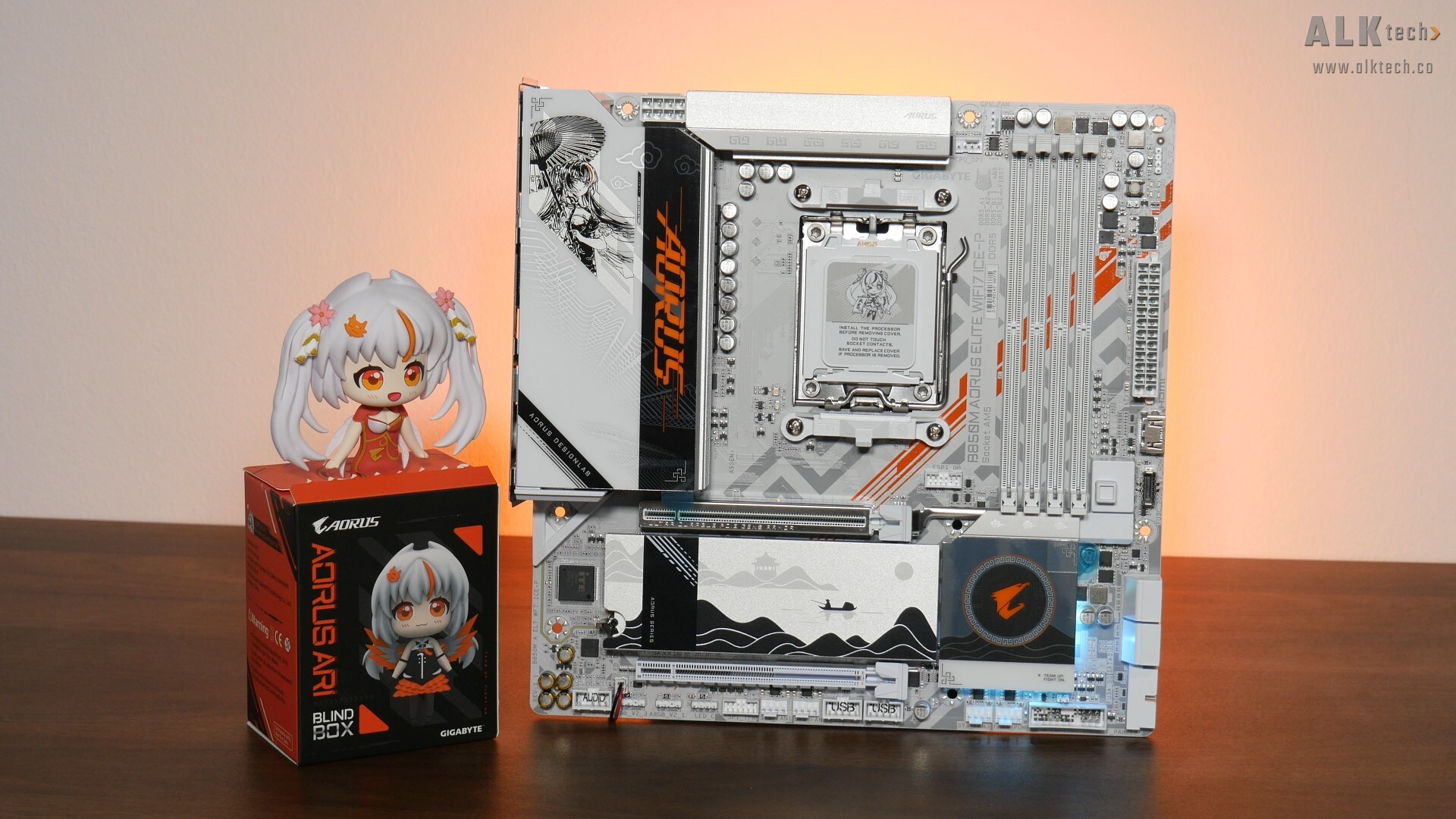
To sum up, the Gigabyte B850M AORUS ELITE WIFI7 ICE-P has a pretty mainstream set of features for a mid-range microATX AMD AM5 PC build in white, where the key demographic for this board is really folks who are into the whole anime waifu kind of aesthetic. In this regard, we get a VRM setup that should handle AMD’s mid-range AM5 processor line-up decently well, PCIe 5.0 support for both a graphics card and a M.2 drive, 2.5 Gigabit Ethernet with built-in WIFI 7, a decent assortment of USB Type-C and Type-A connectivity options, along with a whole bunch of helpful features such as Sensor Panel Link, EZ-Latch Plus and so on.
One downside that I can think of is the fact that the board uses a WIFI 7 module that doesn’t support the full 320MHz channel width that you tend to get with higher-end WIFI 7 modules. This is something to take note of especially if fast WIFI 7 networking is one of your key considerations. Also, this board clearly isn’t for you if the whole anime waifu aesthetic isn’t your cup of tea!
.jpg)
.jpg)
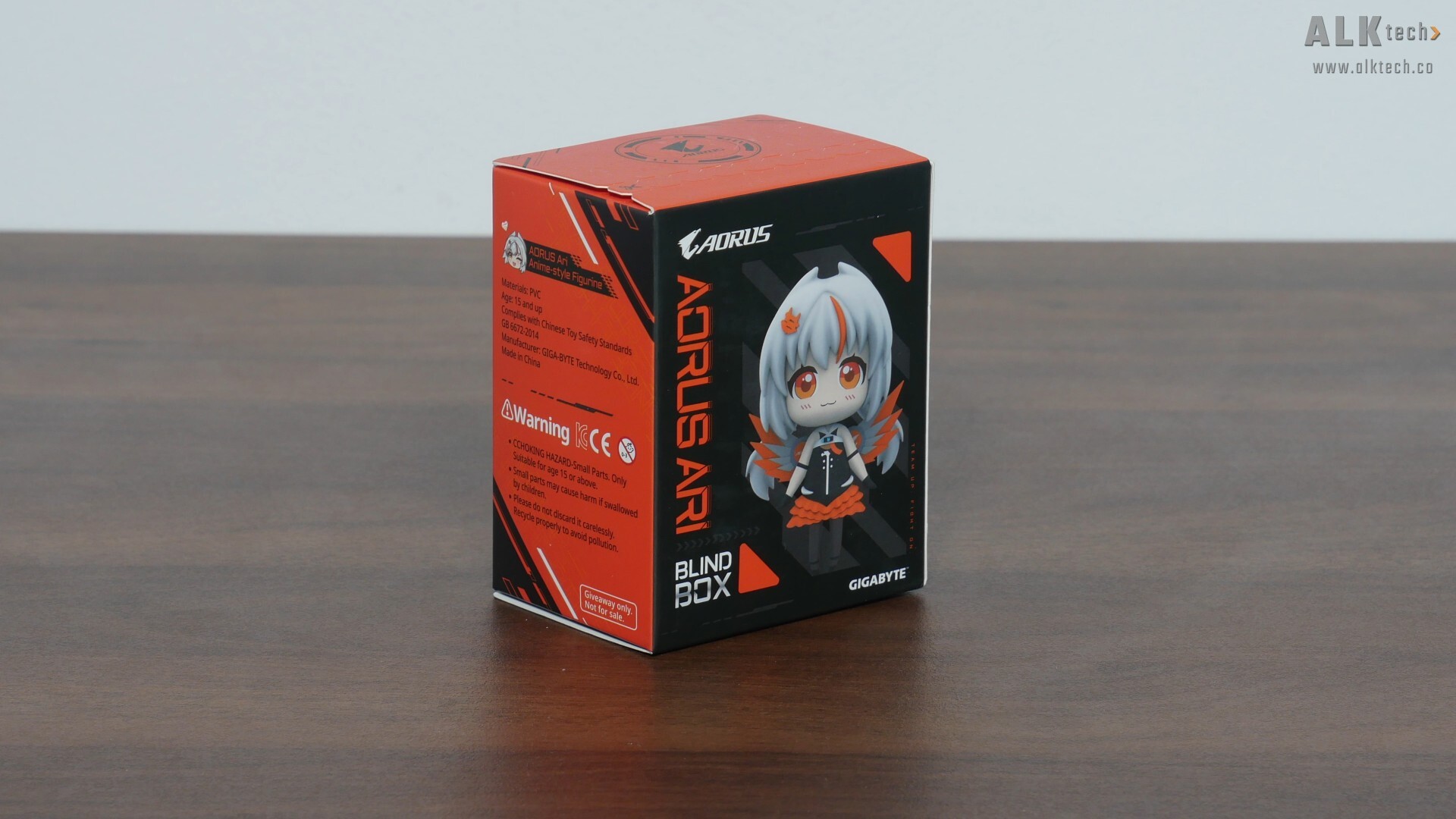
On that note, if Ari and anime waifus are indeed your thing, you’ll want to note that Gigabyte Singapore has an ongoing promotion where they’re giving away an Ari blind box with every purchase of a B850M AORUS ELITE WIFI7 ICE-P motherboard, where you get a chance to get one out of four Ari designs. This promotion ends on 31st March 2026, and might not be applicable to all geographies around the world, so you might want to check with your local Gigabyte distributor whether this promotion is available in your region.
Get this motherboard from Amazon: https://amzn.to/4056275 (affiliate link)
Get this motherboard from Lazada Singapore: https://s.lazada.sg/s.3drbb?cc&t=p-i3z0sp0-sQL7vYM (affiliate link)
Get this motherboard from Shopee Singapore: https://s.shopee.sg/1qX2Dy2JJC (affiliate link)
ALKtech may earn commissions from qualifying purchases made using affiliate links, at no extra cost to you as a customer. These commissions go a long way in supporting the platform!
The motherboard featured in this article was a review unit provided on loan from CDL Trading Pte Ltd, an authorised distributor for Gigabyte in Singapore.