%20500x1200.png?width=200&height=83&name=ALK%20Tech%20Logo%20(TransparentTextured)%20500x1200.png "ALK Tech Logo (TransparentTextured) 500x1200")
The ASUS ROG CROSSHAIR 2006 is a flagship-class AM5 motherboard offering that celebrates 20 years of the Republic of Gamers (ROG) sub-brand, where its aesthetics are a clear tribute to the very first ROG product, the venerable ROG CROSSHAIR motherboard that featured the AMD AM2 socket.
Review Video Timestamps
0:00 Introduction
0:34 Recap on Zen 5/Ryzen 9000 Launch & AM5 Motherboard Refreshes
1:52 Packaging & Unboxing
5:31 Motherboard Aesthetics & Physical Features
7:03 Memory Support
7:19 Front Panel USB Connectivity
8:20 Special Features
9:28 Expansion Slots & Storage
12:20 Note About PCIe Lane Sharing
14:34 Audio & Internet Connectivity
15:12 Fan & RGB Headers
15:48 Rear I/O
16:34 Conclusion & Pricing
Introduction
ASUS's gaming sub-brand, Republic of Gamers (ROG), celebrates its 20th anniversary in 2026, and in case you're unaware, the first ASUS product to carry the ROG branding was the ROG CROSSHAIR motherboard that featured AMD's AM2 socket - this board was launched back in the year 2006!
As one of the many other ROG products that were launched this year to celebrate 20 years of ROG, the ROG CROSSHAIR 2006 that we have here today is an AM5 motherboard that, given its aesthetics, pays tribute to the OG ROG CROSSHAIR motherboard. We're talking a black PCB, eye-catching copper-coloured heatsinks along with blue and white hardware connectors for a touch of retro zing.
With the above in mind, over the past few months, ASUS has refreshed its line-up of AM5 motherboards in anticipation of the arrival of AMD’s next generation “Zen 6” processors that are going to be on the AM5 socket. These refreshes come with much-needed improvements to the whole lane sharing situation that we had with the first wave of X870E and X870 motherboards, where lane sharing between the primary PCIe 5.0 x16 slot for a graphics card and a second PCIe 5.0 M.2 drive is now no longer a thing, and I’ll talk more about this later on in the expansion slots and storage section of this video. That said, I guess one can consider the ROG CROSSHAIR 2006 a part of this refresh, where this board sports the X870E chipset, and sits within the ROG CROSSHAIR series of flagship AM5 motherboard offerings. Read on to learn more about this special edition motherboard offering!
Summary of Specifications
- Processor Support: AMD Ryzen 9000/8000/7000 series
- Chipset: AMD X870E
- Memory: 4x DDR5 slots, max 256GB, up to DDR5 9600 support (as of October 2026 - maximum supported RAM speed is processor dependent)
- Audio: Realtek ALC4082 codec and ESS ES9219 QUAD DAC
- LAN: Realtek RTL8127 10 Gigabit Ethernet and RTL8126 5 Gigabit Ethernet
- Wireless: MediaTek MT7927 WIFI 7 with Bluetooth 5.4
- Expansion: 2x PCIe 5.0 x16 slots
- Storage: 4x SATA III, 2x PCIe 5.0 x4 M.2, 2x PCIe 4.0 x4 M.2, 1x PCIe 4.0 x2 M.2 (M.2 slots support NVMe drives only)
- Form factor: ATX
- Official Product Page: https://rog.asus.com/motherboards/rog-crosshair/rog-crosshair-2006/
Packaging & Contents
.jpg)
.jpg)
.jpg)
.jpg)
For a premium motherboard offering, the ROG CROSSHAIR 2006 sure has quite the unboxing experience, where we get a hefty cardboard box after removing the outer sleeve.
.jpg)
.jpg)
As can be seen, opening up the box is quite the experience too, where we get a pull-out compartment that contains the motherboard.
.jpg?width=1920&height=1080&name=Accessories%20(1).jpg)
.jpg?width=1920&height=1080&name=Accessories%20(2).jpg)
Within the said compartment, we get two layers, with the first layer containing the motherboard, and the second layer containing the accessories that ASUS has included with it.
The accessories that come included with the ROG CROSSHAIR 2006 are as follows:
- Phillips-head ROG screwdriver
- WIFI Q-Antenna
- 4x SATA III cables
- Quick start guide
- ASUS WebStorage promotional leaflet
- ROG sticker sheet
- 3x M.2 Q-Slide attachments
- ASUS Q-Connector
- Thermal pad extension for a M.2 22110 drive
- Five M.2 rubber pads
Board Aesthetics
.jpg)
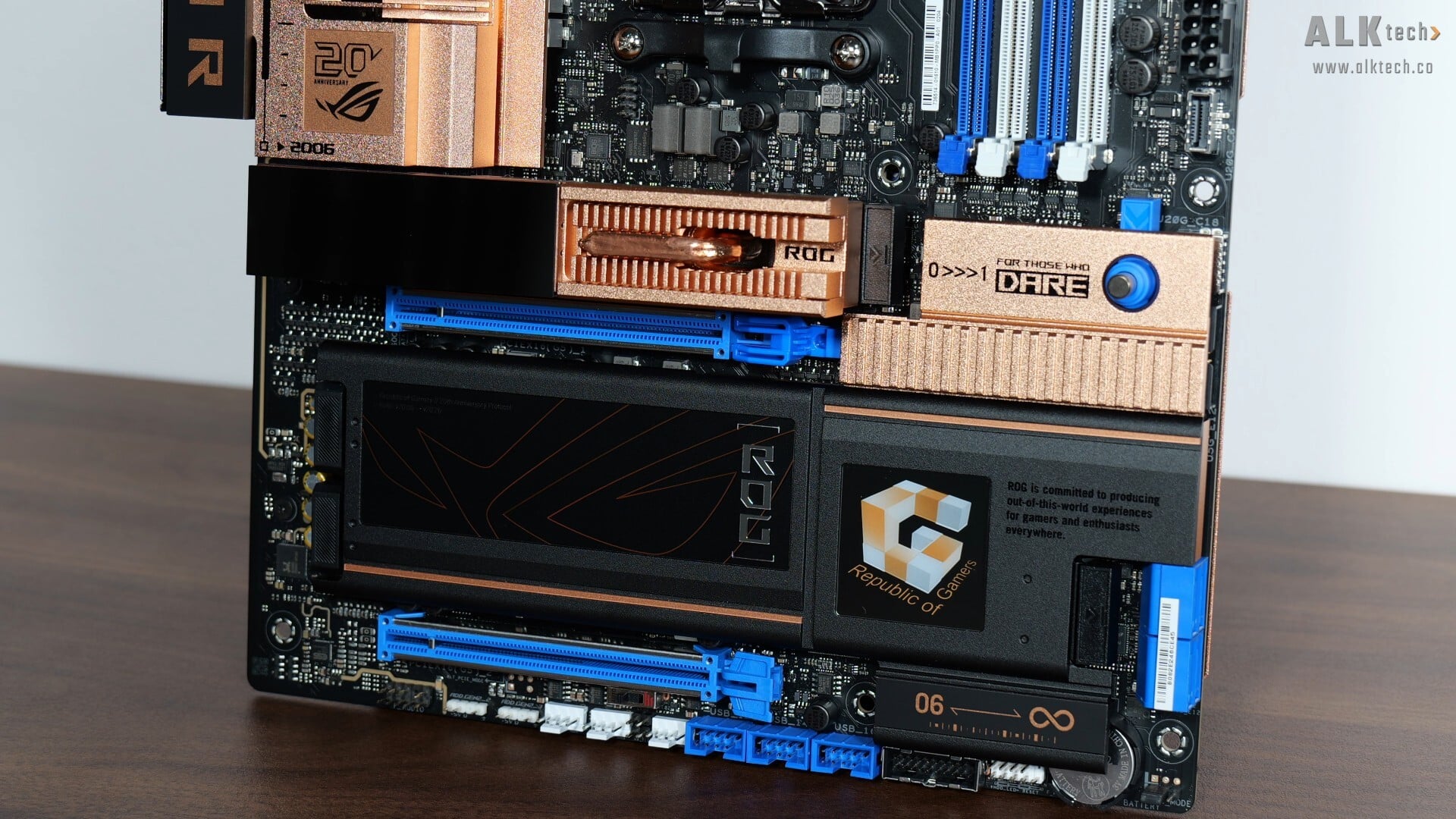
Looks wise, we see that ASUS has gone for an aesthetic that’s properly reminiscent of the OG Crosshair motherboard, with a black PCB, copper-coloured heatsinks, along with blue and white hardware connectors. We’ve even got the original Republic of Gamers logo proudly emblazoned on the M.2 heatsink, which is pretty cool.
.jpg)
Over on the rear of the board, we see that the board comes with a copper-coloured metal backplate that certainly contributes to the heftiness of the board!
.jpg)
In the spirit of the original ASUS ROG CROSSHAIR motherboard, the ROG CROSSHAIR 2006 doesn’t come with any onboard RGB LEDs, but we do get a 2” LiveDash OLED display on the heatsink of the board’s primary M.2 slot that provides a visual on the Power On Self Test (POST) process when you switch on your PC, a feature that will definitely come in handy for troubleshooting any PC startup issues. Naturally, you can customise what’s shown on the screen via the ASUS Armoury Crate app within Windows too.
VRM & Memory Support
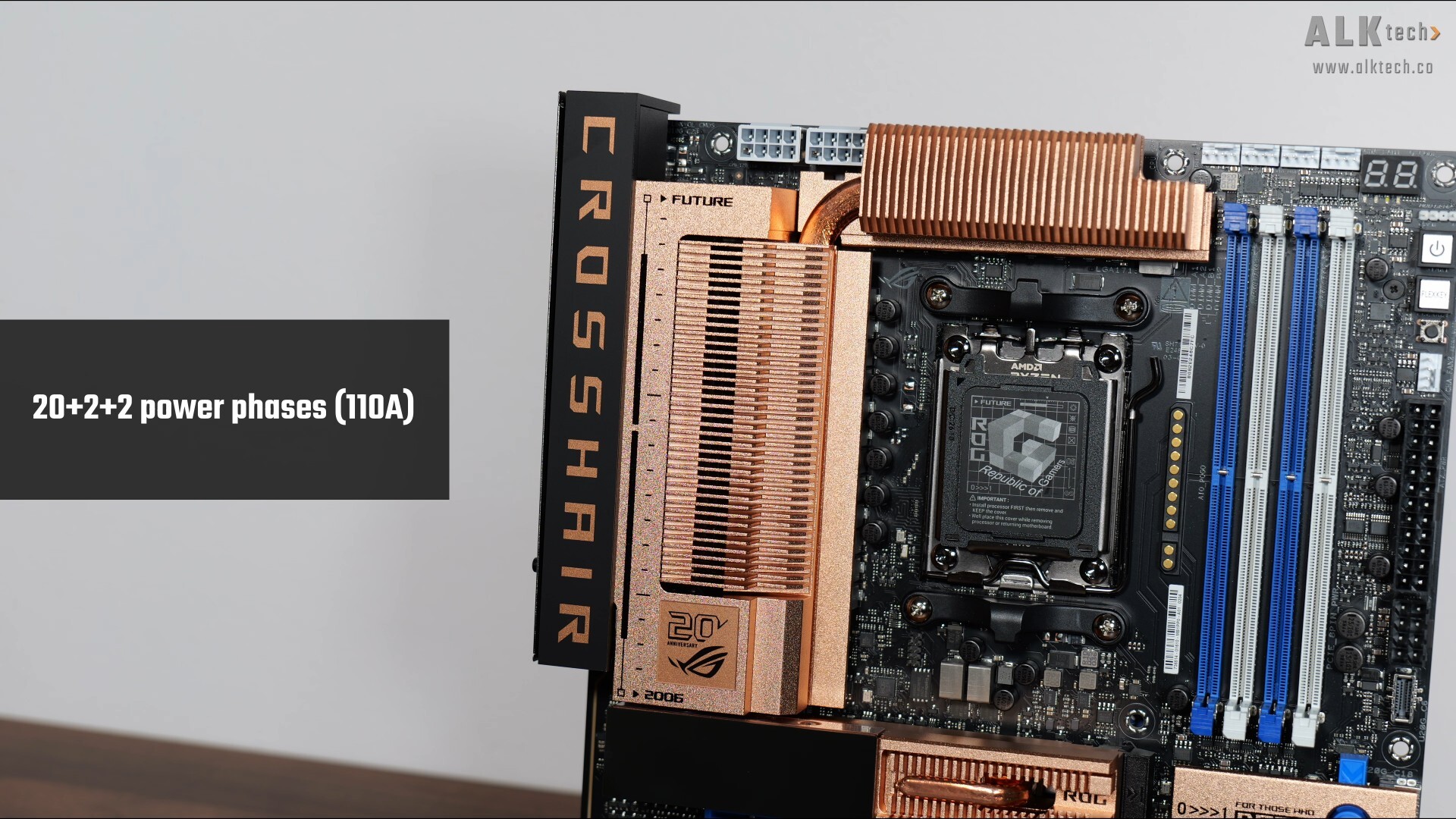
The VRM heatsinks for this board are sizable, and ASUS has included whopping 20+2+2 power phases with 110A power stages - this board will handle the entirety of AMD's current AM5 processor line-up with ease.
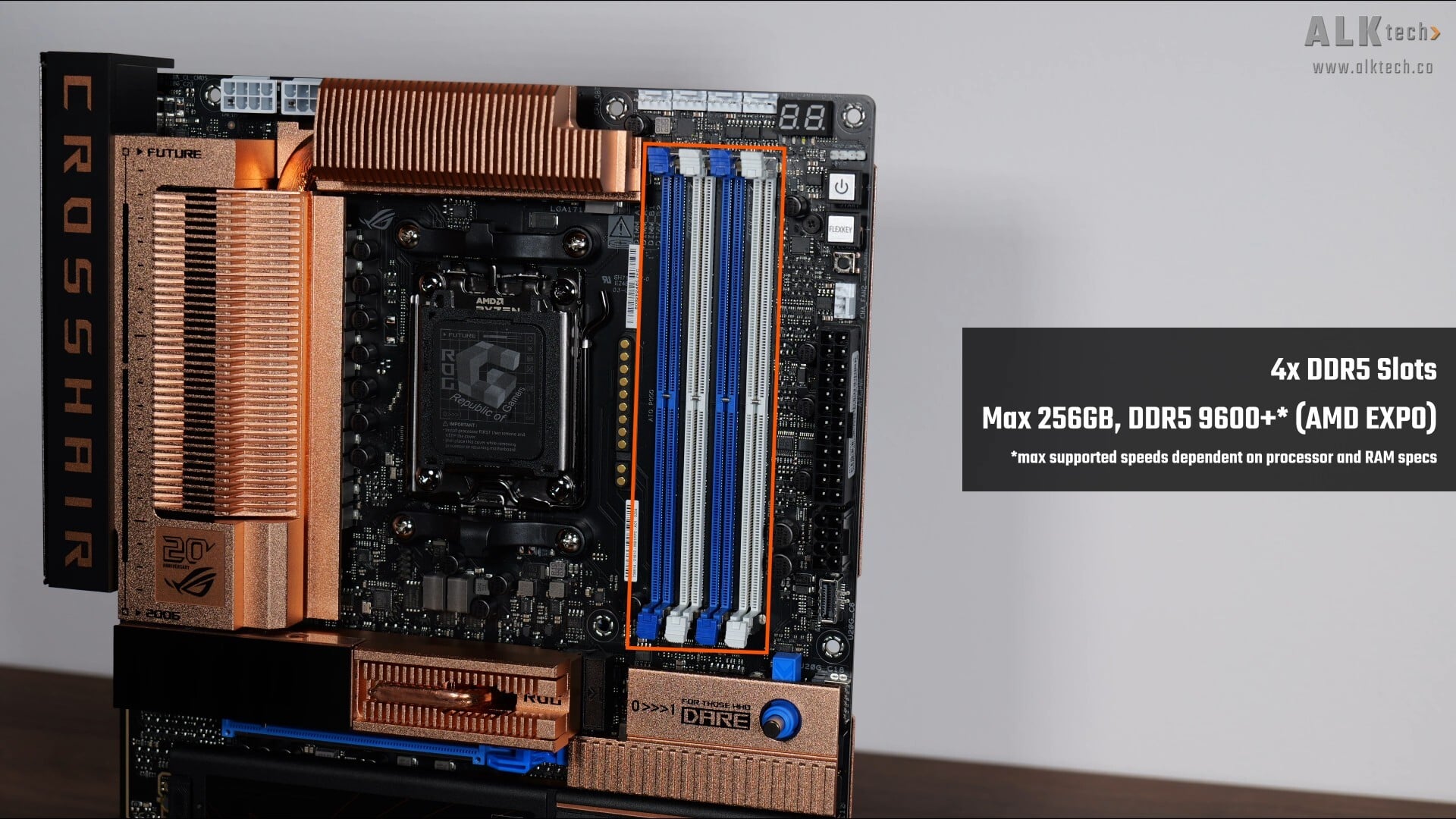
For memory support, the ROG CROSSHAIR 2006 comes with four DDR5 slots that as of the time of publishing this video, comes with support for up to 256GBs of RAM and the DDR5 9600 standard - the maximum supported memory speed is dependent on the model of processor installed on this board.
Front Panel USB Headers
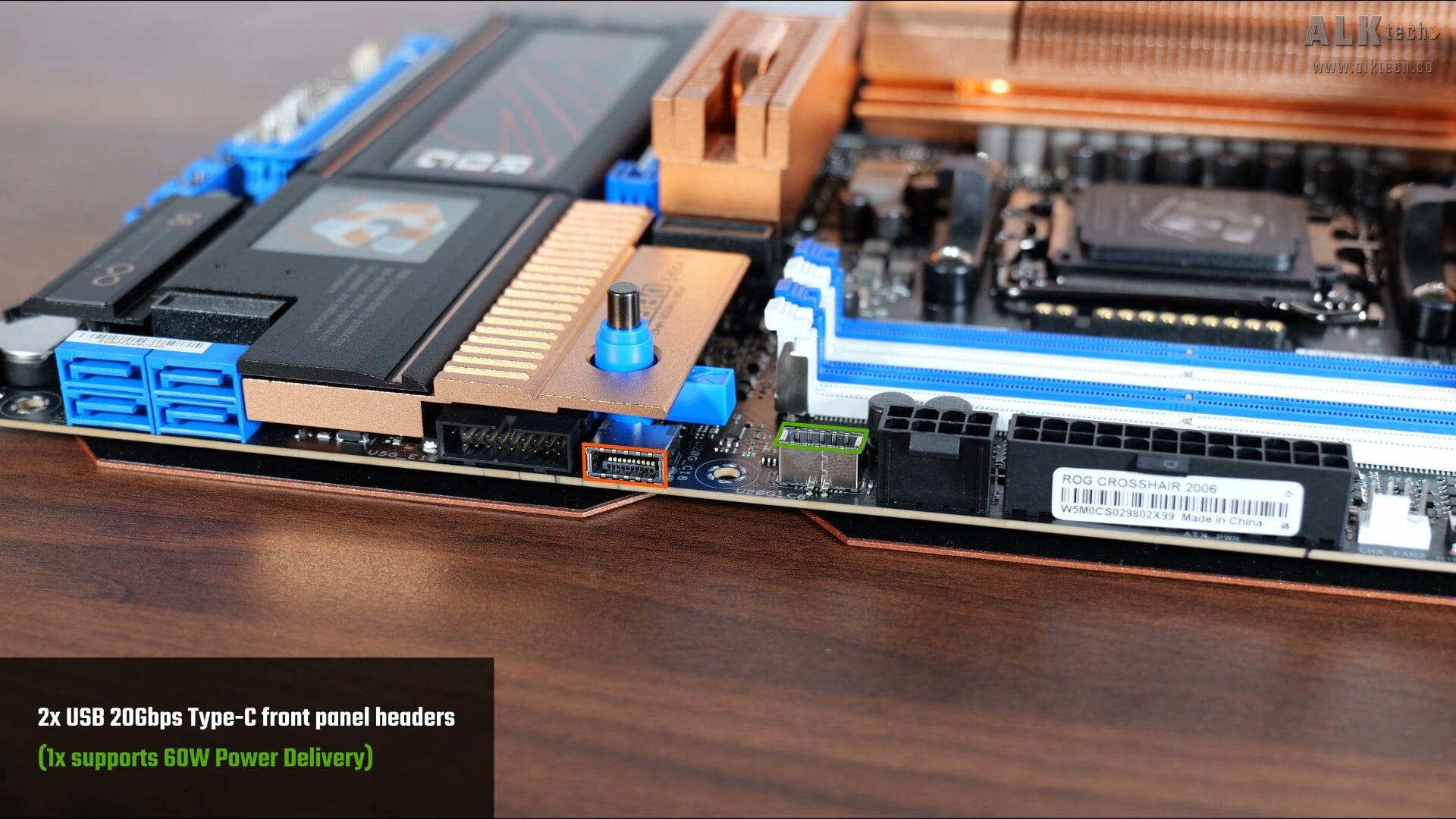
In terms of front panel USB connectivity, we get two USB 20Gbps Type-C front panel headers along the long edge of the board, where of these USB Type-C ports, one of them (marked out in green above) supports up to 60W of Power Delivery for fast charging.
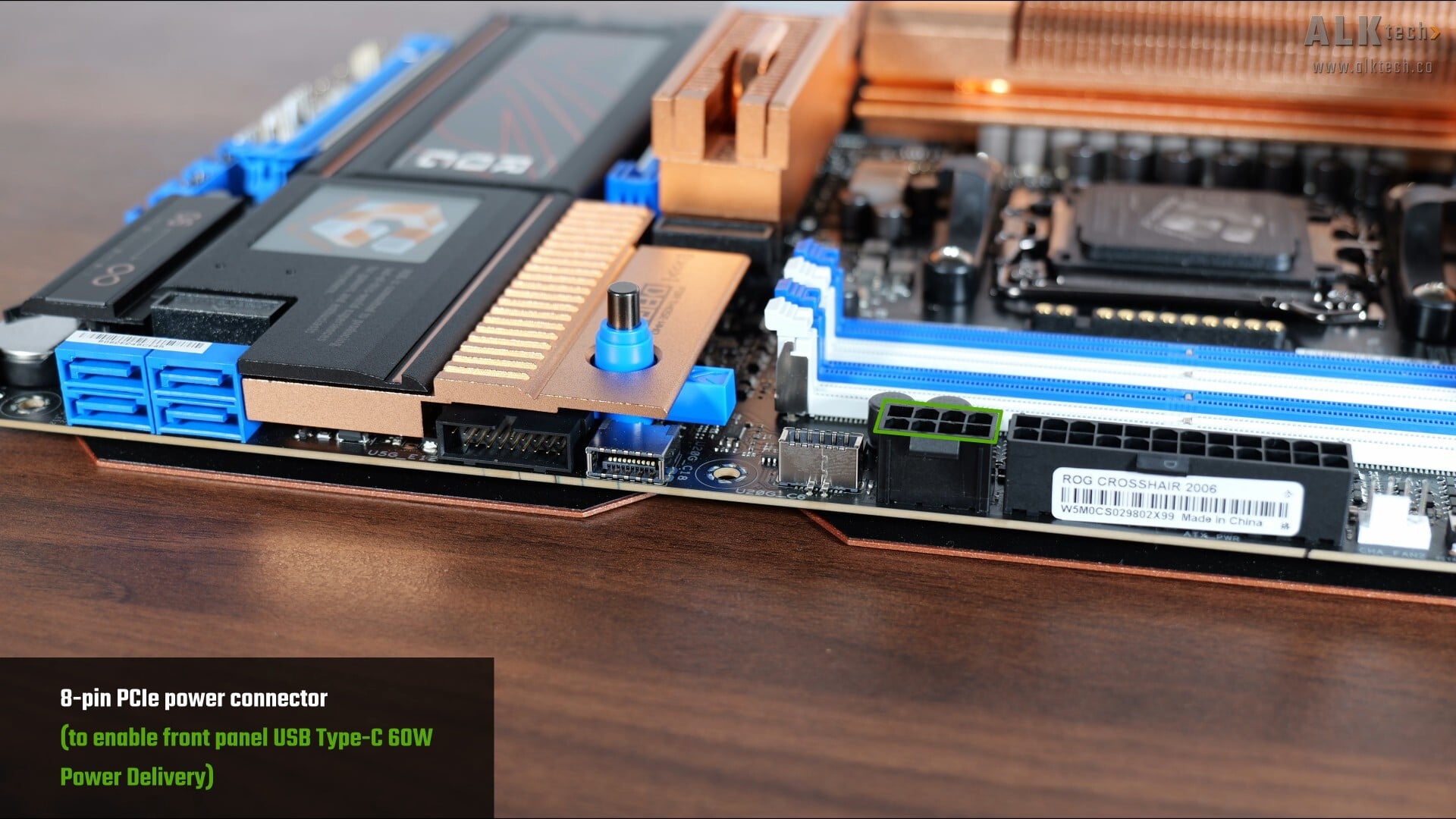
Correspondingly, we get an eight-pin 2x4 12V power connector that’s to be hooked up to your power supply unit should you wish to enable the said fast charging feature.
.jpg)
.jpg)
We also get two USB 5Gbps Type-A front panel headers, with one located along the long edge of the board and another along the bottom edge of the board, where each of these headers provide support for up to two USB 5Gbps Type A ports, for a total of four ports.
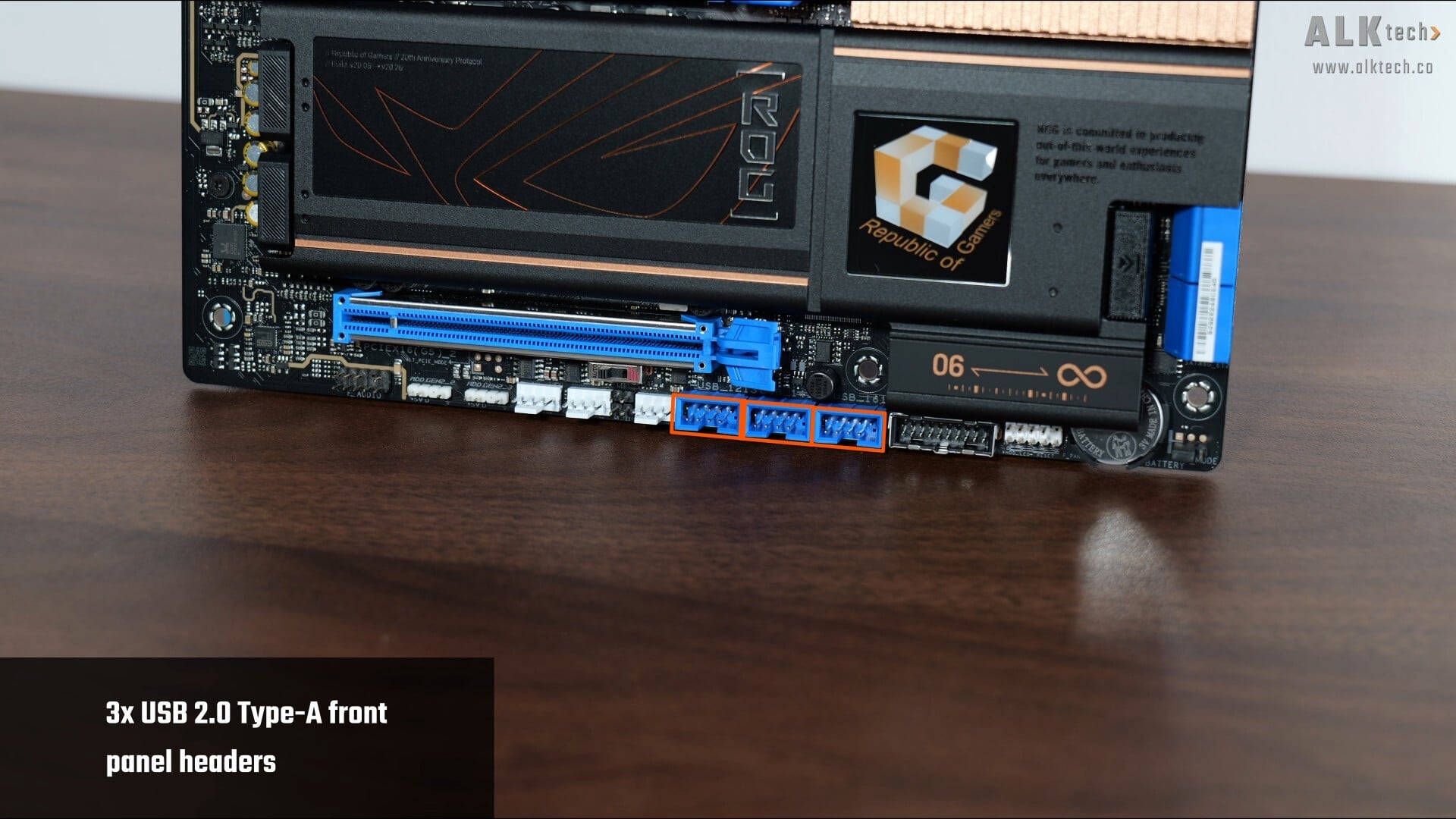
Rounding things off in the front panel USB connectivity section are three USB 2.0 front panel headers along the bottom edge of the board, with each header providing support for two USB 2.0 Type A ports, for a total of six ports.
Expansion Slots & Storage Options
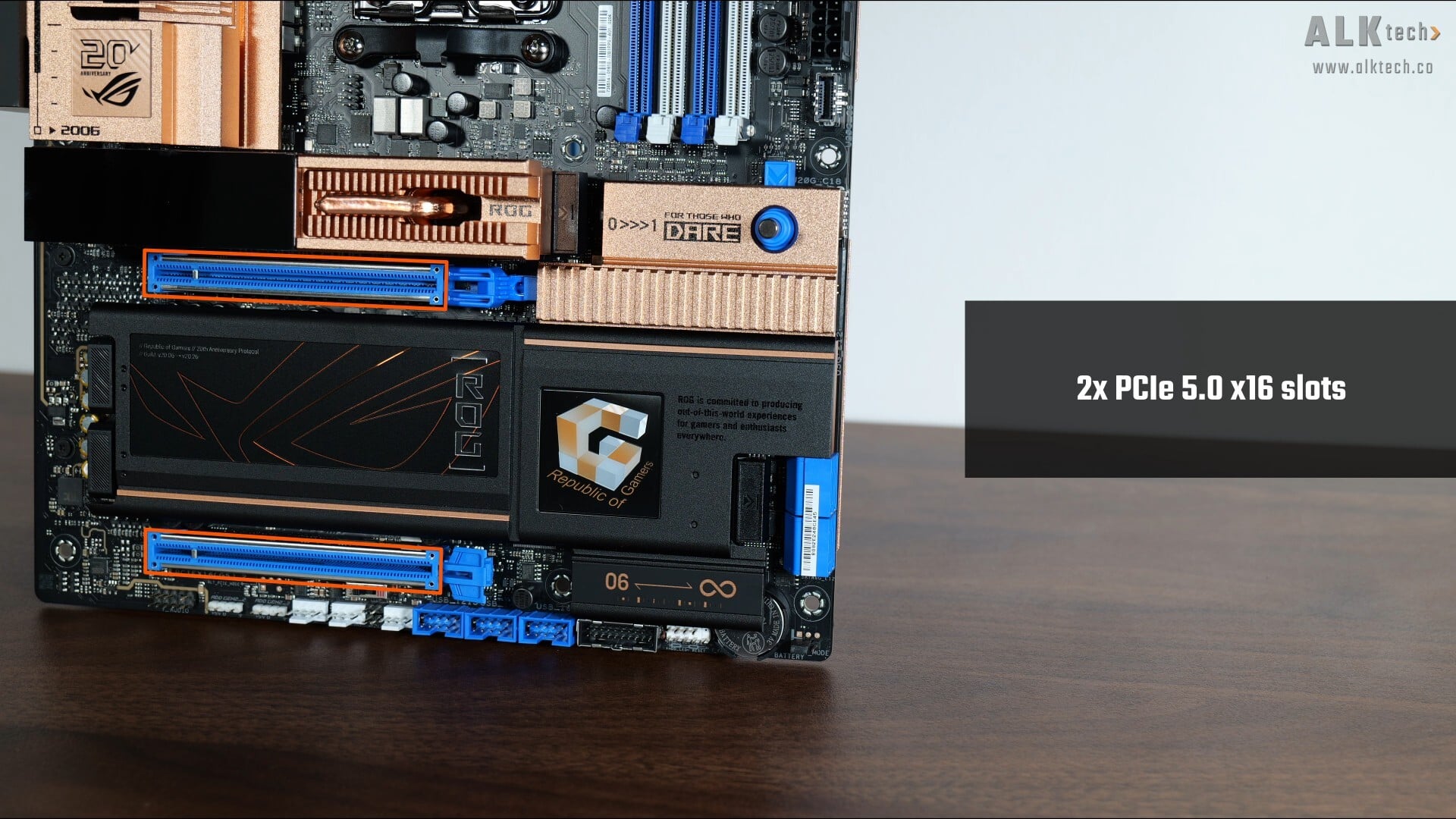
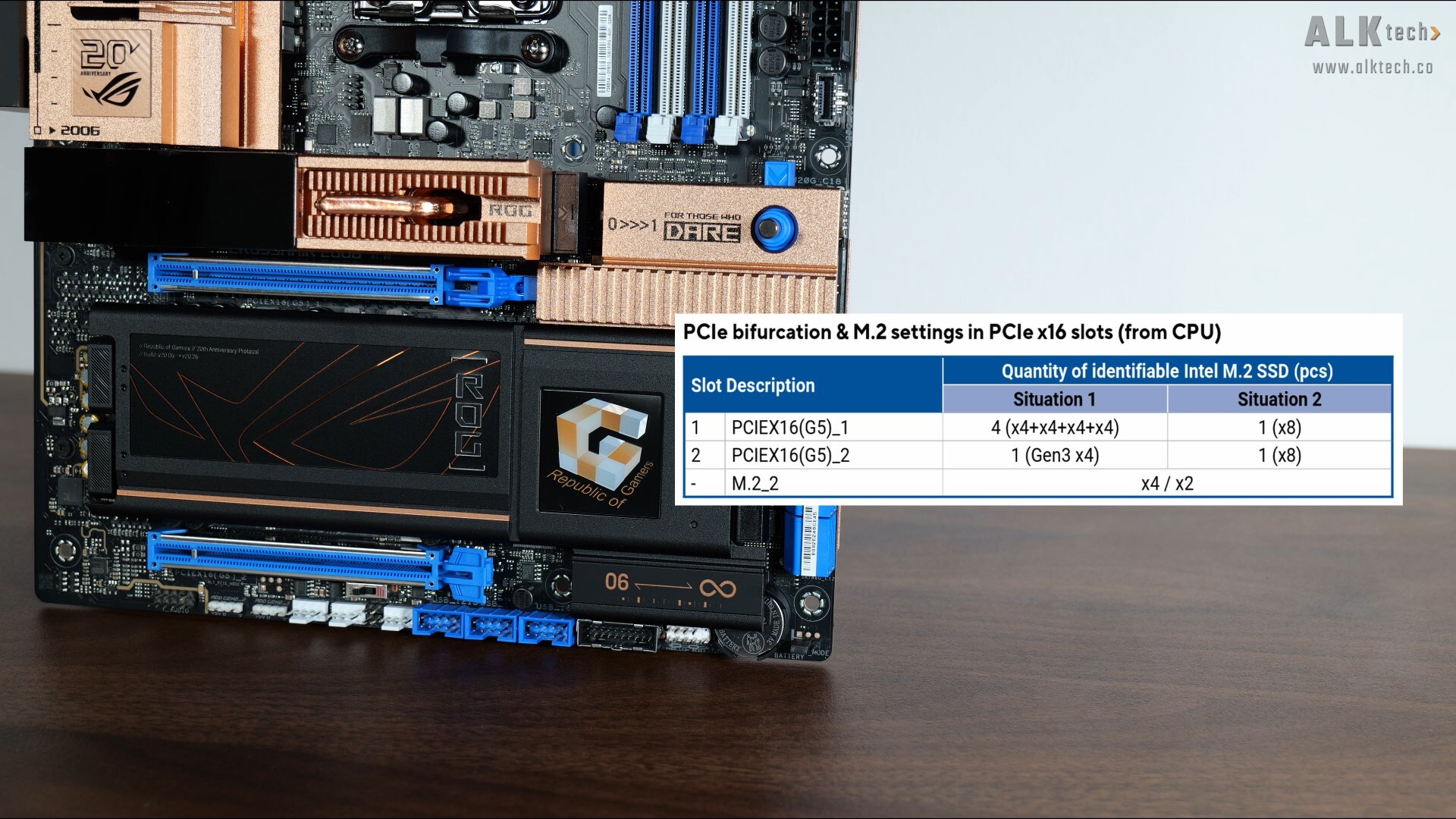
In terms of expansion slots, this board comes with two PCIe 5.0 x16 slots, where the second PCIe 5.0 x16 slot will run at PCIe 3.0 x4 speeds if the primary PCIe 5.0 x16 slot is running at full x16 link speeds. Otherwise, you can have both PCIe 5.0 slots running at x8 mode instead, as per the table above that I’ve lifted from the motherboard manual.
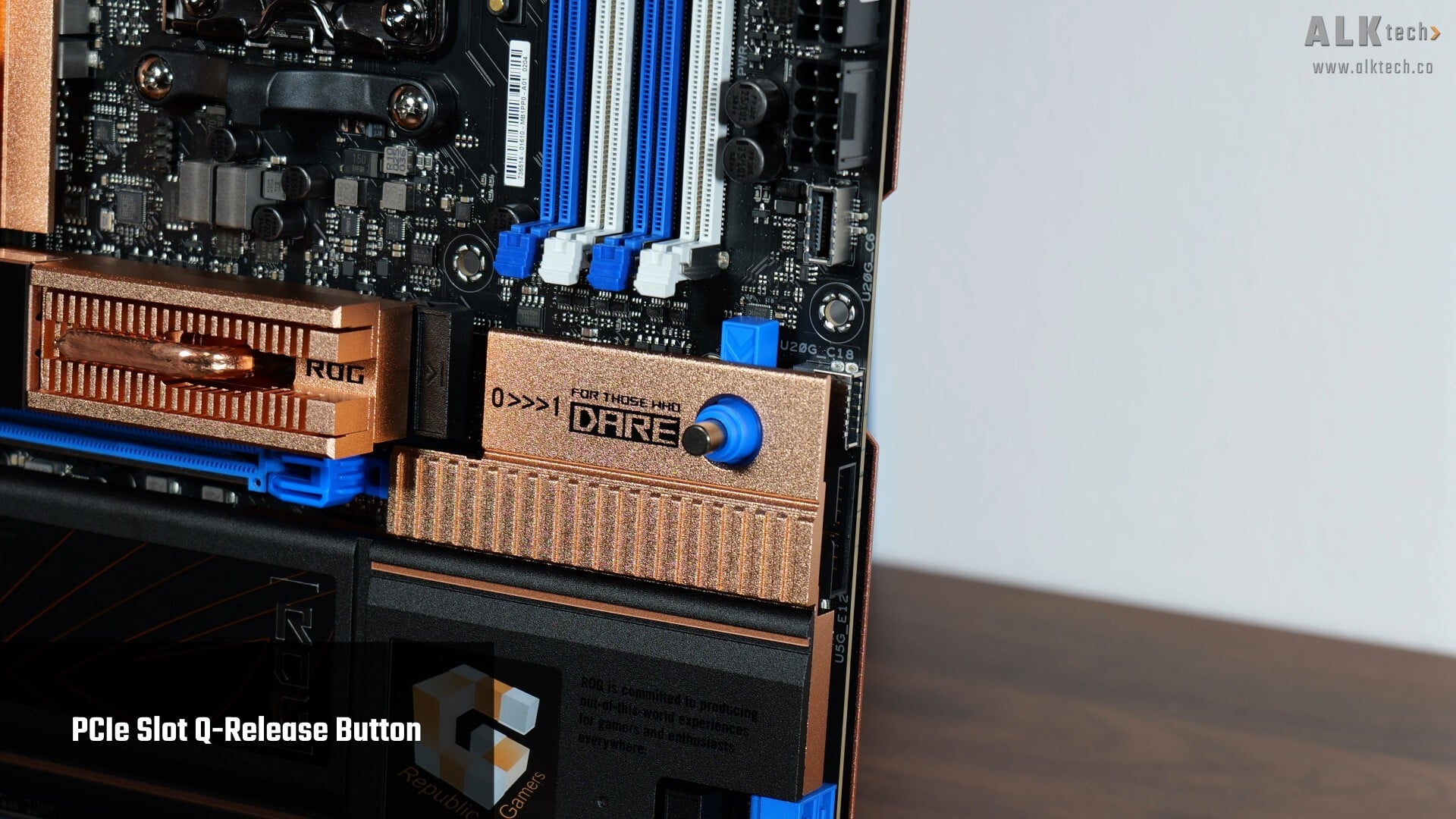
The primary PCIe 5.0 x16 slot features a PCIe Q-Release button that makes removing a graphics card from the said slot pretty simple, where pushing the switch disengages the retention catch.
Do note that PCIe 5.0 is only supported when you have a Ryzen 9000 series or Ryzen 7000 series processor installed – it’s worth noting that the Ryzen 8000 series of APUs and CPUs only support the PCIe 4.0 standard, though it’s really unlikely that you’d be using a Ryzen 8000 series part with this board!
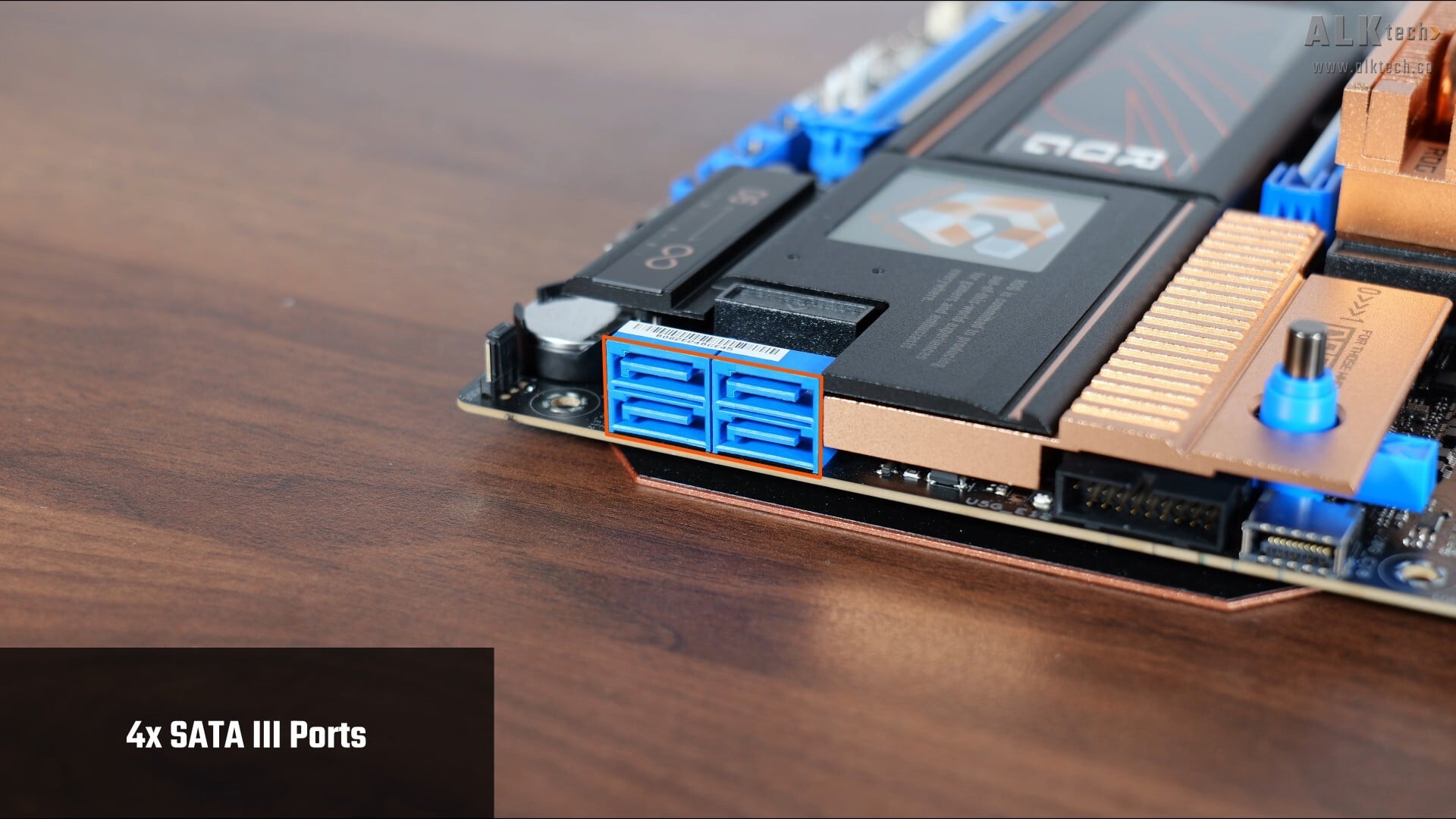
In the storage department, ASUS has included four SATA III ports, with all ports in a right-angled configuration to help with cable management.
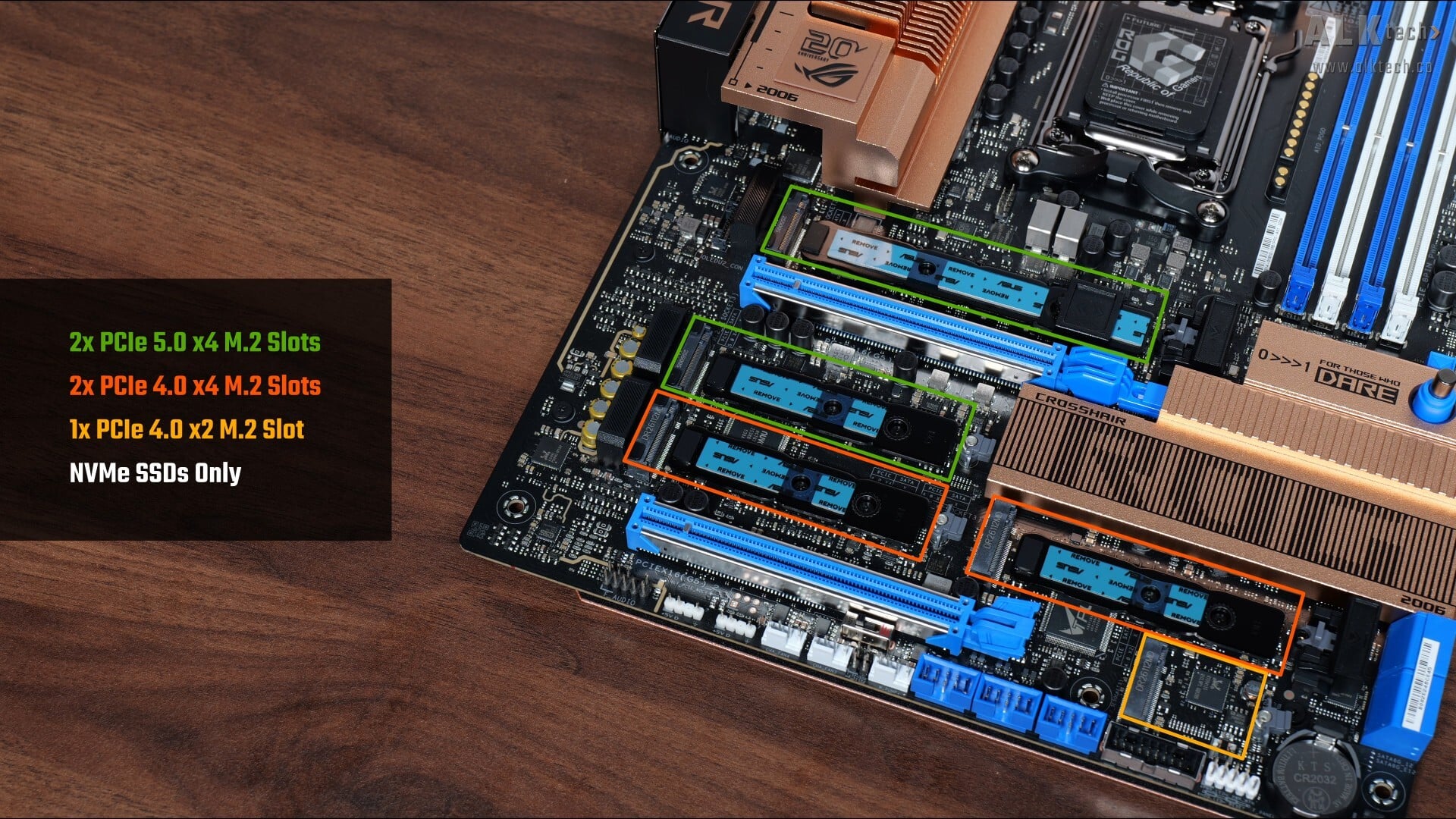
For M.2. slots, it comes with two PCIe 5.0 x4 M.2 slots, two PCIe 4.0 x4 M.2 slots and a single PCIe 4.0 x2 M.2 slot. Do note that all of these slots support NVMe SSDs only, M.2 SATA drives will not work in any of these slots.
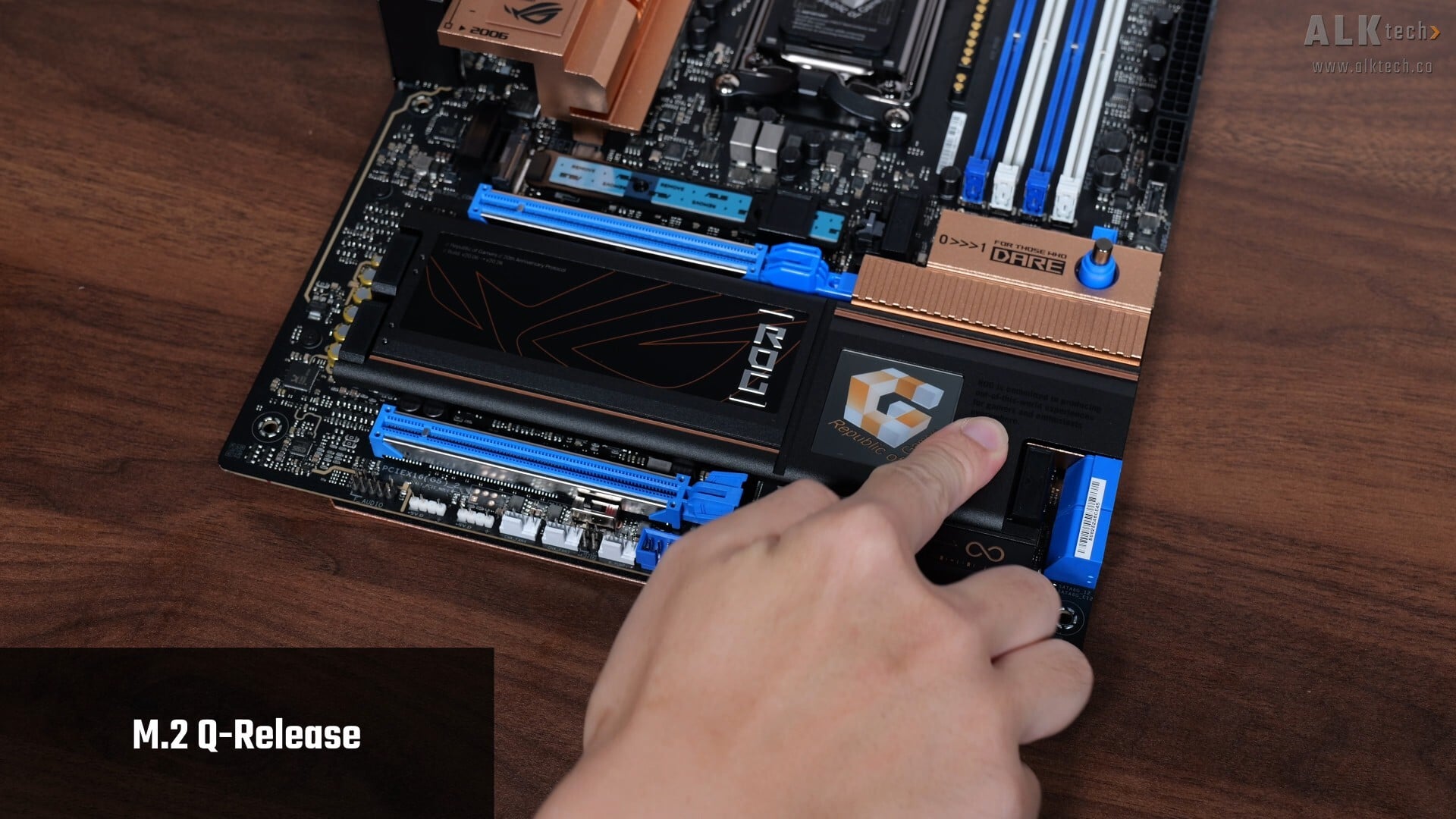
That said, both M.2 heatsinks come with the M.2 Q-Release mechanism that makes heatsink removal and installation really easy.
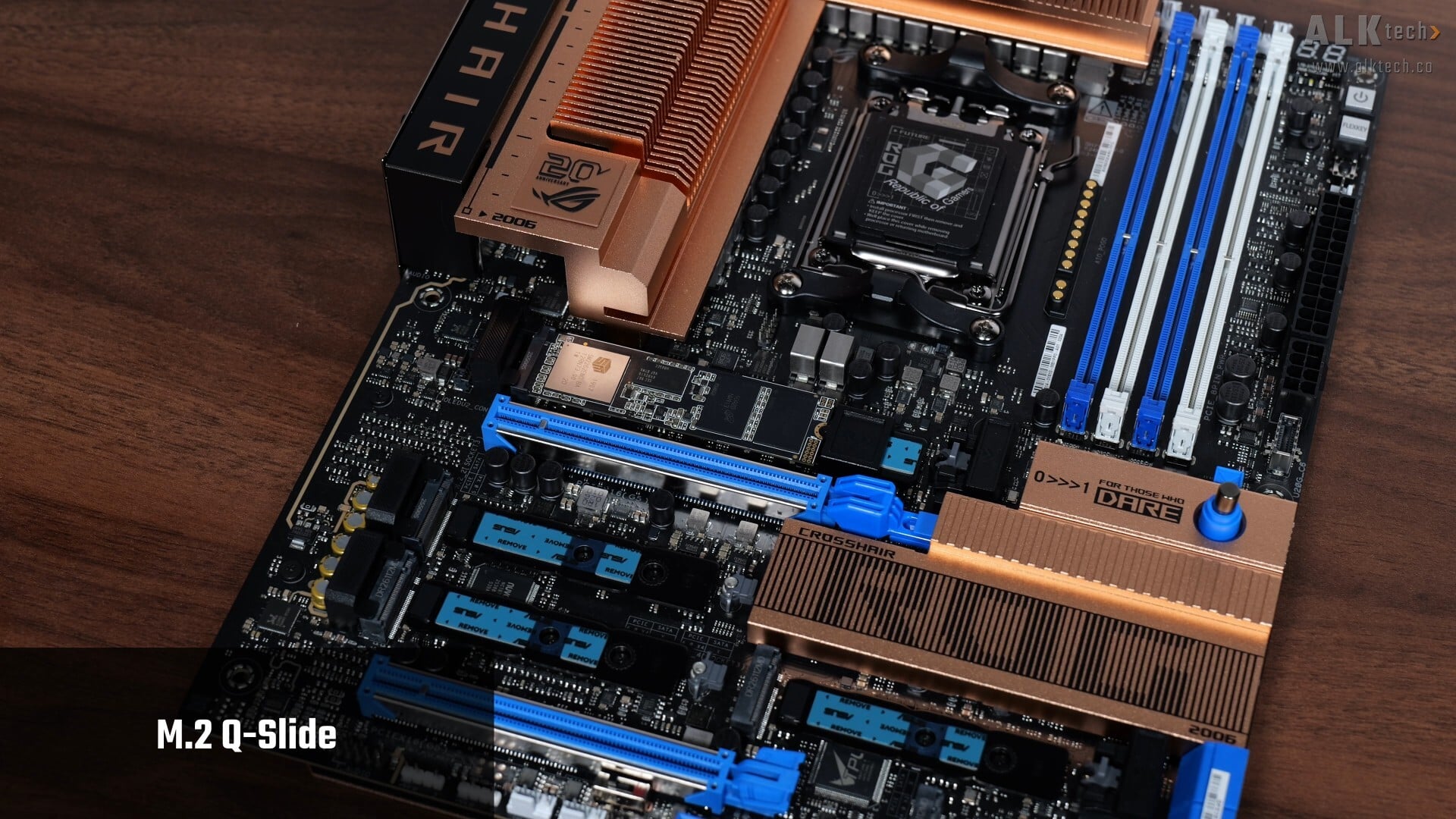
Another quality-of-life feature that the M.2 slots have is M.2 Q-Slide, which is a mechanism that slides along a track and snaps into place to securely hold an M.2 device of varying lengths – the M.2 Q-Slide is preinstalled only for the primary PCIe 5.0 x4 M.2 slot. You can also install the Q-Slide attachments for the second PCIe 5.0 x4 M.2 slot or the two full-length PCIe 4.0 x4 M.2 slots for drives shorter than the 2280 form factor. Due to obvious length constraints, do note that the PCIe 4.0 x2 M.2 slot doesn’t come with the Q-Slide feature.
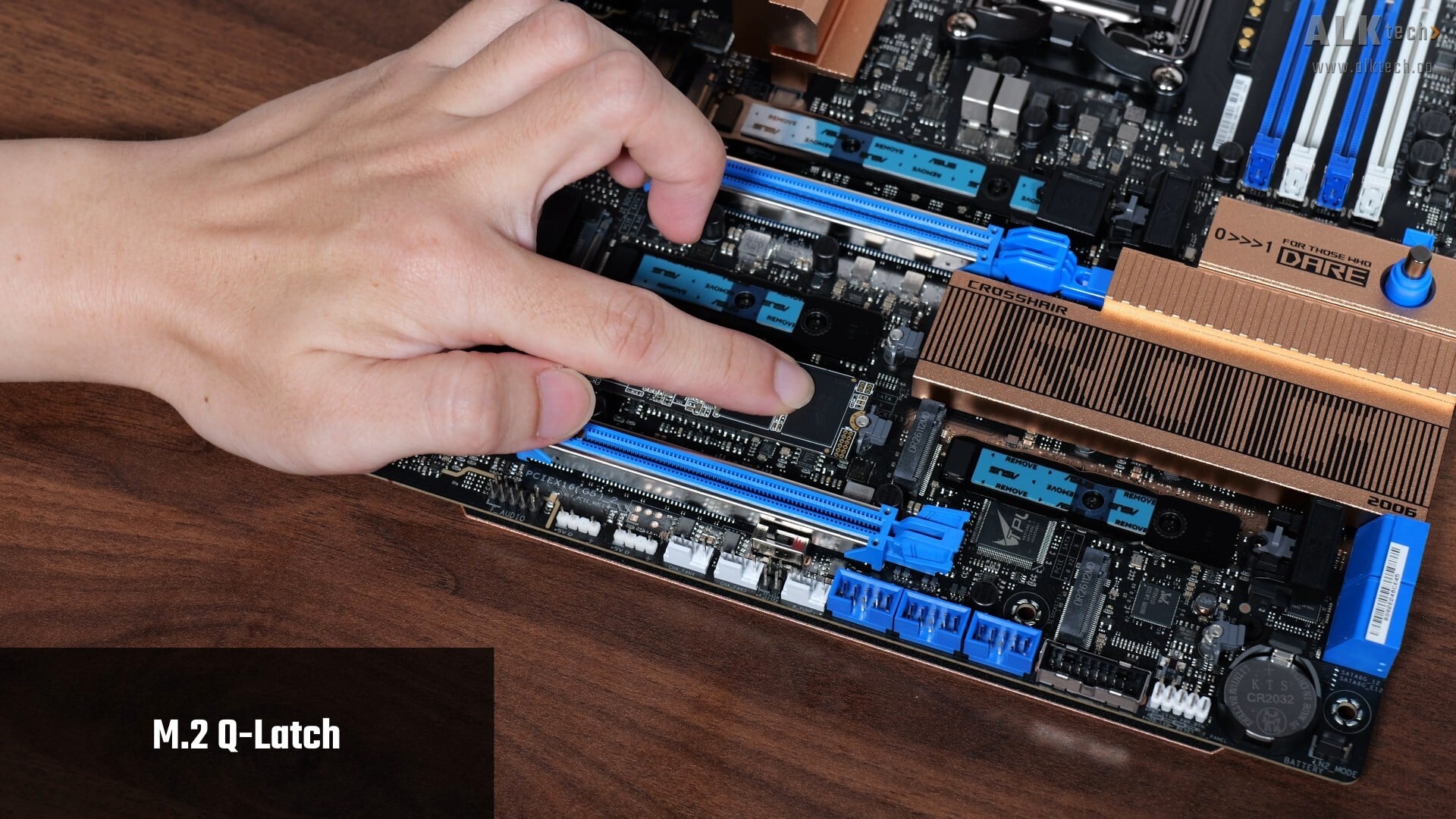
Rounding off this section is a feature called M.2 Q-Latch, which makes installing and removing M.2 drives a breeze.
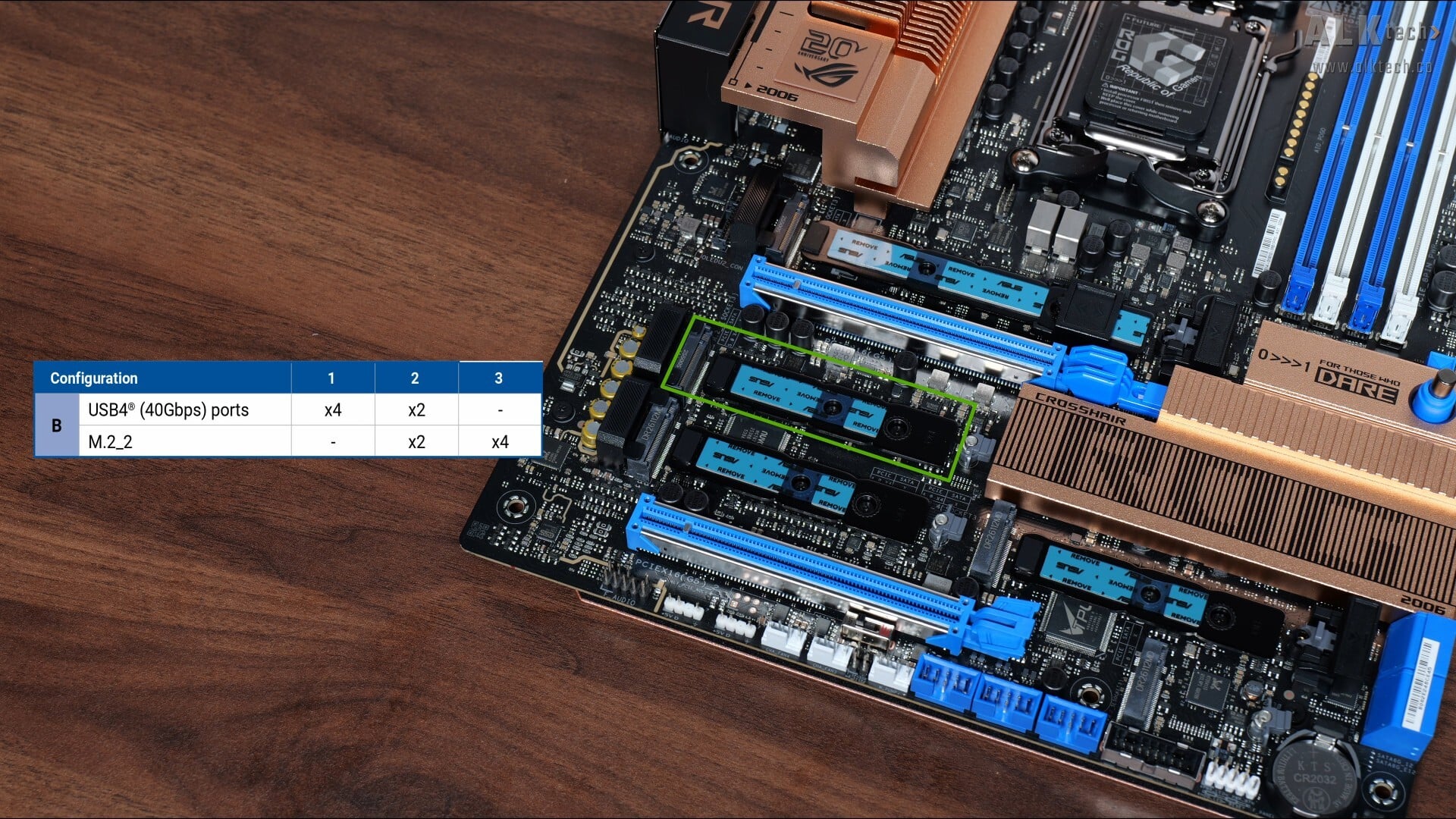
As mentioned earlier, this board comes with improvements to the way that PCIe lane sharing occurs on X870E and X870 motherboards. In case you’re unaware, here’s a primer on why we’ve got lane sharing on most, if not all X870E and X870 motherboards. The X870E and X870 chipsets are effectively a rebrand of the previous generation X670E and B650E chipsets respectively, with USB4 support made mandatory by AMD. Given that these chipsets have pretty much the same silicon and hence a fixed number of PCIe 5.0 lanes, motherboard manufacturers have had to look elsewhere for PCIe 5.0 lanes to support the USB4 controller - as a result of this, the first few waves of X870E and X870 boards saw the PCIe 5.0 x16 slot sharing bandwidth with one of the PCIe 5.0 x4 M.2 slots that X870E and X870 boards have, which isn’t ideal at all.
With the current batch of refreshed X870E and X870 motherboards, board manufacturers have listened to consumers, and lane sharing now tends to happen just between the PCIe 5.0 x4 M.2 slot and the USB4 controller, which in my opinion is more palatable. In the case of the ROG CROSSHAIR 2006, as per the table shown above that I’ve lifted from the motherboard manual, the second PCIe 5.0 x4 M.2 slot, slot M.2_2, shares lanes with the USB4 controller, where if you’ve got a M.2 drive installed in slot M.2_2, both slot M.2_2 and the USB4 controller will run at x2 speeds instead. You do also get the option of disabling the USB4 ports altogether to get full x4 link speeds for slot M.2_2, and this can be done in the BIOS.
Again, do bear in mind that PCIe 5.0 is only supported with a Ryzen 9000 series or Ryzen 7000 series processor installed – the Ryzen 8000 series of APUs and CPUs only support the PCIe 4.0 standard.
Audio & Internet Connectivity
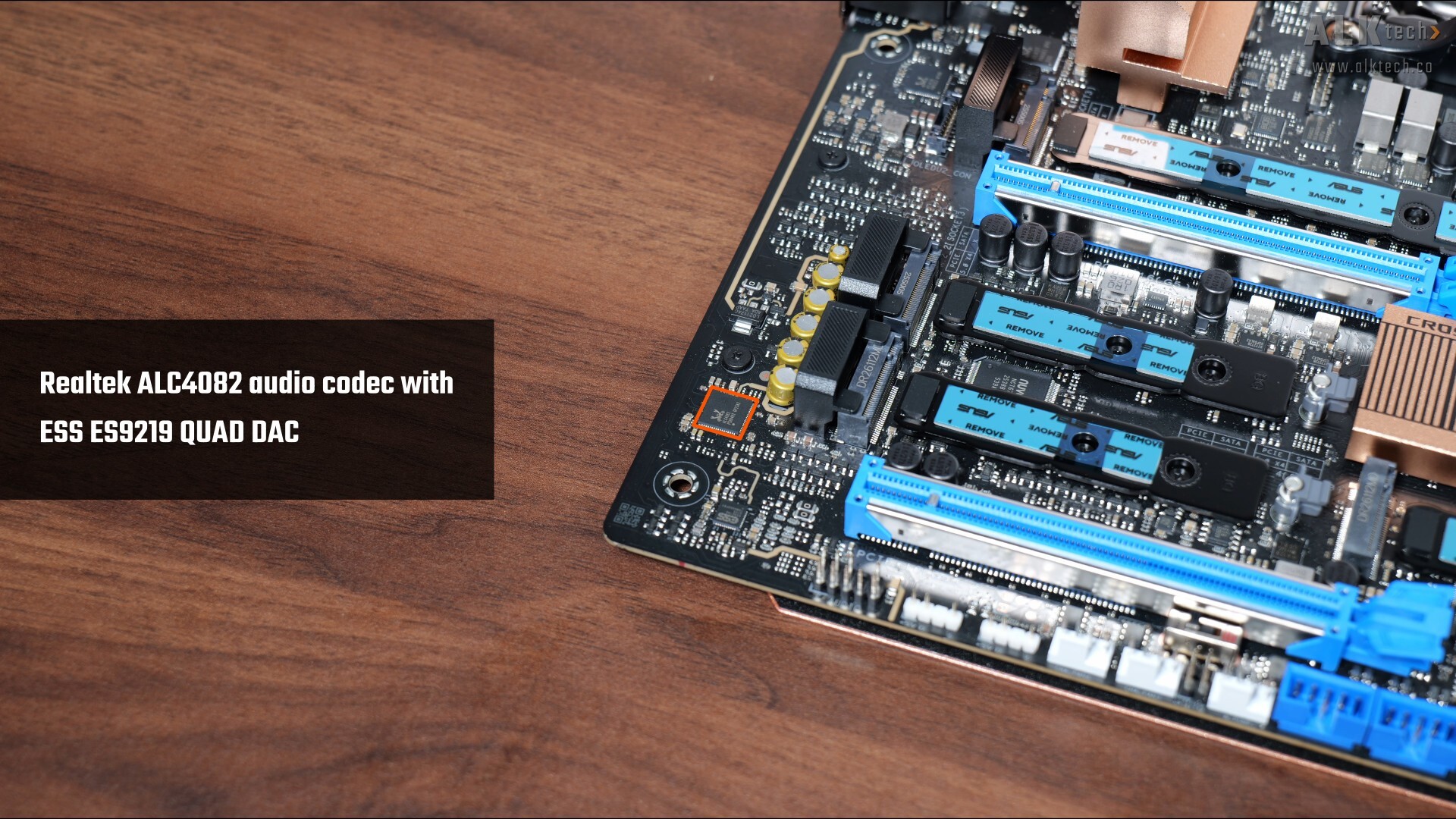
For audio, ASUS has included a high-end Realtek ALC4082 audio codec with premium audio capacitors, as well as an ESS ES9219 QUAD DAC.
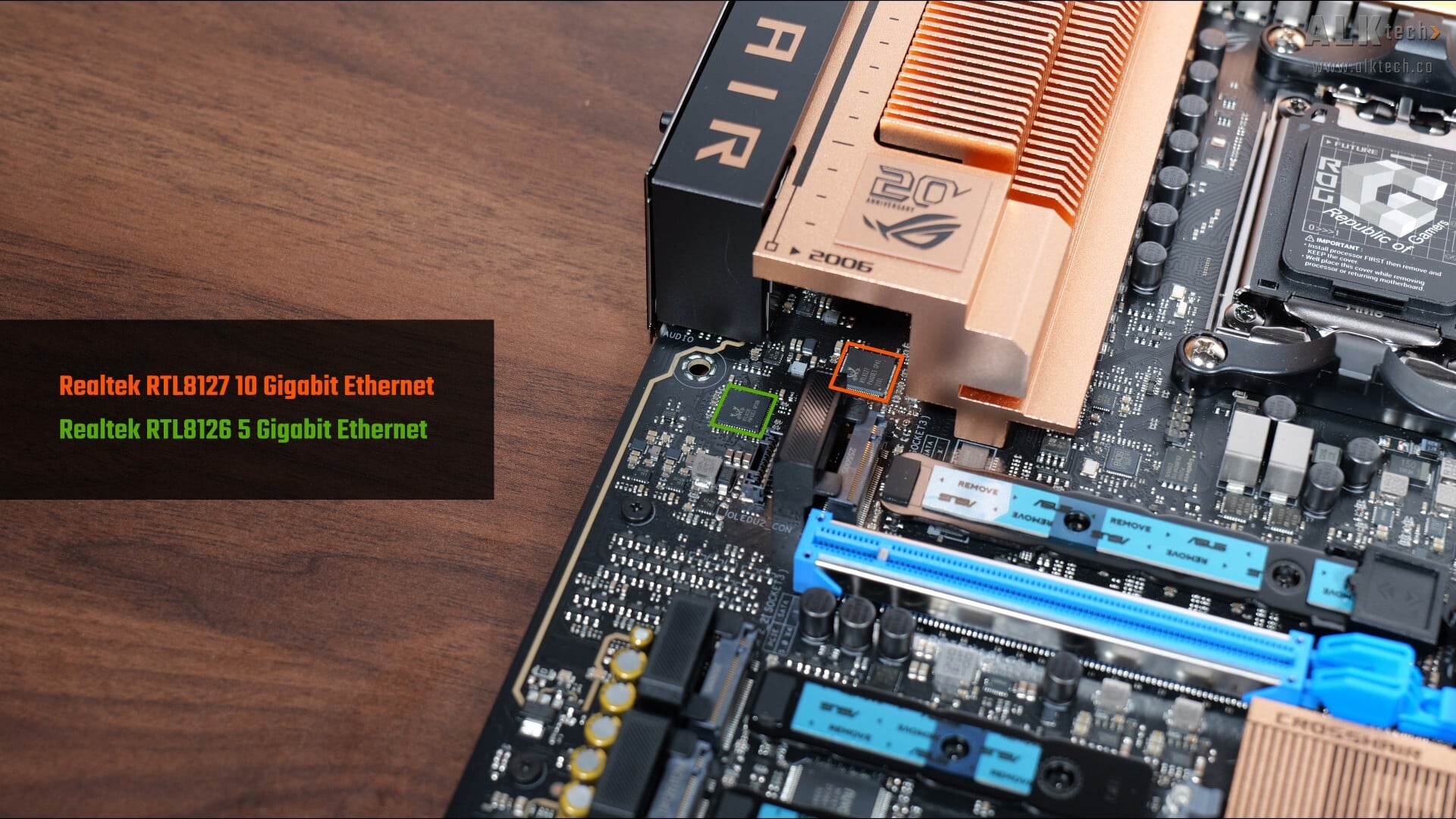
We’ve got dual Ethernet ports with this board, with a Realtek RTL8127 10 Gigabit Ethernet chip and a Realtek RTL8126 5 Gigabit Ethernet chip, while WIFI support is courtesy of a Mediatek MT7927 WIFI 7 part that supports the full-fat 320MHz channel width and also serves up Bluetooth 5.4 support.
Fan & RGB Headers
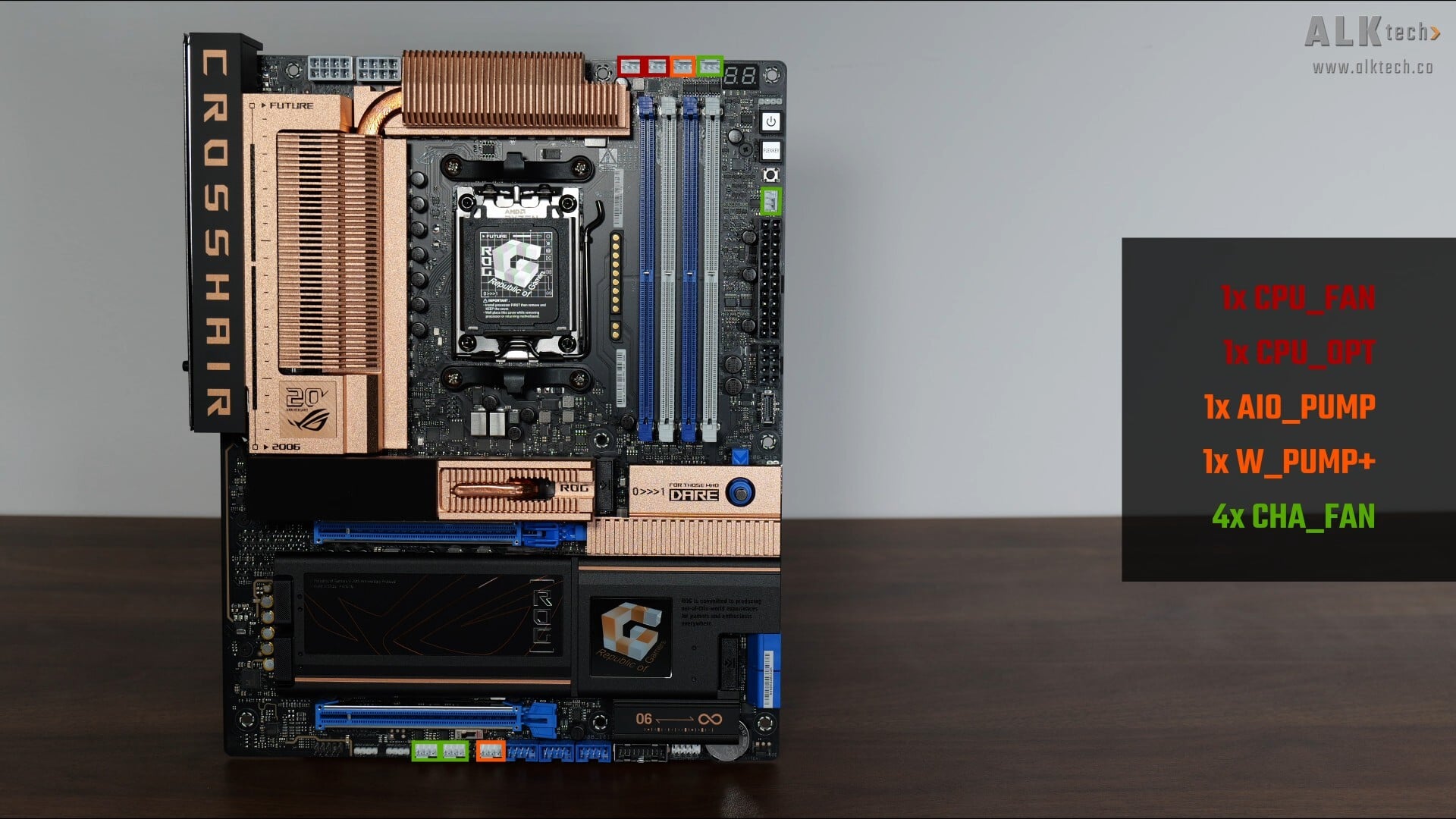
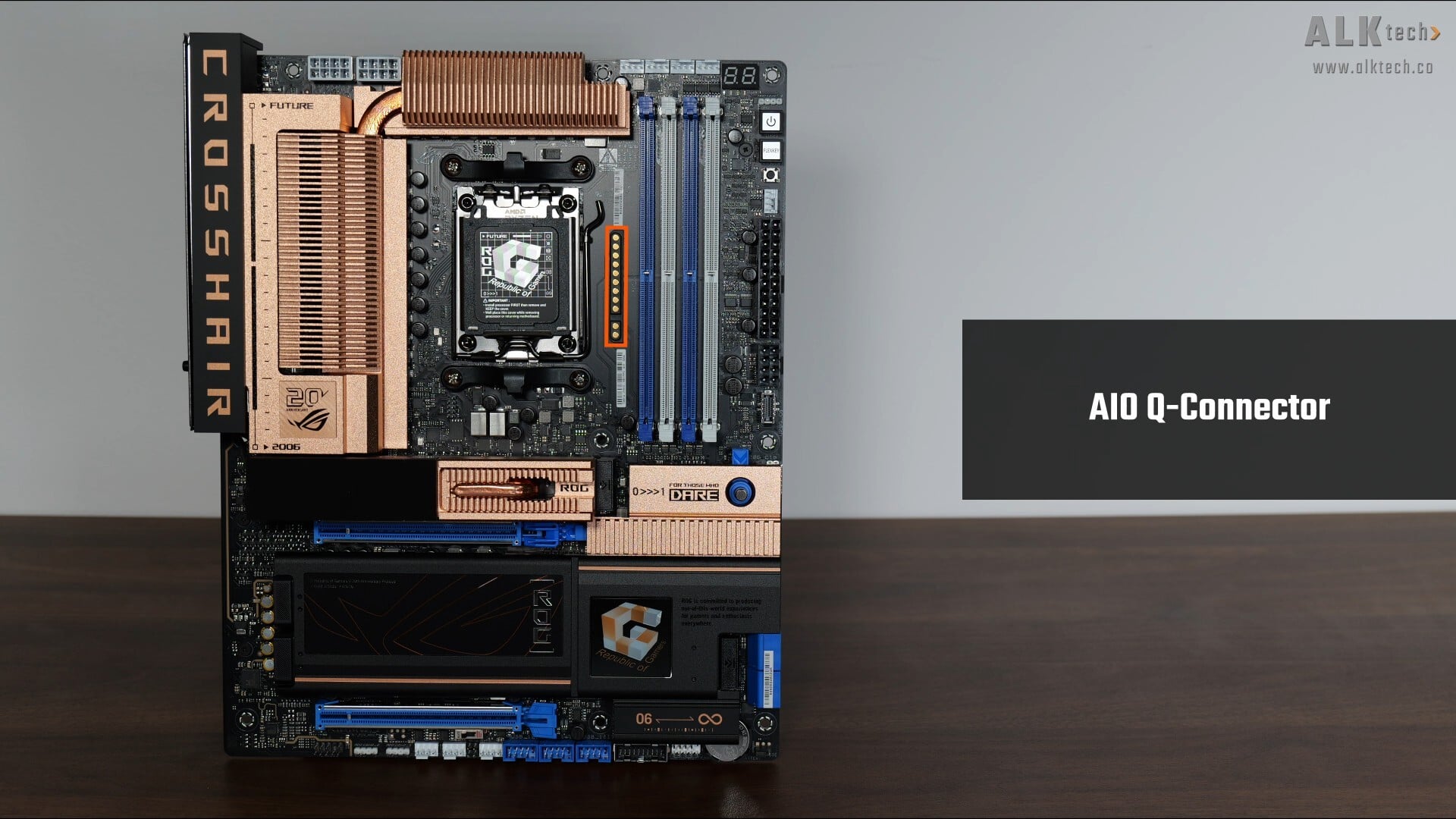
In the cooling and RGB departments, the board comes with eight fan headers that are located in these regions of the board. In addition, we’ve got what ASUS terms an “AIO Q Connector”, a proprietary connector that’s similar to MSI’s EZ Conn, which consolidates the four-pin PWM fan connector, ARGB connector and USB 2.0 connector that one would typically get with an AIO CPU cooler, into just one connector.
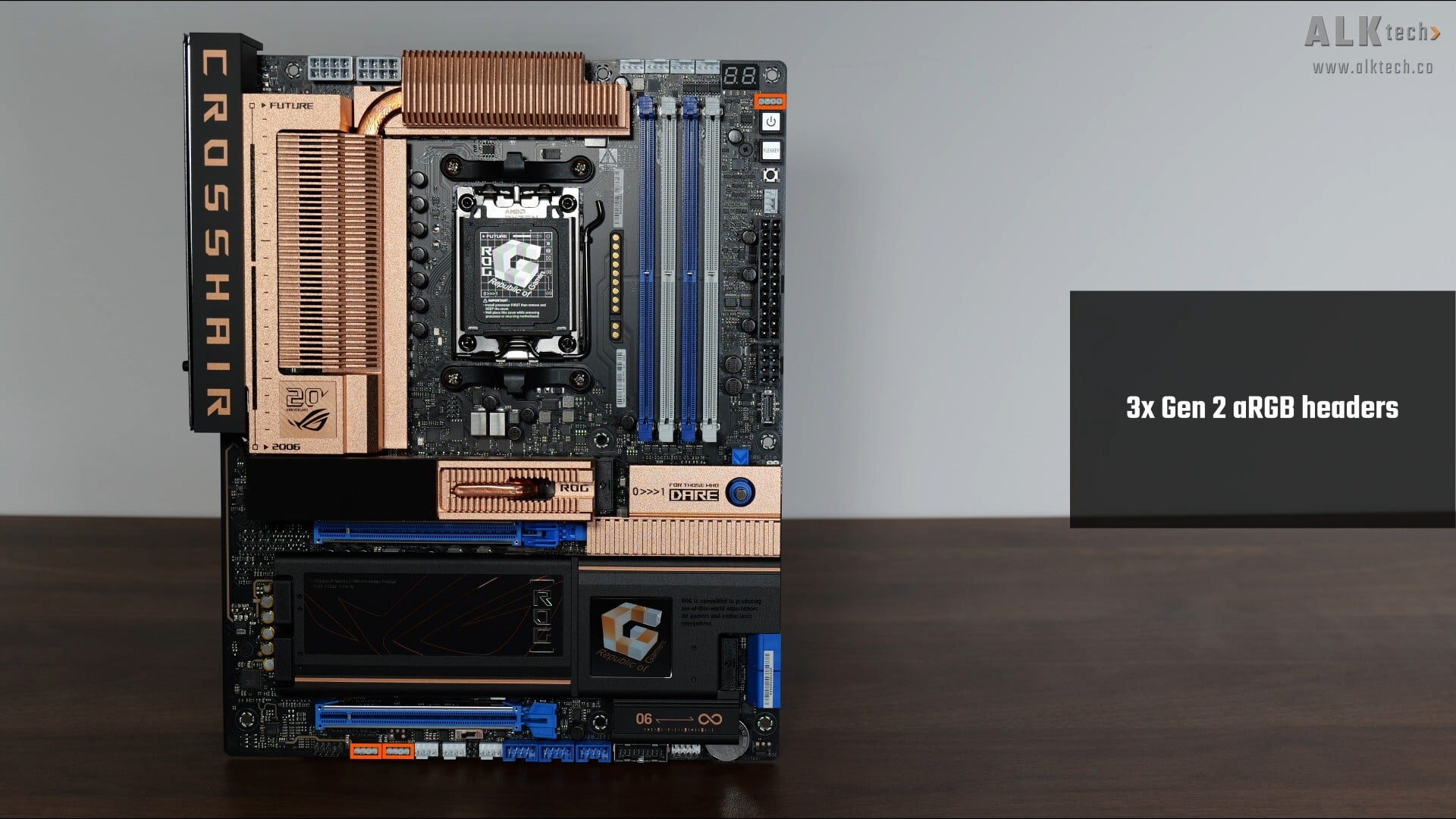
Also included are three Gen 2 addressable RGB headers located in these areas.
Special Features
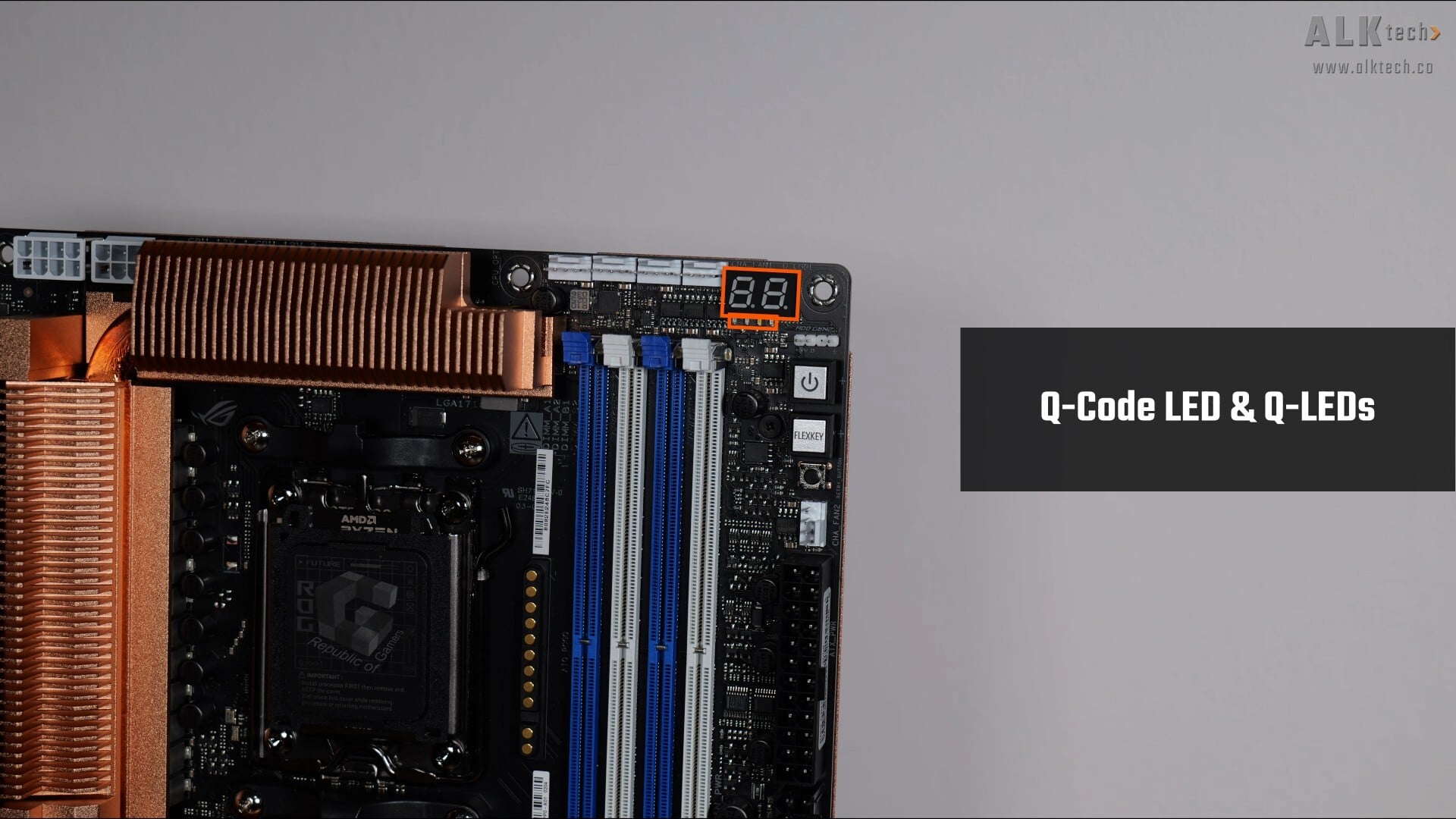
Some interesting features to highlight, back at the top of the motherboard, we get a Q-Code LED and Q-LEDs, where both these features can be used to help troubleshoot PC Power On Self Test (POST) issues.
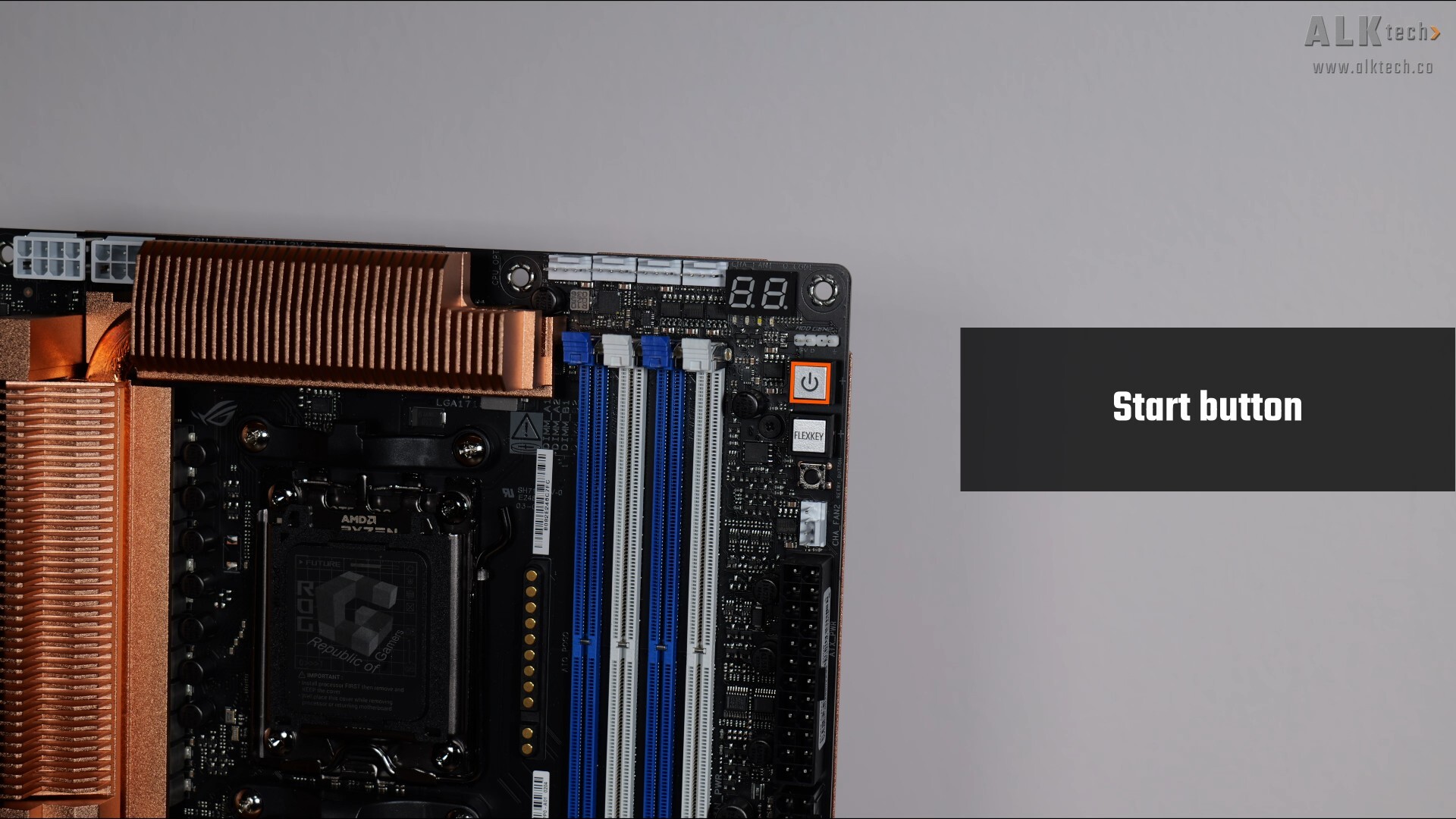
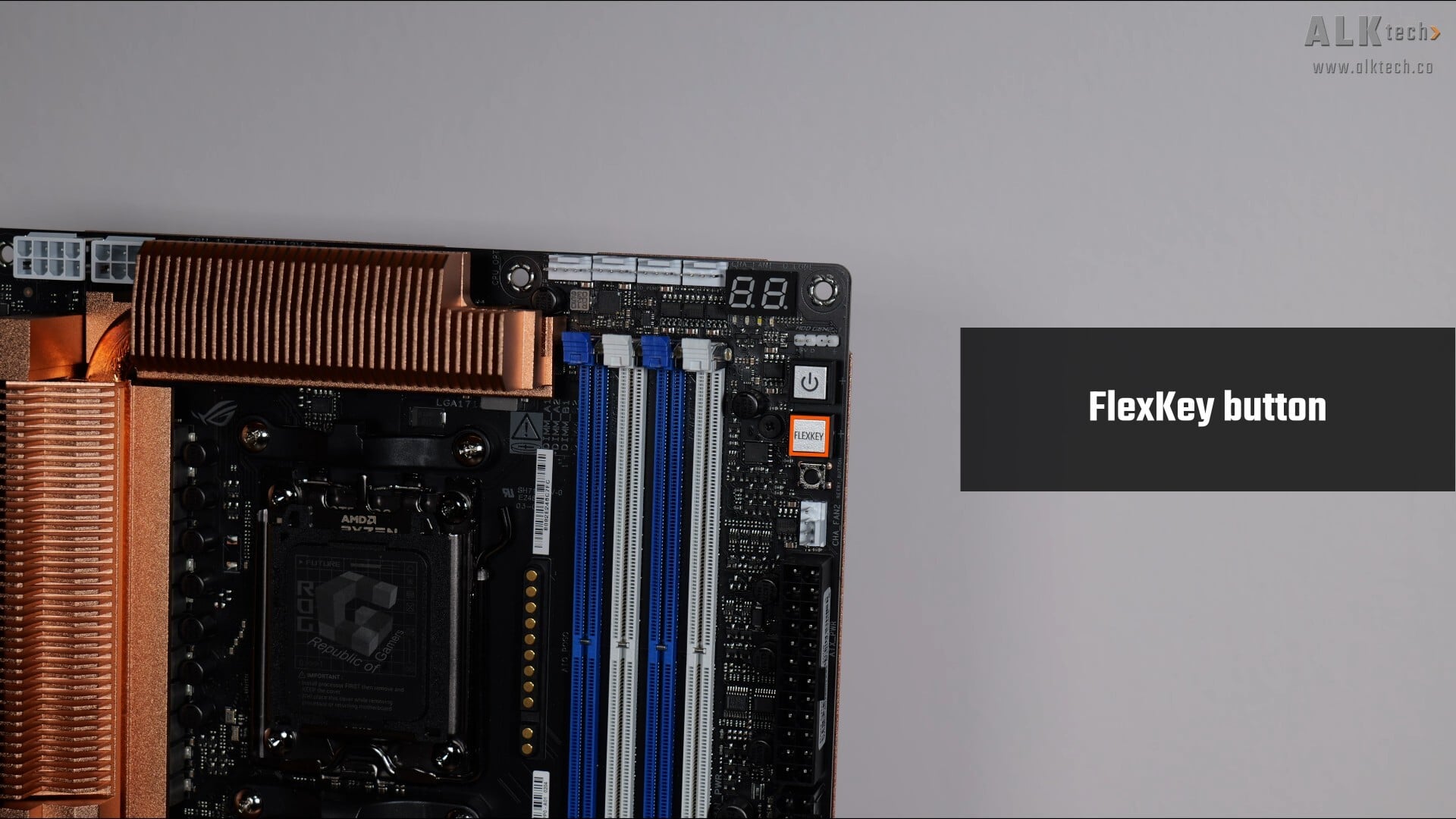
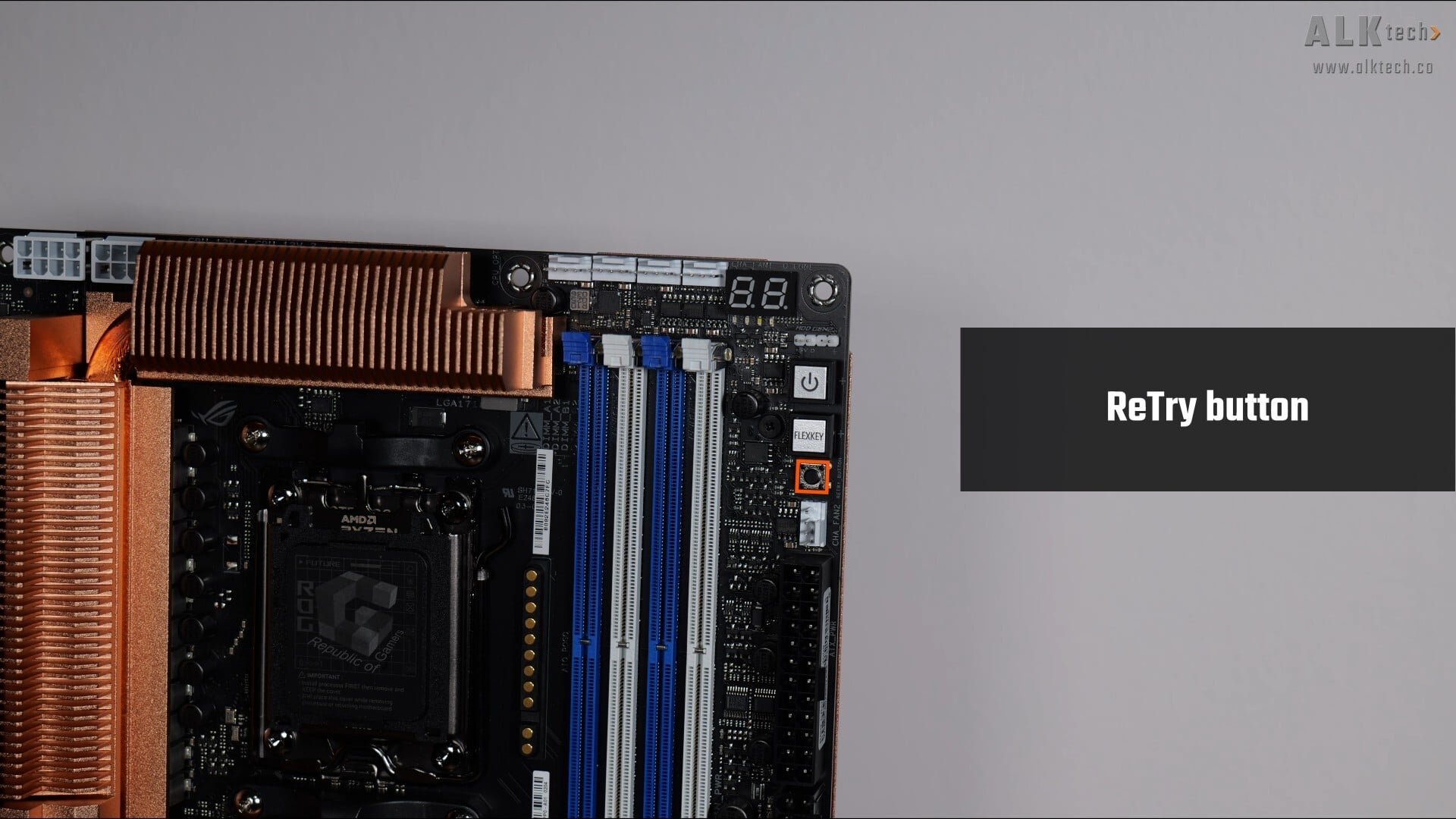
We also get a Start button that allows end-users to power on the PC, a FlexKey button that by default, serves as a Reset button, and can be customised from within the BIOS to perform a variety of different functions, as well as a ReTry button that allows overclockers to quickly reset the PC while maintaining the same OC settings to achieve a successful POST.
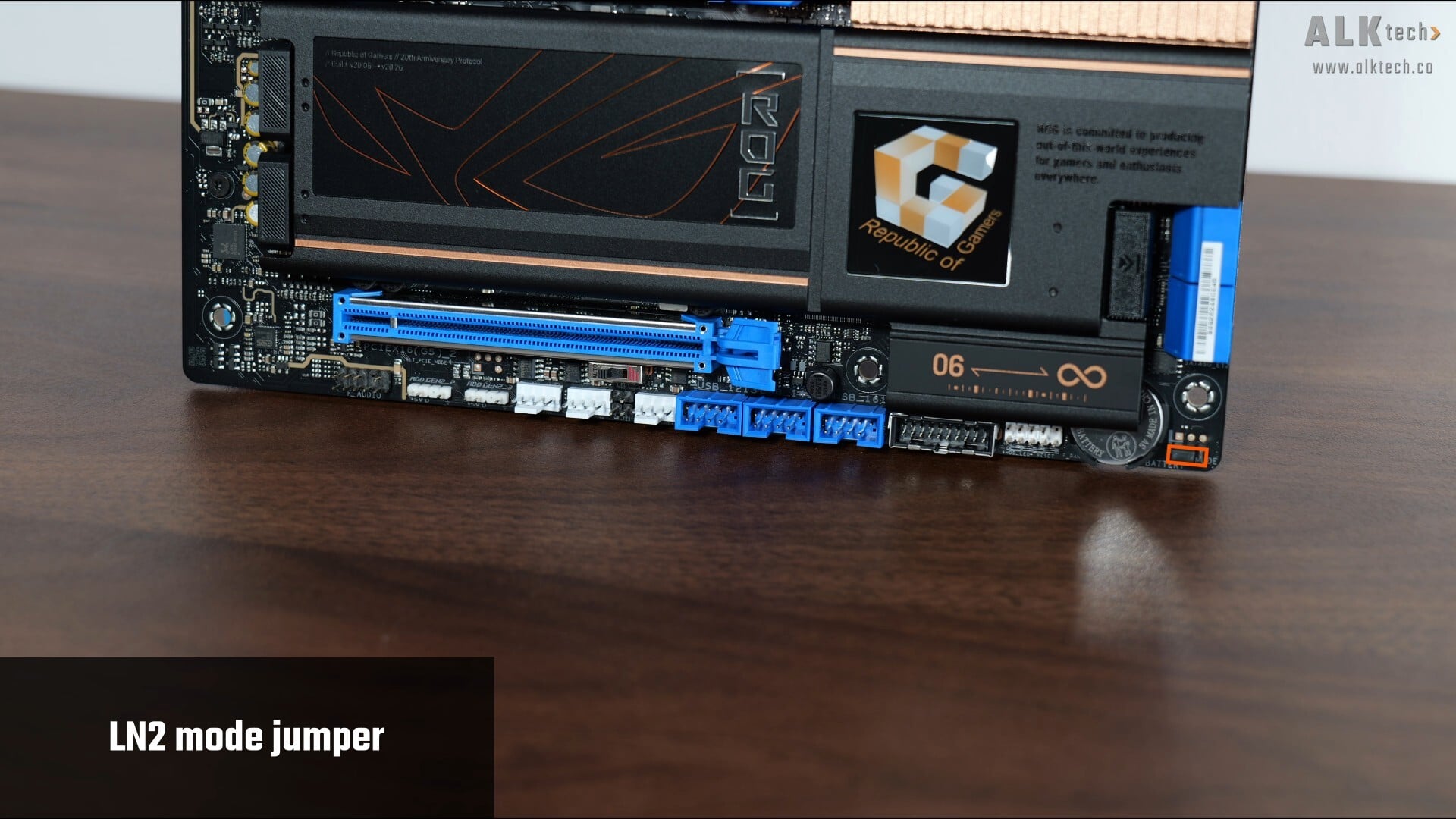
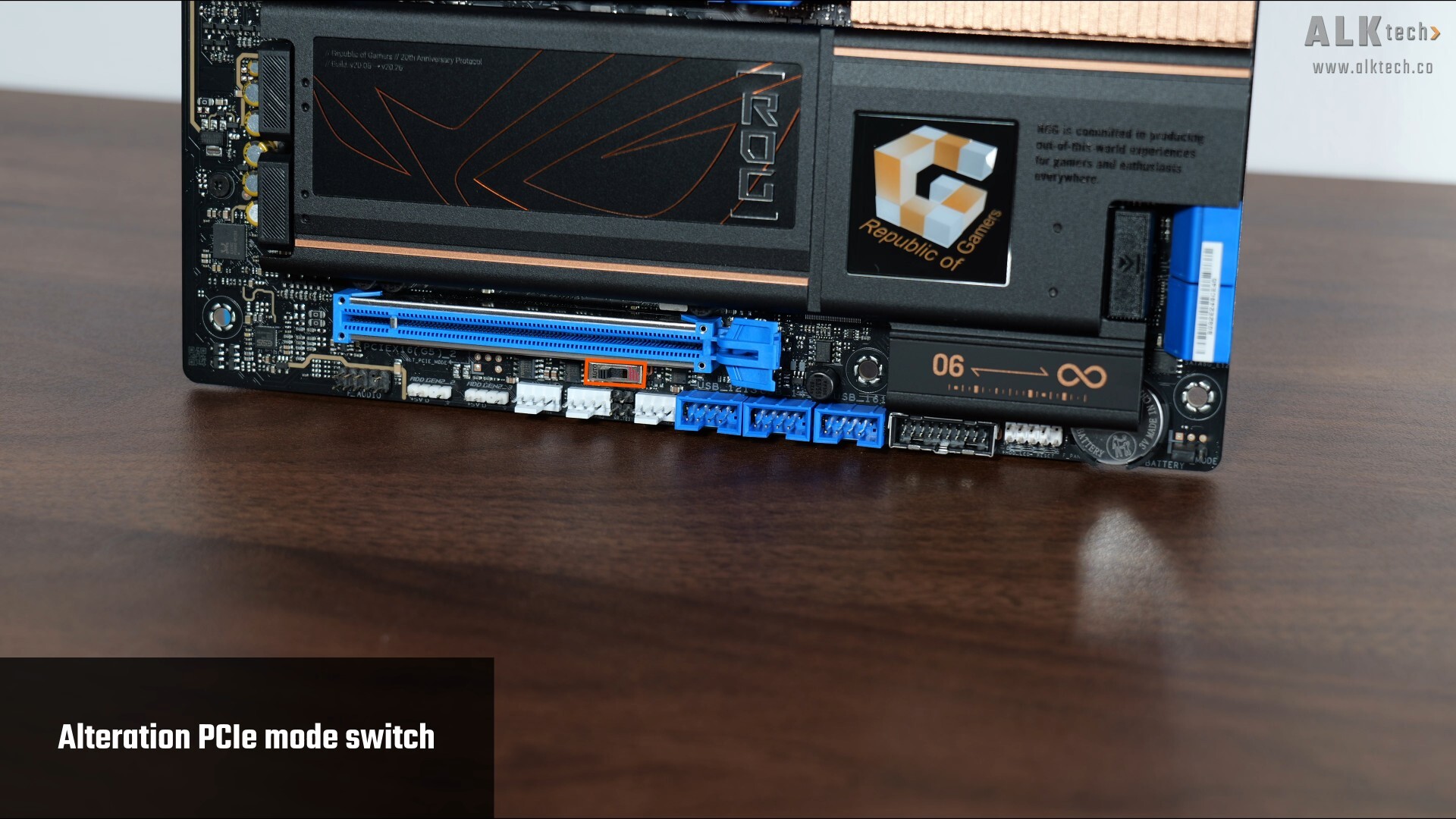
Moving over to the bottom edge of the board, we get a LN2 mode jumper that’s to be used for you folks intending to do a spot of liquid nitrogen CPU cooling for extreme overclocking purposes, as well as an Alteration PCIe Mode Switch that allows you to change the generation of PCIe signal that originates from the CPU, to Gen 4 or even Gen 3.
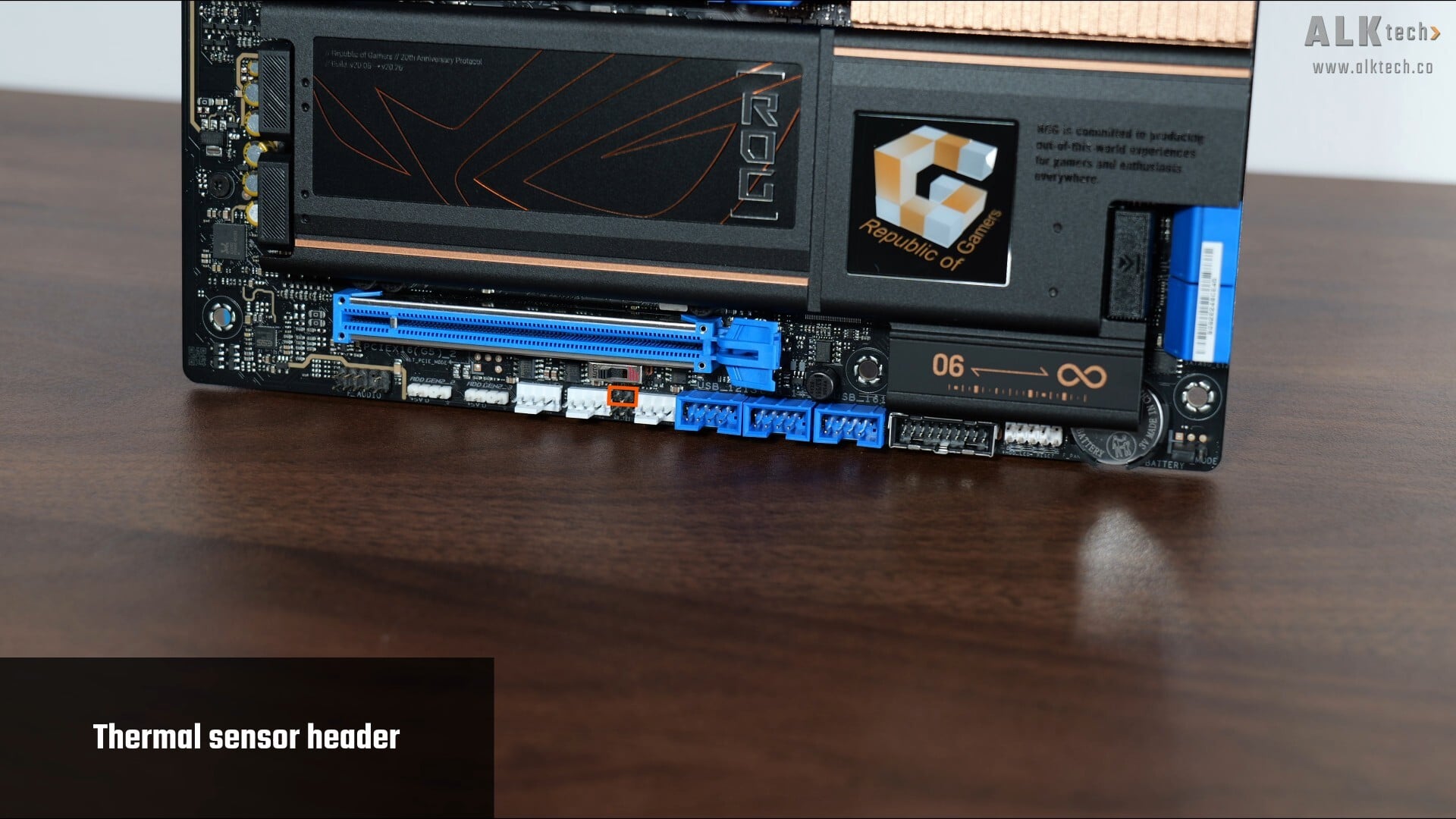
Finally, we get a Thermal Sensor header that allow you to connect an optional thermistor cable to monitor the temperature of devices within your PC.
Rear I/O
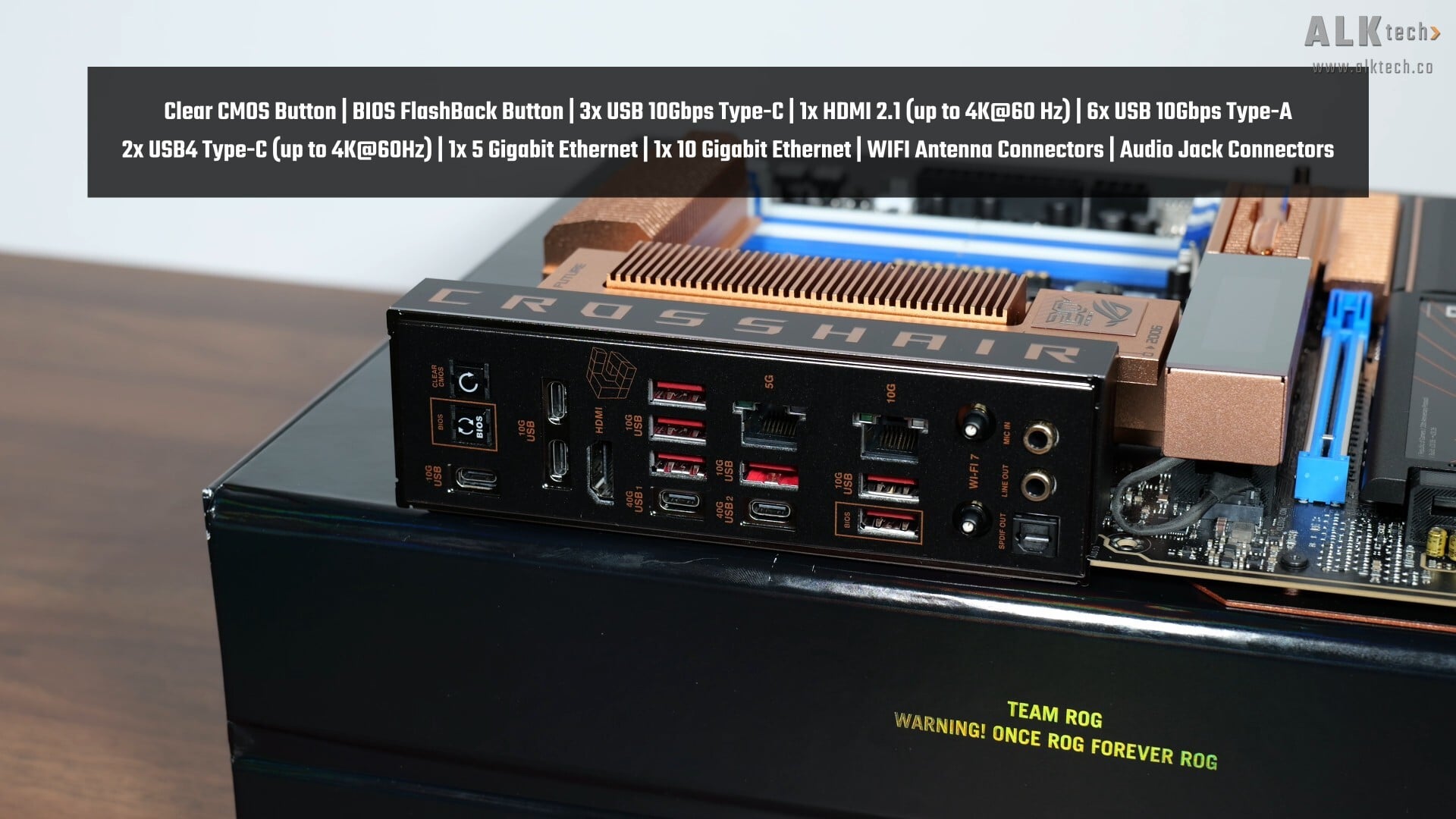
The ROG CROSSHAIR 2006 comes with an integrated I/O shield design, where we get the following buttons and ports on the rear I/O:
- Clear CMOS button
- BIOS FlashBack button
- 3x USB 10Gbps Type-C ports
- 1 HDMI 2.1 port (supports display output with a maximum resolution of 4K @ 60Hz)
- 6x USB 10Gbps Type-A ports
- 2x USB4 Type-C ports (both ports support display output with a maximum resolution of 4K @ 60Hz)
- 1x 5 Gigabit Ethernet port
- 1x 10 Gigabit Ethernet port
- WIFI antenna connector (Q-Antenna)
- Audio jack connectors
The BIOS FlashBack feature allows end-users to update the motherboard's BIOS without needing to install a processor, RAM and graphics card - this feature's useful to have for sure, seeing as AMD's next-generation "Zen 6" processors are going to be compatible with this board with just a BIOS update, that is, when "Zen 6" eventually launches.
Conclusion & Pricing
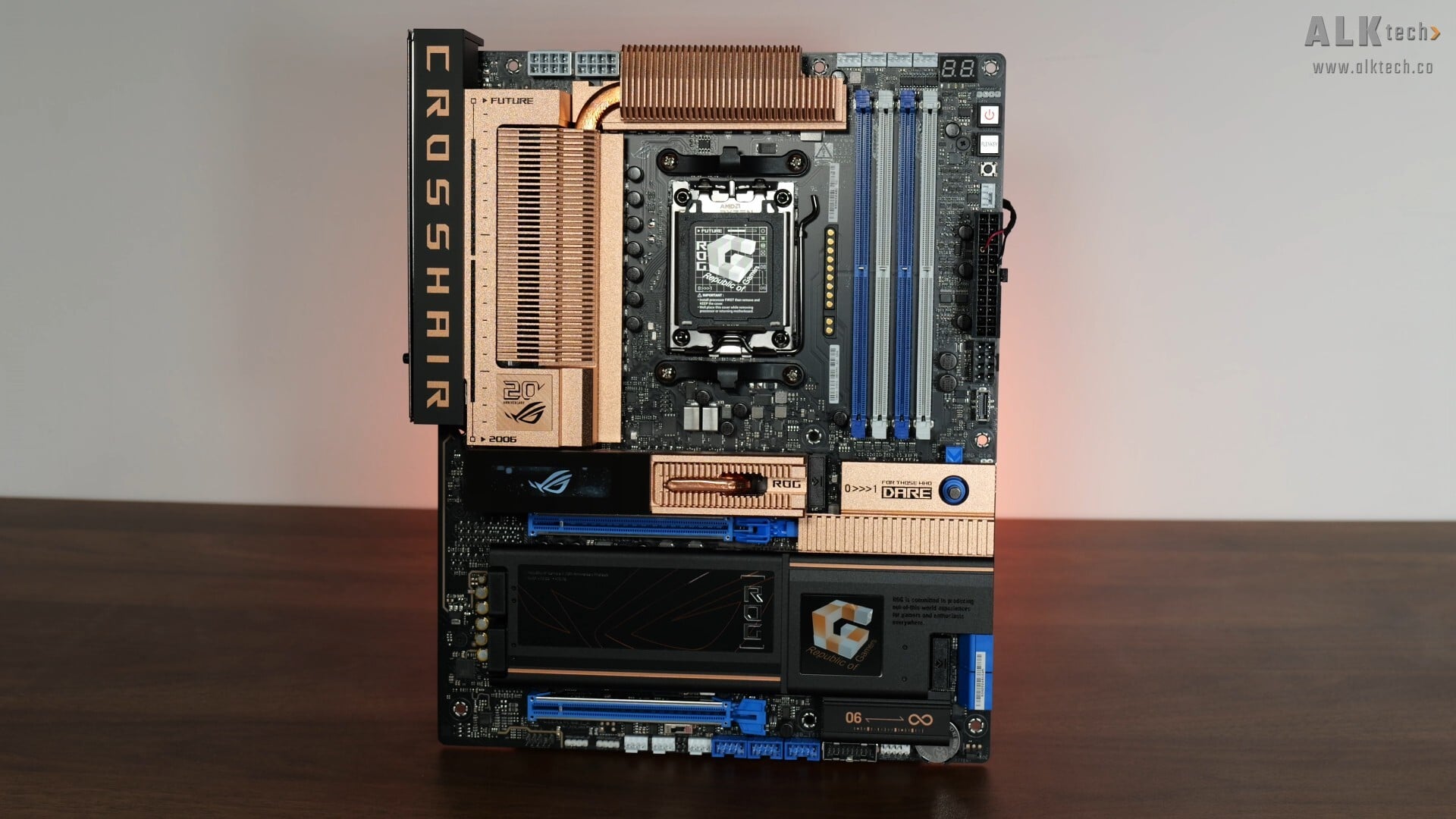
To sum up, the ASUS ROG CROSSHAIR 2006 is in my opinion, a great tribute to the original ROG Crosshair AM2 motherboard that launched in 2006, and it has a unique aesthetic that I think, would lend itself very well to PC builds with retro-style PC cases, such as the SilverStone FLP02 or the Thermaltake Retro 360.
As a premium AMD AM5 motherboard, we get all the bells and whistles that one would expect, such as a premium VRM setup, support for lots of M.2 drives, 10 and 5 Gigabit Ethernet, plenty of USB Type-C and Type-A connectivity options, along with no shortage of quality-of-life features such as Q-Slide and so on. Definitely helps too, that lane sharing is now confined to just the USB4 controller and the second PCIe 5.0 x4 M.2 slot, where end-users get the ability to configure the type of lane-sharing via the BIOS.
The above having been said, make no mistake, this is a pricey motherboard, where in Singapore, it goes for around $1300 Singapore dollars. For you international viewers, I saw the ROG CROSSHAIR 2006 listed for US$930 on Amazon US. A lot of money for a motherboard, but you do get a lot of board too in that regard, all topped off with a pretty cool aesthetic.
Get this motherboard from Amazon: https://amzn.to/4z3eTWI (affiliate link)
Get this motherboard from Lazada Singapore: https://s.lazada.sg/s.habpi?t=p-iEzZjwT-s2C5dCql (affiliate link)
Get this motherboard from Shopee Singapore: https://s.shopee.sg/5AtQQ8AcV3 (affiliate link)
ALKtech may earn commissions from qualifying purchases made using affiliate links, at no extra cost to you as a customer. These commissions go a long way in supporting the platform!
The motherboard featured in the video above was a review unit provided on loan from ASUS Singapore.